


Choosing the best photo editing software for PC can make a huge difference in both your workflow and image quality. Whether you're a photographer editing RAW files, a designer creating layered compositions, a content creator preparing visuals for social media, or a beginner enhancing personal photos, the right tool helps you work faster and get better results. Windows users now have a wide range of options, from professional solutions like Photoshop and Affinity Photo to powerful open-source and completely free photo editors. Each offers different strengths in performance, features, and ease of use. In this guide, we compare the best photo editing software for Windows in 2026, helping you find the ideal choice based on your needs, budget, and experience level.
Best Photo Editing Software for PC
Here's a breakdown of the best photo editing software for PC in 2026, organized by different user needs and skill levels. Each recommendation includes a brief overview, strengths, and why it's worth trying.
To ensure you get the most accurate and practical recommendations, we evaluated each program based on:
- Features & Tools: Support for layers, masks, RAW files, AI enhancements, filters, and batch photo editing.
- Ease of Use: User interface, learning curve, and accessibility for beginners and pros.
- Performance: Speed, stability, and efficiency on Windows 10 and 11, including low-end PCs.
- Free vs Paid: Limitations in free versions and value offered by paid options.
- Compatibility & Updates: Supported file formats, plugin integration, and ongoing software updates.
1. Adobe Photoshop
Best for: Professional photo editing.
Price: Subscription-based, starting at $20.99/month
Compatibility: Windows 10, Windows 11, macOS
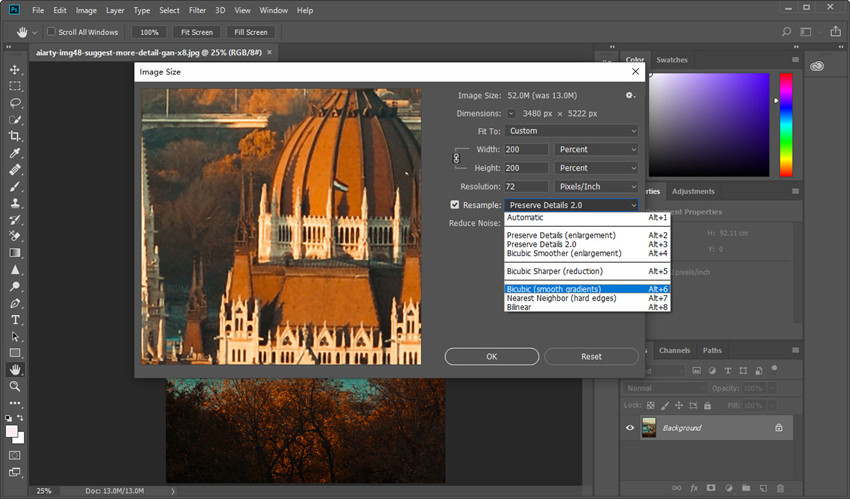
As a long-time Photoshop user, I can confidently say it's one of the most powerful photo editing tools available for Windows. The layer system, masks, and adjustment layers allow precise control over every aspect of your images, while the AI-powered tools, such as Neural Filters and automatic sky replacement, significantly speed up complex edits. Retouching portraits, compositing multiple images, and color grading feel seamless once you get familiar with the interface. However, I'll be honest: it's a resource hog. On my Windows 11 setup, I noticed that once my project hits 50+ layers, I really need that 32GB of RAM to keep things snappy. It's the best windows photo editor for those who need absolute control, but if you're just doing basic exposure tweaks, the monthly subscription might feel like overkill.
Also see: How to Edit Photos on Windows 11/10 for High-Quality Results
- Industry-standard professional tools.
- Extensive plugin ecosystem and integrations.
- Powerful AI enhancements and automation.
- Supports all major file formats and color spaces.
- Subscription can be costly.
- Steep learning curve for beginners.
- Large projects require a high-spec PC.
💡 The Pro's Secret: Pre-Processing Your Photos for Perfect Quality
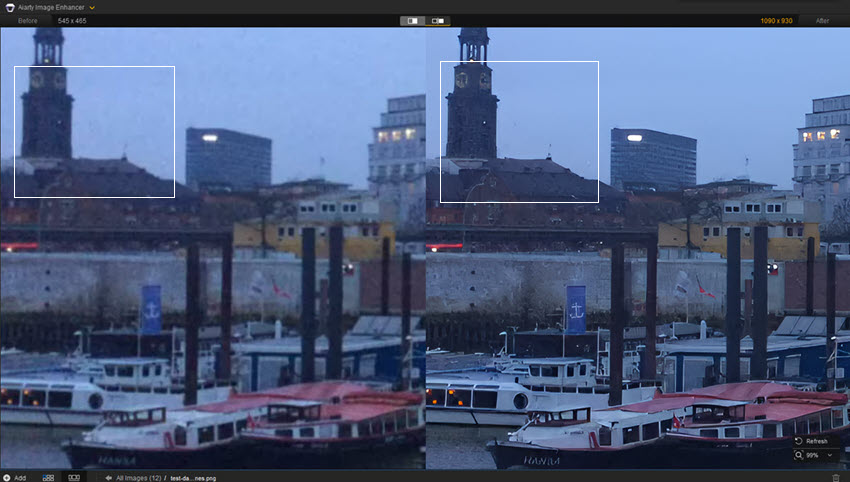
Before you dive into complex manual edits, sometimes the biggest hurdle is just the quality of the original file. If you're dealing with blurry shots or low-res images that don't hold up on a large PC monitor, Aiarty Image Enhancer is a lifesaver. It's a specialized tool for Windows that uses AI to intelligently remove blur and reduce noise before you even start your creative workflow. It can upscale your photos without losing detail, making it the perfect 'pre-processing' companion for any of the software on this list.
2. GIMP
Best for: Free and advanced photo editing on windows
Price: Free
Compatibility: Windows 10, Windows 11, Linux, macOS
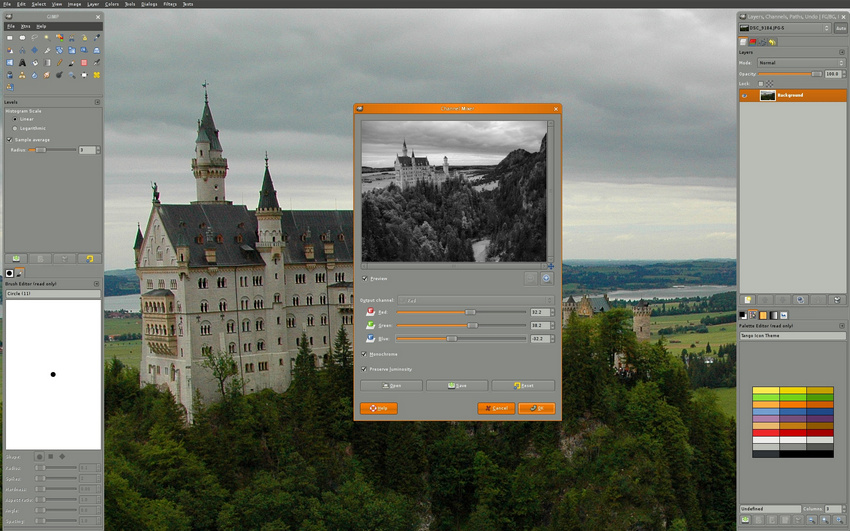
I often turn to GIMP when I'm working on a Linux partition or a secondary PC where I haven't installed my paid suites. It remains the gold standard for photo editing software free of cost. Over the years, the community has polished the interface significantly. I've used it for complex compositing, and its masking tools are surprisingly robust. The learning curve is notorious, and I'll admit, the icon-heavy UI can be daunting at first. But once you install a few community "PhotoGIMP" patches to make it look like Photoshop, it becomes an incredibly capable tool for free photo editing software for windows 10.
- Completely free and open-source.
- Supports layers, masks, and a wide range of plugins.
- Compatible with most major file formats.
- Suitable for both beginners and advanced users.
- Interface feels less polished than paid editors.
- Steeper learning curve for beginners.(Learn how to edit photos in GIMP step by step)
- Some features require plugins to unlock full potential.
3. Paint.NET
Best for: Quick and lightweight photo editing on Windows.
Price: Free
Compatibility: Windows 10, Windows 11
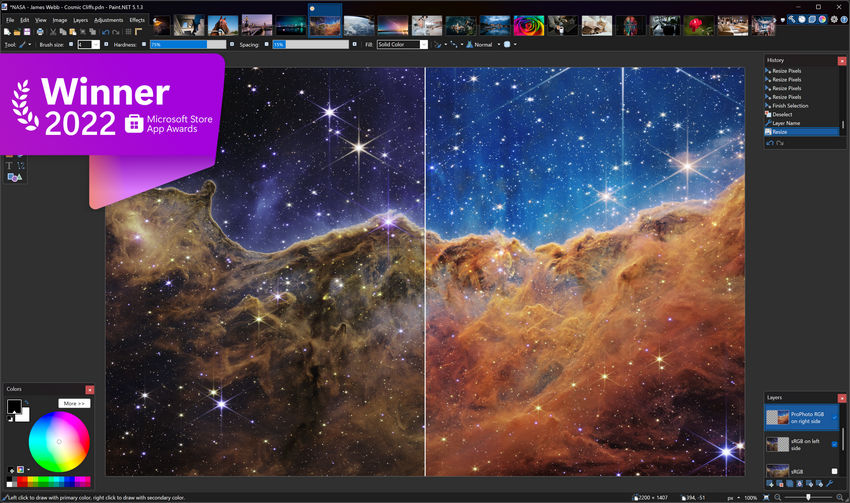
When I need to crop a screenshot or make a quick social media graphic, I don't open Photoshop; I open Paint.NET. It's the ultimate free Windows photo editor for speed. It launches in about two seconds on my laptop. Don't let the "Paint" in the name fool you—it supports layers, blending modes, and has a massive library of community-made plugins that allow it to handle things like 3D rotation and advanced noise reduction. It lacks RAW support, so it's not for professional photography, but for everyday "quick and dirty" edits on a Windows machine, it is unbeatable.
- Lightweight and fast, runs well on low-spec PCs.
- Easy to learn and beginner-friendly.
- Supports layers and essential plugins.
- Completely free to use.
- Lacks advanced features like RAW editing or complex retouching.
- Not suitable for professional-grade projects.
- Limited plugin ecosystem compared to GIMP or Photoshop.
4. Adobe Lightroom Classic
Best for: Professional photographers needing high-volume RAW processing and advanced local file management.
Price: Subscription-based (Part of the Photography plan).
Compatibility: Windows 10/11, macOS.
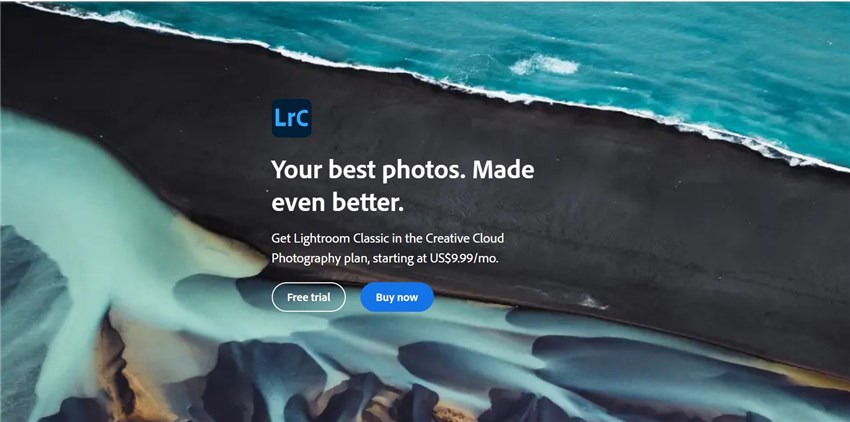
For my wedding and event photography, Lightroom Classic is my command center. I use it to manage a library of over 50,000 images. The 2026 update brought "AI Culling," which helps me automatically find the sharpest shots in a burst - It's the superior photo editing software for PC users. While the "Cloud" version is sleeker, the "Classic" version is still superior for PC users who want to store files locally on their own hard drives. My only gripe? It still gets "laggy" during heavy export tasks, reminding me that even in 2026, Adobe's code can be a bit bloated.
- Best-in-class Digital Asset Management (DAM) with smart filtering and collections.
- Apply presets to hundreds of photos simultaneously.
- Precise AI-powered masking for subjects, skies, and backgrounds.
- Reliable tethered shooting for instant image review.
- Recurring Creative Cloud cost with no buy-once option.
- Steep learning curve that can be intimidating for beginners.
- Requires a high-spec PC and significant RAM for smooth performance.
- Limited cloud sync compared to the mobile-friendly Lightroom version.
5. Capture One Pro
Best for: Professional studio photographers who require superior color accuracy and the most reliable tethered shooting performance in the industry.
Price: Subscription ($24/mo) or Perpetual License ($299).
Compatibility: Windows 10/11, macOS.
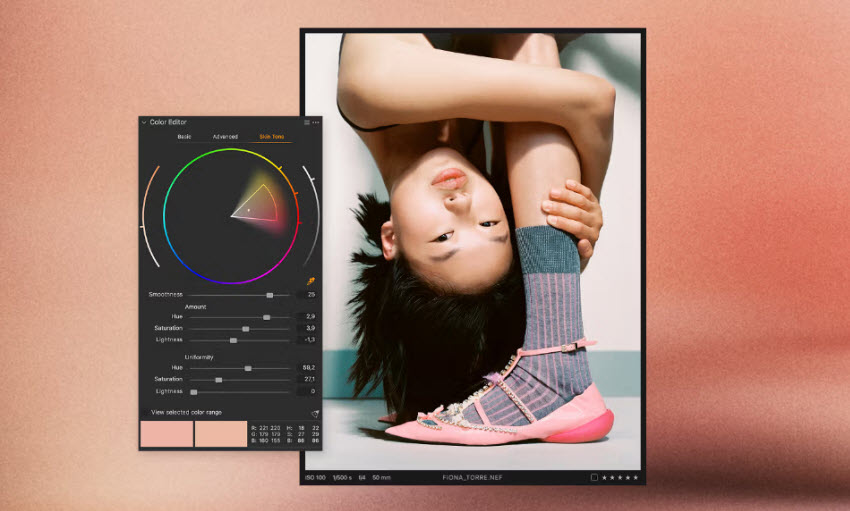
If color is your priority, Capture One Pro is the photo editing software for PC you need. I specifically use it for my studio portrait sessions because the "Tethered Shooting" is flawless - I plug my camera into my PC, and the images appear instantly on the screen for the client to see. The color editor is much more surgical than Lightroom's; I can isolate a specific shade of skin tone and adjust its saturation without affecting the background. It is expensive, but for high-end professional work, the sheer image quality and "clean" RAW processing make it worth the investment.
- Renowned for providing the most natural skin tones and precise color grading tools.
- Offers the industry's most stable and rapid "plug-and-shoot" experience for studio environments.
- Allows you to rearrange the entire UI to fit your specific editing workflow.
- Use keyboard shortcuts to adjust sliders without ever touching your mouse.
- One of the most expensive photo editing software for PC/Windows.
- The unique interface logic can be difficult to learn if you are coming from an Adobe-only background.
- Fewer third-party plugins and mobile integrations compared to the Adobe Creative Cloud.
- Processing high-resolution RAW files with complex layers can be resource-intensive for average PCs.
6. Luminar Neo
Best for: Content creators wanting fast, professional results via Generative AI without manual technicalities.
Price: Monthly subscription or Lifetime purchase (approx. $149).
Compatibility: Windows 10/11, macOS.
Luminar Neo is what I recommend to my friends who want "professional results" but have zero interest in learning what a "Histogram" is. It is an AI-first photo editor for PC. I've used its "Sky AI" to turn a dull, gray afternoon shot into a stunning sunset in exactly two clicks. It feels more like a creative playground than a technical tool. In my experience, it can be a bit heavy on system resources, and sometimes the AI effects can look a bit "fake" if you overdo them. But for social media creators who need "wow" factor fast, it's a brilliant photo editing software for windows.
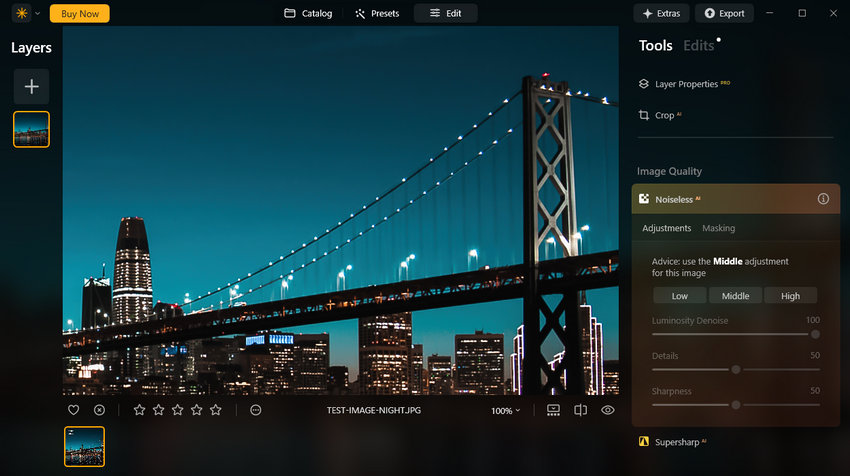
- One-click tools for Sky Replacement, GenErase, and Portrait Relighting.
- A modern, clean interface that is much easier to navigate than Photoshop.
- Specialized in artistic effects like sunrays, atmosphere, and AI bokeh.
- Available as both a subscription and a lifetime (buy-once) license.
- Can be slow or laggy on mid-range PCs during complex AI tasks.
- Lacks the advanced photo organization (face tagging, etc.) of Lightroom.
- Some pros may find the simplified sliders too restrictive.
7. Darktable
Best for: Free RAW editing and professional photography
Price: Free
Compatibility: Windows 10, Windows 11, Linux, macOS
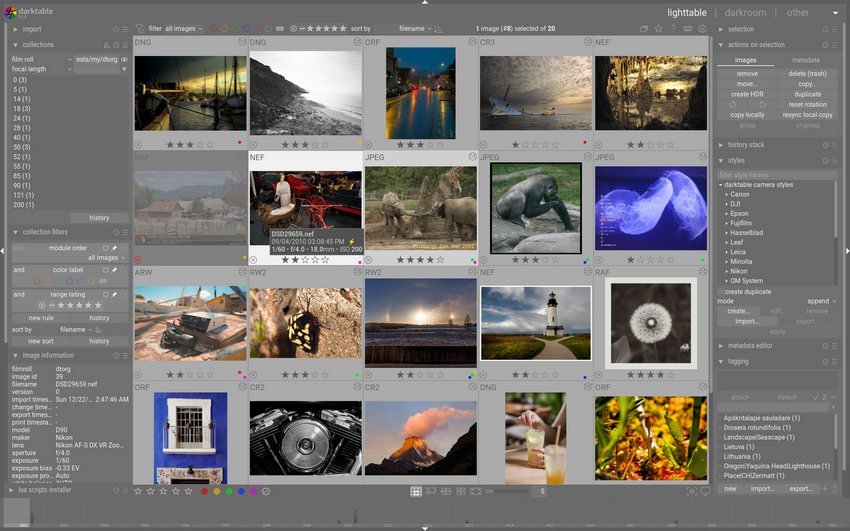
If you need a free photo editor for PC that rivals Lightroom's RAW processing, Darktable is a game-changer. From my experience, it's perfect for photographers who need non-destructive editing and precise color control without paying for a subscription. The workflow feels very professional: I can adjust exposure, tweak colors, apply lens corrections, and organize my photo library all within one program. On Windows 10, it handles large RAW files smoothly, and the performance has been surprisingly stable even on my mid-range laptop. For anyone searching free photo editing software for Windows, Darktable offers features that rival many paid programs. It's ideal for serious photography projects, batch processing, and any scenario where high-quality RAW editing is required.
Darktable Tutorial for Beginners: How to Use Darktable Step by Step >>
- Advanced non-destructive RAW editing.
- Free and open-source.
- Precise color correction and photo management.
- Handles large photo libraries efficiently.
- Interface can be overwhelming for beginners.
- Steeper learning curve compared to simpler editors.
- Some advanced features require time to master.
8. Photopea
Best for: Online editing and quick projects
Price: Free (with optional paid version for ads removal)
Compatibility: Windows 10, Windows 11, macOS, Linux (browser-based)
Photopea is a lifesaver when I'm on a guest Windows PC and need a professional editor instantly. For quick edits, resizing images, or handling PSD files from clients, it's incredibly convenient. I can jump straight into work from any Windows PC, and all the layers, masks, and advanced tools I need are right there. The online photo editing software delivers powerful features without any cost. On Windows 10 or 11, it runs smoothly in Chrome or Edge, making it ideal for students, remote workers, or anyone who wants a flexible, portable editing solution.
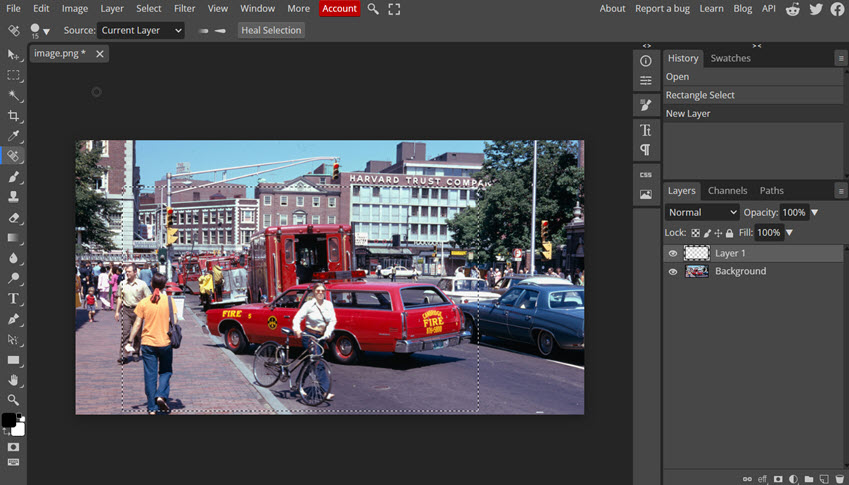
- Runs entirely in the browser, no installation needed.
- Photoshop-like interface and tools.
- Supports PSD, XCF, Sketch, and RAW files.
- Ideal for quick edits and remote work.
- Depends on a stable internet connection.
- Large files can lag in the browser.
- Some advanced features require the paid version.
9. DxO PhotoLab
Best for: Photographers who demand the highest possible RAW image quality and best-in-class noise reduction on PC.
Price: One-time purchase (starts at $139).
Compatibility: Windows 10/11, macOS.
DxO PhotoLab is my "rescue" software. If I have a photo taken in a dark room with a lot of digital noise, DxO's "DeepPRIME" AI is the only tool that can clean it up without turning the image into a blurry mess. I have included noise reduction tests with bird photos in this in-depth review of DxO PhotoLab.
It also has the best lens-correction database I've ever seen - it knows exactly how my specific lens distorts at 24mm and fixes it automatically. It's not great for creative "art" edits, but as a pure technical tool to make a photo look its best, it's world-class.
- DeepPRIME AI technology rescues high-ISO shots with incredible detail and zero artifacts.
- Automatically applies lab-grade lens corrections tailored to your specific camera and lens combo.
- Directly browse and edit photos on your hard drive without the need for a database catalog.
- Highly intuitive local adjustment tools that use "control points" for precise, natural-looking masks.
- DeepPRIME processing is extremely resource-intensive and requires a powerful GPU for fast exports.
- Lacks some creative tools like generative AI, multi-image layers, or advanced photo organizing features.
- Several essential tools (like perspective correction) require purchasing separate plugins like ViewPoint or FilmPack.
- You often cannot see the full effect of the high-end noise reduction until the final image is exported.
10. Affinity Photo 2
Best for: Designers and Photographers on a Budget
Price: One-time payment (approx. $69.99; often on sale for $35).
Compatibility: Windows 10/11, macOS, iPad.
Affinity Photo is my top recommendation for anyone who hates the "subscription trap." I switched to Affinity photo editing software for my freelance projects last year and was blown away by how it handles PSD files - I can open my old Photoshop projects with layers intact. The "Live Filters" are a game-changer for me; I can apply blurs or sharpening and tweak them later without destroying the original pixels. While it lacks some of Adobe's latest AI "magic," the speed on a Windows PC is incredible. It feels leaner and faster than Photoshop, though I did find the brush engine slightly different, requiring a small adjustment period.
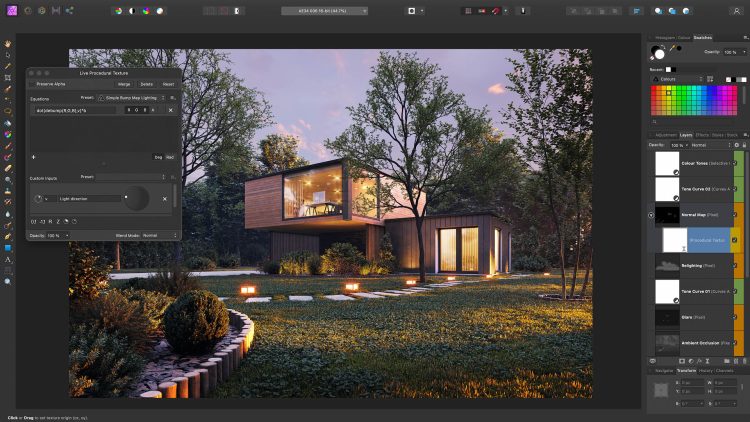
- Professional photo editing software with one-time purchase.
- Smooth performance on Windows PCs.
- Advanced RAW editing and color correction.
- Great for client projects and social media graphics.
- Missing some advanced Photoshop plugins.
- Moderate learning curve for beginners.
- Some features require exploration to master.
11. ON1 Photo RAW
Best for: Photography enthusiasts seeking a powerful all-in-one RAW photo editor for PC with a one-time purchase license.
Price: Subscription or Buy-once (approx. $99).
Compatibility: Windows 10/11, macOS.
I think of ON1 as the "everything and the kitchen sink" editor. It tries to do everything: cataloging, RAW processing, layers, and AI effects. In the 2026 version, the "AI Masking" is incredibly fast—I can just hover over a person's hair, and it creates a perfect mask. It's a great value for Windows users who want an all-in-one solution. The only downside I've found is that the interface can feel cluttered because it's trying to fit so many tools into one window.
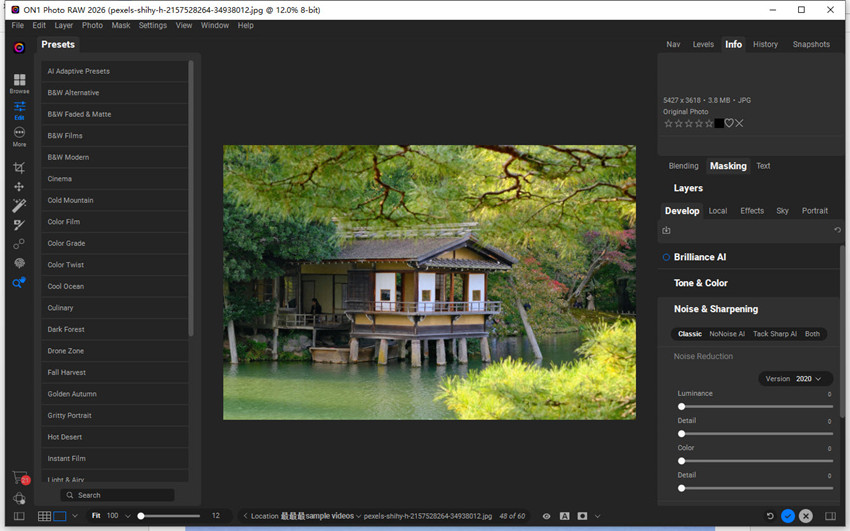
- Combines RAW processing, layer-based editing, and cataloging in a single editor.
- Features robust AI tools for noise reduction, upscaling, and one-click masking.
- Specifically optimized for fast image browsing and culling on Windows PCs.
- Available as a perpetual license, offering a permanent alternative to Adobe.
- The UI can feel cramped and cluttered, especially on smaller laptop screens.
- Some advanced AI operations can be slow or prone to bugs compared to more mature tools.
- While good at noise reduction, its default sharpening is sometimes less refined than DxO or Lightroom.
12. Canva (Windows App)
Best for: Social media creators and non-designers needing fast, template-based graphics and simple AI photo fixes.
Price: Free or Pro ($119/year)
Compatibility: Windows, macOS, Mobile.
Purists might argue Canva isn't a "photo editor," but in 2026, I use it more than almost any other tool for my business. The Windows desktop app is much smoother than the browser version. If I need to take a photo, remove the background, and add text for a YouTube thumbnail, Canva does it in seconds. Its AI "Magic Edit" allows me to swap a person's shirt color or add a hat just by brushing over the area. It's not for fine-tuning a RAW landscape, but it's the king of photo editing software for windows for modern content creators.
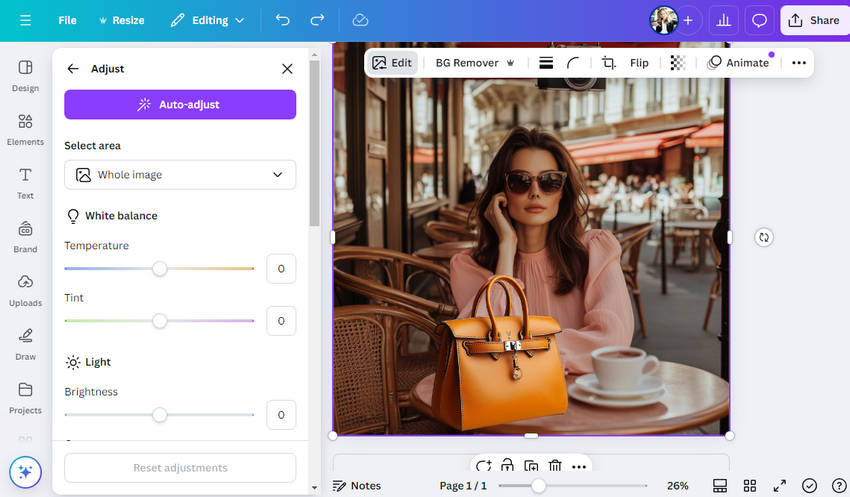
- A drag-and-drop interface that anyone can master in minutes without prior design experience.
- Access to millions of templates, stock photos, and fonts directly within the Windows app.
- Fast, accessible tools for Background Removal, Magic Edit, and Object Eraser.
- Best-in-class tools for real-time team editing and cloud-based project sharing.
- Lacks advanced photo tools like RAW processing, manual color grading, or high-end retouching.
- Most features require a stable internet connection to function, even in the desktop app.
- Professional print options and high-resolution control are more restrictive than dedicated editors.
- Many of the best elements and AI features require a Canva Pro subscription.
2026 Best Photo Editing Software for PC Comparison
 FAQs
FAQs
The best photo editing software for PC depends on your needs. Professionals may prefer Adobe Photoshop or Affinity Photo, while free options like GIMP, Darktable, and Photopea offer powerful tools without a subscription. For quick edits or lightweight tasks, Paint.NET is a solid choice.
For Windows 10 users, popular free options include GIMP, Darktable, Photopea, and Paint.NET. These programs provide features ranging from basic edits to professional-level RAW processing, making them ideal for hobbyists and professionals alike.
Yes. GIMP, Photopea, and Darktable all support layers and masks, enabling advanced editing without paying for professional software. Paint.NET supports layers as well, though with fewer advanced features.
Yes, several programs are available for free download. GIMP, Darktable, Paint.NET, and Photopea all offer best photo editing software for PC free download options, allowing you to edit images without spending money.
For beginners, Paint.NET and Photopea are highly recommended due to their intuitive interfaces. Fotor and Canva (not covered in this guide) are also user-friendly options for simple edits and social media content.
Absolutely. Free programs like GIMP, Darktable, and Photopea provide professional-level tools, including RAW editing, layer management, masks, and advanced color correction. While some features may differ from paid software, these tools are sufficient for many professional workflows.
You May Also Like


This post was written by Brenda Peng who is a seasoned editor at Digiarty Software who loves turning ordinary photos into extraordinary works of art. With AI assistance for brainstorming and drafting, the post is reviewed for accuracy by our expert Abby Poole for her expertise in this field.
