


Fujifilm X RAW Studio is a free software that processes RAW files using your camera’s built-in processor, preserving Fujifilm’s film simulations and color profiles. It’s designed for accurate color rendering and basic adjustments, but relies on a tethered workflow and lacks advanced editing features. For example, for modern needs like noise reduction, sharpening, or detail enhancement, it often works best as part of a larger workflow.
In this Fujifilm RAW Studio review, we’ll break down its real strengths, limitations, and how to build a more complete workflow for better image quality.
What Is Fujifilm X RAW Studio?
Fujifilm X RAW Studio is the official RAW processing software developed by Fujifilm for its X-series and GFX cameras. Unlike traditional photo editors, it doesn’t rely on your computer’s CPU or GPU—instead, it uses the camera’s built-in processor to render RAW images.
This means the output stays extremely faithful to Fujifilm’s in-camera color science, making it especially appealing to photographers who value film simulations and true-to-camera results.
However, that same design also defines its limitations, which becomes more obvious as we look deeper.
What Makes X RAW Studio Different from Other Photo Editors?
At first glance, X RAW Studio might look like any other RAW editor. But in practice, it works very differently. Traditional photo editing tools like Lightroom or Capture One process images directly on your computer, allowing for fast previews, flexible edits, and AI-powered enhancements. X RAW Studio, on the other hand, sends instructions back to your camera and lets the camera do the processing.
This creates a clear distinction:
- X RAW Studio: camera-driven color rendering
- Other editors: software-driven image editing
Because of this, X RAW Studio is not meant to be a full editing solution, it’s a specialized tool focused on one thing: accurate Fujifilm color.
Hot search: How to Edit Raw Photos for Best Quality >>
Key Features of X RAW Studio
Before diving into real-world performance, it helps to understand what Fujifilm X RAW Studio is actually built for. On paper, it offers a focused set of features centered around accurate RAW processing rather than full-scale editing.
Fujifilm Film Simulations
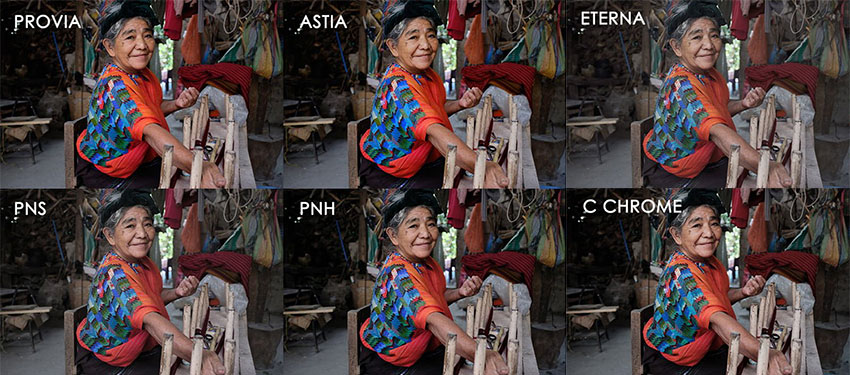
One of the biggest reasons photographers use X RAW Studio is access to Fujifilm’s signature film simulations, such as Provia, Velvia, and Astia.
Because the software uses the camera’s internal processor, these profiles are rendered exactly as they would be in-camera—something third-party editors often struggle to replicate perfectly. This makes X RAW Studio especially valuable for users who want consistent, true-to-Fujifilm color output.
Related Reading: How to Use ChatGPT to Create Fujifilm Recipes (AI Film Simulation Guide)
RAW-to-JPEG Conversion via Camera Processor
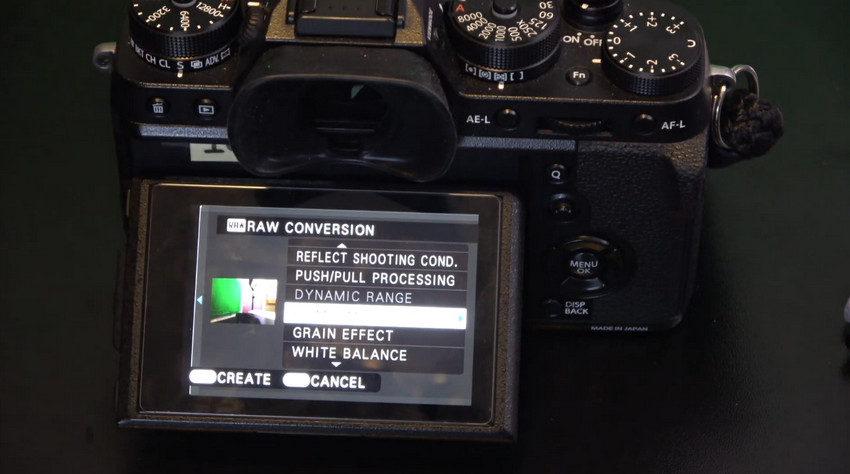
Unlike traditional RAW editors that rely on your computer, X RAW Studio sends processing instructions back to your camera.
This means every adjustment, including white balance, exposure, or film simulation, is handled by the camera’s processor. The result is highly accurate rendering, but it also introduces a dependency that affects speed and flexibility, which we’ll explore later.
Batch Processing Support
X RAW Studio does support batch processing, allowing you to apply the same settings across multiple images.
In theory, this can save time when working with a series of similar shots. However, because each image still needs to be processed through the connected camera, batch operations are not as fast or scalable as those in software-based editors.
USB Tethered Workflow
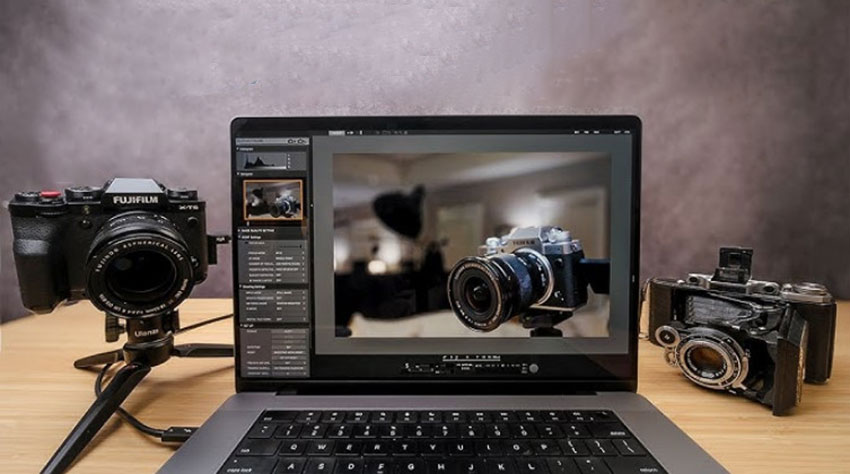
Another defining feature is its tethered workflow. To function properly, your Fujifilm camera must remain connected to your computer via USB at all times. This is what enables the software to use the camera’s processing engine, but it also limits portability and convenience compared to standalone editing tools.
While these features sound solid on paper, how they translate into real-world usability—and where they start to fall short—is what really defines the experience of using X RAW Studio.
Real-World Performance: What It’s Like to Use
Understanding how X RAW Studio performs in practice helps set realistic expectations, especially if you’re coming from modern editing tools.
Speed & Workflow
Because every adjustment is processed through the camera, the workflow is noticeably slower than typical RAW editors. Even simple changes require communication with the camera, which adds friction. For small batches, it’s manageable. For larger projects, it quickly becomes inefficient.
Image Quality
This is where X RAW Studio shines. The output is extremely accurate to what your Fujifilm camera would produce internally. Film simulations look authentic, and color rendering is consistent. If your goal is “straight-out-of-camera but refined,” it delivers.
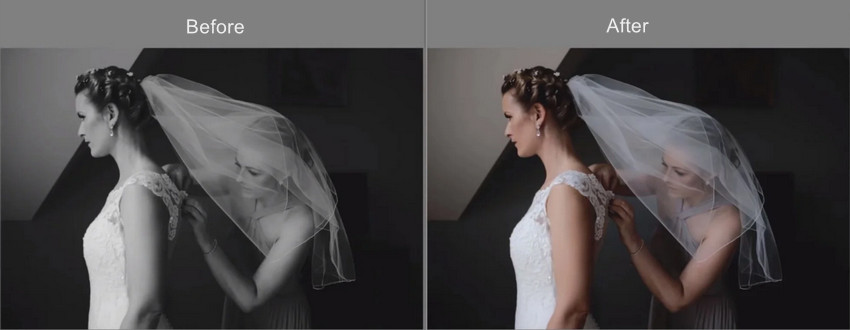
However, it’s important to understand its limitation: X RAW Studio does not actually improve image quality. It doesn’t enhance details, reduce noise beyond in-camera processing, or upscale resolution—it simply applies the camera’s built-in processing to your RAW files.
If you’re looking to go beyond that, such as recovering fine details, reducing noise in low-light shots, or upscaling images, you’ll need an additional AI-based enhancer like Aiarty Image Enhancer.
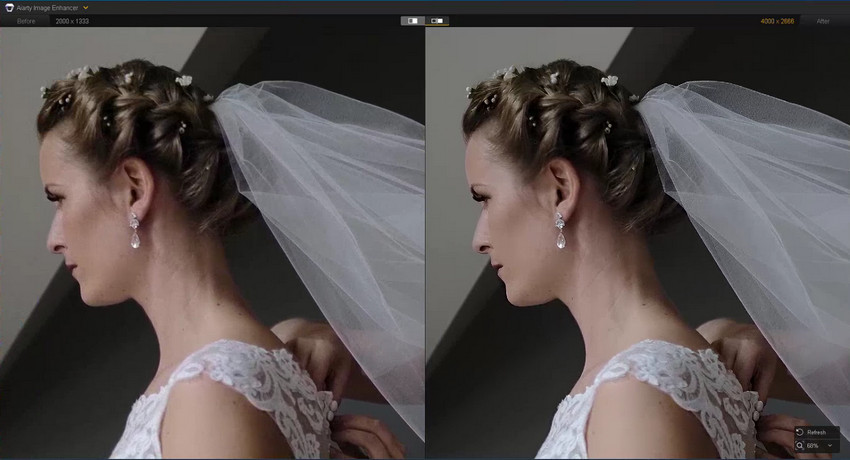
Want to go beyond camera processing? Try Aiarty Image Enhancer for Free!
Usability
The interface is relatively simple, but also quite limited. If you’re expecting layers, masks, or advanced retouching tools, you won’t find them here. In short, it’s easy to use, but only within a narrow scope.
Pros and Cons of Fujifilm X RAW Studio
Now that we’ve looked at performance, the strengths and weaknesses become clearer.
- Best-in-class Fujifilm color accuracy — delivers highly faithful color reproduction using Fujifilm’s own film simulation engine, ensuring results that closely match in-camera output.
- Free official software — fully provided by Fujifilm at no cost, making it an accessible option for users who want an authentic RAW conversion workflow without subscription fees.
- Faithful RAW rendering using camera processor — processes images directly through the camera’s X-Processor, preserving original color science and tonal response with minimal external alteration.
- Simple interface for basic adjustments — designed with a lightweight layout that focuses on essential edits like exposure, white balance, and film simulation without overwhelming controls.
- Requires camera connection at all times — the software depends on a tethered workflow, meaning your Fujifilm camera must stay connected via USB during processing, which limits mobility and convenience.
- No AI features (denoise, sharpening, upscaling) — unlike modern photo editors, X RAW Studio does not include AI-based tools for improving image quality, such as noise reduction or resolution enhancement.
- Cannot fix blur or recover lost detail — it is designed for accurate RAW rendering rather than reconstruction, so soft focus, motion blur, or missing detail cannot be restored. >> How to fix blur images
- Limited editing flexibility — adjustments are restricted to basic RAW parameters like exposure and film simulation, with no advanced layers, masks, or creative editing tools.
- Slower workflow compared to modern tools — because every change is processed through the camera’s hardware, batch editing and iterative adjustments take longer than software-based editors.
These limitations aren’t minor, they directly impact what you can and cannot do with your images.
Where X RAW Studio Falls Short (And Why It Matters)
In real shooting scenarios, especially outside ideal lighting, limitations start to show quickly. For example:
- High ISO shots often contain visible noise.
- Slight motion blur can ruin otherwise good images.
- Some photos lack sharpness or fine detail.
- Images may need higher resolution for printing or eCommerce.
The key issue is this: X RAW Studio is designed for color rendering, not for improving image quality. So while it can make your photos look “correct,” it doesn’t make them look “better” in terms of clarity, detail, or sharpness. And that’s where many photographers start looking for additional tools.
A Better Way to Enhance Fujifilm RAW Photos
Fujifilm X RAW Studio is excellent for producing accurate Fujifilm colors, but once you move beyond basic RAW conversion, its limitations become clear. Many real-world photos still need improvements in noise, sharpness, and overall clarity. This is where modern AI-based image enhancement tools come in—not to replace RAW processing, but to extend what it can do.
What AI Image Enhancement Actually Solves
- High ISO noise that traditional RAW tools cannot fully remove without losing detail
- Slight blur caused by motion or focus inaccuracies
- Soft textures and lack of fine detail in resized or compressed images
- Resolution limitations when preparing images for print or commercial use
See the Difference: Before vs After AI Enhancement
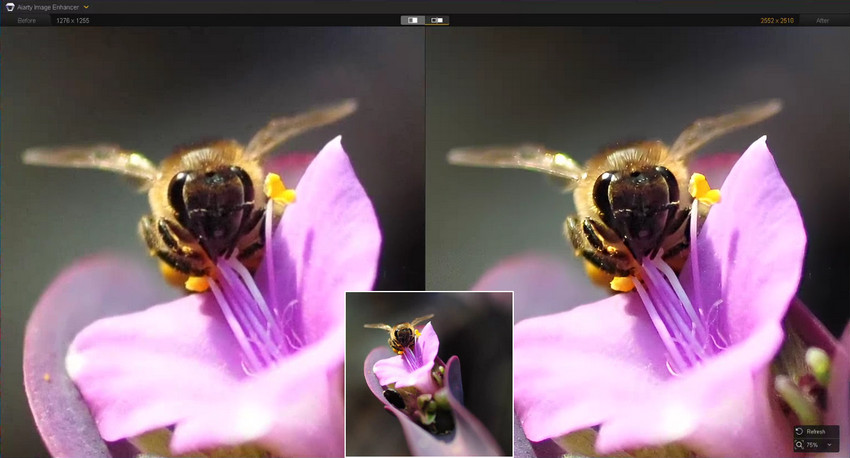
A practical workflow used by many photographers is to first process RAW files in X RAW Studio for Fujifilm’s signature color, and then enhance the exported image using AI tools for quality improvement. In this workflow, Aiarty Image Enhancer serves as a post-processing step designed specifically to improve image quality beyond traditional editing tools.
What you get with Aiarty Image Enhancer:
- AI Denoise: removes noise while preserving natural texture and fine details.
- AI Deblur: restores clarity in slightly out-of-focus or motion-blurred images.
- AI Upscaling: increases resolution for print, eCommerce, or high-quality exports without visible degradation.
- Color Adjustment: fine-tunes color, contrast, and white balance for more natural and vibrant results.
- Batch processing: efficiently enhances multiple Fujifilm images in one workflow.
Instead of replacing Fujifilm X RAW Studio, Aiarty works as a complementary enhancement layer that focuses on image quality, while X RAW Studio remains responsible for color accuracy.
Upgrade your Fujifilm photos with AI-powered enhancement in seconds.
X RAW Studio vs Its Competitors
To better understand where X RAW Studio fits, it helps to compare it with other popular editors such as Lightroom and Capture One.
In simple terms:
- X RAW Studio focuses on accurate Fujifilm color and film simulation using the camera’s own processing engine.
- Lightroom is a versatile editing platform with flexible tools for adjustments, presets, and workflow management.
- Capture One is a professional tool known for precise color control and strong studio and commercial workflow performance.
Who Should Use Fujifilm X RAW Studio?
Fujifilm X RAW Studio is a specialized tool, so it performs best in specific workflows. It’s important to understand whether it matches your needs before relying on it as your main editing solution.
Who Is Fit for X RAW Studio?
- Fujifilm users who prioritize accurate color reproduction
- Photographers who enjoy Fujifilm film simulations
- Users who only need simple RAW-to-JPEG conversion
Who Should Skip It?
- Users who need fast and efficient editing workflows
- Photographers who frequently shoot in low light
- Users who want to improve sharpness, detail, or overall image quality
- Those who expect full-featured editing capabilities
In these cases, relying on additional tools becomes almost necessary.
Final Verdict: Is Fujifilm X RAW Studio Worth It?
X RAW Studio is excellent at what it was designed for—delivering true Fujifilm color using the camera’s own processing engine. But that’s also where its role ends. It’s not built for modern image enhancement, advanced editing, or efficient workflows. And for many photographers, those needs are just as important as color accuracy.
The best way to use X RAW Studio today is not as a complete solution, but as part of a larger workflow.
If you combine it with AI-based enhancement tools, you can get the best of both worlds: authentic Fujifilm color and significantly improved image quality.
 FAQs About Fujifilm X RAW Studio
Not exactly. X RAW Studio is better for accurate Fujifilm color and film simulations, while Lightroom offers more advanced editing tools, faster workflows, and AI-based features. They serve different purposes rather than being direct replacements.
Yes, Fujifilm X RAW Studio is completely free and officially provided by Fujifilm for compatible cameras.
X RAW Studio relies on the camera’s built-in processor to render RAW files. This is why your Fujifilm camera must stay connected via USB during editing and conversion.
No, it focuses on accurate RAW rendering rather than enhancement. It cannot reduce noise, fix blur, or recover lost detail beyond what the camera originally captured.
Its main limitations include a tethered workflow, lack of AI features, limited editing flexibility, and slower processing compared to modern software-based tools.
A common approach is to use X RAW Studio for accurate Fujifilm color rendering, then use additional tools to enhance image quality, such as improving sharpness, reducing noise, or upscaling images.
You May Also Like


This post was written by Brenda Peng who is a seasoned editor at Digiarty Software who loves turning ordinary photos into extraordinary works of art. With AI assistance for brainstorming and drafting, the post is reviewed for accuracy by our expert Abby Poole for her expertise in this field.
