


Managing hundreds or thousands of images manually can quickly become overwhelming. Whether you run an e-commerce store, manage a photography workflow, or prepare social media visuals, using a bulk photo editor can dramatically speed up your workflow. Instead of editing each image individually, bulk photo editing tools allow you to apply the same adjustments to multiple photos at once, saving hours of repetitive work.
Tasks such as batch photo resizing, bulk background removal, batch image enhancement, watermarking, and format conversion can be completed automatically with the right software.
In this guide, we review some of the best batch photo editing software based on features, ease of use, automation capabilities, and real-world workflows mentioned across forums and photography communities.
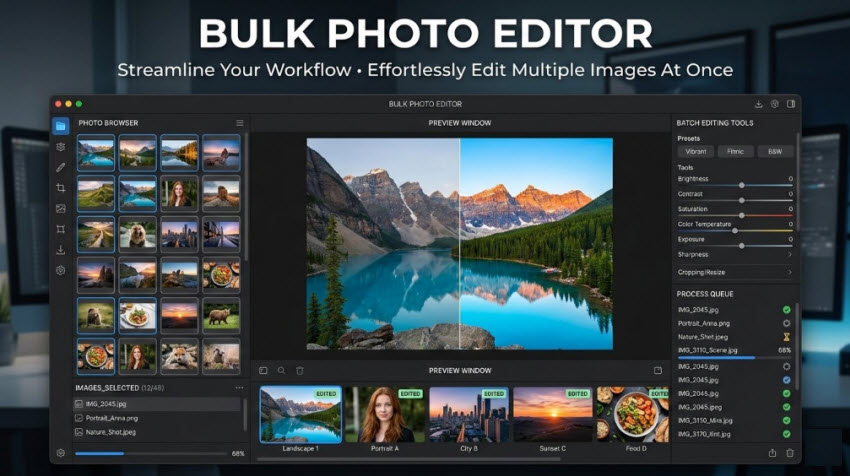
What Is a Bulk Photo Editor?
A batch photo editor is software that lets you apply edits to multiple images simultaneously. Instead of manually editing each file, you can process hundreds or thousands of photos with one set of settings. Most modern bulk photo editors also integrate AI-powered automation, allowing users to automatically enhance images, remove backgrounds, upscale resolution, or correct lighting issues across an entire batch of photos without manual intervention.
Typical batch photo editing features include:
- Batch resize, crop, and compress images
- Bulk color correction and exposure adjustments
- Batch watermarking or branding
- AI image enhancement for multiple photos
- Bulk background removal
- Batch format conversion (JPG, PNG, WEBP, etc.)
2026 Best Bulk Photo Editor Tools
Below are some of the most popular bulk photo editing software and AI batch photo editors online free and paid options.
Aiarty Image Enhancer: Best AI Bulk Image Enhancer
Best for: restoring and enhancing large batches of low-quality images
Pricing: The bulk photo editor has free trial available, with a one-year license at $75 and a lifetime license for $99 one-time payment with unlimited free updates.
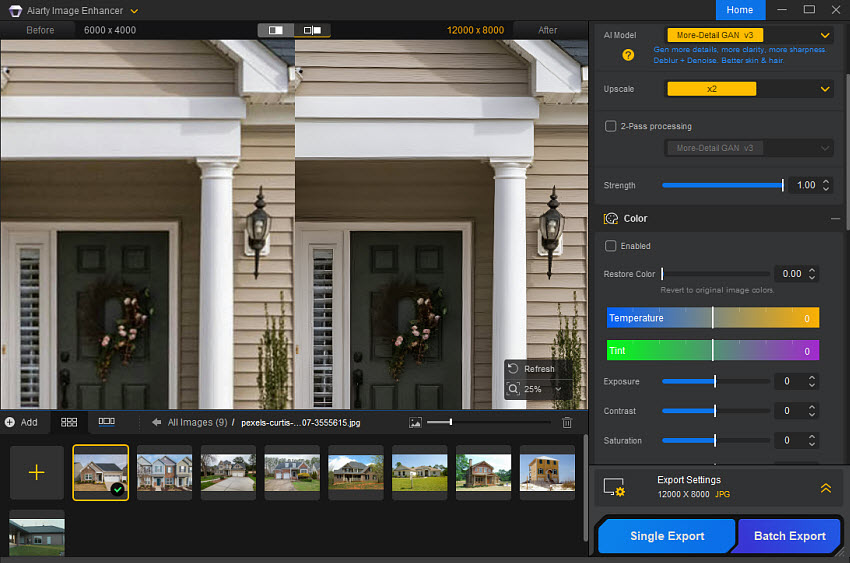
Aiarty Image Enhancer is an AI batch photo editor designed specifically for enhancement, upscaling, and restoration. Unlike traditional photo editors that require manual adjustments, Aiarty automatically improves images using AI models trained to restore details. It is particularly useful for enhancing compressed images, restoring old photos, fixing blurry or noisy images, and improving AI-generated images.
The software supports batch editing photos in JPG, PNG, TIFF, WebP, raw formats, and any type you may have, allowing users to upscale or enhance up to 3000+ photos simultaneously in fast speed.
Key Bulk Editing Features:
- AI upscaling up to 4K, 8K, 32K resolution with fine textures and details
- Automatically remove noise and motion blur from multiple photos at once
- Revive multiple old, blurry, or low-quality portraits
- Batch edit photo color settings and upgrade to HDR
- Process up to 3,000 photos within an hour
- Strong AI enhancement and restoration
- Excellent for batch image upscaling
- Fast batch photo editing and enhancing speed with GPU support
- Not a full creative photo editor
- Focused mainly on enhancement tasks
Pixlr Batch Editor: Best Bulk Photo Editor Free Online
Best for: quick online batch editing without installing software
Price: There is a free version of this batch photo editor online, with $77.88/year for the Premium plan.
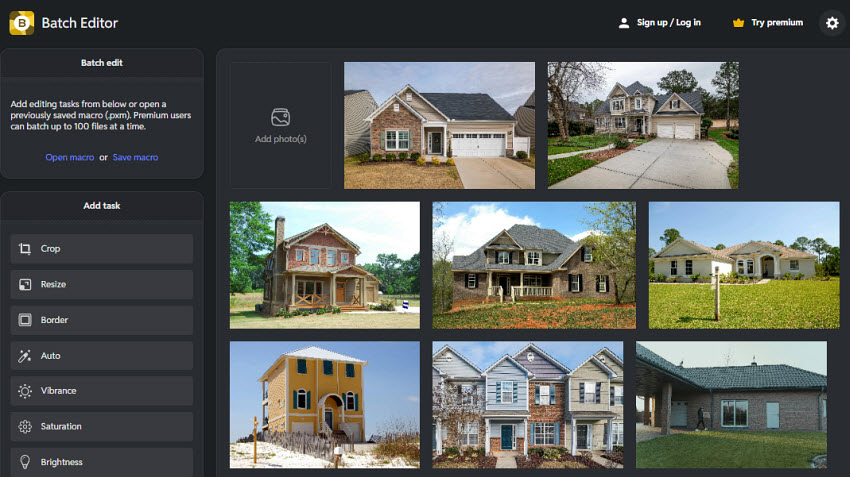
Pixlr’s bulk photo editor online allows users to free edit multiple images in one go without installing any software. You can upload a batch of photos and apply the same edits across all images simultaneously, significantly speeding up repetitive editing tasks.
Users can quickly crop, resize, apply filters, and adjust effects for multiple photos at once. You can also create and save a macro with your preferred settings, making it easy to reuse the same edits for future batches of images and maintain consistent results across large photo sets. The platform supports exporting edited files in bulk, typically packaged as a ZIP file for easy download, and can process up to 100 images(Premium user) in a single batch.
Related reading: Best Tools and Sites Like Pixlr
Key Bulk Editing Features:
- Batch resize and crop
- Color adjustments and filters
- Macro presets for repeated edits
- No installation required
- Free and easy to use
- Good for quick edits
- Limited advanced editing features
- Not ideal for large professional workflows
Luminar Neo: AI Bulk Photo Editor for Creative Adjustments
Best for: photographers who want AI automation with creative controls
Pricing: This bulk photo editor is available as a one-time purchase, with lifetime desktop licenses starting at approximately $119, including one year of free updates.
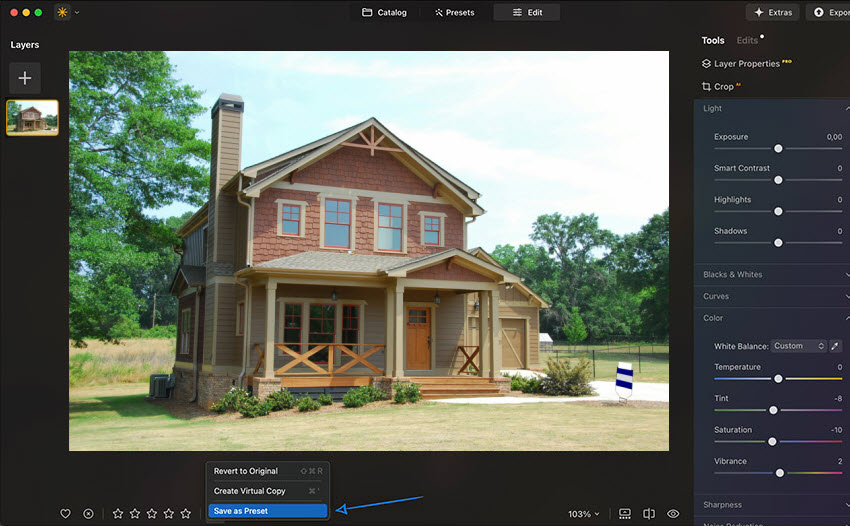
Luminar Neo is an AI-powered photo editor excels at batch photo editing and bulk adjustments. It allows photographers to apply presets, filters, and corrections to multiple images simultaneously, making it ideal for workflows that involve hundreds or thousands of photos.
Luminar Neo leverages AI-driven enhancements to automatically improve lighting, structure, color balance, and sharpness across an entire batch. Users can create custom presets to edit a single image first, then apply them to large photo sets, and export fully edited images in minutes, greatly speeding up bulk photo editing workflows for e-commerce catalogs, event photography, and professional portfolios.
Also see: How to Edit Batch Real Estate Photos at Once
Key Bulk Editing Features:
- Batch editing via preset application
- AI-powered Relight AI and Sky AI
- Automatic color and exposure correction
- AI noise reduction and sharpening
- Powerful AI-driven batch enhancements for lighting, color, and structure
- Efficient preset-based bulk editing for multiple photos at once
- Supports plugins and custom presets for consistent workflows
- Some AI tools require manual review or updates for optimal batch results
- Processing large batches of high-resolution images can be resource-intensive
Adobe Lightroom Classic: Best Professional Bulk Photo Editor
Best for: professional photographers managing large photo libraries and RAW workflows
Price: It starts from US$11.99/mo for the 1TB cloud storage plan (includes Lightroom and Lightroom Classic).
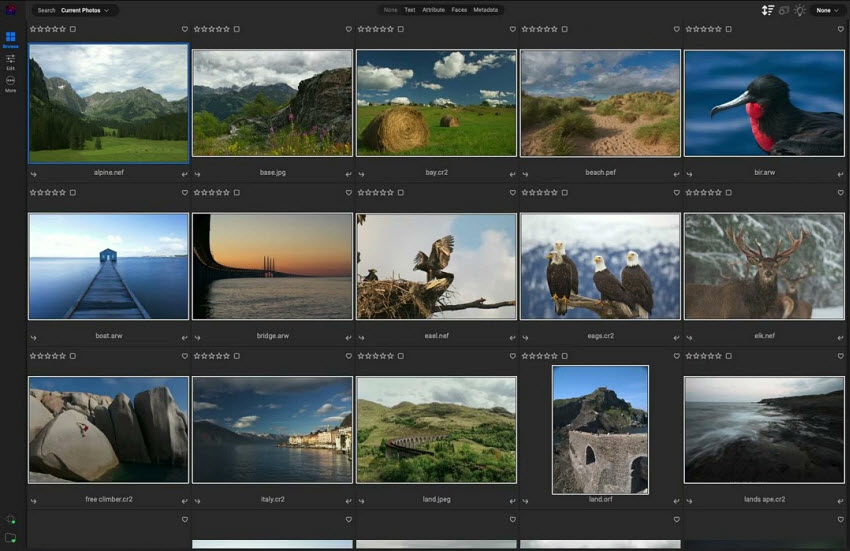
Adobe Lightroom Classic is one of the most powerful tools for bulk photo editing and batch photo management. It helps photographers efficiently handle large volumes of images from events, weddings, or commercial shoots. The software allows users to apply presets, synchronize adjustments, and copy editing settings across multiple photos simultaneously. Photographers can edit one image, then instantly sync exposure, color grading, white balance, and other adjustments across an entire batch, ensuring consistent results across large photo sets.
In addition to its batch photo editing capabilities, it also excels at organizing large photo catalogs and processing RAW images, making it especially useful for professionals who need a streamlined workflow to manage and edit large collections of high-resolution photos efficiently.
Key Bulk Editing Features:
- Preset-based batch editing
- Sync settings across multiple images
- Apply edits automatically during import
- AI masking and noise reduction
- Smart photo organization with catalogs
- Batch metadata and keyword tagging
- Industry-standard workflow
- Powerful RAW editing tools
- Excellent batch synchronization
- Strong catalog management
- Subscription required
- Learning curve for beginners
Photoroom: Best Bulk Photo Editor for E-commerce
Best for: product photography and marketplace sellers
Pricing: This online bulk photo editor free version doesn’t support batch processing. The Pro plan starts from $90/year with 500 batch exports per month, while higher plans support thousands of images.
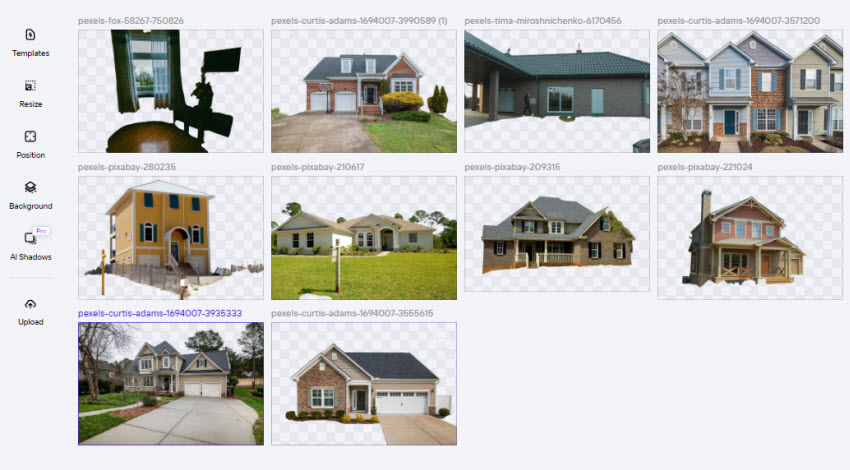
Photoroom batch photo editor is an AI photo editing platform widely used by Amazon, Shopify, and eBay sellers. It focuses on automated product image creation, including background removal, AI backgrounds, lighting fixes, retouching and framing across images in batch.
Users can upload entire folders and let Photoroom automatically remove backgrounds, standardize product positioning, and generate clean studio-style images in batch. It also supports bulk resizing, background replacement, and batch export, making it easy to prepare product images for different marketplaces and marketing channels. Then sellers can quickly create white-background product photos, listing images, and promotional visuals at scale.
Key Bulk Editing Features:
- Batch background removal
- AI product staging
- Bulk resize for marketplaces
- AI shadows and reflections
- Excellent for product photography
- Strong AI background generation
- Mobile and web workflow
- Batch export limits on lower plans
- The editing features are limited
BatchPhoto: Dedicated Bulk Photo Editing Software
Best for: automated batch photo editing and repetitive photo tasks
Pricing: BatchPhoto offers three editions: Home ($29.95), Pro ($49.95), and Enterprise ($129.95), with a free trial available before purchase.
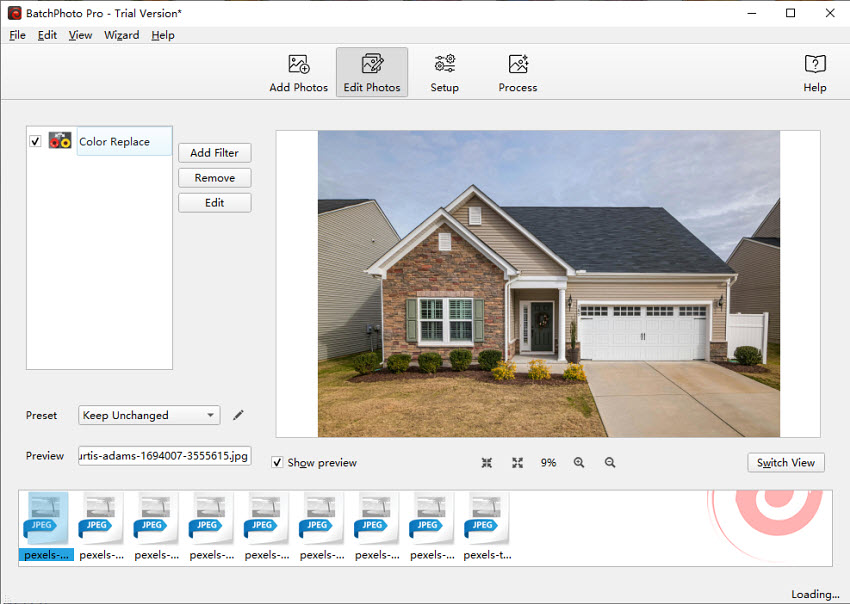
As its name suggests, BatchPhoto is one of the few tools built specifically as a dedicated bulk photo editor rather than a general photo editing program. It allows users to apply multiple transformations, such as resizing, watermarking, renaming, and converting formats, to hundreds or thousands of images in a single operation.
Users can create editing profiles that automatically apply predefined adjustments to entire folders of photos in 170+ formats. The Enterprise version even supports hot-folder automation, meaning new photos can be automatically edited as soon as they appear in a folder. The software is commonly used by businesses managing large image libraries, such as product photos or marketing assets.
Key Bulk Editing Features:
- Batch crop, resize, rotate, and rename
- Bulk watermarking
- Batch format conversion
- Automatic photo enhancement
- Built specifically for batch editing
- Fast processing for large image sets
- One-time purchase
- Interface looks outdated
- Limited AI features compared with AI batch photo editor tools
Imagen AI: AI Bulk Photo Editor for Professional Photographers
Best for: wedding photographers and high-volume editing workflows
Pricing: Imagen AI offers free batch editing of 1,000 photos, followed by pay-as-you-go pricing (approx. $0.05/photo) or subscription plans starting at $67.5/month.
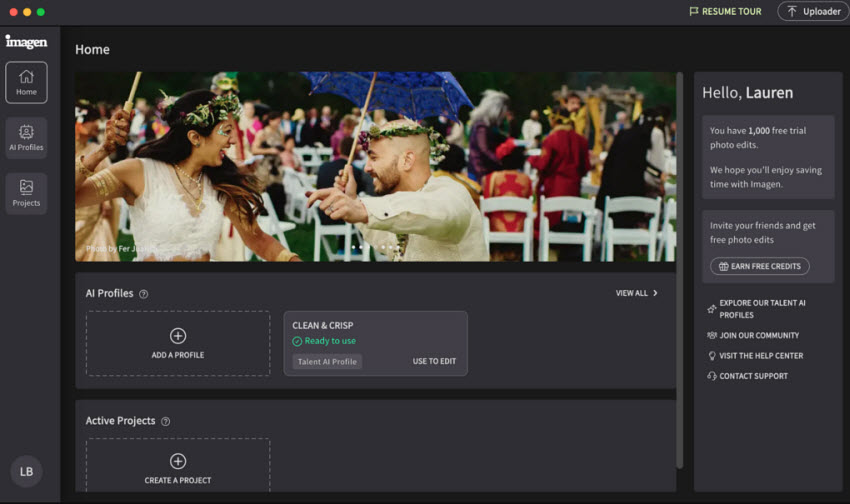
Imagen AI is a specialized AI bulk photo editing software designed to automatically edit thousands of images at once in a photographer’s personal style. It integrates with Lightroom and uses machine learning to replicate a photographer’s previous editing style.
Users can train Imagen AI using thousands of previously edited images. The AI then automatically applies similar adjustments, including exposure, color correction, and cropping, to new photos in bulk. This makes it particularly popular among wedding and event photographers who often need to process 3,000–10,000 images per project.
In many workflows, photographers simply export their RAW files to Lightroom, send them to Imagen AI, and receive fully edited galleries in minutes instead of hours.
Key Bulk Editing Features:
- AI learns your personal editing style
- Automatic batch color correction and exposure adjustment
- AI cropping and straightening
- Bulk editing for thousands of images
- Extremely fast AI batch editing
- Learns your personal editing style
- Ideal for wedding photographers
- Requires large training dataset
- Costs increase with very large photo volumes
Capture One Pro: Professional RAW Editor with Batch Processing
Best for: professional photographers needing advanced large RAW photo editing
Pricing: Capture One Pro offers a subscription starting at about $14.92 per month, with a perpetual (lifetime) license available for around $299 as a one-time payment.
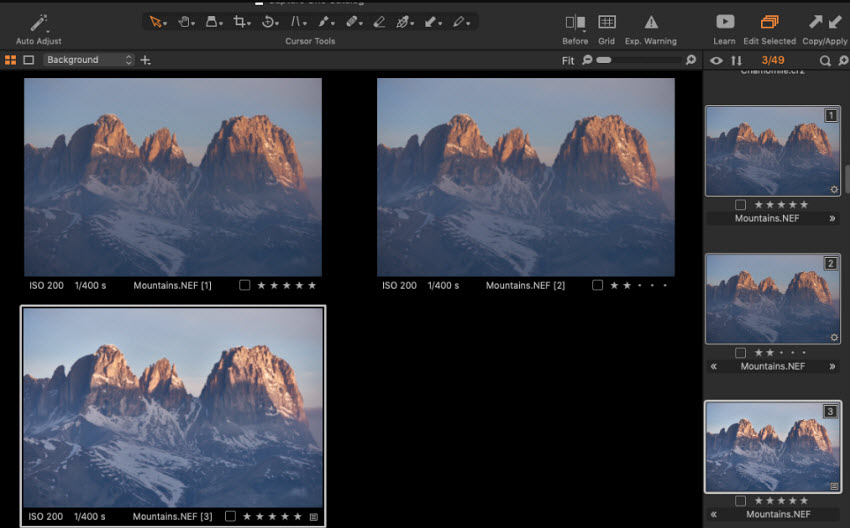
Capture One Pro is a professional photo editing software widely known for its high-quality RAW processing and advanced color grading tools. It also provides powerful bulk photo editing and batch processing capabilities for photographers working with large image sets. It allows users to copy and synchronize adjustments across multiple photos, making it easy to apply exposure corrections, color grading, white balance, and other edits to entire photo sessions at once. Photographers can edit a single image and quickly propagate those settings across hundreds of images.
It also supports batch export, preset application, and session-based workflows, which are particularly useful when managing large numbers of high-resolution RAW files. Because of this, it is widely used in studio photography, fashion shoots, and commercial projects, where consistent color accuracy and efficient batch photo editing are essential for delivering large volumes of images quickly.
Key Bulk Editing Features:
- Batch edit and synchronize adjustments
- Batch export and processing
- Advanced RAW processing
- Color grading and masking tools
- Tethered shooting for studio workflows
- Exceptional RAW image quality
- Powerful color editing tools
- Professional studio workflow features
- Expensive compared with other bulk photo editors
- Steeper learning curve for beginners
BeFunky: Easy Online Bulk Photo Editor for Quick Edits
Best for: beginners and small businesses that need simple free online batch photo editing
Pricing: BeFunky Batch Photo Editor offers a free version, while the BeFunky Plus plan starts at about $9.99 per month or around $59.88 per year.
BeFunky is an easy-to-use online bulk photo editor designed for users who want to edit multiple photos quickly without installing complex software. Its Batch Photo Editor allows you to upload groups of images and apply the same adjustments across all files at once. With BeFunky’s batch editing workflow, users can quickly apply consistent edits across large sets of images, making it a practical solution for bloggers, social media managers, and small online businesses that regularly process multiple photos for websites or marketing content.
Because the platform runs entirely in the browser, BeFunky offers a convenient way to handle quick bulk photo editing tasks without requiring powerful hardware or advanced editing skills.
Key Bulk Editing Features:
- Batch resize, crop, and rotate images to quickly standardize photo dimensions
- Apply filters, effects, and color adjustments to multiple photos at once
- Batch watermarking for branding and copyright protection
- Bulk file renaming and format conversion for easier image management
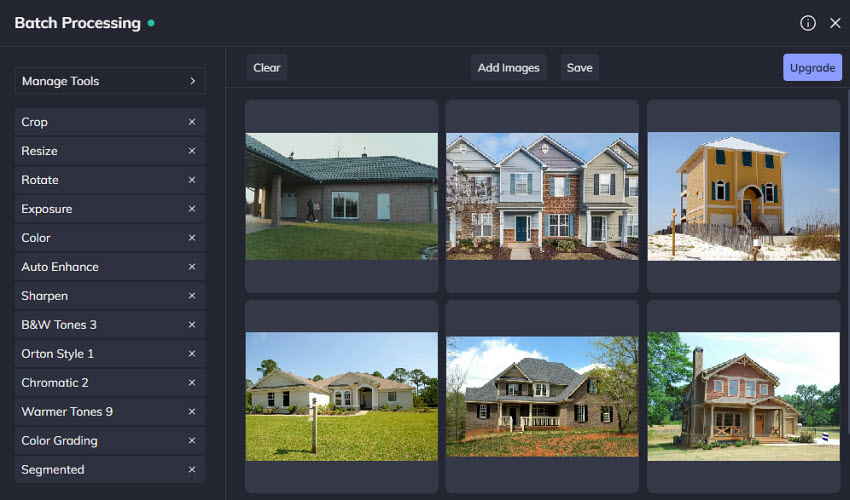
- Simple and beginner-friendly bulk photo editing interface
- Works directly in the browser with no software installation
- Supports batch resizing, watermarking, and filters
- Limited advanced editing features compared with professional tools
- Free version has export limitations
How to Choose the Right Batch Photo Editor for Your Needs
With so many paid and free bulk photo editors available today, choosing the right one depends largely on your workflow, editing needs, and the number of images you typically process. Some tools focus on simple batch tasks like resizing and watermarking, while others offer advanced AI-powered batch photo editing or professional RAW workflows.
Here are a few key factors to consider when selecting the best batch photo editor for your needs:
1. Batch Editing Capabilities
Not all photo editors support true bulk photo editing. Look for software that allows you to apply the same adjustments—such as exposure correction, color grading, cropping, or filters—to multiple photos simultaneously. Features like preset syncing, batch export, and automated workflows can significantly speed up editing when working with large image sets.
2. AI Automation
Many modern tools now include AI-powered batch editing features that automatically enhance images in bulk. These tools can perform tasks like background removal, noise reduction, image upscaling, or lighting correction across dozens or hundreds of photos at once, saving hours of manual work.
3. Workflow and Ease of Use
If you regularly edit thousands of images, choose a tool that fits smoothly into your workflow. Professional photographers often prefer software with catalog management and RAW processing, while beginners or small businesses may benefit more from simple online batch photo editors with an easy interface.
4. Performance for Large Photo Sets
Some editors work well for small batches but struggle with very large libraries. If you frequently process hundreds or thousands of photos, look for software optimized for high-volume batch processing, fast export speeds, and efficient file management.
5. Budget and Pricing Model
Batch photo editors range from free online tools to professional software with subscription or lifetime licenses. Consider how often you’ll use the tool and whether a subscription, pay-per-use, or one-time purchase model makes the most sense for your workflow.
Final Words
A reliable bulk photo editor can dramatically simplify the process of managing and editing large image collections. Whether you're a photographer working with thousands of RAW files, an e-commerce seller updating product catalogs, or a content creator preparing images for social media, the right batch photo editing software can save hours of manual work.
Modern tools now offer a wide range of capabilities, from simple batch resizing and watermarking to advanced AI-powered photo enhancement and background removal for multiple images at once. Choosing the best solution ultimately depends on your workflow, editing needs, and budget.
By selecting a powerful batch photo editor that supports efficient bulk processing, you can maintain consistent image quality, streamline your workflow, and handle large photo projects far more efficiently.
 FAQs
FAQs
Yes, Adobe Photoshop allows you to edit multiple photos at once using its batch processing features, such as Actions and the Image Processor tool. These tools let you record a set of edits, like resizing, color adjustments, filters, or watermarking, and automatically apply the same changes to multiple images in a folder.
However, while Photoshop supports batch processing, it is not always the most convenient solution for large photo libraries. Many users prefer dedicated bulk photo editors or batch photo editing tools that offer simpler workflows for applying edits across large sets of images.
The number of photos you can edit at once depends on the software or platform. Some online batch editors allow around 50–100 images per batch, while desktop tools or professional software can process hundreds or even thousands of photos in a single workflow.
Yes. Many tools offer free online bulk photo editors that allow users to edit multiple images directly in a browser. These tools typically support common edits such as resizing, cropping, and background removal, though free versions may limit the number of images or exports per batch.
Yes. Many modern AI batch photo editors can automatically enhance images in bulk using machine learning algorithms. AI tools can perform tasks such as improving brightness, correcting colors, sharpening details, or even removing backgrounds across multiple images in a single click
Also Read: 10 Best AI Photo Editors for Photographers in 2026
You May Also Like


This post was written by Brenda Peng who is a seasoned editor at Digiarty Software who loves turning ordinary photos into extraordinary works of art. With AI assistance for brainstorming and drafting, the post is reviewed for accuracy by our expert Abby Poole for her expertise in this field.
