


Choosing a photo editor is no longer just about layers, brushes, or retouching tools. Today, creators also care about AI-powered editing, realistic photo enhancement, editing speed, Mac performance, subscription costs, batch workflows, and natural-looking results. This is where the differences between Pixelmator Pro and Adobe Photoshop become much more noticeable in real-world use.
Photoshop still dominates professional creative workflows, while Pixelmator has become increasingly popular among Mac users looking for a lighter and more streamlined editing experience. But in 2026, many photographers and creators are also discovering that neither tool fully covers modern AI enhancement workflows like realistic AI upscaling, texture recovery, or batch image restoration.
In this guide, we’ll compare Pixelmator vs Photoshop across usability, AI tools, image quality, performance, pricing, batch workflows, and real-world editing scenarios, to help you decide which setup actually fits your workflow.
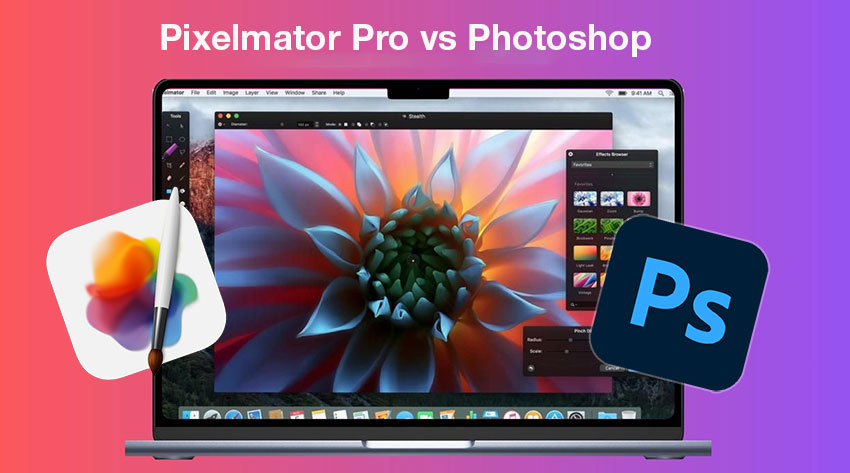
While both Pixelmator Pro and Photoshop are powerful image editors, they focus on very different workflows and user needs. The table below highlights the key differences in usability, AI tools, performance, pricing, and overall editing experience.
Many creators now combine traditional photo editors with dedicated AI enhancement tools instead of relying entirely on one application for every task. Tools like Aiarty Image Enhancer are increasingly used for workflows such as upscale, denoise, texture recovery, and batch image enhancement.
What Is Pixelmator Pro?
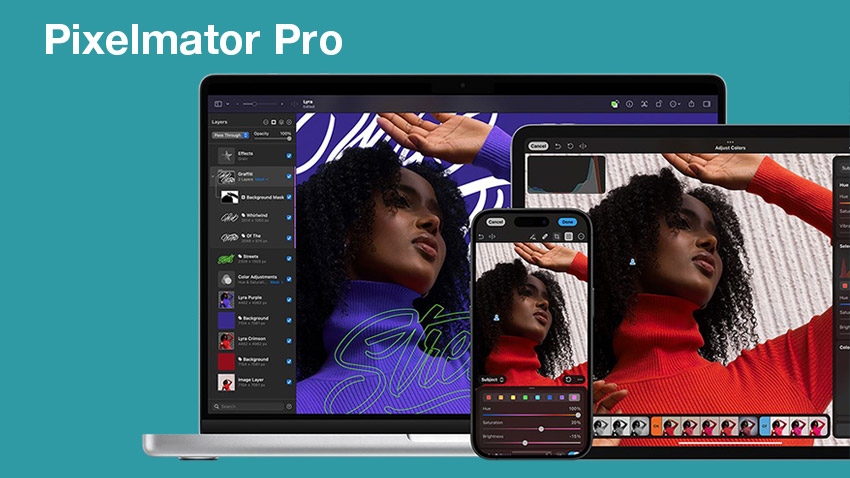
Pixelmator Pro is a Mac-exclusive image editor built for users who want powerful tools without the complexity of Adobe’s ecosystem. One of its main strengths is tight integration with Apple hardware, especially Apple Silicon Macs, resulting in fast launch times, smooth performance, lower RAM usage, and a clean, responsive interface.
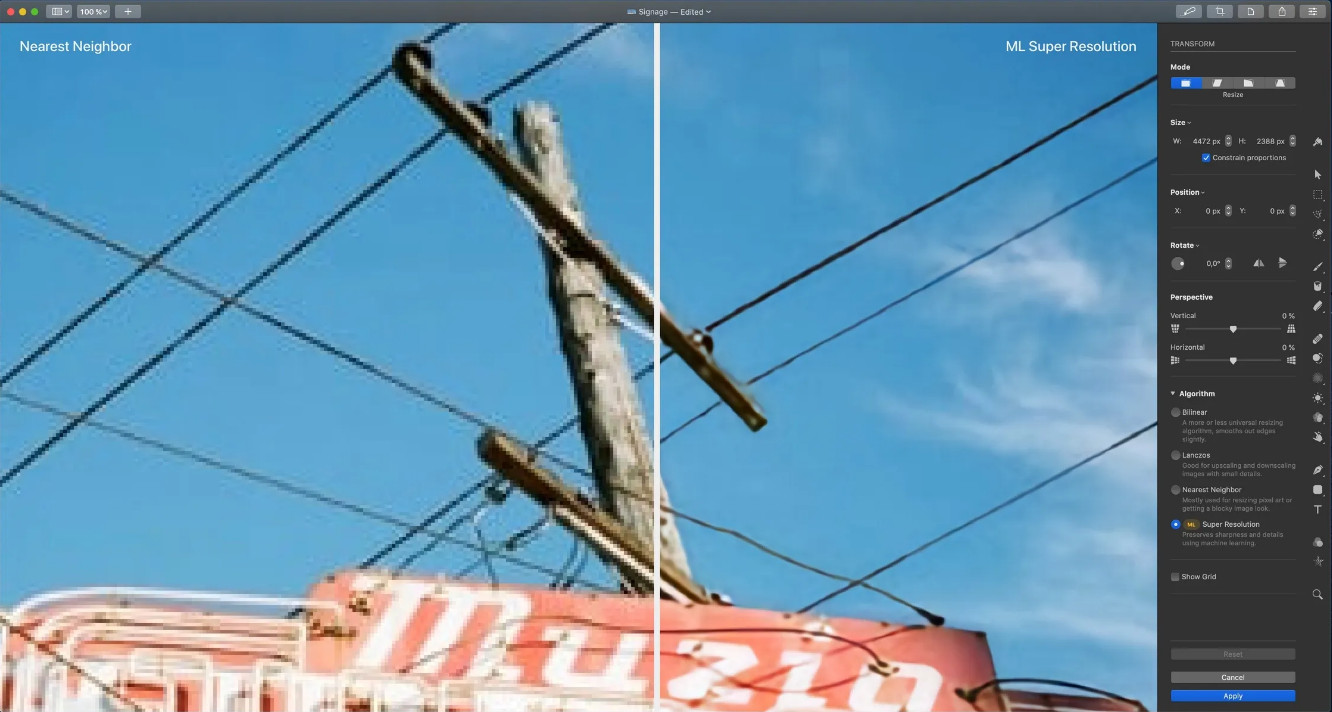
The software also includes AI-assisted features such as ML Super Resolution, background removal, smart color adjustments, and object selection tools. These make everyday editing faster and more accessible for casual photographers, creators, and social media users.
For many users, Pixelmator feels lighter and easier to use than Adobe Photoshop. However, its simplified workflow can be limiting for advanced compositing, deep retouching, or large-scale professional production work.
What Is Photoshop?
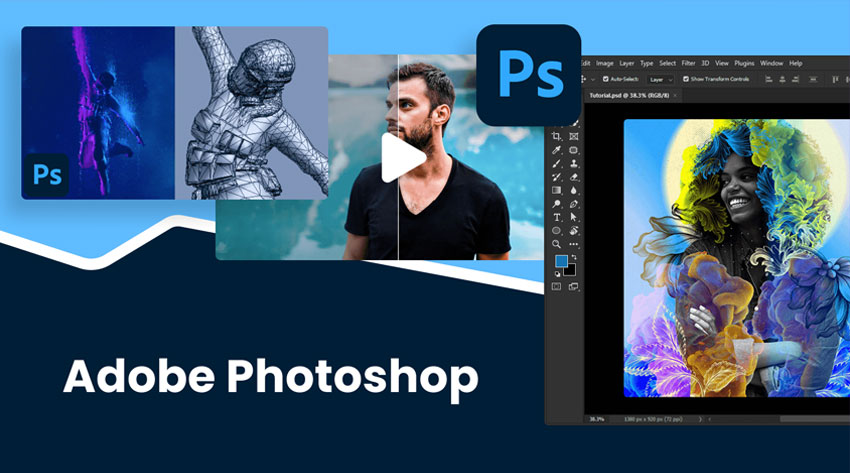
Adobe Photoshop remains the industry standard for advanced image editing, widely used in professional retouching, graphic design, compositing, commercial photography, advertising, and digital art. It is built for complex, high-precision workflows where control and flexibility are essential.
In recent years, Photoshop has also expanded its AI capabilities, introducing tools such as Generative Upscale, Generative Fill, AI object removal, Neural Filters, automatic masking, and content-aware editing. Its ecosystem is significantly larger than most alternatives, with strong support for plugins, advanced color workflows, professional printing, and deep integration with Adobe Creative Cloud.
However, this level of power comes with tradeoffs. Many users find Photoshop:
- Overwhelming for beginners,
- Expensive over time due to subscription pricing
- Heavier on system resources
- Unnecessarily complex for simple everyday editing tasks
As a result, some creators now prefer combining lighter editing tools with dedicated AI enhancement software instead of relying entirely on Photoshop for every stage of their workflow.
Pixelmator vs Photoshop: Detailed Comparison
Now that we’ve covered the basics, let’s take a closer look at how Pixelmator Pro and Photoshop compare across key features and real-world workflows.
1. User Interface & Ease of Use
Pixelmator’s interface is noticeably cleaner and easier to learn. Most editing tools are organized in a way that feels approachable even for beginners. Many users who edit photos on Mac especially appreciate how naturally Pixelmator fits into the Apple ecosystem.
Photoshop, on the other hand, offers far more customization and professional-level control — but also a much steeper learning curve. For experienced editors, Photoshop’s complexity is often worth it. For casual creators, though, it can sometimes feel excessive for simple editing tasks.
2. AI Features and Smart Editing Tools
AI editing has become one of the biggest deciding factors when choosing photo software. Both Pixelmator and Photoshop now include AI-assisted tools, but they focus on different workflows.
Pixelmator AI Features
Pixelmator offers:
- ML Super Resolution
- AI-based selections
- automatic background removal
- machine-learning color enhancement
Its tools are designed primarily for speed and simplicity.
Photoshop AI Features
Photoshop provides much deeper AI functionality, including:
- Generative Fill
- Generative Upscale
- Photoshop Super Resolution
- Remove Tool
- Neural Filters
- AI compositing tools
- advanced masking
For professional editing and creative manipulation, Photoshop is still significantly more powerful.
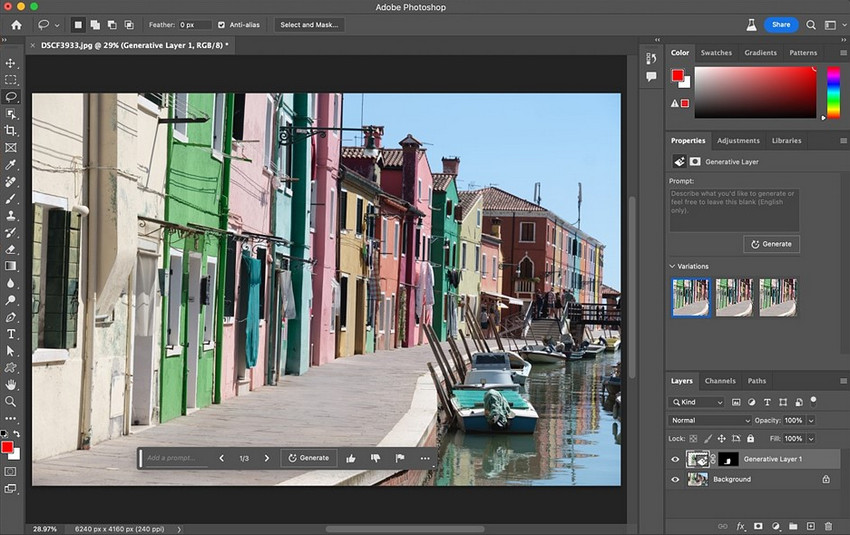
However, there’s an important limitation many users notice in both programs: Neither tool is primarily designed for dedicated AI enhancement workflows. Modern creators increasingly need realistic upscaling, texture recovery, old photo restoration, compression artifact cleanup, batch enhancement, and low-light denoise and so on.
This is where many photographers and creators now add specialized AI enhancement software into their workflow. Instead of relying entirely on a single editor, creators often combine tools based on strengths:
- Pixelmator for quick edits.
- Photoshop for compositing.
- Dedicated AI enhancers for image recovery and detail restoration.
For example, Aiarty Image Enhancer focuses specifically on AI-powered enhancement workflows such as image upscaling, AI denoise, realistic texture recovery, old photo enhancement, batch image processing.
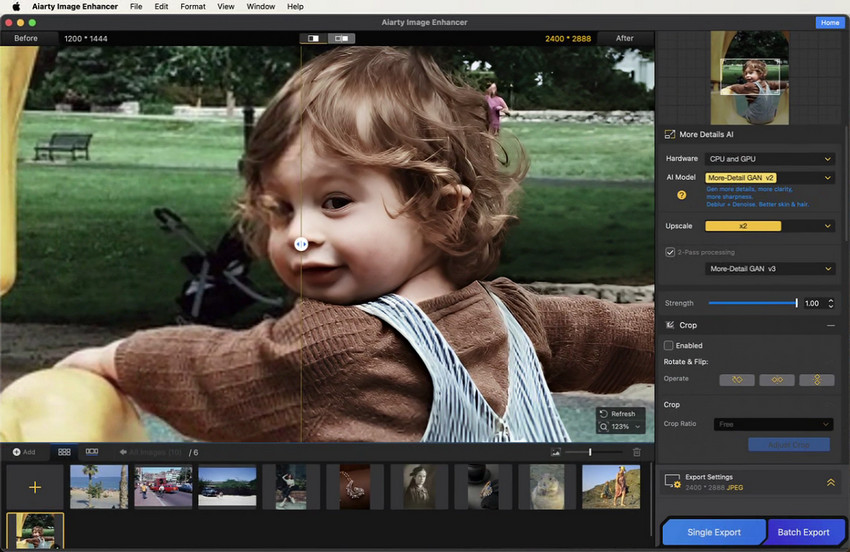
Try Aiarty Image Enhancer for faster, more natural AI photo enhancement in your workflow.
Unlike aggressive sharpening workflows that can sometimes create artificial-looking textures inside Photoshop, dedicated AI enhancement models are designed to preserve more natural detail and skin textures. This becomes especially noticeable when working with compressed images, blurry photos, scanned prints, social media downloads or low-resolution portraits.
Another reason some creators prefer dedicated enhancement tools is workflow speed. Instead of manually adjusting multiple filters, users can often process large image libraries more efficiently with AI-based enhancement models optimized specifically for recovery tasks.
Performance on Mac
Performance is one of Pixelmator’s strongest advantages. Because it’s deeply optimized for macOS and Apple Silicon chips, Pixelmator typically feels faster to launch, smoother during editing, and lighter on memory usage. For MacBook users, this Mac photo editor can make a major difference during everyday editing.
Photoshop has improved significantly on Apple Silicon, but it still tends to consume more system resources — especially during large projects or AI-heavy operations.
Many users today prefer a modular workflow instead of depending on a single heavyweight application for every task. This is one reason lightweight combinations like Pixelmator/Lightroom and AI enhancer have become increasingly popular among photographers and creators.
RAW Photo Editing
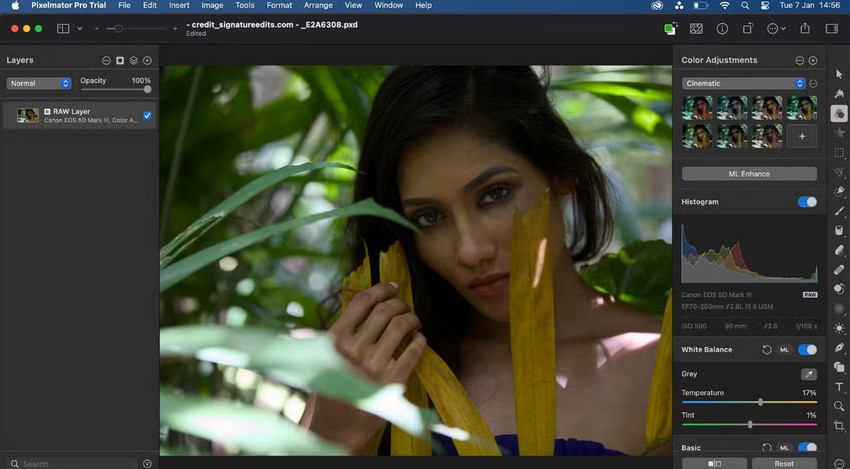
Both Pixelmator Pro and Photoshop support RAW photo editing, but they differ significantly in depth, control, and workflow flexibility.
Pixelmator Pro provides a simpler and more streamlined RAW workflow. It supports essential RAW adjustments such as exposure, white balance, and basic color correction, making it suitable for quick edits and casual photography work.
On the other hand, RAW photo editing in Adobe Photoshop is powered by Camera Raw, offering a more advanced and professional-grade workflow. Key strengths include:
- Deeper Camera RAW integration with extensive adjustment controls
- More precise color grading and tone mapping
- Advanced masking and selective adjustments
- Stronger retouching and recovery tools for highlights and shadows
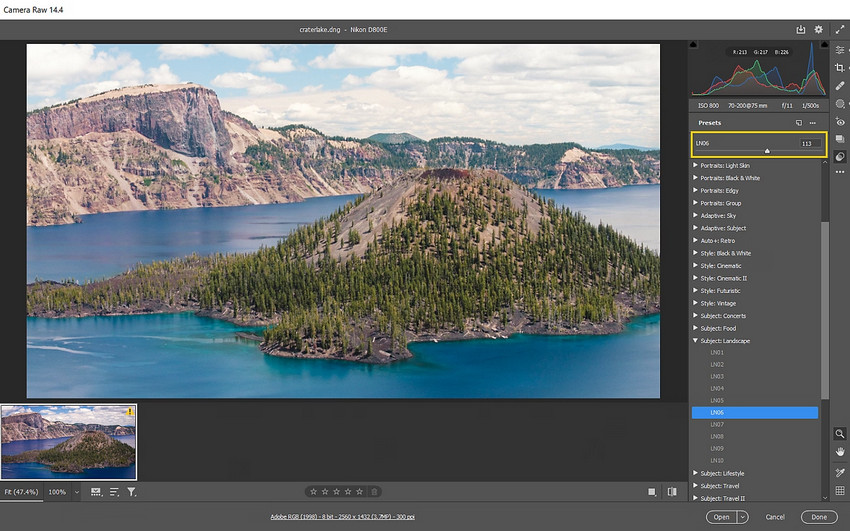
While Photoshop is better suited for detailed professional RAW processing, Pixelmator focuses on speed and simplicity, which works well for everyday editing but offers less granular control.
Batch Editing & Productivity
Batch photo editing has become increasingly important for modern creators, especially when working with large collections such as old photo archives, ecommerce product images, social media content, compressed web visuals, or scanned family photos. As image libraries grow, the need for faster and more consistent enhancement workflows becomes more obvious.
Adobe Photoshop does offer batch processing through actions and scripts, but setting them up often requires time and familiarity with its workflow system, which can feel unintuitive for beginners.
Pixelmator Pro includes some automation features as well, though they are more limited in scope and flexibility compared to dedicated batch tools.
This is where specialized AI-based enhancement tools often stand out. For example, Aiarty Image Enhancer is designed specifically for high-volume workflows like batch upscaling, bulk denoising, and restoring multiple low-quality or old photos in one go, without requiring complex manual setup or scripting.
Pricing Comparison
Pricing is one of the biggest differences between Pixelmator and Photoshop.
Pixelmator Pro: One-time purchase, no subscription required, lower long-term cost.
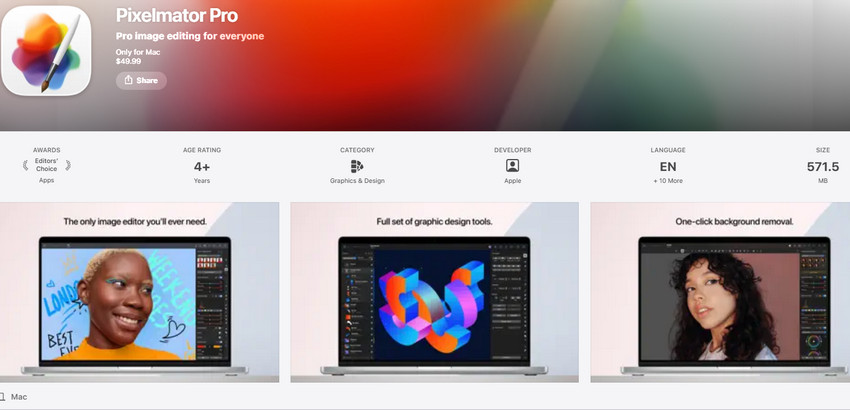
- One-Time Purchase: Pixelmator Pro costs $49.99 on the Mac App Store, including lifetime access and Apple Family Sharing support for up to six users.
- Creator Studio subscription: Available through Apple’s Creator Studio bundle for $12.99/month or $129/year, including Pixelmator Pro, Final Cut Pro, Logic Pro, and other creative apps. Educational pricing starts at $2.99/month or $30/year.
Photoshop: Monthly subscription, often bundled with Creative Cloud, ongoing yearly expense.
- Creative Cloud subscription: Photoshop is only available through an Adobe Creative Cloud subscription, starting at $9.99/month for Photography plans or $22.99/month for the standalone app. Unlike Pixelmator Pro, Photoshop no longer offers a one-time purchase option.

For many users, subscription fatigue has become a major reason to explore alternatives. Some creators now prefer combining a lightweight editor or a specialized AI enhancement tool, instead of paying for a full Adobe ecosystem they may not fully use.
Real-World Editing Scenarios
While Pixelmator Pro and Photoshop overlap in many areas, each tool performs better in different real-world workflows depending on editing complexity, speed, and enhancement needs.
- Quick social media edits: Pixelmator Pro works well for fast edits, simple adjustments, and lightweight content creation workflows.
- Professional compositing: Photoshop remains the better option for complex layer-based editing and commercial design projects.
- Advanced retouching: Photoshop offers deeper masking, retouching, and precision editing capabilities.
- Beginner-friendly editing: Pixelmator Pro is easier to learn and less overwhelming for casual users.
- Fast Mac workflow: Pixelmator Pro feels lighter and more optimized for Apple Silicon Macs.
AI image enhancement and restoration:
Aiarty Image Enhancer is better suited for upscale, denoise, old photo restoration, and batch enhancement workflows.
Can Pixelmator Replace Photoshop?
For many casual users and photographers, yes — Pixelmator can absolutely replace Photoshop. If your workflow mainly involves social media editing, quick retouching, color adjustments, basic design work, or lightweight photo editing, then Pixelmator is often more enjoyable to use.
However, Photoshop still dominates when it comes to advanced compositing, commercial production, professional retouching, large plugin ecosystems, and industry-standard collaboration.
In reality, many modern workflows no longer rely on a single application. Instead, creators increasingly combine lightweight editors, AI enhancement tools, and specialized recovery software together to achieve faster and more natural-looking results.
Final Verdict
Both Pixelmator Pro and Photoshop are excellent image editors, but they target different workflows and creator needs.
Choose Pixelmator Pro if you want a lightweight Mac-native editor with simpler workflows, lower long-term cost, and faster everyday editing performance.
Choose Photoshop if you need advanced compositing, professional retouching tools, Adobe ecosystem integration, and maximum editing flexibility for commercial or professional work.
Choose dedicated AI enhancement software if your focus is realistic upscaling, AI denoise, old photo restoration, texture recovery, or batch enhancement workflows.
For creators working heavily with compressed images, scanned photos, or low-resolution content, combining a traditional editor with a dedicated AI enhancement solution like Aiarty Image Enhancer can often produce more natural and efficient results than relying entirely on one editing application alone.
Try Aiarty Image Enhancer for faster, more natural AI photo enhancement workflows.
 FAQs
FAQs
Yes. Pixelmator is generally considered more beginner-friendly due to its cleaner interface and simpler workflow.
For casual and enthusiast photographers, often yes. However, professional retouching, advanced compositing, and commercial production workflows still favor Photoshop due to its deeper editing capabilities and larger ecosystem.
Yes. Pixelmator includes AI-powered features such as ML Super Resolution, smart selections, and automatic background removal to simplify everyday editing tasks.
Some users also consider it image enhancement software for Mac in addition to its image editing capabilities.
Yes — especially for professionals who need advanced editing capabilities, complex compositing tools, and Adobe Creative Cloud integration.
Dedicated AI enhancement tools are often better suited for workflows like realistic upscaling, denoise, texture recovery, and old photo restoration. Tools such as Aiarty Image Enhancer focus specifically on these types of AI-powered enhancement tasks.
You May Also Like


This post was written by Brenda Peng who is a seasoned editor at Digiarty Software who loves turning ordinary photos into extraordinary works of art. With AI assistance for brainstorming and drafting, the post is reviewed for accuracy by our expert Abby Poole for her expertise in this field.
