



5 Good Free Apps to Make Blurry Pictures Clear



Blurry pics ruining your vibe? You've snapped a shot, but shaky hands messed it up. Or maybe bad focus blurred your subject. Low resolution can wreck it too. It's a common headache—your perfect moment looks fuzzy. Don't stress! You can fix it fast.
Here in this article, we've listed 5 good free apps to make blurry pictures clear. No pro skills are needed. These image sharpeners save your memories in a snap. Get ready to turn your blurry disasters into sharp keepers!
💡 Got blurry pics that free apps can't fix?
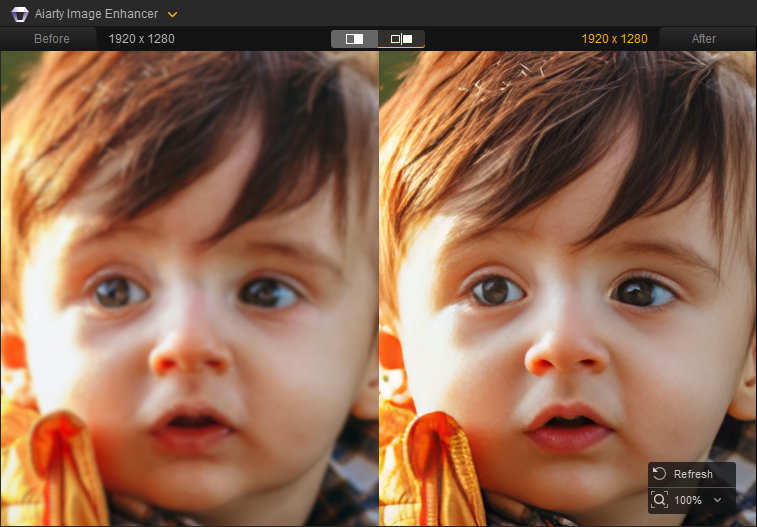
Aiarty Image Enhancer crushes blurry disasters in seconds—no editing PhD required. This desktop photo enhancer uses brainy AI models to sharpen details and zap noise, all through a dead-simple one-click interface. Batch-process dozens of photos to 32K max while you grab a coffee. No ads. No complex settings. Just drag, click, and watch your shots transform into frame-worthy keepers.
Top 5 Free Apps to Make Blurry Pictures Clear
You don't need to toss blurry photos. Free apps can fix them fast. Here are five good free apps to make blurry photos clear. Each one is easy to use and costs you nothing.
1. Adobe Photoshop Express
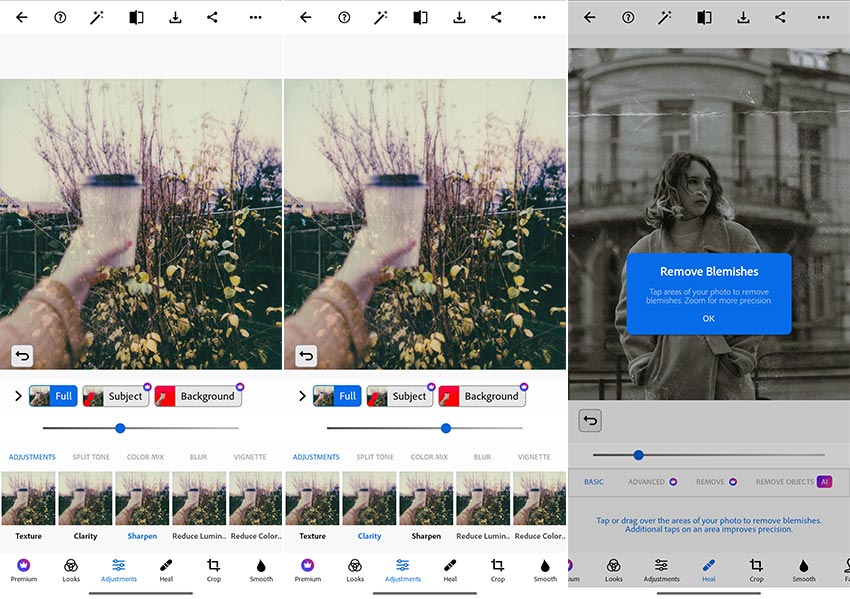
With Adobe's big name, millions trust Photoshop Express for quick edits. It's a slimmed-down version of the legendary Photoshop, built for your phone or tablet. This Photoshop AI enhancement app packs solid tools to rescue blurry pictures. You don't need to be a pro to use it, however, you do need to know some basic parameters.
You'll lean on a few key features to make blurry pictures clear. The clarity slider sharpens up soft details—like when your pic's edges look mushy. The sharpen tool tackles fuzziness head-on, great for shaky-hand shots. In addition, you can reduce noise caused by luminance and color with corresponding sliders. It's all about tweaking and trial and error until your image looks crisp.
- Adobe's big name means you are in reliable hands
- Free tools hit the basics just right to sharpen images
- Clean layout
- Works fast on your phone, no lag when you are in a rush
- Advanced stuff—like subject or background selection—hides behind a paywall
- Complex manual trial-and-error process
- Free version limits how much you can polish really bad blurs
- Some tools feel basic if your picture is a total mess
2. Fotor
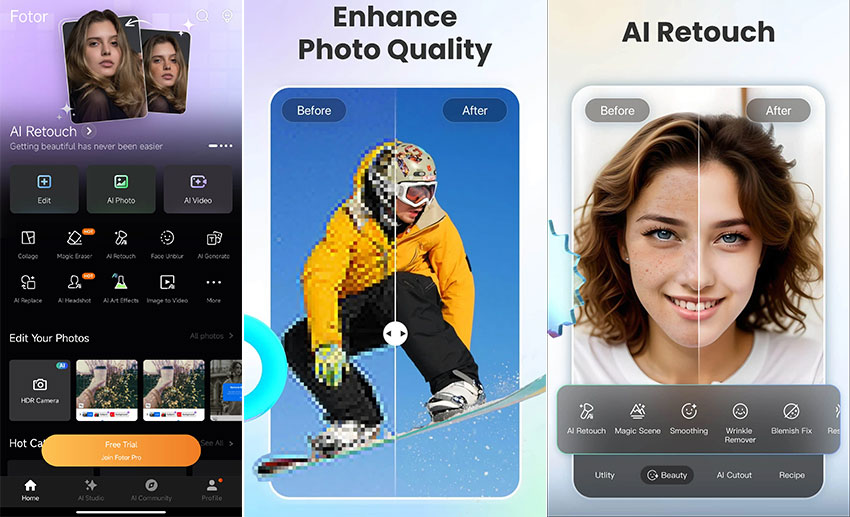
Fotor is your quick fix for blurry photo woes. It's a photo editing app that's been around, loved by beginners and casual editors alike. You don't need fancy skills to make it work. This tool brings solid editing power right to your phone or browser.
You've got some handy features to clear up those blurry messes. Like all image editors, it provides basic options such as sharpness, clarity (although it requires a Fotor Pro subscription,) dehaze, etc. Brightness tweaks help too, pulling out hidden edges if dim light washed them out.
The one-tap AI Enhance feature is your fast friend—it boosts clarity in seconds when your pic's off. You'll find other AI features like Face unblur, AI Retouch, and AI photo restoration—all under a paid subscription.
- Free version gives you basic tools for quick blur fixes
- Super easy to use, even if you are new to editing
- Fast results keep you moving, no waiting around
- Deep fixes—like grainy noise—need the paid plan
- Free tools hit a wall with super blurry pics
- Some features feel basic for tricky edits
3. PicWish
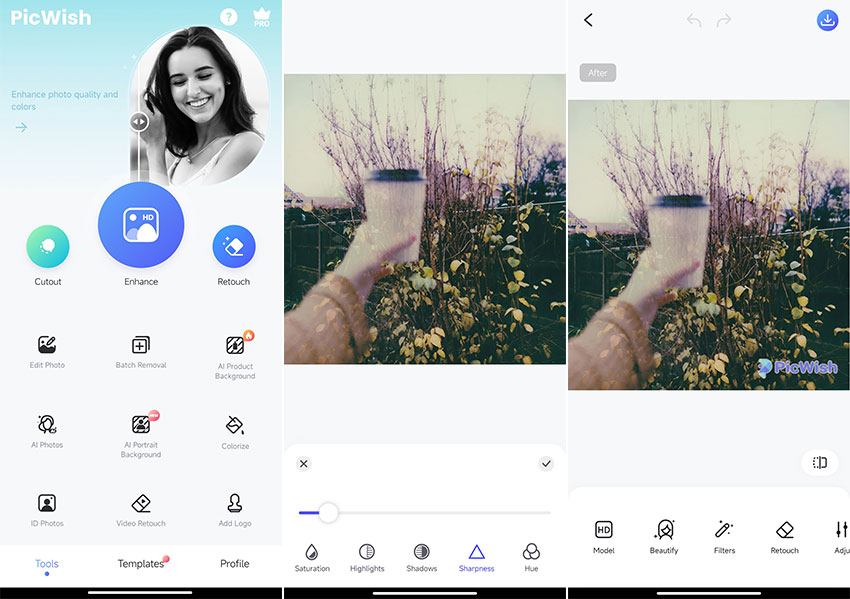
PicWish is a free app that leans hard into AI smarts. You don't need tech skills to fix blurry photos. In addition to basic image editing functions, it also provides AI background removal, colorizing, and other functions.
You'll use a couple of slick tools to make blurry pictures clear. The Enhance feature is your star player. Although the processing speed is a bit slow, it sharpens up soft pics like magic when details fade. Sharpness tweaks come in handy too, boosting edges if your shot is hazy. Contrast adjustments can lift dim photos, making blurry spots pop. Just one thing to note: PicWish will put a watermark on your outputs.
- No learning curve—simple UI, simple features
- AI tools deliver sharp results for basic blurs
- Image editor app with layers
- Tough blurs—like heavy shakes—need the paid version
- Lacks extra tools for complex edits in free mode
- Watermark on outputs
4. PicsArt
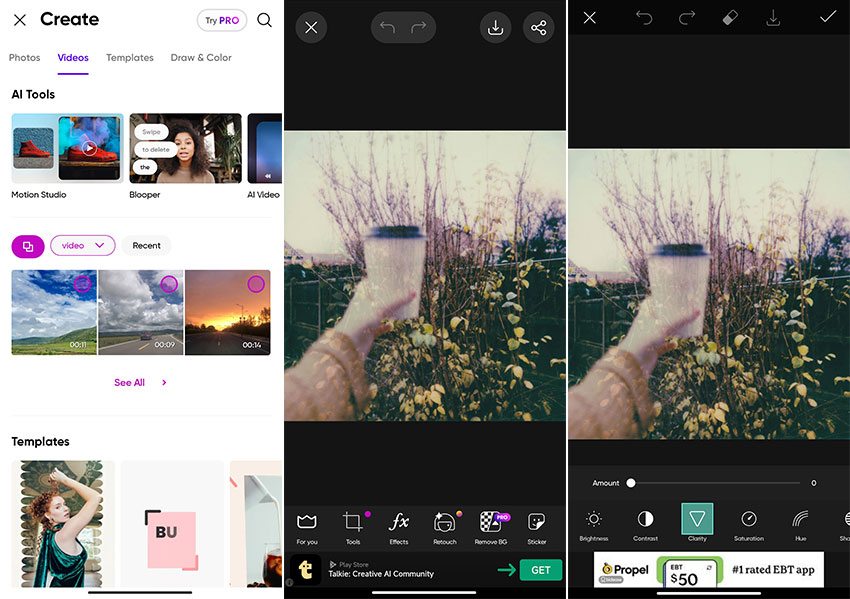
PicsArt is more than just an app to unblur photos—you can also use it for video editing. This tool mixes fun effects with simple blur-busting power.
To sharpen images, go to Effects > Blur from the toolbar, then lower the blur value. It's that simple. Clarity adjustments help too. Throw in brightness tweaks, and dull pics get a lift, sharpening hidden edges.
However, you have to put up with a ridiculous amount of ads with the free version—one for importing, one for exporting, and an ad banner below the toolbar.
- Free tools give you basic options to fix blur quickly
- Runs smoothly on your phone with no tech hassles
- Great for casual users who want sharp and stylish pics
- Interface feels busy—too many options might confuse you
- Free version skips advanced fixes for bad blurs
- Ads pop up often, breaking your flow
- Heavy edits can lag if your phone's old
5. Remini
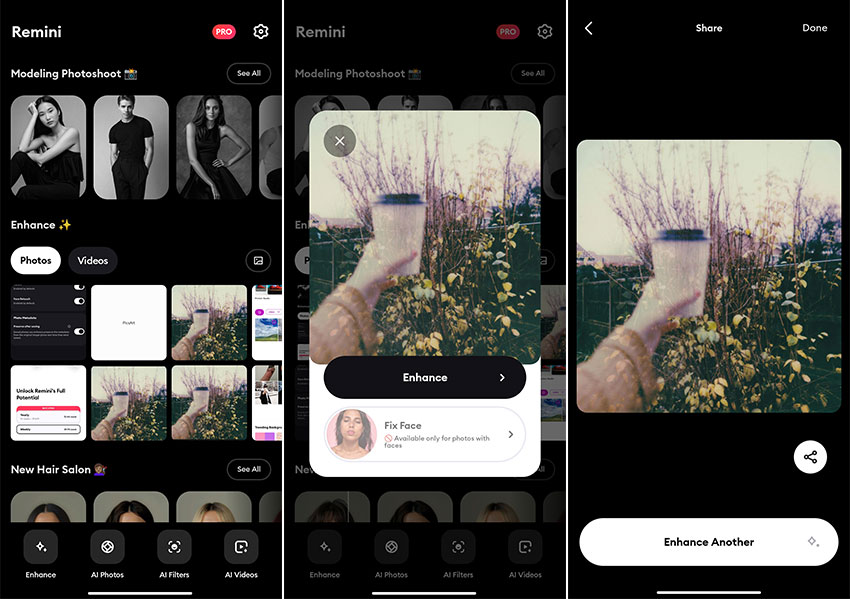
Remini is your AI-powered blur remover. It's a free app that's all about reviving your fuzzy shots with smart tech. You don't need editing know-how to make it work. This tool is a standout for one-click AI image enhancement. It's got a big following for a reason.
You'll tap into some neat tricks to make blurry pictures clear. The Enhance feature is your heavy hitter—it rescues details from mushy shots like a pro. Just click Enhance from the menu, select a photo to unblur, adjust colors or background as needed, and then save it.
The first trial was very good, with a clean UI design and decent image quality. But after that, you'll have to watch an ad almost every time you click a button.
- Free AI delivers stunning clarity on light blurs
- Super simple—just upload and watch it work
- Fixes old or low-res pics better than most free apps
- No manual controls—you are stuck with AI's picks
- Ads sneak in, which can bug you mid-edit
Quick Guide to How to Make Blurry Pictures Clear
You can fix out of focus images and make blurry pictures clear with ease. These photo enhancers keep it simple. No pro skills? No problem. Here's a quick guide to fix your fuzzy shots fast. Follow this guide to make your blurry pictures clear in the apps. And your photos will sharpen up in no time.
Step 1. Upload your blurry photo from your phone or gallery.
Step 2. Try the one-click AI enhancement if you are using an AI image enhancer. It should auto-fix blur fast so you don't have to adjust all the options manually.
Step 3. Find the sharpen tool and adjust it higher. This makes soft edges look crisp.
Step 4. Check for a clarity option and increase it to make your whole photo less muddy.
Step 5. Tweak brightness, contrast, or other options. These will get the blurry spots bolder and clearer.
Step 6. Zoom in to see the result. Save your photo when you are happy.
Alternative Desktop App to Make Blurry Pictures Clearer
Mobile apps are convenient for quick fixes, but they often struggle with heavy blur, noise, or low-resolution photos. If you want cleaner details and more natural results, a desktop AI image enhancer offers clear advantages.
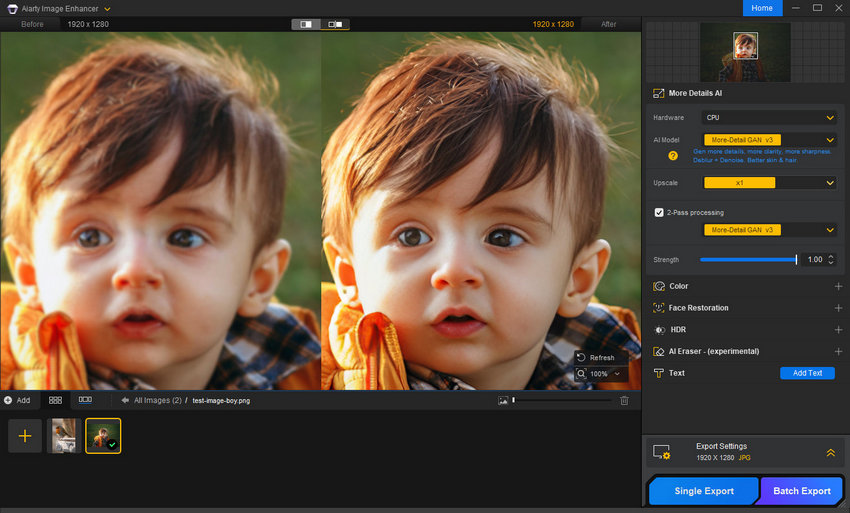
Aiarty Image Enhancer is designed for Windows and Mac, using advanced AI models to unblur images, reduce noise, and recover fine details that mobile apps usually miss. With a simple workflow—import your photos, choose an AI model, and export—you can enhance images without complex manual adjustments.
When Aiarty works better than mobile apps:
- Severely blurry or noisy photos (camera shake, low-light shots)
- Old or scanned photos with faded details
- Large prints or high-resolution needs, supporting upscaling up to 16K/32K
- Batch processing, saving time when enhancing multiple images
Unlike many free apps, Aiarty runs locally on your computer—no ads, no forced compression, and no quality loss during export. If you need sharper results for printing, archiving, or professional use, a desktop tool like Aiarty Image Enhancer delivers noticeably better clarity than mobile apps.
Conclusion
You've got options on 5 good free apps to make blurry pictures clear. Free photo enhancers make it simple. They sharpen your shots fast—no cost, no fuss. You learned how to tweak clarity, sharpen edges, and more with these tools. Your fuzzy photos don't stand a chance anymore.
When free mobile apps can’t meet your needs, a desktop solution like Aiarty Image Enhancer may be a better choice. It offers stronger AI models, improved detail recovery, and large-scale upscaling—without sacrificing image quality.
You May Also Like


This post was written by Brenda Peng who is a seasoned editor at Digiarty Software who loves turning ordinary photos into extraordinary works of art. With AI assistance for brainstorming and drafting, the post is reviewed for accuracy by our expert Abby Poole for her expertise in this field.
