

Top 10 Best Free AI Image Enhancers 2026

Updated on
Have some old or blurry photos that still matter to you, but simply looks beyond saving? With recent advances in AI, restoring and improving image quality is no longer limited to professionals or expensive software.
Today, even a free AI photo enhancer can sharpen details, improve clarity, and upscale low-resolution photos in seconds. But not all free tools deliver the same results, and some come with hidden limits that aren’t obvious at first glance.
In this article, we’ll take a closer look at the best free image enhancer options available, explain what they can (and can’t) do. You will find the best free AI photo enhancer for you to fix old photos, enhance images for social media, or simply try AI photo enhancement for the first time.
Aiarty Image Enhancer is stronger than many free photo enhancers with robust upscaling, noise removal, detail recovery, and color correction. It easily enhance images with professional-looking results and minimal effort.
Upscayl is a free image upscaler that’s focused on enlarging low-resolution images while preserving as much detail as possible without complex settings.
SeedVR2 excels at enhancing images while preserving textures and edges. For beginners, it’s easy to use via online platforms or pre-built UIs, but running it locally in AI workflows requires moderate technical skills.
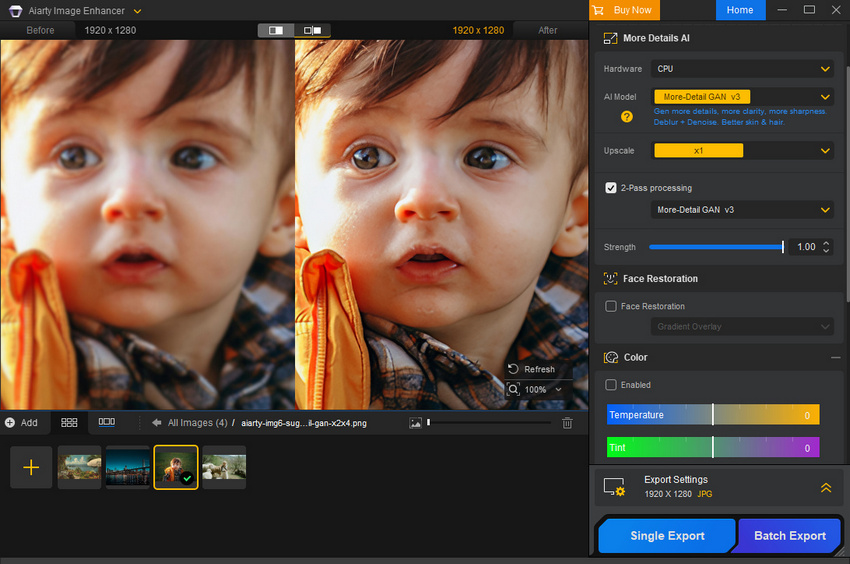
Aiarty Image Enhancer
Aiarty Image Enhancer is an AI-powered tool designed to improve image quality without complex software. It leverages deep learning models trained on millions of images to automatically remove noise, deblur, restore details, and upscale images up to high resolutions like 4K, 8K, or even 32K. It intelligently reconstructs missing content, making photos look sharper and more natural. The free version of the image enhancer allows uers to access its full functions.
Key Features
- Upscales images by 2×, 4×, 8×, and beyond, while preserving natural texture and minimizing artifacts.
- Automatically reduces grain, removes blur, and fixes compression artifacts in photos.
- Refine facial details, reduce skin imperfections, and improve clarity of old photos.
- Adjust exposure, contrast, saturation, and other color settings to produce visually balanced results post-enhancement.
- Remove unwanted objects, texts, people, elements from photos for clean outputs.
- Batch enhance images to save time by enhancing multiple photos at once.
Step-by-Step Guide:
Step 1. Download the AI image enhancer free version on your computer. You can get a free license of Aiarty Image Enhancer here >>
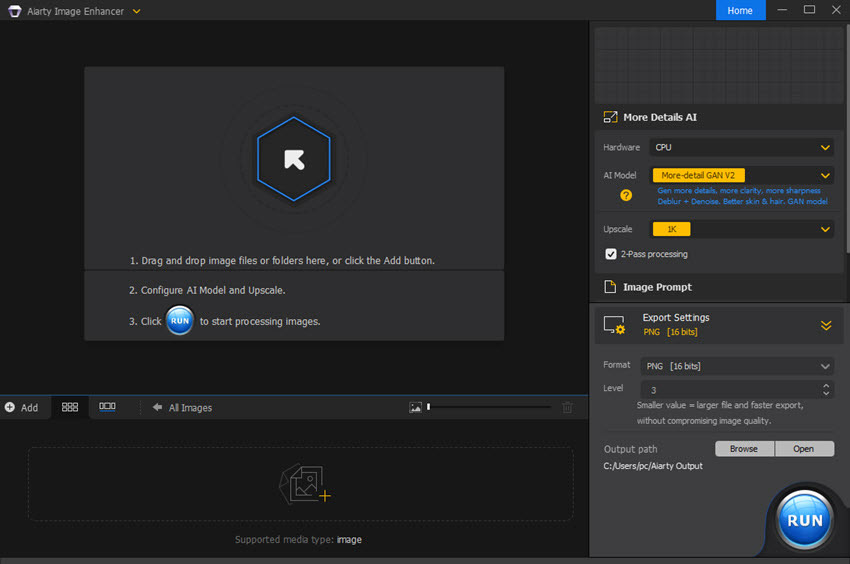
Step 2. Upload your images to the AI image enhancer free version. Then select the desired AI model depending on your goal. Choose an upscale preset like 2x/4x/8x. If you simply want to enhance the image, just select x1.
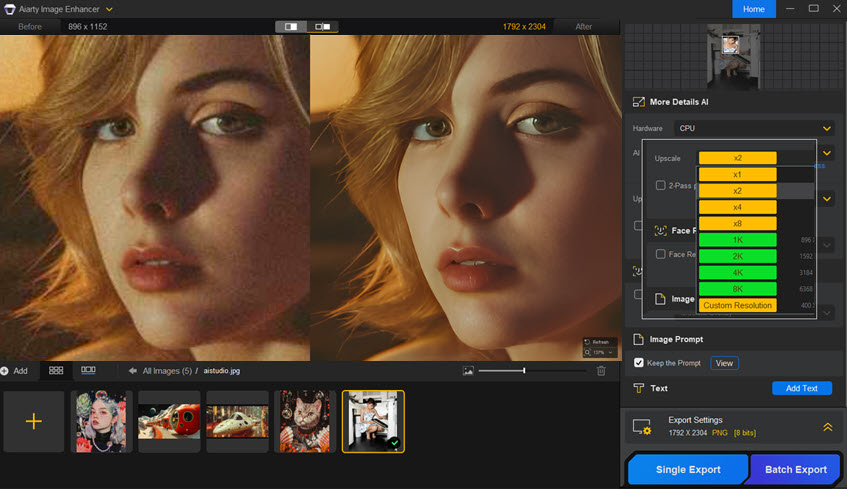
Step 3. For more control, tweak optional settings like Face Restoration, Color Correction, and AI Eraser. It will then enhance the image and give you a preview window.
If you're OK with the preview, click Single Export to save. Note that the AI photo enhancer free version allows single output only and won't support batch processing.
Upscayl
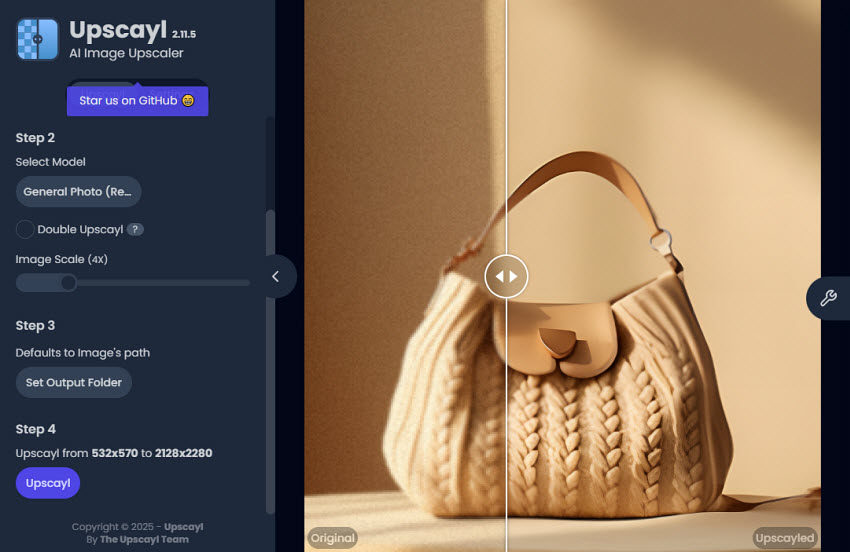
Upscayl is a well-known free image upscaler that focuses on improving image resolution using open-source AI models. As a lightweight desktop application, it appeals to users who want a free AI photo enhancer without subscriptions, watermarks, or complicated setups. It works well for general photos, illustrations, and web images, producing sharp, clean results in most cases. While it may struggle to fully recover details in extremely blurry or noisy photos, its AI upscaling capabilities make it a reliable tool for casual and semi-professional use.
Key Features
- AI-based image upscaling with 2× to 4× resolution increase
- Basic noise reduction and edge enhancement
- Batch processing support for multiple images at once
- Offline desktop use, keeping your images private
- Simple, intuitive interface with minimal configuration
Best for: Users who need a free image upscaler for web graphics, illustrations, or casual photo enhancement
SeedVR2
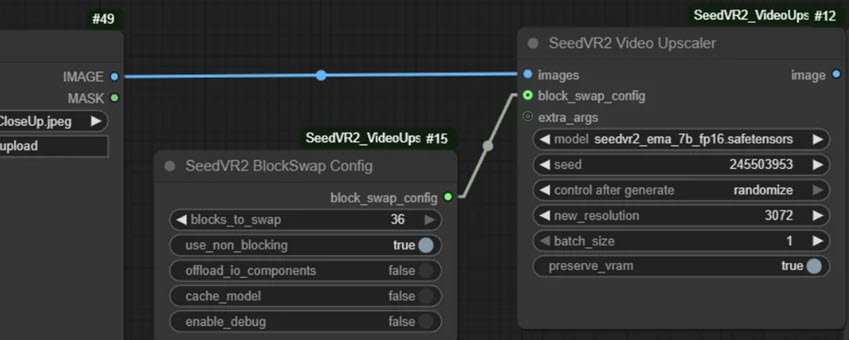
SeedVR2 is an advanced AI model designed for high-fidelity image enhancement, often delivering cleaner textures and more natural details than basic upscalers. While not always positioned as a consumer app, it performs well as a free photo resolution enhancer through supported platforms and APIs. It’s particularly strong at preserving edges and reducing artificial artifacts during upscaling.
Key Features
- High-quality AI upscaling suitable for 4K and higher outputs
- Strong texture and structure preservation
- Minimal over-sharpening or hallucinated details
- API-friendly for automated or professional workflows
Best for: Creators and developers who want a free AI photo enhancer with better visual consistency than entry-level tools.
Nano Banana Pro
Nano Banana Pro is an AI image generation and enhancement platform powered by Google’s Gemini 3 Pro model, capable of producing high-resolution visuals and editing existing images based on prompts. While it isn’t a dedicated free image enhancer in the traditional sense, the free tier does let you try basic image enhancement and generation tools without a subscription. That said, its free usage is limited by quotas and reduced daily access, meaning you can only create or enhance a small number of images per day unless you upgrade, and output quality can vary depending on load and model use.
Key Features
- Enhance images using natural language prompts or image inputs.
- Supports outputs up to 4K in quality when available, though free tier resolution may be capped lower.
- Accepts multiple reference images for more consistent edits and composition blending.
- Better handling of typography and scene elements than basic upscalers.
- Batch Processing: Enhance multiple photos at once for efficiency.
- Users describe what they want and the AI executes edits.
Best for: Experimenters & curious creators who want to explore advanced AI image editing and generation without upfront cost.
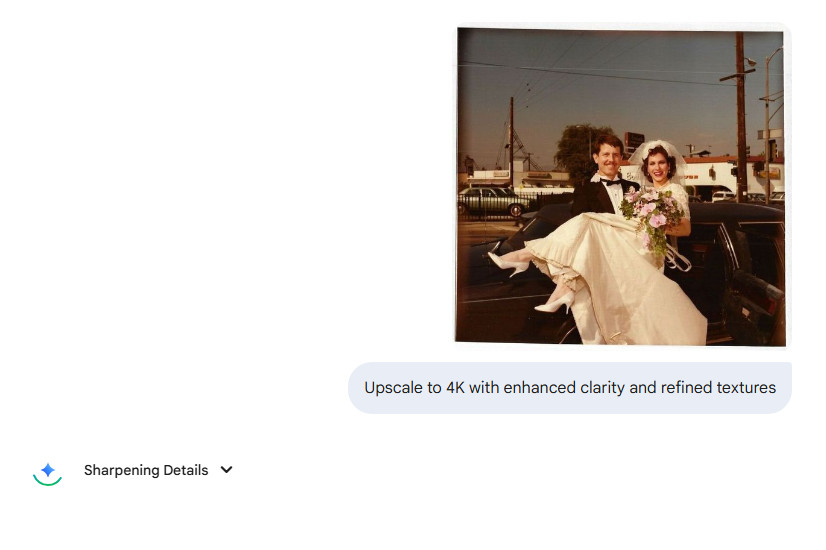
Remini
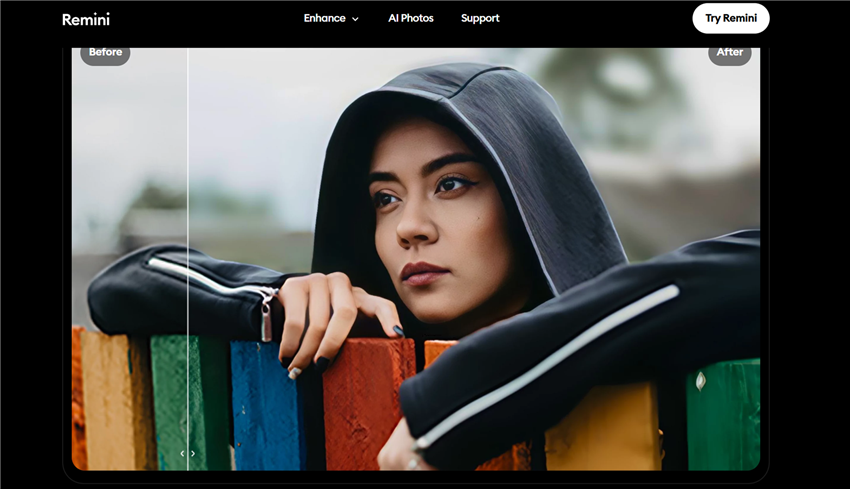
Remini has become a household name in the world of free AI photo enhancers, particularly for its ability to enhance facial details with remarkable precision. With over 100 million downloads and a database trained on 50 million+ portraits, Remini’s AI specializes in sharpening eyes, teeth, and skin texture, making it an ideal free image enhancer for restoring blurry or low-quality face photos.
Remini’s one-tap enhancement feature lets users achieve professional-grade results in seconds. Available as both a web tool and a mobile app, it’s perfect for anyone looking for a free AI image enhancer that works quickly and effectively, helping you restore memories on the go without complicated editing.
Key Features
- HD Face Enhancement: Sharpens facial features like eyes, teeth, and skin texture.
- One-Tap Magic: Instantly transforms blurry photos with a single click.
- Free Daily Credits: Enjoy 5 free enhances per day without a subscription.
- Real-Time Previews: See enhancements instantly before saving.
- Batch Processing: Enhance multiple photos at once for efficiency.
- No Watermarks: Download restored images without any branding.
Best for: Users who want a quick, one-tap free AI photo enhancer to enhance blurry or low-quality portraits, old family photos, or selfies.
See Also: Remini Video Enhancer Review: Can It Meet Your Needs?
Fotor AI Photo Enhancer
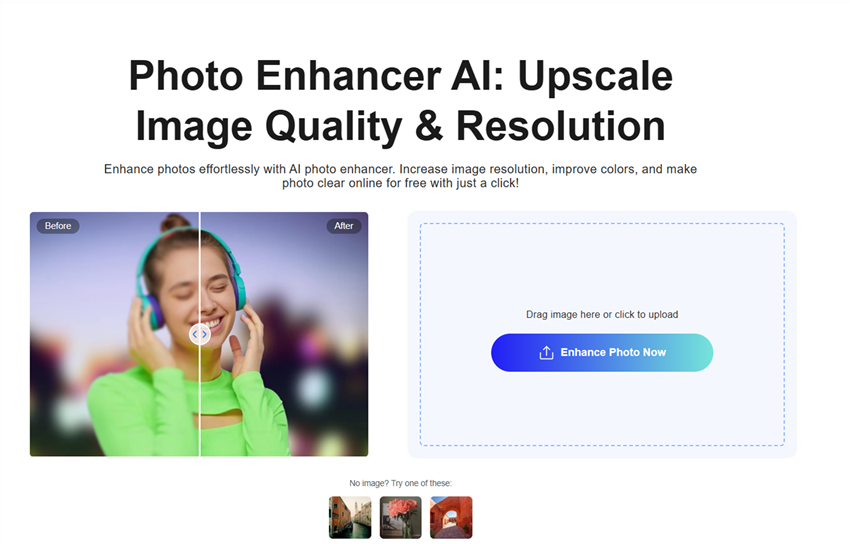
Fotor is a versatile free AI photo enhancer that combines simplicity with sophisticated AI-powered tools. It’s designed for users who want to quickly improve their photos without complex editing software. With its AI algorithms, Fotor can enhance old, blurry, or low-resolution images, restore faded colors, and improve overall clarity while keeping the look natural. Unlike some automated enhancers that oversaturate or artificially sharpen photos, Fotor balances adjustments to maintain realistic tones and textures.
Key Features
- Smart Color Revival: Restores natural tones in sun-bleached images.
- One-Click Unblur: Instantly sharpens blurry images.
- AI Enlarger: Increases image resolution without losing quality.
- B&W Colorization: Adds realistic colors to black-and-white photos.
- Free Version: Limited exports with watermarks
Best for: a free photo enhancer for quick improvements on old, blurry, or faded photos.
Upscale.media
Upscale.media is a highly regarded free AI photo enhancer specialized in transforming low-resolution or blurry photos into sharp, high-quality images. Developed by Pixelcarve Labs, it leverages advanced deep learning algorithms to upscale images up to 4× their original size while preserving clarity and preventing pixelation. This makes it one of the top free image upscaler tools available today.
Its intuitive, user-friendly interface and no sign-up requirement make it accessible to both casual users and professional photographers. Unlike some automated enhancers, it maintains natural color tones and textures, making it a reliable AI image enhancer free for most everyday needs.
Key Features
- No Sign-Up: Use instantly via browser.
- No Learning Curve: Just upload, upscale, and download, no technical skills required.
- Free Access: Enjoy 10 free upscales monthly without signing up.
- Instant Results: Enhance images in seconds, making it ideal for quick fixes.
Best for: Anyone needing a quick, no-fuss AI photo enhancer free for for old photos, selfies, or digital graphics.
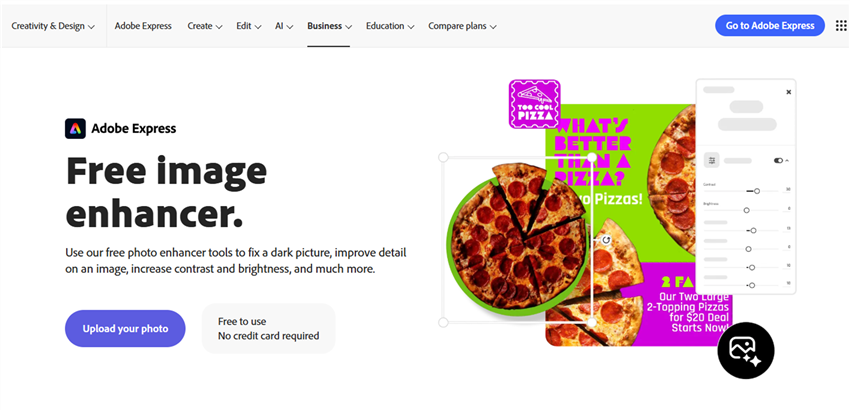
Adobe Photoshop Express (AI Enhance)
Adobe Photoshop Expressbrings the power of Adobe’s world-renowned photo editing tools to a free, streamlined platform. As a free AI photo enhancer, it’s designed for users who need fast, reliable image improvements without the steep learning curve of full Photoshop. Its AI-powered “Auto-Fix” feature automatically corrects common issues like poor lighting, low contrast, and image noise, delivering professional-quality results in seconds.
Photoshop Express also provides tools for color correction, sharpening, and basic noise reduction, making it a versatile AI image enhancer free for a variety of photo enhancement needs. The platform is available both as a web app and mobile application, allowing users to enhance photos on the go or at their desk. Its intuitive interface and guided adjustments make it one of the most approachable best free AI photo enhancer apps for beginners and casual users alike.
Key Features
- One-Click Auto-Fix: Instantly adjusts exposure, contrast, and noise.
- AI Enhance: Uses machine learning to improve image quality automatically.
- Basic Editing Tools: Crop, rotate, and resize images with ease.
- Filters & Effects: Apply artistic filters and effects for creative enhancements.
- Cloud Integration: Syncs with Adobe Creative Cloud for a seamless workflow.
Best for: Users who need a free AI photo enhancer for quick, professional-looking edits.
Canva
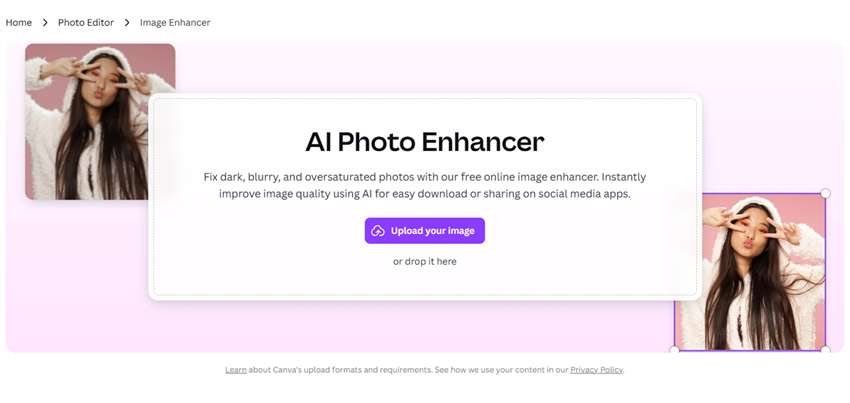
Canva a, a household name in design tools, has expanded its capabilities with its Image Enhancer, making it a go-to free AI photo enhancer for users who want quick, professional-quality improvements without the complexity of advanced editing software. Designed with simplicity in mind, Canva’s AI-powered tools allow users to fix common issues like poor lighting, blurriness, low resolution, and dull colors in just a few clicks.
Its intuitive interface and AI image enhancer free functionality are perfect for casual users, bloggers, and social media creators who need fast, reliable enhancements without a steep learning curve. Additionally, Canva supports basic image upscaling for low-resolution photos, making it a practical free image upscaler option for everyday projects.
Key Features
- One-Click Enhancement: Automatically adjusts brightness, contrast, and sharpness.
- Background Remover: Isolates subjects for clean, professional edits.
- Filters and Effects: Adds creative touches to your photos.
- Free Version: Includes basic editing tools with premium features available in the Pro plan.
Best for: free photo enhancer for quick improvement of selfies, product photos, or presentation images.
A blurry, poorly lit photo of a family gathering was enhanced using Canva’s one-click tool. The AI improved brightness and sharpness, making the photo suitable for sharing on social media.
Cutout.Pro
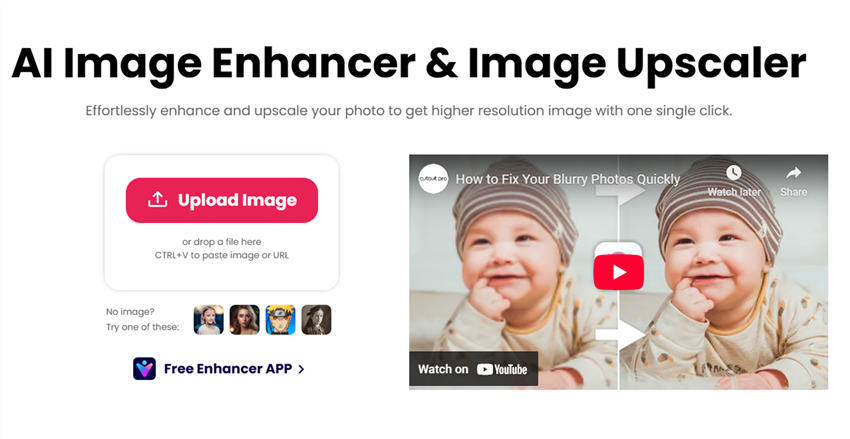
Cutout.Pro is a powerful free AI photo enhancer designed to enhance, sharpen, and upscale images with remarkable precision. Whether you’re dealing with blurry photos, low-resolution images, or noisy night shots, Cutout.Pro’s advanced AI algorithms focus on detail recovery, noise reduction, and resolution enhancement, making it a versatile AI image enhancer free for a variety of use cases.
Its user-friendly interface and one-click enhancement feature simplify the process of improving image quality, allowing casual users, photographers, and e-commerce professionals to transform images into high-quality visuals with minimal effort.
Key Features
- AI Photo Enhancer: Automatically improves image quality by sharpening details and reducing noise.
- Upscaling: Increases image resolution up to 4x without losing quality.
- Background Removal: Isolates subjects for clean, professional edits.
- Free Version: Includes basic features with limited credits; paid plans start at $19.99/month.
Best for: Users who need a free photo enhancer for e-commerce product images, portraits, or low-resolution photos.
Conclusion
Choosing the right free AI photo enhancer can make a huge difference in restoring, sharpening, or upscaling your images. Tools like Aiarty, Upscayl, and SeedVR2 offer unique strengths for different needs. You can find a free image upscaler for low-resolution photos, a free AI image enhancer for portraits, or a best free photo enhancer app for quick and professional edits.
With the variety of options available today, you don’t need to spend hours manually fixing images or invest in expensive software. By leveraging these AI-powered free photo enhancers, you can bring clarity, detail, and vibrancy back to your old or blurry photos, enhancing memories, social media posts, or professional content with minimal effort. No matter your skill level or project type, there’s a free AI photo enhancer that can help you achieve stunning results, fast, easy, and without breaking the bank.
You May Also Like


Brenda Peng is a seasoned editor at Digiarty Software who loves turning ordinary photos into extraordinary works of art. With years of experience behind the lens and in front of the computer, Brenda shares her passion for photography, image enhancement, and editing through easy-to-follow tutorials.
