


AI filmmaking tools are applications that assist with specific parts of film and video production using artificial intelligence. Some help generate scripts or storyboards, while others create video clips, synthesize voices, compose music, edit footage, or improve video quality.
Rather than replacing traditional filmmaking, these tools handle time-consuming tasks that would otherwise require hours of manual work. Most creators use several AI applications together, with each one serving a different purpose in the production pipeline.
A typical AI filmmaking workflow looks like this:
Idea → Script → Storyboard → Video Generation → Editing → Enhancement → Final Export
The sections below explore the best tools for each stage, along with practical recommendations for building an efficient workflow.
Best AI Filmmaking Tools by Production Stage
Different AI tools excel at different parts of the filmmaking process. Some help you develop ideas faster, while others focus on generating visuals, editing footage, or improving the final output. Instead of searching for one platform that does everything, it's more practical to build a toolkit where each application handles a specific task.
The table below provides a quick overview before we dive into each stage in more detail.
1. Best AI Filmmaking Tools for Script Writing
Every film starts with a story, and AI can make the early writing process much faster. Instead of staring at a blank page, filmmakers can use AI to brainstorm ideas, refine story structure, write dialogue, or generate shot lists that can later be turned into storyboards and production plans.
That said, AI works best as a creative assistant rather than a replacement for the writer. The strongest scripts still come from human judgment, with AI helping speed up drafting and iteration.
ChatGPT
For most filmmakers, ChatGPT is the easiest place to start. It can help turn a rough concept into a structured outline, suggest plot directions, generate dialogue, or rewrite scenes in different tones. It also works well for production tasks such as creating shot lists, drafting narration, or organizing ideas before moving into storyboarding.
One of its biggest advantages is flexibility. Whether you're producing a short film, YouTube video, commercial, or documentary, ChatGPT adapts well to different formats and creative styles. The quality of the output still depends on the prompts you provide, but it's an excellent brainstorming partner throughout the writing process.
Best for: Filmmakers looking for an all-purpose AI writing assistant.
Claude
Claude stands out when you're working on longer scripts or story-driven projects. Its ability to maintain context over extended conversations makes it particularly useful for refining multi-scene screenplays, developing consistent character voices, and revising dialogue without losing the flow of the story.
Many writers also prefer Claude for its more natural prose, especially during later editing passes when polishing pacing and dialogue becomes more important than generating new ideas.
Best for: Feature films, narrative shorts, and script revisions.
Sudowrite
Unlike general-purpose AI assistants, Sudowrite is built specifically for creative writing. It offers tools for expanding scenes, exploring alternative story directions, strengthening descriptions, and overcoming writer's block.
While it isn't designed to replace professional screenwriting software, it's a useful companion during the early drafting stage when you're experimenting with ideas or trying to improve the emotional impact of a scene.
Best for: Writers who want extra creative support during script development.
2. Best AI Filmmaking Tools for Storyboarding & Concept Art
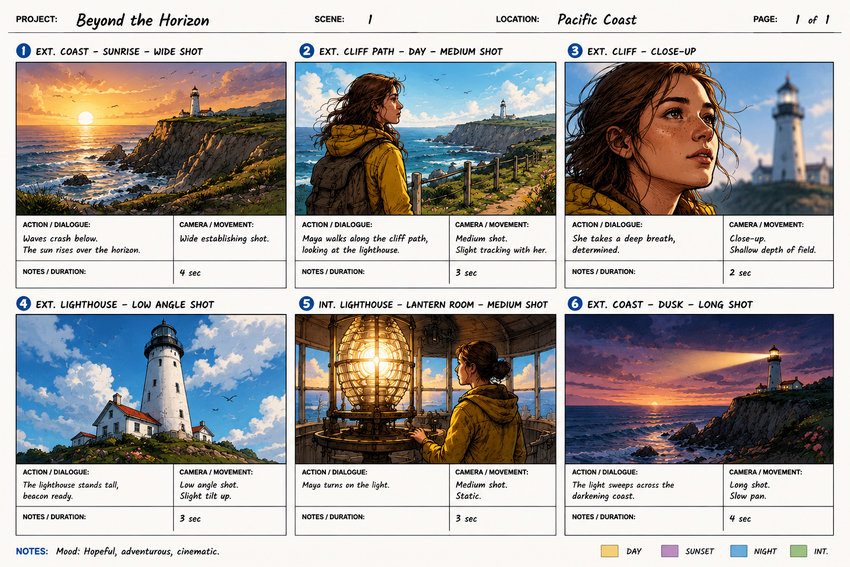
Once the script is in place, the next step is turning ideas into visuals. Storyboards and concept art help define camera angles, lighting, composition, character appearance, and the overall mood before production begins. Even if you're creating an AI-generated film, having clear visual references makes it much easier to write consistent prompts and achieve more predictable results.
Today's image generation models can produce high-quality concept frames in minutes, making them valuable not only for independent filmmakers but also for commercial productions, music videos, short films, and social media content.
Midjourney
Midjourney remains one of the most popular choices for creating cinematic concept art. Its strength lies in producing dramatic lighting, detailed environments, and visually striking compositions that can help establish the look and feel of a project before any footage is generated.
Many filmmakers use Midjourney to create mood boards, key frames, location concepts, costume ideas, and character portraits. These images can then serve as visual references for storyboarding or as image prompts for AI video generators such as Seedance or Runway.
Best for: Directors and creators looking to establish a cinematic visual style during pre-production.
Related article: How to Craft Midjourney Storyboard Prompts (with Examples)
FLUX
FLUX has quickly become a favorite for creators who want realistic, prompt-accurate images. Compared with more stylized models, FLUX generally produces natural-looking people, believable environments, and consistent details, making it well suited for projects that aim for a live-action appearance.
Another advantage is its growing ecosystem. Because FLUX is available through multiple platforms and open-weight implementations, filmmakers have more flexibility in how they generate and customize images for different production workflows.
Best for: Photorealistic concept art, visual development, and reference images for AI video generation.
Ideogram
Ideogram stands out for its ability to generate images containing clean, readable text, something that many image generation models still struggle with. This makes it particularly useful for title cards, movie posters, promotional artwork, and storyboard panels that include labels or annotations.
While it can also create high-quality concept images, Ideogram is often chosen when typography is part of the design, helping filmmakers produce presentation materials and marketing assets without extensive manual editing.
Best for: Storyboards, presentation decks, posters, and promotional graphics with embedded text.
3. Best AI Video Generation Tools for Filmmakers
This is where static ideas become moving images. AI video generators can create clips from text prompts, animate still images, or extend existing footage with camera movement and new visual elements. They're now widely used for short films, commercials, social media content, music videos, and previsualization.
Each platform has its own strengths. Some prioritize cinematic camera movement, while others focus on prompt accuracy, character consistency, or realistic physics. Choosing the right one depends on the type of project you're creating and the level of control you need.
Seedance
Seedance has quickly established itself as one of the leading AI video generation models for filmmakers. It produces smooth camera movement, follows prompts closely, and delivers impressive visual consistency across a wide range of cinematic styles. Whether you're generating footage from text or animating a reference image, the results often require less prompt refinement than many competing models.
One area where Seedance particularly excels is image-to-video generation. By combining well-designed concept art with carefully written prompts, filmmakers can transform static frames into dynamic shots with natural camera motion and believable scene transitions. This makes it especially useful for creating short films, commercials, trailers, and cinematic sequences.
Best for: Creators seeking high-quality AI-generated footage with strong cinematic aesthetics.
Related article: Seedance 2.0 Free Access: 7 Working Platforms
Runway
Runway has become a staple in many AI filmmaking workflows because it offers more than just video generation. In addition to creating videos from text or images, it includes AI-powered editing features such as background removal, object replacement, inpainting, and motion brushes, allowing creators to refine shots without leaving the platform.
Its combination of generation and editing tools makes Runway a practical choice for commercial creators, agencies, and production teams that want to move efficiently from concept to rough cut.
Best for: Professional creators who want both AI video generation and post-production tools in one platform.
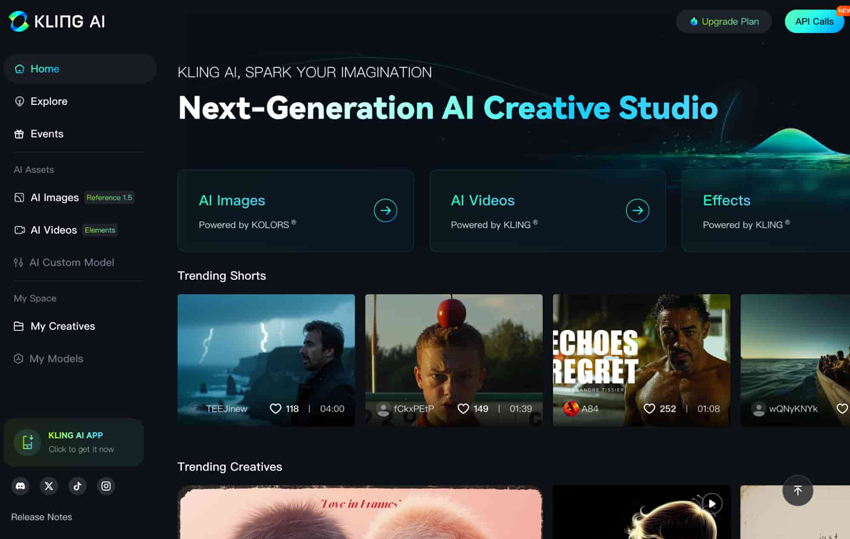
Kling AI
Kling AI is widely recognized for generating realistic human movement and expressive character animation. It performs particularly well in scenes involving people, making it a popular choice for narrative storytelling, lifestyle videos, and cinematic content where believable motion is important.
The platform also offers flexible camera controls and supports relatively longer video generation than many earlier AI video models, giving filmmakers more freedom when designing complex sequences.
Best for: Character-driven scenes and realistic cinematic motion.
Pika
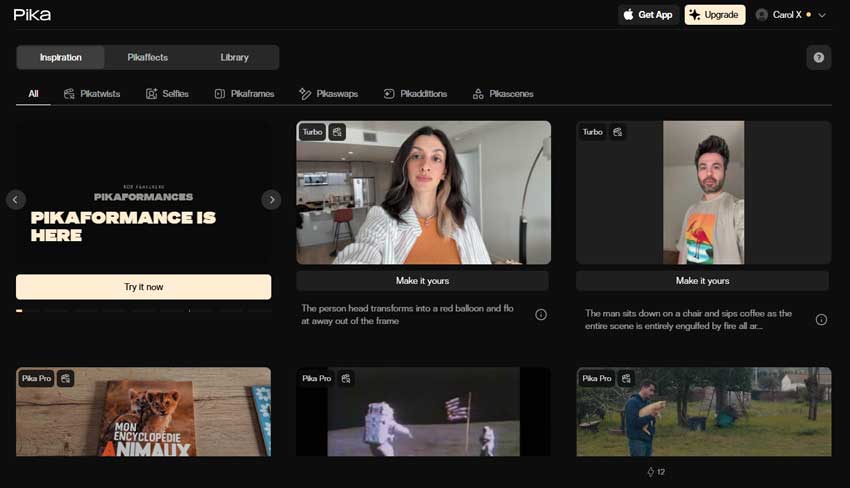
Pika focuses on speed and accessibility. Its clean interface and straightforward workflow make it easy for beginners to turn ideas into short video clips without a steep learning curve. It also includes a variety of creative effects that are well suited to promotional videos, social media content, and experimental visual storytelling.
While it may not offer the same level of cinematic control as some higher-end platforms, Pika is an excellent option when rapid iteration matters more than fine-tuning every shot.
Best for: Content creators who need fast, visually engaging AI videos.
Note: Even the best AI video generators can produce footage with soft details, compression artifacts, inconsistent textures, or limited output resolution. Before publishing or delivering a project, many creators perform a final enhancement pass to improve overall image quality. We'll cover that workflow later in this guide.
4. Best AI Tools for Voiceovers & Character Dialogue
Compelling visuals alone aren't enough to tell a great story. Voiceovers and dialogue help establish mood, develop characters, and connect with the audience. AI voice generators have become valuable tools for filmmakers, making it easy to create narration, temporary dialogue, or even final voice tracks without booking a recording studio.
Many modern AI voice platforms support multilingual speech, voice cloning, emotional delivery, and natural-sounding conversations. Whether you're producing a short film, documentary, commercial, or YouTube video, they can significantly speed up the audio production process.
ElevenLabs
ElevenLabs is widely regarded as one of the leading AI voice platforms for filmmakers and content creators. Its voices sound remarkably natural, with realistic pacing, pronunciation, and emotional expression. It also supports high-quality voice cloning, allowing creators to maintain consistent voices for recurring characters or narrators.
Another standout feature is multilingual dubbing, which enables creators to localize films and videos into multiple languages while preserving the original speaker's vocal characteristics. This makes ElevenLabs an excellent choice for creators targeting global audiences.
Best for: Professional narration, character dialogue, voice cloning, and multilingual dubbing.
Murf AI
Murf AI is designed for creators who need polished voiceovers for marketing videos, explainers, training materials, and documentaries. It offers a wide selection of realistic AI voices, built-in voice editing tools, and collaborative features that make it suitable for both individuals and production teams.
Its intuitive editor allows users to adjust pronunciation, emphasis, pauses, and timing without rerecording audio, making revisions much faster during production.
Best for: Narration, corporate videos, documentaries, and collaborative production workflows.
PlayHT
PlayHT focuses on fast, high-quality AI speech generation. It offers a large library of voices, supports multiple languages, and includes voice cloning capabilities for creating personalized narrators or character voices.
Its speed and ease of use make it a practical choice for creators who need to generate voiceovers quickly for prototypes, social media content, independent films, or client projects without sacrificing natural-sounding results.
Best for: Fast voice production, multilingual voiceovers, and AI voice cloning.
5. Best AI Tools for Film Music & Sound Effects
Music and sound design play a major role in shaping the mood of a film. A well-chosen soundtrack can build tension, reinforce emotion, or give a scene a stronger sense of rhythm. AI music generators make it much faster to create original background music for rough cuts, trailers, YouTube videos, and other productions without starting from scratch.
While AI-generated music has become increasingly capable, it's still best viewed as a creative starting point rather than a replacement for a professional composer or sound designer. Many filmmakers use AI to generate ideas, then edit, layer, or customize the results to better match the pace and emotion of each scene.
Suno
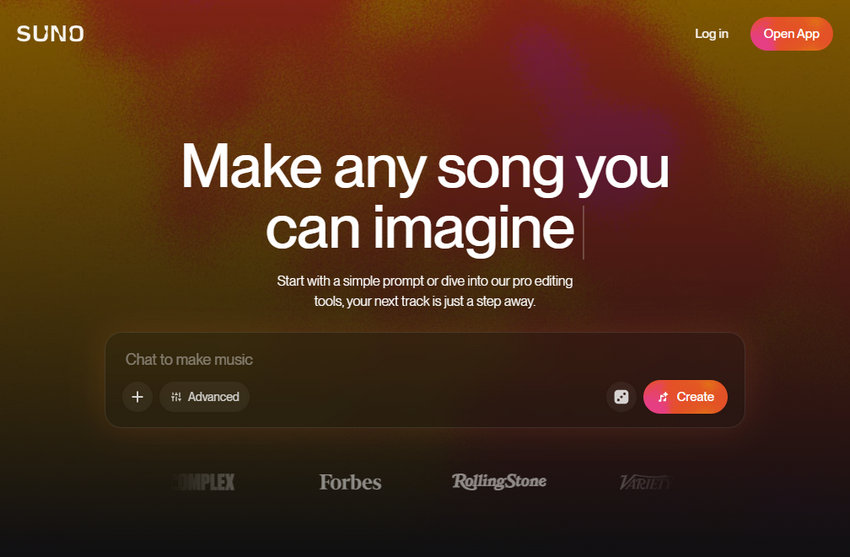
Suno is one of the best-known AI music generators, capable of creating complete songs from a simple text prompt. Users can specify the genre, mood, tempo, instrumentation, and lyrical style, then generate music within minutes. Instrumental tracks are particularly useful for film projects where dialogue and sound effects take center stage.
For filmmakers, Suno is a practical option for creating temporary soundtracks during editing or producing royalty-free music for short films, promotional videos, social content, and independent productions. The generated tracks can also serve as inspiration before working with a composer on a final score.
Best for: Quickly creating original background music for videos, trailers, and short films.
Udio
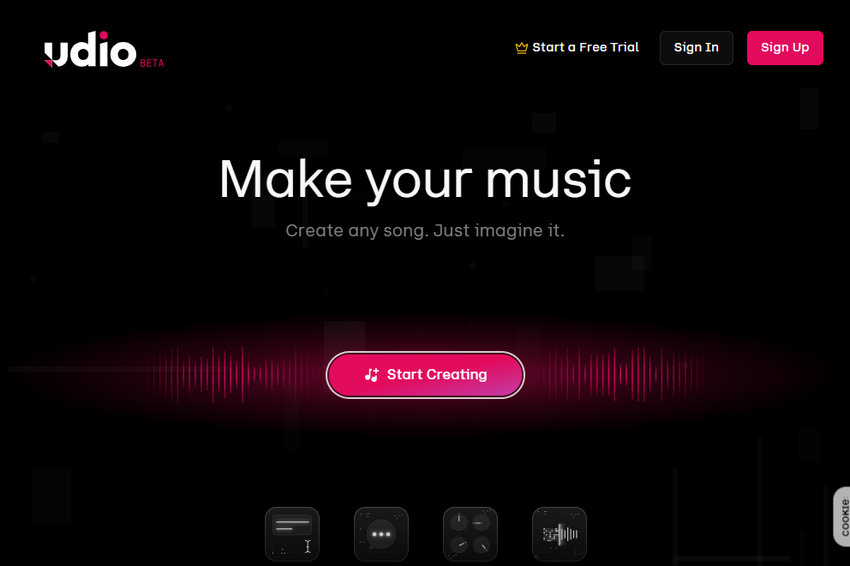
Udio is another leading AI music platform, known for its high audio quality and creative flexibility. It offers greater control over musical style and song development, making it a good choice for creators who want to refine compositions instead of generating a single finished track.
Many filmmakers use Udio to experiment with different moods across the same scene, compare multiple versions of a soundtrack, or extend musical passages to better fit the timing of an edit. This flexibility makes it particularly useful during post-production.
Best for: Filmmakers who want more creative control over AI-generated music.
Workflow Tip: Once your video, voiceover, and soundtrack are ready, the next step is to bring everything together in a video editor. This is where you fine-tune pacing, synchronize dialogue with visuals, add transitions, color grading, subtitles, and prepare the project for final export.
6. Video Editing & Final Assembly
Even with AI-generated scripts, images, and video clips, editing remains one of the most important stages of filmmaking. This is where individual shots are arranged into a coherent story, voiceovers and music are synchronized, pacing is refined, and the final visual style is shaped.
Modern video editors increasingly include AI-powered features such as automatic captions, object removal, scene detection, color matching, and smart editing assistance. However, creative decisions such as timing, storytelling, and emotional impact still depend heavily on the filmmaker.
DaVinci Resolve
DaVinci Resolve is one of the most complete video editing platforms available today. Originally known for its professional color grading capabilities, it has grown into a full post-production solution that combines editing, visual effects, motion graphics, audio editing, and delivery tools in one application.
For AI filmmaking workflows, DaVinci Resolve works well as the central hub where creators combine AI-generated clips, voiceovers, music, and other assets into a finished project. Its advanced color tools are especially useful for creating a consistent look when footage comes from multiple AI generation models.
Best for: Filmmakers who need professional control over editing, color, and final delivery.
Adobe Premiere Pro
Adobe Premiere Pro remains a popular choice among professional editors, production teams, and creators already working within the Adobe ecosystem. It offers a flexible timeline workflow and integrates with tools such as After Effects, Photoshop, and Audition for more advanced post-production tasks.
Its AI-assisted features can help speed up repetitive editing work, including transcription, caption generation, and workflow automation. This makes it a strong option for creators handling larger projects or collaborative productions.
Best for: Professional editors and teams that need a flexible production environment.
CapCut
CapCut focuses on speed and accessibility, making it popular among social media creators, YouTubers, and beginners. Its AI features include automatic subtitles, background removal, templates, and quick effects that allow users to create polished videos with minimal editing experience.
While it does not offer the same level of control as professional editing software, CapCut is a practical choice for short-form content and fast-turnaround projects.
Best for: Social media videos, short-form content, and creators who prioritize speed.
After editing, many creators assume the project is ready for export. However, AI-generated footage may still contain issues such as soft details, compression artifacts, inconsistent textures, or limited resolution. A dedicated enhancement step can help improve visual quality before the final release.
Final Step: Upscale Your AI-Generated Films
After editing, your AI-generated video may be ready creatively, but not necessarily technically. Many AI video generators still export at relatively modest resolutions or produce footage that looks soft when viewed on larger screens. If you're publishing to YouTube, delivering a commercial project, or simply aiming for a cleaner final result, upscaling is often the last step before export.
Unlike traditional resizing, AI upscaling doesn't just enlarge a video. It analyzes each frame to recover finer textures, improve perceived sharpness, and produce a cleaner image that's better suited for high-resolution playback.
Aiarty Video Enhancer is designed for exactly this stage of the workflow. After you've finished editing in DaVinci Resolve, Premiere Pro, or another editor, you can use Aiarty to upscale your AI-generated footage and improve overall image quality before exporting the final video.
How to Upscale AI-Generated Films with Aiarty
- Download and install Aiarty Video Enhancer on your computer.
- Import your AI-generated film.
- Select an AI model and choose your target resolution.
- Preview the result, adjust settings if needed, then export the enhanced video.
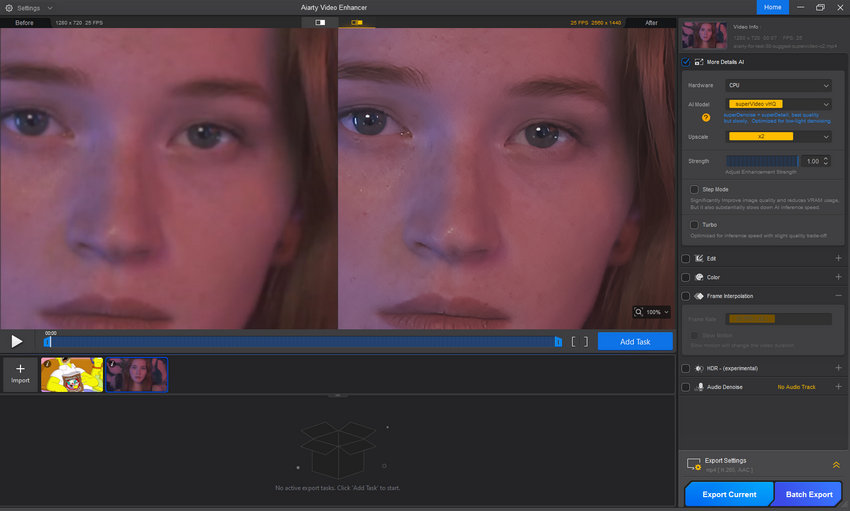
This extra step takes only a few minutes but can noticeably improve the presentation quality of AI-generated footage, especially when preparing videos for larger screens or higher-resolution delivery.
Conclusion
AI filmmaking isn't about finding one tool that does everything. The most effective workflows combine specialized tools for scripting, visual development, video generation, voiceovers, music, editing, and final quality enhancement. Choosing the right tool for each stage gives you more creative control while making the production process faster and more efficient.
Whether you're producing YouTube videos, short films, commercials, or experimental projects, AI can help you move from idea to finished video with far less manual work than before. As AI models continue to improve, building a flexible workflow will be more valuable than relying on any single platform.
One final step that's easy to overlook is preparing your video for delivery. After editing is complete, upscaling and enhancing your footage can help ensure it looks its best on larger displays and high-resolution platforms. Incorporating a tool like Aiarty Video Enhancer at the end of your workflow can help you deliver cleaner, sharper results without changing the creative decisions you've already made.
You May Also Like


This post was written by Ashley Brown, a videographer turned AI explorer. As an associate writer at Digiarty Software, she dives into the latest AI-powered tools for video enhancement and content creation, offering practical insights and unbiased commentary. Accuracy confirmed by Abby Poole.
