


What makes a great AMV? It’s the way music, anime scenes, effects, and transitions come together to create a video that feels perfectly timed and emotionally engaging. Whether you want to recreate that experience with your favorite anime clips or generate original anime-style visuals, the right AMV maker can make the process much easier.
Today, you can choose from AI AMV makers that automate visual generation and music synchronization, as well as traditional video editors that give you precise control over every clip, beat, and effect. In this guide, we’ll explore the best AMV makers in 2026, compare their features and strengths, and show you how to improve your AMV quality with Aiarty Video Enhancer before sharing your finished video.
- AI AMV makers can automate tasks such as anime-style generation, beat synchronization, and scene creation, making AMVs faster to produce.
- Choose an AMV maker based on your skill level, editing workflow, platform, and level of creative control.
- Traditional editors like CapCut, DaVinci Resolve, and Premiere Pro offer more manual control, while AI tools are better suited to faster, automated creation.
- Before using anime footage or copyrighted music, make sure you understand the copyright rules that apply to your content and intended platform.
Best AMV Makers at a Glance
Here’s a quick comparison of the best AMV makers in 2026, including AI-powered tools and traditional video editors.
What Is an AMV Maker?
An AMV maker is any video editing software or online tool that helps you create anime music videos by combining clips from anime series or films with a chosen music track. The goal is to synchronize visuals with beats, transitions, and effects to tell a story or evoke a mood.
Traditionally, AMVs were crafted in professional AMV editors like Adobe Premiere Pro, Sony Vegas Pro, or DaVinci Resolve. These tools offer full creative control but require a steep learning curve. Today, AI-powered solutions like Vondy, as well as template-driven editors like CapCut, make AMV creation faster and more accessible.
Common use cases for AMV makers include:
- Creating fan tribute videos
- Producing content for YouTube or TikTok
- Learning basic or advanced video editing techniques
- Experimenting with AI-generated animations
Best AI AMV Makers in 2026
AI is making it easier to create anime music videos without spending hours cutting clips and syncing them to music manually. Unlike traditional AMV editors, AI-powered tools can automate tasks such as anime-style generation, beat synchronization, video stylization, and scene creation. Below, we’ve rounded up some of the most useful AI AMV makers and anime-focused video tools in 2026, highlighting their key features, supported platforms, pros and cons, and ideal use cases.
1. Vondy
- Best for: Beginners who want instant AMV creation
- Support Platform: Web-based
Vondy is an AI-powered AMV maker designed to help beginners create anime music videos with minimal manual editing. Instead of building an AMV from scratch in a traditional video editor, you can upload anime clips and music and let AI handle much of the synchronization and visual editing process. It can automatically detect the rhythm of the music, synchronize clips to the beat, and add transitions and effects to create a more dynamic AMV.
Because Vondy runs in the browser, you don’t need to install desktop editing software or use a high-end computer. It’s a convenient option for creators who want to quickly turn existing anime footage and music into a shareable AMV without learning a complex editing workflow.
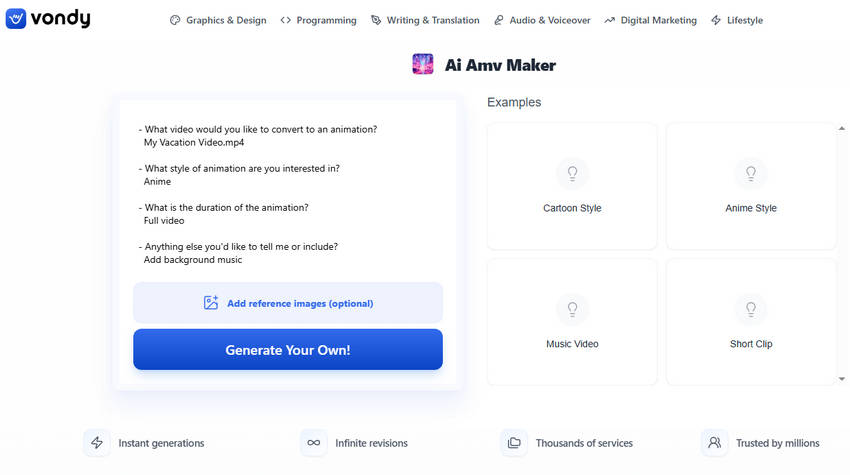
Key Features of Vondy AI AMV Maker:
- AI-assisted AMV creation from uploaded video clips and music
- Simple browser-based workflow with no software installation
- Automatic beat detection and music synchronization
- AI-assisted transitions and visual effects
- Designed for quick AMV creation and social sharing
- Fast and easy to use
- Suitable for beginners with limited editing experience
- Beat synchronization reduces manual editing work
- Less control than professional video editors
- Best suited to quick and relatively simple AMVs
2. DomoAI
- Best for: Turning existing footage into anime-style AMVs
- Support Platform: Web-based
DomoAI is an AI animation platform that can transform existing videos into anime and other artistic styles. Rather than functioning solely as an automatic AMV generator, DomoAI is particularly useful when you already have video footage and want to give it an anime-inspired look before incorporating it into an AMV.
Its Video-to-Video feature lets you upload a video, choose an anime or artistic style, and apply AI-powered style transfer while preserving the original motion and content. DomoAI also supports image-to-video, text-to-video, and character animation, giving AMV creators more flexibility when generating or stylizing visual clips.
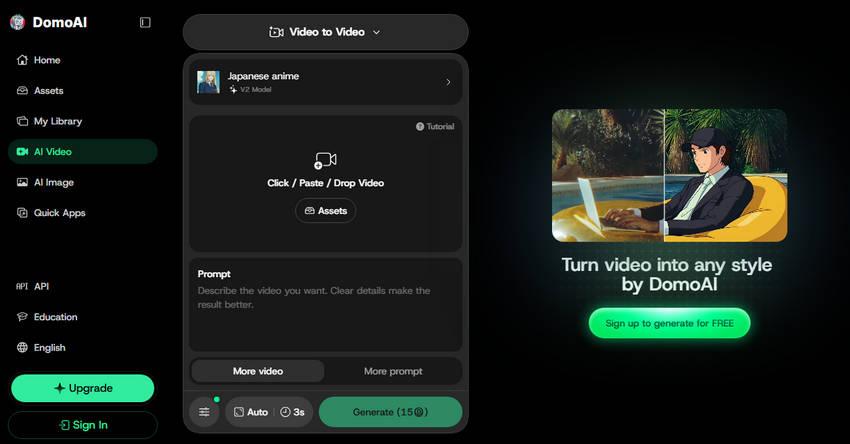
Key Features of DomoAI:
- Video-to-video AI style transfer for anime and artistic effects
- Image-to-video and text-to-video generation
- Multiple anime and artistic visual styles
- Character animation and character reference features
- Useful for creating stylized clips for AMV projects
- Excellent for converting existing footage into anime styles
- Supports multiple AI video creation workflows
- Offers more creative possibilities than a basic AMV generator
- Not designed specifically as a complete AMV editor
- Some workflows may require additional video editing
3. Freebeat
- Best for: Music-driven AMVs with AI-generated anime visuals
- Support Platform: Web-based
Freebeat is an AI music video generator that can turn a song into a full-length anime-style music video. It analyzes the music’s structure, tempo, and energy, then uses AI to plan scenes and generate visuals that follow the rhythm of the track. This makes it particularly suitable for creators who want to build an AMV around a song rather than manually arranging existing anime clips.
Freebeat can generate anime-style visuals from a song, text prompt, or image and uses an AI Director to create a storyboard and shot plan. It also focuses on character consistency, allowing the same characters to appear across multiple scenes. For creators who want a complete, music-driven AMV with original AI-generated visuals, Freebeat offers a more automated workflow than traditional editing software.
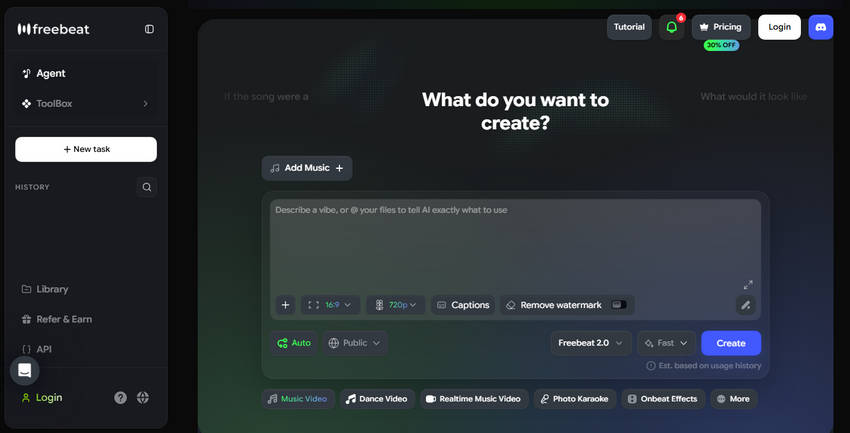
Key Features of Freebeat AI AMV Maker:
- AI-generated anime music videos from songs, text, or images
- Music analysis for beat synchronization and scene pacing
- AI-generated storyboards and shot plans
- Character consistency across multiple scenes
- Supports full-length anime music videos up to 6 minutes
- Strong focus on music-driven video creation
- Can generate original anime-style visuals
- Supports longer AMVs instead of only short AI clips
- Less suitable if you want to edit existing anime footage manually
- Free exports may have limitations such as watermarks
4. AITuber
- Best for: Generating original anime visuals synced to music
- Support Platform: Web-based
AITuber offers a dedicated AI AMV maker for creators who want to turn a song into an anime-style music video without manually editing individual clips. You can upload an audio track, choose an anime visual style and aspect ratio, and let AI generate original anime-style visuals that follow the music.
Unlike traditional AMV workflows that rely on clips from existing anime series, AITuber generates original anime imagery for the video. Its AMV maker also uses music-synced visual pacing, so scene changes can follow beats and structural changes in the song. This makes it a convenient option for creators who want to produce original anime-style music videos for platforms such as YouTube, TikTok, or Instagram.
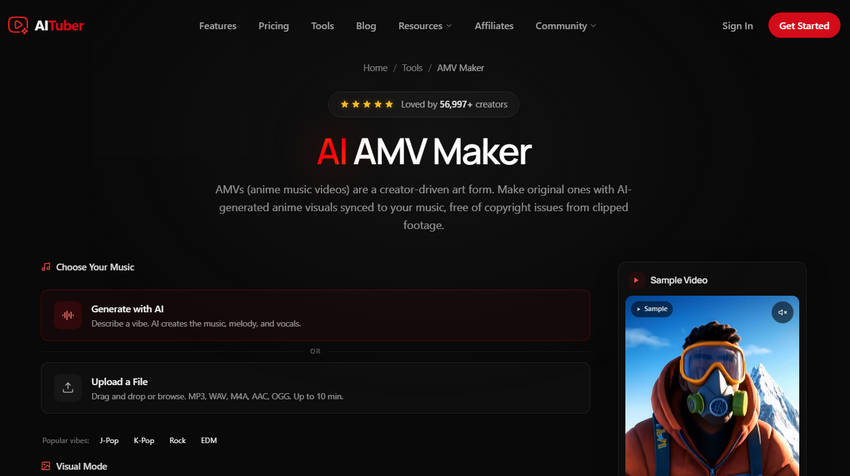
Key Features of AITuber AI AMV Maker:
- Dedicated AI AMV generation from uploaded music
- Original AI-generated anime-style visuals
- Music-synced scene changes and visual pacing
- Multiple output aspect ratios for different platforms
- Generates AMVs without requiring traditional video editing skills
- Very simple music-to-AMV workflow
- Generates original anime-style visuals instead of relying on existing clips
- Good option for beginners and short-form content creators
- Offers less manual control than professional video editors
- AI-generated visuals may not match every specific anime style or creative concept
Best AMV Editing Software for Manual Editing
1. CapCut
- Best for: TikTok & mobile users
- Platform: Web, Windows, Mac, iOS, Android
CapCut is a highly versatile and beginner-friendly AMV video editor that has gained immense popularity among mobile users and TikTok creators worldwide. Known for its intuitive interface and powerful features, CapCut makes creating stunning AMVs accessible to everyone, regardless of experience level. The platform offers an extensive library of AMV templates, seamless transitions, and creative effects that help users produce polished and engaging videos quickly.
Available across multiple platforms—including web, Windows, Mac, iOS, and Android—CapCut provides flexibility for editing on the go or at home. Its AI-powered tools further simplify the editing process, while the absence of watermarks on exported videos ensures professional-quality results. Additionally, the built-in music and sound effects library lets creators easily enhance their videos without needing external resources.
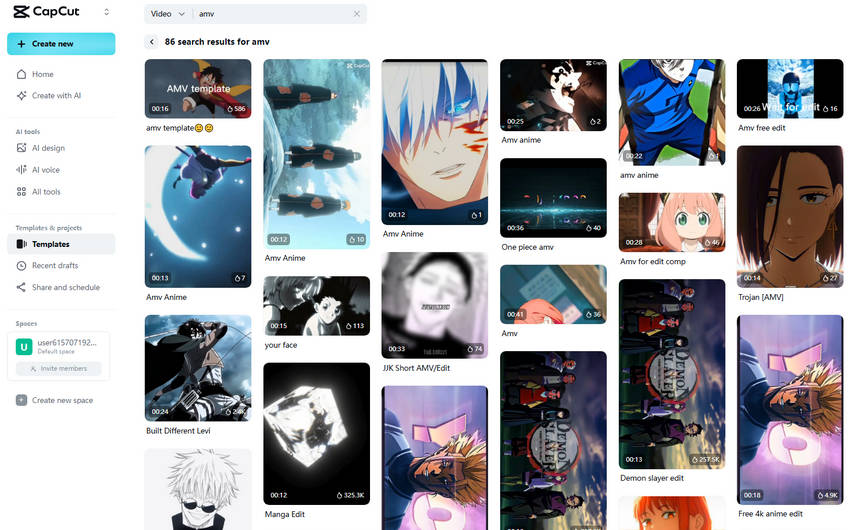
Key Features of CapCut AMV Editor:
- Large selection of AMV and music video templates for quick starts
- Cross-platform availability, supporting editing on mobile and desktop
- AI-driven editing tools for automatic enhancements and beat syncing
- Watermark-free exports for clean, professional videos
- Comprehensive built-in library of music tracks and sound effects
- Intuitive and fast editing
- Multi-platform flexibility
- Strong template and effects support
- Some advanced features require subscription
- Limited deep customization for professionals
2. Filmora
- Best for: Editors wanting advanced tools without complexity
- Platform: Windows, Mac
Filmora is a professional-grade AMV editor tailored for creators seeking a rich set of effects and tools without the complexity of high-end editing software. It strikes a perfect balance between power and ease of use, making it an excellent choice for both beginners and intermediate users working on AMVs. Filmora includes AMV-specific features such as music beat detection and automatic synchronization, which simplify aligning clips to the rhythm of your soundtrack.
Its intuitive drag-and-drop interface, combined with a wide variety of effects and smooth transitions, empowers users to create visually captivating videos. Additionally, Filmora supports 4K video export for high-resolution output and offers built-in screen recording and voice-over tools for enhanced creative flexibility.
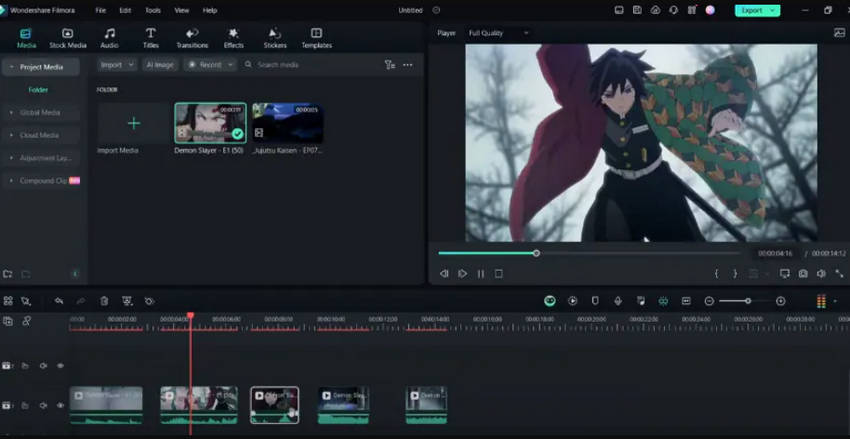
Key Features of Filmora AMV Editor:
- Automatic music beat detection and syncing for precise edits
- Extensive library of visual effects and seamless transitions
- User-friendly drag-and-drop editing interface
- Support for exporting videos in stunning 4K resolution
- Integrated screen recording and voice-over capabilities
- Easy to learn with professional results
- Rich library of effects
- Cross-platform with regular updates
- Free version applies watermark
- Less customizable than Premiere Pro
3. Premiere Pro
- Best for: Professional creators
- Platform: Windows, Mac
Adobe Premiere Pro is the industry-standard video editing software widely used by professionals around the world for its powerful and comprehensive toolset that offers complete creative control. It supports everything from simple edits to complex, multi-cam projects, making it ideal for AMV creators who demand precision and flexibility. Premiere Pro’s advanced color grading capabilities allow editors to fine-tune every frame, ensuring their AMVs have a polished, cinematic look.
The software also supports a vast ecosystem of third-party plugins and seamless integration with other Adobe Creative Cloud apps like After Effects and Photoshop, streamlining the workflow for multimedia projects. With broad support for all major video formats and codecs, Premiere Pro ensures compatibility and high-quality exports for any platform.
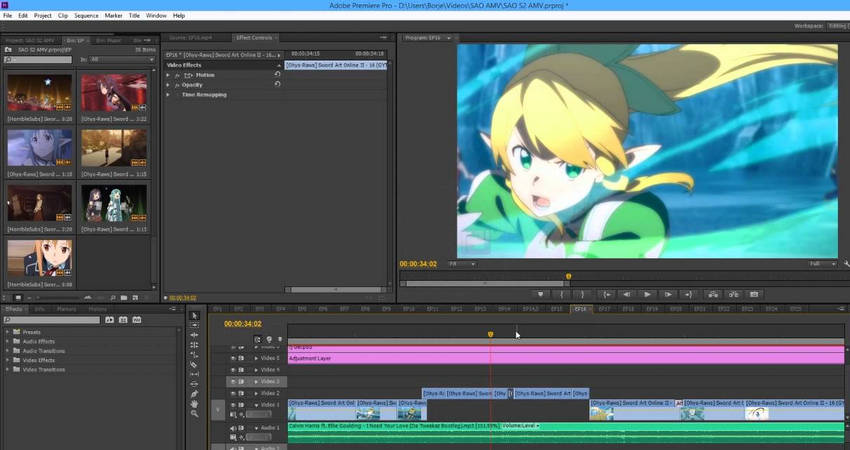
Key Features of Premiere Pro AMV Editor:
- Multi-track timeline editing with customizable workspace
- Industry-leading color correction and grading tools
- Wide range of advanced visual effects and smooth transitions
- Deep integration with Adobe Creative Cloud suite
- Support for nearly all video formats and professional codecs
- Unmatched creative control
- Highly customizable workflows
- Regular updates and community support
- Steep learning curve
- Subscription-based pricing
4. KineMaster
- Best for: Mobile editing on the go
- Platform: iOS, Android
KineMaster is a powerful and versatile AMV maker app designed for creators who want professional-grade editing capabilities on their smartphones or tablets. Its layer-based timeline system allows for precise multi-track video and audio editing, giving AMV creators the ability to combine clips, add music, and apply effects with fine control directly from a mobile device.
KineMaster supports advanced features like blending modes and frame-by-frame trimming, making it easy to create seamless cuts and polished edits. The built-in chroma key (green screen) feature expands creative possibilities by allowing users to replace backgrounds and add visual effects. With real-time audio and video effects and support for high-resolution exports, KineMaster is one of the most comprehensive and user-friendly mobile editing apps for AMV enthusiasts on the go.
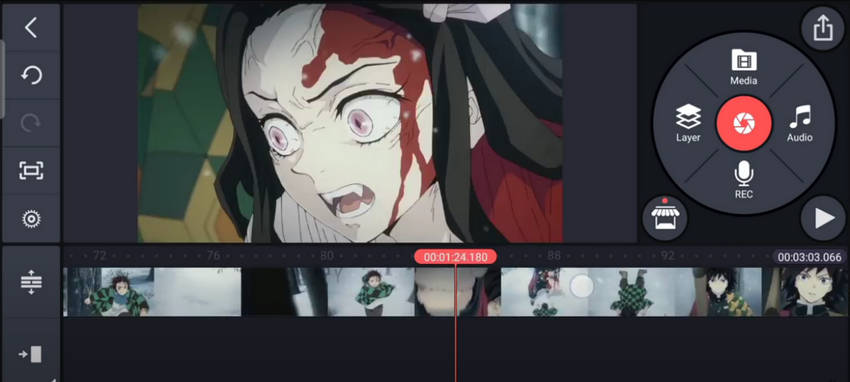
Key Features of KineMaster AMV Maker App:
- Multi-layer video and audio support for complex edits
- Frame-by-frame trimming and precise splicing tools
- Advanced chroma key (green screen) functionality
- Real-time application of audio and visual effects
- Export videos in high resolutions suitable for social sharing
- Professional-grade mobile editing
- User-friendly interface
- Frequent feature updates
- Free version has watermark
- Subscription required for full features
5. iMovie
- Best for: Simple AMV projects on Apple devices
- Platform: Mac, iOS
iMovie is Apple’s native video editing software, known for its clean and straightforward interface that makes basic video editing accessible to users of all skill levels. It’s particularly well-suited for casual AMV creators using Mac computers or iOS devices who want to produce simple, polished videos with ease.
iMovie provides essential editing features such as easy drag-and-drop clip arrangement, built-in themes, and smooth transitions that help quickly assemble your anime music videos. It also supports soundtrack and voiceover integration, allowing users to add narration or background music effortlessly. With support for 4K video export and seamless integration across the Apple ecosystem, including iCloud and AirDrop. iMovie enables smooth workflows for Apple users looking to share their AMVs across devices.
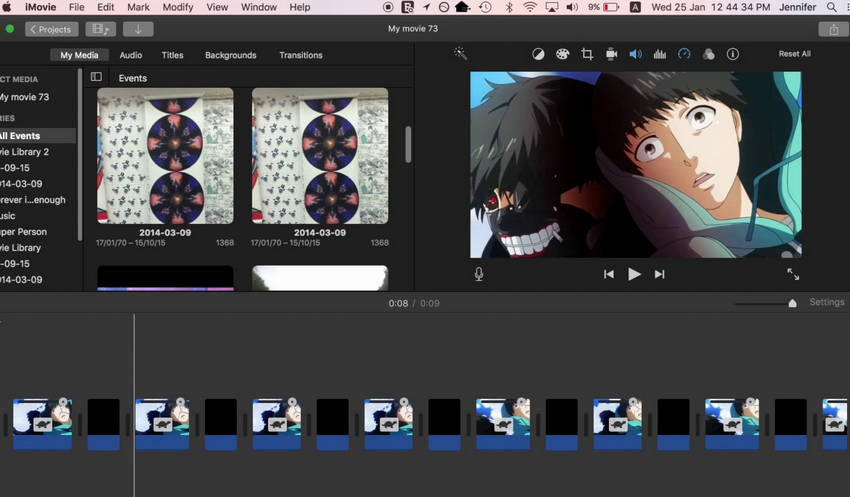
Key Features of CapCut AMV Editor:
- Intuitive drag-and-drop editing ideal for beginners
- Variety of built-in themes, titles, and transitions
- Support for soundtrack addition and voiceover recording
- High-quality 4K video export capabilities
- Tight integration with macOS and iOS for easy sharing and syncing
- Free and easy to use on Apple devices
- Good for quick, simple AMVs
- Optimized performance on Mac/iOS
- Limited advanced editing features
- Not cross-platform
6. DaVinci Resolve
- Best for: Quality-focused editors
- Platform: Windows, Mac, Linux
DaVinci Resolve is a powerful, professional-grade AMV video editor that offers a comprehensive free version packed with features typically found in high-end software. It combines advanced video editing capabilities with industry-leading color grading tools, making it an excellent choice for AMV creators who want cinematic-quality AMVs without a costly investment. Its node-based effects system and Fusion visual effects compositing allow for intricate and customizable visual enhancements.
Additionally, DaVinci Resolve supports multi-user collaboration, enabling teams to work together seamlessly on the same project. The integrated Fairlight audio post-production suite offers advanced sound editing tools to perfect your AMV’s soundtrack. With support for editing and exporting up to 8K resolution, it’s ideal for creators aiming for the highest video quality.
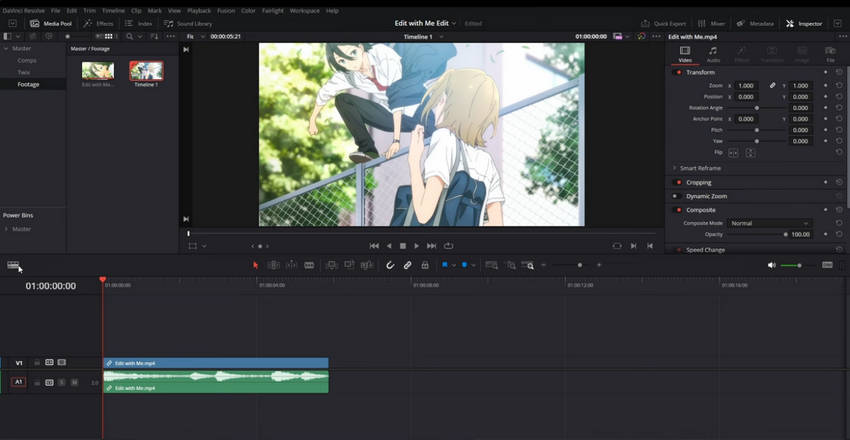
Key Features of Davinci Resolve:
- Professional-level color grading and color correction tools
- Node-based Fusion compositing for advanced visual effects
- Collaboration tools for multiple users working simultaneously
- Fairlight audio suite for detailed sound editing and mixing
- Support for ultra-high-resolution 8K video editing and export
- Powerful free version
- Excellent color grading
- Cross-platform support
- Requires high-performance hardware
- Complex interface for beginners
7. Vegas Pro
- Best for: Experienced AMV editors
- Platform: Windows
Vegas Pro is a veteran video editing software highly favored by AMV creators for its powerful timeline editing capabilities, extensive effects library, and advanced audio tools. Known for its flexibility and speed, Vegas Pro enables editors to handle complex projects with ease, offering efficient workflows and fast rendering times that help meet tight deadlines. Its real-time effects and transitions allow for smooth, professional-looking edits without lengthy previews.
The software also supports multicam editing, making it easier to work with footage from multiple sources simultaneously. With robust audio editing features and support for high-resolution formats including 4K and HDR, Vegas Pro remains a top choice for experienced AMV editors willing to invest in a premium tool.
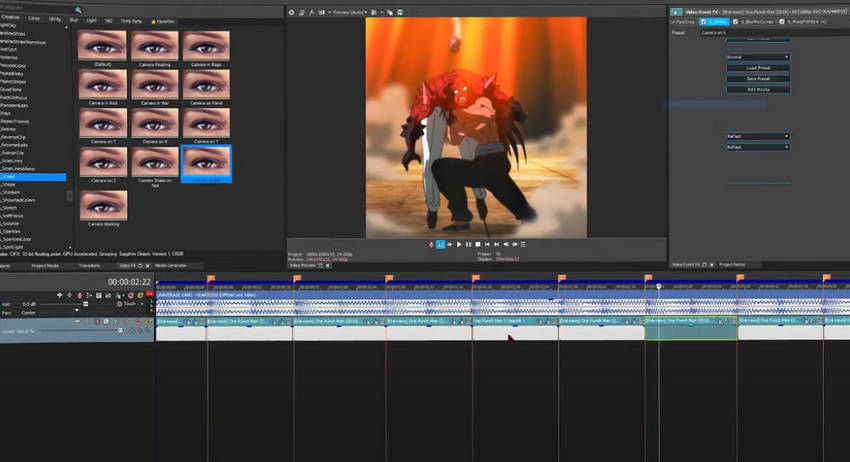
Key Features of Davinci Resolve:
- Professional-level color grading and color correction tools
- Node-based Fusion compositing for advanced visual effects
- Collaboration tools for multiple users working simultaneously
- Fairlight audio suite for detailed sound editing and mixing
- Support for ultra-high-resolution 8K video editing and export
- Fast and efficient editing
- Professional audio tools
- Trusted by many long-time editors
- Windows only
- Expensive licensing cost
8. Kdenlive
- Best for: Open-source enthusiasts and budget-conscious creators
- Platform: Windows, Mac, Linux
Kdenlive is a free, open-source video editor that offers a robust set of features ideal for AMV creators who want a powerful editing tool without the cost. It supports multi-track editing with a flexible timeline, making it suitable for both beginners and advanced users. Kdenlive’s modular interface allows users to customize their workspace for maximum efficiency, and it supports a wide range of video formats. The software is well-regarded for its stability and active community, providing frequent updates and user support.
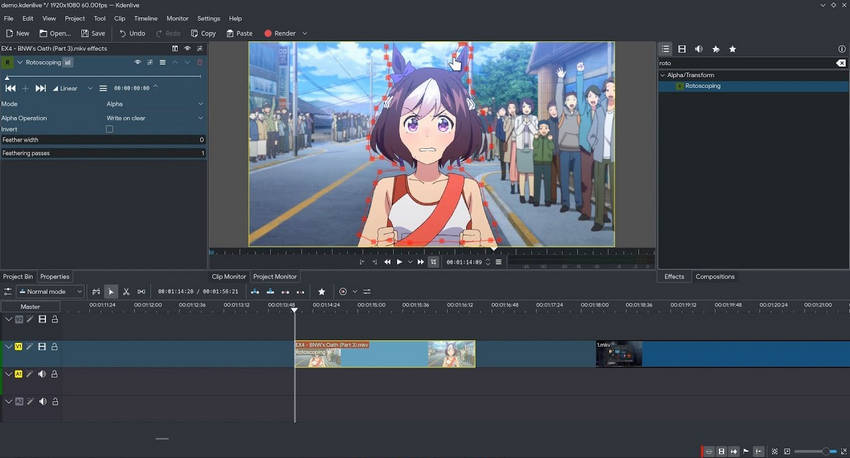
Key Features of Kdenlive open-source AMV maker:
- Multi-track video and audio timeline editing
- Wide format support with proxy editing for smoother workflow
- Customizable interface and keyboard shortcuts
- Built-in effects and transitions library
- Support for keyframe animations and color correction
- Completely free and open-source video generator
- Cross-platform support (Windows, Mac, Linux)
- Highly customizable and user-friendly interface
- Regular updates and active user community
- Slightly steeper learning curve for complete beginners
- Occasional bugs depending on system configuration
- Less polished compared to commercial editors
How to Make an AMV
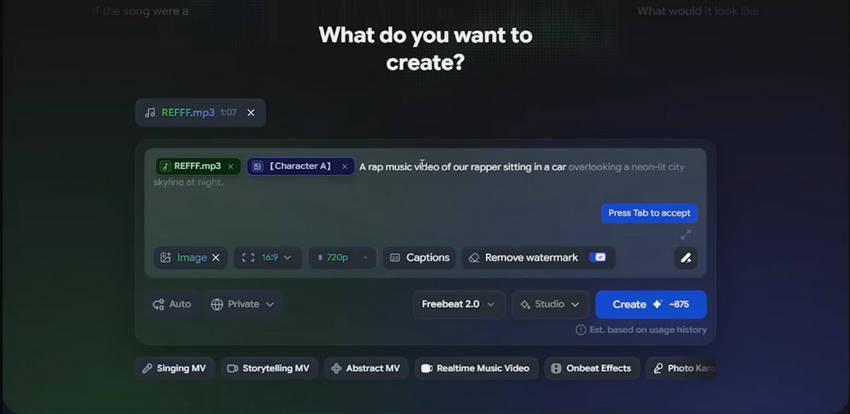
Making an AMV does not mean you have to build every cut and transition from scratch. To see how the process works, let’s use Freebeat as an example. Its AI AMV maker can help turn your music and visual ideas into an anime music video, making it a convenient option for creating an AMV quickly.
1. Choose Your Music and Visuals
Start with a song that matches the mood and story you want to create. Pay attention to its tempo, lyrics, beats, and major changes in energy, as these will influence how your scenes should change. Then prepare the anime footage or visual material you want to use. You can work with footage you have the rights to use or create original anime-style visuals with an AI tool.
2. Generate Your AMV with Freebeat AI AMV Maker
Upload your music and provide the visual material or direction needed for your project in Freebeat. Its AI-powered workflow can help arrange visuals and synchronize scenes with the soundtrack, giving you a first version without having to manually place every clip on a timeline. This is where an instant AMV generator can save considerable editing time.
However, treat the generated video as a starting point rather than a finished AMV. AI may not always select the exact scenes, timing, or effects you have in mind.
3. Refine the Timing, Effects, and Story
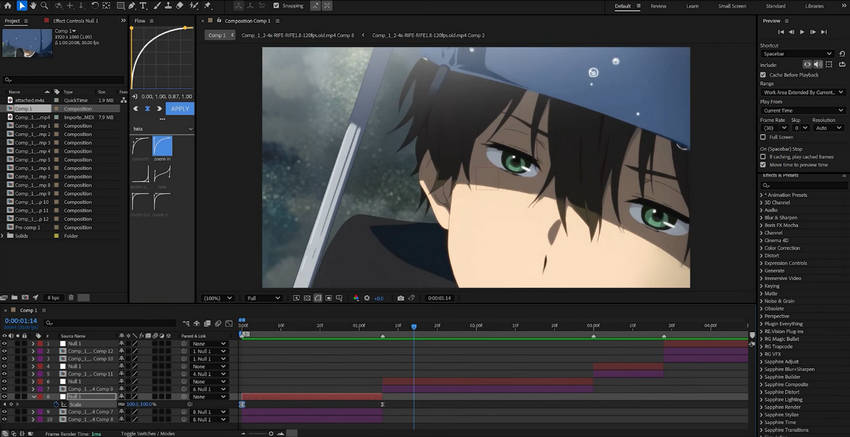
Watch the generated AMV with the music and check whether important beats, lyrics, and changes in energy are matched by the visuals. Adjust scenes that feel too long or out of sync, then add transitions, zooms, overlays, or other effects where they enhance the music rather than distract from it.
If you need more precise control, you can move the generated video into a traditional editor such as CapCut, Filmora, or Premiere Pro for further editing.
4. Export and Review Your AMV
Once the timing, transitions, and effects look right, export the AMV in a resolution and format suitable for your target platform. Check the final video for soft details, noise, compression artifacts, or other quality issues. If the footage looks noticeably worse after editing or export, an AI video enhancer can be used as a final step to improve its clarity.
Tip: An instant AMV generator can help you create a first version quickly, while a traditional video editor gives you more control over timing, transitions, and effects. Combining both approaches can make AMV creation faster without sacrificing creative control.
How to Improve AMV Quality with AI After Editing
After exporting your AMV, you may find that some anime clips look softer, noisier, or more compressed than expected, especially when the original footage is low-resolution. This can happen when working with older clips, cropped footage, or videos that have been compressed or exported multiple times. AI video enhancement can help improve clarity and upscale the finished AMV for a cleaner result.
Aiarty Video Enhancer is designed to enhance anime and other video footage by combining AI upscaling with noise reduction, deblurring, and detail enhancement. It can be useful when your AMV contains low-resolution, noisy, soft, or compressed footage.
A simple workflow is to use Aiarty Video Enhancer after you finish editing and export your AMV:
- Export your finished AMV from your video editor.
- Open the exported video in Aiarty Video Enhancer.
- Choose an appropriate AI model and enhancement settings.
- Preview the result and export the enhanced AMV.
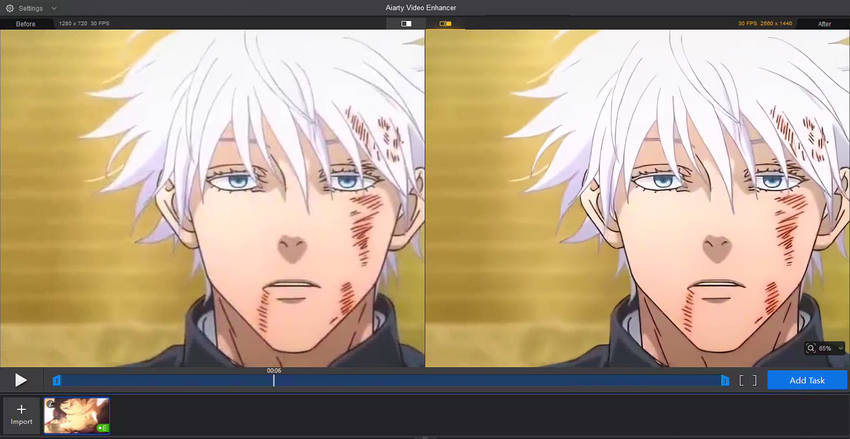
As shown in the comparison above, AI enhancement can help make low-resolution or compressed anime footage look cleaner and more detailed. However, it cannot recover details that were never captured in the original footage, so heavily blurred or severely damaged clips may still have visible limitations.
If your AMV looks soft, noisy, or low-resolution after editing, try Aiarty Video Enhancer to improve its clarity and upscale it for a cleaner final result.
Is It Legal to Make AMVs & How to Make Money with Them?
AMVs are a creative way to combine anime footage, music, and editing, but the source material is often protected by copyright. Before publishing or monetizing an AMV, it’s important to understand what rights you have to the anime clips and music you use. Non-commercial use does not automatically make copyrighted content free to use.
1. Can I Use Anime Clips in an AMV?
Anime episodes, movies, and other video footage are generally protected by copyright. Using clips in an AMV may require permission from the copyright holder, depending on how the footage is used and the laws that apply to your situation. In some jurisdictions, limited uses may qualify for exceptions such as fair use or fair dealing, but these exceptions are fact-specific and do not automatically cover every AMV.
2. Can I Use Copyrighted Music in an AMV?
Commercial songs are also protected by copyright, and adding them to an AMV does not give you the right to redistribute them. Platforms such as YouTube may detect copyrighted music through automated systems, which can lead to a Content ID claim, monetization by the rights holder, muting, blocking, or other restrictions. For lower copyright risk, use music that you created yourself, have permission to use, or that is explicitly licensed for your intended use.
3. Can I Upload an AMV to YouTube?
You can upload an AMV to YouTube, but uploading does not mean you automatically have permission to use the copyrighted material in it. What happens after upload depends on the rights involved and the copyright holder’s policies. If you receive a copyright claim or other restriction, check the relevant notice and resolve it through the appropriate process rather than assuming that being a fan-made or non-commercial video makes it exempt.
4. How Can I Make Money with AMV Editing?
Monetizing an AMV that contains copyrighted anime footage or music can be especially risky because commercial use may require additional rights or licenses. A safer way to turn AMV editing skills into income is to work with original, licensed, or client-provided content.
- Sell AMV Project Files – Offer editable project files that use original, licensed, or royalty-free assets.
- Take Editing Commissions – Create custom music videos or fan projects using content that you or your clients have the necessary rights to use.
- Create Tutorials & Courses – Teach AMV editing, beat synchronization, transitions, effects, and other video editing techniques.
- Offer Video Editing Services – Apply your editing skills to original animations, game footage, music videos, and other content with appropriate usage rights.
Bottom line: There is no universal rule that makes every AMV legal or illegal. Copyright rules vary by jurisdiction and depend on factors such as the source material, the way it is used, and whether you have permission or a legal exception applies. When in doubt, use content you have the rights to use and check the applicable copyright rules before publishing or monetizing your AMV.
Conclusion
Whether you choose an AI AMV maker for speed or professional software for complete creative control, 2025 offers more tools than ever for anime music video creation. For the best results, don’t forget to enhance your final AMV with Aiarty Video Enhancer—it ensures your visuals are as stunning as your edit deserves.
With the right AMV maker, a great soundtrack, and a touch of AI enhancement, your next anime music video could be the one that captures the hearts of thousands online.
Ready to take your AMV to the next level? Try Aiarty Video Enhancer now and give your videos the professional polish!
 FAQs
FAQs
An AMV maker is a video creation or editing tool designed to help you make anime music videos (AMVs) by combining anime footage, music, transitions, effects, and other visual elements. Some tools use AI to generate anime-style visuals or synchronize scenes with music, while traditional video editors give you more manual control over the editing process.
There is no single best AMV maker for everyone. Vondy, DomoAI, Freebeat, and AITuber are worth considering for AI-assisted AMV creation, while CapCut, Filmora, Premiere Pro, and DaVinci Resolve offer more traditional editing control.
For free AMV editing, CapCut, DaVinci Resolve, iMovie, and Kdenlive are good options. They let you edit clips, add music, apply effects, and create an AMV without paying for a professional editing subscription.
For AI-powered AMV creation, Vondy is a convenient option for quick AI-assisted editing, while Freebeat focuses on music-driven anime videos and beat synchronization. DomoAI is useful for transforming existing footage into anime-style visuals, and AITuber can generate anime music videos from songs with minimal manual editing.
Choose an AI AMV maker, upload or provide your music and visual input, select an anime style or other settings, and let the tool generate or synchronize the visuals. You can then review the result, make additional edits if needed, and export the finished AMV. For more precise timing and effects, you can combine an AI tool with a traditional video editor.
Yes. Mobile video editors such as KineMaster and CapCut can be used to create AMVs on iPhone and Android devices. You can trim anime clips, sync them with music, add transitions and effects, and export the finished video directly from your phone.
Anime footage and commercial music are generally protected by copyright, so using them in an AMV may require permission from the rights holders. Some uses may qualify for legal exceptions such as fair use or fair dealing depending on the circumstances and jurisdiction, but this is not automatic. Before publishing or monetizing an AMV, use content you have the rights to use and check the copyright rules that apply to your situation.
You May Also Like


This post was written by Ashley Brown, a videographer turned AI explorer. As an associate writer at Digiarty Software, she dives into the latest AI-powered tools for video enhancement and content creation, offering practical insights and unbiased commentary. Accuracy confirmed by Abby Poole.
