


Seedance 2.0 Free Access: 7 Working Platforms



📢 Update: Seedance 2.5 Is Officially Live
ByteDance has officially rolled out Seedance 2.5 across its major platforms, including Jimeng, Doubao, and Xiaoyunque, which now feature a toggle to select the 2.5 model. Seedance 2.5 introduces several notable improvements, including:
- Up to 30-second native video generation
- 4K output support
- Support for up to 50 multimodal references, including characters, audio, and visual style inputs
- More advanced character consistency and video editing capabilities
Seedance 2.0 is quickly becoming one of the most talked-about AI video models right now. Its ability to generate smooth motion, realistic facial expressions, and consistent scenes makes it stand out from many other AI video tools.
But here’s the problem: Most platforms offering Seedance 2.0 are either paywalled, region-locked, or limited by credits.
So the real question is: Can you actually use Seedance 2.0 for free?
I tested multiple platforms to find out which ones really offer free access.
At a Glance: Seedance 2.0 Platform Comparison
Most platforms offering Seedance 2.0 free access only export videos in 480p or 720p, which often look soft, compressed, or lacking in detail.
That’s where Aiarty Video Enhancer comes in. It lets you upscale Seedance-generated videos to true 4K resolution, restoring sharp details, improving textures, and enhancing motion smoothness—all without introducing artifacts or over-processing.
Whether your AI videos appear blurry, low-resolution, or slightly unstable, Aiarty can quickly transform them into clean, high-definition results in just a few clicks.
Turn your Seedance 2.0 outputs into polished, professional-quality videos locally, privately, and with no quality compromise.
How to Use Seedance 2.0 for Free (All Working Methods)
Here are the platforms that currently offer real, usable free access to Seedance 2.0.
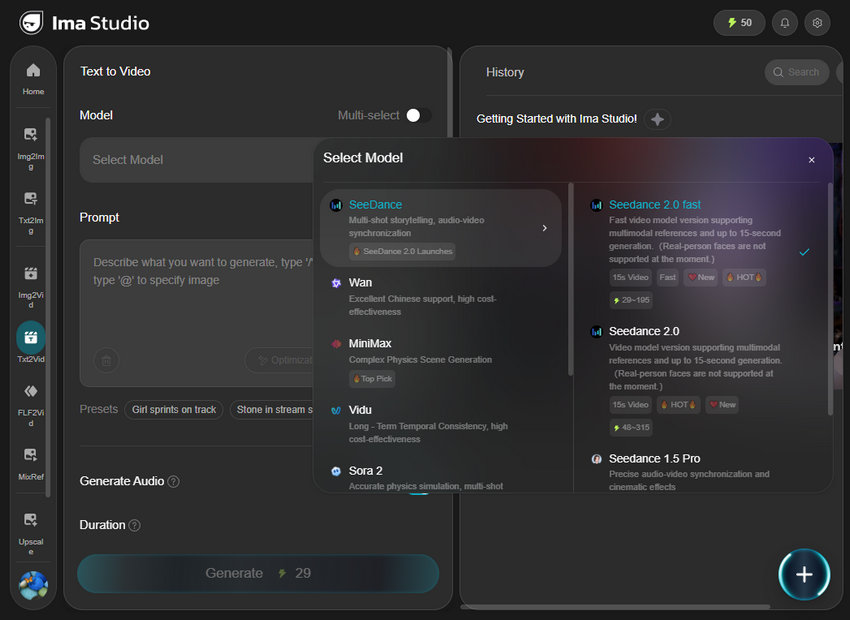
1. Ima Studio - Best for Getting a Large Amount of Free Credits Fast
If you're starting from scratch and want to generate multiple videos right away, Ima Studio is easily one of the most generous platforms available.
Instead of limiting you to a tiny trial, it offers a surprisingly large pool of free credits through simple actions like signing up, joining their Discord, and inviting friends. In total, you can unlock up to 200 free credits, which is enough to experiment with different prompts, styles, and durations.
What makes it especially useful is its flexibility. You’re not locked into a single format—you can choose from multiple aspect ratios, video lengths (5–15 seconds), and even generate multiple outputs at once. This makes it ideal for testing variations quickly.
However, there’s a catch: once the initial credits run out, there’s no strong daily refill system. So this platform works best as a “first stop” to explore Seedance 2.0, rather than a long-term free solution.
You can use this first to experiment fast, then switch to other platforms for ongoing free usage.
2. Easemate - Best for Long-Term Free Usage
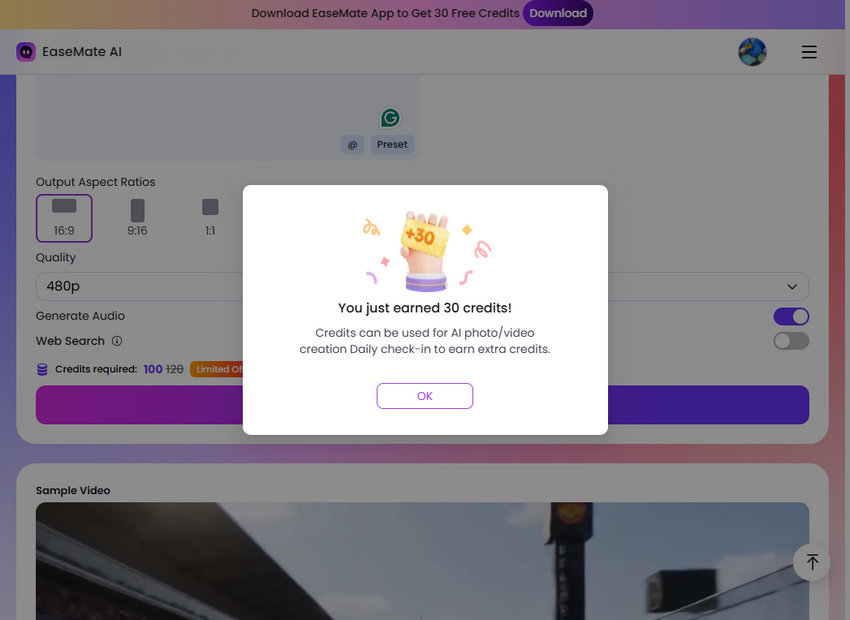
Easemate Seedance 2.0 Generator takes a completely different approach. Instead of giving you a huge one-time bonus, it focuses on sustainable, repeatable free access.
After signing up, you’ll receive around 30 free credits, which may not sound like much at first. But the real advantage lies in its ongoing earning model. You can continue gaining credits over time through referrals, making it a much better option for consistent usage.
Another big plus is accessibility. Unlike some platforms, Easemate doesn’t require a phone number, which removes a major barrier for many users.
In terms of features, it covers all the essentials: multiple aspect ratios, up to 15-second videos, and support for both Seedance 2.0 and its faster variant. It may not feel as “generous” as Ima Studio upfront, but it’s far more reliable in the long run.
You can think of Easemate as your “daily driver”, not flashy, but dependable. Use it to keep generating videos steadily after your initial credits from other platforms are gone.
3. Doubao - Best for Stable Daily Free Generations (If You Can Access It)
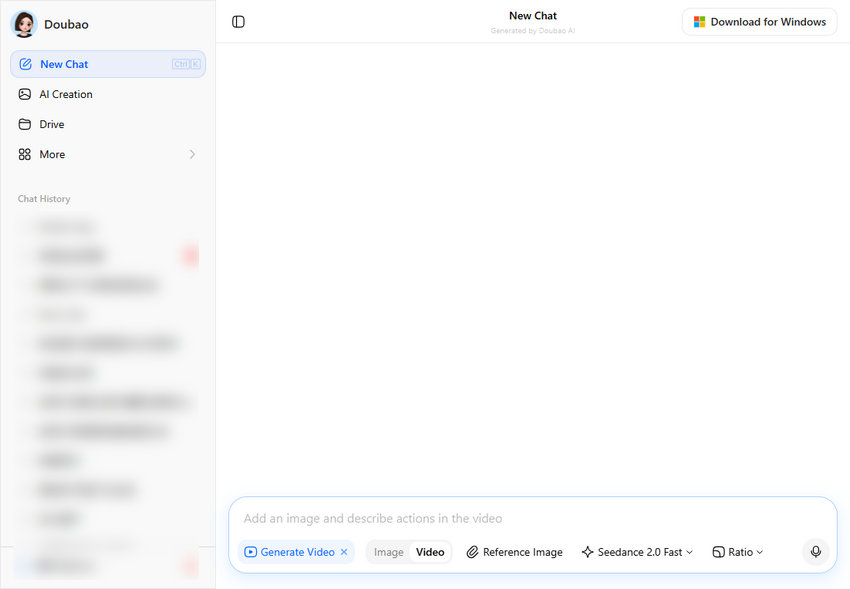
Doubao is one of the most consistent and reliable ways to use Seedance 2.0 for free, but only if you can get past its access barrier.
Unlike platforms that rely on one-time credits, Doubao runs on a daily quota system. Users typically get around 10 video generations per day, and generating a 10-second video usually costs about 2 credits. This makes it one of the few options where you can keep creating content every single day without running out permanently.
Another major advantage is its multi-modal input. You can generate videos from both text and images, which gives you more creative control compared to simpler tools.
However, there’s a catch and it’s a big one. You’ll need a +86 Chinese phone number, and in many cases, overseas users also rely on a VPN to access the platform.
If you can access it, Doubao becomes your "infinite free generator". If not, skip it and focus on Easemate or Xiaoyunque.
4. Xiaoyunque - The Most Underrated Free Credit Machine
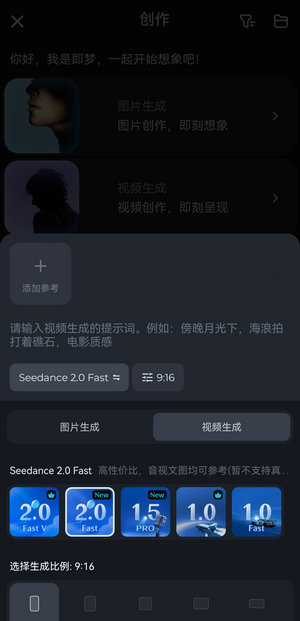
Xiaoyunque is easily one of the most overlooked yet powerful platforms for free Seedance 2.0 usage.
Right from the start, it gives you around 120 free credits, which is already more generous than many competitors. But what really sets it apart is its daily credit refresh system, allowing you to accumulate usage over time.
Unlike simpler tools, Xiaoyunque also offers multiple model tiers, including:
- Seedance 2.0 Fast
- Seedance 2.0 Fast VIP
- Seedance 2.0
- Seedance 2.0 VIP
This gives you more flexibility in balancing quality vs. cost, since different models consume between 5 to 14 credits per second.
In practice, this means you can either:
- Generate more videos with cheaper models
- Or spend credits on higher-quality outputs when needed
This is your "credit farming platform", one of the best long-term free options if you log in regularly and manage credits wisely.

5. Jimeng - The Simplest Mobile Option for Casual Users
Jimeng is designed for users who prefer a lightweight, mobile-first experience without too many settings or complexity.
After logging in (via a Douyin account), you’ll receive around 60 free generation credits, along with daily login rewards that help extend usage over time.
Compared to Xiaoyunque, Jimeng is much more straightforward:
- Fewer model options
- Shorter duration (5s / 10s)
- Minimal configuration
This simplicity can actually be a strength if you don’t want to deal with too many parameters and just need quick results.
6. Dreamina - Best for Ecosystem Integratio
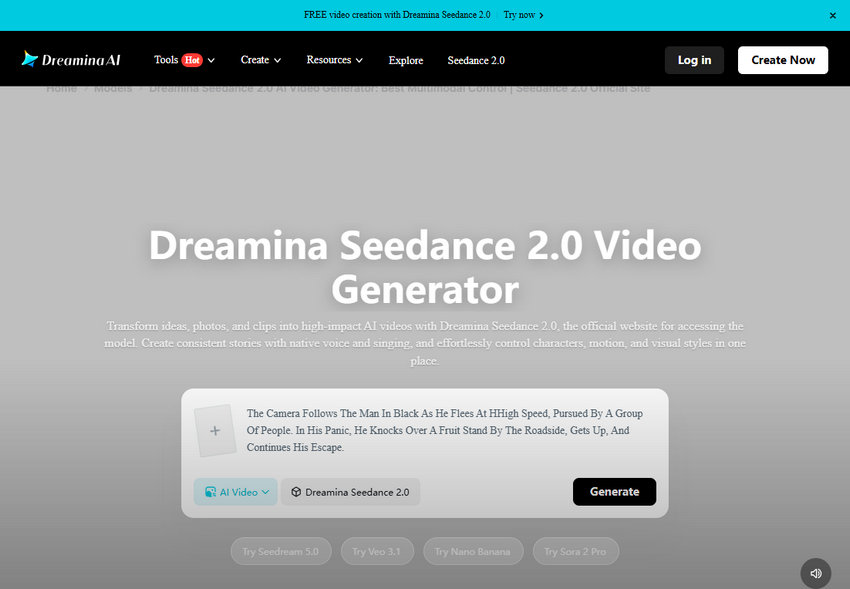
Dreamina (the international sibling of Jimeng) is arguably the most "professional" way to access Seedance 2.0. The access model is built around convenience. You can skip the phone verification headache and log in instantly via:
- TikTok
- CapCut
However, there’s a catch. While it offers a low-friction entry, free access is currently prioritized for VIP users. If you are already a CapCut VIP or a frequent Dreamina user, you can often test Seedance 2.0 features at no extra cost.
If you're already in the TikTok/CapCut ecosystem, check your account. You might already have a free pass waiting for you.
7. Higgsfield - Tiered Access Based on Subscription Plan (Not a Simple Free Trial)
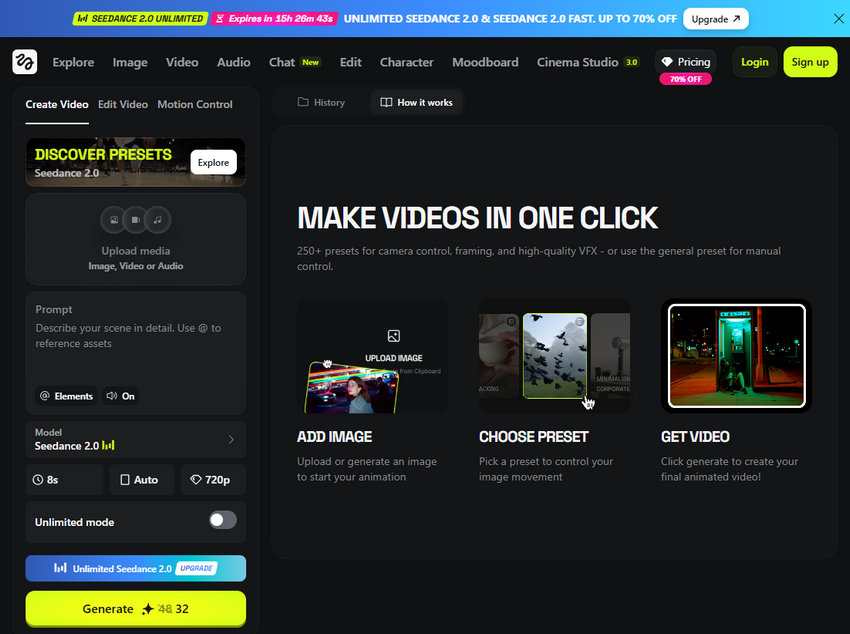
Higgsfield is widely praised as a top-tier platform for serious AI filmmakers, but when it comes to Seedance 2.0, we need to redefine what "free" means here.
Unlike platforms that offer a strict $0 entry point, Higgsfield uses a bonus generation system that sits entirely behind a paywall. If you opt for their $15/month Starter plan, you are locked out of the standard Seedance 2.0 model completely, receiving only 3 "free" generations of the Seedance 2.0 Fast model. To access the high-quality base model, you must upgrade to the $25/month Plus plan, which grants you 10 free generations of Seedance 2.0 alongside a 7-day unlimited window for the Fast version.
This makes it an incredible asset for power users. If you have a massive batch of b-roll to generate for a project, that 7-day unlimited window essentially acts as a high-volume trial phase, letting you crank out content without worrying about running out of individual credits.
However, there’s a catch and it’s a big one.
You literally cannot use Seedance 2.0 on Higgsfield without paying an upfront subscription cost. There is no true free tier to test the waters first.
If you are a professional willing to treat a one-month subscription as a cheap entry ticket for a week of unlimited rendering, Higgsfield is a powerhouse. If you are strictly looking to experiment on a $0 budget, skip it and focus on other options.
How to Actually Make Your Free Credits Last
Look, I’ve burned through enough "daily limits" to know that the biggest mistake you can make is hitting the "Generate" button too soon. If you want to actually finish a project without spending a dime, you need a workflow. Here’s how I handle it:
Stop Testing at Max Quality and Duration
It’s tempting to go straight for a 15-second, high-resolution masterpiece, but that is the fastest way to hit zero. Trust me, I’ve learned the hard way. I always run a 5-second "rough draft" at the lowest resolution (like 480p) first. If the motion looks janky or the character’s face starts melting mid-stride, I’ve only burned two credits instead of twenty. Save those 15-second, high-def renders for when you know the prompt is perfect and you’re ready for the final cut.
Give the AI a "Map" (Use Image Refs)
Seedance 2.0 is brilliant, but it’s not a mind reader. If you rely purely on text, you’re basically gambling. I’ve found that uploading even a rough reference image—something that shows the composition or the character’s look—cuts my "failed generations" by half. It gives the model a ground truth to follow so it doesn't have to guess.
The "One-Word" Rule for Tweaking
If a video is almost there, don't rewrite the whole prompt. I’ve learned the hard way that if you change five things at once, you won’t know what fixed it (or what broke it further). Just tweak one keyword—like changing "fast pan" to "slow slide"—and run it again. It’s a much more surgical way to use your credits.
Farming Credits is a 10-Second Habit
This is the "pro" move. Even on days when I’m not working on a video, I still open Easemate and Xiaoyunque just to hit the check-in button. It takes ten seconds while I’m having my morning coffee. By the time the weekend rolls around and I actually have time to create, I’ve got a massive "war chest" of credits waiting for me.
Keep Your Prompts Clean
Don't overload the AI with a wall of text. Seedance 2.0 works best when you’re direct. I usually stick to a simple formula: [Subject] + [Specific Action] + [Environment] + [Lighting/Vibe]. Over-prompting usually just confuses the motion engine and leads to glitches, which—you guessed it—wastes your credits.
What to Do If Seedance Flags Your Reference Image
One of the most common frustrations among Seedance users is having a perfectly normal reference image rejected with messages related to real people or content moderation. This happens most often when uploading realistic portraits, celebrity lookalikes, or photos that the system believes depict an identifiable person.
While there isn't a reliable way to "bypass" the moderation system, experienced users on Reddit have shared a few practical approaches that can reduce unnecessary rejections.
Use AI-Generated or Stylized Reference Images
Seedance's moderation appears to be much stricter with real human photos than with AI-generated artwork or stylized illustrations. If your workflow doesn't require an actual photograph, consider using a character illustration, digital painting, or an AI-generated portrait as the reference instead.
Some users also recreate their original photo in an illustrated or semi-realistic style before uploading it to Seedance, which may be less likely to trigger moderation.
Avoid Celebrity or Public Figure Similarity
Even if you don't explicitly mention a person's name, a reference image that closely resembles a celebrity or public figure may be flagged.
If possible, use original characters or generic-looking subjects rather than well-known faces.
Simplify Your Reference Image
Community members have also found that overly complex reference images containing multiple faces, crowded backgrounds, or additional text are more likely to be rejected.
Whenever possible, crop the image to focus on a single subject and remove unnecessary background elements before uploading.
Try Another Seedance Provider
Not every platform implements Seedance in exactly the same way. Reddit users have repeatedly noted that moderation policies often come from the provider rather than the underlying model itself. As a result, an image rejected on one platform may be accepted on another that offers Seedance.
If you consistently encounter moderation issues, trying a different provider may be worthwhile.
Note: Community-discovered workarounds such as character sheets, image grids, or other "face bypass" tricks have circulated online, but many users report that these methods no longer work consistently after recent moderation updates. Since filtering rules continue to evolve, there is currently no guaranteed workaround.
FAQ: Why Does Seedance Keep Rejecting My Reference Image?
If Seedance repeatedly rejects your reference image, it doesn't necessarily mean the image violates the rules. Community discussions suggest that moderation may also consider factors such as whether the subject resembles a real person, the overall context of the prompt, and the policies of the platform you're using.
If the same image keeps being flagged, try using a simplified reference image, removing unnecessary background elements, or switching to another Seedance provider before assuming the image itself is the problem.
Why Does Seedance Reject Your Prompt?
If Seedance rejects a prompt that seems perfectly harmless, you're not alone. Many users have reported that prompts are sometimes declined even when they don't contain explicit or prohibited content.
Community discussions suggest that Seedance's moderation evaluates the overall intent of a prompt rather than checking for individual keywords alone. As a result, wording, context, and the combination of different elements can all influence whether a prompt is accepted.
While there is no guaranteed way to avoid moderation, the following practices are widely recommended by experienced users.
Write Like a Director, Not a Keyword List
Instead of listing descriptive words, try writing your prompt as if you were giving instructions to a filmmaker.
For example, rather than writing:
beautiful woman, sunset, cinematic, realistic, smiling, 8K
describe the scene more naturally:
A young woman walks along a quiet beach at sunset while the camera slowly moves forward, capturing warm golden light and gentle ocean waves.
Many users report that natural scene descriptions produce more reliable results and often improve video quality as well.
Avoid References to Real People and Copyrighted Characters
Mentions of celebrities, public figures, movie characters, or well-known brands are more likely to trigger moderation.
When possible, describe the appearance instead of naming a specific person or character. Original characters also tend to work better than attempting to recreate existing ones.
Start Simple, Then Add Details
If a complex prompt keeps getting rejected, simplify it first.
Generate the scene using a short, straightforward description, then gradually add camera movements, lighting, environment, and stylistic details once the base prompt is accepted.
This approach also makes it easier to identify which part of the prompt may be causing the rejection.
Try Another Seedance Provider
Prompt moderation isn't always identical across every platform offering Seedance. Several Reddit users have found that a prompt rejected on one provider may be accepted on another because each service can apply its own moderation policies in addition to the underlying model.
If you've verified that your prompt doesn't violate the platform's policies but it still won't run, testing it on another Seedance provider may be worth trying.
Tip: If a prompt suddenly starts getting rejected after working previously, the issue may be related to a moderation update rather than the prompt itself. Community members frequently report that moderation behavior changes over time, so a prompt that worked last month isn't guaranteed to work today.
Can You Use Seedance Without a Chinese Phone Number?
Yes. While some official ByteDance services that offer Seedance require a Chinese mainland (+86) phone number to register, that isn't the only way to access the model.
Many international users choose to use Seedance through third-party AI platforms that provide access without requiring a Chinese account. These services typically handle authentication themselves, allowing users to sign in with an email address or another supported login method.
If you're outside China, using one of these providers is generally the simplest option.
Use an International Seedance Provider
Several AI platforms have integrated Seedance into their model libraries, making it available to users worldwide. Depending on the provider, you may be able to:
- Sign in with an email address or a Google account
- Pay with internationally accepted payment methods
- Receive free trial credits before upgrading
- Access additional features such as prompt templates or model comparisons
Since supported models, pricing, and availability can change over time, it's worth checking each provider's latest offerings before signing up.
Which Option Is Best?
If you already have access to an international AI video generation platform that includes Seedance, that's usually the most convenient choice.
On the other hand, if you specifically want to use Seedance through ByteDance's own consumer apps, you should expect that some services are intended primarily for users in mainland China and may require regional account verification during registration.
Note: Availability varies by platform and region. A provider that offers Seedance today may change its supported models or access requirements in the future, so always check its current documentation before relying on it for production work.
Final Verdict
The AI space moves fast, and these "free windows" don't stay open forever.
- Need to experiment right now? Start with Ima Studio for that 200-credit boost.
- Want a consistent daily tool? If you have a +86 number, Xiaoyunque or Doubao are your best bets.
Seedance 2.0 is an absolute beast of a model. Pick a platform, use these tips to save your credits, and go see what you can build.
You May Also Like


This post was written by Brenda Peng who is a seasoned editor at Digiarty Software who loves turning ordinary photos into extraordinary works of art. With AI assistance for brainstorming and drafting, the post is reviewed for accuracy by our expert Abby Poole for her expertise in this field.
