


Hailuo AI Pricing 2026: Plans, Credits, Costs & Video Limits Explained



AI video generators are becoming more powerful, but they are also becoming more complicated to price. Instead of paying only for software access, users now need to consider credits, AI models, video duration, and output resolution.
MiniMax Hailuo AI is one of the most popular AI video generators, but many creators are asking: Is Hailuo AI still free? How much does each video cost? Which model uses the most credits? And can Hailuo AI generate 4K videos?
The answer depends on how you use it. Hailuo AI pricing is not determined only by your subscription plan. The actual cost of creating a video depends on the selected model, generation settings, and output quality.
This guide explains Hailuo AI pricing, credit consumption, model differences, and a practical workflow for turning Hailuo AI videos into high-resolution 4K content.
Hailuo AI Pricing: Quick Comparison
Hailuo AI uses a credit-based pricing system. Users can access the platform through a free plan, monthly subscriptions, or additional credit purchases.
A subscription does not represent a fixed number of videos. The number of videos you can generate depends on which AI model you choose and what resolution or duration you use.
What Is Hailuo AI?
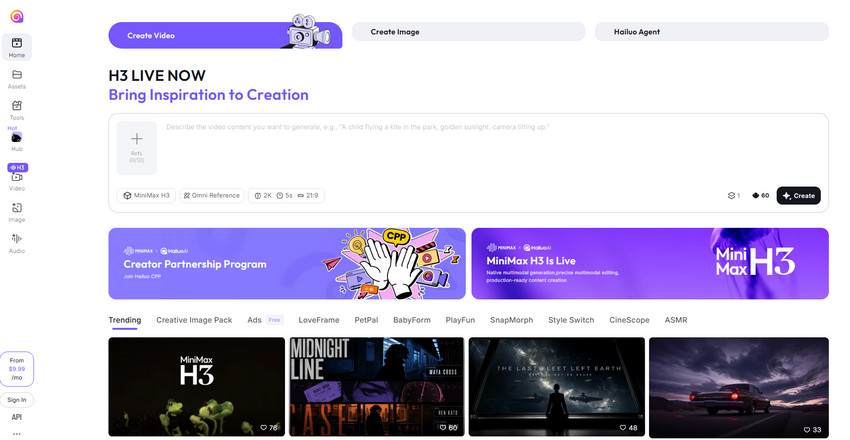
Hailuo AI is an AI video generator developed by MiniMax that creates videos from text prompts and images. It allows users to generate cinematic scenes, animations, realistic motion, and creative video content without traditional filming or editing skills.
Key Hailuo AI features include:
- Generate videos from text prompts with AI-powered creation.
- Animate images into dynamic videos with realistic motion effects.
- Choose from multiple AI video models for different creative needs.
- Create videos in different output resolutions for flexible use.
- Apply AI-generated cinematic effects for stunning visuals.
Unlike traditional video editing software, Hailuo AI works with a credit-based generation system. Each video generation consumes credits based on factors such as the model, video length, and resolution. This means two videos created on Hailuo AI may not cost the same amount, even if they have the same duration.
How Does Hailuo AI Credit Pricing Work?
Hailuo AI credits are the main factor that determines the real cost of video generation.
Hailuo AI Credit Types
There are two main types of Hailuo AI credits:
Membership Credits: Included with Hailuo AI subscription plans, membership credits are renewed with each billing cycle. They are designed for regular AI video creation, including social media content, marketing videos, and creative experiments.
Top-Up Credits: Top-up credits allow users to purchase additional credits without changing their existing subscription plan. They are ideal for projects that require more video generations than expected, multiple prompt variations, or higher-cost AI models that consume credits faster.
What Affects Hailuo AI Credit Consumption?
Hailuo AI video costs depend mainly on three factors: AI model, resolution and video duration. Let's check the details:
1. AI Model
Different Hailuo models have different levels of quality, speed, and computational requirements. For example, MiniMax H3 focuses on higher-quality generation and supports higher resolutions, Hailuo 2.3 provides improved video quality and realism, and earlier Hailuo models are optimized for lighter generation tasks.
Higher-quality models usually require more computing resources and may consume more credits.
2. Video Duration
Longer videos require more generated frames. For example, a short 6-second clip generally costs less, while a 10-15 second generation requires more processing.
3. Output Resolution
Output resolution also affects Hailuo AI credit usage, as higher-resolution videos require more pixels, greater processing power, and more detailed generation. Common output resolutions include 512p, 720p, 768p, 1080p, and up to 2K depending on the selected model.
Hailuo AI Credit Consumption by Model and Resolution
Hailuo AI credit usage depends on the selected model, generation mode, video duration, and output resolution. Lower-resolution or faster-generation models consume fewer credits, while HD and cinematic models require more credits due to higher processing demands. In general, a single video generation can cost around 12 to 80 credits, depending on the settings.
Credit usage depends on the selected model, video duration, and output resolution. Lower-resolution generations usually consume fewer credits, while HD and cinematic videos require more credits due to higher processing requirements. Since Hailuo AI frequently updates its models and pricing rules, always check the latest credit information before purchasing credits.
How Many Videos Can You Generate with Hailuo AI Credits?
A common question is: “How many videos can I create with 1,000 Hailuo AI credits?” The answer depends on the selected model, video duration, and output quality. Lower-cost models and shorter clips allow more generations, while HD and cinematic models consume more credits and produce fewer videos.
Based on typical usage, a 1,000-credit Standard Plan can generate up to around 83 short 512p videos, about 50–66 fast draft videos, or roughly 12–20 premium HD/cinematic videos. Higher-tier plans provide more production capacity:
- Free Plan (200 one-time credits): Provides limited access for testing AI video generation. Users can create around 16 basic 512p videos, while premium models allow fewer generations due to higher credit costs.
- Standard Plan (1,000 credits/month): Allows around 83 basic 512p videos, 50–66 fast draft videos, or 12–20 premium HD/cinematic videos, depending on the selected model.
- Pro Plan (4,500 credits/month): Supports around 375 basic videos, 225–300 fast drafts, or 56–90 premium videos, depending on the model and settings.
- Master Plan (10,500 credits/month): Supports around 875 basic videos, 525–700 fast drafts, or 131–210 premium videos for larger-scale AI video production.
Note: Actual video counts vary based on the Hailuo AI model, video length, resolution, and quality settings. Higher-quality models consume more credits but produce better results.
When estimating Hailuo AI costs, focus on the number of usable final videos rather than total generations. AI video creation often requires multiple attempts to refine prompts, improve consistency, and achieve the desired result.
Does Hailuo AI Support 4K Video Generation?
Hailuo AI supports high-resolution video generation, with available output resolutions depending on the selected model. Most models support 768p or 1080p output, while newer models such as MiniMax H3 can generate videos up to 2K resolution. Native 4K generation is not currently part of Hailuo AI’s standard workflow.
For creators who need 4K videos for YouTube, presentations, advertising, or large displays, a practical approach is to generate videos with Hailuo AI first and then use an AI video upscaler to enhance the final output to 4K quality.
How to Upscale Hailuo AI Videos to 4K
AI video generation and AI video enhancement solve different problems. Hailuo AI focuses on creating new scenes, generating motion, and following creative prompts, while a dedicated AI video enhancer such as Aiarty Video Enhancer focuses on improving existing footage through resolution enhancement, detail recovery, artifact reduction, and overall video quality improvement.
A practical workflow is to use Hailuo AI for video creation and Aiarty Video Enhancer for final enhancement. This allows creators to focus on achieving the desired visual result first, then improve the quality of selected clips afterward.
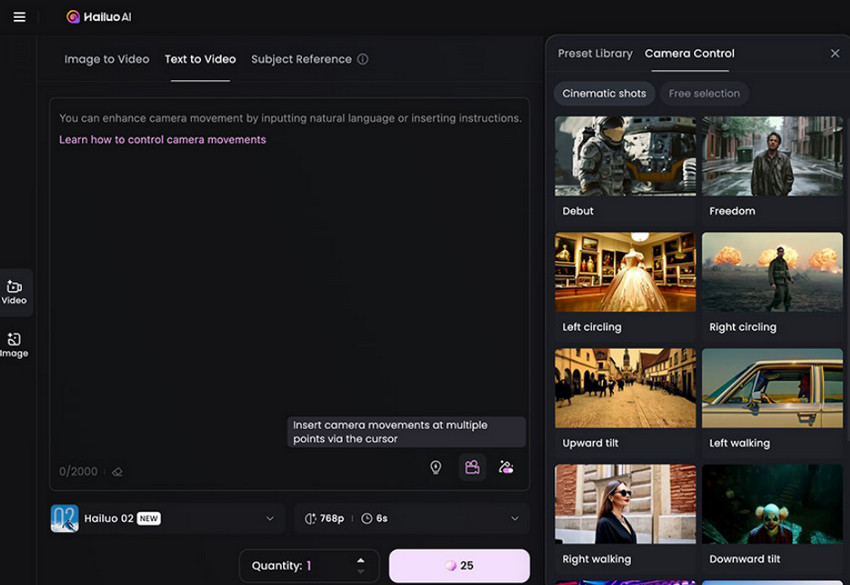
Step 1: Generate Videos with Hailuo AI
Create your AI videos using the Hailuo AI model and settings that best fit your project. Instead of spending extra credits repeatedly trying to generate a perfect high-resolution version, focus on selecting the best creative output and refining the content that matters most.
Step 2: Enhance Videos with Aiarty Video Enhancer
After selecting your final clips, use Aiarty Video Enhancer to:
- Upscale AI videos to 4K with improved resolution, clarity, and natural-looking details
- Recover missing details and enhance sharpness for more refined video quality
- Remove compression artifacts and visual noise for cleaner AI-generated videos
- Enhance blurry, low-resolution, or imperfect footage with advanced AI processing
Take your Hailuo AI videos to the next level. Try Aiarty Video Enhancer to upscale, sharpen, and restore AI-generated videos with advanced AI technology.
This workflow helps creators separate video generation from video finishing. Instead of using additional AI generation credits for every high-resolution attempt, you can optimize your Hailuo AI workflow and enhance only the videos that need the highest quality output.
Hailuo AI vs Kling vs Veo: Which AI Video Generator Offers Better Value?
AI video generators use different pricing models, making direct price comparisons difficult. While some tools focus on cinematic quality, others prioritize realistic motion, longer videos, or accessibility. The best-value option depends on your content needs, generation limits, and overall production workflow.
The cheapest AI video generator is not always the most cost-effective choice. A better comparison is how much it costs to create one usable final video. Consider factors such as generation success rate, number of retries, output quality, and the amount of post-processing required before publishing.
 FAQs
FAQs
Yes, Hailuo AI still offers free access, but it is not an unlimited free AI video generator. Free users can try it with limited credits, but may face restrictions such as limited generations, slower processing, watermarked exports, or feature limits. The free plan works for testing, while regular creators usually need a paid plan as AI video generation consumes credits quickly, especially with advanced models or higher resolutions.
Hailuo AI pricing starts with a free plan, while paid subscriptions provide more monthly credits and additional features. The cost depends on your generation needs and usage frequency.
Hailuo AI uses a credit system to measure the computing resources required for video generation. Different models, video lengths, and output resolutions consume different amounts of credits.
Higher-quality and higher-resolution Hailuo AI models generally consume more credits because they require more computing power to generate detailed and realistic videos.
Hailuo AI supports high-resolution video generation, including up to 2K output with newer models. However, native 4K video generation is not currently its standard output format.
You can use an AI video enhancer like Aiarty Video Enhancer to upscale Hailuo AI videos to 4K, improve details, reduce noise, and enhance overall video quality.
You May Also Like


This post was written by Brenda Peng who is a seasoned editor at Digiarty Software who loves turning ordinary photos into extraordinary works of art. With AI assistance for brainstorming and drafting, the post is reviewed for accuracy by our expert Abby Poole for her expertise in this field.
