


Pixlr has become one of the most recognizable names in online photo editing, especially for users who want fast results without installing complex software. As an AI-powered photo editor that runs directly in the browser, Pixlr promises to combine image editing, graphic design, and generative AI tools in one accessible suite. But how well does it actually perform in real-world use?
In this Pixlr review, we take a close look at what Pixlr is, how the Pixlr Suite works, its key features, AI capabilities, pricing plans, and whether Pixlr is truly free. We also examine its limitations and the scenarios where combining Pixlr with more specialized tools may lead to better results.
What Is Pixlr? An Overview of the Pixlr Suite
So, what is Pixlr exactly? Pixlr is a browser-based photo editing and graphic design platform designed for quick edits, creative experimentation, and lightweight design tasks. Unlike traditional desktop software, Pixlr requires no installation and works across devices as long as you have an internet connection.
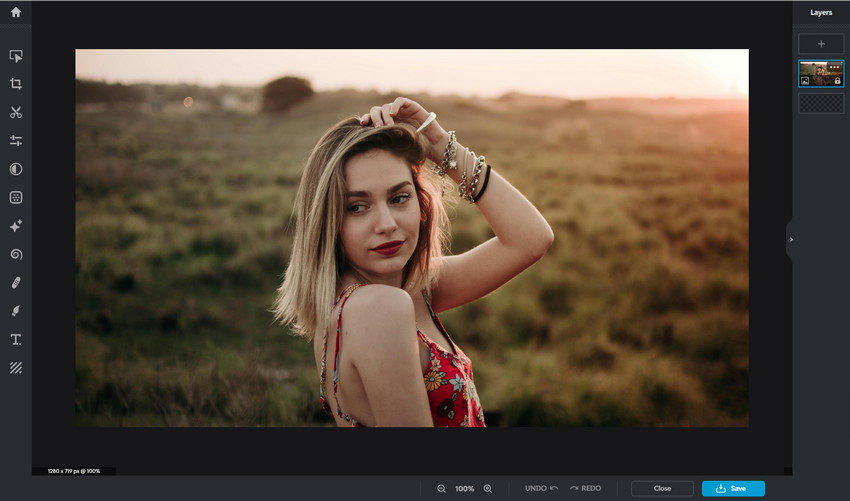
The Pixlr Suite is built around two main editors. Pixlr X focuses on speed and simplicity, making it suitable for beginners, social media content, and template-based designs. Pixlr E, on the other hand, offers more advanced tools such as layers, masks, and blend modes, appealing to users who need greater control without the learning curve of professional software.
Positioned between Canva and Photoshop, Pixlr aims to balance ease of use with creative flexibility. It is not meant to replace high-end photo editing tools entirely, but rather to provide a fast and accessible alternative for everyday image editing and design needs.
Learn More for Pixlr vs Photoshop on Photo Editing >>
Pixlr Key Features Review
To understand whether Pixlr is worth using, it’s essential to look closely at its core features and how they perform in practice.
Basic Photo Editing Tools
At its foundation, Pixlr offers a solid set of basic photo editing tools. Users can work with layers, masks, and blend modes, apply filters and effects, and make common adjustments such as cropping, resizing, rotating, and color correction. Retouching tools like healing, cloning, and blurring are also available for quick touch-ups.
These tools are sufficient for most casual editing tasks and simple design projects. However, as with many online editors, Pixlr prioritizes speed and simplicity over deep precision. This means fine retouching or complex compositing may feel limited compared to desktop-based professional software.
Explore More: 10 Best Free Pixlr Alternatives & Sites Like Pixlr (Online & Desktop)
AI Super Scale
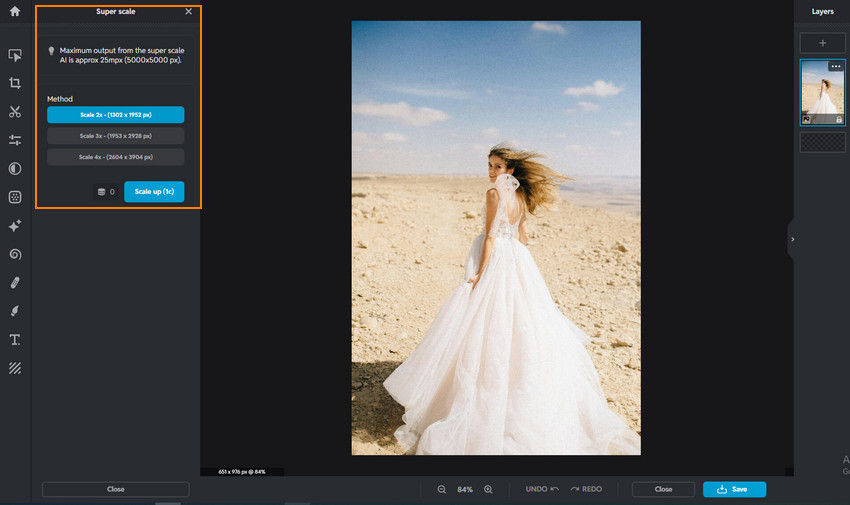
Pixlr’s AI Super Scale feature is designed to enlarge images while maintaining acceptable clarity. It supports enlarging images by up to 2×, 3× or 4×, depending on the plan, and works within predefined image size (5000 × 5000px) and resolution limits set by the Pixlr platform. This makes it suitable for social media images, blog visuals, and general web use, where fast processing and reasonable sharpness matter more than pixel-level accuracy or high-resolution print output.
However, AI Super Scale has its limitations. When working with blurry photos, low-resolution originals, or AI-generated images that require refined detail recovery, the results can be inconsistent. In such cases, tools like Aiarty Image Enhancer are often used alongside Pixlr to handle higher-quality upscaling, texture preservation, and batch enhancement tasks more reliably.
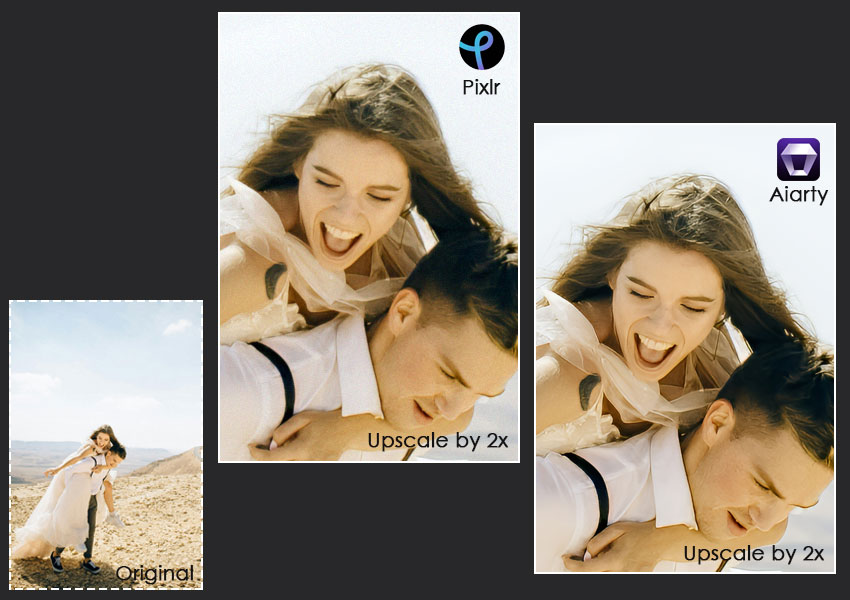
In practice, Aiarty Image Enhancer focuses more on detail recovery rather than simple scaling. It uses dedicated enhancement models to reduce blur, restore textures, and improve edge clarity, which can be helpful when upscaling AI-generated images, compressed photos, or low-resolution originals. The ability to process images in batches also makes it more practical for workflows that require consistent quality across multiple files.
You can test Aiarty Image Enhancer to see how it handles detail recovery beyond basic upscaling.
AI Image Generator
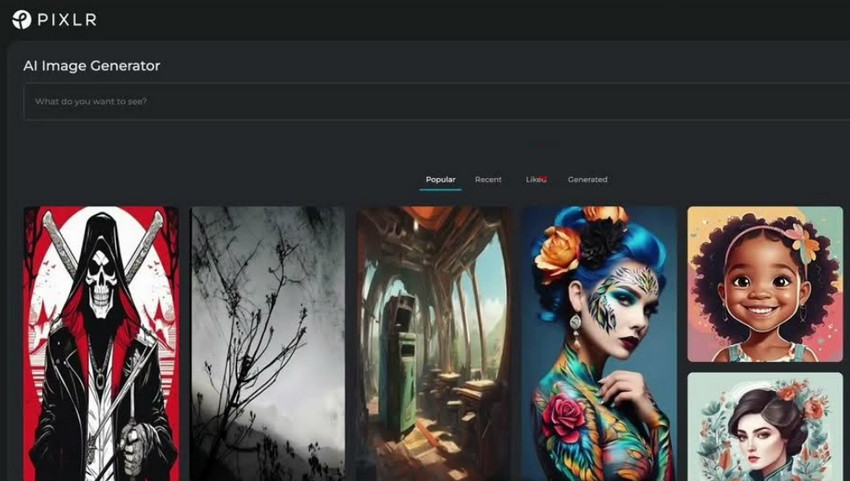
As a Pixlr AI photo editor, the platform includes an AI image generator that allows users to create images from text prompts. This feature is geared more toward creative exploration than professional output. While it can produce visually interesting results, consistency and fine control remain limited, making it better suited for inspiration or experimental visuals rather than polished commercial designs.
Remove Background
Background removal is one of Pixlr’s most popular AI features. With a single click, Pixlr can automatically separate subjects from their backgrounds, making it convenient for portraits, simple product photos, and social media graphics.
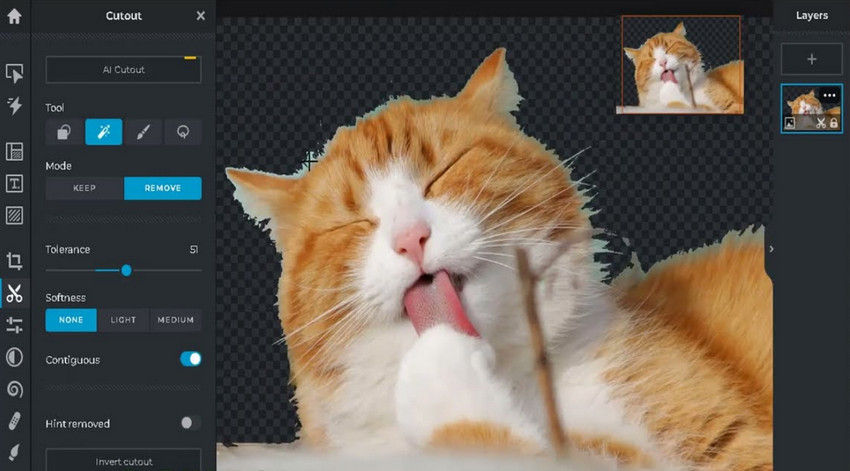
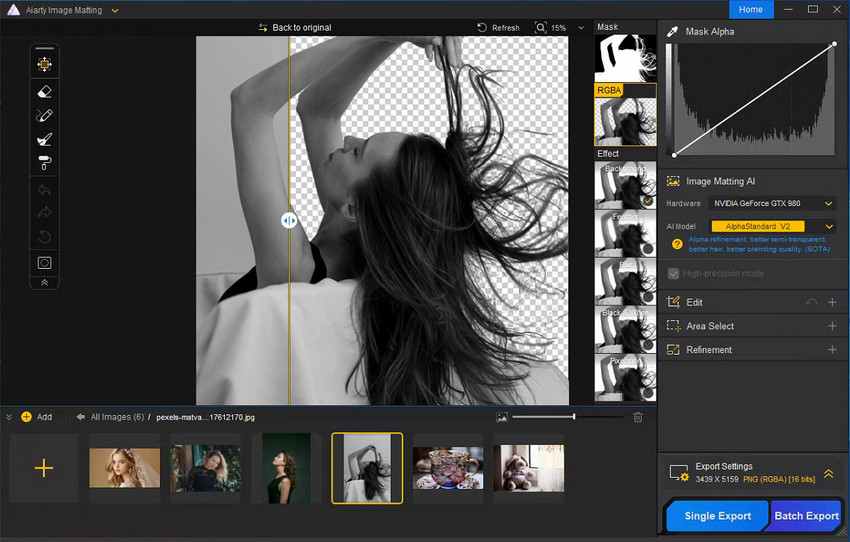
For straightforward images, the results are generally acceptable. However, complex edges such as hair, fur, or semi-transparent objects can reveal the limits of Pixlr’s AI. When cleaner edges and higher accuracy are required, especially for e-commerce or marketing visuals, dedicated tools like Aiarty Image Matting are often preferred for their ability to handle fine details more precisely.
Generative Fill
Generative Fill allows users to replace or insert elements into an image using AI. This feature works best for quick edits and concept-level adjustments. While it can save time, the generated content may not always blend seamlessly with the original image, especially in detailed or realistic scenes.

Generative Expand
With Generative Expand, Pixlr can extend an image beyond its original boundaries by generating new background content. This is useful when adapting images to different aspect ratios, such as converting a square image into a landscape format. As with other generative tools, the quality depends heavily on the image context and can vary from one result to another.
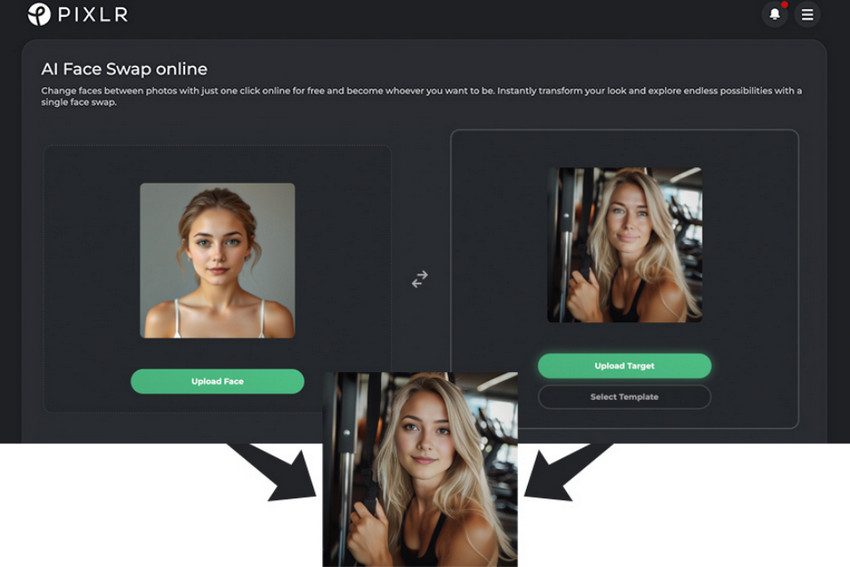
AI Face Swap
Pixlr also includes an AI Face Swap tool, primarily intended for entertainment and creative experimentation. While it can be fun to use, it is not designed for professional or sensitive applications, and users should be mindful of ethical and privacy considerations.
AI Remove Object
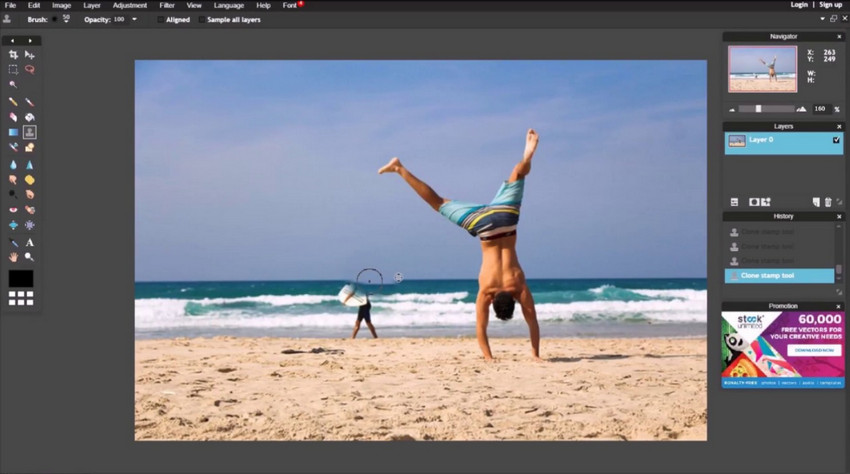
The AI Remove Object feature helps eliminate unwanted elements from images with minimal effort. It performs reasonably well in simple scenes with clean backgrounds. In more complex images, artifacts may remain after removal.
By the way, Aiarty Image Enhancer also includes this capability, allowing users to remove distractions such as stray objects, passersby, or background clutter, as well as unwanted text, signs, and other redundant elements, all while enhancing overall image quality.
Templates and Graphic Design Tools
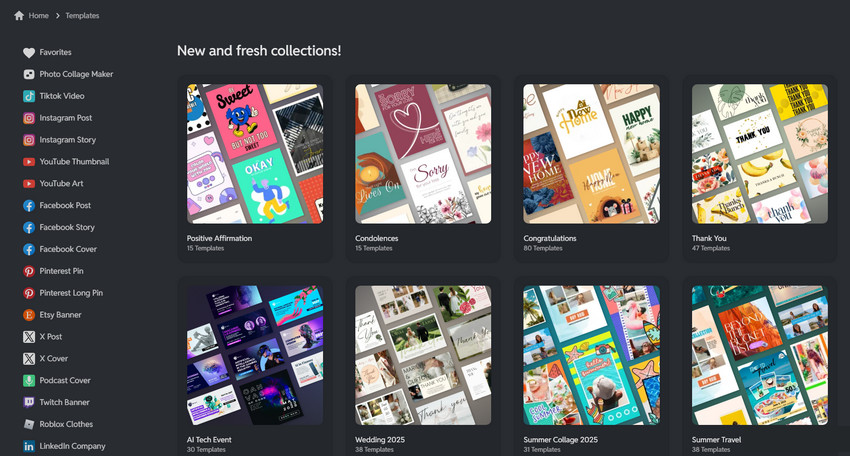
Beyond photo editing, Pixlr offers a wide range of templates for social media posts, banners, and promotional graphics. These templates, combined with text tools and built-in design assets, make Pixlr a practical option for users who want fast, visually appealing designs without starting from scratch.
Pixlr Pricing Plans
A common question in many Pixlr reviews is whether Pixlr is free. The answer is yes, but with limitations. Pixlr offers a free version that allows users to access basic editing tools and some AI features. However, free users may encounter restrictions such as watermarks, limited exports, and reduced access to premium AI tools. For occasional users or those testing the platform, the free version can be sufficient. More frequent users or those relying on AI features will likely find the limitations noticeable.
Pixlr pricing is structured across multiple tiers to suit different user needs. The main plans include:
- Free: Provides access to basic editing tools and limited AI features, suitable for casual or occasional users.
- Plus: Removes watermarks, unlocks additional AI tools, and offers a smoother overall experience for regular users.
- Premium: Grants full access to all AI features, templates, and advanced tools, ideal for frequent users or more demanding workflows.

Compared to traditional photo editing software, Pixlr pricing remains relatively affordable, especially for users who prefer a subscription-based, browser-first solution. Choosing the right plan depends largely on how often you use Pixlr and which AI tools are essential to your workflow.
Pixlr Pros & Cons
From a practical standpoint, Pixlr offers several clear advantages for everyday image editing and design tasks, while also presenting a few limitations that are important to consider before relying on it as a primary editing tool.
- Easy to access and use directly in the browser, with no installation required.
- Fast performance that works well for quick edits and lightweight design projects.
- A wide range of AI-powered tools that streamline common editing workflows.
- Not ideal for high-end professional photo editing or detail-intensive retouching.
- Image enhancement and background removal can struggle in complex or edge-heavy scenes.
- Generative AI results may vary in quality depending on the image and context.
- Advanced workflows often require combining Pixlr with other specialized tools.
What Users Commonly Say About Pixlr?
Across user feedback and Pixlr reviews, many users praise the platform for its convenience and ease of use. Common complaints include quality limitations, export restrictions on the free plan, and occasional performance issues tied to browser or internet speed. Overall, user sentiment aligns with Pixlr’s intended role as a fast, lightweight editor rather than a professional-grade replacement.
Final Verdict: Is Pixlr Worth Using?
In summary, Pixlr is a capable and accessible AI photo editor that excels at speed, convenience, and creative flexibility. It works particularly well for casual users, content creators, and small teams who need fast results without complex software.
However, Pixlr’s limitations become apparent in scenarios that demand high-quality image enhancement, precise background removal, or consistent professional output. In those cases, using Pixlr alongside more specialized tools can help bridge the gap. As long as expectations are aligned with its strengths, the Pixlr Suite remains a useful option in today’s crowded photo editing landscape.
 FAQ about Pixlr
Pixlr is commonly used for online photo editing, quick image enhancements, social media graphics, and basic design tasks. It is especially popular among users who want fast results without installing desktop software.
Pixlr offers a free version that includes core editing tools and limited AI features. However, advanced AI tools, higher export quality, and watermark removal require a paid plan.
Pixlr is better suited for light to moderate photo editing rather than professional, detail-intensive work. While it covers many everyday needs, it lacks the precision and depth required for advanced retouching workflows.
Yes. Pixlr uses AI for a variety of photo editing tasks, including image upscaling, background removal, generative fill and expand, object removal, and AI-based image generation.
Pixlr can replace Photoshop or Canva in certain use cases, such as quick edits or simple designs. However, it does not fully match Photoshop’s advanced precision or Canva’s extensive design ecosystem.
Pixlr is generally safe to use online for everyday image editing. That said, it is not recommended to upload highly sensitive or confidential images, as with any cloud-based editing platform.
You May Also Like


This post was written by Brenda Peng who is a seasoned editor at Digiarty Software who loves turning ordinary photos into extraordinary works of art. With AI assistance for brainstorming and drafting, the post is reviewed for accuracy by our expert Abby Poole for her expertise in this field.
