


YouTube videos are available in different resolutions, from low-resolution clips to Full HD, 4K, and beyond. But even high-resolution videos can look blurry, noisy, soft, or heavily compressed, while YouTube's built-in settings offer limited ways to improve their appearance.
If you want to improve YouTube video quality, different tools can help. Browser extensions enhance playback and viewing controls, online tools process videos in your browser, and local AI video enhancers can improve the actual video file by reducing noise, sharpening details, restoring detail, and upscaling low-resolution footage.
In this guide, we'll cover the best YouTube video enhancers and Enhancer for YouTube alternatives, from browser extensions to online and local AI tools.
Want to improve the actual video rather than just change how it looks in YouTube? Aiarty Video Enhancer uses local AI to upscale, denoise, sharpen, and restore video quality before you upload or share your footage.
- True 4K Upscaling: Upscale old or low-res YouTube videos to HD and 4K with crisp details.
- Advanced Denoising & Deblurring: Eliminate compression artifacts, blur, low-light grain effortlessly.
- 100% Local & Secure: High-speed hardware acceleration with zero cloud upload risks.
Enhance your videos with Aiarty Video Enhancer before sharing them on YouTube.
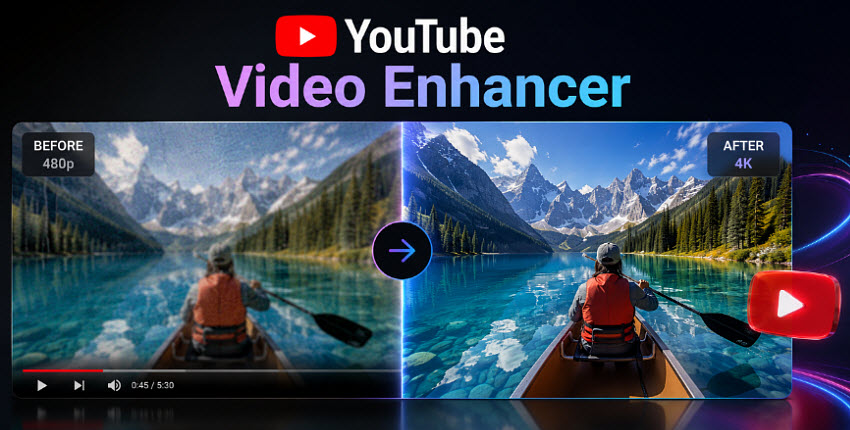
YouTube Video Enhancer for Chrome & Firefox
If you mainly want to improve your YouTube viewing experience during streaming, a YouTube video enhancer browser extension may be all you need. These tools work directly in your browser and add playback and interface controls that aren't available in YouTube by default.
There are popular YouTube enhancers for Chrome, Firefox, Opera, and your preferred browser. These extensions are mainly designed for real-time playback and viewing customization rather than permanently improving the original video file.
Enhancer for YouTube
- Supported browsers: Chrome, Firefox, Edge, Opera, Safari, and other compatible browsers.
- Best for: Users who want extensive control over YouTube playback, video quality, and the player interface.
Enhancer for YouTube is a popular browser extension that adds a wide range of controls to the standard YouTube experience. It lets users adjust playback quality, speed, and volume, customize the video player, use keyboard shortcuts, enable Cinema Mode, and change various interface settings. It can also help users hide distracting elements and create a more personalized YouTube viewing experience.
One of its main advantages is the number of customization options available in a single extension, making it a practical choice for users who frequently watch YouTube and want more control than the default player provides.
However, like other browser-based YouTube enhancers, Enhancer for YouTube mainly changes how videos are played and displayed. It cannot actually restore details lost from a low-quality source, remove heavy compression artifacts, or permanently improve the original video file. For those tasks, a dedicated AI video enhancer is a more suitable option.
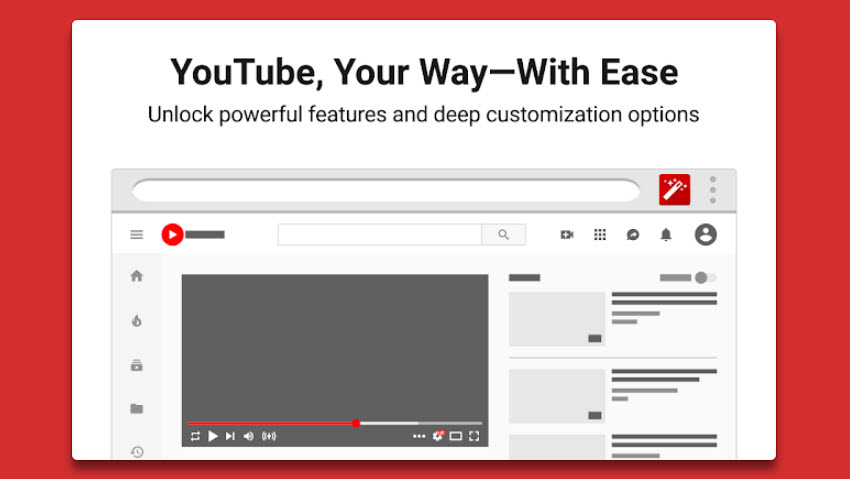
YouTube Auto HD
- Supported browsers: Chrome, Firefox, Edge, Opera, and other compatible Chromium-based browsers, depending on the specific extension.
- Best for: Users who primarily want YouTube to consistently play videos at their preferred HD, Full HD, or 4K quality when available.
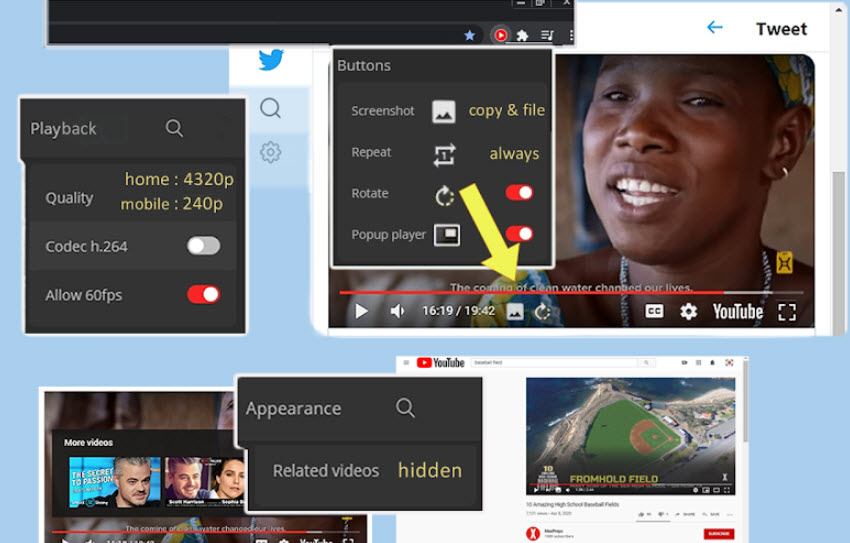
If your main concern is YouTube automatically switching to a lower resolution, an Auto HD or YouTube quality extension can be a more focused solution. These extensions can automatically select your preferred resolution or quality level when a video starts, helping you avoid manually switching to 1080p, 1440p, or 4K each time.
Unlike full-featured YouTube enhancers, their main purpose is automatic playback quality control, not interface customization or video processing.
Improve YouTube!
- Supported browsers: Chrome, Firefox, Edge, Opera, Brave, Vivaldi, and other Chromium-based browsers.
- Best for: Users who want an all-around YouTube video enhancer for playback and interface customization, rather than a tool focused on a single feature.
Improve YouTube! is one of the more comprehensive YouTube enhancer extensions for users who want greater control over the player and interface. It provides a wide range of settings for playback, video quality, interface layout, shortcuts, and other aspects of the YouTube experience. This makes it a strong Enhancer for YouTube alternative for users who want to customize YouTube extensively without installing separate video-processing software.
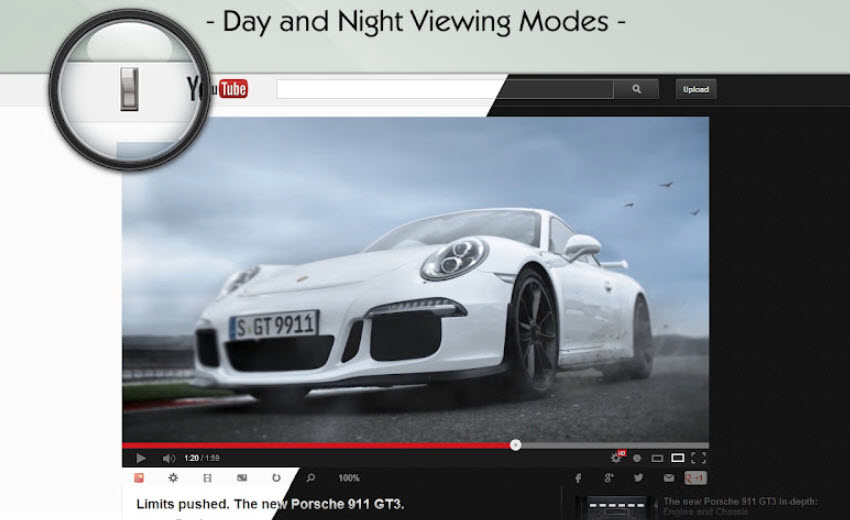
Turn Off the Lights
- Supported browsers: Chrome, Firefox, Edge, Opera, Safari, and more.
- Best for: Users who want a distraction-free, cinema-style experience when watching YouTube.
Turn Off the Lights takes a different approach to the YouTube enhancer concept. Instead of changing playback settings, it dims the rest of the webpage around the video player, making the video stand out and reducing visual distractions. It is particularly useful for watching YouTube at night, on a large monitor, or in a theater-style viewing setup.
It is therefore less about controlling video playback and more about creating a cleaner, more immersive YouTube viewing experience.
Magic Actions for YouTube
- Supported browsers: Chrome, Firefox, Edge, and Opera.
- Best for: Users who want additional playback controls, automatic quality settings, and quick YouTube customization in one extension.
Magic Actions for YouTube combines several useful playback and viewing controls in one browser extension. Depending on the supported browser and version, it can provide features such as automatic HD playback, Cinema Mode, volume and playback-speed controls, and other YouTube customization options.
Compared with a dedicated quality extension, it offers a broader set of controls; compared with a full-featured Enhancer for YouTube alternative, its appeal is its collection of convenient playback-focused features.
Video Quality Enhancer
- Supported browsers: Chrome, Edge, Brave, Safari, and Opera
- Best for: Users who want real-time video quality and color adjustments across YouTube and other streaming websites.
Video Quality Enhancer takes a more direct approach to improving YouTube video quality in the browser. Unlike extensions that mainly control playback settings or the YouTube interface, it applies real-time visual enhancements such as sharpening, distortion reduction, brightness, gamma, shadow, and saturation adjustments. It works across a wide range of streaming platforms, including YouTube, Netflix, Twitch, Prime Video, and Disney+, rather than being limited to YouTube.
The YouTube video enhancer extension also includes customizable presets, website-specific controls, and keyboard shortcuts, making it useful for users who want more control over how streaming videos look. However, because it relies on browser-based filters, it may conflict with other extensions that apply similar video or CSS filters.
What YouTube Enhancer Extensions Can and Can't Do
YouTube enhancer extensions are useful when you want more control over how videos look and play in your browser. Extensions such as Enhancer for YouTube can add options for playback quality, speed, volume, player layout, shortcuts, Cinema Mode, and other viewing preferences that are not available in YouTube by default.
However, browser extensions have some inherent limitations. They mainly modify the playback experience rather than processing the underlying video file.
Common Limitations of YouTube Enhancer Extensions
- They depend on YouTube: Extensions interact with YouTube's player and interface, so major YouTube updates can sometimes cause certain features to stop working until the extension is updated.
- Limited video enhancement: Some extensions can apply sharpening, color correction, or other real-time filters, but they generally cannot recover details lost from a low-quality source, remove heavy compression artifacts, or perform advanced AI restoration.
- No permanent improvement: Changes made by a browser extension usually affect how a video is displayed while you watch it. They do not create a new, enhanced version of the original video file.
- Browser and extension compatibility: Features can vary between Chrome, Firefox, Edge, Opera, Safari, and other browsers, and conflicts may occur when multiple extensions modify the YouTube player or apply similar video filters.
For casual viewing, these limitations may not matter. But if you want to actually improve a YouTube video—for example, reduce noise and blur, restore lost details, or upscale downloaded footage to a higher resolution—you need a tool that processes the video itself.
YouTube Video Enhancer Software to Improve YouTube Videos
Browser extensions are useful for changing the YouTube viewing experience in real time, but they generally cannot fix quality problems in the original video. For example, selecting 4K playback won't turn a low-resolution or heavily compressed video into true 4K quality.
If you want to remove noise, reduce blur, restore lost details, or upscale a video, you need a YouTube video enhancer that processes the actual video file. This is especially useful when preparing footage for YouTube, restoring older videos, or improving low-quality clips before uploading. Unlike a browser-based YouTube enhancer, video enhancement software works on the video itself rather than simply changing how it plays.
Aiarty Video Enhancer
Aiarty Video Enhancer is a local AI video enhancement tool designed to improve the actual quality of video files rather than simply changing how they play. It can be used to enhance videos for YouTube, restore older videos, or improve low-quality clips before uploading.
- Upscale YouTube videos to 4K: Enlarge SD, 720p or 1080p footage to higher resolutions such as 4K while enhancing details.
- Enhance low-quality footage for YouTube: Reduce noise and grain from low-light or high-ISO videos, sharpen soft footage, and restore details lost through low resolution, compression, or repeated re-encoding.
- Improve downloaded YouTube videos: Enhance low-quality videos downloaded from YouTube when the available source is blurry, pixelated, noisy, or heavily compressed.
- Enhance YouTube videos locally: Process footage directly on your computer without uploading your videos to a cloud service.
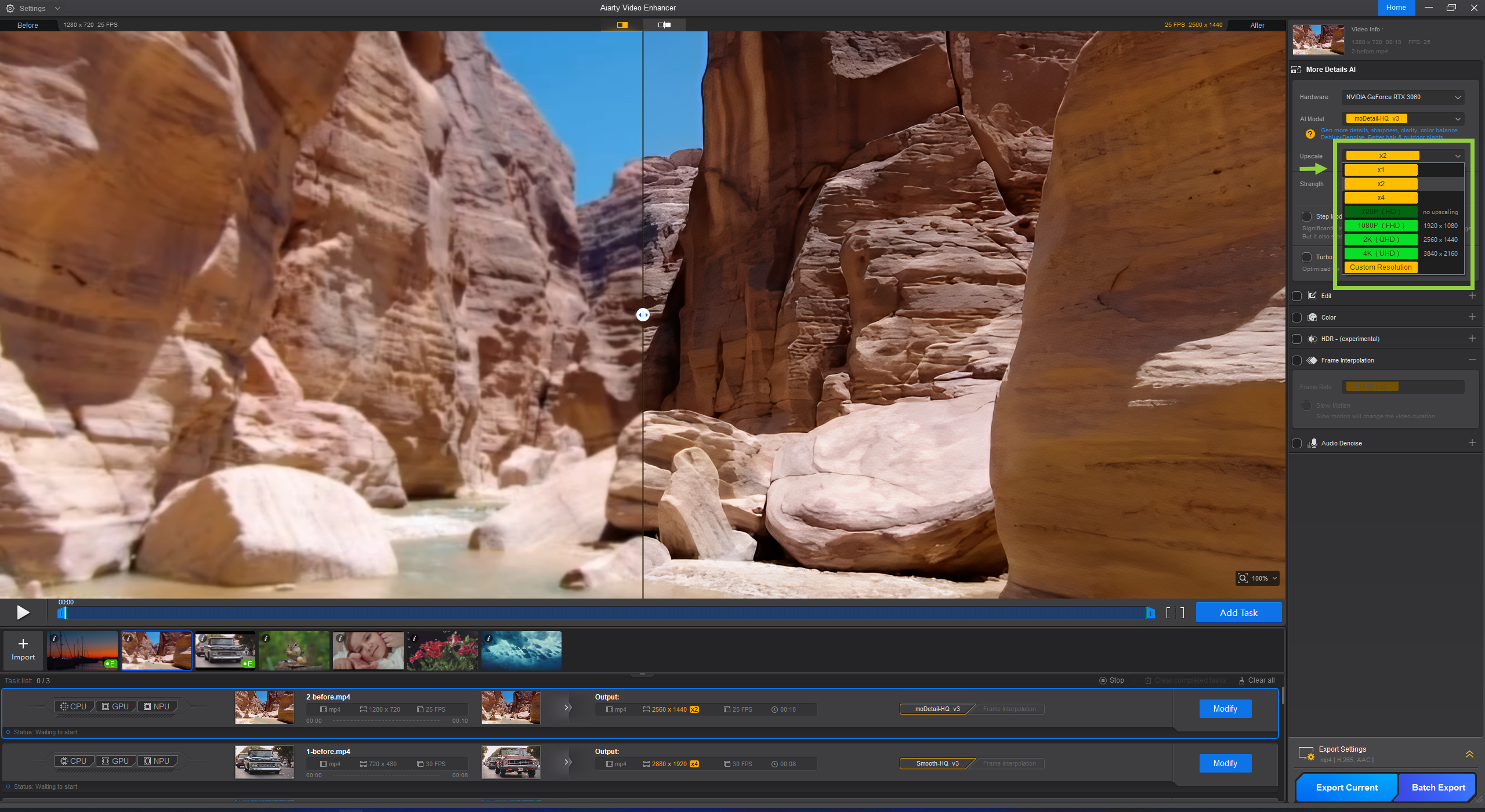
Enhance Blurry YouTube Videos
Aiarty will improve blurry YouTube videos with AI to sharpen soft footage, restore lost details, and improve overall clarity without relying on simple sharpening filters.
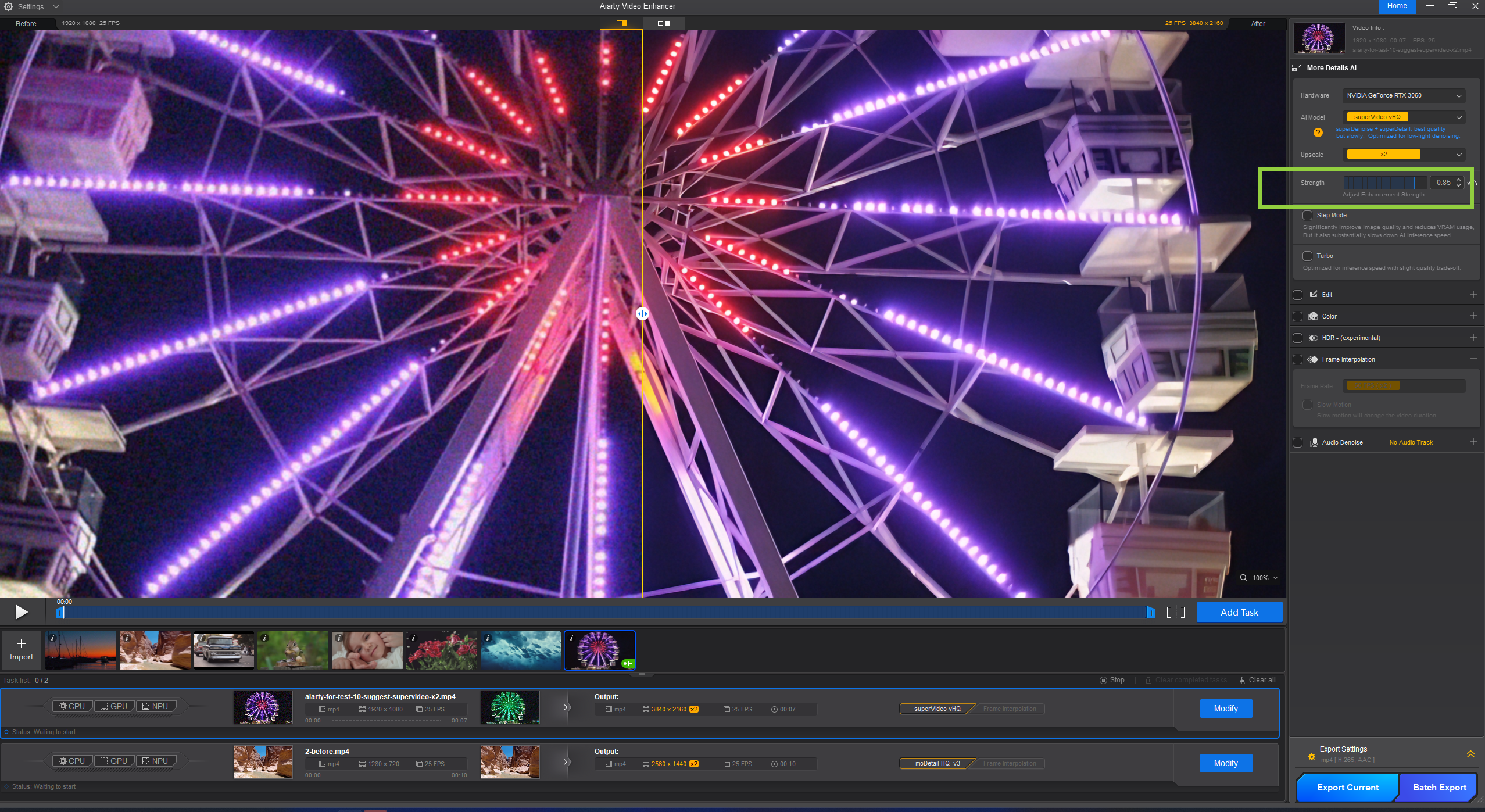
Reduce Noise in Low-light YouTube Videos
Its superVideo model is specially designed and trained to reduce noise and grain in low-light or high-ISO YouTube videos while preserving important details for a cleaner, more natural-looking result.
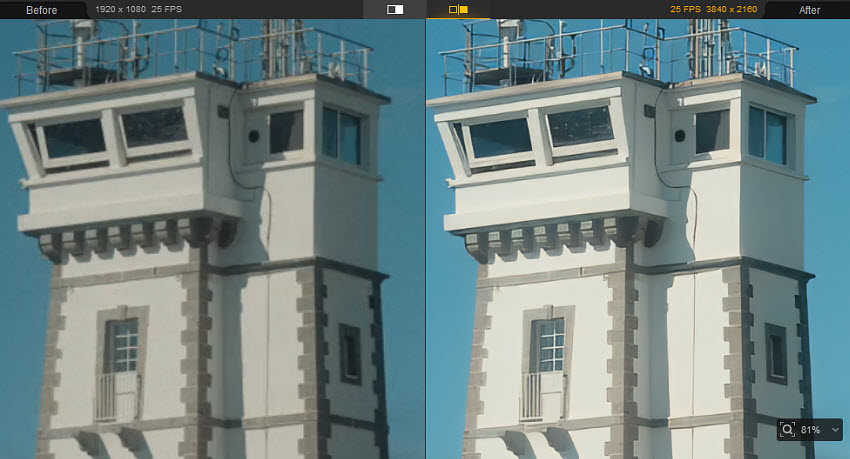
Enhance Low-Quality YouTube Videos
Improve low-resolution and heavily compressed YouTube videos by upscaling footage, restoring details, reducing visual artifacts, and using color adjustments to fine-tune brightness, contrast, and overall image balance for a better viewing experience.
Topaz Video
Best for: Professional users who want advanced AI video enhancement, restoration, and upscaling controls.
Topaz Video is a professional desktop AI video enhancer designed to improve the quality of low-resolution, blurry, noisy, or compressed footage. It offers AI models for upscaling, denoising, motion deblur, stabilization, frame interpolation, and SDR-to-HDR conversion, making it suitable for more demanding video restoration and enhancement projects.
For YouTube creators, Topaz Video Upscaler can be useful for improving older footage, enhancing downloaded or archived videos, and preparing low-resolution source files for higher-quality uploads. Its enhancement controls also allow users to fine-tune models and recover original details rather than relying only on basic sharpening filters.
Compared with simpler YouTube video enhancers, Topaz Video offers more advanced controls and specialized AI models, but its larger range of settings can make it more suitable for experienced users than beginners.
Vmake
Best for: Users who want a convenient online YouTube video enhancer without installing desktop software.
Vmake is an online AI video enhancer that helps improve the quality of low-resolution, blurry, noisy, or compressed videos directly in a web browser. It can enhance video clarity, improve details, and upscale footage, making it useful for creators who want to improve video quality before sharing or uploading to YouTube.
For YouTube videos, Vmake can be a convenient option when you only need to enhance a short clip or don't want to install dedicated video enhancement software. Its browser-based workflow makes it easy to upload a video, apply AI enhancement, and download the processed result for further editing or publishing.
However, like other online video enhancers, Vmake requires uploading the video for cloud processing. This may be less convenient for large video files or users who prefer to process sensitive footage locally without sending it to an online service.
Which YouTube Video Enhancer Should You Choose?
The right YouTube video enhancer depends on what you want to improve:
- For better YouTube playback: Choose Improve YouTube!, Magic Actions for YouTube, or an Auto HD extension if you mainly want more control over playback, video quality, and player settings.
- For a better viewing experience: Turn Off the Lights is useful for reducing distractions, while Video Quality Enhancer is better if you want real-time sharpening, color correction, and other visual adjustments.
- For quick online enhancement: Vmake is a convenient option for enhancing short videos in your browser without installing software.
- For professional video restoration: Topaz Video offers advanced AI models and controls for upscaling, denoising, deblurring, stabilization, and other demanding enhancement tasks.
- For improving downloaded or low-quality YouTube videos: Aiarty Video Enhancer is a better fit when you want to process the actual video file, restore details, reduce noise and blur, and upscale footage locally before editing or re-uploading.
In short, browser extensions are best for improving how you watch YouTube, while AI video enhancers are designed to improve the video itself. Choose based on whether you need playback customization, quick online enhancement, or permanent improvement of the original video file.
 FAQs
FAQs
No, browser extensions cannot alter the actual physical quality or resolution of the source video file. They act as playback modifiers—meaning they can force YouTube to stream in its highest available native resolution (e.g., 1080p or 4K) and customize the interface. If a source video is inherently blurry, low-res, or heavily compressed, a browser plugin cannot reconstruct missing pixels.
Blurry playback usually happens because YouTube dynamically adjusts your streaming quality based on network bandwidth, or because the creator uploaded a low-resolution file. While a browser extension can force HD playback, it cannot fix compressed or grainy source material. To permanently fix blurriness, creators typically use AI-powered local enhancement tools to upscale and restore the footage before uploading..
An AI video enhancer like Aiarty Video Enhancer can improve low-resolution, blurry, noisy, or heavily compressed YouTube videos by restoring details, reducing noise and artifacts, sharpening footage, and upscaling the resolution. However, the final result depends on the quality of the original video, and AI cannot perfectly recover information that was completely lost.
Most popular browser extensions (such as Improve YouTube! or Enhancer for YouTube) are free, though users should download them from official stores (Chrome Web Store, Firefox Add-ons) to avoid clones. However, online video enhancer websites often come with strict file size limits, slow cloud processing speeds, and potential privacy risks since you must upload private video files to their servers.
Yes. YouTube processes uploaded videos into different streaming versions, and higher-resolution videos can take longer to finish processing. Uploading an enhanced 4K file does not guarantee that every viewer will see the same quality; playback quality also depends on the available version, device, browser, screen, and connection. For the best result, start with the highest-quality source available and export the enhanced video appropriately before uploading.
You May Also Like


This post was written by Brenda Peng who is a seasoned editor at Digiarty Software who loves turning ordinary photos into extraordinary works of art. With AI assistance for brainstorming and drafting, the post is reviewed for accuracy by our expert Abby Poole for her expertise in this field.
