


Best Free Video Enhancer Apps for iPhone & Android in 2026



We use our phones to capture videos every day, but even the latest iPhone or Android phone can produce footage that is blurry, noisy, shaky, dark, or low-resolution. A video enhancer app can help improve sharpness, reduce noise, stabilize footage, and make videos look better without reshooting them.
But not every video quality enhancer app works in the same way. Some are designed for quick fixes and social media videos, while others may work on iPhone or Android only. In this guide, we've rounded up the best video enhancer apps for iPhone and Android, including free options, and explain which tools are best for different video quality problems.
2026 Best Video Enhancer Apps for iPhone and Android
To provide an objective ranking, we subjected each software to a rigorous benchmarking process designed for the modern macOS ecosystem. Our goal was to push these tools beyond simple upscaling and see how they handle real-world challenges like heavy compression, motion blur, and low-light noise.
Wink –Best Free Video Enhancer App for Portrait Videos
- System: iOS, Android
- Price: Free with watermark, $59.99/year
- Best for: selfies, talking-head videos, beauty videos, and social media content
Wink is one of the best apps that improve video quality on Android and iPhone. Powered by AI, it can fix blurry or low-quality footage, enhance details, and upscale 480p or 720p videos to crisp 4K Ultra HD.
Its 4K Super Resolution is particularly useful when you want to make low-resolution phone videos look sharper and more detailed. Wink also includes an Unblur Video feature for sharpening out-of-focus clips and rebuilding lost detail, as well as Old Video Restore for faded, pixelated, or damaged footage. For more natural results, Wink also lets you adjust the enhancement strength instead of applying an overly aggressive AI effect.
In addition to enhancing videos on Android/iPhone, Wink includes tools for body retouching, makeup, and creative effects. This makes it a particularly good video quality enhancer app for selfies, portrait videos, and social media content.
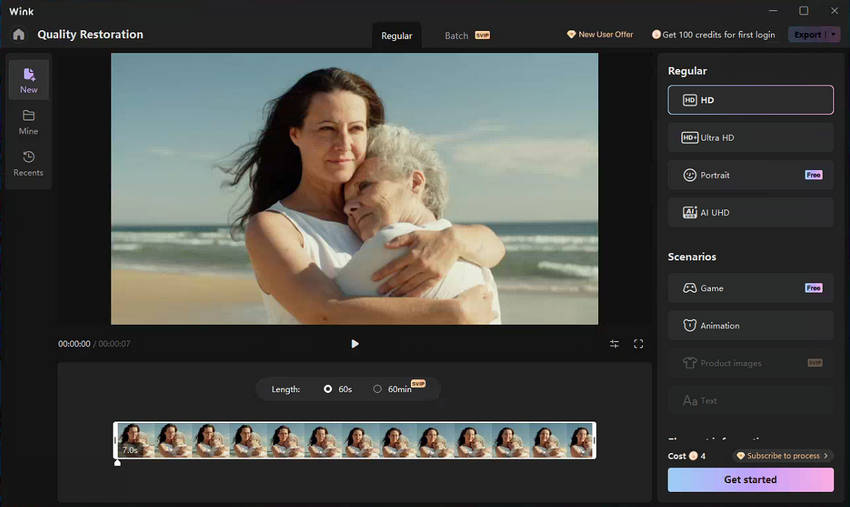
- Extremely easy to use for beginners with zero editing experience.
- Free video enhancer app for portrait videos.
- Suitable for social media creators.
- Better suited to people-focused footage than complex restoration.
- Advanced 4K exports, heavy batch processing, and certain AI Repair Pro function are not free.
CapCut –Best All-in-One Social Media Video Enhancer App
- System: iOS, Android, desktop, online
- Price: Free version available; Pro plans start at around $7.99/month or $74.99/year, but pricing varies by region and platform.
- Best for: TikTok, Instagram Reels, YouTube Shorts, and quick edits
CapCut is best known as an all-in-one video editor, but it also includes AI-powered video enhancement and upscaling tools for mobiles. Capcut AI Video Upscaler can enhance low-resolution footage, reduce blur, restore details, and upscale videos to 4K, making it a practical video enhancer app for everyday content creators.
You can also adjust brightness, contrast, color, and noise, then stabilize, resize, caption, and edit the enhanced video in the same workflow. So you can use CapCut to improve video quality on iPhone Android and prepare the footage for TikTok, Instagram Reels, YouTube Shorts, or other social platforms.
However, CapCut is still an all-in-one editor rather than a dedicated app to enhance video quality. If your footage is severely degraded, heavily compressed, or needs more specialized AI restoration and batch processing, a dedicated AI video enhancer may offer more control.
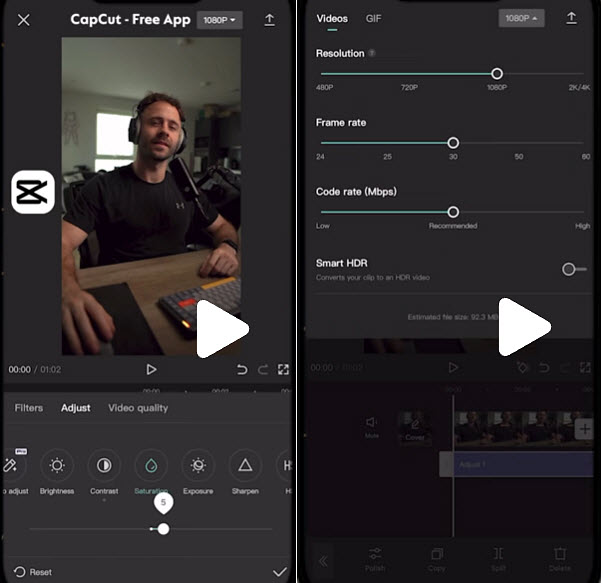
- Combines standard editing, audio mixing, captioning, and basic video enhancement into a single platform.
- Best free video enhancer app for Android/iPhone without a mandatory subscription.
- Direct export formats tailored for modern vertical platforms.
- It’s more editing-focused than specialized video restoration software.
- Some AI features and availability may vary by platform and plan.
- It’s not the best option for professional large-scale restoration.
YouCam Video –Best App to Enhance Video Quality & Face Retouching
- System: iOS, Android
- Price: Free version available; premium plan starts at around $5.99 to $7.99 per month or $31.99 to $49.99 per year
- Best for: selfies, beauty videos, portraits, and lifestyle content
YouCam Video is a mobile video enhancer app designed primarily for improving selfies and portrait videos. It combines AI-powered video enhancement with beauty and retouching tools, helping you improve video quality on iPhone or Android while also refining the appearance of people in the footage.
Its video enhancement tools can help improve clarity, lighting, and overall image quality to HD, while portrait-focused features let you retouch skin, enhance facial details, apply makeup, and make other appearance adjustments. Therefore, YouCam Video is more suitable for creators who want a free app to enhance video quality and polish their appearance in the same workflow.
If you're wondering how to make video quality better on iPhone, YouCam Video can be useful for improving footage that looks slightly soft, dull, or less polished after recording. However, it is primarily designed for portrait and beauty content rather than serious video restoration.
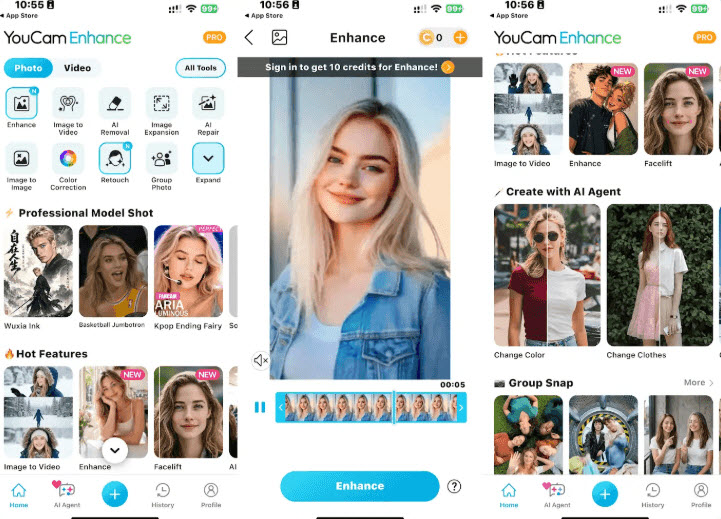
- Enhance video quality, retouch portrait and shape structural face in a mobile video app.
- Extremely easy and accessible free video enhancer app for beginners who want fast visual boosts.
- Heavily optimized for human subjects and selfie angles, making it less effective for pure landscapes, wildlife, or cinematic b-roll.
- Advanced AI upscaling, high-resolution video exports, and premium makeup tools require a subscription.
KineMaster – Best Mobile App with AI Super Resolution Upscaling
- System: iOS, Android
- Price: Free with watermarks and ads; premium plan starts at around $7.99/month or $51.99/year
- Best for: improving low-resolution videos, AI upscaling, and advanced mobile editing
KineMaster is more than a traditional mobile video editor. It’s also an AI app for improving video quality, including Super Resolution, which can upscale low-resolution video to HD or 4K directly on a phone. Its Super Resolution feature uses on-device AI to process video frame by frame, with 2× and 4× upscaling options. The feature is available for free and processes footage on the device rather than uploading it to a server.
KineMaster also provides other tools that improve video quality on iPhone/Android, including color adjustments, noise removal, AI tracking, multi-layer editing, and up to 4K 60fps export. However, while it offers a free app to enhance video quality, it includes a watermark, and unlocking full features and premium assets requires a subscription
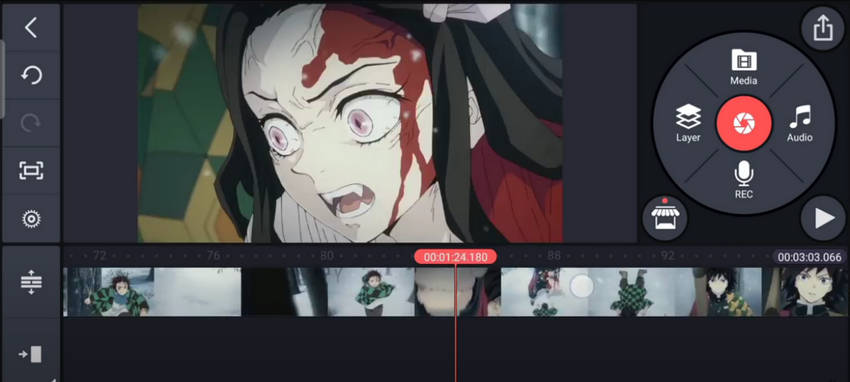
- Features built-in 2× and 4× AI Super Resolution to upscale videos on mobiles.
- Supports multi-track timelines, keyframe animation, chroma key, and up to 4K 60fps exporting capabilities.
- Includes advanced video editing tools.
- Advanced AI processing speeds and features require modern, compatible mobile hardware.
- Better suited to mobile editing than large-scale video restoration.
- Processing speed depends on your phone or tablet.
Remini –Best Free Video Enhancer App for AI Video Restoration
- System: iOS, Android
- Price: $6.99 to $9.99 per week, or $9.99 to $25.00 per month, and up to $99.00–$299.00 for annual plans
- Best for: old videos, portraits, family footage, and face enhancement
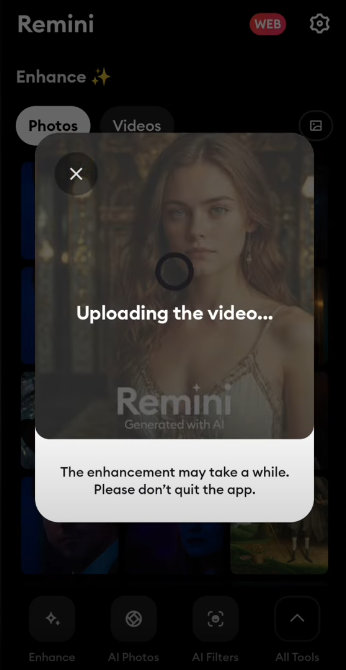
Remini is a popular AI improve video quality app for iPhone and Android that specializes in improving blurry, grainy, pixelated, and low-quality footage. Its Video Enhancer can improve video quality and enlarge videos on mobiles by up to 2×, making it a good choice for restoring older or lower-resolution clips.
Its advanced facial detail enhancement focuses heavily on portrait subjects, bringing blurred or indistinct facial features back into sharp focus. But it can sometimes become overly aggressive. Always check the result carefully, especially around eyes, skin, hair, and facial contours.
- Offers some of the most powerful facial recognition and pixel reconstruction algorithms available on mobile.
- Accessible free video enhancer app trial option for casual users who want professional-grade face fixes without manual tweaking.
- The 2× enlargement cap is more restrictive compared to dedicated desktop AI upscalers.
- Optimized primarily for quick mobile clips and personal memories rather than heavy-duty, long-form professional restoration pipelines.
- Advanced features require a paid plan.
Aiarty Video Enhancer – Best Desktop AI Video Enhancer APP for Pro Restoration & 4K Upscaling
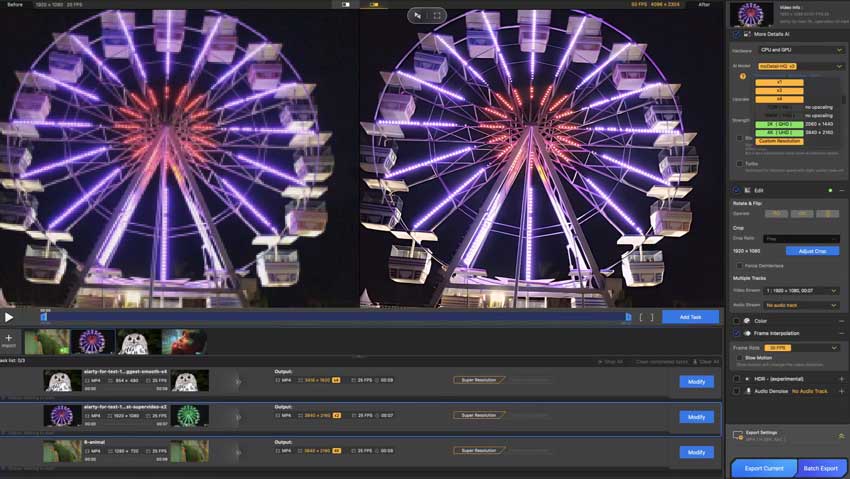
Mobile video enhancer apps are convenient for quick fixes, but they may not be enough when you're working with severely blurry, noisy, pixelated, or low-resolution footage. If you need more advanced AI processing, Aiarty Video Enhancer offers a desktop alternative for Windows and Mac.
Designed specifically to improve video quality, Aiarty uses AI models to upscale footage, reduce noise, restore details, and enhance videos with a more natural-looking result. It is particularly useful when the original video has significant quality issues that basic sharpening or color adjustments cannot fix
- Upscale 480p, 720p, or 1080p smartphone footage to HD and 4K for sharper results.
- Reduce noise and grain in dark phone videos while preserving important details and textures.
- Enhance details in footage affected by digital zoom, camera shake, or missed focus.
- Reduce compression artifacts and recover clarity in videos shared through messaging apps or social platforms.
- Enhance long and multiple iPhone or Android videos at once instead of enhancing each clip individually.
- Use local GPU acceleration without uploading private smartphone footage to cloud servers.
Aiarty vs. Mobile Video Enhancer Apps
The main difference is flexibility and processing capability. Mobile apps are ideal when you want to quickly improve video quality on iPhone or Android, especially for selfies, social media clips, and short videos. Aiarty is better suited to users who need more intensive AI enhancement, high-resolution upscaling, restoration, or batch processing on a desktop.
Conclusion: Which Video Enhancer Should You Choose?
There is no single best video enhancer app for everyone. The right choice depends on the type of video you want to improve:
- Choose Wink if you mainly enhance selfies, portrait videos, or social media clips and want quick AI enhancement on your phone.
- Choose Remini if you need to restore blurry, pixelated, or old videos, especially footage with faces.
- Choose CapCut if you want a free app to improve video quality while editing and preparing content for TikTok, Instagram, or YouTube.
- Choose YouCam Video if your videos focus on selfies, beauty, and portrait content.
- Choose KineMaster if you want mobile AI upscaling with more advanced editing controls.
- Choose Aiarty Video Enhancer if your iPhone or Android footage needs more advanced enhancement, such as 4K upscaling, denoising, blur reduction, detail restoration, or batch processing.
 FAQs
FAQs
The best video enhancer app for iPhone depends on what you want to fix. Wink and YouCam Video are good for portrait and selfie videos, while KineMaster is a strong option for mobile AI upscaling. For more advanced enhancement, such as 4K upscaling, denoising, and detail restoration, a desktop AI video enhancer like Aiarty Video Enhancer may be a better choice.
Wink, Remini, CapCut, YouCam Video, and KineMaster are among the options worth considering on Android. The best choice depends on your footage: Remini is better suited to blurry and face-focused videos, while KineMaster is useful for AI upscaling and editing.
Finding a completely free app that offers advanced AI neural upscaling without watermarks or paid subscription walls is rare. While apps like CapCut provide robust free editing and basic color enhancement tools, powerful AI-driven features, 4K exports, and heavy batch processing in apps like Remini or Wink usually require a subscription or tokens.
Most cloud-based mobile apps process your files on remote servers, which can raise privacy concerns for personal or sensitive footage. In contrast, desktop alternatives like Aiarty Video Enhancer use 100% offline, local GPU processing (leveraging NVIDIA, AMD, or Intel hardware) to ensure your data never leaves your computer.
Mobile apps like Wink, Remini, and CapCut can significantly improve clarity, reduce digital noise, and upscale resolution by up to 2× using AI. However, they have hardware limitations and cannot fully reconstruct extremely degraded or pitch-dark footage. For severe damage or heavy archives, desktop software like Aiarty Video Enhancer is required.
You May Also Like


This post was written by Brenda Peng who is a seasoned editor at Digiarty Software who loves turning ordinary photos into extraordinary works of art. With AI assistance for brainstorming and drafting, the post is reviewed for accuracy by our expert Abby Poole for her expertise in this field.
