


Is Topaz Video Worth It? Should You Buy It in 2026?



Topaz Video, formerly known as Topaz Video AI, is part of the Topaz Studio suite. It is designed for AI-powered video enhancement, including upscaling, denoising, and detail restoration.
With its shift to a subscription-based model and the introduction of new AI models, many users are now asking a more important question: is Topaz Video still worth it today, and who actually benefits from using it?
In this review, we’ll break down its features, pricing, real-world performance, and overall value to help you decide whether it fits your workflow.
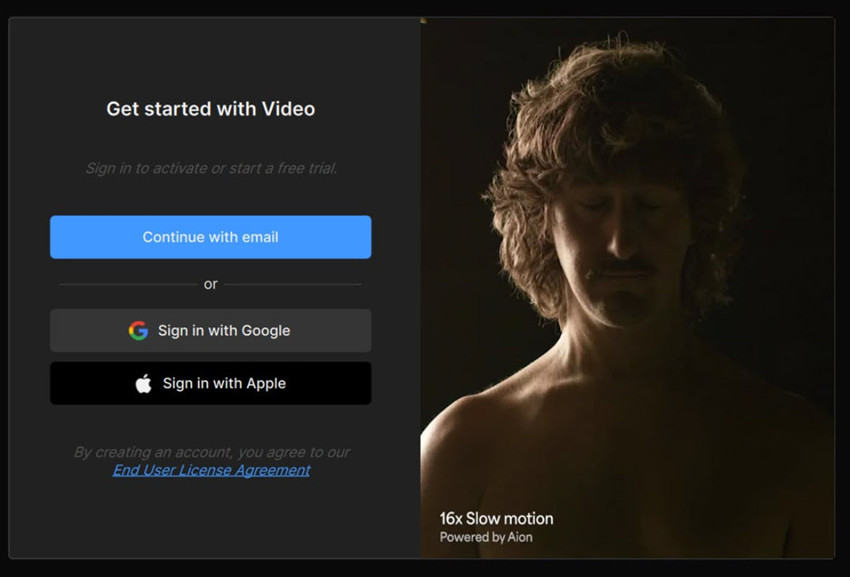
What Changed in Pricing and Why It Matters
Unlike the one-time purchase model with optional paid upgrades of Topaz Video AI, Topaz Video is available exclusively through a subscription.
- Topaz Video is $33/mo for the subscription, which will in fact cost you $299 during the annual commitment period, during which you can’t cancel the subscription.
- No Perpetual License: Topaz Labs has discontinued its one-time purchase option for new software. Existing customers with a perpetual license for a previous version of Topaz Video AI will still get updates for that specific version but will not have access to new models introduced in the update unless they subscribe.
⚠️ Adobe & Topaz Pricing Uncertainty: Is Now the Best Time to Buy?
Topaz Video AI is still an independent product with a one-time purchase option, and there is no official confirmation of any Adobe acquisition. However, industry consolidation trends have raised questions about whether standalone pricing models will remain in the long term.
Adobe has historically integrated acquired tools into Creative Cloud over time, which may shift pricing toward subscription-based models.
For now, Topaz remains fully available as a standalone purchase, but users are watching future developments closely before making long-term buying decisions.
FYI: If Topaz Video is too expensive for you, check here:
>> Topaz Video AI cracks free download
>> Topaz Video AI latest discounts & giveaways (💥 Topaz Video is now 30% OFF in the Topaz Studio bundle)
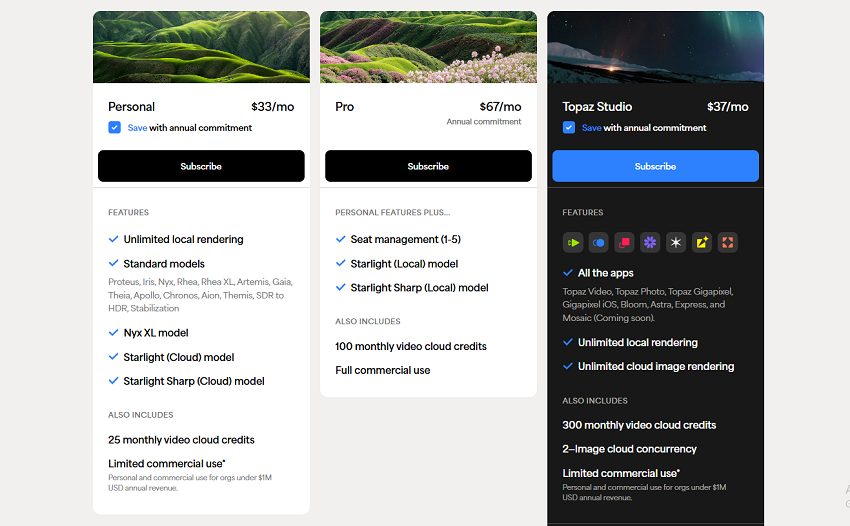
Topaz Video's new subscription model requires a hefty financial commitment, costing users up to $299 for an annual non-cancellable plan. For creators on a budget or those with less-powerful hardware, Aiarty Video Enhancer emerges as an efficient and cheaper solution, delivering high-quality results without the high price tag or demanding resource requirements.
 The Best Alternative: Enhance Video Quality with Aiarty Video Enhancer
Aiarty Video Enhancer upscales your blurry, noisy, and low-resolution videos into stunning HD/4K quality with remarkable efficiency and specialized intelligence. It works perfect for tackling common issues in everyday footage, old camcorder recordings, and grainy downloaded clips, restoring clarity and detail.
💥 Time-limited: Save up to 49% OFF Lifetime for 3 machines! 💥
What is Topaz Video?
Topaz Video is an AI-powered video enhancement tool designed to upscale low-resolution footage, reduce noise, sharpen details, and stabilize shaky video using advanced machine learning models. It provides an integrated workflow for improving video quality through automated enhancement features and AI-driven processing.
Key features of Topaz Video
1. High-Fidelity AI Upscaling
Unlike traditional upscaling methods that cause blurring and pixelation, Topaz Video AI rebuilds the texture and sharpness of the video frame by frame.
- Resolution Boosting: Easily upscale legacy footage, SD, or 1080p source video up to crisp 4K and 8K resolutions.
- Texture Generation: Intelligently recognizes and enhances real-world details such as skin texture, hair, clothing fibers, foliage, and architectural lines, avoiding the artificial "smudged" look.
- Low-Quality Salvaging: Specifically optimized to recover heavily compressed web videos, old CCTV footage, or low-bitrate digital files.
2. Denoising & Compression Artifact Removal
Perfect for treating video shot in low-light environments with severe ISO noise, or footage degraded by heavy digital compression.
- Intelligent Noise Reduction: Targets heavy grain and noise in low-light/night scenes, smoothing out visual clutter while locking onto sharp edges and fine details.
- Macroblock & Banding Cleanup: Eliminates the blocky artifacts, pixelation, and color banding often caused by heavy video encoding, streaming platforms, or multi-generational rendering.
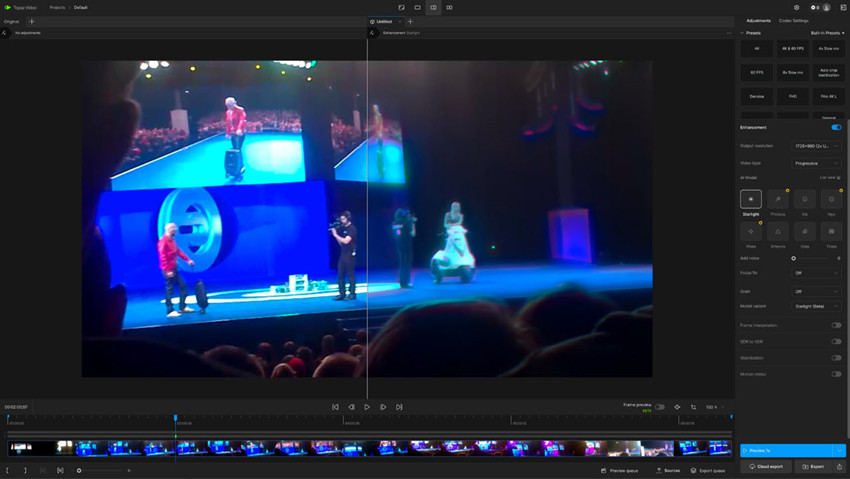
3. AI Frame Interpolation
Traditional slow-motion relies on duplicating frames, which leads to stuttering. Topaz Video uses AI to generate entirely new, photorealistic transition frames. It synthesizes new frames between existing ones to create flawless, buttery-smooth slow-motion video, allowing users to slow down standard footage by up to 16x.
4. Camera Stabilization & Motion Correction
Topaz Video goes beyond standard editing software warp stabilizers by understanding the actual 3D movement within the frame. This reduces unwanted camera shake, handheld jitters, and the "jello effect" caused by rolling shutters on CMOS sensors.
5. Deinterlacing
Topaz Video also corrects the horizontal "comb" lines that appear when older interlaced video formats (such as 480i or 1080i from DV cams and analog TV signals) are played on modern progressive displays.
Topaz Video Enhanced Video Tests
In the following section, we’ll walk through several side-by-side comparisons using Topaz Video, highlighting the visual differences before and after processing to better understand how each Topaz Video AI model handles detail, noise, sharpness, and overall video quality.
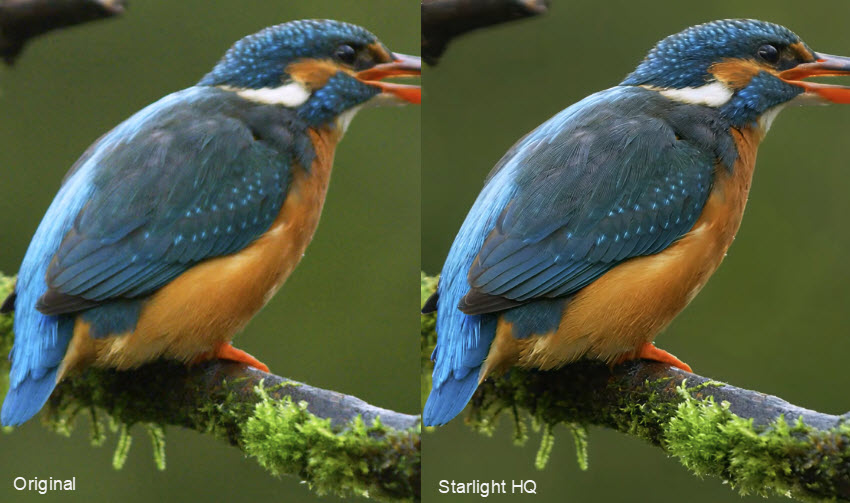
Enhance Low-Resolution and Compressed Videos with Topaz Video (Starlight Model)
For heavily compressed or low-resolution videos, Topaz Video's Starlight models are designed to reconstruct lost details and improve clarity beyond conventional upscaling. They can be particularly effective for recovering small faces, fine textures, text, and other details from challenging footage.
Starlight Precise 2.6 provides three levels of sharpness control, allowing users to choose between a more natural-looking result and stronger detail enhancement. It improves facial features, skin texture, material details, and text while reducing small-area texture flickering and improving temporal consistency between frames. Optimizations for NVIDIA and AMD GPUs can also improve processing performance by up to 15% in supported workflows.
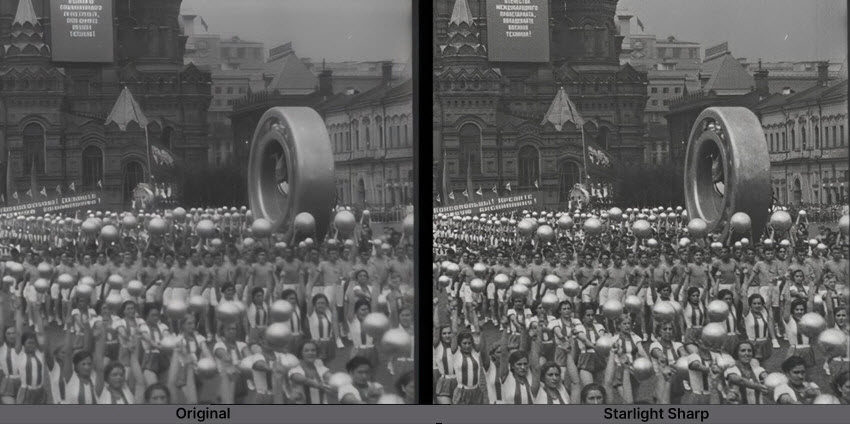
Starlight Mini provides another option for AI-powered restoration, offering strong detail reconstruction with a lower processing burden than more demanding Starlight workflows. On NVIDIA GPUs with more than 12GB of VRAM, its processing speed can reach up to 2× faster in supported workflows, making it more practical for users working with compatible hardware.
In testing, Starlight HQ in Topaz Video delivers cleaner detail and more stable sharpness than faster options like Starlight Fast, especially on medium to high-quality footage. Results look more natural and refined, though processing is slower.
It supports 480p–4K inputs with up to 4× upscale (capped at 4K output) and runs best on NVIDIA GPUs with higher VRAM. Performance is strongest on clean or moderately compressed video, while heavily degraded or interlaced footage can still be challenging. Overall, it’s a slower but more consistent option for polished results.
Noise Reduction and Low-Light Footage (Nyx Model)
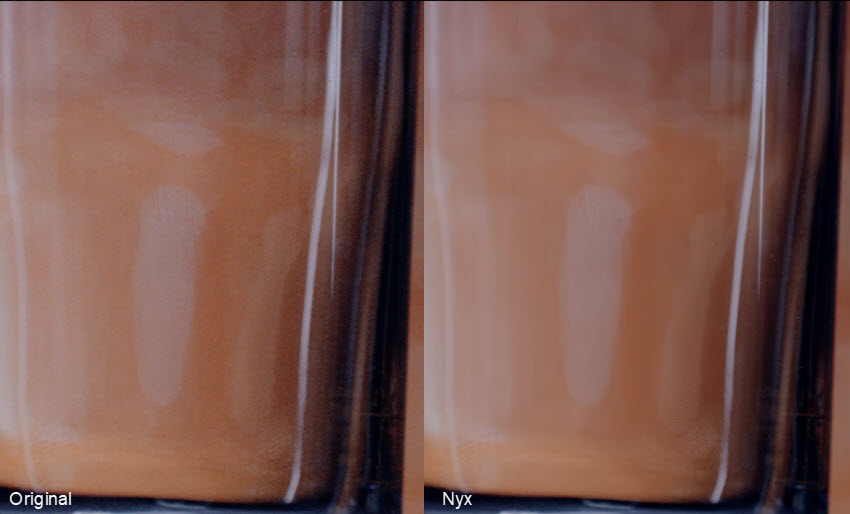
In noisy or low-light conditions, Topaz Video models like Nyx XL are effective at reducing grain and digital noise while preserving underlying detail. The results are generally clean and stable, making it suitable for night scenes, high-ISO footage, or heavily compressed clips.
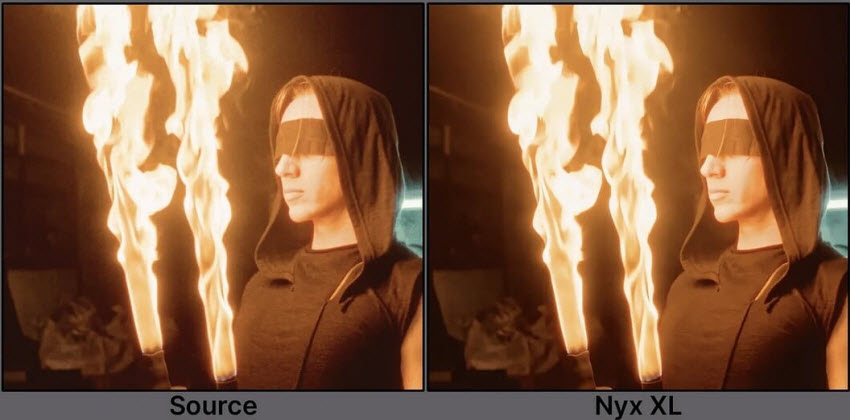
That said, Nyx XL is resource-intensive and relatively slow to render. It’s not designed for upscaling, so results depend heavily on the original footage quality. Performance can also vary on some platforms, but overall it’s a solid choice when the goal is clean, noise-free video without over-sharpening.
Enhance Anime with Topaz Video (Gaia Model)
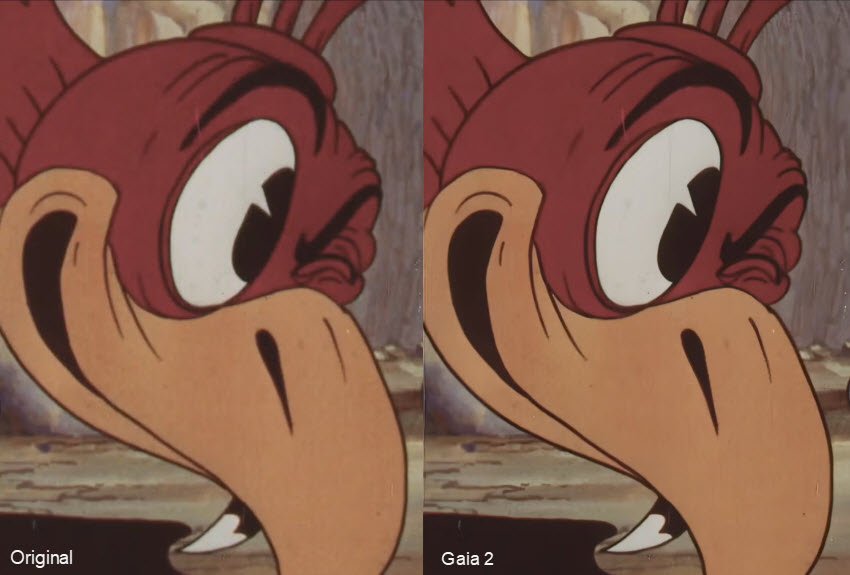
For anime, motion graphics, and stylized animation, Gaia model in Topaz Video provides strong performance by preserving clean edges and preventing detail bleeding. In testing, it performs well at improving edge clarity and reducing aliasing artifacts without distorting the original artistic intent.
It is particularly effective for anime-style content, where clean lines and consistent shapes matter more than natural texture reconstruction. Gaia can enhance sharpness and stabilize edges while maintaining the original style, and it supports up to 2× upscale.
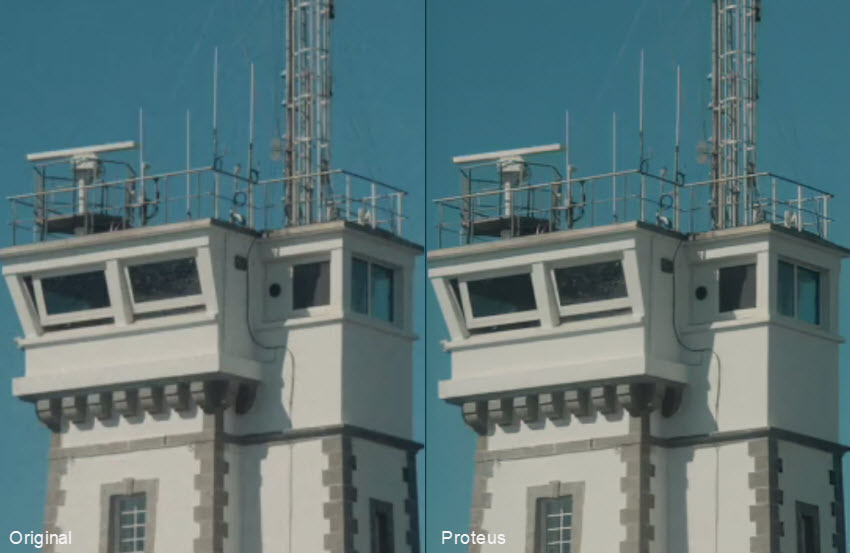
Enhance Low-res Videos with Topaz Video (Proteus Model)
For everyday footage with mixed quality issues, Topaz Video's Proteus model offers a flexible balance between sharpening, noise reduction, and artifact cleanup. In testing, it is particularly strong at noise reduction, compression cleanup, and fixing common digital artifacts, making it a reliable “go-to” choice for low to medium-quality video. It also handles aliased edges effectively while allowing parameter adjustments for more tailored results.
Topaz Video Pros and Cons
The new features and AI models in Topaz Studio video enhancer offer impressive capabilities, but the shift to a subscription model and demanding hardware requirements may not be for everyone. Let's break down the pros and cons to help you decide if it's the right choice for your workflow.
Pros:
- Powerful AI models deliver strong results in denoising, sharpening, and video enhancement.
- Flexible workflow with cloud rendering support for low-end hardware.
- Simplified interface improves usability for both beginners and professionals.
- Constant Updates: Topaz Video will receive all the new models and features.
Cons:
- Subscription-only pricing may not suit all users.
- Higher cost compared to one-time purchase alternatives.
- High hardware demand for advanced models in local processing.
- Slow rendering on mid-range or older systems.
What are people saying about Topaz Video?
It can do some stuff alright, if you have already
The starlight upscaler is pretty amazing for recovering old pixilated standard definition stuff, but it's buggy as hell and they've managed to break it on macs (eh, i got a beefy mac) decent 1080p content and want to clean it a little or push it to 4k, it "can" do a good job. But it really depends on what you feed it and if it is too low res or out of focus it can give awful looking results.
In my opinion it's only worth it if you want to upscale old footage but you don't want too much fake detail added.
I used Topaz Starlight Mini on these - the output was amazing.
Starlight Mini works well but is a resource hog.
Their starlight mini model (diffusion) is amazing but it's paywalled and their other CNN models are mid-tier. starlight burns GPU resources, but if you have a 3080+, you can just let it run for days.
Sum: Topaz Video delivers strong results with its newer AI models, especially for restoring old or low-quality footage, but performance is highly hardware-dependent, and it requires a powerful GPU to run effectively.
An Equally Powerful Alternative to Topaz Video without Costing You $299
If you're looking for a professional-grade video enhancement tool without the high cost of a yearly subscription, then Aiarty Video Enhancer is a top-tier alternative to Topaz Video. It's designed to deliver the same stunning, AI-powered results through a one-time purchase, giving you complete control over your budget and your content.
Aiarty can take low-resolution videos to crisp HD, 4K, remove distracting noise and grain, restore blurry or soft footage, create smooth, fluid slow-motion video with AI, and correct colors. All its AI models are ptimized GPU utilization (up to 95%) deliver significantly faster processing times than Topaz Video. Meanwhile, with its one-time purchase model, you can access powerful features without the recurring cost, making it a smarter and more user-friendly investment for your creative projects.
Conclusion
In summary, if you're looking to enhance your video production quality and create captivating visuals, Topaz Video AI is a worthwhile investment. Its combination of powerful features, ease of use, and continuous updates ensures that you can stay ahead in the competitive world of video content creation. We encourage you to try the free trial and experience the transformative capabilities of Topaz Video AI for yourself!
 FAQ
FAQ
Topaz Video AI pricing is mainly subscription-based for ~$299–$699/year, or ~$25–$58/month depending on plan tier.
No, not anymore (for new users). The old $299 lifetime license has been discontinued and current versions require a subscription to use and stay updated. Old users can still use their purchased version, but new features and models require an active plan.
In late 2025, Topaz ended perpetual (one-time) licenses of Topaz Video AI, and switch to a subscription + cloud model for Topaz Video. The company also introduced bundled ecosystem (Topaz Studio, cloud credits, etc.).
Topaz Video is known for being computationally heavy, especially with models like Starlight or Nyx XL. Many users report extremely long render times—even short clips can take hours depending on resolution and settings. This is normal as GPU performance, resolution, and model you choose can all lead to slow speed. If speed matters, use lighter models (e.g., Proteus / Fast variants) or lower output resolution.
Newer models—especially the Starlight series—have very high system requirements (e.g., 10GB–20GB+ VRAM, 32GB RAM). This is because models process video frame-by-frame with deep learning. Some models use diffusion-based reconstruction (much heavier than traditional AI). This is why many users switch to cloud rendering, or avoid Starlight on lower-end machines.
No, Topaz Video AI is not discontinued.
Topaz Labs has transitioned its video enhancement tools into the newer Topaz Video under the Topaz Studio subscription suite, but this does not mean the software has been discontinued. Existing users with a perpetual license of Topaz Video AI can continue using it, and their current version will still receive maintenance updates.
However, new features and the latest AI models are now delivered through Topaz Video, which is the actively developed and subscription-based version of the product.
Many users are asking: what’s the real difference between Topaz Video and Topaz Video AI? The main difference is that Topaz Video is the new, subscription-based version of the previous Topaz Video AI. It's not a new product, but an updated version available under a new licensing model.
- Subscription Model: Topaz Video AI (check detailecd Topaz Video AI features) was a one-time purchase. Topaz Video is a yearly subscription to the full Topaz Studio suite.
- New Features: Topaz Video includes all the features of Topaz Video AI, but with the addition of new AI models and a redesigned user interface.
- Licensing: Perpetual license owners of older versions of Topaz Video AI will not receive these new updates and will have to subscribe to Topaz Studio to get the latest features.
You May Also Like


This post was written by Brenda Peng who is a seasoned editor at Digiarty Software who loves turning ordinary photos into extraordinary works of art. With AI assistance for brainstorming and drafting, the post is reviewed for accuracy by our expert Abby Poole for her expertise in this field.
