


Topaz Video vs DaVinci Resolve: Which AI Video Enhancer Produces Better Results?



Davinci Resolve or Topaz Video AI who has better denoise?
Davinci Resolve 'Super Scale' vs Topaz Labs Video AI? Which is a Better use of $300?
When it comes to AI video enhancement, Topaz Video(AI) and DaVinci Resolve Studio often end up in the same conversation, partly because they’re priced in a similar range, both hovering around $300. At that price point, it’s reasonable to ask: which one actually delivers better video quality enhancement?
DaVinci Resolve Studio includes AI-powered tools such as Super Scale, noise reduction, and motion smoothing, while Topaz Video AI is built specifically for upscaling, denoising, and frame interpolation. Many creators are left wondering whether a dedicated AI enhancer is necessary, or if Resolve’s built-in AI tools are enough.
Here, we’ll compare Topaz Video AI vs DaVinci Resolve Studio in terms of upscaling, denoising, and motion smoothing to help you choose the right tool when video quality matters most.
Want a more cost-effective alternative to Topaz Video AI or DaVinci Resolve Studio without sacrificing upscaling quality?
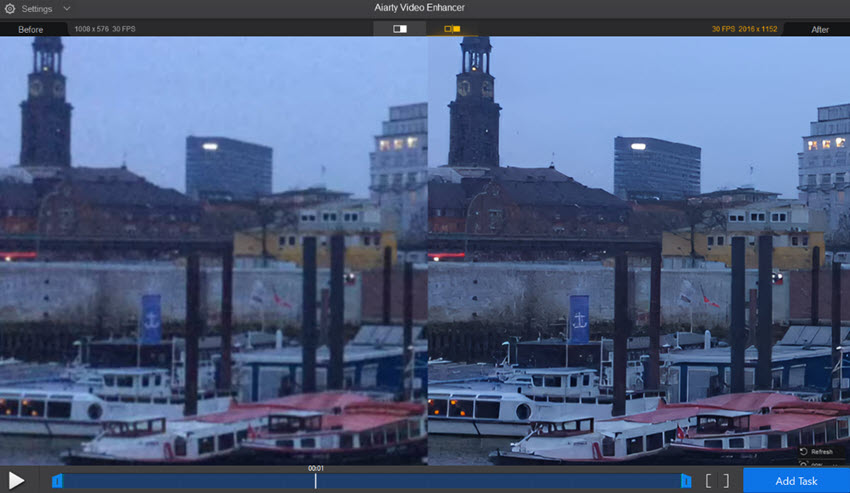
Aiarty Video Enhancer is well worth considering. Priced well below the $300 range of the other two, it delivers impressive AI-driven results with far less complexity. It supports AI upscaling up to 4K, effectively removing noise, blur, and compression artifacts, smoothing choppy footage, and enhancing colors into more vivid, HDR-ready visuals. Get high-quality results quickly, no steep learning curve required.
💥For the New Year: Save up to 49% OFF Lifetime ! 💥
What Are Topaz Video and Davinci Resolve?
What is Topaz Video?
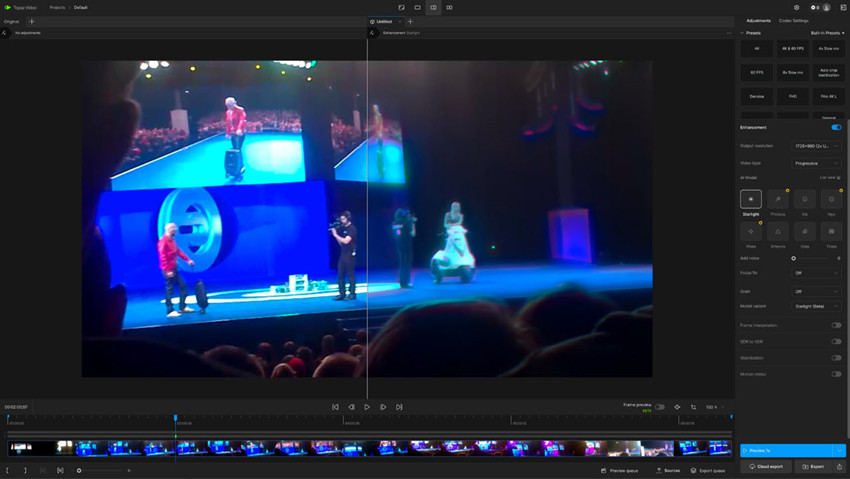
Price & Plans: Topaz Video AI is subscription-based, with pricing available through annual or monthly plans. The Personal Annual plan typically falls around $299/$396 per year, while the monthly plans are priced at $25/$33 per month.
Topaz Video is a standalone, AI‑driven video enhancement software focused on upscaling, denoising, and frame interpolation. It uses machine learning models to reconstruct video detail, remove compression artifacts, and even generate smooth slow-motion footage.
What is Davinci Resolve?
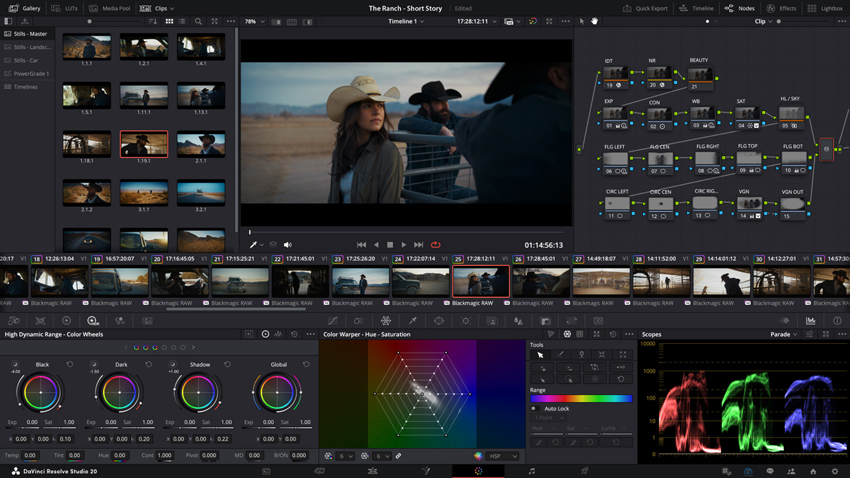
Price & Plans: DaVinci Resolve includes a powerful free version for most editing workflows, while the Studio edition, which unlocks advanced AI tools and premium features, is sold as a one-time $295 license.
DaVinci Resolve is a complete video editing and post‑production suite, including modules for editing, color grading, visual effects (Fusion), and audio mixing (Fairlight). It also includes AI‑powered tools, but as part of a much broader workflow.
Topaz Video vs Davinci Resolve AI Enhancement Tools
Both Topaz Video AI and DaVinci Resolve use AI to enhance video, but they take different approaches,one focuses purely on maximizing visual improvements, while the other integrates AI into a broader editing workflow. Let’s break down how each handles enhancement tasks.
Topaz Video AI: Enhancement-Focused AI Models
Topaz Video AI relies on a large collection of specialized neural models, each optimized for a specific enhancement task:
- Detail reconstruction & upscaling (e.g., Starlight Sharp, Proteus, Artemis)
- Noise and artifact removal for compressed or degraded footage (e.g., Nyx XL)
- Motion deblur and frame interpolation (e.g., Themis)
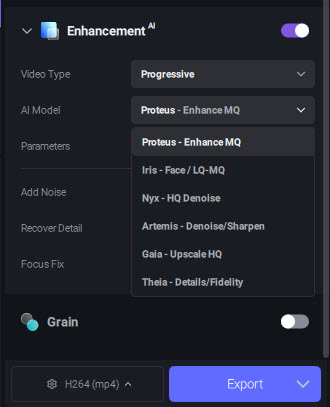
These models are designed to be result-driven rather than parameter-heavy, making Topaz particularly effective for batch processing and restoration work. The software analyzes each clip independently, adjusting enhancement strength based on motion, texture, and compression levels.
This approach makes Topaz especially strong for old home videos, low-bitrate online clips, and SD to HD or HD to 4K upscaling.
Check Topaz video upscaling models and settings >>
DaVinci Resolve: AI within a Broader System
DaVinci Resolve Studio uses its Neural Engine to power features such as:
- UltraNR denoise, balancing noise removal with texture retention
- Super Scale, optimized for professional pipelines
- AI-assisted tools like Magic Mask, object isolation, and scene analysis
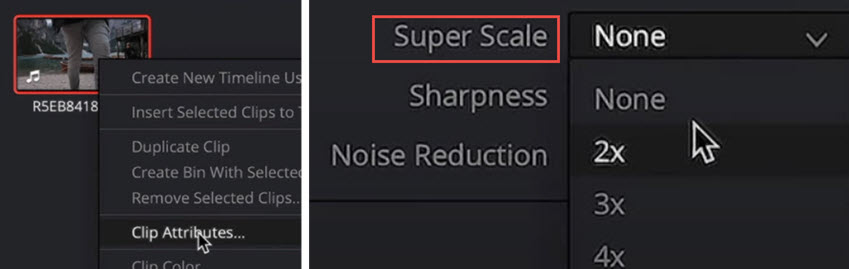
While powerful, these AI tools are not dedicated solely to enhancement. They are designed to integrate smoothly into a professional workflow, meaning their effects are often subtler and more controlled compared to Topaz’s enhancement-first models.
If the goal is maximum automatic enhancement, Topaz’s AI models are more aggressive and noticeable. DaVinci’s AI tools shine when enhancement is just one part of a broader post-production process.
Topaz Video vs Davinci Resolve Denoising & Upscaling Video Quality
Now the key question is: which delivers better results for video denoising and upscaling, Topaz Video AI or DaVinci Resolve? Let’s break down how each performs and see where their strengths lie.
AI Upscaling
Topaz Video AI is widely regarded for its aggressive AI super resolution models, capable of upscaling footage to 4K, 8K, and even higher resolutions while actively reconstructing edges, textures, and perceived detail. This makes a noticeable difference when working with 480p–1080p footage, especially older or heavily compressed videos.
DaVinci Resolve’s Super Scale also uses AI-based analysis, but it is designed to be more conservative. Instead of reconstructing detail, it focuses on scaling while minimizing artifacts.
Test:
When upscaling a 1080P video to 4K, both DaVinci Resolve and Topaz Video AI deliver clean and smooth results overall. On closer inspection, Resolve tends to produce a cleaner but slightly softer image (a little bit plastic and artificial), while Topaz recovers more visible texture. This difference becomes especially noticeable in zoomed-in comparisons, such as along the hairline and in fine skin details.
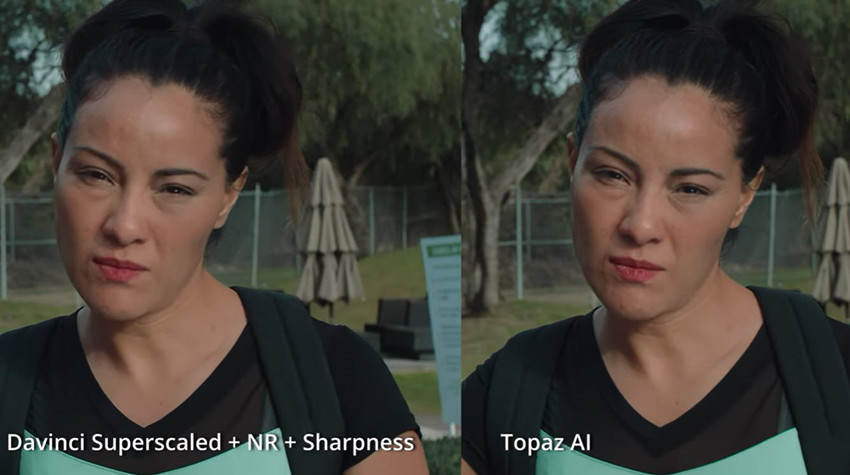
However, at a normal viewing distance, the difference is barely noticeable.
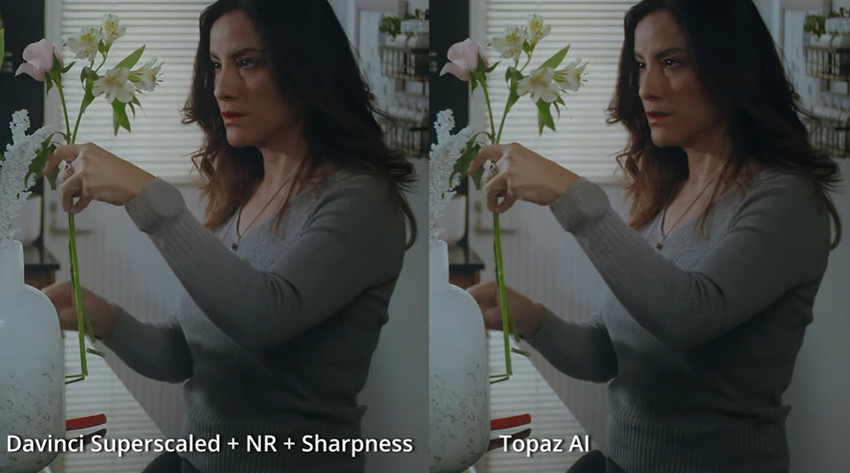
AI Denoising
Topaz Video AI applies model-based noise removal, trained on large datasets to remove noise while attempting to preserve detail. This approach works particularly well for grainy, low-light, or compressed footage, where noise and detail are tightly mixed.
DaVinci Resolve’s UltraNR denoise prioritizes detail preservation and tonal consistency, making it effective for professional footage that only needs moderate cleanup. In direct comparisons, Resolve often keeps a more “natural” look, while Topaz can remove heavier noise at the cost of a slightly processed appearance, something that becomes visible in close-up still frames.
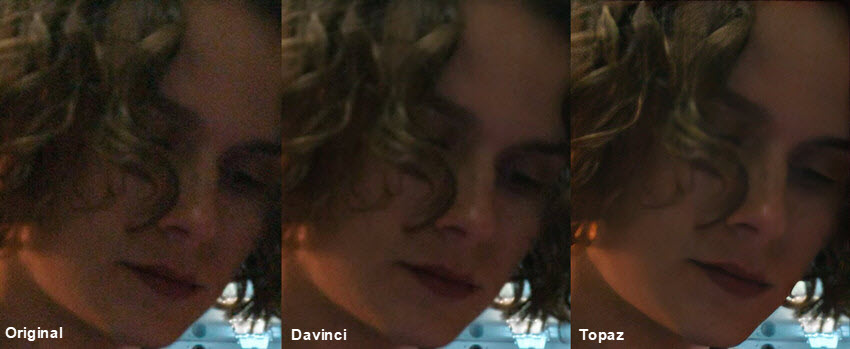
Test:
Topaz Video AI is the clear winner in this specific test regarding detail retention and image reconstruction. While DaVinci Resolve successfully removes the noise, it does not remove the noise as clean as Topaz. Topaz manages to remove noise while simultaneously sharpening and reconstructing fine textures (specifically the hair).
Enhancement Takeaway
- For upscaling, especially from low-resolution sources, Topaz Video AI generally produces sharper and more detailed results, which becomes clear in side-by-side image crops.
- For denoising, both tools are competitive: Topaz handles heavy noise better, while DaVinci excels at controlled, subtle noise reduction.
Topaz Video vs Davinci Resolve Workflow
Topaz Video AI is primarily used as a standalone enhancement tool, making it easy to batch process multiple clips at once. It’s frequently used to “pre-process” footage, ensuring downstream edits in NLEs like DaVinci Resolve or Premiere Pro start with the highest-quality source possible.
Topaz Video AI can be installed as a plugin directly in DaVinci Resolve Studio (the free version is not supported). Below are the simple steps to use Topaz Video in DaVinci Resolve Studio:
- Open Topaz Video on Windows or macOS and sign in.
- Go to Plugins > Install DaVinci Resolve Plugin (Beta).
- Complete activation through the main Topaz Video app.
- The plugin can be applied from the Effects panel in the Edit workspace, or as a node in the Color workspace for more advanced grading workflows.
Note: Only Enhancement and Motion Deblur models are currently supported. Models run at 1x scale; higher-resolution upscaling still requires the standalone app.
DaVinci Resolve Studio includes built-in enhancement tools that allow per-clip adjustments and fine-tuning of color, exposure, and minor details. It’s better suited for creative grading and minor restoration, rather than heavy AI upscaling or denoising. Combining Topaz Video AI plugin with DaVinci Resolve allows editors to pre-process footage directly inside the NLE, or selectively enhance clips without leaving the software, balancing technical enhancement with creative control.
Topaz Video vs Davinci Resolve Performance & Hardware
Topaz Video AI is highly GPU-dependent, and its performance scales almost directly with GPU power. For the best results, especially when doing high-resolution upscaling or batch processing, an NVIDIA RTX GPU is strongly recommended, along with ample VRAM. The software can leverage multiple GPU cores for complex AI models, but even high-end setups can experience long processing times for very large or detailed projects.
DaVinci Resolve also uses GPU acceleration, particularly for its AI-based tools, but it is generally more efficient in mixed workloads. It distributes processing more evenly across CPU and GPU resources, allowing it to run acceptably even on mid-range systems. The free version remains quite capable, making it accessible for users without top-tier hardware.
Real-World Test
Even on a high-end system (RTX 4080, i9 12th Gen, 64GB RAM), Topaz Video AI can feel slow. In my tests, it took roughly twice as long as DaVinci Resolve to upscale and denoise footage, even though it preserves sharpness and fine details exceptionally well. For projects where image fidelity is critical, the extra processing time may be worth it, but for faster workflows, DaVinci might be the more practical choice.
Performance Takeaway
If your priority is absolute enhancement quality, investing in strong hardware benefits both tools. However, Topaz Video AI’s performance is more directly tied to GPU power, whereas DaVinci Resolve balances workload across GPU and CPU.
A Cheaper Alternative to Topaz and Davinci without Paying $300
If you’re impressed by what Topaz Video AI and DaVinci Resolve Studio can do, but hesitant about the $300 price tag or heavy hardware demands, Aiarty Video Enhancer offers a compelling middle ground. It’s designed specifically for AI-powered video enhancement, delivering sharp upscaling and clean denoising results without the complexity of a full professional editing suite.
Aiarty focuses on high-quality upscaling, effective noise and artifact removal, smooth motion, and improved color clarity. It can upscale videos up to 4K while preserving fine details, remove noise and grain, blur and compression artifacts from low-quality footage, and smooth stuttery motion in one streamlined workflow. Color enhancement further boosts contrast and vibrancy, producing more polished, HDR visuals without manual grading.
The interface is clean and intuitive for users who want strong results quickly without diving into complex node systems or fine-tuning dozens of parameters. For creators restoring old videos, enhancing online clips, or improving low-resolution footage for modern displays, Aiarty Video Enhancer delivers reliable results at a much more accessible price point.
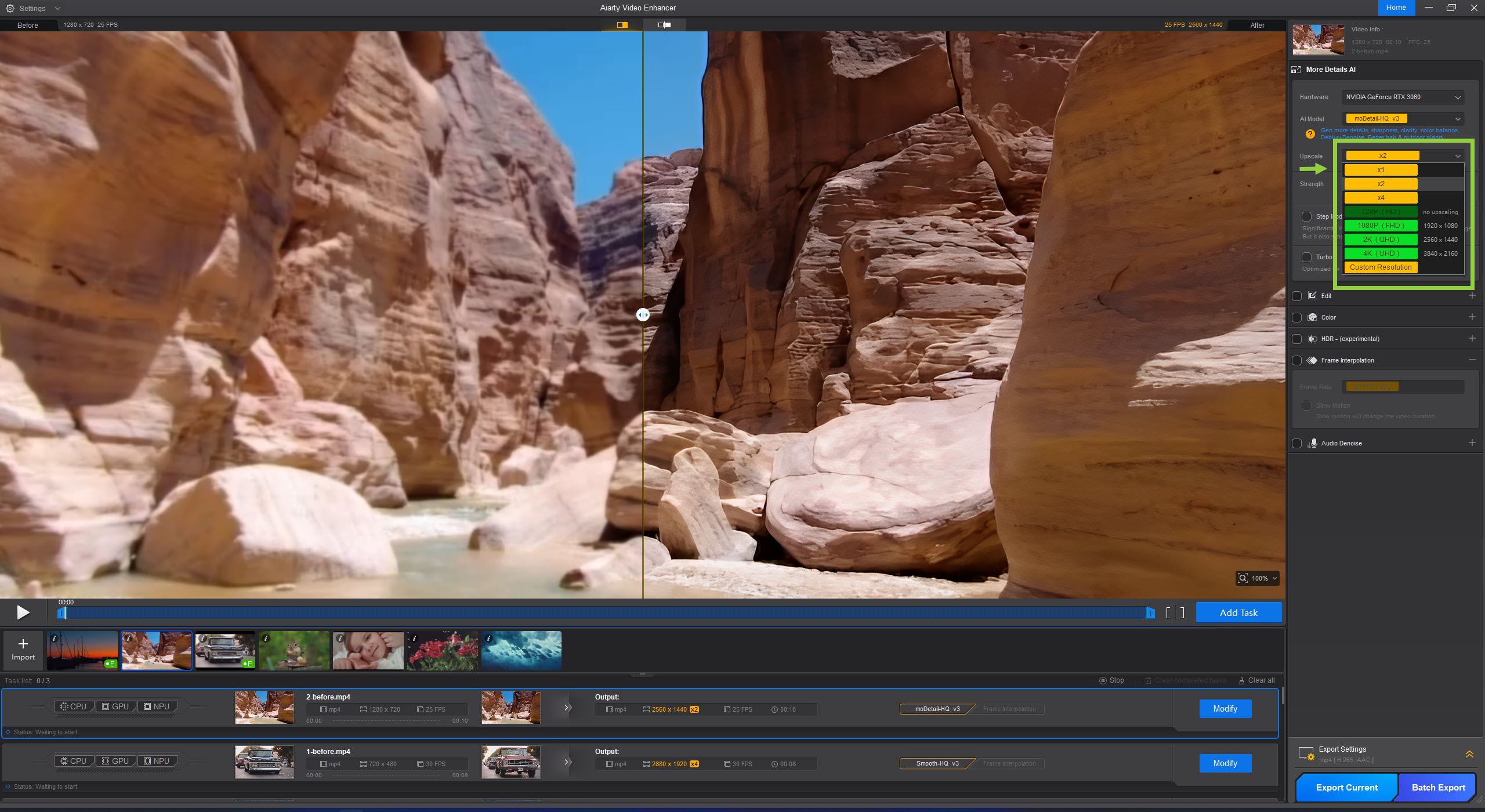
Upscale low-resolution videos to sharp HD or 4K with clear textures and well-defined edges, comparable to results from tools like Topaz Video AI or DaVinci Resolve Super Scale. Instead of simple resizing, Aiarty reconstructs visual details for more natural-looking results.
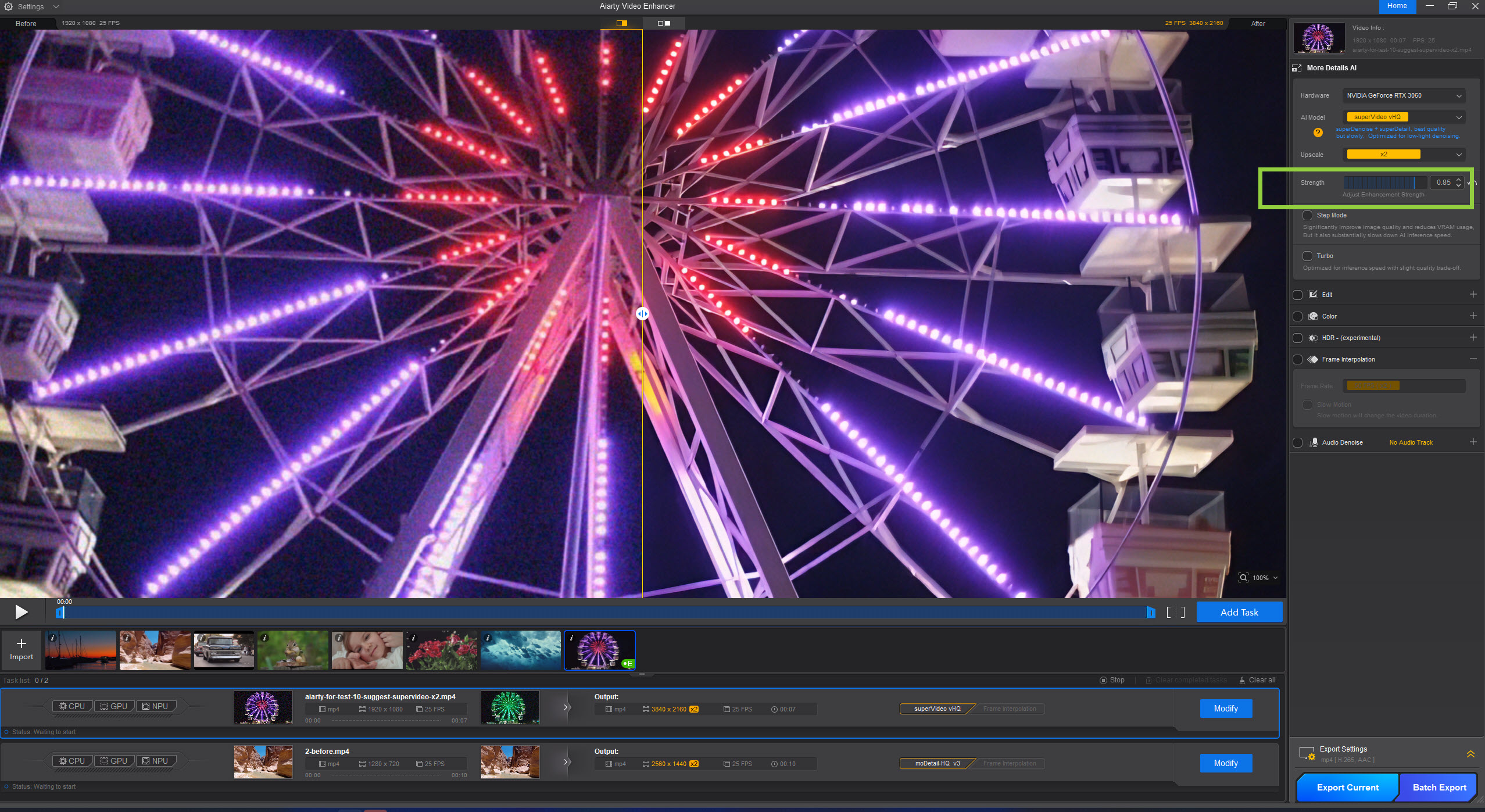
Aiarty’s SuperVideo model can remove noise, grain, and compression artifacts with results that are as good as that of Topaz Video AI models or DaVinci Resolve UltraNR. It effectively separates noise from texture, making it ideal for low-light or heavily compressed footage.
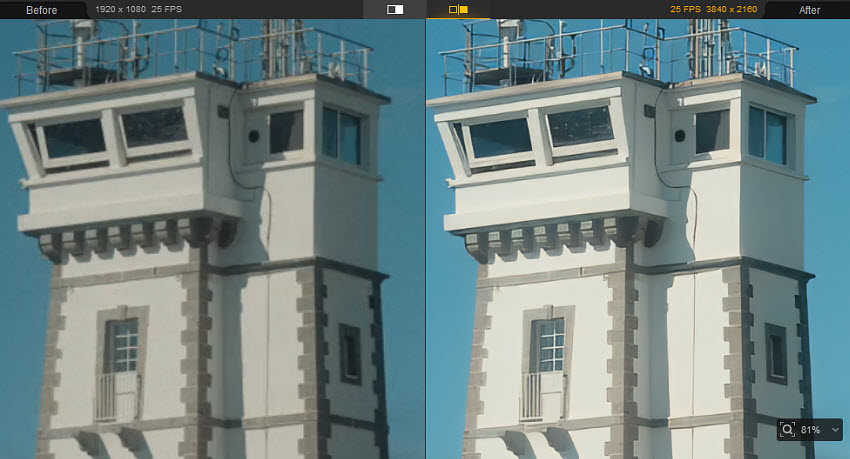
Improve color balance, contrast, and overall clarity similar to enhancement workflows in DaVinci Resolve, but with far fewer manual adjustments. Aiarty helps transform flat footage into more vivid, HDR-like visuals in just a few clicks.
Verdict: Topaz Video and DaVinci Resolve, Which is Better?
Choosing the right AI video enhancement tool ultimately depends on your priorities and workflow. If you need the most aggressive upscaling and noise removal for older or low-resolution footage, and hardware and processing time are not a concern, Topaz Video AI is the go-to option. For creators who want AI enhancement integrated into a full professional editing and color grading workflow, DaVinci Resolve Studio provides a powerful, all-in-one solution with subtle, controlled results.
For those looking for a cost-effective alternative that still delivers sharp upscaling, clean denoising, and vibrant colors, Aiarty Video Enhancer offers an excellent balance of quality, speed, and ease of use. By understanding the strengths and limitations of each tool, you can select the one that best fits your needs.
You May Also Like


This post was written by Brenda Peng who is a seasoned editor at Digiarty Software who loves turning ordinary photos into extraordinary works of art. With AI assistance for brainstorming and drafting, the post is reviewed for accuracy by our expert Abby Poole for her expertise in this field.
