


AI retouching has rapidly become an essential part of modern photography workflows, especially in portrait, fashion, and commercial work where precision and efficiency matter. What once required hours of manual editing can now be handled in seconds with the help of advanced AI tools.
Among the growing number of solutions, Retouch4me has gained attention for its unique plugin-based approach, designed to automate high-end retouching tasks while maintaining professional-level results.
But does it truly live up to the hype in 2026? And is its workflow still the most efficient option for today’s photographers? Check this Retouch4me review.
What Is Retouch4me?
Retouch4me is a collection of AI-powered retouching plugins developed for professional photo editing workflows. It works as both a standalone app and a plugin for software like Adobe Photoshop, Adobe Lightroom, and Capture One.
Instead of offering a single all-in-one editor, Retouch4me provides individual plugins, each designed to handle a specific retouching task, such as skin cleanup, eye enhancement, or background correction. The AI models behind these plugins are trained on professionally retouched images, allowing them to replicate real-world retouching techniques while preserving natural texture.
In short, Retouch4me is built for speeding up professional retouching workflows, not for casual editing.
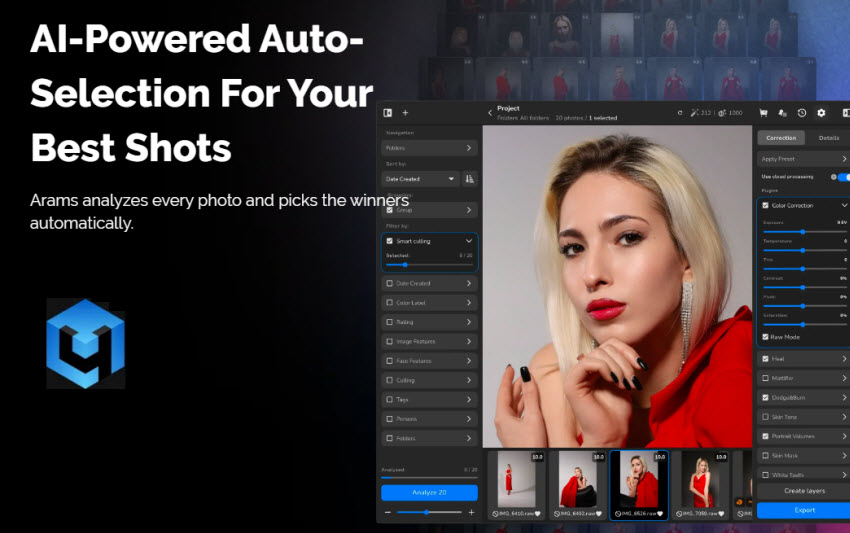
Retouch4me Pricing
Retouch4me offers a modular pricing model, which means users can either purchase individual plugins or pay for cloud-based retouching credits depending on their workflow.
- Plugin Pricing: Individual photo plugins typically start from around $145–$179 per plugin. Each plugin is sold separately (e.g., Heal, Dodge & Burn, Eye tools). The lifetime license offers unlimited local processing.
- Cloud Retouch (Subscription): For users who prefer cloud processing, Retouch4me also offers a credit-based system starts from $20/month (~200 retouches). Cost per image ranges roughly from $0.10 → $0.06 per retouch depending on volume.
Main Features of Retouch4me
To get a clearer picture of what Retouch4me offers, here are its main features and how they contribute to faster, more efficient retouching workflows.
1. AI Skin Retouching (Without Plastic Look)
Retouch4me plugins like Heal and Dodge & Burn automatically remove blemishes, smooth uneven areas, and fix lighting inconsistencies, while preserving skin texture instead of blurring it. This is one of its biggest strengths compared to traditional “blur-based” retouching.
2. Specialized Retouching Tools
Retouch4me covers a wide range of highly specific retouching tasks, each handled by a dedicated plugin. These tools are designed to target individual imperfections with precision, including:
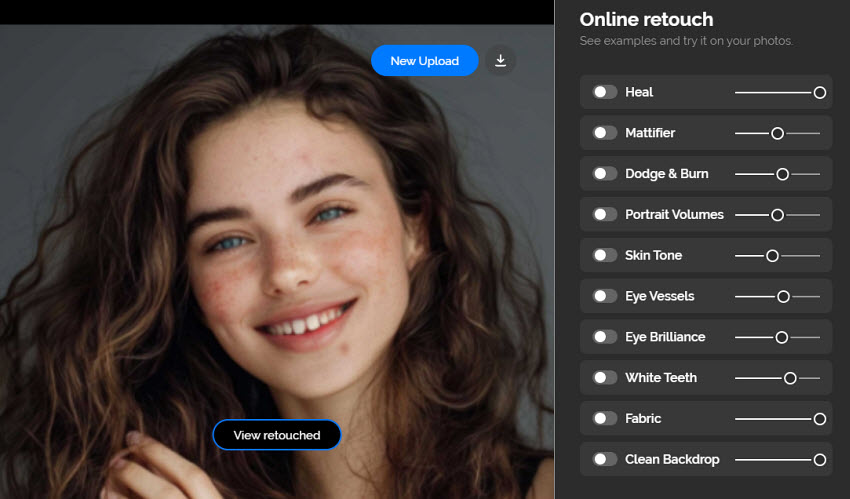
- Skin blemish removal (Heal) to detect and remove blemishes, acne, spots, and minor skin imperfections.
- Eye enhancement to brighten eyes, enhance clarity, and eliminate visible veins or redness.
- Teeth whitening to subtly adjust tooth color to appear cleaner without looking artificially overexposed.
- Mattifier reduces unwanted skin shine and oily highlights.
- Skin tone correction evens out uneven color patches and restores more balanced, natural-looking skin tones.
- Fabric wrinkle smoothing minimizes wrinkles and creases in clothing.
- Background cleanup helps remove distractions or smooth uneven backgrounds.
Each of these tools includes adjustable strength controls, allowing users to fine-tune the intensity of the effect rather than relying on a fixed one-click result.
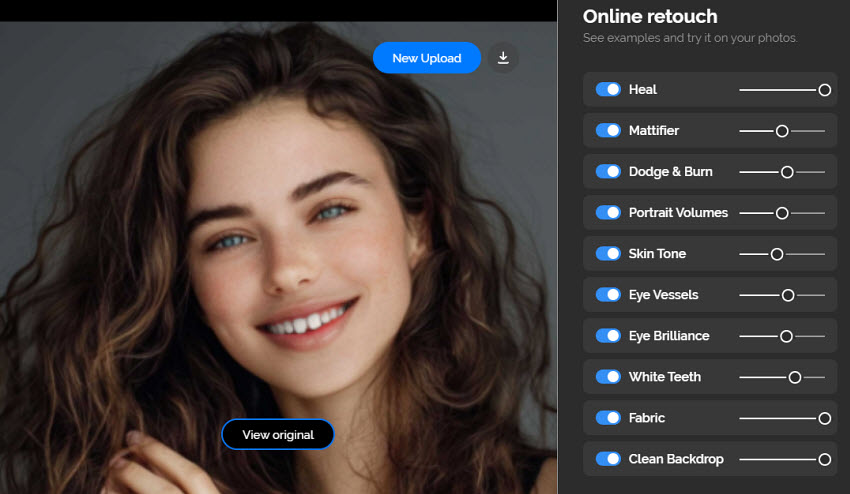
3. One-Click Workflow Automation
Each Retouch4me plugin is built to perform a single, dedicated task with minimal input, often delivering usable results in just a few seconds. This significantly reduces the need for manual masking, brushing, or multi-step adjustments that are typically required in traditional retouching workflows.
In real-world use, what would normally take minutes (or even hours for batch work) can be streamlined into a much faster, repeatable process. This makes it especially valuable for:
- Wedding photographers
- Portrait studios
- High-volume workflows
4. Non-Destructive & Adjustable Results
Edits applied through Retouch4me can be output as separate layers, allowing for non-destructive editing within software like Photoshop. This means the original image data remains untouched, and adjustments can be refined at any stage.
5. Offline Processing
Retouch4me processes images entirely on local hardware, without requiring uploads to external servers. This is particularly important for professionals working with sensitive or client-owned content.
Plugin Ecosystem: Retouch4me’s Core Advantage
One of the most unique aspects of Retouch4me is its modular plugin ecosystem, which sets it apart from typical all-in-one AI editors.
Instead of bundling everything into a single interface, it offers task-specific plugin. Each plugin is designed to solve a single retouching problem, allowing users to build a workflow tailored to their specific needs rather than relying on a one-size-fits-all solution.
Another key advantage is its broad integration with professional editing software. Retouch4me plugins can be used within:
- Adobe Photoshop (as plugins with layer-based output)
- Adobe Lightroom (via external editing workflow)
- Capture One
- Davinci Resolve
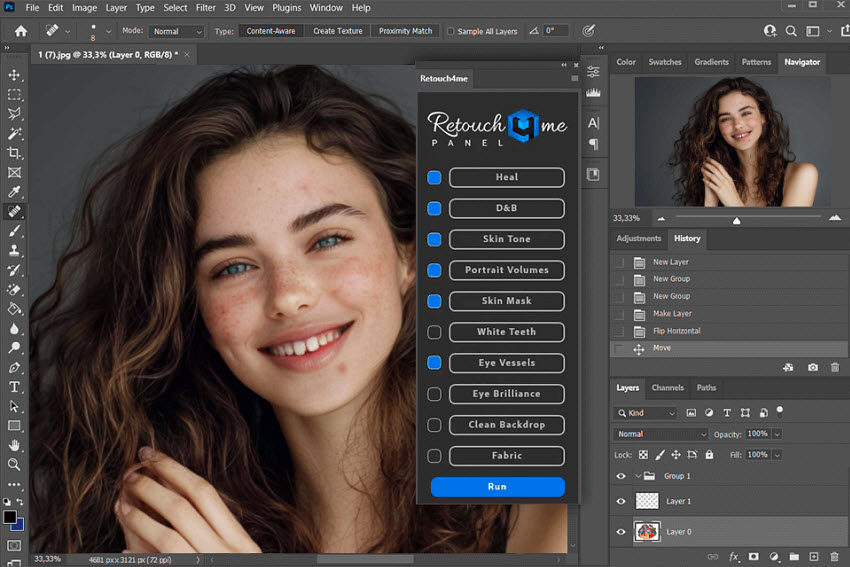
This makes it easy to incorporate AI retouching into existing professional pipelines without disrupting established workflows. This modular design is especially appealing for professionals, but it also comes with a few trade-offs:
- Costs can add up quickly, since plugins are sold separately
- Workflow fragmentation, as users may need to switch between multiple plugins
- Occasional over-processing if effects are stacked or not carefully adjusted
Retouch4me Pros and Cons
With a clear understanding of its features and plugin-based workflow, it’s easier to see where Retouch4me truly excels, and where it may not be the perfect fit for every user. Like any specialized tool, it comes with both notable strengths and a few trade-offs worth considering before committing to it as part of your editing workflow.
- Extremely fast for batch retouching
- High-quality, texture-preserving results
- Flexible plugin-based workflow
- Works inside professional tools
- Expensive when buying multiple plugins
- Some tools can be “heavy-handed” if not adjusted
- Not beginner-friendly compared to all-in-one AI apps
Where Retouch4me Falls Short
While Retouch4me excels at precision-focused, micro-level retouching, its design is fundamentally centered around specific portrait and detail enhancements rather than broader image processing. As a result, there are several areas where it may not fully meet the needs of users looking for a more comprehensive solution:
1. Full image restoration (old or damaged photos)
Retouch4me is not built for reconstructing heavily degraded images—such as restoring faded details, repairing scratches, or recovering missing information in old photographs. These tasks typically require more advanced reconstruction models rather than localized retouching.
2. AI upscaling or resolution enhancement
It does not provide dedicated tools for increasing image resolution or rebuilding fine details when enlarging images. For photographers working with low-resolution files or needing high-resolution outputs (e.g., print or eCommerce), this can be a noticeable limitation.
3. Object removal beyond specific scenarios
While certain plugins (like backdrop cleanup) can handle controlled adjustments, Retouch4me lacks a flexible, general-purpose object removal tool for eliminating unwanted elements such as people, clutter, or complex background distractions.
4. Unified all-in-one workflow
While Retouch4me does offer a standalone version, the plugin experience is typically where it’s most powerful, so users who don’t already use compatible editing software may need to factor in additional software costs. This, combined with separately priced plugins, can make the overall workflow feel more fragmented and potentially more expensive compared to all-in-one solutions that handle enhancement, restoration, and cleanup in a single environment.
These limitations don’t necessarily reduce its value for professional retouching, but they do highlight a gap between specialized retouching tools and modern all-in-one AI image enhancers.
Enhance and Restore Faces with Sharp and Realistic Details
While Retouch4me delivers strong results for professional portrait retouching, its workflow is primarily focused on refining already usable images. In cases where the source image is heavily degraded, such as blurry faces, low-resolution portraits, or old photos with missing details, it has limited capability in fully reconstructing lost information.
Aiarty Image Enhancer is designed to address this gap with an all-in-one AI system focused on image quality recovery and enhancement. It combines several tools into a streamlined workflow, making it suitable for users who need to restore facial clarity as well as improve overall image quality without switching between multiple applications.
- Reduces noise, blur, and pixelation in face photos for clearer, more natural-looking portraits
- Restores facial details while preserving the subject's natural appearance
- Allows users to adjust face restoration strength and selectively restore individual faces
- Upscales low-resolution images with AI detail reconstruction, keeping faces sharp and realistic
- Restores faded colors and corrects color casts for a more natural overall appearance
- Removes blemishes, acne marks, and distractions with seamless, AI-based cleanup
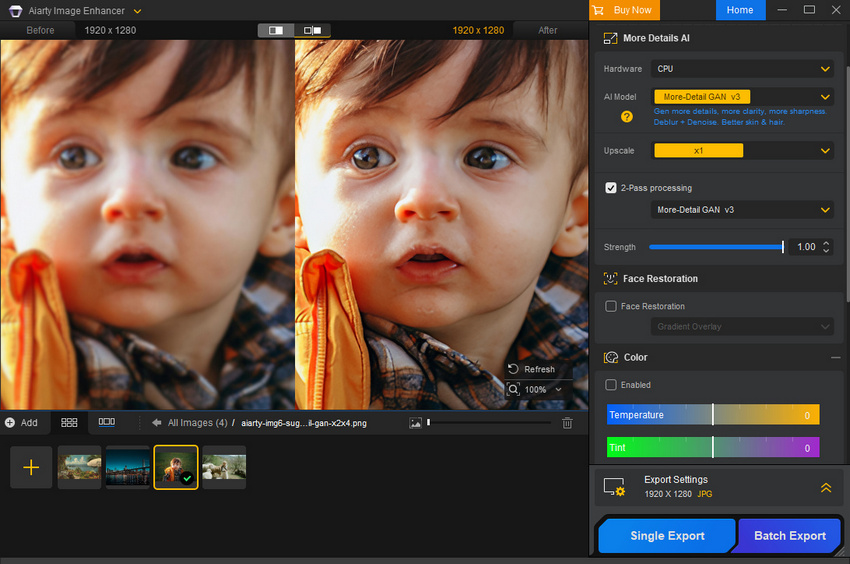
Below are face restoration examples demonstrating how Aiarty Image Enhancer goes beyond typical retouching. Unlike Retouch4me, which focuses on refining existing details, these results show how missing facial features can be reconstructed from low-quality or blurry images.
Example 1:
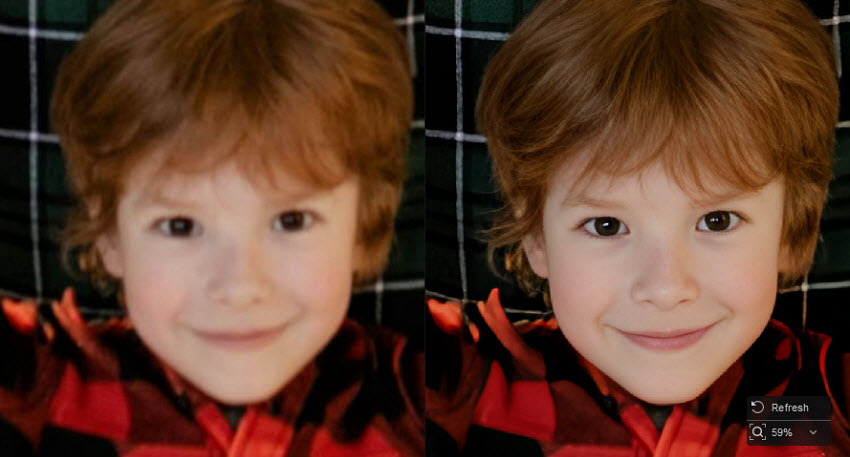
Example 2:
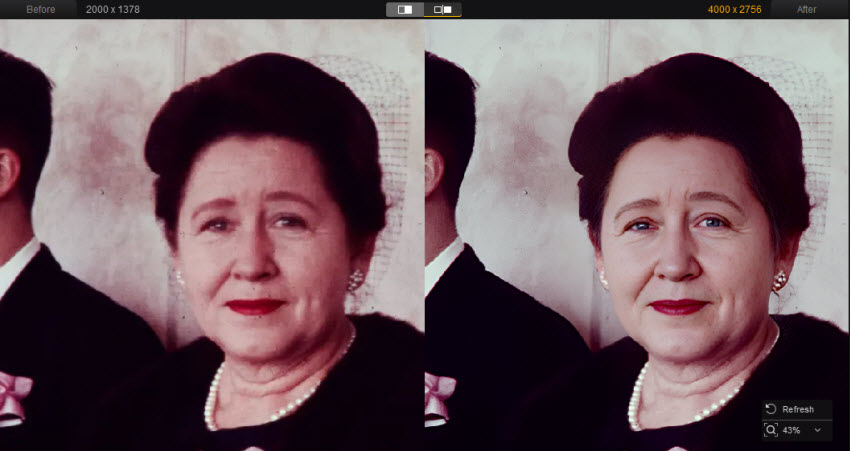
Final Verdict:
Retouch4me remains a powerful solution for photographers who need fast, high-quality portrait retouching, especially when working within professional editing environments. Its plugin-based ecosystem offers precise control over specific tasks like skin cleanup, lighting correction, and detail refinement, making it well-suited for studio and high-volume workflows.
However, its strengths are also tied to its limitations. The focus on micro-level retouching, combined with a modular plugin structure, means it may not fully address broader image enhancement needs such as restoring low-quality photos, improving resolution, or handling more complex edits in a single workflow.
For users who primarily work with already high-quality images and need efficient retouching, Retouch4me is still a solid choice. But for those dealing with blurry, low-resolution, or older images, or anyone looking for a more streamlined, all-in-one solution, modern AI image enhancers can offer a more flexible and comprehensive approach.
Ultimately, the right choice depends on your workflow: whether you prioritize precision retouching within a professional pipeline, or a simpler, more integrated way to enhance and restore images overall.
 FAQ
FAQ
Retouch4me can be useful for beginners thanks to its one-click automation, but the plugin-based workflow and pricing structure may feel overwhelming for those without experience in tools like Photoshop or Lightroom. It’s generally better suited for users already familiar with professional editing software.
Yes, Retouch4me offers a standalone version that works independently. However, many users prefer using it as a plugin within software like Adobe Photoshop, Lightroom, or Capture One for better control and integration into existing workflows.
In most cases, yes. Its AI models are trained to preserve skin texture and avoid the overly smooth, “plastic” look. However, results can still appear over-processed if effects are applied too strongly without adjustment.
Retouch4me uses a modular pricing model. Individual plugins typically cost around $124–$149 each, and there are also cloud-based subscription or credit options for processing images. The total cost can increase depending on how many plugins you use.
You May Also Like


This post was written by Brenda Peng who is a seasoned editor at Digiarty Software who loves turning ordinary photos into extraordinary works of art. With AI assistance for brainstorming and drafting, the post is reviewed for accuracy by our expert Abby Poole for her expertise in this field.
