


If you're like me, your digital life is a mess. I have 1990s family scans on a dusty external drive, 4K videos on my Mac, and a decade of random snaps filling up my iPhone storage. For years, I paid the "cloud tax" to Google and Apple just so I wouldn't lose it all. But those monthly subscriptions feel like a hostage situation. That's why I finally moved my entire 2TB library into Mylio Photos.
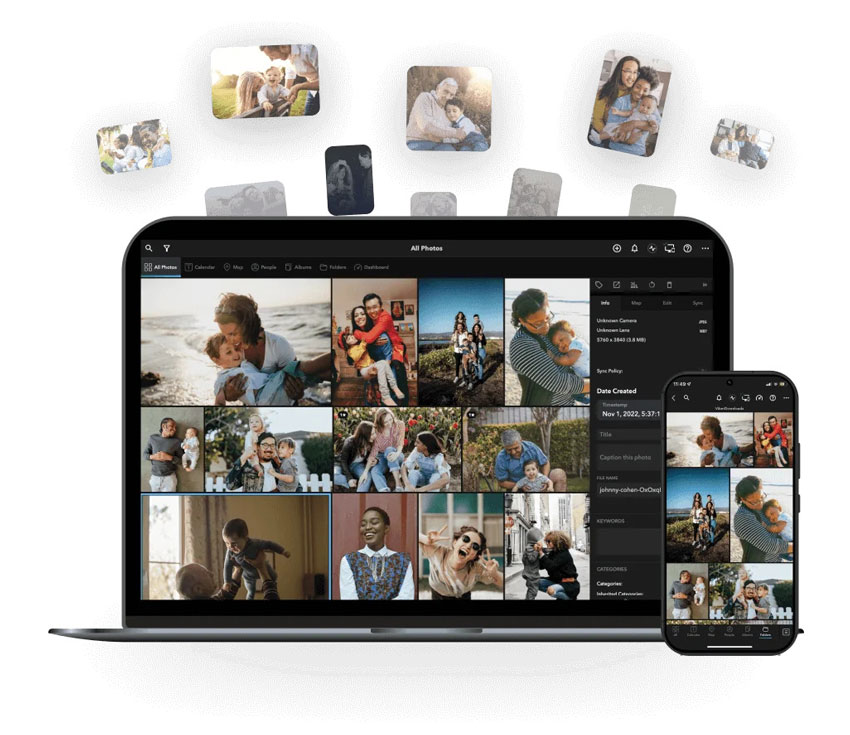
After weeks of stress-testing, here's the bottom line: Mylio isn't a cloud service; it's a sync engine. It doesn't store your photos on someone else's server. Instead, it turns your own devices into a private, encrypted network.
My experience in a nutshell: It's incredibly fast, it's 100% private, and for the first time in years, I can actually see my entire life on one timeline without hitting a "Storage Full" wall. It's not perfect, but if you're tired of paying for cloud storage you don't control, this is the only real exit strategy.
The Quick Verdict
- Who it's for: People with massive libraries who want their privacy back.
- The Best Part: Carrying a 2TB library on a 256GB phone using their "SpaceSaver" tech.
- The Worst Part: You have to leave your computer on for your phone to sync.
- Pro Tip: For my old, blurry scans, I ran them through Aiarty Image Enhancer before importing. Mylio organizes them perfectly, but Aiarty actually makes them look like they were taken today.
How I Tested Mylio Photos
To see if Mylio Photos could actually handle a messy, real-world archive, I didn't just upload a few high-res JPEGs. I threw everything at it. Here's the setup for my three-week "stress test":
The Library:
- Total Assets: 45,000 files (roughly 2.1TB).
- Media Types: 60% Modern RAW files (Sony A7R V) and 4K/8K video.
- 30% Smartphone shots (mixed HEIF and JPEG).
- 10% Vintage scans (low-res, noisy family photos from the 90s).
The Hardware:
I wanted to test Mylio's peer-to-peer sync speed, so I set up a decentralized network:
- The "Vault": A Mac Studio connected to a 10TB external RAID drive.
- The Mobile Test: An iPhone 15 Pro (256GB) and an iPad Pro.
- The Remote Link: An older Windows laptop used as a secondary backup.
The "Torture Test" Scenarios:
- The Initial Index: I imported the 2TB archive all at once. I monitored CPU usage and heat to see how the "Local AI" (face recognition and object tagging) handled a massive backlog.
- The "No-Internet" Sync: I took my MacBook and iPhone to a cabin with zero Wi-Fi or cellular service to see if they would still sync via a local ad-hoc network (Spoiler: they did, and it's a game-changer for travel).
- The Restoration Workflow: I took a batch of 500 blurry, low-res scans and ran them through Aiarty Image Enhancer first. I wanted to see how Mylio handled the metadata of upscaled 8K images compared to the original muddy versions.
- The "DeDupe" Challenge: I intentionally imported three different "Backups" folders that I knew contained thousands of duplicates to see if Mylio's Photo DeDupe tool could actually find them without crashing.
My Findings
The software is surprisingly stable. While version 24.7 still makes my Mac's fans kick in during the initial indexing, the actual browsing speed once everything is synced is faster than anything I've experienced with Lightroom or Google Photos. It's the difference between waiting for a thumbnail to download from a server and having it instantly available on your RAM.
Mylio Photos Core Features: My 2TB Library Now Fits on My iPhone
1. The "Vault" Concept
In the world of Google or iCloud, "The Cloud" is the master copy. In Mylio, you decide where the master copies live.
- The Vault: This is any device (usually a desktop Mac/PC, a NAS, or a beefy external drive) that you designate to hold 100% of your original, full-resolution files.
- Redundancy: I highly recommend setting up two Vaults (e.g., your iMac and a 5TB portable drive). If one fails, the other automatically keeps your library alive.
2. SpaceSaver Technology (2TB in your Pocket)
This is the magic feature. Mylio creates three versions of every photo:
- Thumbnail: Tiny, for fast browsing.
- Optimized Image: A high-quality, fully editable version that's only about 1MB (even for 50MB RAW files).
- Original: The full-res file (kept on your Vaults).
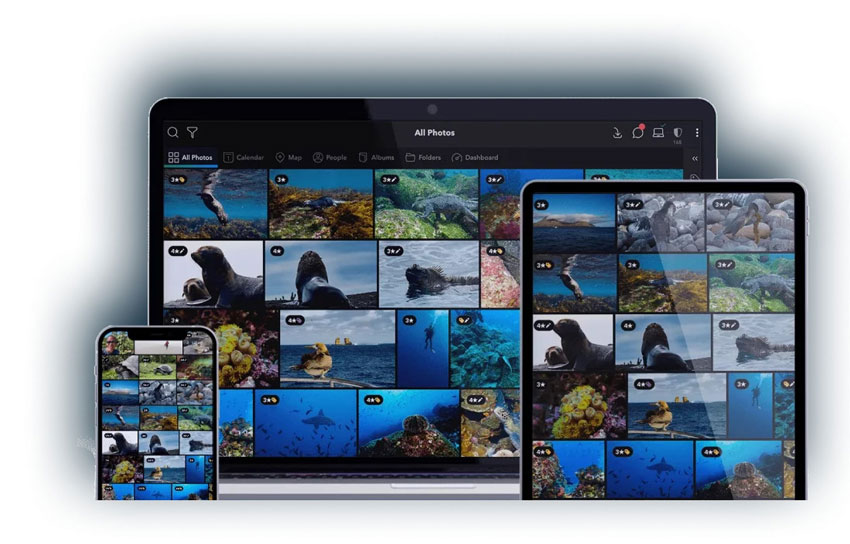
Because of this, I can browse, rate, and even edit my entire 45,000-photo library on my iPhone using only about 40-50GB of space. When I need the full-res version to print or export, Mylio "fetches" it from my Vault over my home Wi-Fi automatically.
3. Peer-to-Peer Sync (No Internet Required)
This is where Mylio destroys the competition. Most apps upload to a server, then download to your phone. Mylio ignores the internet if it can. If my laptop and phone are on the same Wi-Fi, they talk directly to each other. In my tests, syncing 1,000 photos took minutes instead of the hours it would take to upload/download from a cloud server. This works on airplanes or in remote cabins too. If your devices can see each other on a local hotspot, they will sync.
4. The Redesigned Devices Panel (New in 24.7)
The latest build features a completely overhauled Devices Panel. It gives you a "Mission Control" view of your entire photo network. At a glance, I can see which of my Vaults are online, which devices still need to index, and the exact sync health of my library. It's designed for power users who want total transparency over their data.
5. Organization & Search (AI-Powered but 100% Local)
Everyone is talking about AI now, but usually, that means your photos are being scanned on a corporate server. Mylio flips the script by running its "brain" entirely on your local CPU. Here's how it handles the chaos of a 45,000-photo library:
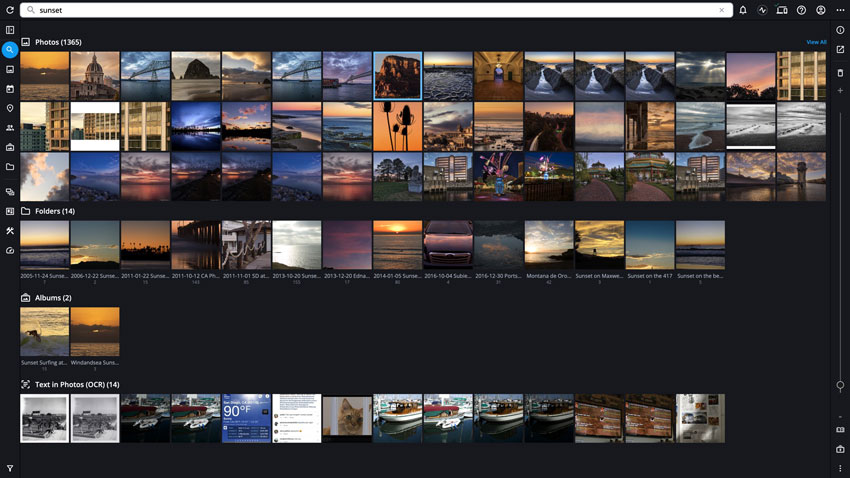
- SmartTags & Object Recognition: Using local computer vision, Mylio indexes over 1,000 objects, activities, and traits. I searched for "Dog," "Hiking," and even "Blue Shirt," and the results were near-instant. The best part? No one at Mylio HQ knows what's in your photos.
- Face Recognition: It's creepy-fast. Once you tag "Mom" in 5 photos, Mylio's batch-tagging tool finds her across your entire 20-year library. It saves hours of manual sorting without ever uploading your family's faces to a cloud database.
- Optical Character Recognition (OCR): This is a lifesaver for organization. Mylio "reads" the text inside your images. I found an old restaurant receipt from a 2012 trip just by typing the name of the cafe into the search bar.
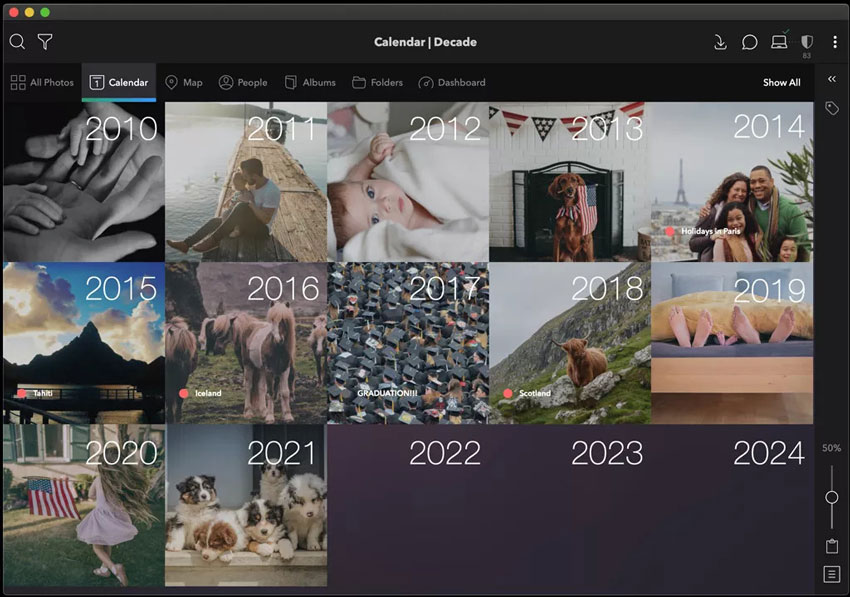
- LifeCalendar & Map View: This is the "soul" of the app. It automatically stitches every photo from your phone, old hard drives, and social media into a single, zoomable timeline. You can jump from a 1998 wedding scan to a 2026 8K video clip in two clicks.
It's the first time I've felt like I actually own an intelligent library. The search is as smart as Google Photos, but because the index is local, the results pop up as fast as you can type.
Restore Your Memories with One Click
Love your old photos but hate the quality? Pair Mylio with Aiarty Image Enhancer.
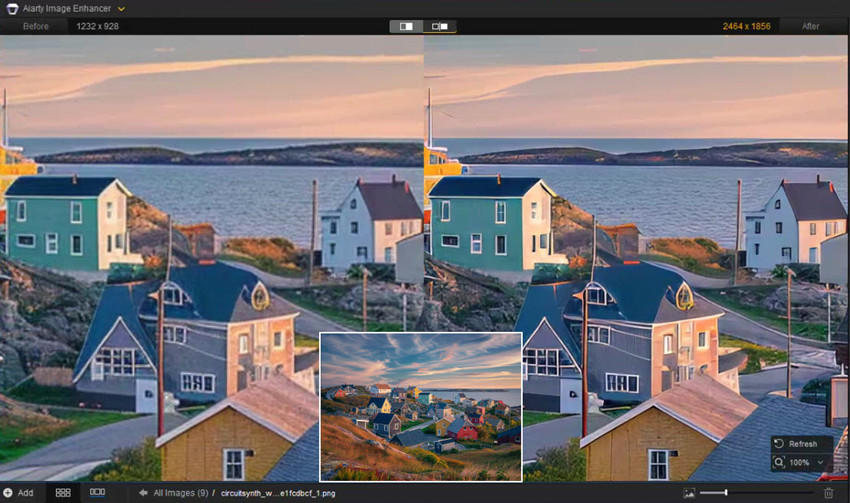
- Upscale up to 8x with generative AI that creates real detail (not just bigger pixels).
- Face Restoration that brings back the clarity in eyes and skin texture.
- Batch Processing that matches Mylio's speed.
- Stop letting low resolution hold back your best memories. Check out Aiarty here
Mylio Photos Performance: Here is My Take
I've tested enough photo managers to know the "demo trap": they look snappy with 100 photos but crawl like a snail once you hit a real-world library. To see if Mylio Photos 24.7 could actually walk the talk, I threw 45,000 files (mostly heavy RAWs and 4K video) at it.
The Initial Indexing (The "Heat" Test)
The first 24-48 hours with Mylio can be intense. Because Mylio's AI, including Face Recognition and Object Tagging, happens entirely on your machine rather than a remote server, my Mac Studio's fans actually kicked in - a rarity for this hardware. The v24.7 catalog upgrade is a heavy lift, so my advice is simple: don't judge the app while it's still "crunching" data. Once that initial index hits 100%, the resource usage drops significantly, and the app becomes incredibly lightweight for daily use.
Browsing & Scrolling Speed
This is where Mylio absolutely destroys cloud-based competitors like Google Photos or Lightroom CC. I used the "Flutter" gesture to fly through a decade and a half of memories, from 2010 to 2026, and experienced zero lag. Since the app reads from local RAM and utilizes those 1MB "Optimized Images," you aren't waiting for a server in another country to ping back a preview. It feels more like a high-end gaming engine than a static database.
Sync Stability: The "Devices Panel" Reality
In the past, Mylio's sync often felt like a "black box" where you just had to trust it was working. The 2026 Redesigned Devices Panel changes the game by providing real-time transparency. It shows a live "Sync Health" bar for every device in your mesh. During a stress test, I intentionally killed my desktop's power while my iPhone was mid-sync. When I booted back up, the mesh re-established the handshake and resumed exactly where it left off within 5 seconds without any corrupted files or missing thumbnails.
Mobile Performance on Older Hardware
I even dug out an older iPad Pro to see if the build would choke on older silicon. The SpaceSaver tech remains a miracle, allowing me to browse and edit all 45,000 photos on a device that was nearly out of physical storage. However, you will feel the age of your hardware when using the Local AI search features; while it didn't crash, the search results were noticeably slower on the older chipset compared to the near-instant response on my iPhone 15 Pro.
My Verdict
- The Good: The SpaceSaver tech is a miracle - I could browse and edit all 45,000 photos on a device that was nearly out of storage.
- The Bad: The "Local AI" search was noticeably slower on an older chipset compared to my iPhone 15 Pro. It didn't crash, but you'll definitely feel the age of your hardware when the AI starts scanning.
Mylio Photos Pricing: Is the "Plus" Subscription Worth the Investment?
The most common question I get is: "Why should I pay for Mylio if my photos are already stored on my own hard drives?" The answer isn't about storage; it's about connectivity and intelligence.
Mylio Photos (Free Plan)
This is a great entry point if you just want to see how the software feels on a single machine.
- Cost: $0 (Free forever).
- Best for: Single-device users who want a better way to browse their local folders.
- What you get: The LifeCalendar, basic AI search, and local editing tools.
- The Catch: No syncing. Your photos stay on the one computer you installed it on. You also miss out on the advanced "Photo DeDupe" and automated backup features.
Mylio Photos+ (Personal Plan)
This is where the magic happens and where most of you will end up. In 2026, the price has stabilized around $9.99/month or $119/year.
- Cost: $119 per year (frequent discounts available for multi-year plans).
- The "Killers": Unlimited device syncing, automated backup to your "Vaults," and the full suite of AI organization tools.
- SpaceSaver Power: This tier is what allows you to carry 2TB of photos on your iPhone without paying Apple or Google for extra cloud storage.
- Remote Access: You can sync your devices over a local Wi-Fi or even use the encrypted "Mylio Drive" for remote syncing without a third-party cloud.
Mylio Photos+ Family/Duo Plans
New for 2026, Mylio has introduced better multi-user options for households who want to keep their libraries separate but share one subscription.
- Cost: Roughly $20 - $25/month depending on the number of users.
- Shared Albums: A private, encrypted way to share specific folders with family members without them needing to see your entire library.
Is Mylio Photos Worth the Price?
Think of the "Plus" subscription as an insurance policy for your memories and a one-way ticket out of the Cloud Tax. The Math: If you are currently paying $9.99/month for 2TB of Google One or iCloud, switching to Mylio is cost-neutral in the first year. By the second year, you've saved hundreds by not needing to "upgrade" your cloud storage every time you buy a new camera or take more 4K video. You just buy a $60 hard drive once every few years.
The Pros and Cons of Mylio Photos
- Total Privacy Sovereignty: In an era where AI companies are scanning your family photos to train their models, Mylio is a fortress. Your data never leaves your "Mesh"—it stays on your devices, encrypted and private.
- SpaceSaver is a Life-Changer: I'm still blown away by the fact that I can carry a 45,000-photo RAW library on a 256GB iPhone. The Optimized Images look stunning and allow for full editing without eating my storage.
- Speed, Speed, Speed: Once indexed, the browsing speed is unmatched. There is no "loading spinner" like you see in Google Photos or Lightroom CC when you scroll back ten years. It's instant.
- No "Cloud Tax": You pay for the software, not the storage. If I buy a 20TB hard drive today, my "cloud" just expanded by 20TB for a one-time hardware cost.
- Peer-to-Peer Syncing: The ability to sync my phone and laptop while on a long-haul flight (via a local hotspot) is a feature you didn't know you needed until you have it.
- The "Always-On" Requirement: Unlike iCloud, where a server handles the work 24/7, Mylio requires your "Vault" (main computer) to be turned on and the app running for other devices to sync. If your desktop is asleep, your phone won't update.
- Initial "Hardware Tax": The first 48 hours of indexing 2TB of data is a resource hog. My Mac Studio was working hard, and an older laptop might struggle during the initial Local AI scan.
- Steep Learning Curve: The concept of "Vaults," "Optimized Images," and "Sync Policies" isn't intuitive for casual users. You'll need a solid afternoon to set up your "Mesh" correctly.
- Subscription Price Hike: In 2026, the $119/year (Plus plan) is starting to feel premium. It's a great value for those with 1TB+ of data, but harder to justify if you only have a small library.
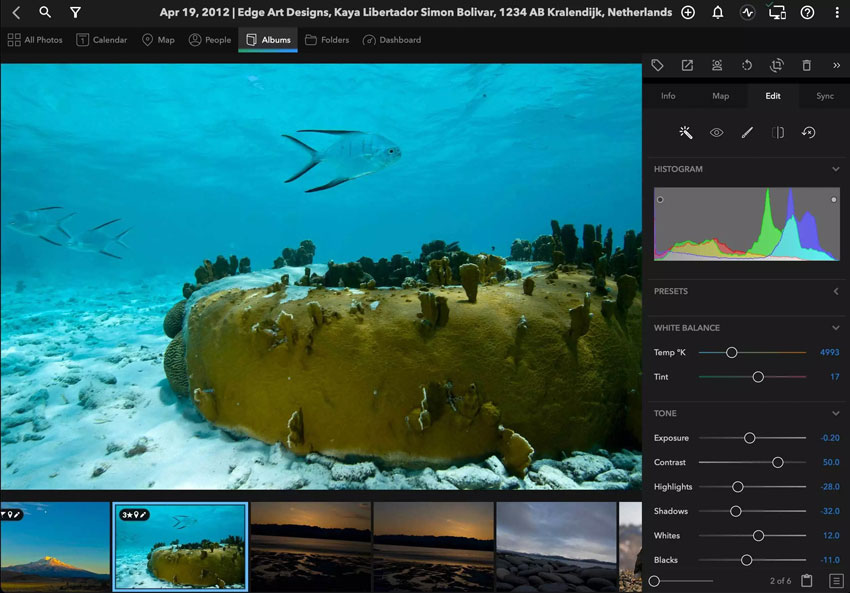
- Basic Internal Editing: While it's fine for a quick crop or color fix, it's not a Lightroom replacement for pro-level RAW processing. You'll still need a dedicated editor for serious work.
Quick Recommendation
- Choose Mylio if: You have a massive photo archive, you're tired of monthly storage fees, and you care deeply about your privacy.
- Skip Mylio if: You only have a few thousand photos on your phone and you prefer the "set it and forget it" convenience of Apple or Google's servers.
Mylio Photos vs. The Alternatives: The 2026 Showdown
To decide if Mylio is right for you, you have to understand where it sits in the ecosystem. It isn't trying to be a Photoshop replacement; it's trying to be the "Universal Brain" for your media.
Which One Should You Choose?
Choose Mylio Photos if:
- You have a massive archive (1TB+) and are tired of paying $10-$20/month just for storage.
- You are a privacy advocate who doesn't want AI models training on your family photos.
- You often work offline or in areas with slow internet (travelers, van-lifers, etc.).
- You want a single "Timeline" that combines phone photos, old hard drive backups, and social media imports.
Choose Google Photos if:
- You only have a small collection of smartphone snaps.
- You want the absolute easiest, "set it and forget it" experience and don't care about where the data is stored.
- You rely heavily on shared albums with non-tech-savvy family members.
Choose Adobe Lightroom if:
- You are a professional photographer who needs world-class RAW development and masking.
- You only care about your recent shoots and don't mind keeping your massive archive elsewhere.
- You are already deeply invested in the Adobe Creative Cloud ecosystem.
My Final Verdict: Should You Switch to Mylio in 2026
After stress-testing the v24.7 mesh and managing a 2TB library, my conclusion is simple: Mylio Photos is one of the most important tools you've never heard of. However, it isn't for everyone. It is a "power tool" that requires a mindset shift from "renting a cloud" to "owning your data." Here is my final breakdown:
The "Buy" Signal: This is your best move if...
- The Privacy Hardliner: If you're tired of tech giants using your family photos to train their next AI model, Mylio is your fortress. Your photos never leave your devices, and your AI tagging is 100% local.
- The Storage Prisoner: If you're currently paying Apple or Google for a 2TB+ plan and still getting "Storage Full" alerts, Mylio breaks that cycle. You buy the hard drive once, and you own the space forever.
- The Multi-Device Power User: If you need to search, edit, and organize 45,000 photos on an airplane, in a remote cabin, or at a cafe with dead Wi-Fi, Mylio's peer-to-peer sync is the only technology that delivers.
The "Pass" Signal: You might want to skip it if...
- The "Zero-Effort" User: If you find the concept of "Vaults" or "External Drives" too technical and you just want your photos to "disappear into the internet," stay with iCloud or Google Photos. The initial setup of Mylio requires about 2 hours of focused attention.
- The Single-Device Minimalist: If you only have 500 photos and you only view them on your phone, the $119/year "Plus" fee is overkill. The free version will suffice.
My Final Score: 4.5/5
Why it's not a 5: The "Hardware Tax" is real. The initial indexing of 2TB is a heavy lift for any computer, and the 2026 price of $119/year reflects its status as a premium prosumer tool.
In 2026, the safest place for your memories isn't on someone else's server - it's in your pocket and on your desk. Mylio Photos is the first app that actually makes that "Private Mesh" lifestyle feel like magic. My Advice: Download the free version first. Connect one hard drive. See how fast the "Flutter" scrolling feels. Once you see your entire life story on a single, lag-free timeline, you'll find it very hard to go back to a cloud loading spinner.
 FAQs
FAQs
This is the best part: No. Unlike Google Photos or iCloud, where your photos are locked on their servers, your Mylio photos are always on your hard drives. If you stop paying, you can still open the app and browse your photos on each device. You only lose the syncing feature between devices and the Photo DeDupe tool. Your memories remain yours.
Not necessarily. Mylio is designed to sync over a Local Area Network (LAN). If your phone and computer are on the same home Wi-Fi, they will sync even if your actual internet service is down. It only needs the internet for initial account activation and optional features like "Mylio Drive" (for remote syncing when you're away from home).
This is why I recommend having at least two Vaults. If one drive dies, you simply plug in a new one, and Mylio will automatically rebuild your library from your second Vault. It's like having a self-healing backup system.
Never. Mylio follows a "non-destructive" philosophy. Your Originals are never touched or compressed. The Optimized Images it creates for your phone are separate files used only for space-saving and browsing. Your 50MB RAW file stays a 50MB RAW file.
Yes, and in 2026, it's easier than ever. You can set your NAS as a Vault, making it the ultimate 24/7 "always-on" hub for your mesh. This way, your phone can back up to your NAS even when your main computer is turned off.
You May Also Like


This post was written by Brenda Peng who is a seasoned editor at Digiarty Software who loves turning ordinary photos into extraordinary works of art. With AI assistance for brainstorming and drafting, the post is reviewed for accuracy by our expert Abby Poole for her expertise in this field.
