


Digitizing old prints with a phone is convenient, but the best photo scanner app depends on what you are scanning. A single glossy print needs strong glare handling and accurate cropping, while an album or a box of family photos benefits more from fast multi-photo capture, organization, and reliable export.
In 2026, dedicated photo-scanning apps such as Google PhotoScan and Photomyne remain the strongest choices for printed photos. General-purpose scanner apps can also capture photos, but many of them are designed primarily for documents, PDFs, OCR, and cloud workflows rather than photo restoration.
This guide compares eight popular options for iPhone and Android, with a focus on old-photo digitizing, scan quality, glare and edge handling, batch workflow, export options, privacy, and cost. Pricing and feature availability can vary by platform and region; the information below was checked in September 2026.
8 Best Photo Scanner Apps in 2026
Quick picks: which photo scanner app should you choose?
- Google PhotoScan: Best free choice for individual printed photos and glare reduction.
- Photomyne: Best for scanning multiple old photos and entire album pages quickly.
- Adobe Scan: Best multipurpose option for users who also scan documents and want PDF/OCR tools.
- Docutain: Best privacy-focused multipurpose scanner with on-device OCR.
- Genius Scan: Best for fast mixed photo-and-document scanning with strong organization tools.
- Simple Scanner: Best for users who want straightforward photo/document scanning plus OCR.
- CamScanner: Best for power users who need scanning, OCR, editing, and cross-device workflows.
- Clear Scan: Best lightweight option for quick image/PDF scans and cloud sharing.
For old photos specifically: start with Google PhotoScan if you are scanning photos one by one, especially glossy prints, or Photomyne if speed and album scanning matter more. The remaining apps are better viewed as multipurpose scanners that can handle photos as well as documents.
1. Google PhotoScan
Best for: Free, one-by-one scanning of printed photos, especially glossy prints where reflections are a problem.
Price: Free
Platforms: iPhone and Android
Google PhotoScan is one of the few apps in this list built specifically for printed photographs rather than documents. Its defining feature is glare removal: the app guides you through capturing the print from several positions and combines those captures into one corrected scan. You can also adjust corners or rotate the finished image before saving it.
That workflow is particularly useful for framed or glossy family photos, where a normal phone-camera shot often shows reflections. The trade-off is speed. With glare removal enabled, every print needs several guided captures, so PhotoScan is not the fastest choice for hundreds of photos or full album pages.
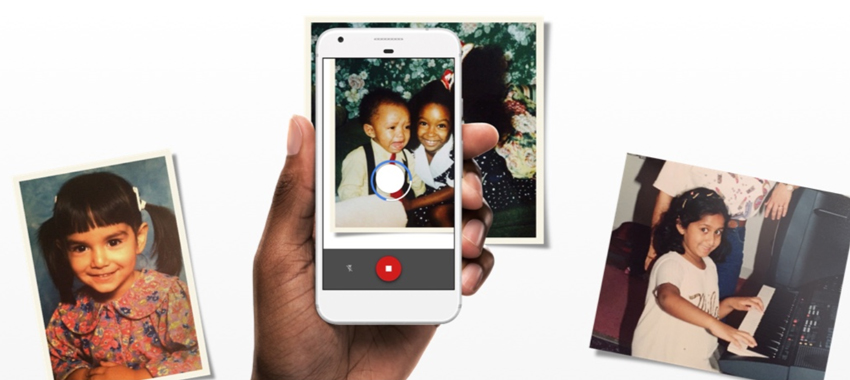
For a small or medium collection, however, the simple interface, automatic saving, corner adjustment, and no-cost access make PhotoScan an easy recommendation. If glare is not an issue and you need to move faster, Google also lets you turn glare removal off for a quicker single capture.
How to Use Google PhotoScan App to Scan Old Photos Clearly
- Designed specifically for printed photos.
- Multi-capture glare removal for reflective prints.
- Corner adjustment and rotation after scanning.
- Completely free.
- Slower than batch-scanning apps when glare removal is enabled.
- No album-level organization or built-in old-photo restoration tools.
2. Photomyne
Best for: Digitizing photo albums or multiple printed photos in one capture.
Price: Free to download with basic scanning; Photomyne's website currently offers a 3-day trial of its full scanning suite, then $59.99/year. Pricing may vary by region or platform.
Platforms: iPhone and Android
Photomyne is a photo-first scanner built around speed. It can detect several physical photos in a single shot, separate them automatically, rotate and crop them, and save the results into digital albums. That makes it far more practical than one-by-one scanning when you are working through old family albums or boxes of loose prints.
Its current mobile app also includes tools for organizing scanned memories with dates, names, locations, and album information. Basic scanning is available before upgrading, while the paid membership expands access to Photomyne's broader scanning and nostalgia toolset.
The main reason to choose Photomyne over PhotoScan is throughput. If you want to digitize an album page in one capture, it is much faster. The compromise is that glare handling is not the same guided multi-angle process used by Google PhotoScan, so careful lighting still matters for glossy prints.
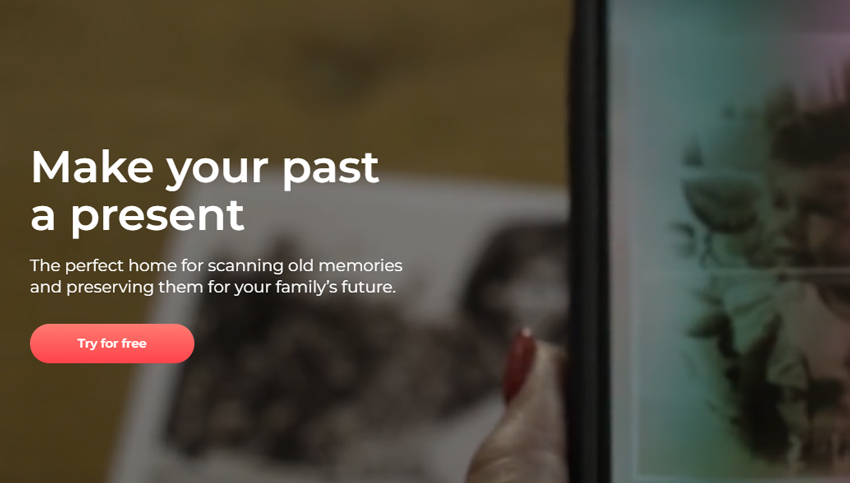
Photomyne also applies automatic photo detection and color-oriented processing, which is useful for casual archiving. For heavily faded, scratched, or low-resolution originals, however, it is better to keep an untouched scan as your master copy and perform stronger restoration on a duplicate later.
- Scans multiple physical photos in a single capture.
- Well suited to albums and large family-photo collections.
- Automatic detection, cropping, rotation, and photo organization.
- Available on both iPhone and Android.
- Full feature access requires a paid membership.
- Glossy photos still benefit from careful lighting to control reflections.
- More features than necessary if you only need to scan a handful of prints.
3. Adobe Scan
Best for: Users who want one app for photos, documents, receipts, forms, and searchable PDFs.
Price: Free to download; optional Acrobat subscriptions add advanced PDF tools. Subscription availability and pricing vary by region.
Platforms: iPhone and Android
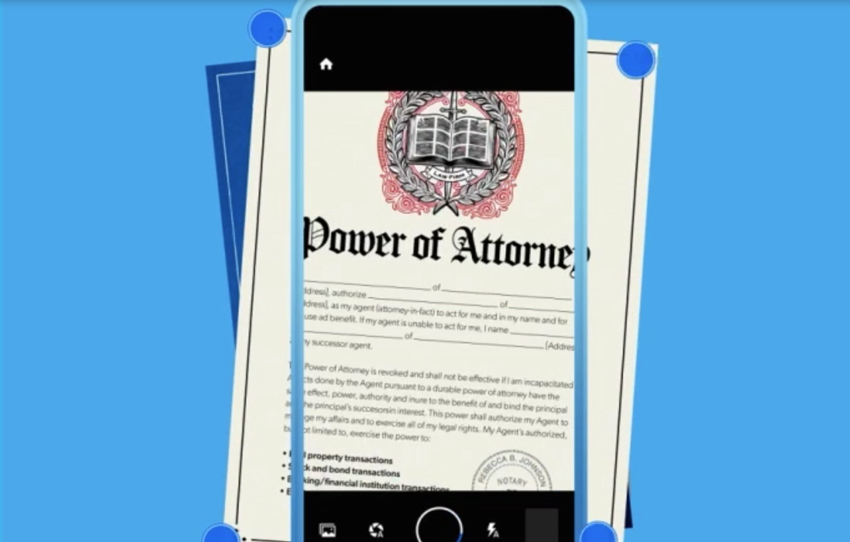
Adobe Scan is primarily a document scanner, not a dedicated old-photo scanner, but it earns a place here for users who want a single multipurpose app. Adobe says the app automatically detects boundaries, corrects perspective, sharpens printed or handwritten text, and can reduce glare and shadows. Scans can be saved as PDFs or JPEGs and opened in Acrobat for additional work.
For printed photos, the main advantage is convenience: capture, crop, rotate, save as JPEG, and keep everything in the same Adobe workflow you may already use for documents. Its OCR and searchable-PDF features are much more useful for letters, certificates, scrapbooks with text, and mixed family archives than for standalone photographs.
If your only goal is preserving old prints, PhotoScan or Photomyne is simpler and more photo-focused. Adobe Scan makes more sense when your archive includes both photographs and documents and you value Acrobat integration.
- Free core scanning app with automatic boundary detection.
- Can save scans as JPEGs as well as PDFs.
- OCR and searchable-PDF workflow for mixed archives.
- Integrates directly with Adobe Acrobat.
- Designed mainly for documents rather than old-photo digitizing.
- No dedicated multi-photo album scanning workflow.
- Advanced Acrobat editing tools require a subscription.
4. Docutain
Best for: Privacy-conscious users who want local scanning and OCR for a mixed archive of photos and documents.
Price: Free to download; optional paid features may vary by platform.
Platforms: iPhone and Android
Docutain is a document-first scanner with a strong privacy angle. According to Docutain, scanning and OCR text recognition happen locally on the device, while cloud storage is optional and users can choose where documents are stored. The app automatically detects edges, corrects perspective, crops scans, applies color filters, and can export as PDF or image.
For old photographs, that makes Docutain useful when privacy and local processing matter more than photo-specific restoration features. It can capture a print cleanly and correct perspective, but it does not provide Google PhotoScan's guided multi-angle glare removal or Photomyne's album-oriented multi-photo workflow.
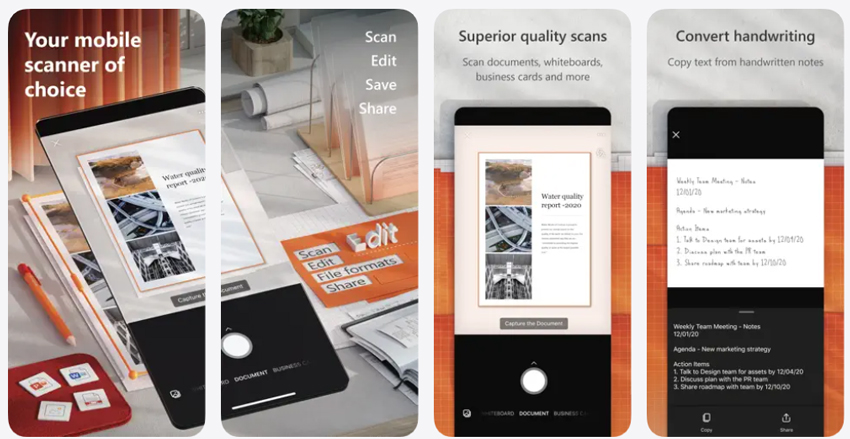
Docutain is therefore a better fit for a mixed family archive containing photographs, letters, receipts, certificates, and other paper records. If your collection consists almost entirely of glossy prints, a dedicated photo-scanning app remains the more direct choice.
- Scanning and OCR are processed locally on the device.
- Automatic edge detection, perspective correction, cropping, and filters.
- Optional cloud connections instead of mandatory cloud storage.
- Useful for mixed photo-and-document archives.
- Document-focused rather than purpose-built for old photos.
- No dedicated multi-angle glare-removal workflow.
5. Genius Scan
Best for: Fast, privacy-conscious scanning when your collection mixes photos with documents.
Price: Free core app; optional Plus/Ultra features and Genius Cloud subscriptions are available as in-app purchases.
Platforms: iPhone and Android
Genius Scan is another document-first scanner that can also capture photographs. Its smart scanning features include automatic document detection, background removal, perspective correction, shadow and defect cleanup, a photo filter, and batch scanning. Processing is performed on-device, while cloud backup and synchronization are optional.
For photo digitizing, its strengths are speed and organization rather than restoration. If you are scanning photographs alongside letters, school records, receipts, or other paper items, Genius Scan can keep everything in one searchable workflow and export to major cloud services when needed.
It is less compelling for a box of glossy family prints because it does not offer PhotoScan-style glare capture or Photomyne-style multi-photo album detection. Think of it as a strong general scanner that includes a photo-friendly mode, not a dedicated photo restoration app.
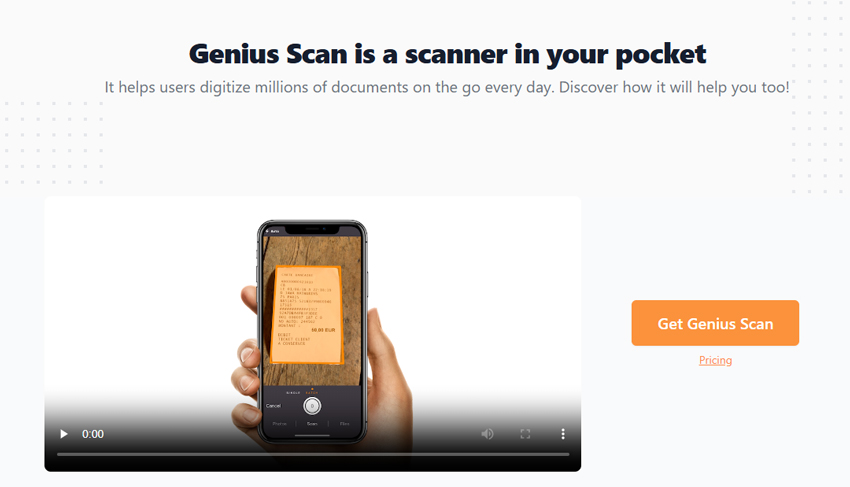
- Fast automatic detection and perspective correction.
- Photo filter plus batch scanning.
- On-device processing and optional cloud sync.
- Strong tagging, search, and export options.
- Focused more on documents than dedicated photo archiving.
- No specialized glare-removal or old-photo restoration workflow.
- Some OCR, sync, and advanced features are paid.
6. Simple Scanner
Best for: Straightforward photo/document capture with OCR and familiar cloud-sharing options.
Price: Free with ads. The US App Store currently lists $3.99/month, $29.99/year, and an $89.99 lifetime license among its in-app purchases.
Platform note: The version linked here is for iPhone and iPad; availability and pricing can differ by platform or region.
Simple Scanner is primarily a portable PDF scanner, but it can scan photos as well as receipts, reports, letters, and other paper items. It supports image or PDF output, OCR text recognition, folder organization, backup and restore, and sharing to services such as Dropbox and Google Drive.
For old photos, the appeal is simplicity rather than specialized photo processing. You can capture a print, adjust the crop, and save it as an image, but there is no dedicated glare-removal sequence or album-level multi-photo detection. OCR is useful if your archive includes handwritten notes, captions, letters, or documents, although OCR performance naturally depends on image quality and the text being scanned.
If your goal is purely photographic preservation, the first two apps in this list are better targeted. Simple Scanner makes more sense when you want one basic scanner for a mix of photos and paperwork.
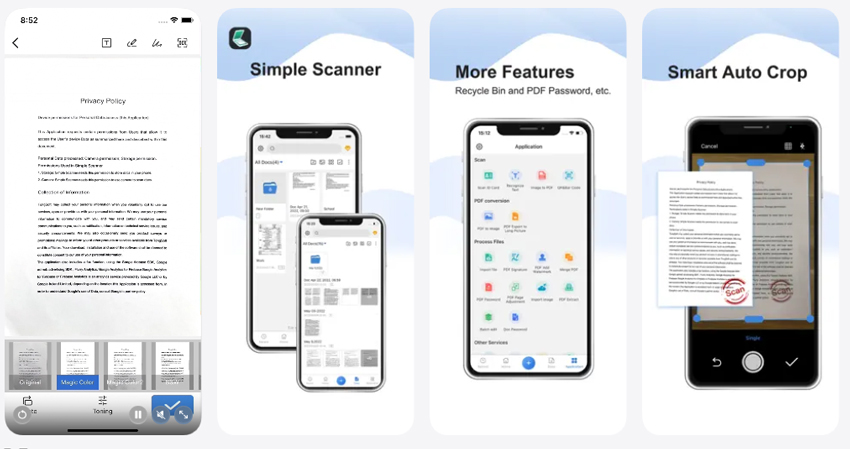
- Supports photos, documents, image output, and PDFs.
- OCR and folder organization are built in.
- Cloud-sharing and backup options are available.
- Easy to understand for mixed scanning tasks.
- Free version contains ads.
- No dedicated glare-removal or photo-album scanning mode.
- Several convenience features are tied to paid options.
7. CamScanner
Best for: Power users who want scanning, OCR, editing, PDF tools, and cross-device file management in one app.
Price: Free with in-app purchases. The US App Store currently lists Premium options including $9.99/month and $59.99/year; offers can vary by account, platform, and region.
Platforms: iPhone, Android, and desktop/web workflows
For users who want much more than photo capture, CamScanner combines scanning with OCR, PDF conversion, file management, filters, password protection, cloud sync, and document editing. It can scan documents and photos to formats including PDF and JPG, and its automatic cropping and enhancement tools are designed to clean up captures quickly.
That breadth is useful for mixed archives, but it also means the app is more complex than a dedicated photo scanner. Its enhancement filters are aimed at improving scan readability and appearance rather than carefully restoring faded photographic color or reconstructing damaged photo detail.
If you already use CamScanner for paperwork, it can be convenient for occasional prints. If you are digitizing a large family photo collection, however, a photo-first workflow will usually be faster and easier to manage.
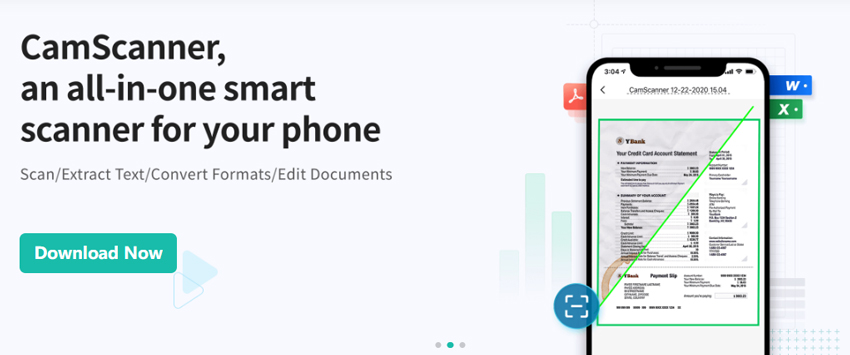
- Broad set of scanning, OCR, PDF, editing, and sharing tools.
- Automatic cropping and scan-enhancement filters.
- Cross-device sync and cloud workflows.
- Useful for users managing many types of paper records.
- More complex than a dedicated photo scanner.
- Premium features require a subscription or in-app purchase.
- Photo restoration is not its primary focus.
8. Clear Scan
Best for: Fast, lightweight image/PDF scanning with simple sharing and cloud export.
Price: Free with ads and in-app purchases. The US App Store currently lists ClearScanner Pro at $19.99, $5.99/year, or $0.99/month.
Platforms: iPhone and Android
Clear Scan is a compact document scanner that also supports images. It includes automatic edge detection, perspective correction, multiple image filters, PDF/JPEG export, OCR, backup and restore, and sharing to services such as Dropbox, OneDrive, Google Drive, and Evernote. Its Android version was updated for Android 16 compatibility in August 2026.
For occasional photo scanning, the workflow is quick and uncomplicated. The app can create a clean digital copy and save it as an image, but its core design is still document-oriented. It does not replace the glare-management workflow of PhotoScan or the album automation of Photomyne.
Clear Scan is therefore most useful if you want one lightweight tool for receipts, documents, notes, and the occasional printed photo. For a dedicated old-photo preservation project, choose a photo-first scanner instead.
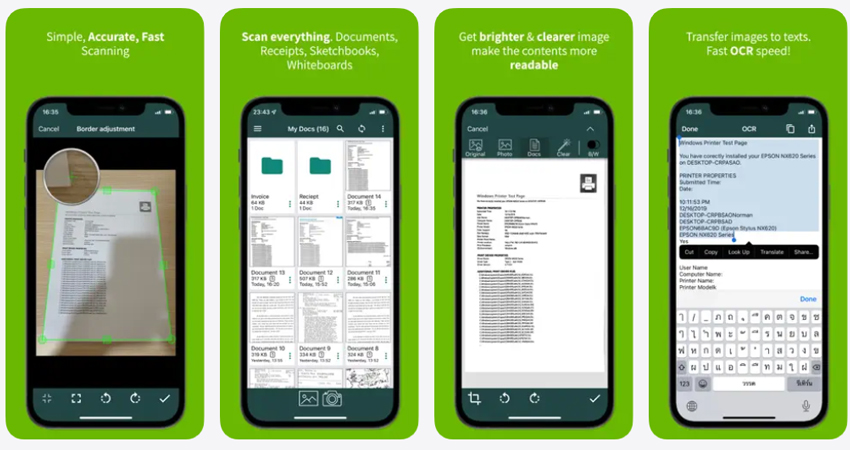
- Fast automatic edge detection and perspective correction.
- Exports images as well as PDFs.
- OCR, backup, and major cloud-sharing options.
- Available on both iPhone and Android.
- Document-focused rather than optimized for old-photo archiving.
- No guided glare-removal or multi-photo album capture.
- Some Pro features require payment.
How We Evaluated the Photo Scanner Apps
A good photo scanner app should do more than make a paper print readable. For this update, we compared each app by how well its current feature set fits real photo-digitizing workflows, while also separating dedicated photo scanners from document-first apps that happen to support images.
We focused on the following criteria:
- Photo-first workflow: Whether the app is designed specifically for printed photos or mainly for documents and PDFs.
- Capture quality: Edge detection, perspective correction, glare handling, and the ability to preserve color and visible detail without overly aggressive processing.
- Batch efficiency: Whether the app can scan multiple photos or album pages quickly, and how much manual correction is typically required.
- Export and organization: JPEG/PDF support, album or folder organization, cloud options, backup, and how easy it is to keep an untouched master copy.
- Privacy: Whether processing happens on-device, whether cloud storage is optional, and what level of account or cloud integration the workflow expects.
- Free vs. paid experience: What you can do before subscribing or upgrading, plus whether the paid plan is justified for a large scanning project.
We intentionally do not treat App Store star ratings as our own scores because ratings differ by platform, country, and date. The recommendations above are based on use case: photo-first apps rank higher for old prints, while document scanners are included when they offer a useful mixed-archive workflow.
How to Choose the Best Photo Scanner App
The right app depends less on the number of features and more on the condition and volume of the photos you need to digitize.
- For a few glossy prints: Choose Google PhotoScan. Its guided multi-capture process is specifically useful when reflections are the main problem.
- For albums or hundreds of photos: Choose Photomyne. Multi-photo detection can save substantial time compared with scanning every print individually.
- For photos plus letters, receipts, or certificates: Adobe Scan, Docutain, Genius Scan, CamScanner, Simple Scanner, or Clear Scan can be more practical because they also handle PDFs, OCR, and document organization.
- For privacy-sensitive archives: Favor apps that explicitly support local processing, such as Docutain or Genius Scan, and review any cloud-sync options before enabling them.
- For faded or damaged originals: Prioritize getting the cleanest, least-processed scan first. Scanner apps can improve cropping, perspective, and basic appearance, but serious blur, noise, scratches, or lost detail may require separate photo-restoration software.
Whatever app you choose, save the original scan before applying strong filters. Keeping an untouched master gives you more flexibility for future restoration and printing.
How to Scan Old Photos Clearly with Your Phone
Even the best photo scanner app cannot fully compensate for poor lighting or a tilted capture. These simple steps usually improve the result more than adding another filter:
- Use soft, even light: Indirect daylight or two diffused light sources can reduce hard reflections and uneven brightness.
- Avoid direct overhead glare: Glossy prints easily reflect lamps and windows. Reposition the photo or phone until obvious reflections disappear.
- Keep the phone parallel to the print: This reduces perspective distortion and helps automatic cropping work more reliably.
- Clean both the camera lens and photo surface: Dust, fingerprints, and a smudged phone lens can make a good scan look soft.
- Use the highest practical export quality: If the app offers JPEG quality or resolution options, choose a higher-quality setting for archival copies.
- Keep an untouched master scan: Do restoration, sharpening, denoising, or color correction on a duplicate rather than overwriting the original scan.
How to Improve Scanned Old Photos After Scanning
Scanning and restoration are two different stages. A scanner app can digitize the physical print and correct framing, perspective, or glare, but it cannot always recover clarity that was already lost to age, softness, compression, fading, or a low-resolution source.
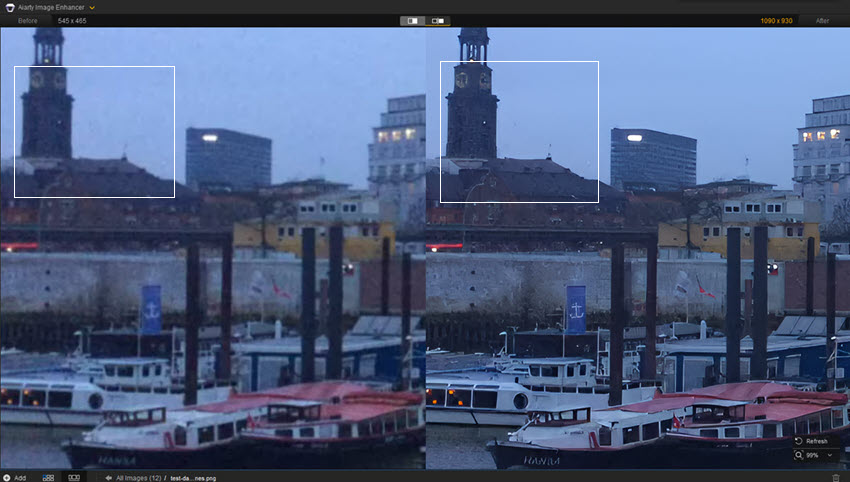
💡 Enhance Your Scanned Photos with Aiarty Image Enhancer
For scans that still look soft, noisy, low-resolution, or faded, Aiarty Image Enhancer can be used as a separate post-scan step. The current version supports denoising, deblurring, face restoration, color and lighting adjustments, x1 enhancement without changing resolution, and AI upscaling for larger screen or print output.
For an archival workflow, keep the original scan untouched and enhance a duplicate. This makes it easier to compare the restored result with the source and avoid over-processing important family photos. Aiarty also offers a lifetime-license option with one-time payment and free updates.
 FAQs
FAQs
For printed photos specifically, Google PhotoScan is the best free choice for scanning individual prints, especially glossy photos where glare is a problem. Photomyne is better for scanning multiple photos or album pages quickly. If your archive also includes documents and PDFs, Adobe Scan, Docutain, Genius Scan, CamScanner, Simple Scanner, and Clear Scan are stronger multipurpose options.
For iPhone users digitizing printed photos, Google PhotoScan is a strong free option for individual prints, while Photomyne is better suited to albums and larger collections. Adobe Scan and Genius Scan are worth considering if you also need document scanning, OCR, and PDF workflows.
For Android, Google PhotoScan is the most photo-focused free option for individual printed photos, while Photomyne is useful for scanning multiple photos and albums. If you need a general scanner for both images and documents, Adobe Scan, Docutain, Genius Scan, CamScanner, and Clear Scan all support broader PDF/OCR workflows.
Yes. Google PhotoScan is completely free and is the easiest recommendation if your main goal is scanning printed photos. Photomyne, Adobe Scan, Genius Scan, Simple Scanner, CamScanner, and Clear Scan can also be downloaded or used with free functionality, but premium features, export options, cloud tools, or ads vary by app and platform.
Yes, but separate scanning from restoration. PhotoScan and Photomyne can create clean digital copies, while some general scanner apps apply basic filters or enhancement. If the original is badly faded, soft, noisy, scratched, or very low-resolution, save an untouched master scan first and use dedicated photo-restoration or enhancement software on a duplicate.
You May Also Like


This post was written by Brenda Peng who is a seasoned editor at Digiarty Software who loves turning ordinary photos into extraordinary works of art. With AI assistance for brainstorming and drafting, the post is reviewed for accuracy by our expert Abby Poole for her expertise in this field.
