


Summary: We compared 10 of the best free AI face swap tools in 2026 for photo quality, identity preservation, video consistency, multi-face support, watermarks, sign-up requirements, and actual free usage. Magic Hour is our best overall pick, while Remaker AI, Facy, FaceFusion, Pica AI, and others stand out for specific use cases.
Finding an AI face swap tool is easy in 2026. Finding one that is actually free, produces a believable result, and lets you download that result without immediately asking for a subscription is much harder.
A lot of tools use "free" rather loosely. Some give you one or two generations. Some let you create a face swap but put the download behind a paywall. Others work well for photos but fall apart as soon as the face turns sideways in a video.
For this guide, I looked at the tools from a practical user's point of view rather than simply comparing feature lists. The things that mattered most were straightforward: Does the face still look like the source person? Does it blend naturally into the target image? What happens with difficult angles? Can it handle video or multiple faces? And what can you actually do without paying?
Here are the free AI face swap tools I would look at first in 2026.
If you do not want to read the full breakdown, these are the easiest places to start:
- Best Overall Free AI Face Swap: Magic Hour
- Best for Photo Face Swaps: Remaker AI
- Best Without Sign-Up: Facy
- Best for Photos and Videos: Vidnoz
- Best Free Open-Source Option: FaceFusion
- Best for Multiple Faces: Pica AI
- Best Mobile Face Swap App: Reface
- Best Face Swap + Photo Editor: Pixlr
- Best No-Watermark Photo Tool: WaveSpeed AI
- Best for Free Experimentation: FaceSwapper.ai
There is no single winner for every type of face swap. A tool that looks great on a clean front-facing portrait may struggle with side profiles, moving video, glasses, hair crossing the face, or group photos. The best choice depends heavily on what you are trying to create.
Best Free AI Face Swap Tools Compared
Before getting into the individual tests, here is a quick overview of how the tools differ in terms of supported media and free usage.
One thing worth keeping in mind: free-plan rules change often. Always check the actual generation and download limits before committing to a workflow, especially if you need video exports or high-resolution files.
Also learn: How to Fix Blurry Face in A Photo >>
How We Tested the Best Free AI Face Swap Tools
An easy front-facing portrait does not tell you much about a modern AI face swapper. Most competent tools can produce something acceptable under ideal conditions. The differences become much more obvious once you introduce difficult angles, group photos, hair, glasses, and motion.
#1. Identity Preservation
The result should still look like the person in the source image. I paid particular attention to facial shape, eyes, nose structure, age, and other features that determine whether a swap actually preserves identity instead of generating a vaguely similar new face.
#2. Face Blending
A good result should look as if the face belongs naturally in the target image. I looked for mismatched skin tone, visible jaw edges, strange forehead transitions, and lighting that did not match the rest of the scene.
#3. Difficult Angles
Side profiles, tilted heads, glasses, hair crossing the face, and uneven lighting are much more revealing than a passport-style portrait. These were the kinds of conditions I paid attention to when comparing results.
#4. Video Consistency
For video tools, one good frame is not enough. The face has to remain stable when the subject turns their head, blinks, speaks, or changes expression. I watched closely for flickering around the eyes, mouth, jawline, and hair.
#5. Free-Plan Reality
Finally, I checked what "free" actually meant. The important questions were:
- Is an account required?
- How many free generations are available?
- Can the final result actually be downloaded?
- Is there a watermark?
- Are video and multi-face tools included?
- Is export resolution restricted?
These practical differences matter just as much as the face swap quality itself.
10 Best Free AI Face Swap Tools in 2026
1. Magic Hour - Best Free AI Face Swap Overall
Magic Hour is probably the first tool I would point most people toward because it sits in a useful middle ground: simple enough for a quick photo swap, but not limited to still images.
It supports photos, videos, GIFs, and multi-face swaps, so you do not immediately need to switch platforms when a project becomes more complicated.
Best for: Users who want one simple face swap tool for both images and short videos.
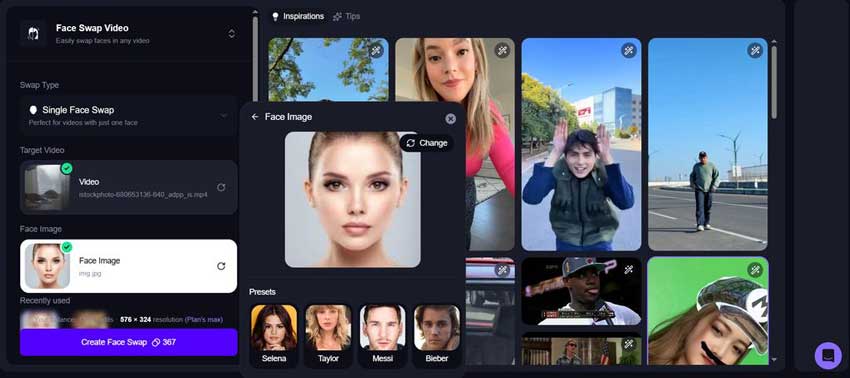
Where Magic Hour Works Best
For normal portraits and social media images, the biggest advantage is balance. The face is adapted to the target lighting and expression rather than simply looking pasted onto the image.
It is also one of the more convenient options if you want to move from a still image into video without learning another application.
Video remains more demanding. Fast head movement, hair crossing the face, strong side profiles, and changing lighting can still expose artifacts that are much harder to notice in a single photo.
What You Get for Free
Magic Hour currently provides a usable free entry point for face swapping, including no-account access for basic photo swaps. Its free photo workflow is considerably more practical than services that let you generate an image but block the final download.
Pros
- Supports both photos and videos.
- Multi-face swapping is available.
- Very little setup is required.
- Easy for first-time users to understand.
- Free photo workflow is genuinely usable.
Cons
- Free video exports may include a watermark.
- Difficult video angles can still reveal blending problems.
- Heavy use eventually moves into a credit-based workflow.
Verdict: If I had to recommend one starting point to someone who has never used an AI face swapper before, Magic Hour would be one of the safest choices.
2. Remaker AI - Best Free AI Face Swap for Photos
Remaker AI feels more like a dedicated face swap utility than a feature buried inside a larger creative suite. That works in its favor when the main goal is simply to upload a source face, choose a target photo, and get a usable result.
Its current face swap toolkit includes single-face swaps, multiple-face swaps, batch swaps, and video/GIF face swapping.
Best for: Straightforward photo face swaps with minimal setup.
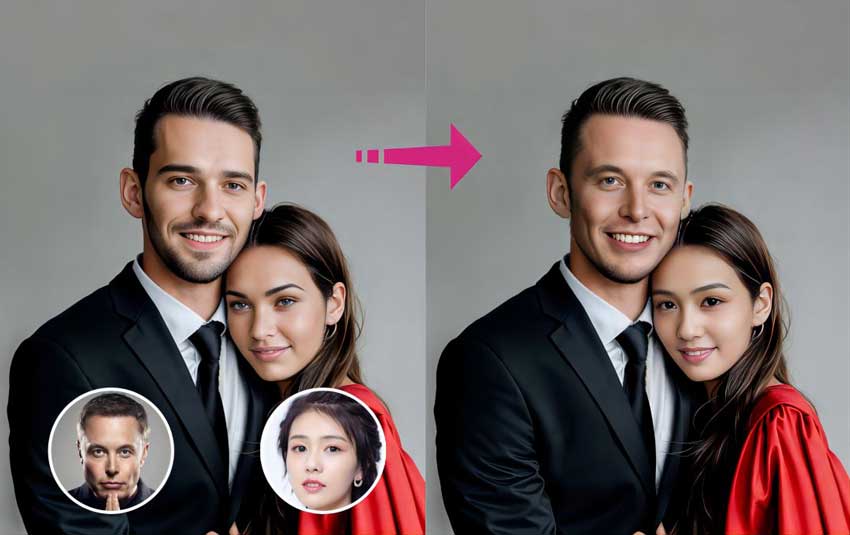
Where Remaker Works Best
I prefer Remaker for conventional portrait swaps rather than highly experimental transformations. Give it a reasonably clear source face and a target with similar lighting, and the workflow is straightforward.
The multi-face option is useful for group images because you do not need to crop and process every person separately.
Where It Struggles
Very different face angles can make the jawline less convincing, while weak source images can lead to soft eyes and skin texture. Like most face swappers, Remaker cannot recover facial information that was never present in a tiny or heavily compressed source image.
Pros
- Simple and easy-to-understand workflow.
- Supports single and multiple face swaps.
- Batch and video/GIF options are available.
- No-sign-up photo workflow is available.
- Useful for portraits, memes, and group photos.
Cons
- The site contains many adjacent AI tools, which can feel busy.
- Free access differs depending on the specific feature.
- Poor source images still lead to soft facial details.
Verdict: Remaker is one of the easier choices when the job is mainly about swapping faces in photos rather than building a full AI video workflow.
3. Facy - Best Free AI Face Swap Without Sign-Up
Facy is one of the more interesting options on this list because there are fewer obstacles between opening the site and getting a result.
Its photo face swap workflow is designed around quick browser use without requiring a long setup process.
Best for: Users who want to quickly swap a face without creating another account.
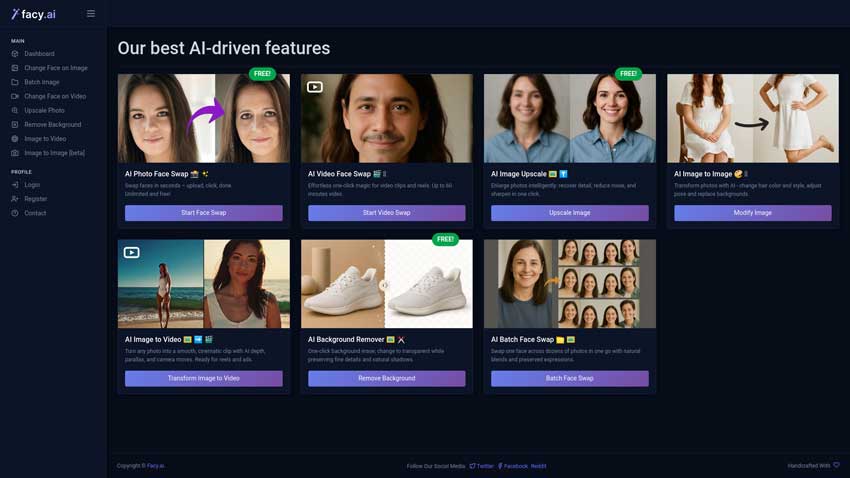
What I Like About Facy
The workflow is stripped down to what a face swap tool actually needs. Upload the source face, upload the target image, and generate. There are fewer distractions than you get with some all-in-one AI platforms.
Facy also provides a video face swap workflow, including support for detecting multiple faces in video.
Pros
- No-sign-up photo face swap workflow.
- No-watermark photo option is advertised.
- Supports both photo and video tools.
- Simple interface with very little learning curve.
Cons
- Fewer advanced controls than professional tools.
- Extreme poses still depend heavily on source quality.
- Video is naturally more demanding than the photo workflow.
Verdict: Facy makes sense when you want to open a browser, complete a basic face swap, and leave without setting up another account.
4. Vidnoz - Best Free Face Swap for Photos and Videos
Vidnoz is part of a much larger AI video platform, but its face swap tool remains one of the more accessible parts of the site.
It supports single-face photo swaps, video face swaps, and multiple-face swapping across photos and videos.
Best for: Users creating a mix of photos, social videos, memes, and short-form content.
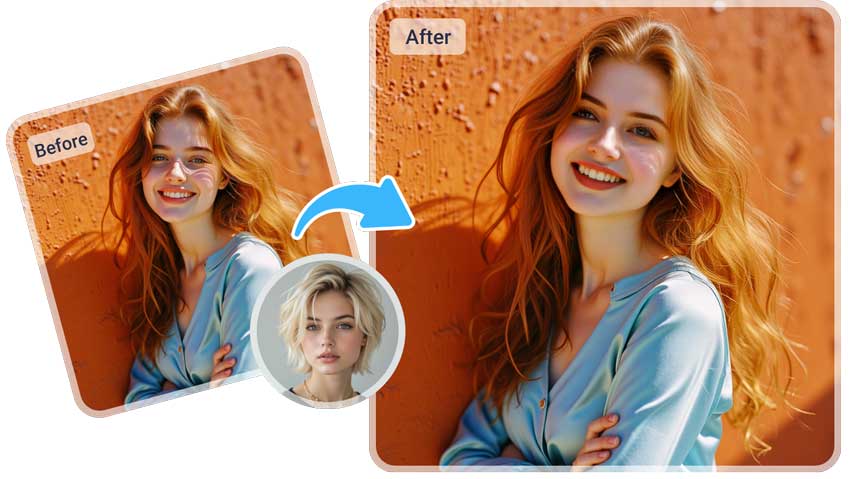
What Stands Out
Vidnoz makes the most sense when face swapping is only one step in a wider AI video workflow. If you are already working on TikTok videos, Shorts, reaction clips, or social creatives, having everything inside the same platform can save time.
For one still image, simpler tools like Facy or WaveSpeed feel faster. For mixed photo and video work, Vidnoz is considerably more flexible.
Pros
- Supports both photo and video face swaps.
- Multi-face workflow is available.
- Useful for short-form social video production.
- Runs entirely in the browser.
Cons
- Free limits differ across features.
- The wider platform can feel cluttered.
- More than you need for a single simple photo.
Verdict: Vidnoz is a better fit for users who expect to move between still images and AI video instead of using face swapping as an isolated tool.
5. FaceFusion - Best Free Open-Source AI Face Swap
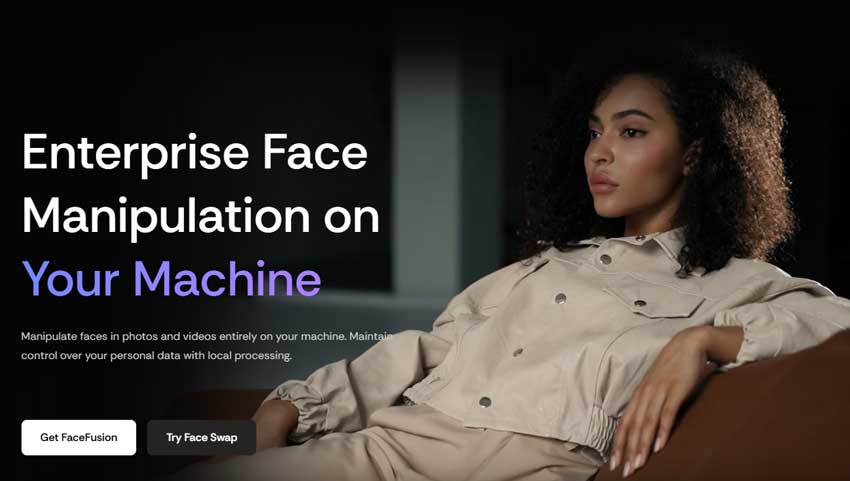
FaceFusion is different from nearly everything else in this comparison. Instead of uploading portraits into a cloud-based face swapper, it can run locally on your own computer.
That changes both the workflow and the privacy equation.
Best for: Advanced users who prioritize privacy, local processing, and control.
Why Use FaceFusion?
The main reason is control. Your files do not need to be processed through the typical online face-swap workflow, and technical users have more flexibility over processing and configuration.
The Catch
This is not the tool I would recommend to someone who only wants to put their face into a meme. Installation requires considerably more technical confidence than opening a browser tool, and your hardware has a direct impact on performance.
Pros
- Open-source software.
- Runs locally on your computer.
- Better privacy than typical cloud-only workflows.
- More control for advanced users.
Cons
- Much steeper learning curve.
- Requires local installation.
- Hardware performance matters.
- Not ideal for casual one-click face swapping.
Verdict: FaceFusion is the most interesting free option for technical users because it is free in a fundamentally different way from browser-based credit systems.
6. Pica AI - Best for Multiple Face Swaps
Pica AI is one of the first tools worth trying when the target photo contains several people.
Its current face swap workflow supports photos, videos, and multiple detected faces, making it more practical for group shots than tools designed mainly around a single portrait.
Best for: Group photos and scenes where more than one person's face needs to be replaced.
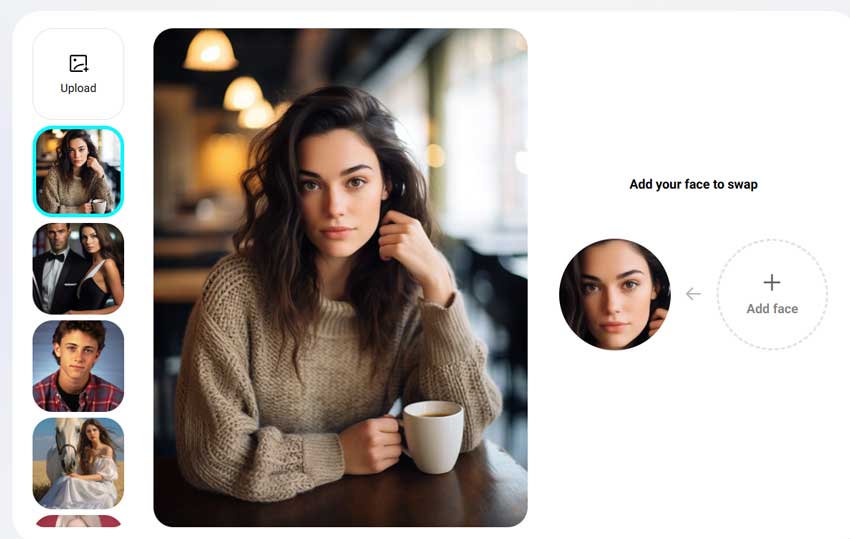
Why Group Photos Are Harder
Faces in group photos are usually smaller, photographed at different angles, and lit differently. One person may also be much closer to the camera than another.
A useful multi-face tool therefore needs to do more than detect every face. The final output should still look like one coherent photograph rather than several separately processed faces pasted into the same frame.
Pros
- Dedicated multi-face workflow.
- Supports photos and videos.
- Useful for group photos and creative edits.
- Easy browser-based workflow.
Cons
- More faces create more opportunities for artifacts.
- Small faces can lose identity detail.
- Free limitations may change.
Verdict: Pica AI is the option I would test first when the main challenge is swapping several people in one scene.
7. Reface - Best AI Face Swap App for Mobile
Reface remains one of the most recognizable names in face swapping, particularly for users who prefer to create everything from a phone.
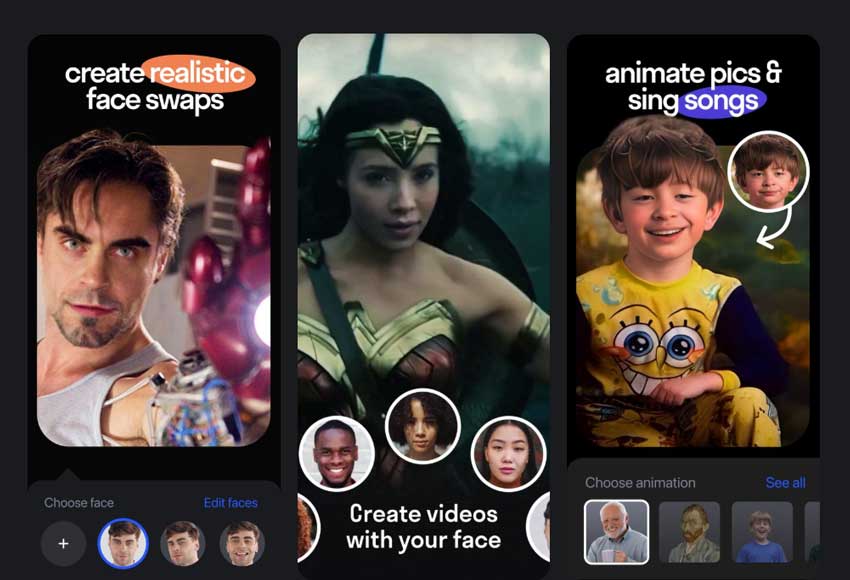
Its ecosystem is built around photos, short videos, GIF-style content, memes, and social-first transformations.
Best for: Casual mobile users creating memes, short videos, and social content.
Where Reface Makes Sense
Reface feels most natural when the final destination is social media. Character transformations, memes, and entertainment content fit the app better than detailed high-resolution portrait editing.
Where I Would Choose Something Else
If my goal were a high-resolution image for further editing, I would rather use a browser or desktop workflow where I have more control over my own source and target images.
Pros
- Very mobile friendly.
- Fast and easy to learn.
- Good for memes and social content.
- Strong entertainment-focused photo and video workflow.
Cons
- Free experience is more restricted.
- Less control than dedicated desktop tools.
- Not the best choice for high-resolution photo work.
Verdict: Reface remains one of the easiest choices if most of your face-swapped content is created and shared directly from a phone.
8. Pixlr - Best Face Swap Tool with a Full Photo Editor
Pixlr stands out because face swapping is only one part of a much larger browser-based photo editing workflow.
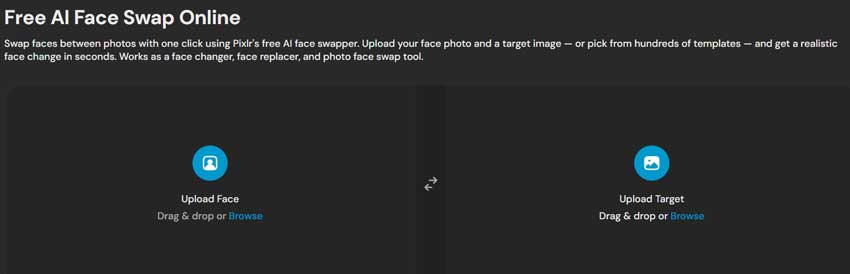
Once the swap is complete, you are already inside an editor where you can crop, resize, adjust color, remove backgrounds, add text, and continue preparing the image for publishing.
Best for: Creators who know the face swap will need additional editing afterward.
Why I Would Use Pixlr
A face swap rarely exists in isolation. Maybe the image needs a new background, different framing, text for a thumbnail, or resizing for Instagram or YouTube.
Most dedicated face swappers require you to download the result and open another editor. Pixlr can remove that extra step.
Pros
- Face swapping and photo editing in one place.
- Runs directly in the browser.
- Useful for thumbnails and social graphics.
- Good range of editing tools after the swap.
Cons
- AI tools use credits.
- Not the best option for unlimited swapping.
- The interface contains more tools than a dedicated face swapper.
Verdict: Pixlr makes the most sense when face swapping is only one stage of a larger image-editing workflow.
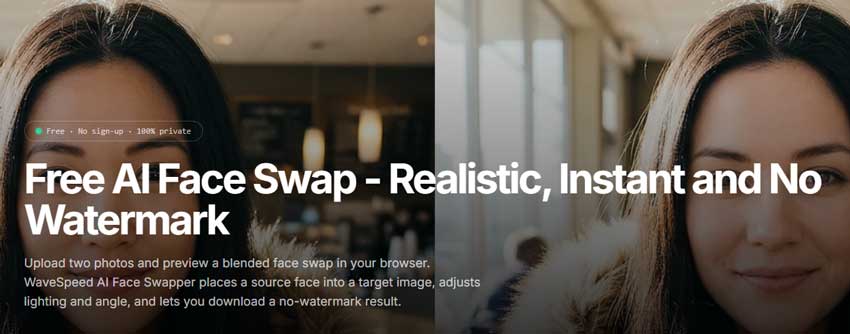
9. WaveSpeed AI - Best Free AI Face Swap Without Watermark
WaveSpeed AI is worth including for one simple reason: its dedicated photo face swapper is unusually easy to access.
You upload the target image, upload the source face, generate the result, and download it without going through a complicated creative dashboard.
Best for: Quick, no-watermark photo face swaps with minimal friction.
What Makes It Useful
The biggest advantage is that the basic free photo workflow remains intentionally simple. That matters when compared with "free" tools that make you create an account or reach a payment screen only after generation.
WaveSpeed also offers broader AI creation and video tools, but the straightforward photo face swapper is the strongest reason to include it here.
Pros
- No-sign-up free photo workflow.
- No-watermark photo output advertised.
- Very little learning curve.
- Clean and focused interface.
Cons
- The basic tool intentionally offers fewer controls.
- Advanced and API workflows use a different pricing structure.
- Weak source images still limit realism.
Verdict: WaveSpeed is one of the easier tools to recommend when the main goal is a fast photo face swap without registration or a watermark.
10. FaceSwapper.ai - Best for Free Face Swap Experimentation
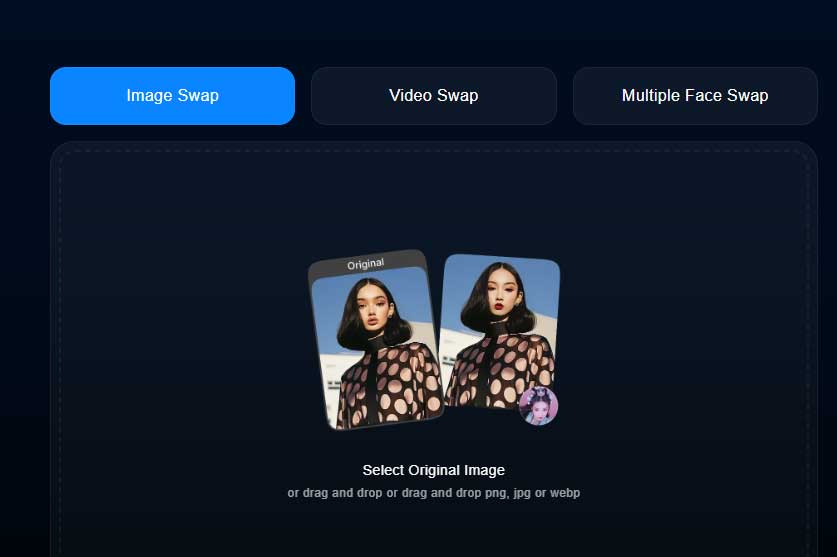
FaceSwapper.ai takes the free-tool idea further than many competitors by offering several face-swapping workflows across photos, videos, GIFs, batches, and multiple faces.
Best for: Users who want to test multiple source images and generate many variations.
Why It Is Useful
Face swapping usually takes a couple of attempts. You may change the source photo, use a different target, or discover that a slightly different head angle gives a more convincing result.
A generous free workflow makes that experimentation easier because you do not feel as if every generation has to be perfect.
Where I Would Be Careful
As with any cloud-based service handling real portraits, I would read the current privacy terms before uploading anything sensitive.
Pros
- Broad selection of free face swap tools.
- Photo and video support.
- Multi-face and batch workflows are available.
- Good for experimenting with several source images.
Cons
- Fewer professional controls.
- Privacy policies should always be checked before uploading sensitive portraits.
- Free-access policies can change over time.
Verdict: FaceSwapper.ai makes sense when you want room to experiment instead of carefully rationing every generation credit.
Which Free AI Face Swap Tool Is Best for You?
After comparing these tools, I would not choose based on a single overall ranking. The better approach is to match the tool to the type of content you actually want to create.
- Best Free AI Face Swap Overall: Magic Hour - A strong balance of photo quality, video support, multi-face tools, and an accessible free workflow.
- Best Without Sign-Up: Facy or WaveSpeed AI - Both remove much of the friction around quick photo swapping.
- Best for Photo Face Swaps: Remaker AI - A good fit when the main goal is replacing a face in a conventional photograph.
- Best for Video: Magic Hour or Vidnoz - Magic Hour is easier to start with, while Vidnoz fits better into a broader AI video workflow.
- Best for Multiple Faces: Pica AI - Its multi-person workflow makes it particularly useful for group photos.
- Best Offline Option: FaceFusion - A better choice when local processing, privacy, and control matter more than one-click convenience.
- Best Mobile Option: Reface - One of the easiest options for casual face swapping directly on a phone.
- Best for Editing After the Swap: Pixlr - Best when face swapping is only the first step before background changes, text, resizing, or other edits.
Why Do Some AI Face Swaps Still Look Blurry?
A face swap can be structurally convincing and still look poor when viewed at full size. Eyes lose definition, hair around the forehead becomes mushy, skin turns overly smooth, and online compression can make the problem worse.
The source face may simply be too small. The target image may already be low resolution. The face swap model may prioritize identity transfer and blending rather than high-frequency detail. Once those problems are baked into the output, repeatedly regenerating the same swap does not always help.
This is where a separate enhancement step makes more sense.
How I Fix a Soft or Low-Resolution Face Swap
For still images, the workflow I prefer is:
Face swap → inspect the face at 100% → enhance only if needed → final edit and export.
One tool that works naturally in that second step is Aiarty Image Enhancer.
Aiarty is not a face swapper, and I would not use it as one. Its role comes after the face swap has already been completed. It is designed to restore image clarity through AI denoising, deblurring, detail reconstruction, and dedicated Face Restoration.
This is particularly useful when the face identity looks right but the output is softer than the rest of the image. Instead of generating the face again, you can focus on restoring detail around the eyes, eyelashes, hairline, and skin texture.
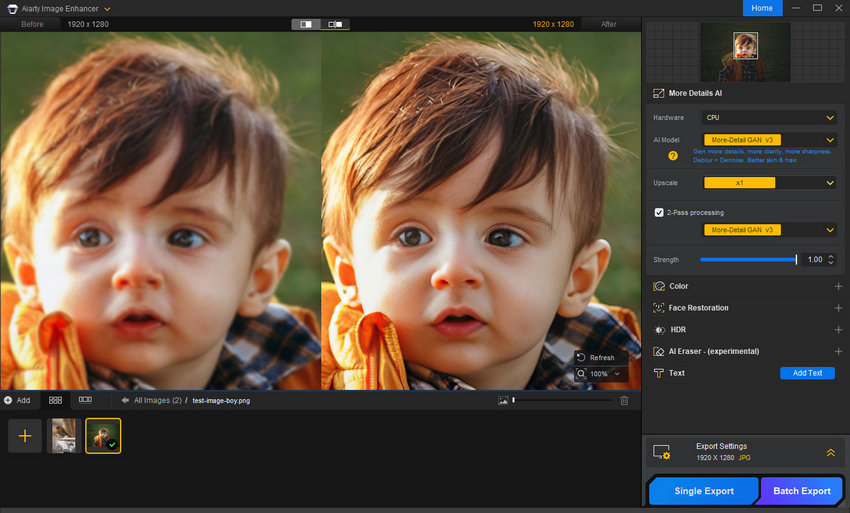
A practical workflow:
- Complete the face swap first.
- Export the highest-quality version available.
- Open the image in Aiarty Image Enhancer.
- Select an enhancement model based on how soft or noisy the image is.
- Enable Face Restoration if facial detail is noticeably weak.
- Use 1× enhancement if the original dimensions are already large enough, or upscale when additional resolution is actually needed.
- Compare the face at 100% before exporting.
The important part is not to overdo it. A face swap already contains generated facial information, so aggressive sharpening can quickly produce hard eyelashes, plastic skin, or fake-looking pores.
Another advantage is that Aiarty processes images locally on the computer. If you are enhancing portraits containing real people, that avoids sending the image through another cloud-based processing step.
How to Get More Realistic AI Face Swap Results
The software matters, but the source images matter almost as much. A few simple changes can make a surprisingly large difference.
1. Use a Clear Source Face
Do not use the smallest image in your camera roll. The AI needs enough information about the eyes, nose, mouth, jaw, and overall facial shape to preserve identity.
2. Match the Face Angle
If the target subject is looking almost completely sideways, a straight passport-style source image is not ideal. A source with a reasonably similar head angle gives the model a much easier job.
3. Match the Lighting When Possible
A warm indoor selfie swapped onto a face lit by hard blue light from the side creates a much more difficult blending problem.
4. Check the Hairline and Jaw
These are the first areas I inspect after generation. A face can look convincing in the center while still having a visible jaw edge or an unnatural transition around the forehead.
5. Be Careful With Glasses, Hands, and Hair
Anything crossing the face creates an occlusion problem. Thin hair strands, fingers, glasses, microphones, and similar objects often expose weak masking.
6. For Video, Start Short
Do not begin with a five-minute clip. Test a short section containing the same head turns, expressions, or movement that appear in the final video. If the identity falls apart in ten seconds, processing the full clip will not solve it.
Are Free AI Face Swap Tools Safe?
This part deserves more attention than it usually gets because face swapping means uploading a real person's face to a service that may process the file on a remote server.
Before using an online AI face swap tool, I would check:
- Whether uploaded photos are stored.
- How long files are retained.
- Whether uploaded content may be used to improve or train models.
- Whether users can delete their data.
- Whether the privacy policy clearly explains how portraits are handled.
If privacy is your main concern, locally processed tools such as FaceFusion avoid much of the usual cloud-upload workflow.
The same is true when enhancing the finished image afterward. Aiarty Image Enhancer performs enhancement locally rather than requiring another portrait upload to an online service.
There is also a simpler rule worth following: get permission before using another real person's face, especially if the result could be mistaken for something they genuinely said or did.
Face swapping is useful as a creative and editing tool. It should not be used to deceptively impersonate someone or create misleading content.
 Best Free AI Face Swap Tools FAQs
Magic Hour is our best overall pick because it combines photo face swap, video face swap, and multi-face support with a genuinely usable free entry point. For users focused mainly on photos, Remaker AI, Facy, and WaveSpeed AI are also strong options.
Yes. Several tools provide genuinely usable free face swap workflows, although the exact limits vary. WaveSpeed AI and Facy are good browser-based options, while FaceFusion is a free open-source choice if you prefer to run the software locally.
WaveSpeed AI is one of the simplest options for watermark-free photo face swapping. Facy also advertises no-watermark photo output. Always check the latest export rules because free plans can change.
Facy and WaveSpeed AI are two of the easiest tools to use without creating an account. Magic Hour also provides no-account access for basic free face swaps.
Yes. Magic Hour, Vidnoz, Facy, WaveSpeed AI, FaceSwapper.ai, and FaceFusion all provide some form of video face swapping. Free video limits and watermarks differ significantly between services.
Magic Hour is the easiest place to start for a general-purpose video face swap. Vidnoz is better suited to users already creating other AI video content, while FaceFusion is a stronger option for advanced users who want local processing and more control.
Yes. Magic Hour, Remaker AI, Vidnoz, Pica AI, FaceFusion, and FaceSwapper.ai all support multi-face workflows. Pica AI is particularly convenient for group photos because it is designed around replacing several detected faces in the same scene.
The source image is often the problem. Small faces, blur, extreme angles, shadows, heavy makeup, and facial occlusion reduce the amount of identity information available to the model. Try a sharper source image with a similar face angle before switching tools.
Low-resolution source images, compressed target images, and online processing can all soften facial detail. If the identity and blending are already correct, you can use an image enhancer such as Aiarty Image Enhancer afterward to restore facial clarity, reduce noise, and recover fine detail without repeating the face swap.
That depends on how each service handles uploaded portraits. Check the privacy policy, file retention period, and data usage rules before uploading sensitive images. If you want greater privacy, locally processed tools such as FaceFusion avoid the standard cloud-upload workflow.
FaceFusion is the strongest option in this list for users who specifically want an open-source face swap platform that can run locally. It provides greater control and privacy, although installation is significantly more technical than using an online face swapper.
Final Thoughts
AI face swapping in 2026 is good enough that the basic technology is no longer the most interesting part. The real differences show up around the edges.
How well does the identity survive a difficult angle? Does the face still look natural at full resolution? Can the tool follow a moving subject through a video? What happens when several people appear in the frame? And does "free" still mean free when you finally click Download?
For most people, I would start with Magic Hour because its free workflow is easy to understand and it covers both photos and videos.
For a quick photo without registration, Facy and WaveSpeed AI are easier. For group photos, try Pica AI. For local processing and greater control, FaceFusion is the clear outlier.
And if the face swap itself looks right but the finished portrait is soft, noisy, or too low-resolution, do not keep regenerating the identity and hoping for a sharper result. Complete the swap first, then use a dedicated enhancement tool such as Aiarty Image Enhancer to improve clarity and facial detail afterward.
The best workflow is not always finding one AI tool that tries to do everything. Sometimes it is simply using the right tool for each step.
You May Also Like


This post was written by Brenda Peng, a seasoned editor at Digiarty Software who focuses on practical image editing and AI-powered creative workflows. The tools in this guide were reviewed from a real-use perspective, with particular attention to face swap quality, free-plan limitations, workflow usability, and final image quality.
