


Top 10 Best Uncensored AI Video Generators with No Content Filters (2026)
Have you ever wanted to create bold, private, and unrestricted AI-generated videos without limits? In 2026, a new wave of uncensored AI video generators is empowering creators to unfiltered content with unprecedented ease. From transforming text prompts into cinematic clips to animating images into dynamic scenes, these tools make it possible to unleash creativity while maintaining privacy and control.
In this guide, we’ll explore 10 of the best uncensored AI video generators, highlighting their features, pricing, and practical tips for safe and responsible content creation, so you can choose the right platform for your boldest projects.
Struggling with soft, low-res results from uncensored AI video generation? Aiarty Video Enhancer instantly enhances your videos to 4K clarity, restoring sharp textures, natural colors, and smooth motion without losing realism.
Aiarty Video Enhancer works seamlessly with outputs from UNLUCID.AI, a2e.ai,Pollo,ai, PixelDojo, and LTXV, delivering a polished, cinematic finish that makes every AI-generated scene look lifelike and professional.
What Is an Uncensored AI Video Generator?
An uncensored AI video generator usually refers to a tool that applies fewer content moderation filters than mainstream AI video platforms. In most cases, it does not mean completely unrestricted or policy-free video generation.
Instead, “uncensored” often indicates looser automated filtering, limited moderation during generation, or less aggressive enforcement compared to larger, well-regulated platforms. However, these tools still face technical limitations, legal boundaries, and hosting or policy constraints, which can result in sudden feature changes, added restrictions, or service shutdowns.
As a result, the term is largely informal and inconsistent, describing perceived flexibility, including NSFW, private generation, rather than a clearly defined or guaranteed capability.
10 Best Uncensored AI Video Generators (2026 Ranked)
Searching for an effective uncensored AI video generator isn’t easy, but we’ve compiled the platforms that actually work. Explore our top picks for creating uncensored, unrestricted, and fully private AI videos today.
1. a2e.ai
a2e.ai allows creators to generate AI videos from text or images, including the ability to generate videos from images, such as turning still images into motion-based content. It supports creative projects ranging from artistic storytelling to video generation. With multiple animation styles and templates, its AI models deliver smooth, realistic motion, making it suitable for social media clips, experimental visuals, or unrestricted adult-friendly videos.
Powered by advanced AI engines, a2e.ai ensures lifelike animation for characters, objects, and backgrounds derived from static images or text prompts. Users can create standard creative projects, achieving cinematic-quality motion, visual consistency, and expressive image-to-video results with minimal effort.
Video Specs: Supports high-quality animations with smooth motion; free version includes watermarked short clips.
Key Features:
- Transform written prompts into dynamic video sequences efficiently.
- Supports multiple animation styles and pre-set templates for diverse creative needs.
- Realistic motion rendering for characters, objects, and backgrounds.
- Intuitive interface suitable for both beginners and professionals.
Price: Free: Watermarked output, limited length. Paid: $29/month for unlimited video length and premium rendering options.
2. UNLUCID.AI
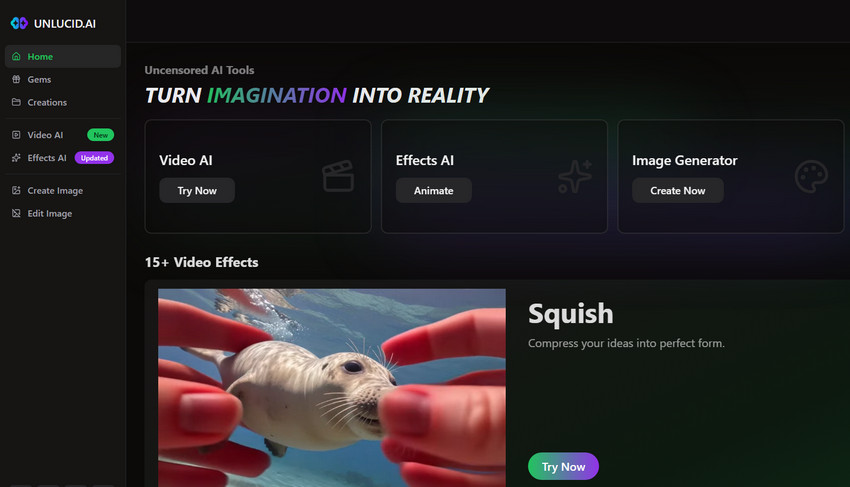
UNLUCID.AI is a powerful AI video generator that transforms text prompts, images, or storyboards into high-quality, dynamic videos. It allows bold, private, and unfiltered video creation. The platform offers smooth motion, realistic rendering, and customizable animation styles, enabling users to produce professional-looking videos for social media, personal projects, or experimental adult-friendly content.
Powered by advanced AI models and multimodal text encoders, UNLUCID.AI ensures realistic character movement, scene transitions, and lighting effects. Users can generate videos from text prompts or uploaded images, making it a versatile choice for creators.
Video Specs: Supports videos up to 1080p on free plans and 4K on premium plans, with fast AI-powered generation for real-time previews.
Key Features:
- Convert text or image prompts into fully animated video clips quickly and intuitively.
- High-resolution output for professional-quality visuals.
- Customizable animation styles, backgrounds, and character movements.
- Fast AI-powered generation allowing real-time preview and refinement.
Price: Free tier includes limited video length with watermark. Paid plans: $19/month for personal plan, $49/month for professional plan with higher resolution and batch generation.
3. OpenGoon
OpenGoon is a fast-growing AI video tool that enables users to generate short videos from uploaded images with a simple workflow. Users can select different modes, upload a photo, and quickly create outputs such as realistic animations or stylized transformations with minimal setup.
As a fast-growing uncensored AI video generator, OpenGoon is often discussed alongside other alternative platforms in this space. Many users compare it with similar tools to evaluate differences in video quality, creative flexibility, and overall generation performance.
Video Specs: Supports standard and high-resolution AI video generation; output length and quality vary depending on plan tier.
Key Features:
- Transform uploaded images into short AI-generated videos with smooth motion effects.
- Supports multiple generation modes including image-to-video and visual transformation tools.
- Offers FaceSwap and advanced AI image manipulation features for creative outputs.
- Fast generation workflow with credit-based system for quick and repeatable results.
- Easy-to-use interface accessible via web and Telegram for fast content generation.
Price: Free tier available with limited generations.
4. FunFun.ai
FunFun.ai is a versatile AI video generator that makes it easy to create dynamic videos or animations, including converting images into animated video clips. The platform also offers a rich library of animated assets and style presets, allowing users to fine-tune character expressions, scene transitions, and lighting to match their creative vision. Its intuitive interface makes it accessible for beginners while still providing advanced customization for experienced creators.
Powered by AI-driven engines, FunFun.ai produces smooth motion and realistic animations from both text and image inputs. Users can quickly assemble scenes, adjust visual parameters, and generate private, unfiltered 18+ image-to-video content alongside standard creative projects.
Video Specs: Supports HD output with real-time previews; free version is limited in length and includes watermark.
Key Features:
- Access to a large library of animated assets to quickly assemble scenes.
- Multiple style presets ranging from realistic to cartoonish visuals.
- Fine-tune motion, lighting, and scene transitions for precise control over outputs.
- Real-time previews and rapid generation to refine videos efficiently.
Price: Free: Limited video length with watermark. Paid: Starting at $25/month for full access to styles and higher resolution output.
5. Pollo.ai
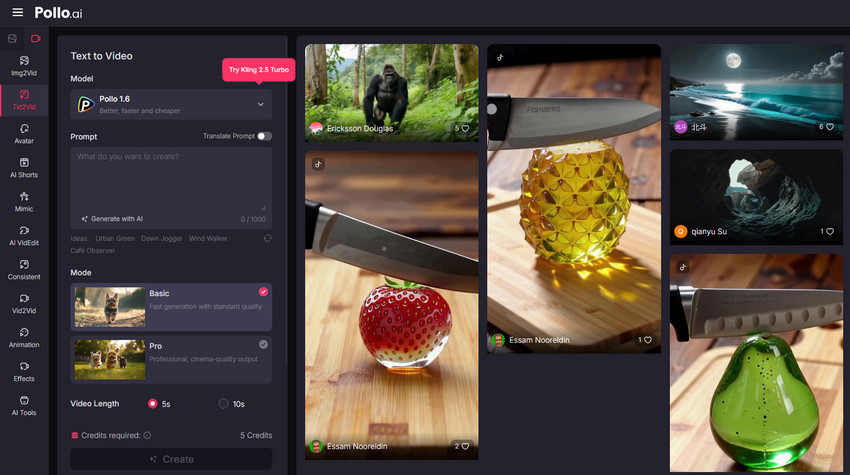
Pollo.ai is a specialized AI video generator that transforms static images into dynamic videos, supporting various content. The platform emphasizes smooth motion, realistic transitions, and visually engaging outputs, enabling creators to bring still visuals to life. Its user-friendly interface and pre-set templates make it easy for beginners to create compelling videos while giving advanced users the flexibility to customize animations.
Powered by advanced AI models, Pollo.ai ensures cinematic-quality animations with natural motion, detailed backgrounds, and realistic lighting. Users can generate videos from single images or sequences, producing professional and bold visuals for social media, experimental projects.
Video Specs: Supports HD output on free plans and high-resolution premium videos; smooth motion ensures professional-looking animations.
Key Features:
- Convert single images or image sequences into animated video clips efficiently.
- Generate smooth transitions and motion effects for cinematic-quality videos.
- Adjust scene timing, camera angles, and motion pacing for precise control.
- High-resolution output suitable for professional use or social media sharing.
Price: Free: Watermarked videos, limited resolution. Paid: $20/month for HD output, batch generation, and premium templates.
6. SendFame
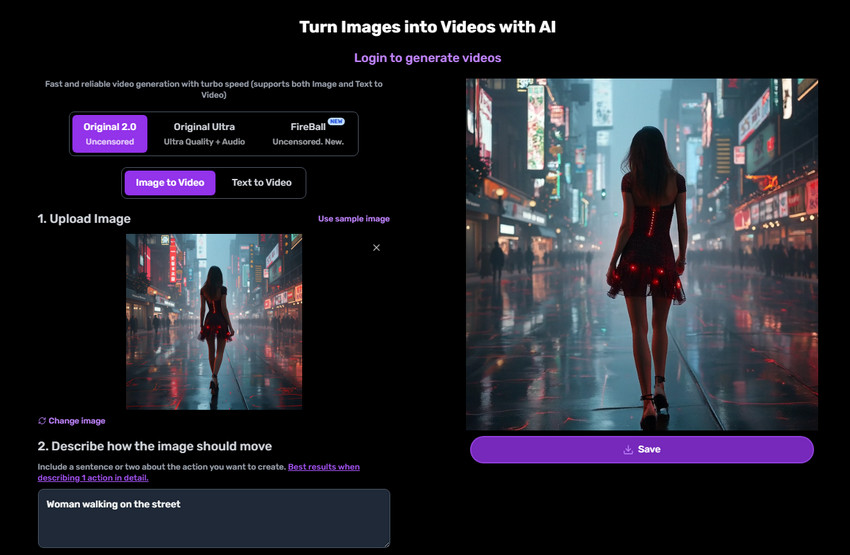
SendFame is a versatile AI video generator that supports unfiltered content creation. Its AI engine can transform text prompts into engaging videos with realistic motion, multi-language support, and customizable animations. Creators can generate short social media clips or longer experimental sequences while maintaining bold, professional-quality visuals.
The platform ensures smooth scene transitions, lifelike character motion, and cinematic output. Users can produce content alongside standard creative projects, all within an intuitive interface suitable for beginners and professionals alike.
Video Specs: Supports high-quality animations with smooth motion and customizable lengths; free tier includes watermarked clips.
Key Features:
- Transform text prompts into dynamic video sequences efficiently.
- Multi-language support for global creators.
- Realistic motion rendering for characters, objects, and backgrounds.
- Flexible video lengths for short-form or long-form content creation.
Price: Free: Short video length, watermark included. Paid: $27/month for unlimited duration, higher resolution, and faster generation.
7. Mochi1 AI
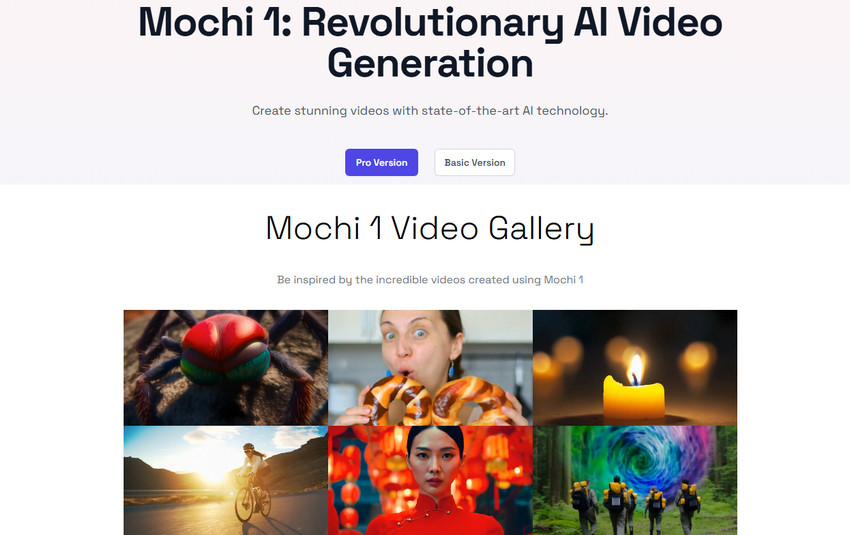
Mochi1 AI is an open-source AI video generator for creators seeking unfiltered content. It supports transforming images into video content by using AI, enabling uncensored image to video generation alongside text-based workflows. Users can deeply customize characters, scenes, and animations while maintaining high-quality rendering, making it suitable for social media clips, experimental visuals, or projects with full creative control over motion, lighting, and scene composition.
With frequent AI model updates, Mochi1 AI delivers professional-quality output and realistic animations. Users can create videos with precise control over movement, layout, and visual effects.
Video Specs: Supports HD rendering and batch generation, allowing multiple videos to be created efficiently.
Key Features:
- Adjust character movements, scene layouts, and animation parameters precisely.
- High-quality rendering ensures realistic textures, lighting, and motion.
- Batch generation allows multiple videos to be produced efficiently.
- Frequent AI model updates provide improved realism and new creative options.
Price: Free: Limited video output with watermark. Paid: $30/month for full access, higher resolution, and batch generation.
8. CogVideo
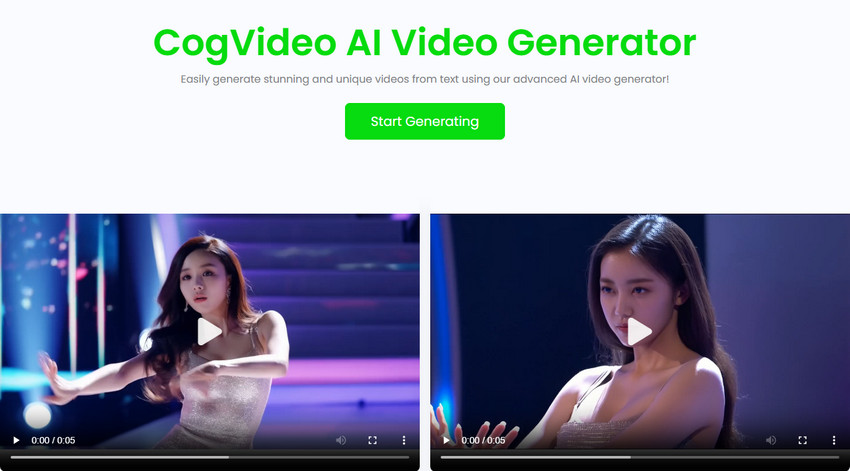
CogVideo is another open-source AI video generator that supports bold content creation. It not only specializes in text-to-video generation but also in creating videos from input images, allowing AI to generate video content from static images. This makes it a strong option for image-to-video workflows. Targeted at advanced users and developers, it provides full flexibility for generating AI videos locally. Text-to-video and image-to-video generation with GPU acceleration and configurable parameters enable complete control over scene composition, motion, and animation.
The platform's open-source nature allows users to customize and fine-tune AI models for unique creative results. CogVideo is well suited for producing video content alongside experimental and research-driven projects.
Video Specs: GPU-accelerated local rendering supports custom high-quality videos; open-source setup allows full customization.
Key Features:
- Create fully customized video sequences from text prompts or scripts.
- GPU-accelerated rendering ensures fast generation with high-quality visuals.
- Open-source design allows modification of AI models for unique creative results.
- Full control over scene composition, character movements, and animation timing.
Price: Free: Open-source (requires local GPU setup). Paid: N/A (hardware costs may apply).
9. LTXV
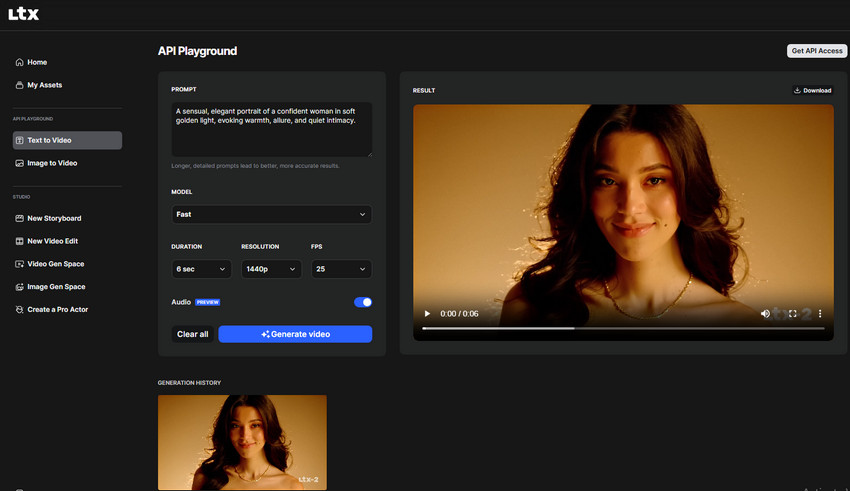
LTXV is a high-speed AI video generator bold, unfiltered content. It offers multiple animation styles, batch processing, and high-resolution outputs, enabling fast, professional-quality production. The platform emphasizes smooth motion, realistic transitions, and ease of use, making it suitable for both beginners and professionals who want to create bold or private videos.
Creators can produce cinematic-quality animations for social media, experimental projects, or unfiltered adult-friendly content with flexible style and batch generation capabilities.
Video Specs: Supports HD output with fast batch generation; free tier includes short watermarked clips.
Key Features:
- Convert text or image prompts into animated video sequences quickly.
- Multiple animation styles allow creators to tailor visual aesthetics.
- Batch generation enables production of multiple videos simultaneously.
- High-resolution output ensures videos are suitable for professional or social media use.
Price: Free: Limited styles, short videos, watermarked output. Paid: $25/month for batch generation and premium resolution.
10. PixelDojo
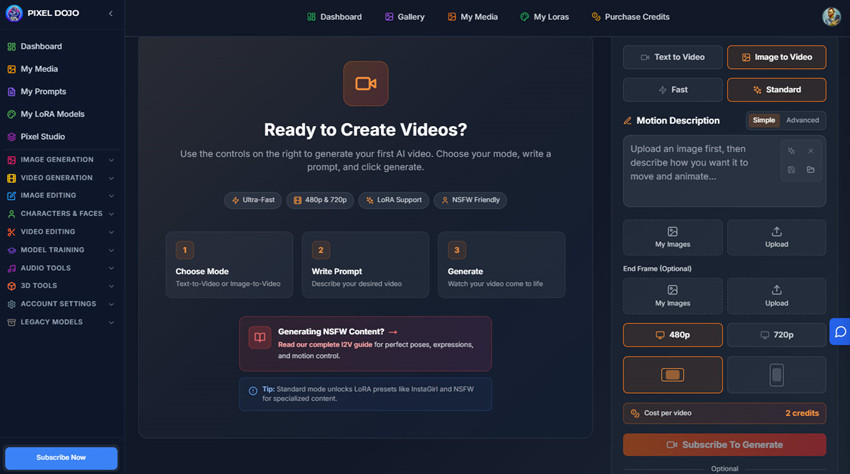
PixelDojo is a professional AI video generator capable of producing content with complex scene creation. It offers advanced customization of lighting, camera angles, and animation sequences, making it ideal for creators who require precise control over cinematic-quality videos. PIXEL DOJO supports short and long-form content while maintaining high visual fidelity and smooth motion.
The platform allows fine-tuning of scene layers, motion dynamics, and visual effects for creative projects. Users benefit from high-quality outputs suitable for professional or experimental use.
Video Specs: Supports HD and 4K output with advanced scene customization; free tier has watermarked, limited-duration videos.
Key Features:
- Create complex multi-layered animations with precise scene control.
- Adjust lighting, camera angles, and visual effects for cinematic-quality outputs.
- High-resolution HD and 4K output ensures professional-grade visuals.
- Flexible animation parameters for motion, scene pacing, and transitions.
Price: Free: Watermarked output, limited duration. Paid: $35/month for unrestricted generation, batch processing, and high-resolution export.
Best Alternatives to Uncensored AI Video Generators (Safer Options)
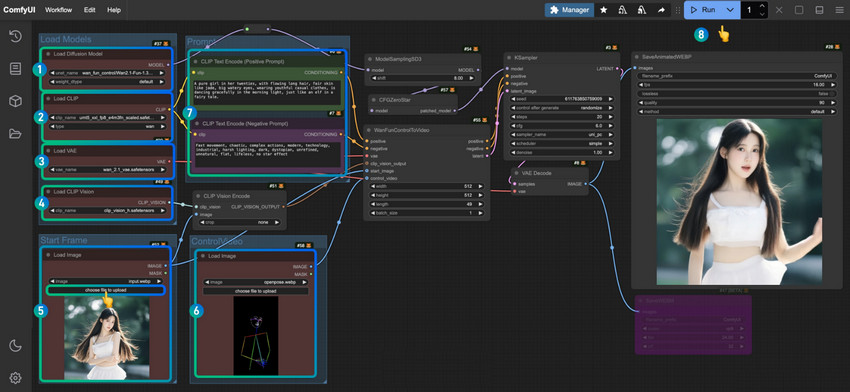
For creators seeking flexibility without the risks of uncensored AI video generators, the safest approach is often to use AI video tools locally. Local deployment ensures greater control over data, privacy, and content generation, reducing reliance on third-party servers or unpredictable platform policies.
If you prefer ready-to-use platforms, there are a few stable alternatives worth considering:
- Wan 2.1 14B t2v – A powerful AI video model that can run locally or in a controlled environment, offering reliable output while maintaining privacy and compliance.
- Chroma – Provides structured content generation and moderation safeguards, making it a safer choice than typical uncensored AI video generators.
- RunDiffusion Video – A newer platform focused on creative video generation with clear usage guidelines and consistent performance.
- SynthAI Studio – Offers robust local or cloud deployment options with ongoing updates, community support, and ethical usage recommendations.
How to Choose the Right AI Video Generator for Your Use Cases
Choosing the right AI video generator depends on your goals and creative needs—whether you’re producing cinematic animations, quick social media clips, or experimenting with private content. Here are key factors to consider:
- Video Quality: For professional-looking results with smooth motion and realistic visuals, platforms like UNLUCID.AI deliver consistent high-quality output.
- Ease of Use: Beginners may prefer tools such as FunFun.ai or a2e.ai, which offer intuitive interfaces and ready-made templates for faster results.
- Speed & Efficiency:If you need multiple videos quickly, LTXV and Mochi1 AI support fast rendering and batch generation.
- Customization & Flexibility: PIXEL DOJO and Pollo.ai provide detailed control over animation styles, camera angles, and scene dynamics for creative experimentation.
- Privacy & Compliance: Select platforms that protect your content and comply with legal and ethical standards, including age restrictions and consent.
- Free vs Paid Plans: Free tiers are useful for testing, while paid subscriptions often unlock high-resolution output, batch generation, and advanced features.
Bottom line: There’s no single best AI video generator. For high-quality, fully controllable videos, UNLUCID.AI or SoulGen are strong options. For accessible experimentation or social media projects, FunFun.ai or a2e.ai work well. Advanced users seeking detailed control may prefer PIXEL DOJO, LTXV, or Mochi1 AI. Ultimately, choose a platform that balances video quality, flexibility, privacy, and budget to match your creative use cases.
Risks, Limitations & Safety Considerations
Using uncensored AI video generators may offer more flexibility, but they also introduce practical risks and limitations that are often overlooked.
- Legal compliance: Content must still follow copyright laws, harassment regulations, and local legal requirements.
- Consent: Using real people’s likenesses, voices, or personal data without permission can create legal and ethical issues.
- Age restrictions: Responsible AI use requires strict avoidance of any involvement of minors in generated content.
- Platform policies: Many hosting and social platforms restrict or prohibit certain types of AI-generated videos, regardless of how the tool is labeled.
- Ethical and privacy concerns: Uncensored AI video generation may involve sensitive material, making responsible and privacy-aware usage essential.
Disclaimer:
The information provided here about AI video generators is for educational purposes only. Tool availability, features, and restrictions may change over time. Users are responsible for ensuring that any content they create complies with local laws, platform policies, and ethical guidelines. This page does not promote or endorse any illegal, unsafe, or unauthorized use of AI video tools.
Best Practices for Using AI Video Generators Safely
Creating uncensored AI videos can be exciting, but it’s important to follow best practices to ensure safe and ethical usage:
- Start small: Generate short clips first to test quality and output.
- Optimize inputs: Clear text prompts or high-resolution images improve video quality.
- Leverage batch generation: Paid plans help produce multiple videos efficiently.
- Enhance outputs: Combine with AI video enhancers for clearer visuals and smoother motion.
You May Also Like


This post was written by Brenda Peng who is a seasoned editor at Digiarty Software who loves turning ordinary photos into extraordinary works of art. With AI assistance for brainstorming and drafting, the post is reviewed for accuracy by our expert Abby Poole for her expertise in this field.
