


Running a photography business involves a delicate balance between creative work and the inevitable administrative grind. As your studio grows, managing client inquiries, coordinating schedules, and chasing deposits via manual email chains quickly becomes unsustainable. In 2026, a professional client experience starts long before you pick up the camera—it begins with how easily a client can book your services.
The right photography booking software does more than just display a calendar; it acts as a silent business partner that handles the logistics while you’re on set or editing. Whether you are a solo portrait photographer needing a simple photography booking app or a high-volume studio looking for the best booking app for photographers to automate contracts and payments, the goal is the same: reducing friction for your clients and reclaiming your time.
In this guide, we cut through the noise to review the top-tier booking software for photographers currently on the market. We’ll look at how these tools integrate with your existing booking website for photographers and which options offer the best balance of features, ease of use, and value.
Not every shot comes out perfect, especially when dealing with low-light environments, fast-moving events, or older camera gear. This is where many photographers quietly spend extra time fixing details like noise, blur, and resolution before delivery.
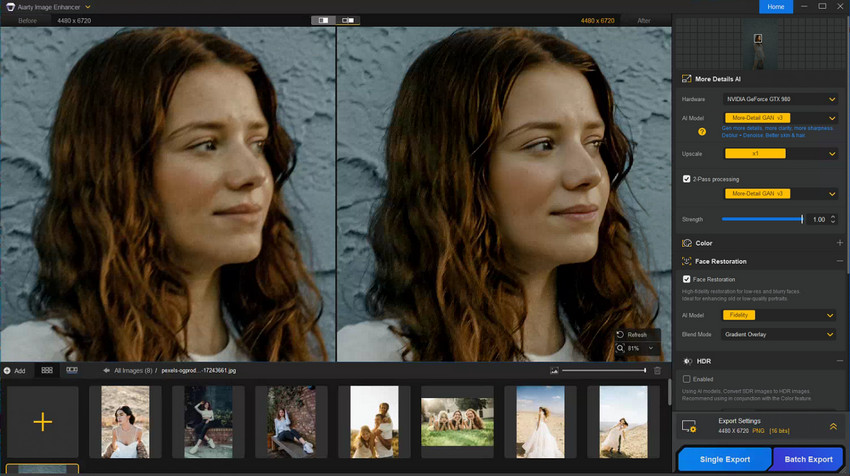
For photographers who want a faster way to enhance image quality without heavy manual editing, tools like Aiarty Image Enhancer can help upscale and refine photos using AI.
- Upscale images to higher resolution while preserving natural detail, making them suitable for prints, albums, or client delivery.
- Reduce noise from low-light or high-ISO shots, resulting in cleaner and more professional-looking images.
- Improve slightly soft or motion-affected photos, helping recover detail that might otherwise require heavy manual retouching.
- Process large batches efficiently, which is especially useful when handling full wedding or event shoots under tight deadlines.
Key Features to Look for in Photography Booking Software
Instead of listing every basic function, look for these "Must-Haves" in 2026 to ensure your photography booking software provides a high return on investment:
- Automated Retainers: The ability to collect non-refundable deposits at the moment of booking to eliminate ghosting.
- Integrated E-Signatures: Seamlessly blending contracts with the booking flow so you never have to send a separate PDF.
- Mobile-Optimized Interface: Ensuring your booking website for photographers converts mobile traffic efficiently via Apple Pay or Google Pay.
- Workflow Automation: Automated email/SMS reminders that reduce no-shows without you lifting a finger.
- Gallery Integration: Direct sync between your booking dates and your delivery platforms (like Pixieset or Pic-Time and other online photo proofing galleries).
Best Booking Apps & Websites for Photographers
The best option really depends on how you shoot - quick mini sessions, full wedding workflows, or something in between.
Here’s a more honest, photographer-first breakdown based on how these tools actually feel in daily use.
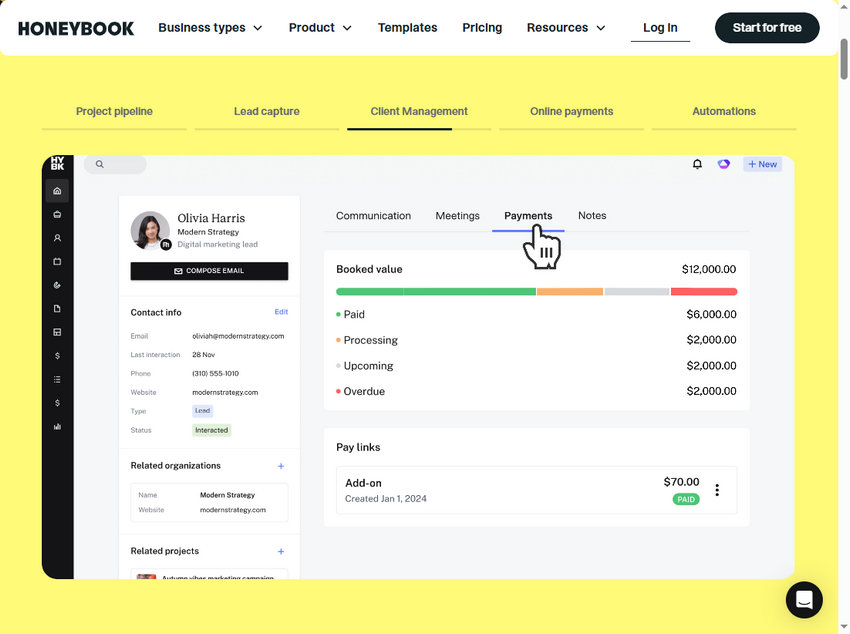
HoneyBook - When you want everything in one place
HoneyBook isn’t just a booking app—it’s more like running your entire business from a single dashboard.
If you’re dealing with inquiries, contracts, invoices, and follow-ups across different tools, this is where things start to feel more organized. Once it’s set up, you spend less time chasing clients and more time actually shooting or editing.
Where it really helps:
- Managing full client workflows (especially weddings or bigger projects)
- Sending contracts + invoices right after booking
- Automating emails so you’re not replying manually every time
But here’s the trade-off:
- It takes time to set up properly
- If you just want a simple “book a time” link, it’s probably more than you need
Good fit: photographers handling higher-value clients or multi-step bookings.
Calendly - The fastest way to stop email ping-pong
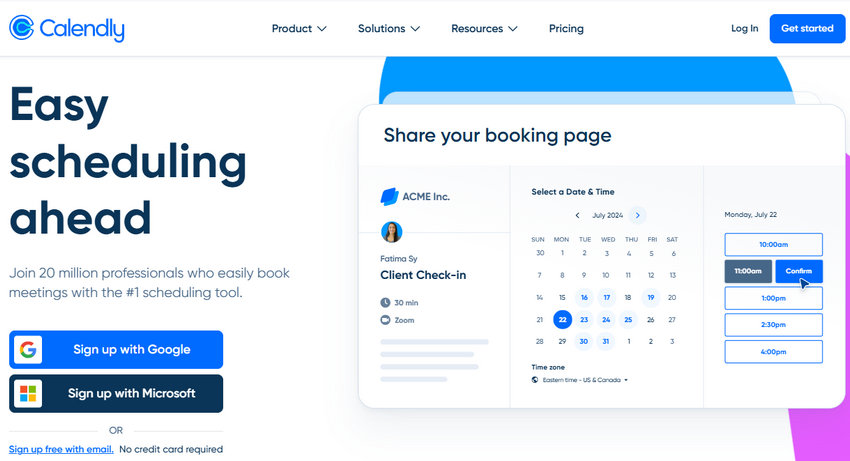
Calendly is about as simple as it gets and that’s exactly why a lot of photographers still use it.
You send a link, clients pick a time, done. No back-and-forth, no confusion.
Where it works well:
- Mini sessions
- Discovery calls
- Quick portrait bookings
But you’ll notice the limits pretty quickly:
- No built-in contracts
- Payments are basic
- Doesn’t feel very “photography-branded”
Still, for many clients, speed beats complexity. Some people just want to book in 30 seconds and move on.
Good fit: photographers who value simplicity or need a quick scheduling layer.
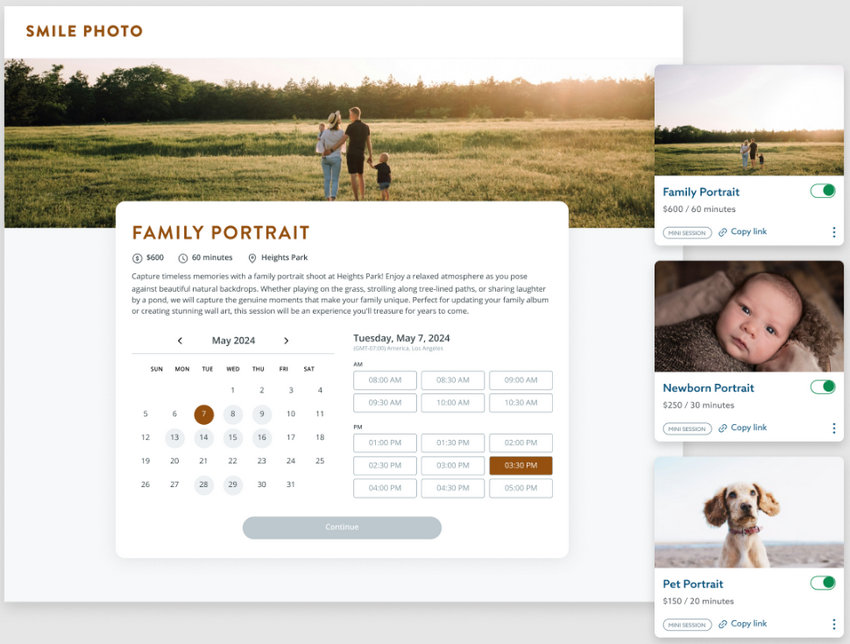
Acuity Scheduling - More control without going full CRM
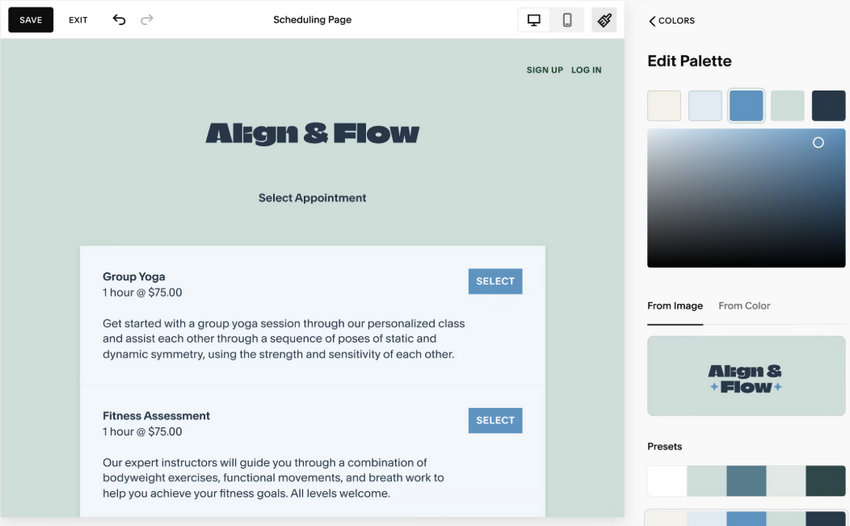
Acuity sits somewhere in the middle. It’s more flexible than Calendly, but not as heavy as HoneyBook.
You can actually shape the booking experience:
- Ask clients questions before they book
- Offer packages or add-ons
- Collect payments upfront
This is useful if your shoots aren’t all the same and you need details before confirming.
What to keep in mind:
- The interface isn’t the most modern
- Some useful features are locked behind higher plans
Still, it gives you a lot of control without turning into a full business system.
Good fit: photographers who want a customized booking flow without overcomplicating everything.
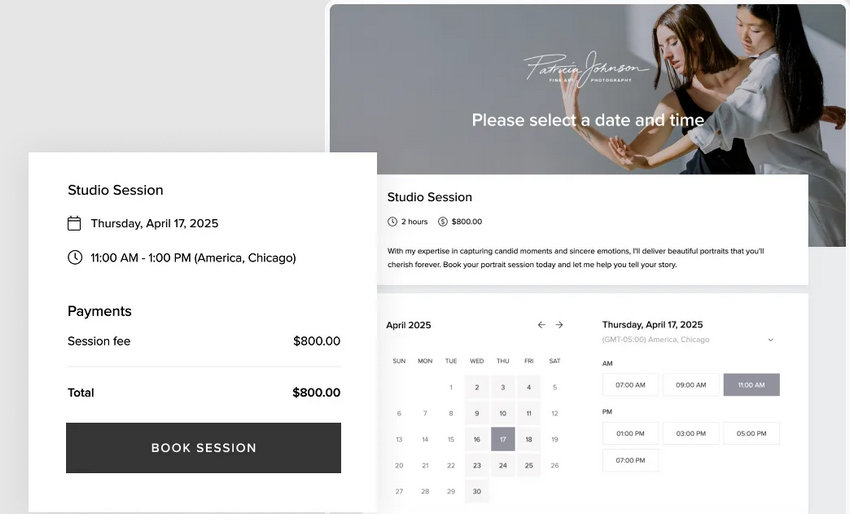
Pixieset - Where booking meets galleries
Pixieset is interesting because it connects the whole client journey.
A client can:
- Find you through your website
- Book a session
- Later come back to view and download photos
All in one place.
That consistency actually matters more than people think, especially for branding and referrals.
Where it shines:
- Clean, photography-focused design
- Smooth experience from booking to delivery
- Easy for clients to understand (which reduces questions)
Limitations:
- Booking features aren’t as deep as dedicated CRM tools
- Works best if you’re already using Pixieset for galleries
Good fit: photographers who care about client experience and want everything to feel connected.
ShootProof - Strong on sales and client delivery
ShootProof feels similar to Pixieset, but with a bit more focus on selling.
If you’re offering prints or digital downloads, it handles that side of the business well.
What stands out:
- Built-in contracts and invoices
- Gallery + store integration
- Booking tied directly to sales workflow
Where it falls short:
- The interface feels a bit dated
- Booking customization is somewhat limited
Still, if a big part of your income comes from post-shoot sales, this setup makes sense.
Good fit: photographers who sell prints, albums, or digital packages regularly.
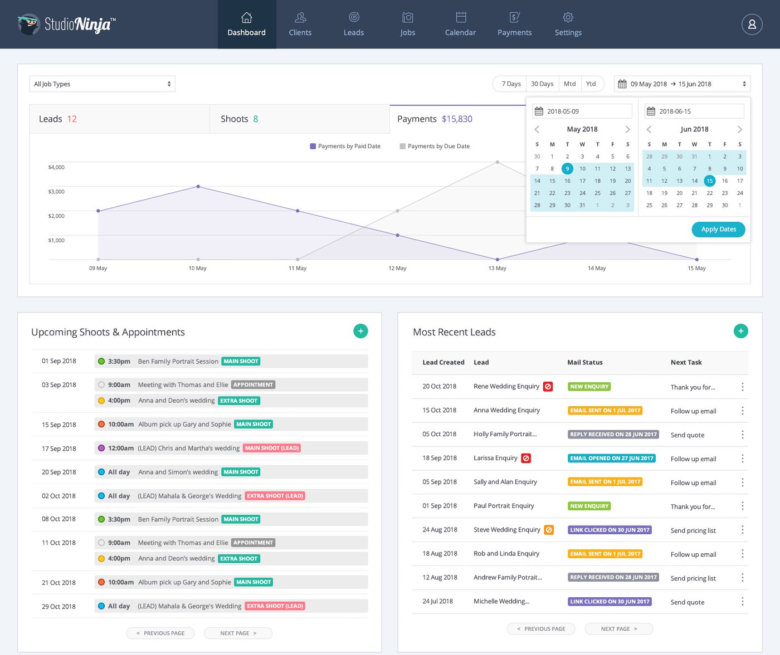
Studio Ninja - Built for long, complex bookings (especially weddings)
Wedding photographers deal with a completely different booking cycle, sometimes months or even a year long. Studio Ninja is built for that reality.
Instead of just “pick a date,” it helps you manage:
- Initial inquiries
- Follow-ups
- Contracts
- Payment schedules
You can automate a lot of the communication, which is a huge time saver during busy seasons.
The downside:
- Overkill for simple shoots
- Requires some setup before it really pays off
But once it’s running, it takes a lot of pressure off your inbox.
Good fit: wedding and event photographers managing longer client journeys.
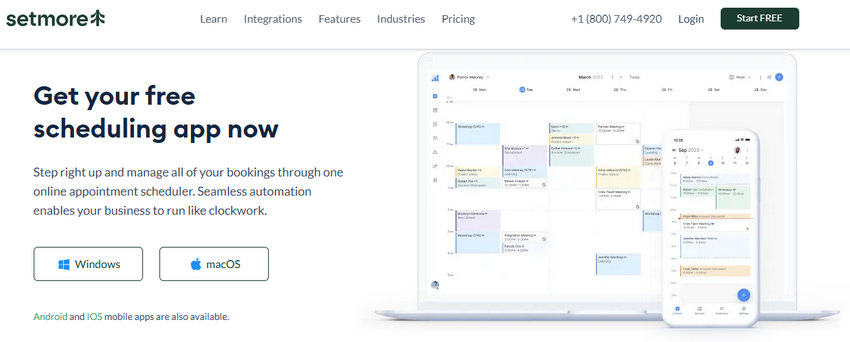
SimplyBook.me / Setmore - When you just need something that works (and is affordable)
If you’re just getting started, you probably don’t need a full system yet. These tools are simple, budget-friendly, and do the basics:
- Let clients book online
- Send reminders
- Accept payments
That’s enough for a lot of early-stage photographers.
Where you’ll feel the limits:
- Less control over branding
- The client experience isn’t as polished
- Fewer automation options
But honestly, something simple is better than nothing, especially when you’re trying to stop manual scheduling.
Good fit: beginners or photographers testing online booking for the first time.
Pricing Comparison: Finding the Best Value
Software pricing can be complex, but here is a quick breakdown of what you can expect to pay for the base tiers of these tools to help you compare your options at a glance.
How to Add Booking Software to Your Photography Website
Having the best photography booking app won't help if your clients can't figure out how to use it. You want to make the transition from browsing your portfolio to locking in a date as seamless as possible. There are generally two ways to connect your booking software to your booking website for photographers:
1. The Embedded Widget (Best for Conversions)
Most platforms like HoneyBook, Acuity, and Calendly provide a snippet of HTML code. You can paste this directly into your Squarespace, Showit, or WordPress site.
The benefit: Clients never leave your website. They view your work, scroll down, pick a date, and pay, all while staying immersed in your brand.
2. The Standalone Booking Portal (Best for Social Media)
If embedding feels too technical, or if you get most of your inquiries through Instagram or TikTok, a standalone link is your best friend. Apps like Session, Pixieset, and Setmore give you a clean, hosted URL (e.g., https://www.google.com/search?q=book.yourname.com).
The benefit: You can drop this link directly into your "Link in Bio" or send it via DM. It’s frictionless for mobile users who want to book a mini-session on the spot.
So, which one should you actually choose?
It comes down to how you work:
- If your bookings are complex and high-value, go with HoneyBook or Studio Ninja
- If you want fast, no-friction scheduling, Calendly is enough
- If you care about a smooth client journey + galleries, Pixieset is a strong choice
- If you’re just starting out, keep it simple with Setmore or SimplyBook
At the end of the day, the best photography booking software isn’t the one with the most features. It’s the one your clients actually complete without getting stuck.
If booking feels effortless on their side, you’ll see fewer drop-offs, fewer emails, and faster payments. That’s what really makes a difference.
 FAQs
FAQs
If you have zero budget and just need a way to stop manual email scheduling, Calendly and Setmore offer generous free tiers. They allow clients to book time slots seamlessly.
However, if you want to collect payments or send automated contracts on a free plan, you might find those features locked behind their premium upgrades.
It depends on the tool you choose. A simple photography booking app like Calendly only handles dates and times. If you use that, you might still need a separate way to send contracts and track income.
On the other hand, platforms like HoneyBook and Studio Ninja are full CRMs (Customer Relationship Managers). They handle the scheduling and manage contracts, invoices, and client communication all in one place.
The easiest way to eliminate no-shows is to use booking software for photographers that requires an upfront retainer. Tools like Acuity, Session, and HoneyBook allow you to connect a payment gateway (like Stripe or PayPal) and toggle a setting that says "Require $X or X% to secure booking." The software will not place the client on your calendar until the transaction clears.
You May Also Like


This post was written by Brenda Peng who is a seasoned editor at Digiarty Software who loves turning ordinary photos into extraordinary works of art. With AI assistance for brainstorming and drafting, the post is reviewed for accuracy by our expert Abby Poole for her expertise in this field.
