


Finding the "best online photo gallery for photographers" usually starts with the wrong question. It assumes there is a single platform that fits everyone, from hobbyists posting occasionally to full-time photographers managing clients and sales.
I picked out photography gallery websites for client proofing, portfolio, showcasing, or simply for personal work archiving. Some services offer all-in-one features with storefront, marketing tools, while others are dedicated for showcasing photos.
Here's some of the highlights:
- Pixieset: offers sleek client proofing gallery, intuitive photo delivery, and seamless booking and payment processor.
- Pic-Time: portfolio showcasing and photo selling, with blog builder and marketing tools.
- SmugMug: for full resolution photo storage, portfolio, with photo protection and print on demand tools.
For budding photographers, sometimes, none of that matter as much as simply getting your photos in front of the right people, using social media or being active in Reddit communities or local café and bars.
1. Client Proofing Photo Galleries for Photographers
If you’re working with clients, the gallery you send them becomes part of the experience. It doesn’t need to be complicated, but it should feel intentional. Clean layout, simple navigation, and reliable downloads go a long way.
Pixieset
Pixieset is an all-in-one platform for photographers to demonstrate client proofing photos, deliver services, sell their works, handle bookings, and build custom portfolio and photography gallery website. You can use their separate plans for client gallery, website, studio manager, store, and mobile gallery, or subscribe for the Pixieset Suite to include all the products and services.
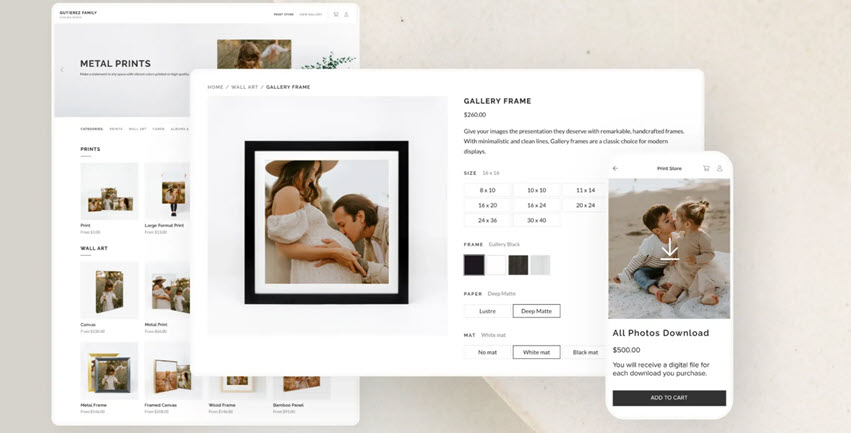
For budding photographers, the free tier is enough to get started. It covers basic photo gallery, integrated storefront, and online payment, though it takes a 15% commission fee in the free plan.
Pixieset stands out for its unlimited storage, delivery and showcasing. Clients can view, select, download, or order prints without much explanation, which makes the whole process smoother. It also connects with Lightroom, which helps keep your workflow in one place rather than exporting and uploading manually.
Pros
- No-code setup with client galleries, website, and booking tools in one place.
- Clean, client-friendly gallery experience with free tier for hobbyists.
- Studio management features to create contracts, invoices, quotes, etc.
Cons
- Fewer design templates compared to Squarespace.
- Monthly cost increases if you use multiple features together.
Pic-Time
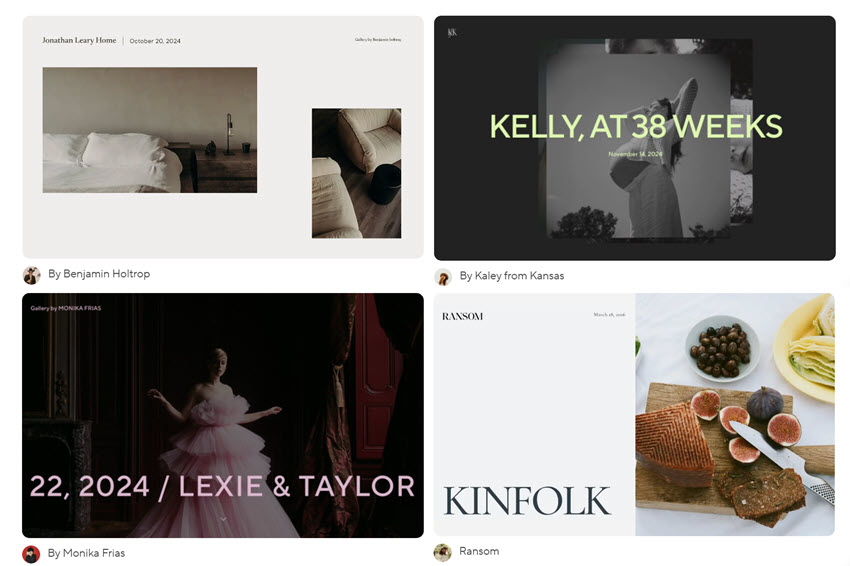
Pic-Time is another leading client gallery platform for photographers. It handles photo showcasing, delivery, slideshows, video hosting, and even a blog builder.
What sets it apart is the sophisticated gallery layouts and automated marketing. You can set up automated emails, track how clients interact with galleries, and use that data to guide print sales.
There's also AI-based face search, which can be useful when clients are looking for specific people in large galleries. It saves time on both sides, especially for events or weddings.
Pros
- Combines proofing, portfolio, and selling tools in one platform.
- Marketing automation and Analytics on client behavior and gallery interaction.
- Supports video, slideshows, and blog content with SEO optimization.
Cons
- The beginner plan has limited design tools.
- The image uploading is restricted to 12000x12000 pixels in JPG or GIF.
SmugMug
SmugMug is a professional online photo gallery for photographers, a nice place to backup photos, host your content, share and control access, and also with options to sell your work.
You can create galleries, control how people view or download images, and apply watermarks or right-click protection. That level of control matters more to some photographers. It also includes built-in stats, so you can see how people interact with your galleries, what’s being viewed and shared.

For those selling prints or digital files, SmugMug offers an integrated storefront on higher-tier plans. Combined with its Lightroom plugin, it can fit into a workflow where you edit, upload, and manage sales without switching between many tools. For detailed comparisons, you can explore these SmugMug alternatives.
Pros
- Strong control over privacy, downloads, and watermarking.
- Integrated storefront for selling prints and digital images.
- Lightroom plugin for a smoother workflow.
Cons
- Lacks studio management tools and CRM features.
- Less focus on modern website building compared to newer CMS platforms.
2. Online Photo Gallery and Portfolio Websites
For small business, side hustles, and personal projects, photo gallery and portfolio websites help showcasing your work, or let clients decide whether your work fits what they're looking for. Sometimes, you don't need an all-in-one platform with bonus CRM systems or sales automation.
Adobe Portfolio
Adobe Portfolio makes the most sense if you are already using Lightroom or other Adobe tools. You can pull directly from your Lightroom catalog and arrange them into clean, responsive galleries without much setup.
Using it for photography gallery building, you can create multiple pages, use Adobe fonts, and build a simple but presentable portfolio that works across desktop and mobile. Hosting is included, and for many people, that is enough to get something online quickly.
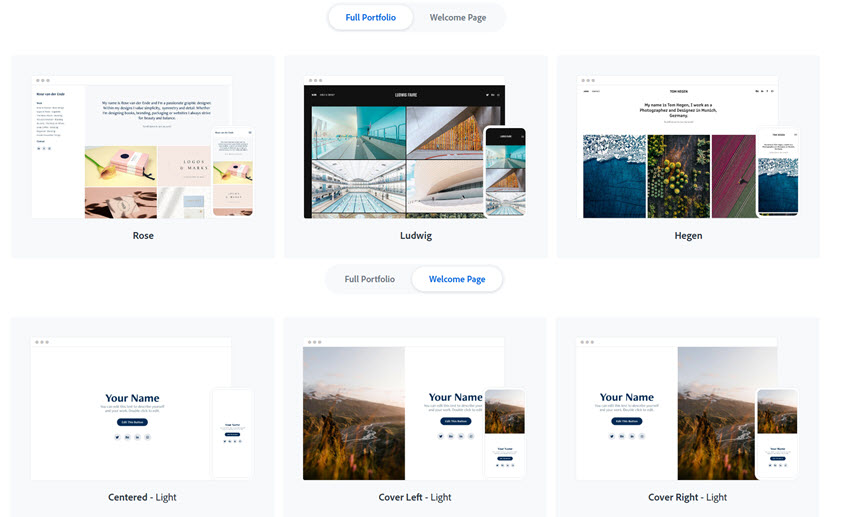
Because it comes with an Adobe subscription, it often ends up being the first portfolio site for photographers and designers. Some even pair it with a custom domain or a simple QR code for potential clients to visit.
Pros
- Clean layouts with responsive photo grids and lightroom integration.
- Simple setup, hosting and pages included.
Cons
- No built-in selling, marketing, or blog tools.
- Limited customization compared to other builders.
Squarespace
Squarespace is closer to a full website builder than a photography-specific gallery tool. It works well if you want more than just a client proofing gallery. You can add an about page, contact form, blog, and even basic e-commerce features in one place.
The templates are one of its main strengths. They are more stylish and modern, with the responsive design that are mobile-optimized for better user experiences. Uploading and organizing photos is also fairly straightforward.
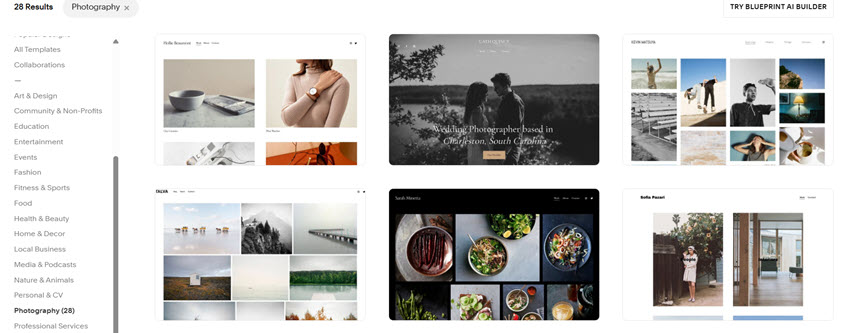
Squarespace handles content presentation and branding better than it handles file delivery. If you need to send full-resolution images or proof galleries, you will likely need a separate service.
Pros
- Well-designed templates for modern aesthetics. Easy to adapt and customize.
- Supports full websites with blog, contact, and portfolio sections.
- Built-in e-commerce with features like checkout and tracking.
Cons
- Requires more setup than simpler portfolio tools.
- Not built for client photo delivery.
Pixpa
Pixpa sits somewhere between a portfolio builder and a business tool. It combines galleries, blogging, and selling features in one place.
It supports different gallery formats, from grids to slideshows, along with responsive lightboxes for viewing images. There are also built-in blogging and SEO features, so that you still have room to grow your content besides photo showcasing.
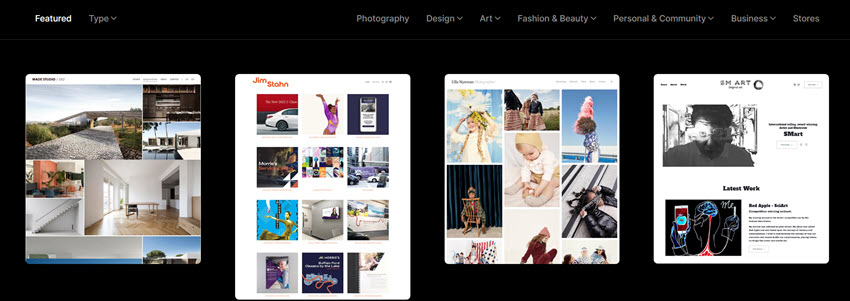
Pixpa does not take a commission on sales. For photographers selling prints or downloads, it is generally more affordable than some alternatives, though it may feel less polished in certain areas.
Pros
- All-in-one platform with galleries, blog, and sales tools.
- Flexible gallery layouts and viewing options, SEO and blogging features included.
- Lower cost compared to other alternatives.
Cons
- Fewer integrations and community resources.
3. Photo Sharing in the Community
Flickr
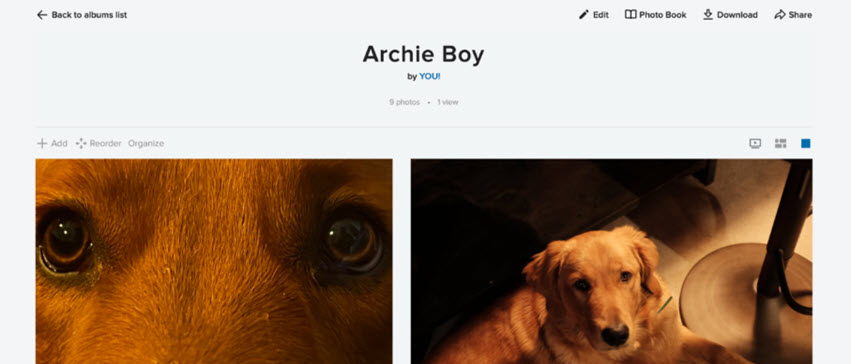
Not every photographer needs a full website right away. Sometimes the goal is just to share work, get feedback, and build some visibility. Flickr still works as such a simple photo gallery to host and organize images. It’s easy to get started and keep albums accessible without building a full site.
Pros
- Easy photo organization and album management.
- Large archive-style storage.
Cons
- Lower engagement than in the past.
- Interface and mobile experience can feel inconsistent.
Instagram is often where photographers start, not because it replaces a portfolio, but because it solves a different problem. It gives your work a chance to be seen.
Posting consistently on Instagram, interacting with other photographers, and sharing more than just finished images tends to have more impact at that stage. It builds familiarity over time, as people start recognizing your style, and that can lead to inquiries later on.
For many photographers, especially early on, it makes more sense to focus on visibility first and spend money later when there is a clear need.
Pros
- Large audience and strong exposure within the creative community.
- Direct interaction with viewers and potential clients.
- Useful for building awareness before investing in other tools.
Cons
- Not structured as a true portfolio or client gallery.
- The platform compresses large photos and limits aspect ratios.
4. Offline Still Works: Cafés, Bars, and Local Exposure
I know this is off the topic, still, not all exposure happens online. Displaying prints in local cafés or bars is still a practical way to get your work seen. It doesn’t require much setup. A few framed photos, table tents, simple pricing, and your contact information are enough.

This approach works well because it’s direct. People see the work in person, without scrolling past it. Some will ask questions. Some will buy. Over time, it builds recognition in your area.
Wrap Up: The Best Setup Depends on You
There isn’t a single platform that fits every photographer.
Some need a client gallery with proofing and delivery tools, while others need a simple portfolio. For hobbyists and budding photographers, focusing on social media and building an audience in hobby groups can also be rewarding.
You May Also Like


This post was written by Brenda Peng who is a seasoned editor at Digiarty Software who loves turning ordinary photos into extraordinary works of art. With AI assistance for brainstorming and drafting, the post is reviewed for accuracy by our expert Abby Poole for her expertise in this field.
