


Sora 2 Prompt Guide: Mastering Prompts, Templates & Essential Tips



Update (2026): While OpenAI Sora is no longer publicly available, the prompt structures and techniques discussed in this guide remain highly relevant.
These prompt patterns are not limited to Sora — they can be directly applied to other AI video generators and even image generation tools. If you're learning how to write better prompts for AI visuals, this guide will still help you achieve more consistent and controllable results.
👉 Looking for alternatives? Check out our guides on AI video generators and AI image generation tools.
What to Use Instead of Sora?
Although Sora is no longer available, many AI video generators support similar prompt-based workflows. Tools like Runway, Pika, and other emerging platforms allow you to apply the same prompt structures covered in this guide.
The key takeaway: mastering prompt structure matters more than the tool itself.
OpenAI Sora has quickly become one of the most influential breakthroughs in AI video generation. Unlike traditional text-to-video tools, Sora 2 understands cinematic language, physical motion, lighting, and story logic at a level never seen before. But Sora is only as powerful as the prompts you give it, which is why mastering Sora prompts, Sora templates, and the right creative workflow is essential.
This ultimate Sora 2 prompt guide will teach you:
- How Sora understands your language & how prompts work
- How to write an effective Sora prompt (director-level structure)
- Sora 2 prompt templates + examples
- How to use Sora to generate stunning videos
- Common Sora prompt mistakes & advanced prompt techniques
Let’s dive in.

What Is a Sora Prompt? And Why It Matters More Than You Think
A Sora prompt is not just a sentence you type into the model; it’s a visual screenplay. To Sora, your prompt is simultaneously:
- Director instructions (tone, style, pacing)
- Cinematography notes (camera movement, lens type, framing)
- Lighting design (color temperature, source direction, contrast)
- Environmental physics (wind, fog, motion, materials)
- Art direction (aesthetic, texture, realism)
- Story cues (emotional tone, character intent)
This means a vague prompt will generate a vague video. But a carefully structured cinematic prompt will unlock Sora’s full power.
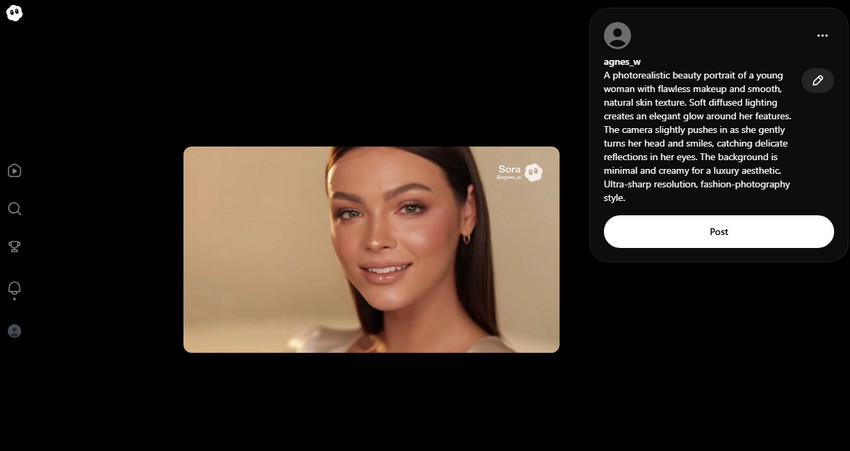
Sora 2 Prompt Example: A photorealistic beauty portrait of a young woman with flawless makeup and smooth, natural skin texture. Soft diffused lighting creates an elegant glow around her features. The camera slightly pushes in as she gently turns her head and smiles, catching delicate reflections in her eyes. The background is minimal and creamy for a luxury aesthetic. Ultra-sharp resolution, fashion-photography style.
How Sora Reads Prompts (OpenAI Prompt Guide Summary)
Sora interprets prompts much like a cinematographer reading a script, creating a full physical, emotional, and cinematic world from your words rather than simply generating visuals. It focuses first on the core vision to understand what the video is about, sets the emotional tone to guide lighting, motion, and color, and establishes a visual style, whether realistic, anime, digital art, or documentary.
Camera language—including angles, lenses, and movement—is critical, while action and physical details define what happens and how the environment responds. Technical parameters such as duration, aspect ratio, texture realism, and pacing further refine the output. In short, Sora functions as a collaborative cinematographer: write like a director, and it performs like one.
Sora 2 Prompt Formula: How to Structure a High-Quality Sora Prompt
Effective prompting is the key to unlocking Sora's best output. Although the model understands plain language well, the level of clarity and detail in your description dictates the cinematic feel and overall consistency of the resulting video. The prompt functions as a screenplay; clear guidance enables the AI to execute its role as a high-quality cinematographer.
The Core Sora 2 Prompt Framework
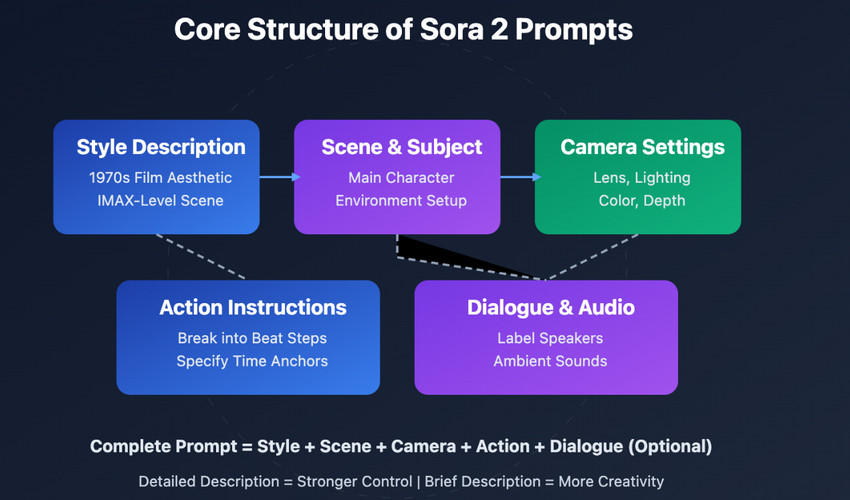
A strong Sora prompt generally follows this seven-part formula:
[Suject] + [Emotion] + [Visual Identity] + [Camera] + [Lighting] | [Environment] + [Specs]
Each element works like a building block that defines what’s on screen, how it moves, and what emotional tone it carries.
- Subject: or core vision, it usually uses one or two sentence to describe who or what is the central subject?
- Emotional Atmosphere: Cinematic, dreamy, eerie, energetic, nostalgic, etc.
- Visual Identity: Lens type, film stock, color profile, contrast, grain.
- Camera: It usually describe cinematic camera movement, such as Dolly in, slider left, handheld, aerial shot, etc.
- Lighting: Golden hour, rim light, volumetric fog, neon reflections.
- Environmental Motion: Wind, particles, rain, snow, ripples, crowds.
- Specs: Technical details like Aspect ratio, duration, movement speed, realism level.
Sora Prompt Templates & Examples (Copy-Ready)
Below are professional templates and fully written examples for different video styles.
1. Product Video Template
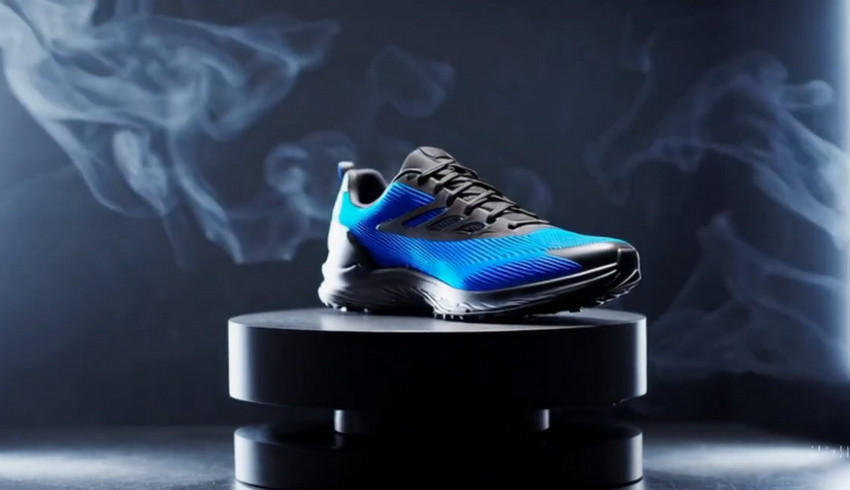
A close-up product showcase of [product name] on a clean studio background, with soft diffused lighting, slow rotating turntable motion, cinematic reflections, 4K clarity, commercial advertising style, macro lens detail, shallow depth of field.
Example Prompt
💬 A luxury skincare serum bottle rotating on a glossy marble slab, soft luminous lighting, ultra-clean commercial shot.
💬 A pair of running shoes displayed on a rotating pedestal, spotlight overhead, smoking in the background.
2. Cinematic Film Template
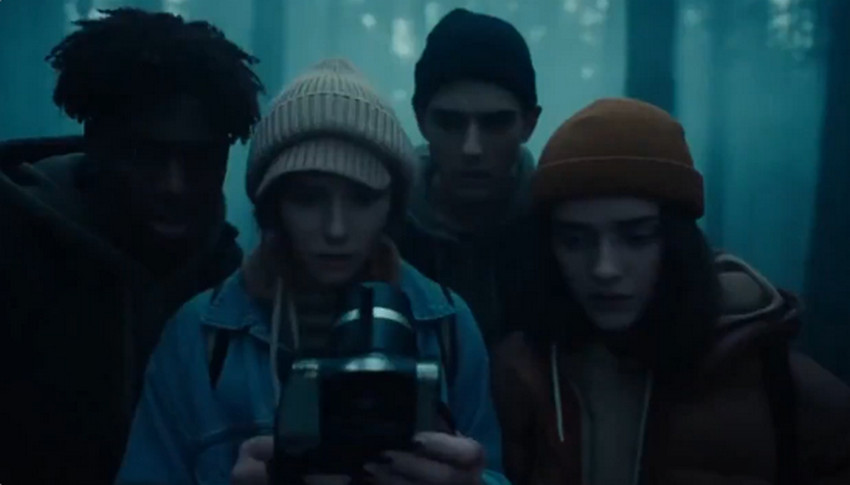
A highly cinematic scene of [character] in [setting], captured with a [lens] and [camera movement], dramatic lighting, atmospheric particles, emotional expression.
Example Prompt
💬 An old man walking through a foggy forest at dawn, 35mm lens, slow dolly forward, golden rays piercing through trees.
💬 A woman running through a neon alley at night, handheld camera, rain falling, cyberpunk aesthetic.
3. Travel / Nature Template
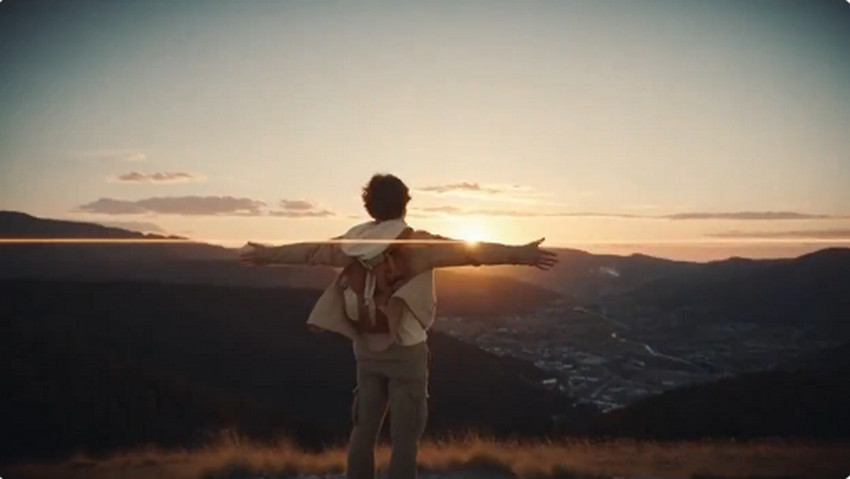
A breathtaking wide shot of [location], captured by a drone, dynamic clouds, rich color grading, natural sunlight, slow sweeping camera motion.
Example Prompt
💬 Snowy mountains above the clouds, aerial drone shot, dramatic blue hour lighting.
💬 A tropical beach at sunrise with waves gently rolling in, warm pastel tones, cinematic travel style.
4. Character-Driven Template
A detailed portrait of [character], expressive emotion, natural lighting, crisp focus on the eyes, subtle camera movement.

Example Prompt
💬 A freckled red-haired child smiling into the camera, soft diffused window light.
💬 A cyberpunk android woman with glowing eyes in a neon-lit lab, close-up portrait.
5. Action Template
A fast-paced action scene of [subject], intense lighting, dynamic motion blur, energetic camera movement, dramatic shadows.
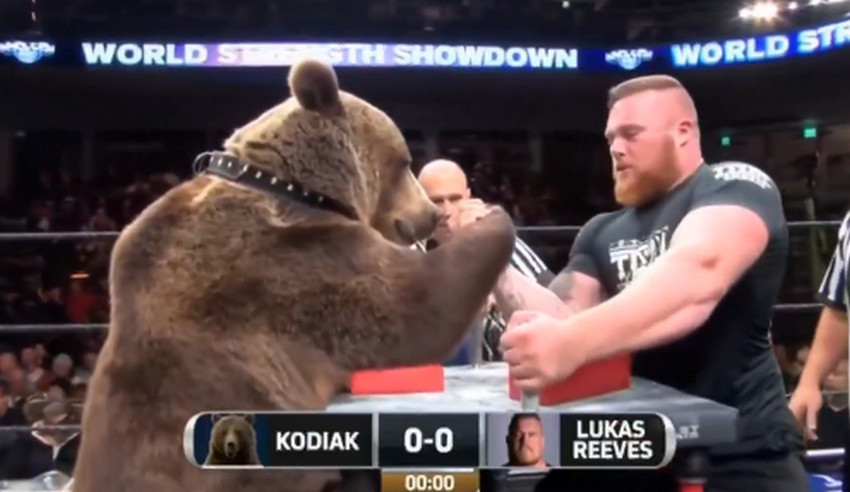
Example Prompt
💬 A futuristic police drone chasing a speeding hover bike through a tunnel.
💬 A medieval knight charging through a battlefield with sparks flying from armor.
6. Animation Template
A stylized [art style] animation featuring [character/subject], expressive motion, colorful backgrounds, smooth 2D/3D animation physics.
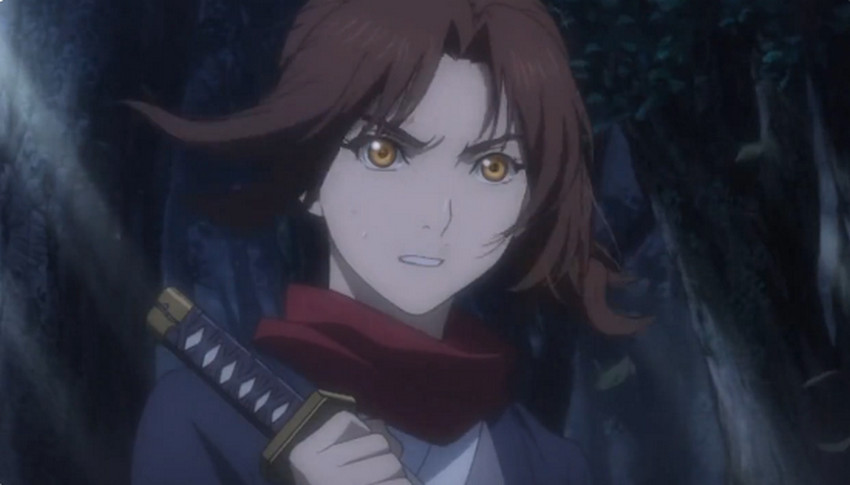
Example Prompt
💬 Studio Ghibli-style girl running through a flower field.
💬 A Pixar-like robot exploring a junkyard, curious and playful.
Complete Step-by-Step Workflow: How to Use Sora (End-to-End Guide)
Once you understand how Sora interprets language, it’s time to move from theory to practice. The following workflow takes you through the entire creative pipeline—from shaping your initial idea, to writing the perfect prompt, to generating, refining, and finally enhancing your video for professional use. Think of this as your complete end-to-end Sora production process.
Step 1. Define Your Core Concept
Every great Sora video begins with a clear conceptual foundation. Before writing any prompt, take a moment to identify the essence of your scene:
- What story or moment do you want to capture?
- Who is the main subject or character?
- What emotion should the viewer feel?
- Where does the scene take place?
Write a short 1–2 sentence concept summary. This acts as your creative compass and ensures that your eventual prompt stays cohesive and visually focused.
Step 2. Build Your Prompt Using the Director Framework
Once your concept is set, start crafting the prompt like a director’s notes, layering cinematic details in a clear flow. Define the subject and setting, specify camera angles and movement, and choose lighting to shape the scene. Add motion, textures, and atmospheric elements, set the mood, and include technical details like aspect ratio and realism to guide the final output.
Step 3. Generate the Video in Sora
After finalizing your prompt, paste it into Sora and configure your output settings. Select the aspect ratio, choose a duration (5–10 seconds usually offers the best balance of quality and detail), and decide whether you want a realistic or stylized aesthetic.
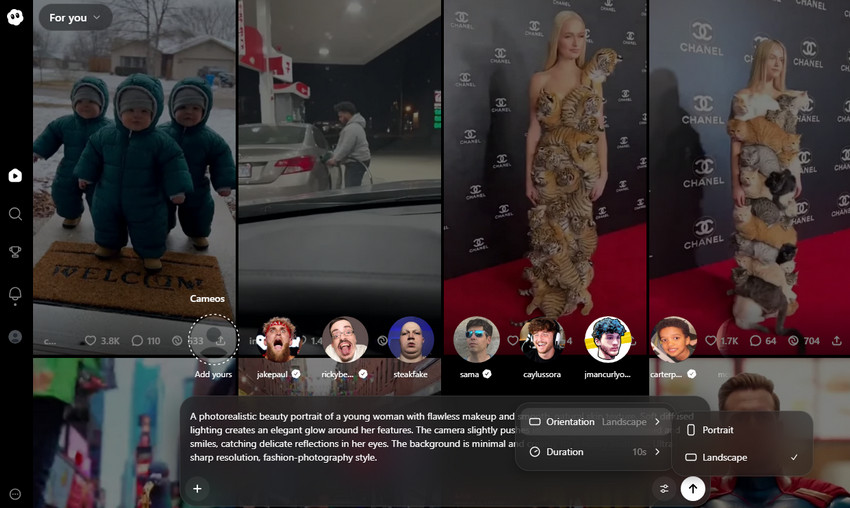
Click on the Settings option, you can choose the verdict or landscape, and determine the duration to your Sora video.
When everything is set, Sora simulates and renders the scene. This step may take some time depending on complexity, but accuracy improves significantly when your prompt follows a structured hierarchy.
Step 4. Review and Refine
Watch your video critically, checking that motion feels natural, camera angles follow your plan, and lighting matches the intended mood. Look for visual inconsistencies or artifacts, and adjust your prompt as needed. High-quality results typically require two to four iterations, like a digital reshoot.
Step 5. Enhance Sora Videos with Aiarty Video Enhancer
This stage elevates your Sora creation from “AI-generated” to professional-grade. While Sora produces impressive visuals, its raw output may occasionally include soft textures, mild motion blur, low-light noise, or insufficient resolution for commercial purposes. Aiarty Video Enhancer is specifically built to solve these issues through:
- 4K AI upscaling to transform your footage into higher-resolution visuals with remarkable detail and clarity.
- Denoise and deblur correction that removes unwanted grain and soft focus, resulting in cleaner, sharper images.
- Enhanced color, clarity, and texture definition that brings depth and vibrancy, making every scene more lifelike.
- Sharper edges and improved surface detail to ensure every element stands out with precision and visual impact.
- Motion artifact cleanup to smooth out jittery or unnatural movement by boosting FPS, making motion appear more fluid and realistic.
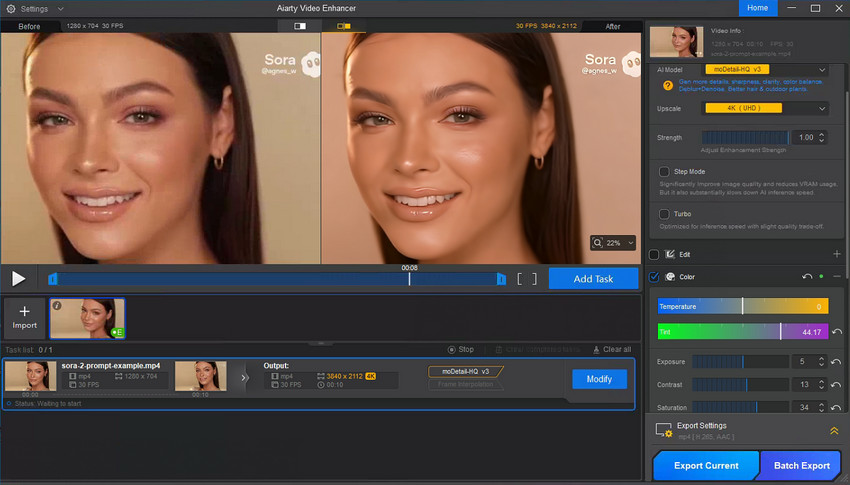
You can watch the video below to see Aiarty Video Enhancer in action.
Common Sora Prompt Mistakes (And How to Avoid Them)
Even with a solid concept, it’s easy to make errors that limit Sora’s potential. Understanding these common pitfalls and knowing how to avoid them can help you get cleaner, more cinematic results.
- Being too vague: A prompt like “Make a nice video of a girl walking” doesn’t give Sora enough guidance. Be specific about the character, setting, motion, and mood to get meaningful results.
- Overwriting: Including too many conflicting details can confuse the AI, leading to messy or incoherent outputs. Focus on clear, essential instructions instead of cramming everything into one prompt.
- Forgetting camera language: Camera angles, movement, and framing dramatically affect the final video. Ignoring this can make scenes feel static or awkward, even if other details are perfect.
- Ignoring lighting descriptions: Lighting isn’t just visual—it sets the mood, tone, and sense of realism. Specify whether it’s natural, dramatic, soft, or stylized to guide Sora effectively.
- Asking for too much in one prompt: Trying to combine multiple ideas in a single prompt often dilutes the focus and lowers quality. Stick to one main concept per prompt for the best results.
- No emotional tone: Sora responds strongly to emotional cues. A scene without clear emotion can feel flat or lifeless, so include the intended feeling or atmosphere in your instructions.
Conclusion
Sora 2 is transforming AI video creation, but even the most advanced tools can only deliver great results when paired with strong prompts. By mastering prompt structure, leveraging Sora templates, applying thoughtful camera language, setting the right emotional tone, and including detailed cinematic instructions, your videos will instantly feel more polished, immersive, and professional.
To take your creations even further, enhancing your footage with Aiarty Video Enhancer can elevate Sora’s outputs into production-ready content with sharper detail, richer color, and smoother motion. Whether you’re a filmmaker, marketer, designer, or content creator, this guide equips you with the knowledge to produce cinematic, consistent, and high-quality videos every time.
You May Also Like


This post was written by Brenda Peng who is a seasoned editor at Digiarty Software who loves turning ordinary photos into extraordinary works of art. With AI assistance for brainstorming and drafting, the post is reviewed for accuracy by our expert Abby Poole for her expertise in this field.
