
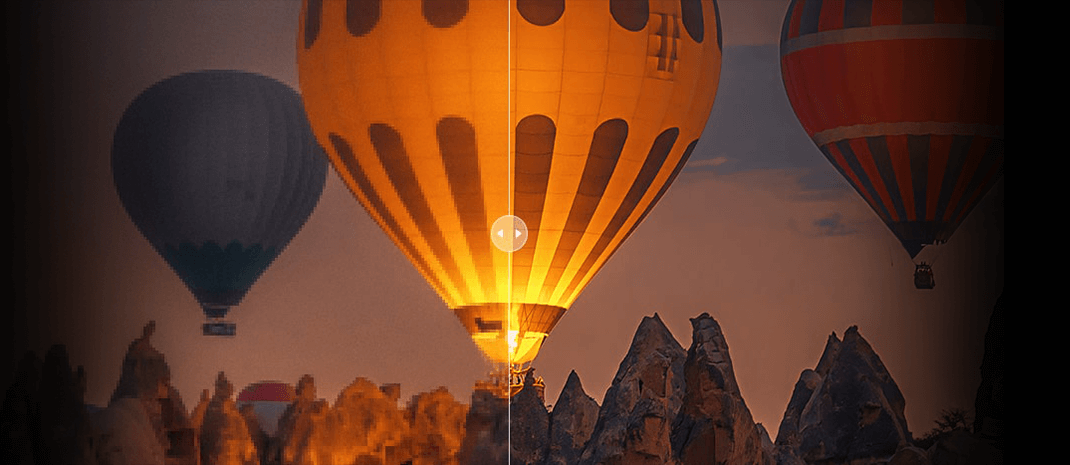
How to Take Better Night Photos: Settings, Tips & Editing Techniques

Updated on
Night photography lets you capture scenes that look completely different after dark, from illuminated city streets and architecture to landscapes, stars, and light trails. But low light also makes camera shake, noise, focusing, and exposure more challenging.
Success comes down to balancing your aperture, shutter speed, ISO, and focus. While static scenes benefit from a sturdy tripod and RAW shooting, moving subjects demand faster shutter speeds. Dive into the sections below to master your night settings, capture the stars, explore creative techniques, and easily fix blur, noise, and underexposure.
There is no single set of settings that works for every night scene, but these starting points can help:
| Setting | Starting Point | What It Means |
|---|---|---|
| Aperture | f/1.8–f/2.8 | Use a wide aperture for more light; stop down for greater depth of field. |
| Shutter Speed | Scene dependent | Use a slower speed for static scenes with a tripod; use a faster speed for moving subjects. |
| ISO | Lowest practical | Keep ISO low when possible and increase it when you need a faster shutter speed. |
| Focus | AF / Manual | Use autofocus when there is enough light; switch to manual focus and Live View magnification in very dark scenes. |
| File Format | RAW | More flexibility for adjusting exposure, white balance, noise, etc. in editing. |
| Tripod | Recommended | Helps prevent camera shake during long exposures and allows lower ISO for static scenes. |
1. Prepare Your Camera and Gear for Night Photography
Night photography often requires longer exposures and more careful camera handling than daytime shooting. Before you start, make sure your camera is stable, your lens can gather enough light, and your image format gives you enough flexibility for later adjustments.
Use a Sturdy Tripod
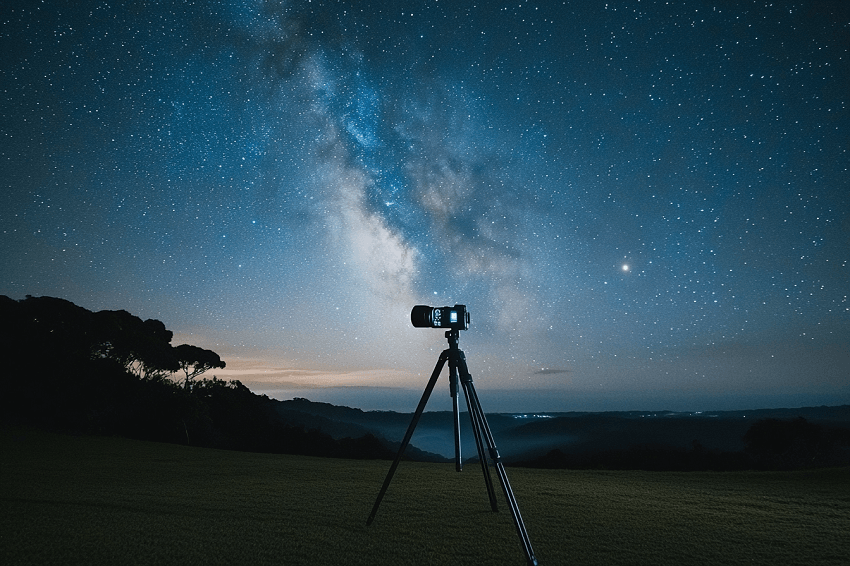
A sturdy tripod is one of the most useful pieces of equipment for night photography. Because low-light scenes often require slower shutter speeds, even a small amount of camera movement can make your photos look blurry.
A tripod keeps your camera steady during long exposures, whether you are photographing a cityscape, landscape, or starry sky. It also allows you to use a lower ISO and slower shutter speed when the subject is static, which can help produce cleaner images with less noise.
For additional stability, use a remote shutter release or your camera's self-timer instead of pressing the shutter button manually. In windy conditions, make sure the tripod is firmly positioned and avoid extending it more than necessary.
When choosing a tripod, look for a balance between stability and portability. A heavier tripod can provide more stability, while a lighter model may be easier to carry when you are hiking to a remote night photography location.
Also check: Best Camera Settings for Night Photography
Shoot in RAW Format
Shooting in RAW gives you more flexibility when editing night photos. Compared with JPEG, RAW files retain more of the image data captured by the camera, giving you greater control over exposure, white balance, color, and noise reduction.
This is particularly useful at night because a single scene may contain very dark shadows alongside bright street lights, signs, or stars. RAW gives you more room to adjust these areas during post-processing. RAW is also useful when dealing with mixed light sources. Street lamps, building lights, and moonlight can create different color casts, but you can fine-tune the white balance after shooting.
If you expect to make significant exposure or color adjustments, RAW is generally the more flexible format for night photography.
Use a Fast Lens
A fast lens has a wide maximum aperture, such as f/2.8, f/1.8, or f/1.4, allowing more light to reach the camera sensor. This gives you more flexibility with your night photography settings. Depending on the scene, you can:
- Use a faster shutter speed to reduce motion blur.
- Keep ISO lower to help control noise.
- Capture more light when shooting handheld.
- Create a shallower depth of field when photographing subjects such as people.
For night landscapes and night sky photography, wide-angle lenses are commonly useful for capturing more of the scene and sky. Standard or telephoto lenses can work better when you want to isolate a subject or capture details in a cityscape.
2. Get Your Night Photography Settings Right
Choosing the right camera settings is one of the biggest challenges when taking photos at night. There is no single combination that works for every scene, so use your aperture, shutter speed, ISO, and focus settings together based on the subject and available light.
Choose the Right Aperture
A wide aperture lets in more light, which is useful when shooting in very dark conditions. Common starting points include f/2.8, f/1.8, or f/1.4, depending on your lens.
However, the widest aperture is not always the best choice. If you need more depth of field, especially in a landscape, stopping down may produce a sharper result across the scene. You can then compensate with a slower shutter speed or higher ISO.
As a general starting point:
- Night portraits: wider apertures can help separate the subject from the background.
- Night landscapes: consider stopping down when you need more depth of field.
- Night sky photography: a wide aperture is often useful for gathering more light from stars.
Adjust Shutter Speed Carefully
Shutter speed determines how long the camera sensor is exposed to light. In night photography, slower shutter speeds are often necessary because there is less available light.
For static subjects, a tripod allows you to use longer exposures without introducing camera shake. Depending on the scene, you may start with an exposure of several seconds and adjust it after reviewing the test shot.
If the subject is moving, however, a long exposure can introduce motion blur. In that situation, you may need a faster shutter speed and compensate with a wider aperture or higher ISO.
Take a test shot and review the result rather than relying on a fixed shutter speed. The amount of ambient light, artificial lighting, moonlight, and movement within the scene can all affect the exposure you need.
Find the Right ISO
ISO affects how bright your image becomes, but higher ISO can also make photography noise more visible. The goal is to use the lowest ISO that still gives you the shutter speed and exposure you need.
For tripod-based night photography, start with a lower ISO and use a longer shutter speed when the subject is static. For handheld shots or moving subjects, increasing ISO may be necessary to maintain a faster shutter speed.
There is no universal “best ISO” for night photography because camera performance varies. Test different ISO values and check the image at 100% magnification to see how much noise and usable detail remain.
Check the Histogram
The camera's histogram is particularly useful for evaluating exposure in dark environments. The LCD preview can sometimes make a night photo appear brighter or darker than it actually is, so the histogram provides another way to check the tonal distribution.
Pay attention to both ends of the histogram. If bright areas such as street lights or signs are clipped, reduce the exposure to preserve highlight detail. If the image is heavily concentrated in the shadows, consider whether you need more exposure or whether the darkness is intentional.
Rather than trying to make every night photo look bright, aim for an exposure that preserves important details while maintaining the atmosphere of the scene.
Focus Carefully in Low Light
Autofocus can struggle when there is little light or contrast. If your camera has difficulty locking focus, switch to manual focus and use Live View magnification.
For different night photography subjects, try:
- Night sky: magnify a bright star or distant light and adjust focus until it appears as sharp as possible.
- Distant landscapes: focus on a distant building, mountain, or other subject before it becomes completely dark.
- Moon photography: use the moon as a bright focusing target.
- Dark foregrounds: temporarily illuminate a distant subject with a flashlight if necessary.
Once you have achieved accurate focus, switch to manual focus so the lens does not refocus accidentally during a long exposure.
3. Capture the Night Sky with Long Exposures
Long exposure is one of the defining techniques of night photography. It can be used to capture stars, star trails, brighter landscapes, and other scenes that would be difficult to photograph with a short exposure.
Use the Rule of 500 for Sharp Stars
When photographing stars without a star tracker, shutter speed needs to be limited if you want stars to appear as sharp points rather than trails.
The Rule of 500 provides a simple starting point for estimating the maximum exposure time:
500 ÷ focal length = approximate maximum shutter speed in seconds
For example, with a 24mm lens:
500 ÷ 24 ≈ 21 seconds
This means you can start by keeping the exposure around 20 seconds or shorter and then check the result.
The Rule of 500 is only a starting point rather than an absolute measurement. Your camera's sensor, lens, image resolution, and shooting conditions can affect how much star movement is visible. If stars still appear slightly blurred, try shortening the exposure time.
For crop-sensor cameras, remember to take the crop factor into account when calculating the effective focal length.
Use a Star Tracker for Longer Exposures
A star tracker compensates for the Earth's rotation, allowing the camera to follow the apparent movement of the stars. This makes longer exposures possible and can help you capture more light from faint stars and other details in the night sky.
One limitation is that the foreground moves with the camera while tracking. As a result, landscape elements may become blurred. For a sharp foreground and tracked sky, you can:
- Capture one or more tracked exposures for the sky.
- Capture a separate exposure for the foreground with the camera stationary.
- Blend the images during post-processing.
Before using a star tracker, also consider light pollution, weather, and the visibility of the night sky at your location.
Create Star Trails
Star trails capture the apparent movement of stars as long lines across the sky. Instead of trying to keep stars as sharp points, this technique intentionally turns their movement into part of the composition.
A practical approach is to capture a series of consecutive exposures and combine them later using software such as Photoshop or StarStaX. An intervalometer can automate the sequence and keep the intervals consistent.
Compared with one extremely long exposure, image stacking gives you more control over the final star trail effect and can make exposure problems easier to manage.
Regardless of the method you choose, use a sturdy tripod, manual focus, and a location with minimal light pollution. Check your first few frames carefully to make sure the focus and composition are correct before starting a long sequence.
4. Try Creative Night Photography Techniques
Once you are comfortable with basic night photography settings and long exposures, you can experiment with techniques that combine multiple exposures, movement, or unusual compositions.
Try Light Painting
Light painting uses a flashlight, LED, or another light source during a long exposure to selectively illuminate parts of a scene.
Place your camera on a sturdy tripod, switch to manual focus, and use a shutter speed long enough to move the light through the frame. A dimmable light gives you better control over the brightness.
For better results:
- Move the light continuously to avoid harsh hotspots.
- Change the light angle to create different shadows and textures.
- Try colored LEDs or gels for different effects.
- Avoid pointing the light directly into the lens unless it is intentional.
After shooting, adjust brightness and contrast to balance the illuminated areas with the darker parts of the scene.
Use Focus Stacking for Greater Depth of Field
Focus stacking is useful for night landscapes where both foreground and background elements need to be sharp.
Mount the camera on a tripod and capture several images while gradually changing the focus point from the foreground to the background. Use Live View magnification to check focus, especially in low light.
Then blend the images in Photoshop or another focus-stacking program. Combining the sharpest areas from each frame can give you greater depth of field without using an extremely narrow aperture.
Try a Vertorama for Expansive Night Scenes
A vertorama combines multiple images into a vertical panoramic composition. It works well for night landscapes, cityscapes, and architecture when you want to include both a detailed foreground and a large portion of the night sky.
Plan the composition before shooting and use a tripod to keep the framing consistent. As you move the camera upward, overlap each frame by about 30–50%.
Start with the lower part of the scene and gradually capture additional frames toward the sky. Then stitch the images together in Photoshop, Lightroom, or other panorama software. Some cropping may be needed after stitching.
Keep Experimenting with Night Photography
There is no single set of night photography settings that works for every scene. Adjust your aperture, shutter speed, and ISO based on the subject, available light, movement, and the effect you want.
As a quick starting point:
- Static scenes: Use a tripod, slower shutter speed, and lower ISO.
- Moving subjects: Use a faster shutter speed and increase ISO when necessary.
- Night sky photography: Use a wide aperture, manual focus, and controlled exposure time.
- Creative effects: Experiment with long exposures, multiple frames, and intentional movement.
Take a test shot, check the focus and histogram, and adjust your settings from there. Once the basics are familiar, techniques such as star trails, light painting, focus stacking, and vertorama can add more creative options to your night photography.
Common Night Photography Problems and Fixes
Night photography can produce blurry, noisy, or underexposed images even when your camera settings seem right. Here are some common problems and quick ways to fix them.
| Problem | Common Cause | Quick Fix |
|---|---|---|
| Blurry night photos | Camera shake, subject movement, or missed focus | Use a tripod, adjust shutter speed, and check focus at 100% |
| Noisy night photos | High ISO or heavy shadow recovery | Lower ISO when possible and apply moderate noise reduction |
| Photos too dark | Not enough exposure | Use a slower shutter speed, wider aperture, or higher ISO |
| Autofocus fails | Too little light or contrast | Switch to manual focus and use Live View magnification |
| Stars look like trails | Shutter speed is too long | Shorten the exposure or use the Rule of 500 |
The Biggest Challenge in Night Photography: Noise
Noise is one of the most common image-quality problems in night photography. When there is not enough available light, you may need to raise the ISO, use a longer exposure, or brighten underexposed shadows during editing. These adjustments can make luminance noise and color noise more visible, especially in dark areas of the image.
The problem is not just a grainy appearance. Heavy noise can obscure fine textures and small details in buildings, foliage, people, and other subjects. Applying strong noise reduction can make the image look cleaner, but it may also soften edges and remove details that you want to keep. This makes the balance between noise reduction and detail preservation particularly important for night photos.
When shooting, using the lowest practical ISO, a tripod for static scenes, and a well-balanced exposure can help keep noise under control. But when a night photo is already noisy or lacks detail, post-processing may be needed to improve its overall quality. AI image enhancement offers another approach by reducing noise while attempting to preserve or recover fine details.
Reduce Noise and Recover Details with Aiarty Image Enhancer
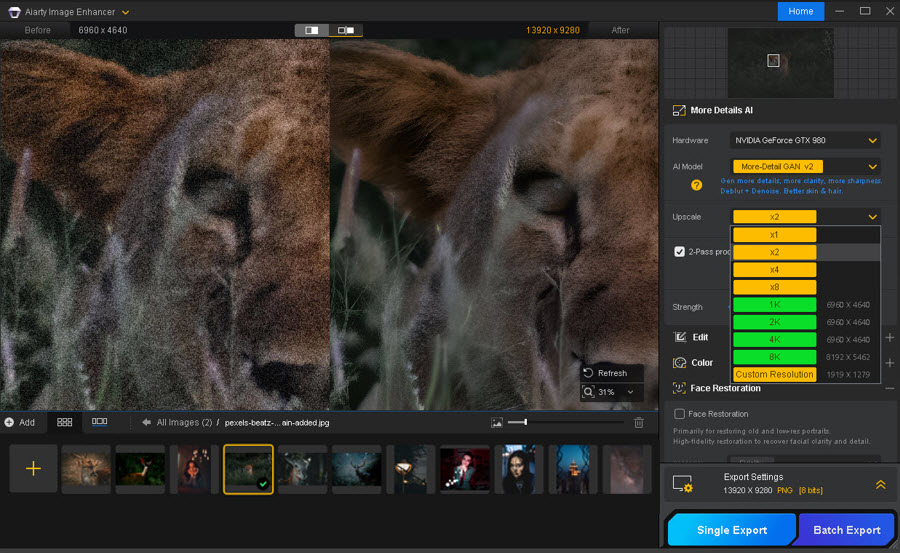
When a night photo suffers from severe noise and lost detail simultaneously, standard sliders fall short. To see if AI can truly bridge the gap, we tested Aiarty Image Enhancer on several low-light photos.
Powered by advanced AI models designed to understand real-world textures, Aiarty takes a smarter approach than traditional smoothing tools. Instead of simply blurring out grain, it intelligently distinguishes between actual image detail and digital noise—cleaning up color speckles while reconstructing crisp edges and natural fabric, stone, or foliage textures. At 100% zoom, the results show cleaner night skies and sharp architectural details without the dreaded artificial plastic look.
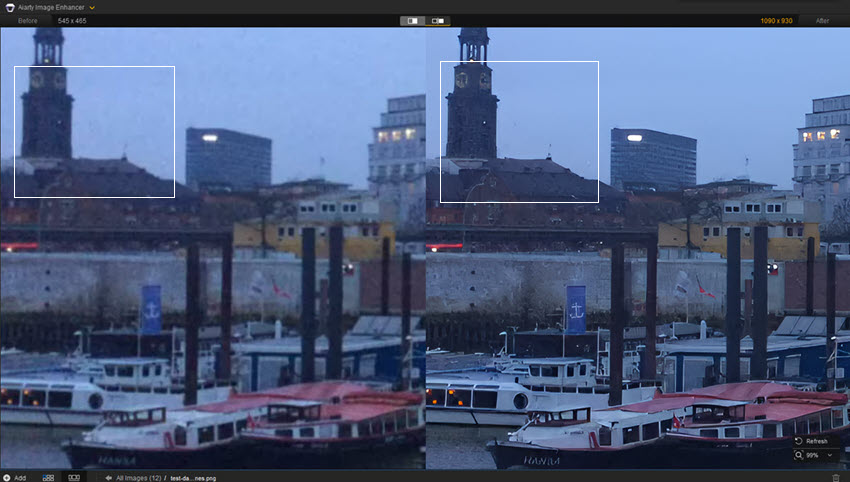
High-ISO Night Scene
The original image shows visible grain in darker areas, with some fine details becoming less distinct because of noise. After enhancement, the noise is reduced and edges appear cleaner, while the overall scene remains natural.
Dark Night Landscape
The second example focuses on a darker scene with both shadow noise and limited detail. Aiarty reduces some of the grain in the shadow areas while improving the definition of textures and edges. The result is cleaner overall, although the effect is more noticeable in areas where the original image contains usable detail.
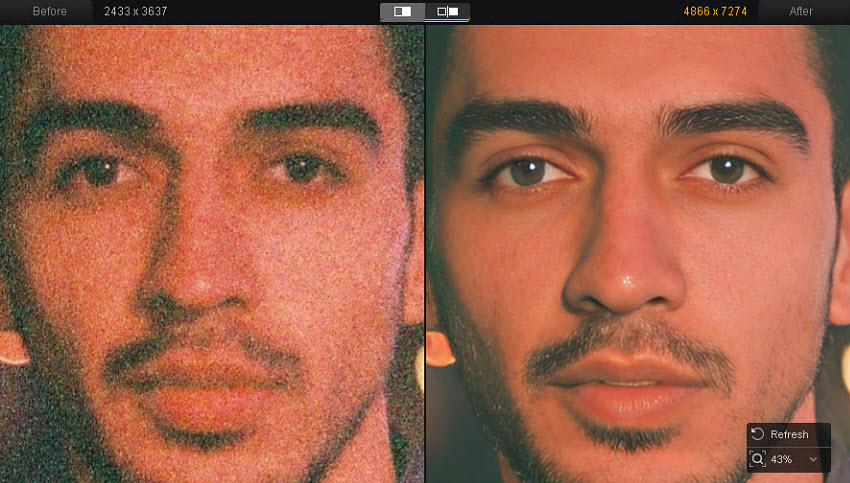
Night Portrait
Night portraits can be particularly difficult because excessive noise reduction may soften skin texture and facial details. In this test, Aiarty's enhancement helps clean up visible noise while retaining more facial and hair detail than a strong conventional smoothing effect.
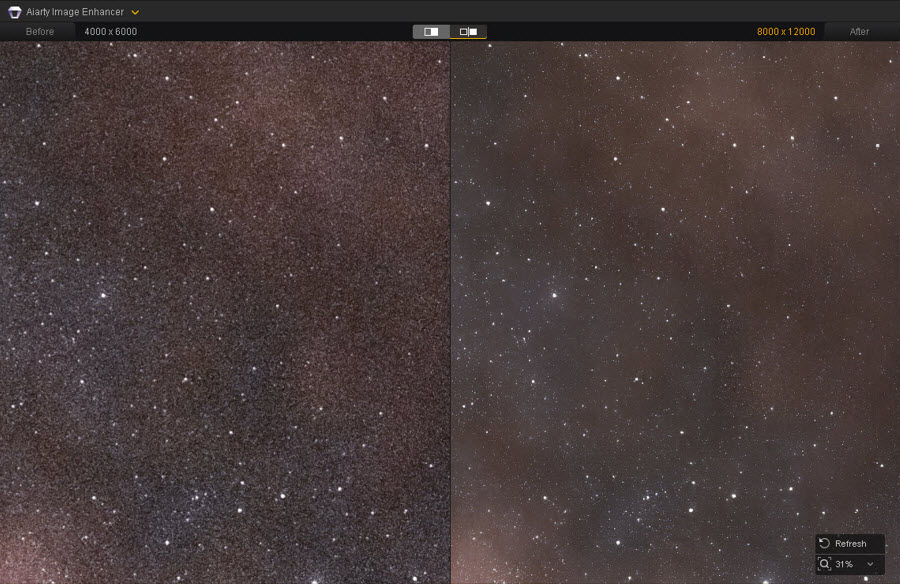
Night Astrophotography
Night astrophotography presents a different challenge because high ISO and long exposures can introduce noise across the dark sky while making small stars difficult to distinguish. In this example, we examined the sky, stars, and other fine details at 100% zoom. Aiarty reduces visible noise in the darker sky areas while keeping the brighter stars and surrounding details distinct.
Overall, Aiarty Image Enhancer can be useful when a night photo needs both noise reduction and detail enhancement. The results depend on the quality of the original image and the amount of information captured in the source, so check the output at 100% and avoid overly strong enhancement when the original photo contains very little recoverable detail.
Night Photography Safety Tips
Night photography often takes you into darker environments where visibility is limited. Before focusing on camera settings, make sure you can move around and handle your equipment safely.
- Bring a small flashlight or headlamp. A phone light can work in a pinch, but a dedicated light makes it easier to set up a tripod, change camera settings, or walk on uneven ground.
- Watch your surroundings. Be especially careful near roads, cliffs, water, stairs, and uneven trails. Avoid backing up to frame a shot without checking what is behind you.
- Keep your equipment secure. Use a stable tripod and check that your camera, lens, and other accessories are properly attached before starting a long exposure.
- Check the location before shooting. For remote or unfamiliar areas, check access conditions, weather, local restrictions, and whether you need permission to photograph there.
 FAQs
FAQs
For general night photography, start with a wide aperture such as f/1.8–f/4, a shutter speed that matches your subject and camera stability, and the lowest practical ISO. For static scenes, a tripod allows you to use a slower shutter speed and lower ISO. Check the histogram and adjust the exposure based on the scene rather than relying on fixed settings.
Low-light environments often cause the autofocus (AF) system to "hunt" and fail to lock focus. In this case, you can:
- Switch to Manual Focus (MF): Toggle your lens to manual focus, enable Focus Peaking or use screen magnification (5x/10x), and manually turn the focus ring until the edges of your subject are crisp.
- Focus on High-Contrast Edges: If you must use autofocus, aim your focus point at a high-contrast boundary—such as the edge of a bright light, a distant street sign, or the horizon line—lock the focus, and then recompose.
- Use a Flashlight: In pitch-black environments, shine a high-lumen flashlight onto your subject to establish focus, switch to manual focus to lock it in place, and turn off the light before shooting.
High ISO settings introduce digital noise that ruins clarity and image texture. So as long as your shutter speed is safe for handholding or you are using a tripod, keep your ISO as low as possible (e.g., ISO 100 or 400). You can lower the ISO and slow down the shutter speed to let more light reach the sensor naturally. Then shoot multiple consecutive frames of the same scene (common for astrophotography or cityscapes) and stack them using software like Photoshop, Sequator, or Lightroom to dramatically reduce random noise while preserving fine details.
A tripod is highly useful for night photography, especially for cityscapes, landscapes, architecture, and other static subjects. It lets you use slower shutter speeds without introducing camera shake, making it easier to keep ISO low. A tripod is less practical for moving subjects, where shutter speed becomes more important.
You May Also Like


Brenda Peng is a seasoned editor at Digiarty Software who loves turning ordinary photos into extraordinary works of art. With years of experience behind the lens and in front of the computer, Brenda shares her passion for photography, image enhancement, and editing through easy-to-follow tutorials.
