
Best Stable Diffusion Models and Checkpoints in 2026

Updated on
Choosing the right Stable Diffusion model can dramatically improve your AI image generation results. Whether you want realistic portraits, anime artwork, product images, cinematic scenes, or creative illustrations, the model you use often matters more than prompt adjustments.
In 2026, the Stable Diffusion ecosystem has expanded far beyond the original checkpoints. While SDXL remains one of the most popular choices thanks to its strong quality and massive LoRA ecosystem, newer models such as Flux and Stable Diffusion 3.5 offer improved prompt understanding, better image consistency, and more advanced generation capabilities.
This guide covers the best Stable Diffusion models and checkpoints in 2026, including popular SDXL models, realistic fine-tunes, creative checkpoints, and newer-generation models. We compare each model based on image quality, strengths, use cases, compatibility, and overall performance to help you find the right option.
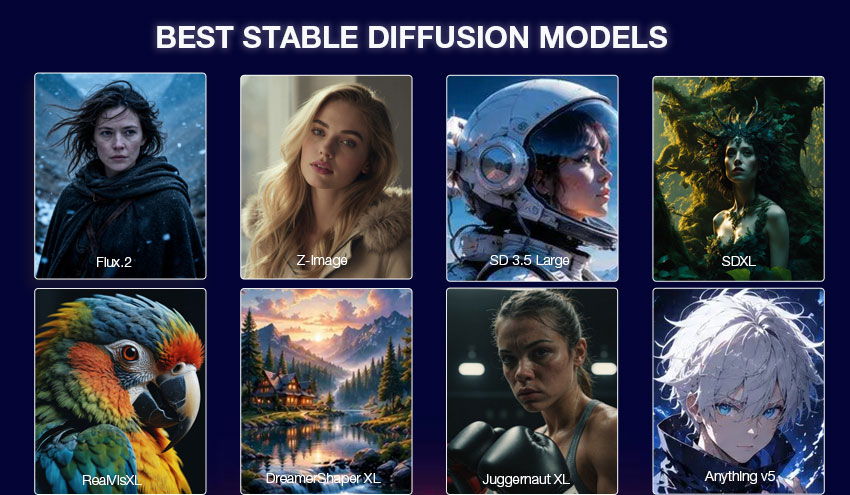
There is no single best Stable Diffusion model for every task. The ideal choice depends on the type of images you want to create, your hardware, and whether you prioritize realism, creativity, speed, or customization.
Here are the top picks for different needs:
- Best Overall Image Quality: Flux Series
Offers excellent prompt understanding, realistic details, and strong scene consistency. - Best Official Stability AI Model: Stable Diffusion 3.5 Large
A next-generation model from Stability AI with improved quality and versatility. - Best All-Purpose Model: SDXL
Still one of the most reliable choices thanks to its mature ecosystem, wide LoRA support, and community resources. - Best Realistic Checkpoint: RealVisXL / Realistic Vision
Designed for lifelike portraits, photography-style images, and commercial visuals. - Best Cinematic Model: Juggernaut XL
Known for detailed compositions, cinematic lighting, and photography-inspired results. - Best Fantasy & Illustration Model: DreamShaper
Great for artistic styles, fantasy worlds, and stylized images. - Best Anime Model: Anything Series / Anime-Focused Checkpoints
Optimized for anime characters, manga-inspired artwork, and colorful illustrations.
If you are new to Stable Diffusion, starting with SDXL is still a practical choice because of its compatibility with thousands of community-created models and LoRAs. More experienced users can explore Flux, SD 3.5, and specialized checkpoints for higher-quality or more specific results.
Stable Diffusion Models Comparison: Strengths and Limitations
| Model | Best For | Strengths | Limitations |
|---|---|---|---|
| Flux | Realistic images & complex scenes | Strong prompt understanding, excellent detail and image consistency | Higher hardware requirements and a smaller ecosystem than SDXL |
| Z-Image | Fast generation & efficient workflows | Fast inference, good realism, lower hardware requirements | Smaller ecosystem than SDXL |
| SD 3.5 Large | Professional AI generation | Improved image quality, versatility, and better prompt accuracy | Requires more computing resources compared with older SD models |
| SDXL | General-purpose generation | Huge ecosystem, strong LoRA support, and reliable output quality | Text rendering and complex details can still be inconsistent |
| RealVisXL | Realistic portraits | Natural faces, realistic skin tones, and photography-style results | Less flexible for fantasy and highly stylized artwork |
| Juggernaut XL | Cinematic images | High detail, cinematic lighting, and strong composition | Resource intensive and requires more tuning for best results |
| DreamShaper | Fantasy & creative art | Strong artistic style, ideal for fantasy and imaginative scenes | Less suitable for highly realistic photography |
| Anything Series | Anime images | Strong anime style with vibrant colors and detailed characters | Not designed for realistic photography |
Below, we review the best Stable Diffusion models and checkpoints in 2026, including what each one does best, their key strengths and limitations, and which users they are most suitable for.
Flux Series (Flux 1.1 → Flux 2)
Best for: Creators who want high-quality image generation with strong prompt understanding, cinematic visuals, and commercial-ready results.
Why we recommend it:
Flux is one of the most advanced diffusion model families, offering excellent prompt adherence, realistic details, and strong composition control. Flux 2 further improves coherence, texture quality, and generation speed, making it suitable for both creative projects and professional workflows.

- Excellent prompt understanding and scene coherence
- Strong photorealism, cinematic style, and detailed textures
- Larger models require more VRAM and computing resources
- Smaller ecosystem compared with SDXL for LoRA and community extensions
Recommended settings:
- Base model: Flux 2 / Flux 1.1 Pro / Flux Dev
- Resolution: 1024×1024 or higher depending on model
- LoRA support: Supported (especially Flux Dev ecosystem)
Flux Series Models Download: Hugging Face / CivitAI
Z-Image
Best for: Creators who want fast, high-quality image generation for portraits, product visuals, and commercial content.
Why we recommend it:
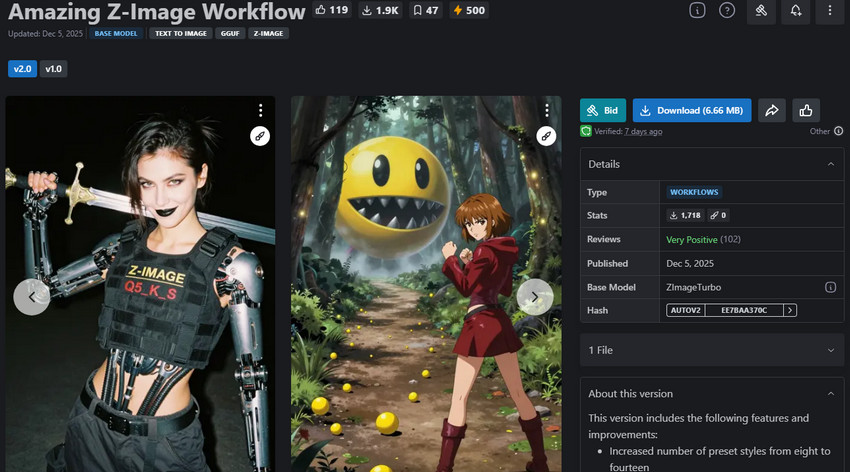
Z-Image is a next-generation diffusion model built on the S3-DiT architecture. With a lightweight 6B parameter design, it delivers impressive image quality, strong prompt understanding, and efficient generation speed. It is a great choice for creators who need a balance between performance, quality, and hardware requirements.
- Fast generation with strong image quality and visual consistency
- Excellent for portraits, products, and stylized commercial visuals
- Smaller LoRA ecosystem compared with SDXL
- Complex scenes and hand details may still require refinement
- Text rendering improved but still not fully reliable.
Recommended settings:
- Base model: Z-Image Turbo / Z-Image Base / Z-Image Edit
- Resolution: 1024×1024 recommended
- LoRA support: Supported (mainly Z-Image Base)
Z-Image Model Download: Civitai
SD 3.5 Large
Best for: Professional creators who need versatile image generation across different styles and commercial workflows.
Why we recommend it:
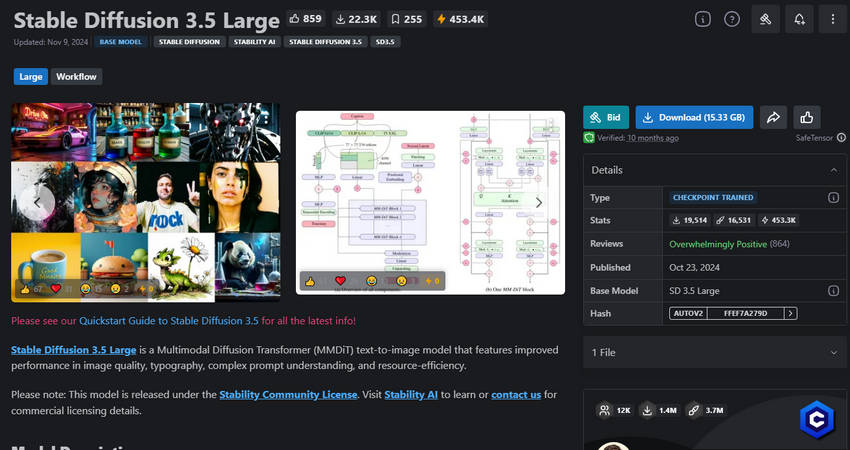
SD 3.5 Large is Stability AI's flagship image generation model, designed to improve prompt accuracy, image fidelity, and style diversity. It performs well for realistic images, illustrations, and creative projects while offering better control than previous Stable Diffusion generations.
- Improved prompt understanding and image accuracy
- Strong versatility for creative and professional projects
- Requires more powerful hardware than older Stable Diffusion models
- Smaller community ecosystem compared with SDXL
Recommended settings:
- Base model: Stable Diffusion 3.5 Large
- Resolution: 1024×1024 recommended
- LoRA support: Supported
SD 3.5 Large Model Download: Hugging Face
SDXL
Best for: Beginners, general creators, and users who want reliable image generation without complex workflows.
Why we recommend it:
SDXL remains one of the most popular Stable Diffusion models thanks to its excellent balance between quality, flexibility, and ecosystem support. It delivers reliable results for portraits, product images, landscapes, and artistic creations, making it a strong starting point for both beginners and experienced creators.
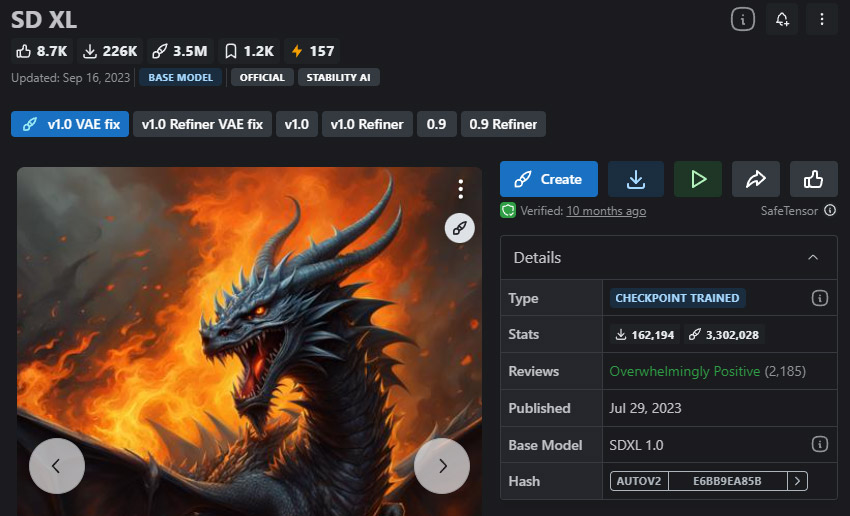
- Consistent high-quality output at 1024×1024 resolution
- Huge ecosystem with LoRAs, fine-tunes, and community tools
- Text generation remains unreliable
- Requires SDXL-compatible LoRAs
Recommended settings:
- Base model: SDXL Base 1.0
- Resolution: 1024×1024
- LoRA support: Excellent support
SDXL Model Download: Hugging Face / CivitAI
RealVisXL
Best for: Photorealistic portraits, product photography, lifestyle images, and commercial visuals.
Why we recommend it:
RealVisXL is an SDXL-based fine-tuned model optimized for realistic photography. It produces natural skin tones, realistic lighting, and detailed textures with less prompt adjustment, making it ideal for users who want professional-looking images.
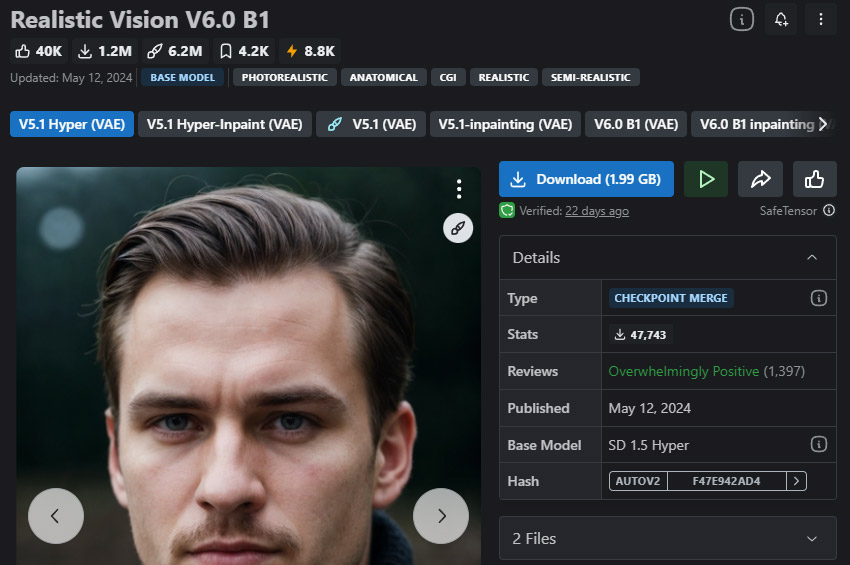
- Excellent realistic human and product rendering
- Produces detailed photography-style images
- NSFW supported and inpainting version available
- Less suitable for fantasy and highly stylized artwork
Recommended settings:
- Base model: RealVisXL V4
- Resolution: 1024×1024 or higher
- LoRA support: Supported (SDXL LoRAs)
RealVisXL Model Download: CivitAI
Juggernaut XL
Best for: Photography-style images, cinematic portraits, fashion visuals, and realistic commercial content.
Why we recommend it:
Juggernaut XL is a highly refined SDXL-based model designed for realistic and cinematic image generation. It improves upon the SDXL foundation with enhanced details, natural lighting, and stronger photographic aesthetics, making it suitable for portraits, products, landscapes, and professional creative projects.
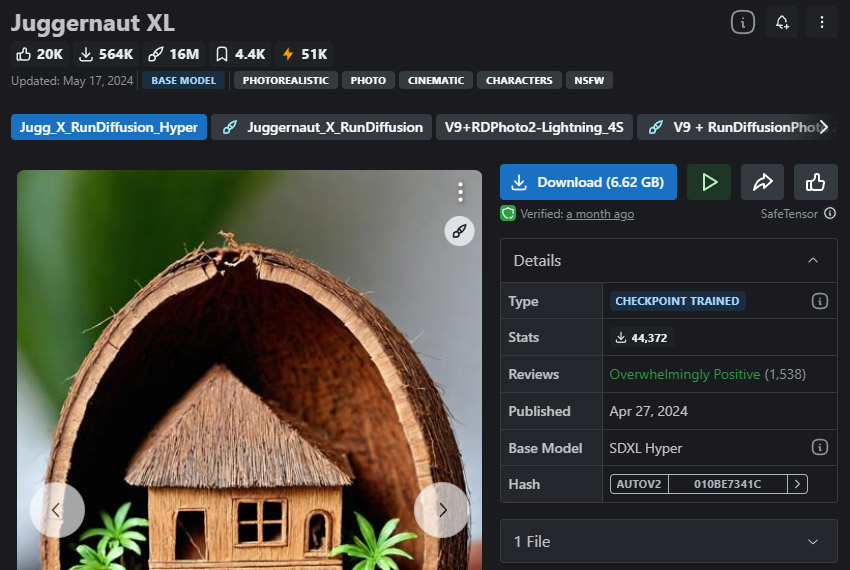
- Excellent cinematic realism and photographic details
- Works well with SDXL LoRA models and creative workflows
- Requires more computing resources than lightweight models
- May need prompt adjustments for consistent photorealistic results
Recommended settings:
- Base model: Juggernaut XL
- Resolution: 1024×1024 or higher
- LoRA support: Supported (SDXL ecosystem)
Juggernaut XL Model Download: CivitAI
DreamShaper
Best for: Fantasy artwork, illustrations, sci-fi scenes, and creative character generation.
Why we recommend it:
DreamShaper is a popular Stable Diffusion model designed for creative and artistic image generation. It excels at producing fantasy worlds, cinematic environments, characters, and illustration-style visuals while maintaining the flexibility to create both realistic and stylized images.
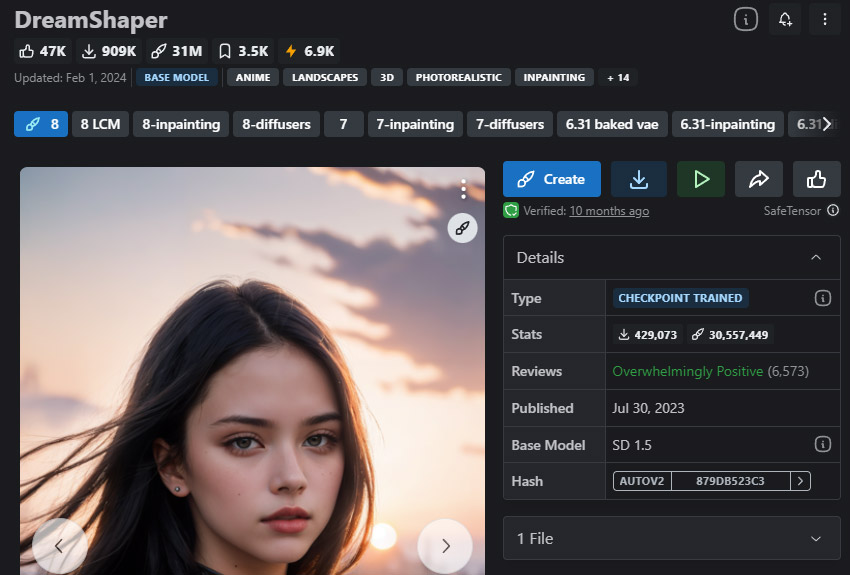
- Excellent for fantasy, sci-fi, and artistic compositions
- Supports both realistic and illustration-style generation
- Not the best choice for pure photorealistic photography
- Results may require experimentation with prompts and settings
Recommended settings:
- Base model: DreamShaper XL / DreamShaper
- Resolution: 1024×1024 recommended
- LoRA support: Supported
DreamShaper Model Download: CivitAI
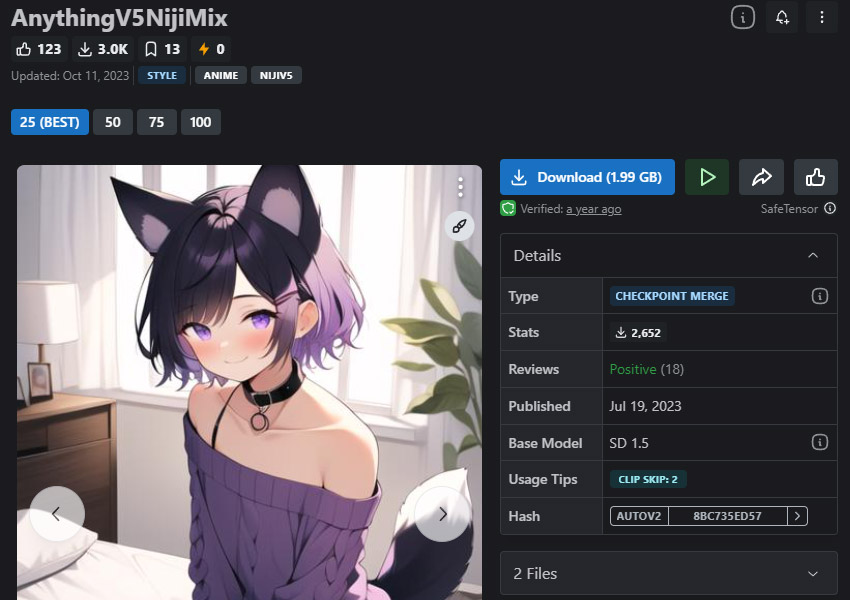
Anything Series
Best for: Anime characters, manga-style artwork, colorful illustrations, and stylized visual creation.
Why we recommend it:
Anything models are among the most widely used anime-focused Stable Diffusion checkpoints. They are optimized for expressive characters, vibrant colors, detailed designs, and Japanese anime-inspired artwork, making them a popular choice for anime creators and illustrators.
- Excellent anime character and illustration generation
- Creates vibrant colors, detailed designs, and expressive styles
- Less suitable for realistic photography
- May require VAE adjustments for optimal output quality
Recommended settings:
- Base model: Anything V5 / Anything XL variants
- Resolution: 512×512 (Anything V5) / 1024×1024 (XL versions)
- LoRA support: Supported
Anything XL Model Download: CivitAI
How to Enhance Stable Diffusion Images After Generation
Choosing the right Stable Diffusion model is only the first step. Even high-quality models such as Flux, SDXL, or RealVisXL may produce images that need further refinement, especially when you want to use them for printing, product visuals, or professional portfolios.
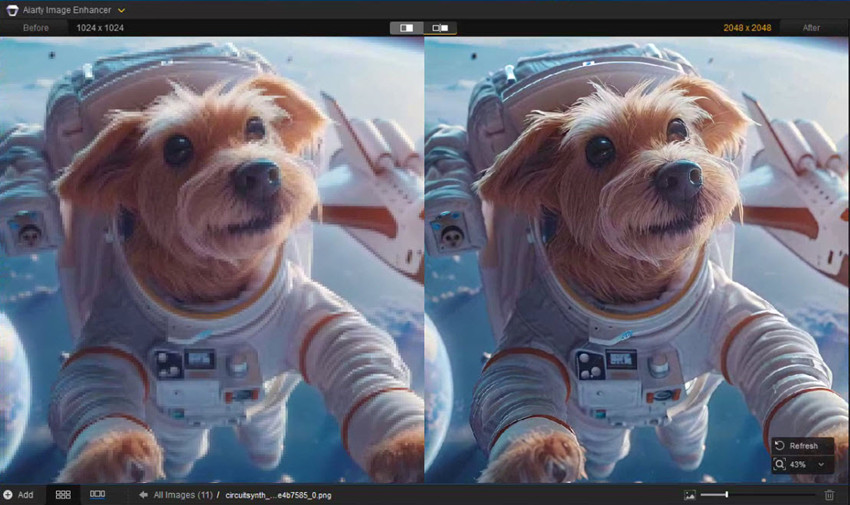
AI-generated images can still contain issues such as soft details, noise, compression artifacts, or insufficient resolution. After generating your image, an AI image enhancer can help upscale it, restore details, reduce noise, and improve overall clarity.
Aiarty Image Enhancer is designed for this post-processing workflow. It can enhance Stable Diffusion artwork by:
- Upscaling AI images: Increase resolution for large displays, printing, or high-quality exports.
- Enhancing details: Recover sharper textures and finer details while keeping a natural look.
- Reducing noise and blur: Improve images affected by artifacts or soft outputs.
- Improving AI artwork quality: Prepare generated images for commercial use, portfolios, or online publishing.
A practical Stable Diffusion workflow is:
- Choose a suitable Stable Diffusion model or checkpoint.
- Generate your image with the desired style and prompt.
- Enhance the final image with Aiarty Image Enhancer for higher resolution and better details.
More Stable Diffusion Models and Checkpoints Worth Exploring
Beyond the top Stable Diffusion models covered above, many specialized models and checkpoints are designed for specific workflows, including realistic portraits, anime, product images, and creative artwork. The models below are worth exploring based on your generation goals.
Tip: Start with a versatile model like SDXL or Flux, then add specialized checkpoints or LoRAs when you need a specific visual style.
| Model | Base | Best For | Min VRAM | Type | Prompt Style |
|---|---|---|---|---|---|
| RealVisXL | SDXL | Realistic portraits & photography | 8GB+ | Checkpoint | Realistic, natural lighting, detailed faces |
| Realistic Vision | SD 1.5 | Photorealistic images | 6GB+ | Checkpoint | Portraits, photography, realistic scenes |
| Juggernaut XL | SDXL | Cinematic images | 8GB+ | Checkpoint | Cinematic lighting, detailed compositions |
| DreamShaper | SDXL | Fantasy & creative artwork | 8GB+ | Checkpoint | Fantasy, illustration, stylized scenes |
| Anything Series | SD 1.5 | Anime characters | 6GB+ | Checkpoint | Anime, manga, colorful characters |
| Pony Diffusion | SDXL | Character artwork | 8GB+ | Checkpoint | Stylized characters, illustrations |
| AAM XL AnimeMix | SDXL | Anime illustrations | 8GB+ | Checkpoint | Anime characters, detailed artwork |
| Photon | SDXL | Photography-style images | 8GB+ | Checkpoint | Camera shots, realistic textures |
| AbsoluteReality | SD 1.5 | Realistic humans | 6GB+ | Checkpoint | Portrait photography, natural skin tones |
| Product Shot SDXL | SDXL | Product images | 8GB+ | LoRA | Studio lighting, commercial photography |
| Food Photography | SD 1.5 | Food images | 6GB+ | LoRA | Food styling, realistic photography |
| OpenJourney | SD 1.5 | Artistic images | 6GB+ | Checkpoint | Digital art, fantasy, creative scenes |
| CyberRealistic | SD 1.5 | Realistic characters | 6GB+ | Checkpoint | Portraits, realistic people |
| LowRA / Pixel Art Models | SDXL | Pixel art & game assets | 8GB+ | LoRA | Pixel style, retro game visuals |
Stable Diffusion Checkpoints vs Models vs LoRAs: What's the Difference?
If you are new to Stable Diffusion, terms like models, checkpoints, and LoRAs can be confusing. Although they are closely related, each plays a different role in the image generation workflow.
A Stable Diffusion model is the general term for an AI system that generates images. A checkpoint is the actual model file (usually a .safetensors file) that stores the trained weights and is loaded into tools like ComfyUI or AUTOMATIC1111. Popular checkpoints include SDXL, RealVisXL, Juggernaut XL, and Flux.
A LoRA (Low-Rank Adaptation) is a lightweight add-on that works with an existing checkpoint. Instead of replacing the base model, it adds specific styles, characters, effects, or visual details to customize the output.
- Checkpoint: The foundation model that controls the overall image quality, style, and generation ability.
- LoRA: A smaller extension used to add specific concepts, styles, or details to a checkpoint.
- File size: Checkpoints are usually several GB, while LoRAs are much smaller and easier to combine.
- Workflow: Choose a checkpoint first, then apply LoRAs when you need more customization.
For beginners, start with a reliable checkpoint such as SDXL, Flux, or RealVisXL. Once you understand the basics, add LoRAs to customize your results and explore more creative possibilities.
 FAQs about Stable Diffusion Model
The best Stable Diffusion model depends on your needs. Flux offers excellent prompt understanding and realistic results, SD 3.5 Large provides strong overall quality, while SDXL remains the most versatile option because of its large ecosystem and LoRA support.
The best Stable Diffusion checkpoint depends on the style you want to create. RealVisXL is a strong choice for realistic portraits, Juggernaut XL works well for cinematic images, and specialized checkpoints such as anime models are better for stylized artwork.
Yes. Although newer models such as Flux and SD 3.5 offer improvements in image quality and prompt understanding, SDXL remains one of the most popular Stable Diffusion models thanks to its mature ecosystem, extensive LoRA support, and compatibility with many tools.
RealVisXL and Juggernaut XL are among the best choices for realistic images. They are optimized for natural faces, realistic lighting, and photography-style results. For newer workflows, Flux models also deliver highly realistic outputs.
Anything Series, AAM XL AnimeMix, and other anime-focused checkpoints are popular choices for generating anime characters and illustrations. The best option depends on your preferred style and workflow.
Popular sources for Stable Diffusion models and checkpoints include Civitai, Hugging Face, and official Stability AI releases. Always check the model description, license, and recommended settings before downloading.
You May Also Like


Rico Rodriguez is an experienced content writer with a deep-rooted interest in AI. He has been at the forefront of exploring generative AI tools like Stable Diffusion. His articles offer valuable insights into the world of AI, providing readers with practical tips and informative explanations.
