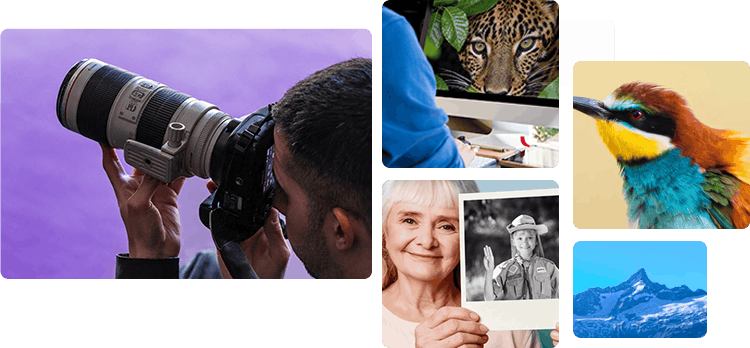
What Reviewers Notice in Real-World Use
Across Aiarty Image Enhancer reviews and hands-on tests, reviewers repeatedly discuss natural-looking detail, restoration of old or low-resolution photos, offline processing, and how the software fits into different image workflows.
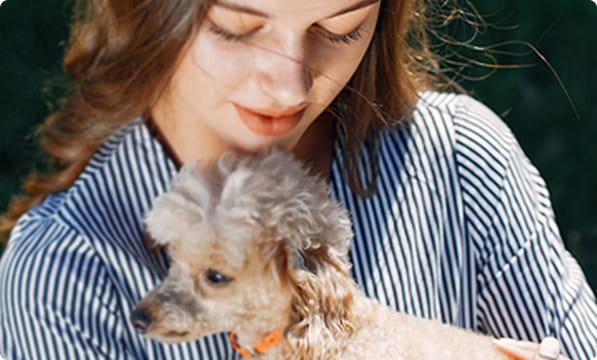
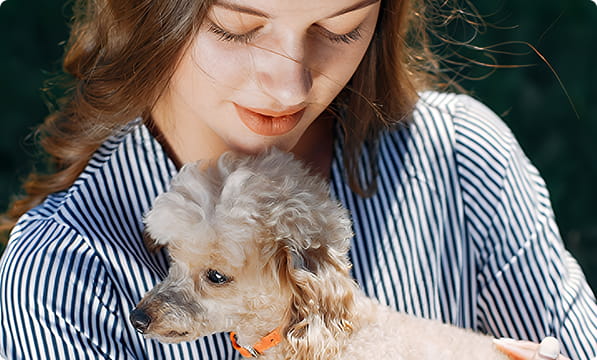
Restore details without over-processing. Across hands-on tests, reviewers look at whether skin, hair, fur, fabric, and other textures still feel natural after enhancement. Their findings reveal how well Aiarty balances clarity with natural-looking results.
Revive old and low resolution photos. Reviews explore how Aiarty improves clarity in old portraits, scanned photos, and early digital images, while recognizing that severely degraded photos may still require manual restoration and further editing.
Local Processing. Flexible Workflows. From safe and secured offline processing to seamless external editor workflows, reviewers explore how Aiarty fits into practical photography processing pipeline efficiently.
How to Improve Image Quality & Fix Blurry Photos with AI
How to Increase Image Resolution to 4K/8K/32K with More Details
The AI Image Enhancer I Didn’t Expect to Be THIS Good
The Most Advanced AI Photo Sharpening & Upscaling Software
Aiarty Image Enhancer - Quick Look
No Fake Look! This AI Enhancer Improves Photo Quality Naturally
How to Unblur an Image on Mac/Windows
Image Enhancement on a budget
I Used AI to Restore Old Photos (Real Results)
Reviews offer one perspective. The photographers below put Aiarty Image Enhancer to the test with their own images, from restoring family memories to refining wildlife details, tackling high-ISO noise, and exploring portrait enhancement.
Every Photo Brings a Different Test
Old portraits, family archives, wildlife crops, high-ISO files, and already-sharp professional photographs don't ask the same thing. These real-world tests show how photographers used Aiarty Image Enhancer in various scenarios and what they found along the way.

From Missed Focus to High-ISO Noise: A Pro's Test
Professional photographer Marcus tests Aiarty on challenging medium-format files, exploring how different AI models handle missed focus and color noise and how enhancement fits into existing editing workflow.
Restoring Old Family Photos Worth Keeping
Photographer and filmmaker Craig Vinnie Whitehead restores low-resolution scans of treasured family photographs, turning faded memories into prints his family can enjoy again.

How Far AI Upscaling Can Go
Photographer Rick tests Aiarty on his own images, from upscaling a 3.2MP camera photo to enhancing a downsized modern shot. See what worked, where details looked artificial, and how the results held up for everyday use.

Community Feedback across Different Photography Workflows
From Fujifilm RAW processing to natural-looking wildlife detail, explore how photographers use Aiarty in real workflows and what they shared in public DPReview discussions.

Wildlife Photography: Tackling Noise and Fine Detail
Wildlife photographer Bill Maynard tests Aiarty on heavily cropped bird photos and high-ISO wildlife shots, comparing AI models to find the right balance between sharpness, noise reduction, and natural detail.
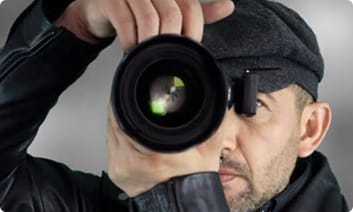
Can Image Enhancer Bridges the Gap Between Camera Gear
Photographer John Vargas explores whether AI enhancement can overcome some limitations of entry-level equipment. His test reveals where Aiarty is helpful, while highlighting why preserving authentic detail matters.
These stories show that image enhancement is not a one-size-fits-all process. Whether reducing high-ISO noise, refining wildlife detail, restoring old photos, or improving portraits, the right approach depends on the image and your goals. Use Aiarty on its own or alongside your familiar editing tools, combining AI models and manual controls as needed. The photographer's eye still guides the process. Aiarty is here to help you take your images further, not replace the effort, expertise, and aesthetic decisions that make each photograph uniquely yours.
Real-World Results, With Clear Expectations
Across real-world reviews and photographer tests, Aiarty Image Enhancer shows its value in improving image detail, reducing noise, and upscaling older photos. Results depend on the source image, with some cases benefiting from a lighter touch or additional editing.
Where Enhancement Helps
-
Enhance Old and Low-Resolution Photos Read Reviews >
Old portraits, scans, and small digital images can become more useful for sharing or printing when enhancement improves clarity.
"Aiarty subtly refines details while maintaining authentic expression, skin tone, and texture." — SonyAlphaRumors -
Remove High ISO Noise and Keep Details Read Reviews >
Noisy wildlife and low-light photos can benefit from noise reduction that brings out feather, fur, and other fine textures.
"Instead of forcing extreme reduction, Aiarty allows you to control the strength so you can decide how much grain stays and how much goes." — ThePhoblographer -
Recover Realistic Details in Soft Portraits Read Reviews >
Portraits with soft detail may benefit from enhancement that improves facial definition, hair, and texture, particularly when the original still contains useful visual information.
"It produced a clean, natural look on one portrait, with sharper definition that held up under close inspection." — CineD -
Upscale Images for Larger Displays and Prints Read Reviews >
Upscaling can help prepare smaller images for larger output, although fine details should always be checked at the intended viewing size.
"This makes it possible to upscale old photos to HD, 4K, or even 8K resolution for large prints or high-resolution archives while keeping edges clean and natural." — Petapixel -
Integrating RAW Enhancement into Existing Workflows Read Reviews >
Aiarty can add a dedicated enhancement step to a RAW-processing workflow, whether photographers handle their images from start to finish in Aiarty or send them from a compatible photo editor in their existing workflow.
"I finally managed to get out with my X-S1 and I set it up for RAW+jpeg, M size, DR400 and P mode. I processed all the files with my new piece of software Aiarty." — DRPreview Discussions
Where Restraint Matters
-
Severely Out-of-Focus Originals
AI can improve the appearance of some soft images, but severe missed focus or motion blur can leave too little reliable information for an accurate recovery. Reconstructed details may look plausible without matching the original subject.
-
Already-Sharp Professional Photos
When a photograph already captures fine, authentic detail, additional enhancement may offer limited benefit and can alter subtle features or textures. Compare the result with the original before deciding to keep it.
-
Heavily Damaged Originals
AI can only work with information still present in the image. It cannot recover details that were never captured, and any reconstruction may be a statistically plausible guess.
Community Insights
From useful results and workflow tips to feature requests and practical advice, community discussions offer a broader view of what Aiarty Image Enhancer can do and where expectations matter.
-
REDDIT · r/MacSources
"One of the test images I used was one of my dog. I thought it was a clean image to start with and was surprised at how much detail I was able to see in the before and after feature."
-
REDDIT · r/UPSCALING
"Aiarty Image Enhancer stands out as a highly aggressive and professional alternative, specifically targeting users who demand a perpetual license model coupled with lifetime value and high-volume performance."
-
Feedback · Daniel Thompson
"I mainly use Aiarty Image Enhancer for thumbnails and social posts. It’s fast, straightforward, and doesn’t require a powerful computer."
-
Feedback · Michael Anderson
"Aiarty keeps textures sharp while avoiding weird artifacts. The interface is simple, which is great when you just want results and don’t want to fight with complex settings."
-
Feedback · Lucas Bennett
"The upscaling looks clean, and fine details like hair and textures stay believable. It’s become a tool I use when Lightroom alone isn’t quite enough."
-
Feedback · Sophia Bennett
"I use Aiarty only as my first step in the editing process. Just for denoise and upscale. It's then saved as dng and edited properly elsewhere. I've found Aiarty does a really good job at denoise and upscaling."
-
Feedback · Daniel Foster
"It doesn't alter the original photos. It remains a real photo that doesn't look like it was created by AI. It seems easier to use than Lightroom."
-
Feedback · Catherine
"I applied the Real-Photo v3 model with 1x Upscale and Strength set to 0.9. After processing, the image appeared noticeably cleaner."
-
Hands-On · Juliepowellphoto
"Architectural photography turned out to be one of the software's strongest areas. Brickwork, stone textures, windows, rooflines, and structural details were all handled surprisingly well."
-
Feedback · Fujifilm Camera User
"It preserves lifelike textures in feathers and whiskers without over sharpening."
-
Hands-On · GottaPics
"I use Aiarty to fix AI-generated images, blurry photos I took on my phone, and some older pictures that didn’t look sharp anymore. It even fixed the skin tone, added little details to the eyes and hair, and removed red spots and weird shadows."
-
Feedback · Derek
"Aiarty helped me clean up and restore old family photos with impressive results. The faces and details look clearer, but still natural, not overly processed."
See the Difference for Yourself
Don't just take our word for it. Explore test images covering different scenarios and image quality challenges, with practical tips and step-by-step best practices.


Frequently Asked Questions
Aiarty Image Enhancer runs locally on Windows and Mac, meaning your photos are processed offline on your own device. The software has no functionality to upload or transfer images to a server for online processing, and your photos are not used to train AI models. Internet access is used for tasks such as downloading AI models and checking for software updates. Aiarty also does not claim ownership of the images you process.
Across reviews and hands-on tests, users often highlight Aiarty's ability to improve clarity and recover fine details while maintaining a natural look, without the overly smooth or "waxy" appearance. Its tailored AI models, adjustable enhancement strength, and real-time previews let users compare results and fine-tune the balance between sharpness and natural texture.
For efficiency, features such as batch processing help users handle larger image sets, strength controls allow them to adjust enhancement intensity to suit different scenarios, and external editor workflow streamlines the process.
Reviews and feedbacks show that Aiarty Image Enhancer can be useful across a range of image challenges, from reducing high-ISO noise and refining wildlife or portrait details to improving soft photos, upscaling low-resolution images, and preparing files for larger prints. Users also highlight the value of Aiarty's flexible manual controls alongside automatic enhancement, allowing them to fine-tune the results for a natural output.
In terms of workflow, some creators use Aiarty as a dedicated enhancement step alongside their familiar editing tools, while others process images from start to finish in Aiarty, depending on the specific projects.
Based on user feedbacks and community discussions, Aiarty Image Enhancer helps revive old family photos, enhance soft portraits, reduce high ISO noise from lowlight scenes, restore compression artifacts from legacy albums and web downloads, and works easily to upscale images for sharing and printing.
Aiarty can serve as a standalone tool for everyday enhancement or fit into a broader photo-editing workflow as users develop their skills and take on more advanced creative work.