 Aiarty Image Enhancer
6 Best Magnific AI Alternatives for Image Enhancement

Updated on
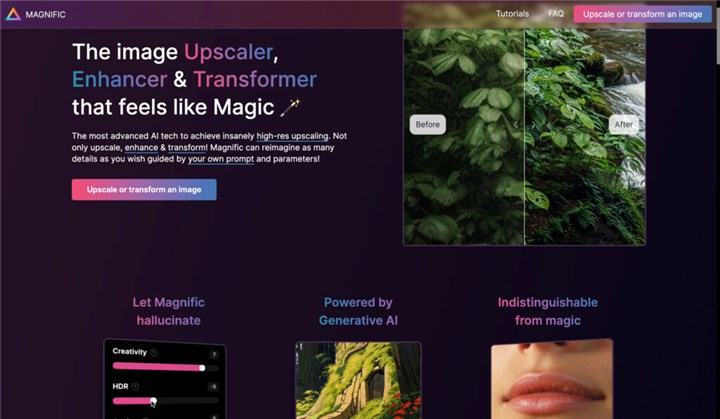
Magnific AI became popular for one reason: it doesn’t just upscale images—it recreates details. Instead of simply sharpening pixels, it often generates new textures, making images look more alive and sometimes even more detailed than the original.
But that strength also comes with trade-offs. Many users eventually start looking for alternatives due to cost, cloud dependency, queue time, or unwanted over-generated textures.
This guide breaks down the best Magnific AI alternatives in 2026, based on how they actually behave in real-world use, not just feature lists.
How We Grouped These Alternatives
Instead of simply listing popular AI image upscaling tools, we organized them based on how they are actually used in real workflows.
This is important because AI image upscaling is no longer a single category. Different tools serve fundamentally different purposes, even if they appear similar on the surface.
We divided the alternatives into four practical groups:
1. Closest to Magnific AI (Generative Upscaling)
These tools don’t just sharpen images—they actively generate new details, similar to Magnific’s core behavior. They are best suited for AI-generated artwork, illustrations, and creative enhancement workflows.
2. Best for Real Photography (Natural Enhancement)
These tools focus on preserving realism rather than inventing new textures. They are designed for photographers who want cleaner, sharper images without artificial detail generation.
3. Best Free or Open-Source Tools
This category includes tools that prioritize accessibility and offline usage. While they may lack advanced generative capabilities, they are useful for basic upscaling tasks.
This classification matters because Magnific AI itself does not behave like a traditional upscaler. Instead, it sits between image enhancement and generative image creation, which is why comparing it directly with standard tools often leads to misleading conclusions.
Quick Verdict Table
| Tool | Best For | Strength | Weakness |
|---|---|---|---|
| Krea AI | AI art upscaling | Closest to Magnific style | Cloud-only |
| Upsampler.com | SD / AI-generated images | Strong detail creation | Less consistent |
| Aiarty Image Enhancer | Real photos | Natural results | Less creative |
| Topaz Photo AI | Professional photography | Stable and reliable | No generative detail |
| Upscayl | Free users | Open-source & offline | No AI creativity |
| Stable Diffusion | Advanced users | Full control | Complex setup |
Closest to Magnific AI (Generative Upscaling Alternatives)
If what you like about Magnific AI is its ability to invent details instead of simply sharpening pixels, then only a small group of tools actually belong in this category.
These are not traditional upscalers. They sit closer to generative image tools, where the model interprets the image and reconstructs missing or low-resolution areas with new visual information. This is also what makes them the closest practical alternatives to Magnific AI.
Krea AI
Best for users who want Magnific-like results in AI art and creative workflows
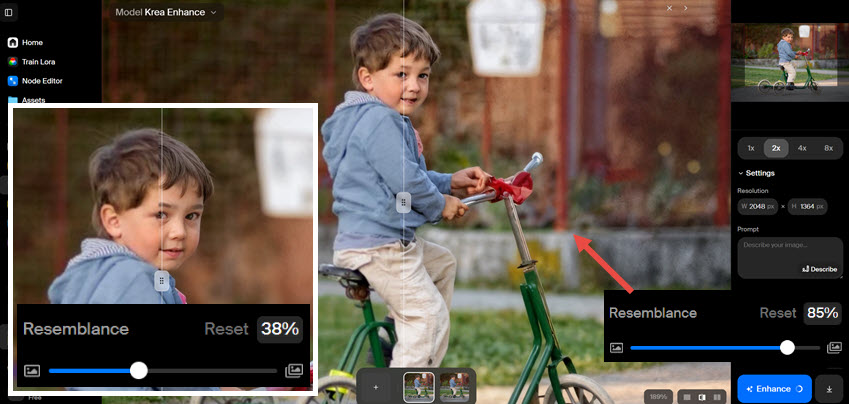
Krea AI is one of the strongest and most direct alternatives to Magnific AI in terms of visual behavior. Instead of simply enlarging an image, it actively enhances and reconstructs textures in a way that often feels interpretive rather than mechanical.
In practice, Krea tends to work especially well on AI-generated images, illustrations, and stylized artwork, where adding plausible detail is more important than strict photographic accuracy.
What it does well
- Generates new micro-details in flat or low-detail areas
- Works well with AI art (Midjourney, Stable Diffusion, etc.)
- Produces visually rich, high-impact results quickly
- Smooth cloud workflow with minimal setup
Where it falls short
- Less reliable for strict real-world photography
- Output can sometimes drift toward stylization
- Limited fine-grained control over how much it invents
Real-world takeaway
Krea AI is probably the closest feel to Magnific AI, especially when working with creative or AI-generated images. However, it leans more toward stylization than photographic realism.
Upsampler.com
Best for users working with Midjourney / Stable Diffusion / AI illustration workflows
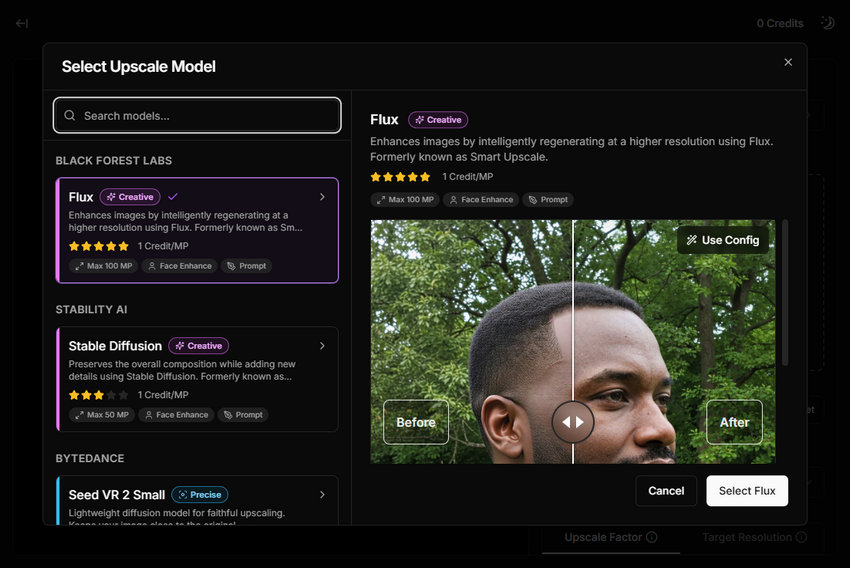
Upsampler is another strong generative upscaling tool, particularly focused on enhancing images created by diffusion models like Stable Diffusion, Midjourney, or Flux-based pipelines.
Unlike traditional upscalers that preserve existing pixels, Upsampler actively tries to reconstruct missing texture information, which puts it much closer to Magnific’s philosophy.
What it does well
- Strong detail reconstruction for AI-generated images
- Enhances textures in flat or low-detail regions
- Works well for stylized, fantasy, or illustrative content
- Integrates naturally into AI art workflows
Where it falls short
- Less consistent with real photography inputs
- Can introduce unpredictable textures in complex scenes
- Not ideal for users who want strict realism or fidelity
Real-world takeaway
Upsampler is best understood as a creative enhancer for AI-generated content rather than a traditional photo upscaler. It can sometimes produce results that feel very close to Magnific, but mainly in the AI art space rather than photography.
Best Magnific AI Alternative for Real Photography (Natural Enhancement, Low Hallucination Risk)
If the first category is about creating new detail, this category is almost the opposite.
These tools are designed for users who care more about accuracy than imagination—photographers, e-commerce sellers, wildlife shooters, or anyone who wants a cleaner image without changing what the photo actually is.
Instead of generating new textures like Magnific, these tools focus on recovering existing information, reducing noise, and improving clarity in a controlled way.
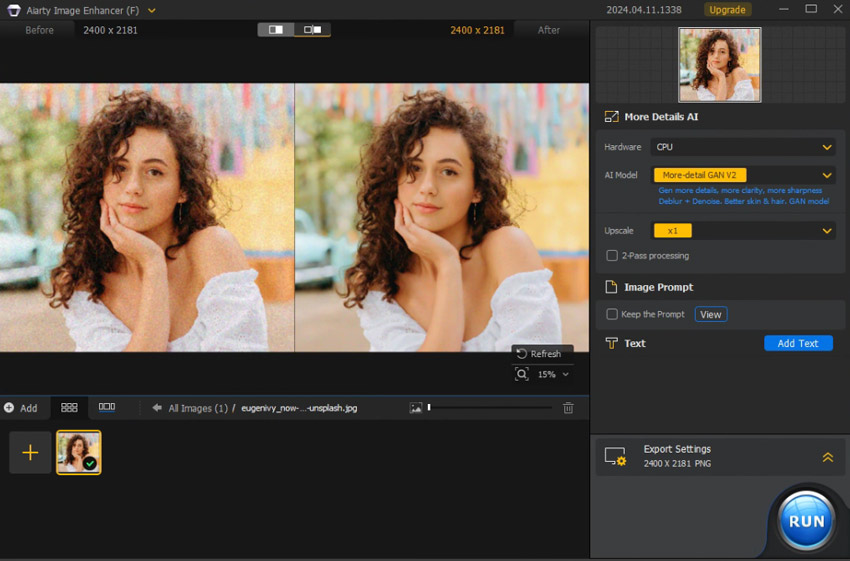
Aiarty Image Enhancer
Best for users who want natural enhancement without AI hallucination
Aiarty Image Enhancer is positioned more as a real-photo restoration and enhancement tool rather than a generative upscaler. That distinction is important: it aims to improve what is already in the image, not reinvent it.
In real-world use, Aiarty tends to produce results that feel clean, stable, and visually natural, especially on photos where detail is already present but degraded by noise, blur, or low resolution.
What it does well
- Preserves natural skin texture in portraits
- Handles noise reduction without over-smoothing
- Produces stable results across different image types
- Good balance between sharpening and realism
- Works well for wildlife, portraits, and general photography
Where it falls short
- Does not invent missing details like Magnific
- Creative enhancement is intentionally limited
Real-world takeaway
Aiarty is not trying to compete with Magnific in creativity. Instead, it focuses on a more practical goal: making low-quality photos look like better versions of themselves, not new interpretations.
Topaz Photo AI
Best for photographers and professionals who need predictable, production-ready results
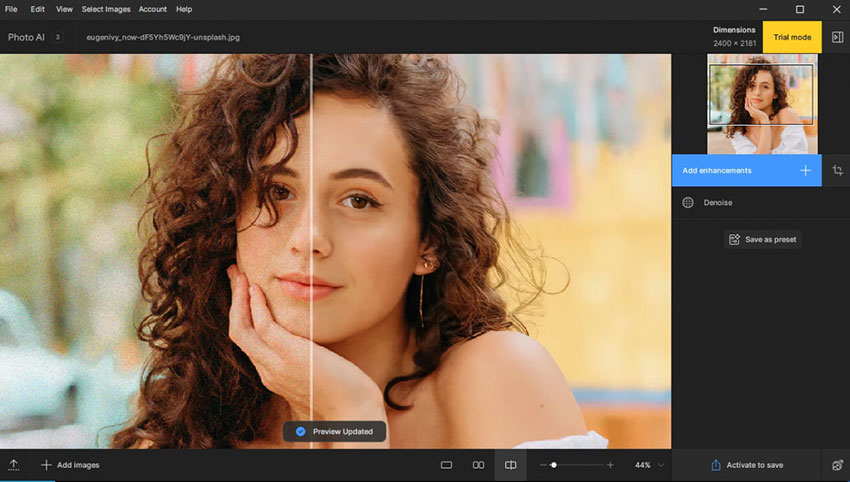
Topaz Photo AI is one of the most established tools in the professional image enhancement space, widely used in photography workflows. Unlike generative tools, it is built around a predictable enhancement pipeline combining denoise, sharpening, and upscaling.
Its core philosophy is consistency: instead of creating new visual content, it focuses on recovering and refining existing pixel information as accurately as possible.
What it does well
- Extremely stable output quality across different images
- Strong noise reduction + sharpening balance
- Reliable for batch processing and professional workflows
- Produces consistent results with minimal surprises
- Well-suited for high-resolution print or commercial use
Where it falls short
- Does not generate new fine detail like Magnific or Krea
- Can occasionally produce a slightly processed look if overused
- Less creative flexibility ompared to generative tools
Real-world takeaway
Topaz Photo AI is best understood as a precision tool rather than a creative one. It prioritizes reliability over imagination, making it ideal when consistency matters more than visual surprise.
Best Free & Open-Source Alternatives to Magnific AI
Not every user looking for a Magnific AI alternative is willing to pay for cloud subscriptions or premium AI models. In fact, a large portion of search intent behind “Magnific alternatives” includes one simple goal:
"Is there a good free tool that can do something similar?"
This category focuses on tools that are free, offline-capable, or open-source. However, it’s important to set expectations clearly: these tools do not generate new detail like Magnific AI. Instead, they rely on deterministic upscaling models, which means they enhance what already exists in the image rather than inventing new visual information.
Upscayl
Best for users who want a free, offline, no-subscription solution
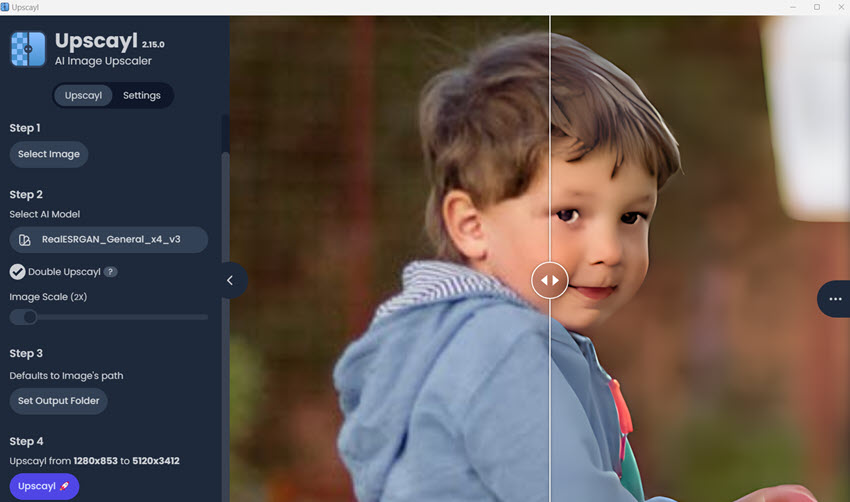
Upscayl is one of the most popular free AI image upscalers available today. It is built on Real-ESRGAN models, which are widely used in open-source upscaling research.
Unlike Magnific-style tools, Upscayl does not attempt to reimagine an image. Instead, it focuses on clean resolution scaling with minimal artifacts, making it a reliable choice for basic enhancement tasks.
What it does well
- Completely free and open-source
- Works offline (no cloud dependency)
- Simple and lightweight interface
- Good for basic upscaling and restoration
- Multiple model options for different image types
Where it falls short
- No generative detail creation
- Cannot match Magnific-style texture reconstruction
- Results depend heavily on input quality
- Less effective for complex or highly degraded images
Real-world takeaway
Upscayl is best understood as a practical utility tool rather than a creative enhancer. It is ideal when you need straightforward upscaling without cost or cloud limitations.
Stable Diffusion
Best for advanced users who want maximum flexibility without subscription limits
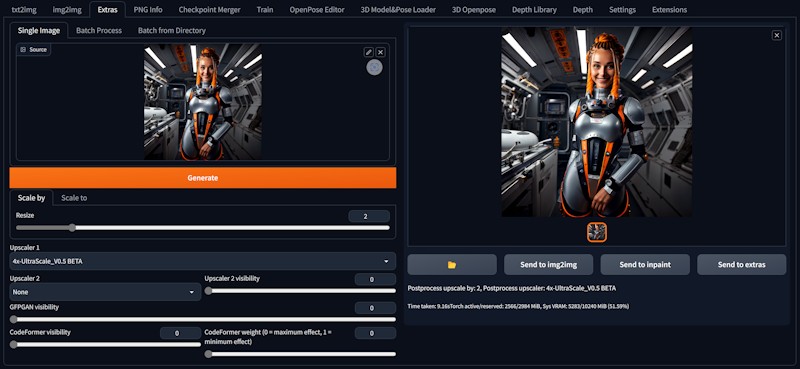
Stable Diffusion is not a single upscaling tool, but an entire ecosystem that can be configured into powerful image enhancement workflows. When combined with techniques like img2img upscaling, denoising control, and ControlNet, it becomes a flexible alternative to commercial tools.
In the context of upscaling, Stable Diffusion behaves very differently from Upscayl. Instead of simply enlarging an image, it can reinterpret parts of the image while still being guided by the original structure.
What it does well
- Fully customizable enhancement pipeline
- Can achieve high-quality results with correct setup
- Supports both realism and stylized outputs
- No dependency on third-party cloud services
- Huge ecosystem of models and community workflows
Where it falls short
- Requires technical setup and understanding
- Not beginner-friendly
- Output consistency depends on prompts and settings
- Can easily produce unpredictable results without tuning
Real-world takeaway
Stable Diffusion is the most powerful option in this category, but also the most complex. It is less of a tool and more of a creative system for building your own upscaling workflow.
Final Recommendation: A Practical Way to Think About These Tools
If you look at all the tools above together, one thing becomes clear: The real difference is not which tool is best, but whether you want generation, realism, or control.
Magnific AI sits in a middle space where it both enhances and invents detail. None of the alternatives fully replace that behavior—they each lean in a different direction.
So instead of forcing a direct replacement, it makes more sense to choose based on output philosophy.
When you want creative enhancement (not strict accuracy)
Some tools intentionally move away from realism and focus on visual richness. They are closest in spirit to Magnific because they allow the image to grow new detail rather than preserve everything strictly.
This is where tools like Krea AI or Upsampler.com fit naturally. They are best used when:
- The image is already AI-generated
- You want stronger texture and visual impact
- Slight deviation from reality is acceptable
When you want real-world accuracy
For photography, the priority changes completely. The goal is no longer inventing detail, but preserving what is already there while improving clarity.
This is where Aiarty and Topaz Photo AI naturally belong. They are better when:
- You are working with real photos (portraits, wildlife, etc.)
- You want minimal visual distortion
- Consistency matters more than creativity
When you want no cost and no dependency
Some users don’t care about creative enhancement at all. They just need something that works locally and reliably. In this case, Upscayl and basic open-source workflows become practical choices.
They are better when:
- Budget is zero
- Offline processing is required
- Simple upscaling is enough
When you want maximum control (and accept complexity)
There is also a group of users who don’t want a fixed tool at all. They want to build their own pipeline. This is where Stable Diffusion sits, not as a tool alternative, but as a framework.
It becomes relevant when:
- You want precise control over detail generation
- You are willing to tune parameters and workflows
- You prefer flexibility over simplicity
You May Also Like


Brenda Peng is a seasoned editor at Digiarty Software who loves turning ordinary photos into extraordinary works of art. With years of experience behind the lens and in front of the computer, Brenda shares her passion for photography, image enhancement, and editing through easy-to-follow tutorials.
