


Finding the best scanner for artwork is not just about picking the highest DPI number. Artists need a scanner that can capture accurate colors, fine pencil lines, watercolor paper texture, brush strokes, and enough detail for art prints, portfolios, online stores, or archival copies.
In this guide, we compare the best art scanners for drawings, watercolor paintings, illustrations, sketchbooks, and large-format artwork. We focus on the specs that actually matter for artists: optical resolution, sensor type, color depth, scan bed size, and how well each scanner handles textured media. Whether you want to digitize artwork for Etsy prints, scan illustrations for a portfolio, or preserve original pieces, this guide will help you choose the right scanner for your workflow.
5 Best Scanners for Artwork
1. Epson Perfection V600: Best Overall Scanner for Artwork
The Epson Perfection V600 is one of the safest choices for artists who want a balance of quality, price, and reliability. It works well for drawings, watercolor paintings, mixed media on paper, art prints, and small originals that need to be scanned at high resolution.
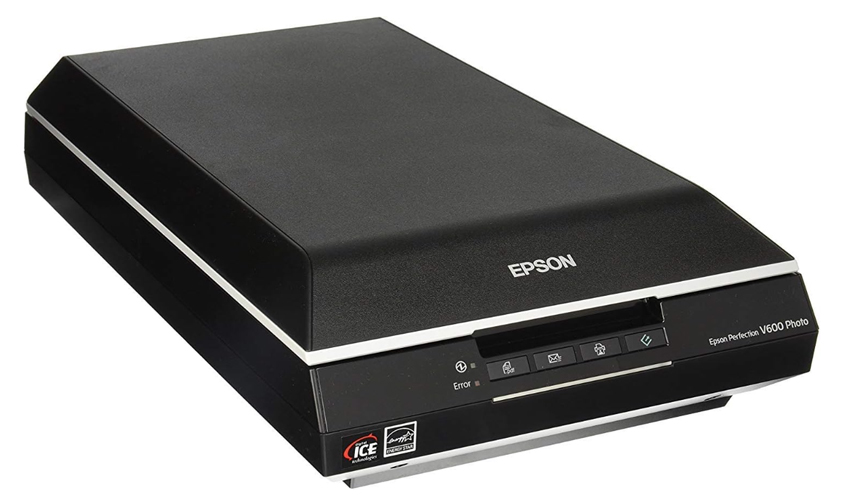
The biggest advantage of the V600 is its CCD sensor. Compared with CIS scanners, CCD scanners have better depth of field, which helps capture slightly uneven surfaces such as watercolor paper, textured drawing paper, or light brush texture. This makes the scan look less flat and more faithful to the original artwork.
Its 6400 DPI optical resolution is more than enough for most artists. For normal art prints, scanning at 600 DPI is usually enough, but the extra resolution gives you flexibility if you want to crop, enlarge, or preserve fine details. For artists who sell prints or need clean digital files, the V600 offers strong value without jumping into professional pricing.
The Bottom Line: The Epson V600 is the best overall scanner for artwork if you want reliable color, good detail, and better texture capture than most budget scanners.
2. Canon CanoScan LiDE 400: Best Budget Scanner for Drawings and Line Art
If you mainly scan pencil drawings, ink sketches, comics, manga-style line art, flat illustrations, or clean black-and-white artwork, the Canon CanoScan LiDE 400 is a strong budget option. It is slim, lightweight, affordable, and easy to keep on a small desk.
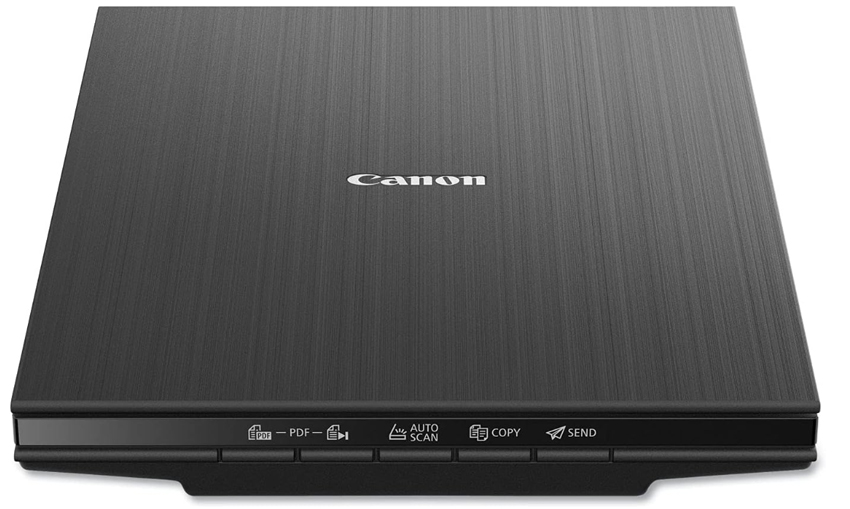
The LiDE 400 offers 4800 x 4800 DPI optical resolution and 48-bit color depth, which is enough for most student work, sketches, small illustrations, and portfolio scans. It is also powered through USB Type-C, so it is convenient for artists who do not want a bulky setup.
The tradeoff is the CIS sensor. CIS scanners are usually sharp for flat media, but they have a shallow depth of field. That means heavily textured watercolor paper, thick paper edges, or uneven media may not scan as naturally as they would on a CCD flatbed scanner.
The Bottom Line: The Canon LiDE 400 is the best budget scanner for artists who mainly work with flat drawings, ink art, pencil sketches, comics, and illustrations.
3. Epson Expression 12000XL-GA: Best Large Format Scanner for Artwork
For artists, studios, print shops, and galleries that regularly scan artwork larger than A4, the Epson Expression 12000XL-GA is one of the best large format scanners for artwork. Its A3+ scan bed makes it much easier to digitize bigger drawings, paintings on paper, posters, and art prints without scanning in sections.
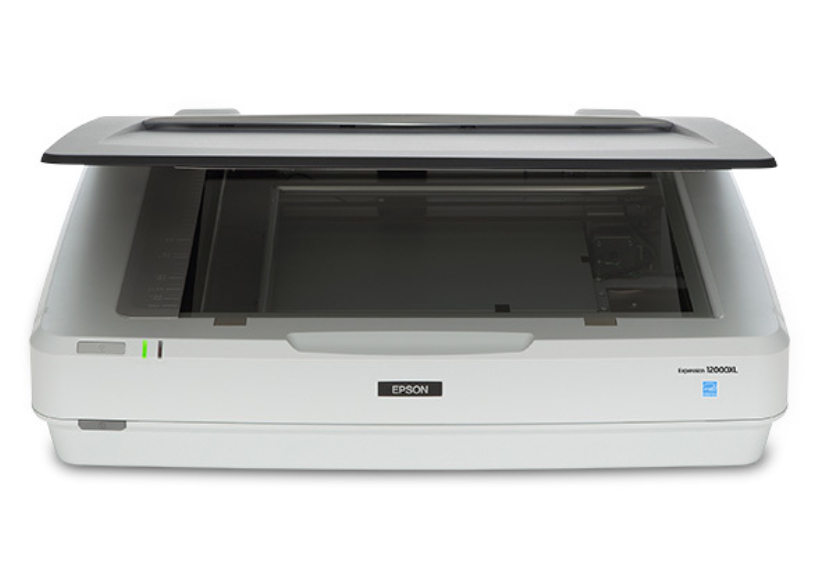
The biggest benefit is the 12.2" x 17.2" scan area. If you often create artwork larger than Letter or A4 size, this can save a huge amount of time. Instead of scanning multiple overlapping parts and stitching them later, you can capture the full piece in one pass.
Its 3.8 Dmax rating also helps capture deeper shadows and smoother tonal transitions, which matters for charcoal, dark watercolor, detailed ink work, and fine art reproduction. The included SilverFast Ai software gives more control over color calibration, which is important if you sell high-quality art prints.
The Bottom Line: The Epson Expression 12000XL-GA is best for professional artists and print studios that need a large scanner for art, especially for A3 artwork and high-end print reproduction.
4. Epson Perfection V850 Pro: Best High-End Art Scanner for Detail and Color
The Epson Perfection V850 Pro is a high-end flatbed scanner for artists who care about archival-level detail, smoother tonal range, and more accurate reproduction. It is especially useful for fine art, dark drawings, detailed illustrations, and artwork where subtle color differences matter.
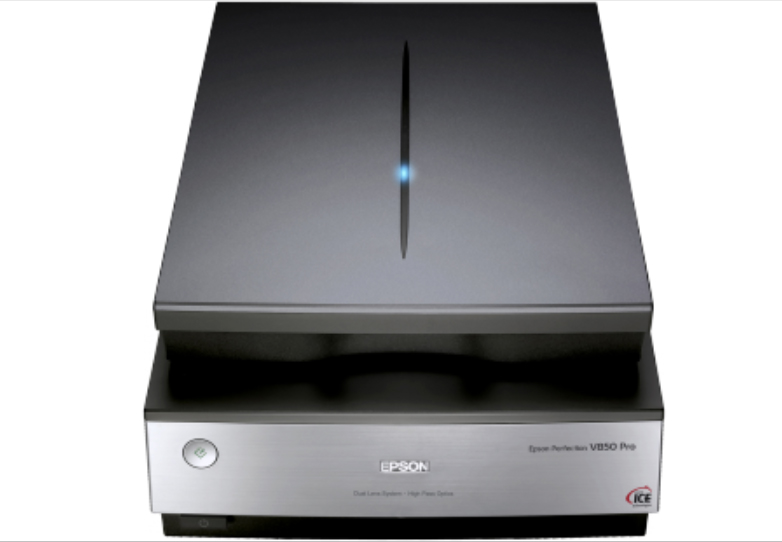
The V850 Pro uses a Dual Lens System and offers a 4.0 Dmax optical density. For artists, this means better detail in deep shadows and bright highlights. If your work includes charcoal, graphite, dark ink, layered watercolor, or high-contrast mixed media, this extra dynamic range can help preserve more information in the scan.
It is not necessary for every beginner, but for professional artists, galleries, and serious print sellers, the V850 Pro can reduce the amount of post-scan correction needed.
The Bottom Line: The Epson V850 Pro is the best high-end art scanner for artists who need excellent color, shadow detail, and archival-quality reproduction in A4 size.
5. CZUR Aura / ET Series: Best Scanner for Sketchbooks and Bound Artwork
Not every piece of artwork is created on loose paper. Many artists keep their best sketches, thumbnails, studies, and concept art inside sketchbooks. A normal flatbed scanner forces the book open and can create shadows near the binding. The CZUR Aura and ET series solve this problem with an overhead, non-contact scanning setup.
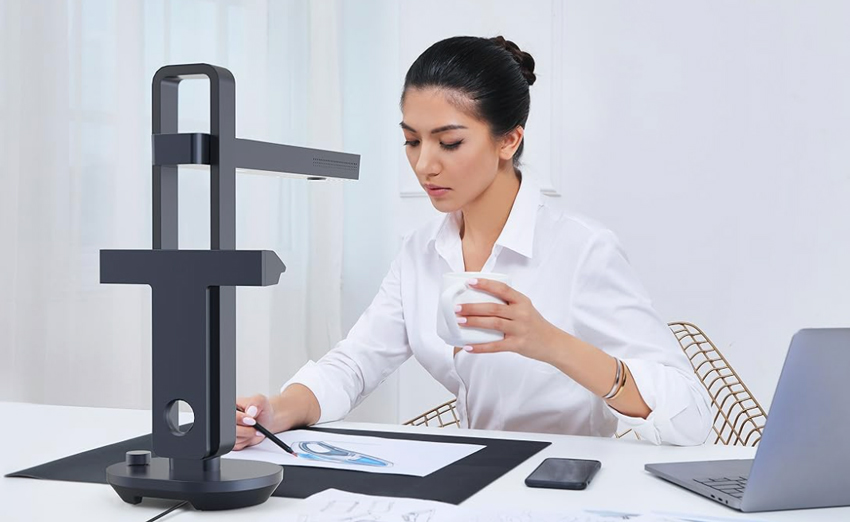
Instead of pressing the artwork against glass, CZUR scanners capture the page from above. This is useful for fragile sketchbooks, spiral-bound pads, journals, old art books, and artwork that should not be flattened.
- Preserves bound artwork: You do not need to press the book flat, which helps protect the spine and delicate pages.
- Corrects page curve: CZUR software can reduce the curved page effect near the binding and create a flatter digital copy.
- Fast for large batches: It is much faster than a flatbed if you need to digitize many sketchbook pages.
The image quality may not match a professional CCD flatbed scanner, especially for fine art prints, but it is much more practical for sketchbooks and bound media.
The Bottom Line: CZUR Aura and ET scanners are best for artists who need to digitize sketchbooks, journals, and bound artwork without damaging the original.
Art Scanner Buying Guide
Choosing the best scanner for artwork depends on what type of art you create and what you plan to do with the scan. A scanner for pencil drawings does not need the same features as a scanner for watercolor paintings, large canvas pieces, or art prints for sale.
Scanner Type: Flatbed vs Sheetfed vs Overhead
Flatbed scanners are the best choice for most artwork. The flat glass surface keeps the original still and avoids damage during scanning. They are ideal for drawings, paintings on paper, illustrations, art prints, and small mixed-media pieces.
Sheetfed scanners should generally be avoided for original artwork. They pull paper through rollers, which can bend, scratch, or damage delicate media.
Overhead scanners are useful for sketchbooks, journals, bound art books, and fragile originals that should not be pressed against glass.
Resolution: What DPI Should You Use for Artwork?
DPI stands for Dots Per Inch. It controls how much detail your scan captures. Higher DPI creates a larger file with more detail, but it also increases file size and scan time.
- 300 DPI: Good for web use, social media, online portfolios, and basic digital archiving.
- 600 DPI: Best for most art prints, Etsy listings, portfolio prints, and general print reproduction.
- 1200 DPI or higher: Useful for small originals, detailed line art, archival scans, or artwork you plan to enlarge.
Also Read: Best DPI for Scanning Photos >>
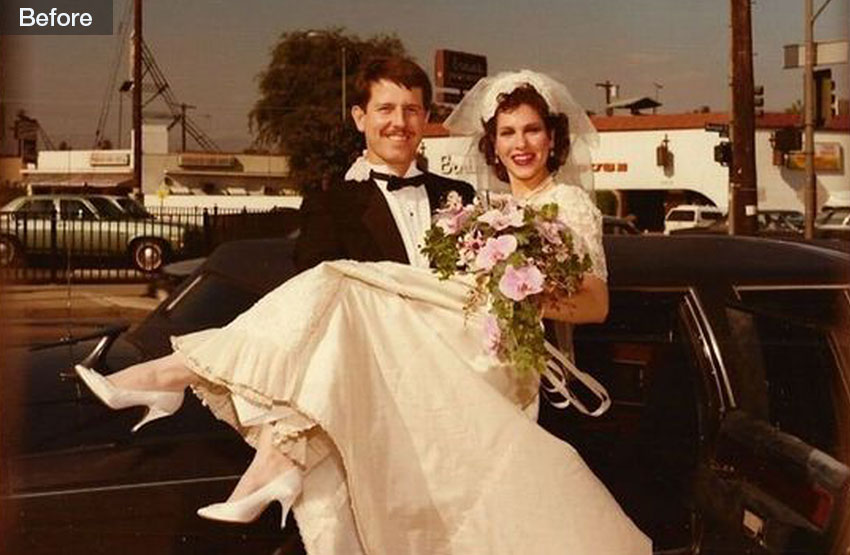
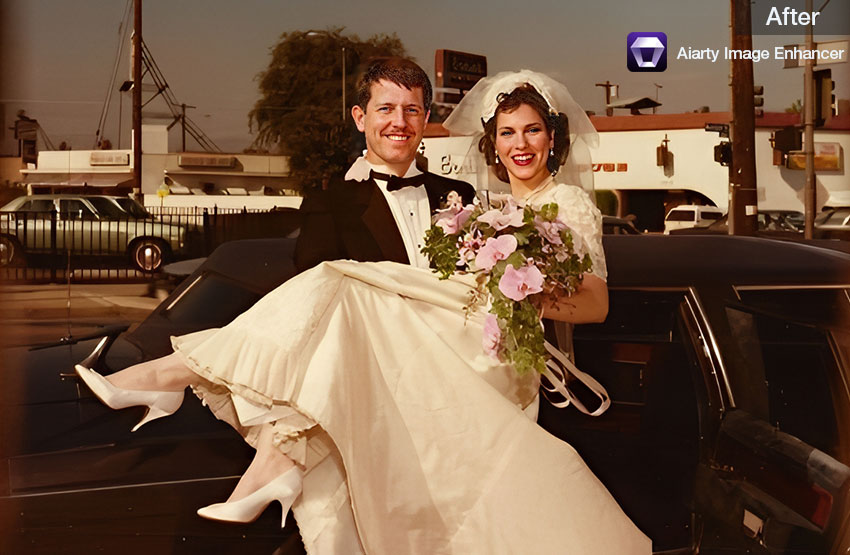
Even with a good art scanner, some scans may look slightly soft, noisy, or too small for large-format printing. If you need to enlarge scanned artwork, restore fine lines, or prepare a print-ready file, an AI image enhancer can help improve detail before export.
Aiarty Image Enhancer can upscale scanned artwork, reduce blur, remove noise, and generate natural-looking details. It is especially useful when you need to turn a small scan into a larger print while keeping edges, textures, and colors clean.

Sensor Technology: CCD vs CIS
The scanner sensor affects how well the device captures texture, depth, and uneven surfaces.
If your artwork has visible texture, a CCD scanner such as the Epson V600 or V850 Pro is usually the better choice. If you mostly scan flat drawings or line art, a CIS scanner such as the Canon LiDE 400 can be enough.
Color Depth and Dynamic Range
- Color Depth: Look for 48-bit color depth if you want smoother gradients and more accurate color reproduction.
- Dynamic Range / Dmax: A higher Dmax helps preserve detail in deep shadows and bright highlights. This matters for charcoal, dark ink, watercolor washes, and high-contrast artwork.
Scan Bed Size: When You Need a Large Artwork Scanner
Most affordable scanners are limited to Letter or A4 size. That is fine for small illustrations, sketches, and prints, but it can be limiting if you create large artwork.
- Choose an A4 scanner if you mainly work on small paper, sketchbook pages, and standard illustrations.
- Choose an A3 or A3+ scanner if you regularly scan larger drawings, paintings on paper, posters, or art prints.
- If your artwork is much larger than the scan bed, you can scan in overlapping sections and stitch the scans together in editing software.
How to Scan Artwork for High-Quality Prints
Buying a good scanner is only half of the process. To create clean, print-ready artwork scans, you also need the right settings and workflow. This is especially important if you plan to sell art prints, upload artwork to Etsy, or create digital files for professional printing.
Step 1. Clean the Scanner Glass
Dust, fingerprints, and tiny fibers become very visible in high-resolution scans. Before scanning artwork, wipe the scanner glass with a clean microfiber cloth. Also check the artwork surface for loose dust or particles.
Step 2. Scan at 600 DPI or Higher
For most art prints, 600 DPI is a good starting point. If the original artwork is small or you plan to enlarge it, scan at 1200 DPI or higher. You can always export a smaller copy later, but you cannot recover detail that was never captured.
Step 3. Save a Lossless Master File
Save your original artwork scan as TIFF or PNG instead of JPEG. JPEG compression can create artifacts around lines, textures, and color gradients. Keep a high-quality master file, then export smaller JPEG copies for web use.
Step 4. Correct Color Before Printing
Compare the scan with the original artwork under neutral lighting. Adjust white balance, exposure, contrast, and saturation carefully. The goal is not to make the scan look more dramatic, but to make it match the original artwork as closely as possible.
Step 5. Upscale Artwork If You Need a Larger Print
If the scan is too small for your target print size, use an AI image enhancer to upscale artwork for printing while keeping edges and details cleaner. This is useful for older scans, small illustrations, and artwork that needs to be printed larger than the original size.
Scanner vs Camera for Artwork Digitization
Many artists wonder whether they should scan artwork or photograph it. The answer depends on the size and surface of the original piece.
For small to medium-sized artwork on paper, a flatbed scanner usually produces sharper and more consistent results. For oversized canvas paintings, framed artwork, or pieces with thick texture, a camera setup may be more practical. If you photograph artwork, use even lighting, a tripod, and a high-resolution camera to avoid distortion and color shifts.
 FAQs
FAQs
For most artists, the Epson Perfection V600 is the best overall scanner for artwork because it offers a CCD sensor, high optical resolution, good color depth, and a reasonable price. For large artwork, the Epson Expression 12000XL-GA is a better professional option.
Use 300 DPI for web images, 600 DPI for most art prints, and 1200 DPI or higher for enlargements, archival scans, or very detailed line art. For more detail, check our guide on the best DPI for scanning photos.
Yes. For watercolor paintings, a CCD flatbed scanner is usually better because it can capture textured watercolor paper more naturally. The Epson V600 and V850 Pro are good choices for watercolor artwork.
For small drawings, illustrations, and art prints, a scanner is usually better because it provides more consistent lighting, sharper details, and easier color control. A phone camera can work for quick sharing, but it is not ideal for professional print reproduction.
The Epson Perfection V600 is a strong choice for creating art prints from drawings, watercolor paintings, and illustrations. If you need to scan larger originals, choose an A3 scanner such as the Epson Expression 12000XL-GA.
If your artwork is larger than the scanner bed, you can either use a large format scanner, photograph the artwork with a camera setup, or scan the piece in overlapping sections and stitch the images together in editing software.
Conclusion
The best scanner for artwork depends on your medium, artwork size, and final use. For most artists, the Epson Perfection V600 offers the best balance of quality and price. For budget line art and sketches, the Canon LiDE 400 is a practical choice. For large artwork and professional print reproduction, the Epson Expression 12000XL-GA is the stronger option.
Before buying, focus on the specs that matter most: CCD vs CIS sensor, optical DPI, color depth, dynamic range, and scan bed size. A good art scanner can help you digitize drawings, paintings, illustrations, and art prints with better color accuracy and detail, giving you files that are ready for portfolios, online shops, and professional printing.
You May Also Like


This post was written by Brenda Peng who is a seasoned editor at Digiarty Software who loves turning ordinary photos into extraordinary works of art. With AI assistance for brainstorming and drafting, the post is reviewed for accuracy by our expert Abby Poole for her expertise in this field.
