


Finding the right platform to showcase and deliver your work is one of the most important business decisions a photographer can make. While Pixieset has long been a favorite for its beautiful design and simplicity, the "best" choice depends entirely on your specific workflow—whether you prioritize high-volume sales, client collaboration, or automated business management.
In this post, we're breaking down the top 6 Pixieset alternatives for 2026. From AI-powered sales engines to robust studio management suites, these platforms offer unique features that might just be the missing piece in your professional toolkit.

1. Pic-Time: Best for Increasing Sales
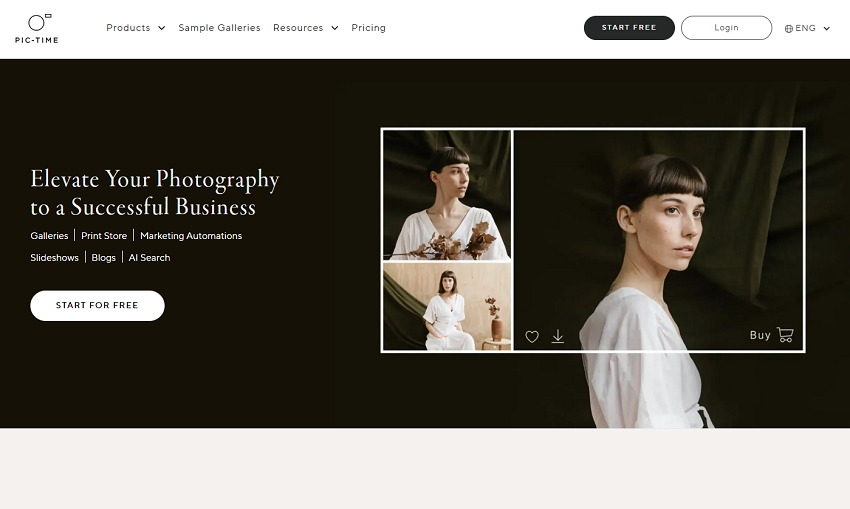
Pic-Time is often considered the most formidable competitor to Pixieset, particularly for photographers who want their gallery platform to double as a marketing assistant. While Pixieset focuses on a broad "all-in-one" utility, Pic-Time specializes in monetization and high-end presentation.
Pic-Time is a high-end gallery delivery platform that integrates a sophisticated AI-driven store and marketing automation suite. This photo proofing gallery is designed to help photographers sell prints, albums, and digital products with almost zero manual effort after the initial setup.
Pic-Time matches (and often exceeds) Pixieset's aesthetic standards while offering a much deeper Sales Automation engine. If Pixieset is your "digital storefront," Pic-Time is your "digital storefront with an expert salesperson on the floor." It bridges the gap between delivering images and actually making a profit from them.
Key Features
- Sales Automation: Pre-built campaigns that send automated emails, coupons, and "abandoned cart" reminders to clients.
- Art Gallery & Slideshows: Beautiful, integrated slideshow builders that can be delivered as part of the gallery experience.
- Smart Store: A sophisticated backend that automatically creates product previews (like framed prints or albums) using the client's own photos to entice them to buy.
- Generous Free Tier: Offers 20GB of storage on the free plan, compared to Pixieset's 3GB.
Pros
- Higher Revenue Potential: The automated marketing tools consistently lead to higher print sales than Pixieset's more passive store.
- Client Experience: The "Store" integration feels more seamless and "shoppable" within the gallery itself.
- Workflow Integration: Excellent Lightroom plugin and a specialized JPEG mini-uploader for faster deliveries.
- Better Free Plan: You get significantly more storage to test the platform before committing to a paid tier.
Cons
- Learning Curve: The automation and store settings are much more complex to set up initially than Pixieset's straightforward dashboard.
- Pricing Complexity: While competitive, the tiered system based on storage and features can be slightly more confusing to navigate.
- No Integrated "Studio" (Yet): Pixieset has a native Studio Manager for contracts/invoices; Pic-Time focuses purely on the gallery and sales, though it does integrate with third-party CRM tools.
2. Pixpa: Best for All-in-One Website and Store
Most tools on this list start as a gallery and add a website later. Pixpa starts as a website builder and folds galleries and a store into the same plan. If your real goal is to replace Pixieset Website plus your client galleries with one subscription, it is the most direct fit here.
Pixpa is an all-in-one platform for photographers, artists, and designers: a portfolio site, a built-in blog, client galleries with proofing, and a commission-free store, all from one dashboard. Plans start at $5.4/month, and it is rated 4.7 out of 5 on Capterra.
Where Pixieset charges separately as you add Website, Studio, and storage, Pixpa bundles the website and store into every plan and takes 0% commission on sales at every tier. For creatives who want a full site and a shop, not just a delivery gallery, that changes the math.

Key Features
- Website-First Platform: A real portfolio builder with 200+ templates, a built-in blog, and full SEO controls, not a gallery with a mini-site attached.
- Unlimited Client Galleries: Every plan includes unlimited private albums with proofing, favorites, comments, and secure delivery.
- 0% Commission Store: Sell products, prints, and digital downloads with no commission on any plan, checkout on your own domain.
- Print Lab Fulfillment: Auto-fulfill print orders through WHCC or a custom lab.
- 24/7 Human Support: Real-person chat and email support on every plan, with reply times reviewers consistently call fast.
Pros
- One Subscription, No Add-Ons: Website, blog, galleries, and store are bundled, so you are not paying separately for each piece the way Pixieset stacks them.
- Lower Entry Price: At $5.4/month to start, it sits below Pixieset’s comparable tiers while including a full website and store.
- Commission-Free at Every Tier: You keep the full sale amount on all plans, not only the expensive ones.
Cons
- Storage Caps on Lower Tiers: Original-file storage runs 3GB to 100GB by plan, so heavy shooters may need a higher tier or an add-on.
- No Sales Automation Engine: There is nothing like Pic-Time’s behavior-triggered marketing campaigns. The store is capable but not a self-running sales funnel.
- No Native Studio Tools: Contracts, invoicing, and booking are not built in, so a full studio-management workflow needs a separate tool.
3. ShootProof: Best for Predictable Pricing
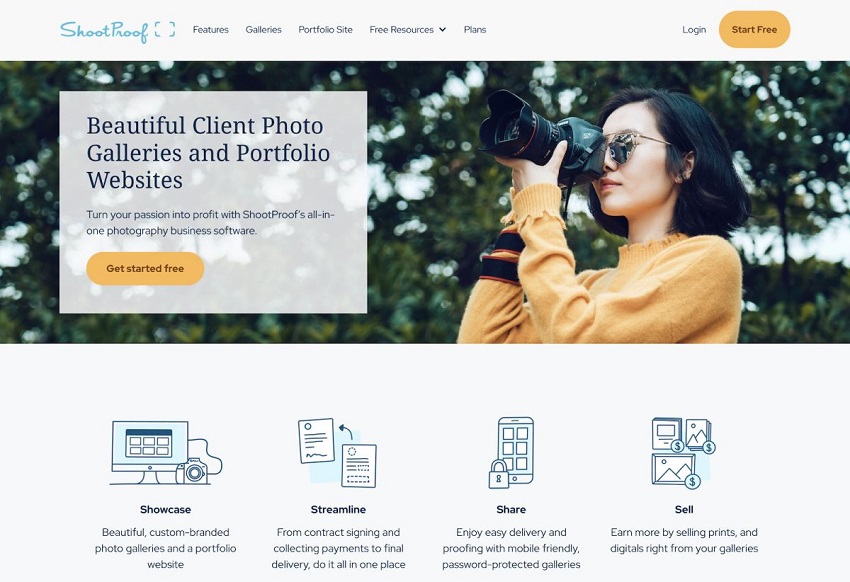
While Pic-Time focuses on the "sales" side of the gallery, ShootProof is built for the photographer who wants a highly organized, professional business backend. It is the most direct "utility" alternative to Pixieset.
ShootProof is an established platform that prioritizes business management and fixed-cost pricing. Instead of charging based on storage (GB), they charge based on the number of photos you have live at any given time. This makes it a favorite for high-volume photographers who deliver thousands of images but don't want to worry about file sizes.
ShootProof offers a more robust set of legal and financial tools. While Pixieset's Studio Manager is a newer addition, ShootProof's contracts, invoicing, and payment processing are deeply integrated and have been a core part of their identity for years.
Key Features
- Photo-Based Tiers: Plans are based on photo count (e.g., 100, 1,500, 5,000, or Unlimited).
- 0% Commission: They never take a cut of your sales, even on the free or lower-tier plans.
- Integrated Business Suite: native digital contracts with E-signatures and automated invoicing.
- Mobile Apps: You can create "Mobile Gallery Apps" for clients—essentially a digital business card with their best photos that stays on their phone's home screen.
Pros
- Transparent Costs: Since there is no commission and pricing is based on photo count, your monthly overhead is very predictable.
- Superior Legal Tools: The contract builder and digital signature workflow are generally more mature and customizable than Pixieset's current offering.
- Archiving: ShootProof offers a low-cost archiving service to keep your old photos safe without them counting toward your "active" photo limit.
Cons
- UI/UX Design: The client-facing galleries are professional, but many photographers find Pixieset's aesthetic to be slightly more modern and "editorial."
- Storage Limits: If you are a landscape or fine-art photographer who only uploads a few giant files, the photo-count model is great. However, for wedding photographers, you might hit your "photo limit" faster than a "storage limit."
- Website Builder: ShootProof does not have a native portfolio website builder like "Pixieset Website," so you'll need a separate site (like Squarespace or WordPress).
4. CloudSpot: Best for Speed and Simplicity
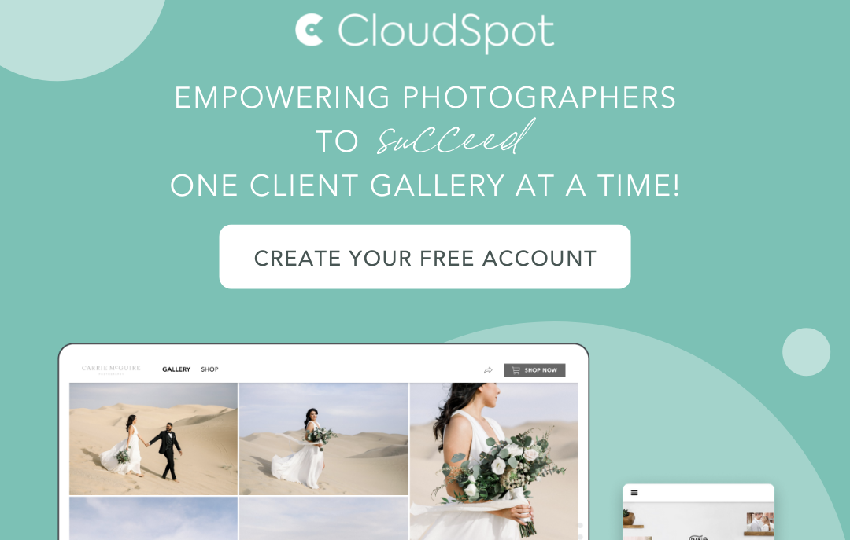
While Pixieset is a great "jack-of-all-trades," CloudSpot focuses on being the fastest and most modern way to deliver files. It's built for photographers who want a frictionless experience for both themselves and their clients.
CloudSpot is a gallery delivery platform known for its blazing-fast upload speeds and intuitive mobile interface. It strips away the clutter to focus on what matters most: getting high-quality images into the client's hands as quickly and easily as possible.
CloudSpot solves one of the biggest pain points in the photography workflow—upload time. It also offers a more flexible approach to "Vendor Galleries," allowing you to share images with other wedding or event vendors without those images eating into your paid storage quota.
Key Features
- Lightning-Fast Uploads: Consistently benchmarks as one of the fastest platforms for importing large batches of high-resolution RAW or JPEG files.
- Mobile App for Clients: Instead of just a mobile-friendly website, you can create a dedicated "App" icon for your client's home screen.
- Vendor Folders: Specialized sharing links for other professionals (florists, venues, etc.) that include your branding and don't count against your storage.
- Zapier Integration: Connects with thousands of other apps (like Trello, Slack, or Google Sheets) to automate your business workflow.
Pros
- Workflow Speed: Multi-folder uploading and faster processing mean you spend less time staring at a progress bar.
- Modern Interface: The dashboard and client galleries feel slightly more "app-like" and snappy compared to Pixieset's more traditional web feel.
- Zero-Limit Networking: The ability to share with vendors for free is a massive advantage for networking and getting your work featured.
Cons
- Smaller Ecosystem: Pixieset offers a native website builder and a specialized "Studio Manager." CloudSpot is focused almost entirely on galleries, so you'll need other tools for your website and contracts.
- Price Point: While they have a free tier, their paid plans can sometimes be slightly more expensive than Pixieset's comparable storage tiers.
- Less Mature Print Lab: While they have excellent lab partners, Pixieset's worldwide lab network is currently a bit more extensive.
5. Picflow: Best for Collaboration
While Pixieset is designed for the "final delivery," Picflow is built for the work-in-progress. It's a specialized tool for photographers who need to go back and forth with clients to narrow down a selection.
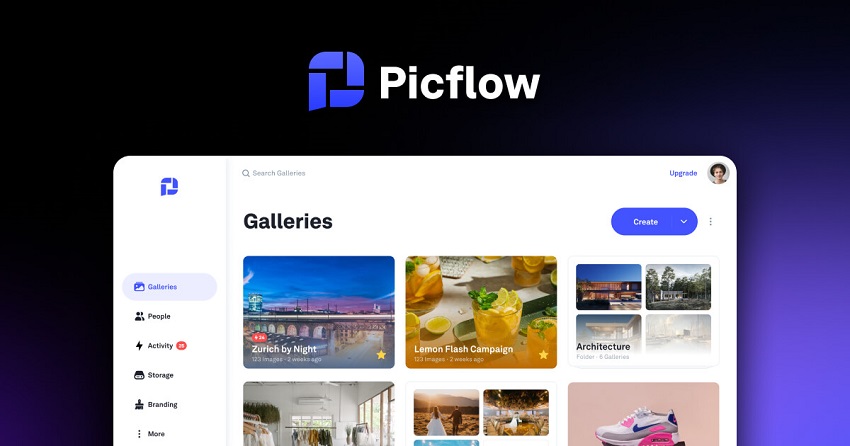
Picflow is a modern, high-speed collaboration platform that replaces the messy "back-and-forth" emails or spreadsheets of the culling process. It provides a shared space where you and your client can review, flag, and discuss images in real-time.
Picflow addresses the "proofing" stage far better than Pixieset. Pixieset allows for "favoriting," but it doesn't allow for granular feedback. Picflow treats the gallery as a living conversation, making it indispensable for commercial, fashion, or high-volume portrait photographers.
Key Features
- In-Gallery Commenting: Clients can leave specific notes or annotations directly on an image.
- Selection Tools: Includes a "Color Label" and "Star Rating" system that mirrors professional software like Lightroom or Capture One.
- Review Mode: A distraction-free mode for clients to compare images side-by-side to make final decisions.
- Instant Sync: Changes made by the client can often be synced back to your editing software via plugins.
Pros
- Communication: Eliminates the need for external messages; all feedback is tied directly to the file.
- Speed of Selection: The side-by-side comparison and rating tools make it much faster for clients to cull 1,000 photos down to 50.
- Professional Edge: It makes you look highly organized and technically proficient to commercial clients who are used to high-speed workflows.
Cons
- Not for Final Delivery: While you can deliver final files, it lacks the sophisticated "Store" and "Print Lab" integrations that make Pixieset a retail powerhouse.
- No Business Suite: It does not handle contracts, scheduling, or automated invoicing.
- Niche Focus: If you don't need client feedback (e.g., you just deliver the finished edits), Picflow's features might feel like overkill.
6. Zenfolio: Best for All-in-One Automation
If Pixieset is the "modern standard" for simplicity, Zenfolio is the power-user's alternative. It is a veteran in the space that has reinvented itself with a focus on intelligent workflow automation and comprehensive business tools.
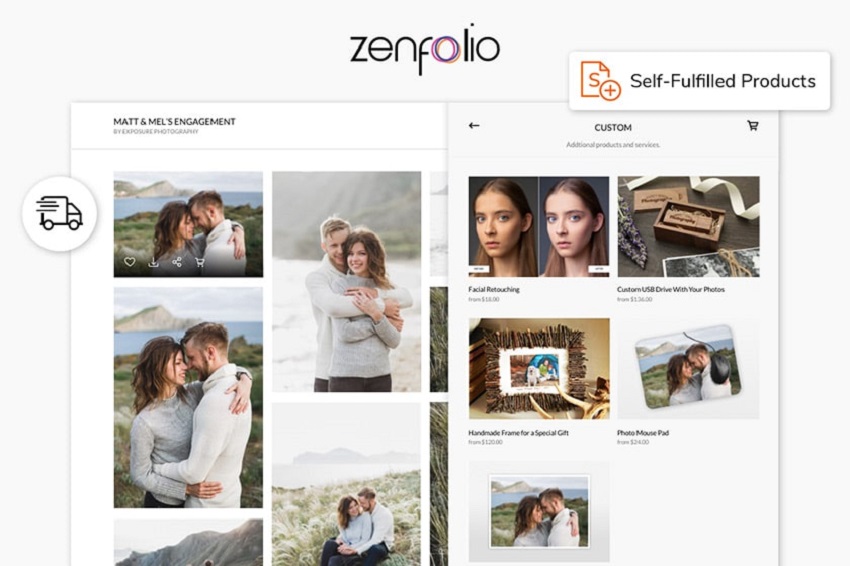
Zenfolio is an all-in-one cloud-based solution designed to handle every stage of a photography business—from the first client booking to the final print delivery. While it offers a portfolio builder and client galleries, its true strength lies in its ProSuite plan, which uses automation to manage the "business" side of things so you can focus on shooting.
Zenfolio offers a higher level of integrated complexity than Pixieset. While Pixieset adds features as separate "apps" (Gallery, Studio, Website), Zenfolio weaves them into a single, automated ecosystem. It also offers unlimited storage on its top-tier plan, making it a better home for high-volume photographers who don't want to manage storage quotas.
Key Features
- BookMe Integration: A built-in scheduling and calendaring tool that allows clients to book shoots, sign contracts, and pay in one go.
- Smart Pricing: Uses data-driven insights to help photographers set competitive prices for their prints and services.
- Automated Marketing: Like Pic-Time, Zenfolio can run automated email campaigns to past clients to encourage seasonal sales.
- Advanced SEO Tools: Offers more granular control over website metadata and search engine optimization than Pixieset's simplified builder.
Pros
- Unlimited Storage: The ProSuite plan offers truly unlimited storage, which is a massive upgrade over Pixieset's 1TB cap on its "Pro" plan.
- Workflow Automation: The ability to pre-schedule "booking to delivery" sequences saves significantly more time on administrative tasks.
- Video Support: Zenfolio handles 4K video hosting and delivery more robustly on its advanced plans compared to Pixieset's HD limits.
Cons
- Learning Curve: Because it has more "under the hood," the dashboard can feel more cluttered and intimidating for beginners.
- Design Flexibility: While they have recently added new modern templates, many users still find Pixieset's "block-based" editor more intuitive and aesthetically refined.
- US-Centric Printing: Some of their most advanced automated print fulfillment features are more optimized for the US market than for international users.
Special Utility Spotlight: Aiarty Image Enhancer
While the platforms listed above handle how you deliver your work, Aiarty Image Enhancer handles the quality of the work itself. In a world where clients expect tack-sharp, high-resolution results, this tool is the ultimate "insurance policy" for your photography workflow.
Aiarty is a specialized AI-powered desktop application designed to denoise, deblur, and upscale images. Unlike standard upscalers that can leave photos looking "plastic," Aiarty uses a unique More-Detail GAN model. This specifically reconstructs realistic textures—like the fine lines in a suit, the individual strands of hair, or the natural pores of the skin—making it a perfect companion for portrait and wedding photographers.
Why it's a Qualified Addition to Your Workflow
Even the best gallery platform can't save a blurry photo. By processing your images through Aiarty before uploading them to a service like Pixieset or Pic-Time, you ensure that every file in that gallery is "print-ready" at any size.
Key Features
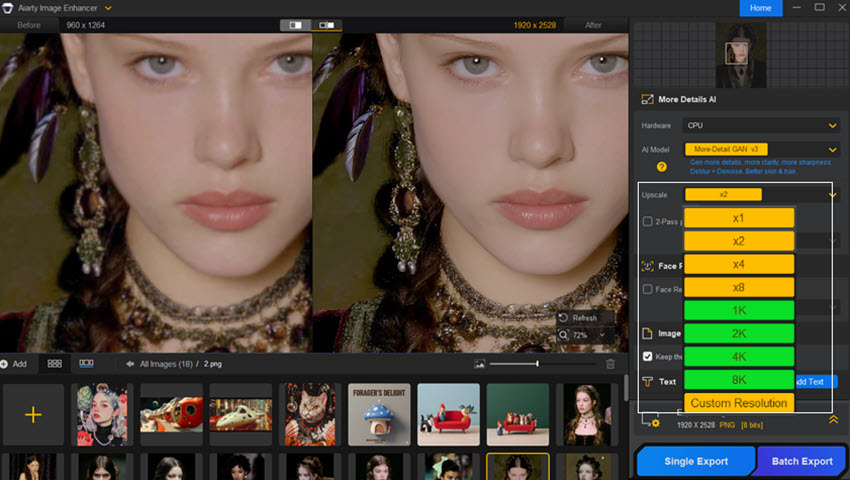
- 4-in-1 Enhancement: Automatically handles denoising, deblurring, upscaling, and restoration in a single pass.
- High-Resolution Upscaling: Can take a standard image and boost it to 8K, 16K, or even 32K resolution without losing clarity.
- Batch Processing Power: Built for professionals, it can process up to 3,000 images per hour, allowing you to clean up an entire wedding gallery in one sitting.
- Local Processing: Runs directly on your computer's GPU, meaning your client's private photos are never uploaded to a cloud server for processing.
Which One Should You Choose?
Choosing a Pixieset alternative isn't about finding a "better" app—it's about finding the one that complements your specific business hurdles.
If you are struggling to move physical prints, Pic-Time is the logical leap. If you're overwhelmed by the "business" of photography (contracts, schedules, and billing), ShootProof or Zenfolio will act as your virtual studio manager. For those working in the fast-paced commercial world where client feedback is constant, Picflow is a game-changer. Finally, if you just want the fastest, most mobile-friendly way to get photos to your clients and fellow vendors, CloudSpot is hard to beat.
The best part? Most of these platforms offer generous free tiers, so you can upload a single gallery to each and see which interface feels like home before you make the switch.
You May Also Like


This post was written by Brenda Peng who is a seasoned editor at Digiarty Software who loves turning ordinary photos into extraordinary works of art. With AI assistance for brainstorming and drafting, the post is reviewed for accuracy by our expert Abby Poole for her expertise in this field.
