


PicMonkey has long been a favorite for its intuitive "Touch Up" tools and user-friendly design interface. However, as the digital landscape evolves, many creators and businesses are looking for specialized tools that offer more power, better AI integration, or lower costs. Whether you need professional-grade photo restoration, lightning-fast social media graphics, or a completely free desktop powerhouse, there is an alternative suited to your specific workflow.
Below, we break down the top contenders to help you find the perfect replacement for your creative toolkit.
1. Canva: Best for Social Media Templates
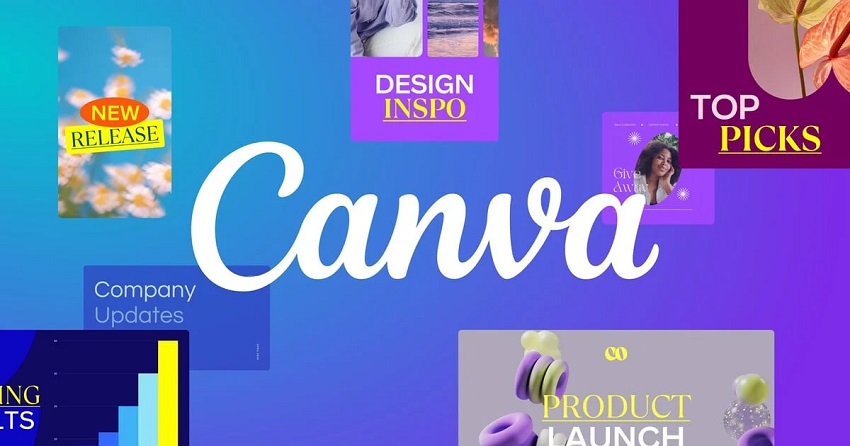
If you find PicMonkey's template library a bit small or its workflow too focused on photo-editing, Canva is the industry standard for rapid social media content creation. While PicMonkey excels at "pixel-pushing" and portrait retouching, Canva is built for "drag-and-drop" speed, offering a massive ecosystem of pre-designed assets that make design accessible to everyone.
Why It's Better Than PicMonkey for Social Media
PicMonkey requires a bit more manual effort to align elements and manage layers, which can slow you down when you need to pump out daily content.
Canva, on the other hand, is built around efficiency. Its Magic Switch (formerly Magic Resize) feature is more robust than PicMonkey's resizing tool, allowing you to turn a single Instagram post into a LinkedIn banner, a Twitter header, and a TikTok background simultaneously. Furthermore, Canva includes a built-in content planner and scheduler, allowing you to design and publish to social media without ever leaving the platform—a feature PicMonkey currently lacks.
Key Features
- Massive Asset Library: Access to millions of stock photos, videos, audio tracks, and vector graphics directly within the editor.
- Magic Studio AI Tools: Features like "Magic Expand" and "Magic Grab" allow you to manipulate image subjects and backgrounds with ease, bridging the gap between design and AI editing.
- Brand Kits: Store your specific brand colors, logos, and fonts in one place to ensure every design stays consistent across your team.
- Real-Time Collaboration: Unlike PicMonkey's more limited sharing, Canva allows multiple users to edit the same design at the exact same time, similar to a Google Doc.
- Vast Template Selection: Thousands of trending, platform-specific templates (Instagram Stories, Reels, Pinterest Pins) updated daily.
- All-in-One Content Suite: Beyond static images, you can create videos, presentations, and even basic websites.
- Generous Free Tier: Canva's free version is highly functional, whereas PicMonkey typically requires a paid subscription to export your work.
- Social Scheduling: Direct integration with major social platforms to schedule posts in advance.
- Limited Photo Retouching: It lacks the advanced "Touch Up" tools (like skin smoothing or wrinkle removing) that PicMonkey is famous for.
- Generic Feel: Because so many people use the same templates, your designs can look "cookie-cutter" if you don't customize them heavily.
- Internet Dependent: It is a web-based tool; if your connection is slow or down, the editor can become laggy or unusable.
2. Adobe Express: Best for High-End Design Assets
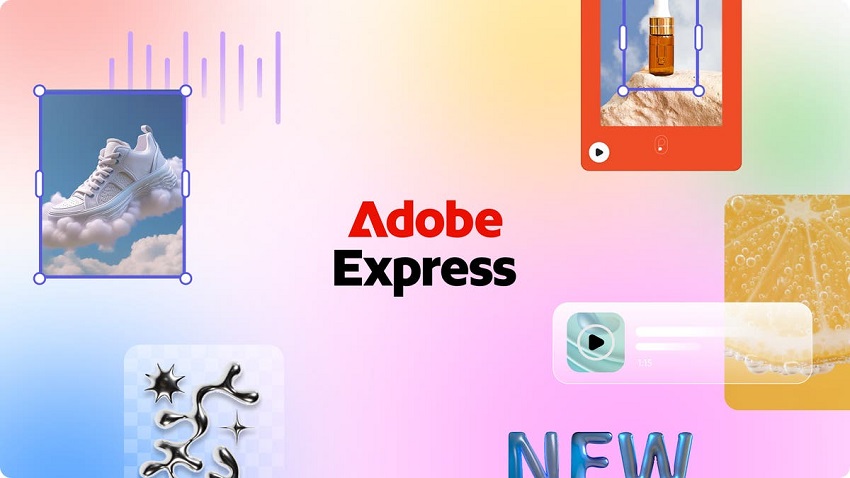
If you appreciate the creative "pedigree" of Adobe but find Photoshop too complex, Adobe Express is the bridge you've been looking for. While PicMonkey is great for casual editing, Adobe Express gives you access to the world's most elite library of commercial-grade assets, including Adobe Stock and Adobe Fonts, ensuring your work looks like it was made by a high-end agency.
Why It's Better Than PicMonkey for High-End Assets
While PicMonkey's asset library is solid, it can sometimes feel a bit "clip-art" heavy. Adobe Express changes the game by integrating Adobe Stock directly into the interface. This gives you millions of high-resolution, professionally shot photos and graphics that are often of a higher aesthetic caliber than those found in PicMonkey or even Canva.
Additionally, Adobe Express allows for PDF editing and exporting that is significantly more robust than PicMonkey's. You can import a complex PDF, edit the text and images as if they were native layers, and export them back out without losing formatting—a vital feature for business and professional documentation.
Key Features
- Adobe Firefly Generative AI: Industry-leading AI for "Text to Image" and "Generative Fill," allowing you to add or remove objects with photorealistic precision.
- Access to 25,000+ Adobe Fonts: While PicMonkey has a good selection, Adobe Express provides the gold standard in professional typography.
- Quick Actions: One-click tools for sophisticated tasks like converting to GIF, removing backgrounds, or trimming video—all powered by Adobe's professional engines.
- Creative Cloud Integration: If you use other Adobe apps, you can easily pull in your Photoshop or Illustrator assets via Creative Cloud Libraries.
- Elite Stock Content: The quality of images and design elements is arguably the highest in the web-editor category.
- Advanced Video Editing: Offers a more timeline-based approach to video than PicMonkey, making it easier to create polished TikToks and Reels.
- Seamless Branding: One-tap brand application across multiple pages and projects.
- Superior PDF Handling: The best tool in this list for managing and editing professional PDF documents.
- Subscription Model: To get the best assets (Premium Stock), you need a monthly subscription, which can be pricey unless you already have a Creative Cloud plan.
- Slower Performance: Because of the high-res assets and complex AI, it can occasionally feel heavier and slower to load than the streamlined PicMonkey.
- Learning Curve: While easy to use, it has more "Adobe-style" menu structures that might take a few more minutes to master than PicMonkey's linear layout.
3. Fotor: Best for Quick Beauty Retouching
For many, PicMonkey's claim to fame was its "Touch Up" tab. If you're looking for the best modern equivalent that handles portraits with even more automation, Fotor is the standout choice. It takes the manual "brushing" work of PicMonkey and automates it with AI, allowing you to achieve professional-looking skin and facial enhancements in seconds.
Why It's Better Than PicMonkey for Beauty Retouching
While PicMonkey's beauty tools are manual (you brush on the "Whiten" or "Smooth" effects), Fotor utilizes AI-powered one-tap retouching. It can automatically detect facial features to remove blemishes, soften wrinkles, and brighten eyes instantly.For users who want more control, Fotor still offers a "Beauty" suite that rivals PicMonkey's, including specialized tools like "Weight Loss" (reshaping), "Eye Pop," and even virtual makeup application. However, Fotor's edge lies in its Batch Processing for portraits—something PicMonkey lacks—allowing you to apply the same beauty filters or enhancements to dozens of headshots at once.
Key Features
- AI One-Tap Enhance: Automatically balances exposure, clears skin, and sharpens features with a single click.
- Reshape & Slimming: Sophisticated tools to adjust body proportions or facial structure without the "warping" look typical of lower-quality apps.
- HDR Tech: Patented High Dynamic Range processing that brings out details in photos that look flat or poorly lit.
- AI Background Blur: Instantly creates a "portrait mode" bokeh effect, separating the subject from the background far more cleanly than PicMonkey's manual blur tool.
- Extremely Fast: The automation saves massive amounts of time compared to manual retouching.
- Affordable Pricing: Generally more budget-friendly than Adobe Express or Canva Pro.
- Multi-Platform: Excellent mobile apps (iOS/Android) that mirror the desktop experience for on-the-go editing.
- Raw Support: Unlike many web-based editors, Fotor can handle RAW files from professional cameras.
- Heavy Ads in Free Version: The free tier can be distracting with frequent prompts to upgrade.
- Limited Collaboration: Not as strong as Canva or Adobe Express for team-based design projects.
- Generic Graphics: While it has a design library, the stickers and overlays can feel a bit dated compared to PicMonkey's trendy assets.
4. BeFunky: Best for Creative Effects & Textures
If you loved the quirky, artistic side of PicMonkey—like its holiday-themed overlays and unique textures—BeFunky is your spiritual successor. It offers the most robust "Artsy" filter library on the web, specializing in turning photos into sketches, oil paintings, and cartoons with a realism that other editors lack.
Why It's Better Than PicMonkey for Creative Effects
PicMonkey has great textures, but BeFunky's Artsy effects are in a class of their own. While PicMonkey might offer a simple "cartoon" filter, BeFunky uses GDL (Graphic Design Language) to layer textures, light leaks, and brush strokes that make a photo look like it was actually painted on canvas or shot on 35mm film.
Additionally, BeFunky's Textures tool is much more customizable. You can stack multiple textures (like "Scratches," "Bokeh," and "Fabric"), adjust their blend modes individually, and use a "paint-on" tool to apply the texture only to specific parts of your image—giving you creative control that PicMonkey's global filters can't match.
Key Features
- Digital Art Suite: Famous for the "Cartoonizer," "Oil Painting," and "Watercolor" filters that look surprisingly authentic.
- Layered Textures: Categories like Light Leaks, Gritty Grunge, and Paper allow for deep atmospheric editing.
- Batch Photo Editor: Crop, resize, and apply effects to a whole folder of images simultaneously.
- Collage Wizard: An intelligent layout tool that builds your collage for you based on the number of photos you upload, no manual dragging required.
- No Registration Required: You can start editing immediately in your browser without creating an account.
- Superior "Artsy" Filters: The best-looking artistic transformations in the browser-based market.
- Seamless Workflow: Quickly switch between the Photo Editor, Collage Maker, and Graphic Designer without losing your work.
- Incredible Textures: A deeper, more specialized library for "vibe-focused" editing.
- Aggressive Paywall: Many of the best "Artsy" effects and textures are locked behind the "Plus" subscription.
- Outdated UI Elements: Some of the stock graphics and stickers can look a bit "clip-art" compared to PicMonkey's modern aesthetics.
- Performance Lags: Applying heavy textures and complex artistic filters can sometimes slow down older browsers.
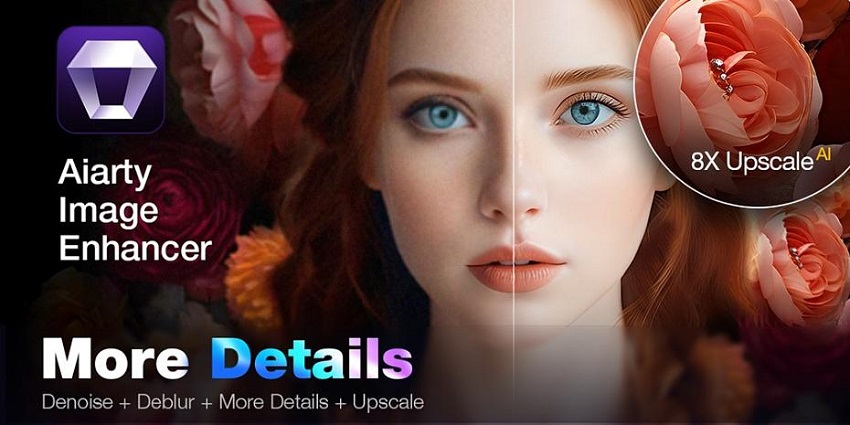
5. Aiarty Image Enhancer: Best for AI Upscaling & Restoration
If your main reason for using PicMonkey is to fix low-quality photos or prepare small images for large-scale printing, Aiarty Image Enhancer is a specialized powerhouse that far outclasses general-purpose editors. While PicMonkey offers basic "touch-up" tools, Aiarty uses deep-learning generative AI to actually reconstruct missing pixels, making it the superior choice for serious restoration work.
Why It's Better Than PicMonkey for Upscaling
PicMonkey is primarily a design and layout tool; its resizing features use traditional interpolation, which often results in "pixelated" or "blurry" images when you try to make them larger.
In contrast, Aiarty is a dedicated enhancement engine. It doesn't just stretch your image; it re-imagines it. Using models trained on millions of professional photos, it can take a tiny thumbnail or a blurry smartphone shot and upscale it to 4K, 8K, or even 32K resolution while adding realistic textures to skin, hair, and fabric that weren't visible in the original.
Key Features
- Three Specialized AI Models: Unlike "one-size-fits-all" filters, Aiarty offers More-Detail GAN (for intricate textures like fur/hair), Smooth Diff (for 2D art and clean graphics), and Real-Photo (for authentic photographic restoration).
- 4-in-1 Auto Enhancement: In a single click, the software handles denoising, deblurring, artifact removal, and upscaling.
- Intelligent Face Restoration: It specifically identifies human faces to ensure they remain sharp and natural-looking without the "uncanny valley" plastic effect common in cheaper AI tools.
- Massive Batch Processing: You can drop a folder of 1,000 images and let the AI process them all locally on your computer, a workflow PicMonkey's web-based editor can't match.
- Professional Resolution: Can upscale up to 8x (32,000 pixels on one side), making low-res web images print-ready.
- Privacy-Focused: Runs locally on your Windows or Mac hardware; your photos are never uploaded to a cloud server.
- One-Time Purchase: Offers a lifetime license option, allowing you to escape the "subscription fatigue" of services like PicMonkey or Adobe.
- Hardware Acceleration: Optimized for NVIDIA/AMD GPUs, making the enhancement process incredibly fast.
- Limited Creative Tools: It is not a full-service graphic design suite; you cannot add text, layers, or stickers like you can in PicMonkey.
- System Requirements: Because it uses heavy AI models, it performs best on computers with a dedicated graphics card.
- Narrow Focus: It is strictly for enhancement and restoration; you'll still need another tool for layout and compositing.
6. Pixlr: Best Browser-Based Professionalism
If you appreciate PicMonkey's accessibility but find its toolset too limiting for complex projects, Pixlr is the ultimate "pro" alternative. It offers a dual-experience platform: Pixlr X for quick, PicMonkey-style edits, and Pixlr E, a powerful, layer-based editor that looks and feels almost exactly like a browser-based version of Adobe Photoshop.
Why It's Better Than PicMonkey for Professionalism
PicMonkey's layer management can feel clunky when dealing with dozens of elements. Pixlr E solves this by providing a dedicated Layers panel with advanced blending modes, masks, and grouping—standard professional features that are often missing or simplified in other web editors.
Furthermore, Pixlr is the only tool in this list that offers a truly "Photoshop-adjacent" workflow without requiring a download. It supports complex selection tools (Lasso, Magic Wand, Bezier curves) and advanced adjustments like Curves, Levels, and Hue/Saturation that allow for the kind of precision color grading that PicMonkey's sliders simply can't achieve.
Key Features
- Pixlr E (Advanced Editor): A full-featured editor with brush tools, cloning, healing, and multi-layer support.
- Pixlr X (Express Editor): A streamlined, icon-based interface for rapid cropping, filtering, and text overlays.
- AI-Powered "Super Scale": A built-in AI tool to upscale images while preserving clarity, similar to a lightweight version of Aiarty.
- PSD Support: The ability to open and save Photoshop files (.psd), making it an excellent bridge for users who occasionally need to work with professional industry assets.
- Familiar Photoshop Layout: Professionals can jump in and start working immediately with zero learning curve.
- Blazing Fast Performance: One of the most optimized browser-based editors, even when handling high-resolution files.
- Generous Free Version: Unlike PicMonkey, which locks exports behind a paywall, Pixlr allows several free saves per day even on the free plan.
- Extensive Keyboard Shortcuts: Supports standard professional shortcuts, making the editing process significantly faster.
- Steep Learning Curve: While Pixlr X is easy, the professional Pixlr E interface can be overwhelming for absolute beginners.
- Ad-Supported Free Tier: The free version includes sidebar ads that can be distracting during the design process.
- No Real-Time Collaboration: Unlike Canva or Adobe Express, it is a solo editing experience.
7. DocHipo: Best for Business & Marketing Documents
If you feel PicMonkey is too focused on artistic photo editing and lacks the structure needed for corporate branding, DocHipo is the premier choice for professionals. It is specifically built for marketers and business users who need to create "on-brand" documents—like flyers, infographics, and presentations—without the clutter of a general-purpose photo editor.
Why It's Better Than PicMonkey for Business Documents
While PicMonkey excels at making photos look "cool," DocHipo excels at making information look "professional." Its interface is remarkably clean and distraction-free, with an emphasis on organization and categorization. Unlike PicMonkey, where you might have to dig through artistic filters, DocHipo categorizes everything by industry (Real Estate, Food, Education) and occasion, ensuring you find business-ready layouts in seconds.
Moreover, DocHipo includes a dedicated Brand Kit feature that is more intuitive for small teams than PicMonkey's. It allows you to lock in your company's colors, logos, and fonts across all documents, ensuring that even non-designers on your team produce consistent, high-quality marketing materials every time.
Key Features
- Precision Categorization: Templates are sorted by niche use cases like "LinkedIn Carousels," "Case Studies," and "Corporate Presentations."
- Smart Canvas Resizing: Instantly converts one design into multiple formats (e.g., a Flyer into a Social Media post) with intelligent element repositioning.
- Mailchimp Integration: Allows marketers to design high-quality email headers and assets and push them directly to their Mailchimp campaigns.
- Collaboration & Workflow Tools: Features document commenting, version history, and an audit log to see who made specific changes—essential for business teams.
- Watermark-Free Downloads: Even the free plan allows you to download designs without unsightly watermarks.
- Exceptional UI: Known for having one of the cleanest, fastest-loading, and most intuitive interfaces in the market.
- 3D Illustrations & Animations: Access to unique, editable vector assets that give business documents a modern, high-end feel.
- High-Quality PDF Export: Superior handling of multi-page documents like brochures and presentations for print.
- Limited Free Documents: The free plan typically limits you to 5 active documents, requiring an upgrade for heavy users.
- Rudimentary Photo Editing: It is not a tool for deep photo retouching; it lacks PicMonkey's "Touch Up" and artistic filter depth.
- Western-Centric Templates: While vast, the template library currently leans heavily toward Western design aesthetics.
8. Jasper Art: Best for AI-Generated Originality
If you are tired of searching through stock photo libraries or spending hours manually editing photos in PicMonkey to get a "vibe," Jasper Art is the ultimate shortcut. It moves away from traditional editing and into the world of generative AI, allowing you to create custom, high-resolution, and completely original images simply by describing them.
Why It's Better Than PicMonkey for Originality
PicMonkey is a tool for modifying what already exists. If you need a picture of a "cyberpunk cat drinking coffee in a neon cafe," you have to find that photo first and then edit it.
With Jasper Art, you simply type that sentence. It bypasses the need for stock photography entirely. For marketers and bloggers who need unique visuals that haven't been seen anywhere else on the web, Jasper provides a level of creative freedom that traditional graphic design software simply cannot match. It also integrates directly with the Jasper AI writing suite, making it a "one-stop-shop" for creating both the copy and the visuals for a campaign.
Key Features
- Freeform Prompting: Describe any scene, character, or object in natural language to see it generated in seconds.
- Style & Medium Presets: Easily choose between styles like "3D Render," "Oil Painting," "Pop Art," or "Photorealistic" via simple dropdown menus.
- Mood & Lighting Controls: Fine-tune your generation by specifying the mood (e.g., "Whimsical," "Gloomy") and lighting (e.g., "Golden Hour," "Studio Lighting").
- Unlimited Generations: Most paid plans allow for unlimited image creation, encouraging experimentation without worrying about "credit" costs.
- Zero Artistic Skill Required: You don't need to know how to use a brush or a layer mask; you just need to be able to describe your vision.
- No Copyright Stress: Images generated are original and royalty-free for commercial use.
- Blazing Fast: Generates four distinct image variations in roughly 5–10 seconds.
- High Resolution: Supports upscaling to ensure your AI art is crisp enough for blog headers or social ads.
- Subscription Cost: Jasper is an enterprise-grade marketing platform; its pricing is significantly higher than a standalone editor like PicMonkey.
- AI Quirks: Like all generative AI, it can occasionally struggle with specific details like human hands, text within images, or complex anatomical symmetry.
- Lack of Manual Control: You cannot "manually" edit the pixels once they are generated; if you don't like the result, you generally have to re-prompt or regenerate.
9. Snappa: Best for Speed and Efficiency
While PicMonkey is a "creative powerhouse" and Canva is a "design ecosystem," Snappa is a "productivity tool." It is built for the entrepreneur or marketer who doesn't want to be a designer—they just want a professional-looking graphic finished and posted as quickly as humanly possible.
Why It's Better Than PicMonkey for Speed
PicMonkey's interface has evolved to be very deep, often hiding advanced photo-editing tools behind multiple clicks. Snappa takes the opposite approach: everything you need is on a single screen. There are no "menus within menus."
The workflow is intentionally linear: pick a preset size (e.g., YouTube Thumbnail), choose a template, swap the text/image, and hit "Publish." While you lose some of the granular "pixel-pushing" control found in PicMonkey, you gain back significant time in your workday.
Key Features
- One-Click Image Resizer: Snappa's resizing tool is arguably the fastest in the industry. You can turn an Instagram post into a Facebook ad or a Twitter header with a single click, and it does a remarkably good job of automatically repositioning elements.
- Buffer Integration: Unlike most editors that require you to download a file and then upload it elsewhere, Snappa integrates directly with Buffer. You can design a graphic and schedule it to your social media queues without ever leaving the tab.
- Built-in Royalty-Free Library: Snappa includes over 5 million high-resolution, "non-cheesy" stock photos and 100,000+ vectors/icons. The best part? Every single asset is 100% free for commercial use, with no "premium" upsells within the search results.
- Automatic Background Remover: Similar to PicMonkey but optimized for speed, it allows you to isolate subjects in one click, which is essential for creating clean YouTube thumbnails or product ads.
- Zero Learning Curve: A complete beginner can produce a professional graphic within 60 seconds of signing up.
- Clean, Fast Interface: Because it doesn't have the "heavy" AI features of Adobe or the massive library of Canva, the editor loads instantly and never lags.
- Commercial Licensing Simplified: You never have to worry about the "fine print" of photo licenses; everything in their library is cleared for business use.
- High-Quality Templates: Their templates lean toward "modern-professional" rather than "crafty," making them perfect for B2B and SaaS marketing.
- No Mobile App: Snappa is strictly a desktop browser experience. If you need to edit on your phone, PicMonkey or Canva are better choices.
- Limited Advanced Editing: You won't find the detailed "Touch Up" tools (teeth whitening, skin smoothing) or complex layer masking that PicMonkey offers.
- No Manual Saving: While it has auto-save, the lack of a manual "Save" button can be nerve-wracking for users used to traditional software.
10. GIMP: Best Open-Source Desktop Powerhouse
If you are looking to move away from PicMonkey's subscription model and cloud-based limitations, GIMP (GNU Image Manipulation Program) is the ultimate free alternative. It is a cross-platform, open-source editor that provides professional-grade tools for those who prefer working on their local hardware rather than in a web browser.
Why It's Better Than PicMonkey for Power Users
PicMonkey is essentially a "guided" experience, whereas GIMP is an "open" experience. GIMP offers features that PicMonkey simply cannot provide in a browser, such as advanced path tools, channel editing, and a massive library of community-created plugins.
Because GIMP runs locally on your machine (Windows, macOS, or Linux), you are never throttled by internet speeds or server downtimes. For users who need to handle massive file sizes or high-resolution print projects, GIMP offers a level of stability and technical depth—like support for CMYK and specialized file formats—that PicMonkey isn't built to handle.
Key Features
- Extensible Plugin Architecture: GIMP can be customized with thousands of third-party scripts and plugins, including "G'MIC" which offers hundreds of artistic filters that rival those of PicMonkey and BeFunky combined. Professional Retouching Tools: Includes advanced healing, cloning, and even perspective cloning tools that offer more precision than the simplified sliders in PicMonkey. Customizable Interface: You can dock and undock panels, create custom shortcuts, and tailor the workspace to your specific workflow. Broad Format Support: Handles everything from standard JPEGs to specialized formats like PSD (Photoshop), TIFF, and various RAW formats.
- 100% Free Forever: No subscriptions, no hidden "pro" features, and no credit card required.
- Works Offline: Since it's a desktop application, you can edit anywhere without an internet connection.
- Community Driven: A massive global community means you can find tutorials and help for almost any project imaginable.
- Non-Destructive Editing Options: With the use of layers and masks, GIMP allows for complex, non-destructive editing workflows.
- Steep Learning Curve: Unlike PicMonkey's intuitive interface, GIMP can be intimidating for beginners and requires time to master.
- No Built-in Asset Library: You won't find a library of stock photos or trendy stickers here; you have to source your own assets.
- Manual Setup: You have to download and install the software and its updates manually.
Conclusion: Which PicMonkey Alternative is Right for You?
Choosing a replacement for PicMonkey depends entirely on your primary goal:
- For pure design speed: Choose Snappa. It's the fastest way to get a social media post out the door without getting bogged down in menus.
- For professional-grade power: Go with GIMP. It offers Photoshop-level depth without the subscription fee, though you'll need to invest time in learning the interface.
- For technical restoration: Aiarty Image Enhancer is your best bet for upscaling and fixing low-quality source files.
- For high-end branding: Adobe Express or DocHipo provide the most professional asset libraries and brand management tools.
- For creative experimentation: BeFunky or Jasper Art will give you the textures and AI originality that standard editors lack.
While no single tool does everything, the move away from PicMonkey often reveals a more specialized, powerful way to work. Pick the tool that solves your biggest bottleneck, and you'll likely find your creative workflow becomes both faster and more satisfying.
You May Also Like


Rico Rodriguez is an experienced content writer with a deep-rooted interest in AI. He has been at the forefront of exploring generative AI tools like Stable Diffusion. His articles offer valuable insights into the world of AI, providing readers with practical tips and informative explanations.
