


Summary: Looking for digital art ideas but not sure what to draw? This guide collects 35 easy, creative, and beginner-friendly digital art projects, plus quick drawing prompts and practical tips for choosing a subject, practicing specific skills, and preparing finished artwork for sharing or print.
Staring at a blank digital canvas and not sure what to draw? You do not need an elaborate concept to start creating. A simple landscape, portrait, object study, or unusual prompt can be enough to practice a new technique and turn a rough idea into a finished piece.
Below are 35 digital art ideas for beginners and experienced artists, ranging from easy digital drawing exercises to character concepts, fantasy environments, pixel art, surreal scenes, and experimental projects. Each idea includes a clear skill to practice and a simple direction to help you get started.
Easy Digital Art Ideas for Beginners
If you are new to digital drawing, start with subjects that use simple shapes, limited colors, and manageable compositions. These projects are ideal for practicing brushes, layers, lighting, and basic color theory without making the artwork unnecessarily complicated.
1. Simple Sunset Landscape
Difficulty: Easy
Practice: Color gradients, silhouettes, composition
Create a simple landscape using a sunset gradient as the background. Add dark mountains, trees, buildings, or telephone poles in the foreground to build depth. Start with only three or four colors instead of trying to paint every detail.
Try this variation: Turn the same composition into sunrise, twilight, or a rainy evening.
2. Cozy Bedroom Illustration
Difficulty: Easy
Practice: Perspective, lighting, object placement
Draw a small bedroom with a bed, desk, lamp, plants, books, and a window. Focus on creating a comfortable atmosphere rather than perfect realism. Warm lamp light combined with cooler window light can make a simple scene feel more dimensional.
Try this variation: Redesign the room for a musician, gamer, artist, or fantasy character.
3. Mushroom Illustration
Difficulty: Easy
Practice: Shape, texture, shading
Mushrooms are excellent digital drawing subjects because they can be built from very simple shapes. Start with a rounded cap and stem, then experiment with spots, glowing edges, unusual colors, or fantasy details.
Try this variation: Create an entire miniature village beneath giant mushrooms.
4. Fruit Still Life
Difficulty: Easy
Practice: Light, shadow, color
Choose two or three fruits and arrange them into a basic still life. Instead of immediately adding tiny details, first establish the largest areas of light and shadow. This makes it a useful exercise for learning digital painting fundamentals.
Try this variation: Paint the same fruit using realistic, cartoon, and painterly styles.
5. Cartoon Pet Portrait
Difficulty: Easy
Practice: Simplification, expressions, shape language
Turn a dog, cat, rabbit, or other animal into a stylized cartoon character. Reduce complicated anatomy into basic shapes and exaggerate recognizable features such as ears, eyes, fur patterns, or expressions.
Try this variation: Give the pet a costume or turn it into a fantasy adventurer.
6. Moonlit Night Sky
Difficulty: Easy
Practice: Glow, contrast, atmosphere
Create a dark blue sky with a moon, stars, clouds, and a simple silhouette in the foreground. Experiment with soft brushes and layer blending to create moonlight without overcomplicating the image.
Try this variation: Add a person, cabin, lighthouse, or distant city underneath the sky.
7. Potted Plant Study
Difficulty: Easy
Practice: Organic shapes, brushes, texture
Draw a plant with large, simple leaves before moving on to more complicated botanical subjects. Use different brushes for smooth leaves, rough soil, ceramic pots, and subtle highlights.
Try this variation: Design a collection of three plants in completely different art styles.
8. Minimalist Portrait
Difficulty: Easy
Practice: Facial proportions, color blocking
Create a portrait using simplified shapes instead of detailed rendering. Use a limited color palette and focus on the silhouette, facial structure, hair, and expression. This is a good way to practice portraits without becoming overwhelmed by skin texture or tiny details.
9. Coffee and Book Still Life
Difficulty: Easy
Practice: Composition, lighting, everyday objects
Arrange a cup, book, glasses, headphones, or small plant into a relaxed tabletop composition. Everyday objects are useful subjects because you can easily photograph your own reference and experiment with different lighting setups.
10. Pixel Art Landscape
Difficulty: Easy–Intermediate
Practice: Shape economy, color palettes, composition
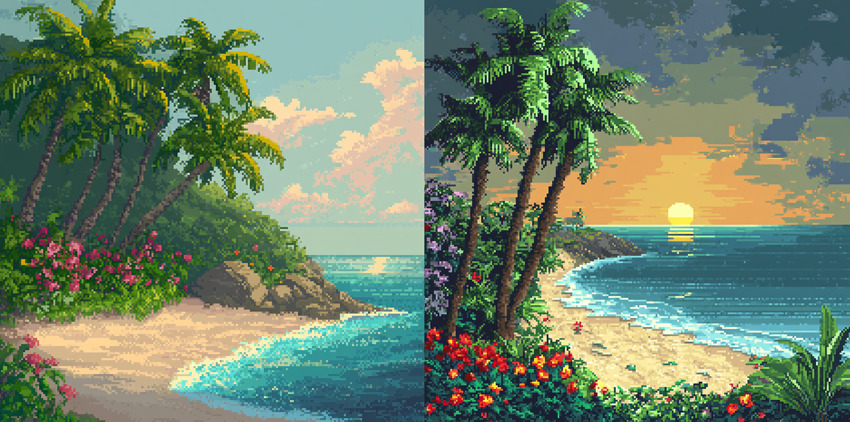
Recreate a forest, beach, desert, or mountain scene using pixel art. Instead of adding smooth gradients, build the scene using clusters of pixels and a controlled palette. Pixel art forces you to decide which visual information is actually important.
Try this variation: Create morning, sunset, and nighttime versions of the same environment.
Character & Portrait Digital Art Ideas
Once you are comfortable with basic drawing tools, portraits and character projects are a great way to practice expression, anatomy, storytelling, clothing, and design.
11. Emotional Expression Portrait
Difficulty: Intermediate
Practice: Expressions, color, mood
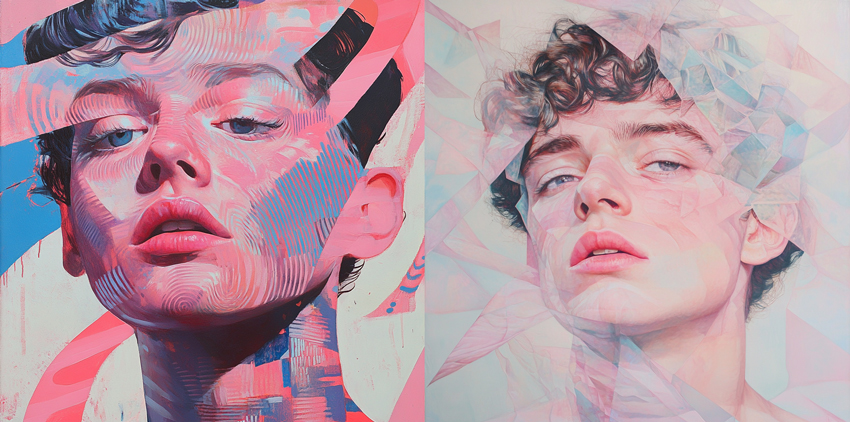
Choose one emotion—joy, loneliness, anger, fear, confidence, or calm—and design the entire portrait around it. Use facial expression, lighting, pose, and color together instead of relying only on the face. Warm saturated colors can create energy, while muted blues and softer contrast can produce a quieter atmosphere.
12. Character Design Sheet
Difficulty: Intermediate
Practice: Character consistency, costume design
Create one original character and draw them from several angles. Include a front view, side view, three-quarter view, facial expressions, outfit variations, and important accessories. This turns a single drawing into a more complete character-design exercise.
13. Fantasy Traveler
Difficulty: Intermediate
Practice: Costume, storytelling, props
Design a traveler from an imaginary world. Think about where they are going, what climate they live in, what they carry, and which materials exist in their world. A character usually feels more believable when clothing and props communicate something about their story.
14. Fashion Portrait
Difficulty: Intermediate
Practice: Fabric, pose, silhouette
Choose an outfit with an interesting silhouette and build the illustration around the clothing. Experiment with fabric folds, reflective materials, translucent fabric, jewelry, and dramatic lighting. You can also exaggerate proportions to create a more editorial illustration style.
15. Self-Portrait in an Alternate Style
Difficulty: Easy–Intermediate
Practice: Stylization
Create a self-portrait—or use a fictional portrait reference—and redraw it in a completely different visual language such as pixel art, comic style, painterly realism, minimalist illustration, retro poster, or fantasy concept art.
16. Fantasy Creature Design
Difficulty: Intermediate
Practice: Anatomy, shape language, imagination
Combine characteristics from two or three real animals to create an original creature. For example, mix a fox with an owl, a deer with a moth, or a rabbit with a dragon. Think about how the creature moves and where it lives instead of simply attaching random body parts together.
17. Silhouette Storytelling
Difficulty: Easy–Intermediate
Practice: Composition, pose, visual storytelling
Create a scene primarily from silhouettes. Without relying on facial features or small details, use body language and composition to communicate what is happening. Try a lone traveler facing a giant structure, two people meeting under a streetlight, or a small figure discovering an enormous creature.
Landscape & Environment Digital Art Ideas
Environment art gives you room to practice perspective, depth, scale, color, lighting, and world-building. Start with large shapes before adding small details so the composition remains readable.
18. Mountain Reflection
Difficulty: Easy–Intermediate
Practice: Reflection, symmetry, atmospheric perspective
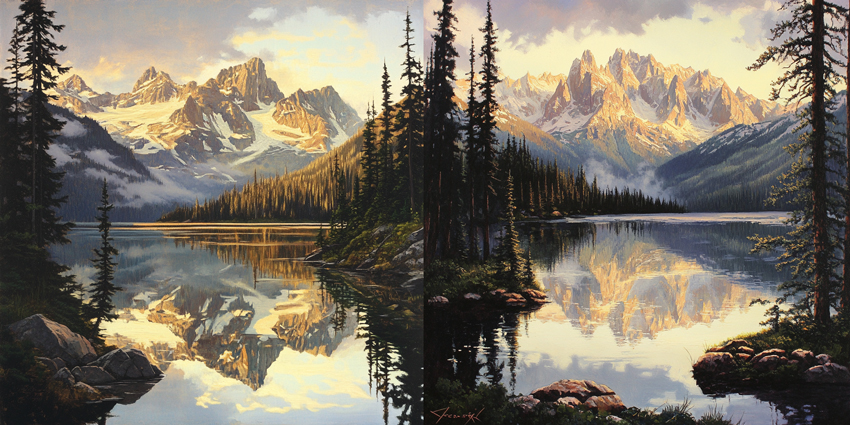
Paint a mountain range reflected in a calm lake. Begin with the major mountain shapes, then mirror the composition below the horizon before distorting the reflection slightly with water movement. Use softer contrast in distant mountains to create depth.
19. Surreal Floating City
Difficulty: Intermediate
Practice: Perspective, scale, world-building
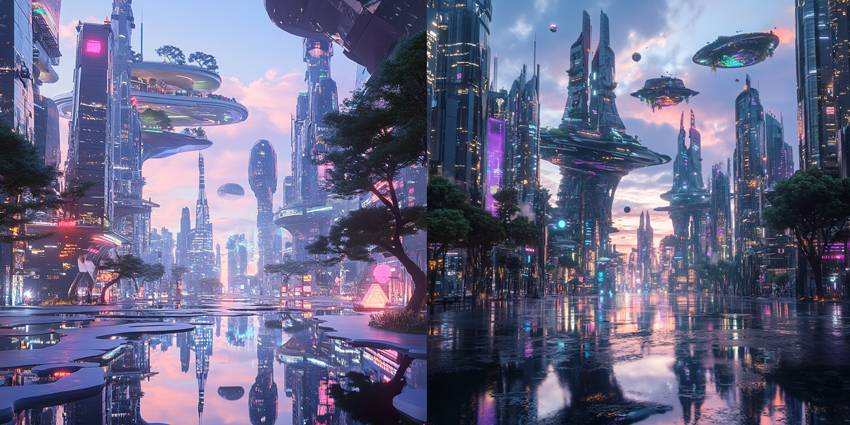
Design a city where buildings, roads, gardens, or entire islands float above the clouds. Start with three large shapes rather than designing every building individually. Then add tiny figures, vehicles, birds, or lights to communicate the enormous scale of the environment.
Try this variation: Place the city at sunset, during a storm, or above another planet.
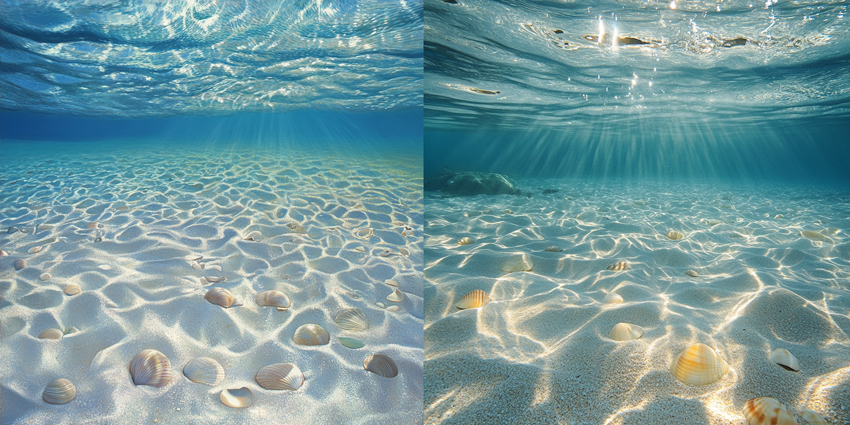
20. Underwater World
Difficulty: Intermediate
Practice: Lighting, atmosphere, depth
Create a deep underwater environment filled with coral, ancient ruins, glowing creatures, or submerged architecture. Focus on soft light beams, fading contrast, floating particles, and silhouettes disappearing into the distance.
21. Fantasy Food Market
Difficulty: Intermediate
Practice: Props, storytelling, environmental detail
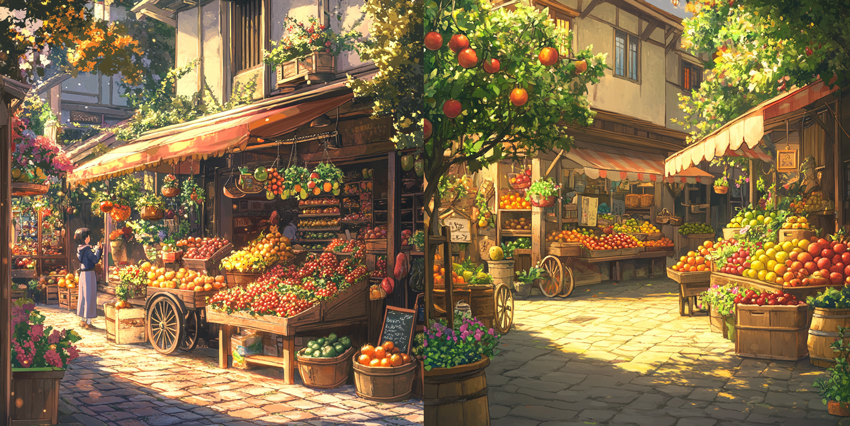
Design a marketplace selling foods that could not exist in the real world. Imagine glowing fruit, floating pastries, steaming crystal soup, giant berries, or ingredients collected from mythical creatures. Add vendors and customers to make the environment feel inhabited.
22. Cyberpunk Alley
Difficulty: Intermediate
Practice: Perspective, artificial light, reflections
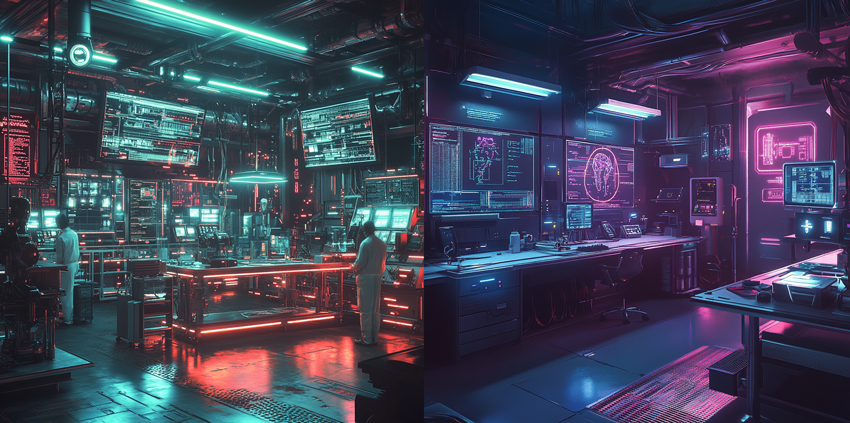
Create a narrow futuristic street filled with signs, cables, shop windows, rain, steam, and reflected neon light. Begin with simple perspective blocks before adding signs and small props. Strong light and shadow usually make the scene more convincing than covering every surface with detail.
23. Dreamy Forest
Difficulty: Easy–Intermediate
Practice: Atmospheric perspective, color harmony
Paint a quiet forest using soft light, fog, oversized plants, glowing particles, or unusual colors. Use stronger contrast in the foreground and gradually soften distant objects to create depth without requiring complex perspective.
24. Abandoned Futuristic Station
Difficulty: Intermediate–Advanced
Practice: Environmental storytelling
Imagine a once-busy transportation station that has been abandoned for decades. Add clues such as broken screens, overgrown plants, forgotten luggage, damaged robots, old signs, pools of water, or emergency lighting. Let the environment suggest what happened instead of explaining the story directly.
Creative & Aesthetic Digital Art Ideas
These ideas are useful when you want to move away from straightforward studies and experiment with visual style, texture, color, distortion, and graphic composition.
25. Retro 80s Sci-Fi Poster
Difficulty: Intermediate
Practice: Graphic design, color, typography
Create a retro-futuristic poster using glowing grids, distant planets, metallic objects, dramatic perspective, and strong gradients. Keep the composition graphic and bold rather than overly detailed, and build the artwork around one clear focal point.
26. Digital Collage
Difficulty: Easy–Intermediate
Practice: Composition, texture, visual contrast
Combine photography, hand-drawn elements, scanned textures, typography, and digital painting into one composition. Contrast between different materials can become part of the style. Try working around a theme such as memory, travel, nature, fashion, or music.
27. Abstract Expression
Difficulty: Easy
Practice: Color, shape, rhythm
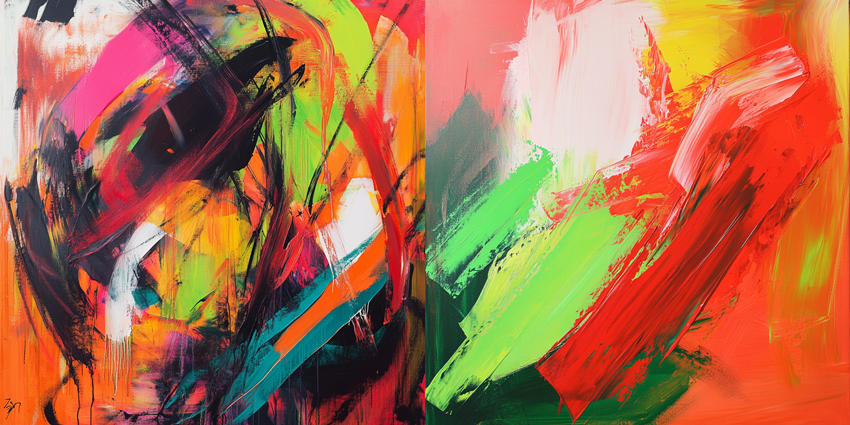
Build an artwork around emotion rather than a recognizable subject. Combine broad brush strokes, soft gradients, rough textures, geometric shapes, and negative space. Choose an emotion first and let that guide your colors and movement.
28. Glitch Art Landscape
Difficulty: Intermediate
Practice: Distortion, texture, digital effects
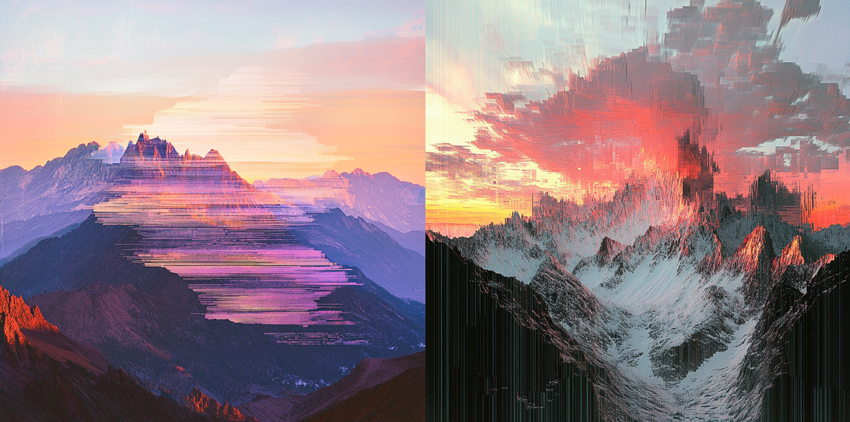
Start with a conventional landscape, then deliberately break parts of it apart. Experiment with pixel displacement, RGB separation, repeated fragments, scan lines, noise, and stretched shapes. Keep some areas recognizable so the contrast between natural scenery and digital distortion remains clear.
29. Limited-Color Poster
Difficulty: Easy–Intermediate
Practice: Color theory, graphic composition
Choose only three or four colors and create an illustration without adding anything else. A restricted palette forces you to use value, contrast, silhouette, and composition more deliberately. Try a portrait, architecture scene, landscape, or product-inspired illustration.
30. Traditional Texture Meets Digital Art
Difficulty: Intermediate
Practice: Texture, brush control
Create digital artwork that intentionally retains the texture and irregularity of traditional materials. Experiment with brushes inspired by charcoal, pencil, gouache, oil paint, watercolor, or pastel. Avoid polishing every edge; small imperfections can help the piece feel more tactile and intentional.
Fun Digital Art Prompts
Sometimes you do not need a full tutorial—you just need an unusual starting point. These digital art prompts are designed to give you enough direction to begin while leaving room for your own style.
31. A Tiny City Inside a Teacup
Draw a miniature city built around the inside of a giant cup. Use tiny windows, bridges, staircases, lights, and people to establish scale.
32. Giant Koi Swimming Above a City
Imagine enormous koi fish moving through the sky as if it were water. Use ordinary rooftops, power lines, or pedestrians below them to make the surreal scale more convincing.
33. A Library at the Bottom of the Ocean
Design bookshelves, reading rooms, and glowing lamps inside an underwater library. Decide whether the building is protected from the water or whether its inhabitants have adapted to live beneath the sea.
34. A Door to Another Season
Draw a doorway standing in an ordinary environment, but show an entirely different season on the other side. For example, place a snowy winter landscape behind a door in a summer field, or connect an autumn forest to a tropical beach. Use lighting and color contrast to separate the two worlds.
35. An Ordinary Object Reimagined as a Fantasy World
Choose something from your desk or kitchen and turn it into an environment. A camera could become a futuristic building, a shoe could become a tiny house, a bottle could contain an entire ocean, or a keyboard could become a city grid.
15 Quick Digital Art Prompts
If you want something you can start immediately, choose one prompt and spend 10–30 minutes developing it:
- A lighthouse floating above the clouds
- Your pet as a video game character
- A rainy street seen through a café window
- A mushroom house at night
- A portrait lit only by a phone screen
- An abandoned greenhouse on another planet
- A dragon sleeping inside a subway station
- A futuristic vending machine
- A magical bookstore hidden in an alley
- A tiny astronaut exploring a kitchen
- A city covered in giant flowers
- A robot taking care of houseplants
- A moon reflected in a flooded street
- A fantasy train crossing the ocean
- An ancient temple discovered beneath a modern city
You can also combine two or three prompts to make a concept less predictable. For example, robot + houseplants + abandoned space station is already enough to create a complete illustration idea.
What Software Can You Use for These Digital Art Ideas?
Most of these projects do not depend on one specific application. You can use the digital painting or drawing software you are already comfortable with, including:
- Procreate
- Adobe Photoshop
- Krita
- Clip Studio Paint
- Adobe Fresco
- Affinity
- Other tablet or desktop drawing apps
For beginners, learning brushes, layers, selections, masks, transforms, and basic color adjustments usually matters more than constantly switching software. Choose one tool and focus on finishing projects. If you are still deciding which app to use, see our guide to the best digital art software.
How to Prepare Digital Art for Sharing or Printing
A finished illustration may look good on your canvas but appear soft or pixelated after enlarging, exporting, or preparing it for print. A few simple workflow habits can help you preserve image quality.
Work from a Sufficiently Large Canvas
Whenever possible, create the artwork near the size you eventually need rather than repeatedly enlarging a very small image. Keeping a higher-resolution master file also gives you more flexibility when creating different export sizes.
Keep Your Editable Master
Save the layered project before exporting compressed versions for websites or social media. This prevents you from repeatedly editing and resizing an already compressed copy.
Check Fine Details at 100%
Zooming far beyond the actual viewing size can make small imperfections look worse than they really are. Check important details such as eyes, hair, line art, textures, hard edges, and small patterns at a realistic display size before exporting.
Upscale Low-Resolution Digital Artwork When Necessary
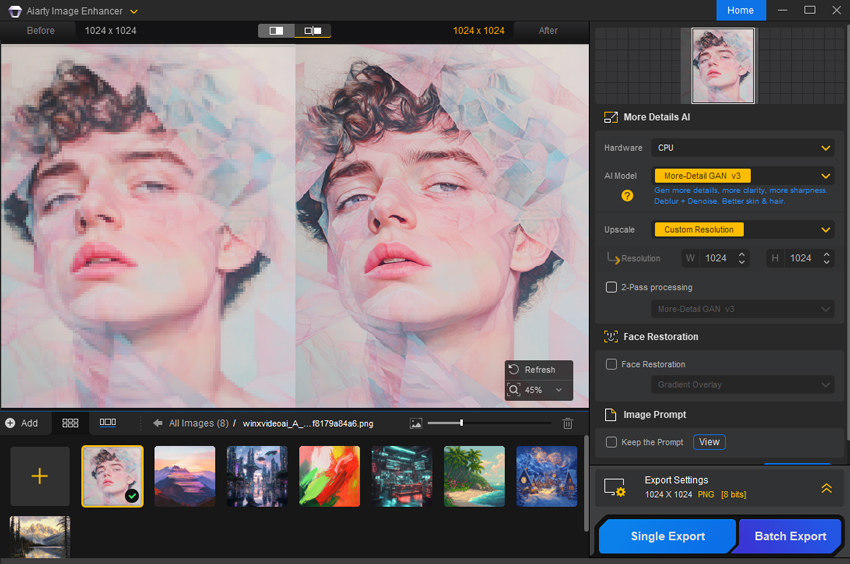
Sometimes the original artwork is already too small—for example, an old illustration, a low-resolution concept, an AI-generated draft, or artwork created on a limited canvas. Instead of simply stretching the image, an image enhancement or upscaling tool can help create a larger output while improving visible detail.
Aiarty Image Enhancer can be used after the creative work is finished to upscale low-resolution digital artwork, reduce pixelation and softness, and prepare larger versions for sharing or print while aiming to preserve the original visual style.
- Upscale low-resolution artwork for larger digital or print output.
- Reduce visible pixelation, blur, and compression artifacts.
- Improve fine details without relying on simple image stretching.
- Batch-process multiple concept art or illustration files when needed.
Final Thoughts
The best digital art idea is not necessarily the most complicated one. A simple sunset can become a study of color. A portrait can become an exercise in emotion. A tiny room can teach perspective, lighting, and storytelling at the same time.
If you are unsure where to begin, pick one idea, one skill, and one limitation. For example: Idea: dreamy forest; Skill: lighting; Limitation: only five colors. That is already enough to start a new project.
Use the digital art ideas above as starting points rather than strict instructions. Change the setting, combine different prompts, experiment with new styles, and build each project around the skills you want to improve. The more often you turn small ideas into finished work, the easier it becomes to develop your own visual language.
You May Also Like


This post was written by Brenda Peng, a seasoned editor at Digiarty Software who loves turning ordinary photos into extraordinary works of art. With AI assistance for brainstorming and drafting, the post is reviewed for accuracy by our expert Abby Poole for her expertise in this field.
