


When it comes to graphic design and photo editing, Adobe offers two popular tools that often confuse beginners and professionals alike: Adobe Express and Adobe Photoshop. While both are part of the Adobe ecosystem, they are built for very different purposes and skill levels. Adobe Express focuses on fast, template-based content creation for social media, marketing, and everyday design needs, whereas Photoshop is the industry-standard software for advanced photo editing, compositing, and creative control. In this comparison of Adobe Express vs Photoshop, we’ll break down their features, pricing, ease of use, and ideal use cases to help you decide which tool is the right fit for your workflow in 2026.
What Is Adobe Express
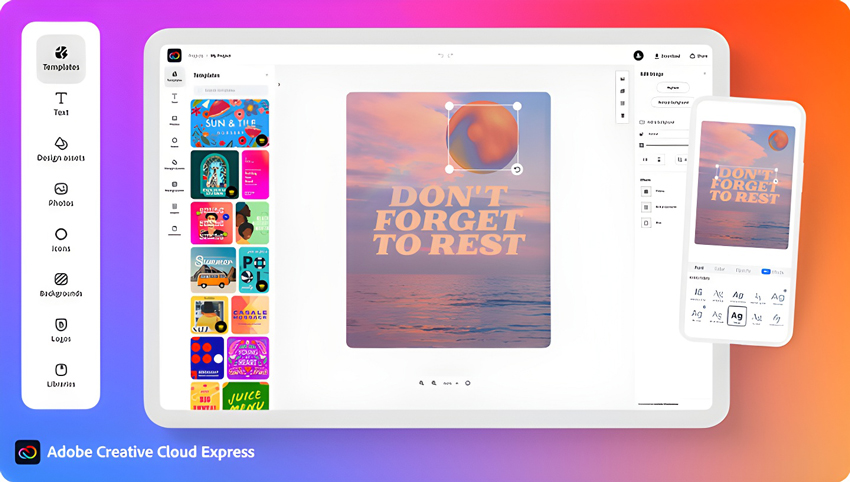
Adobe Express is a beginner-friendly, all-in-one design tool created for fast content production. It’s built for users who want to design social media posts, thumbnails, posters, flyers, logos, short videos, and marketing materials without needing advanced design skills. Unlike traditional design software, Adobe Express relies heavily on ready-made templates, drag-and-drop elements, and AI-powered features to speed up the creative process.
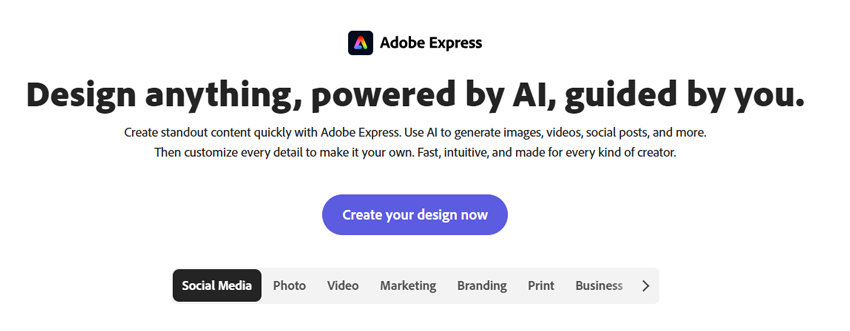
The platform is web-based and also available on mobile, making it easy to create and edit designs anywhere. Users can start from professionally designed templates and customize them with their own text, images, colors, and brand assets in just a few clicks. Built-in tools like background removal, quick resizing for different platforms, and generative AI features (powered by Adobe Firefly) further simplify common design tasks.
In short, Adobe Express is designed for:
- Social media creators and marketers
- Small business owners
- Students and non-designers
- Anyone who needs polished visuals quickly without a steep learning curve
While it offers basic photo editing and design capabilities, Adobe Express prioritizes speed, simplicity, and ease of use over deep, professional-level control.
What Is Adobe Photoshop
Adobe Photoshop is a professional-grade image editing and graphic design software that has been the industry standard for decades. It is widely used by photographers, designers, digital artists, and creative professionals who need precise control over every aspect of an image, from basic retouching to complex compositing and visual effects.
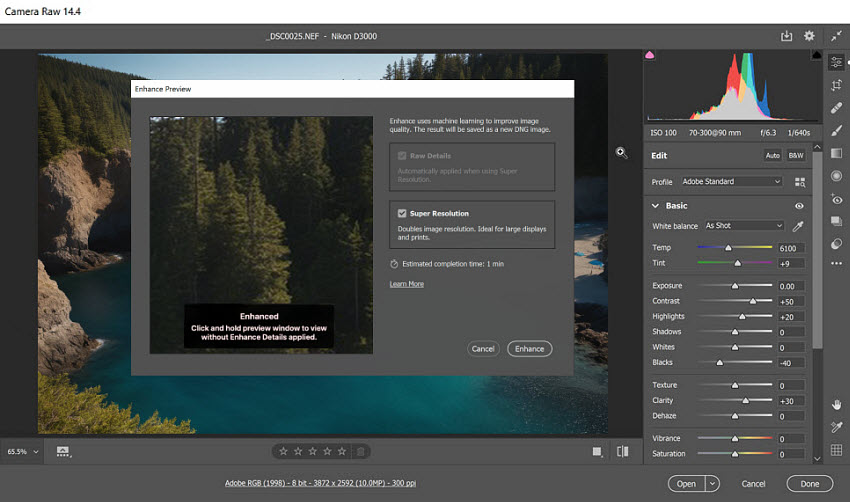
Unlike Adobe Express, which is template-driven and simplified, Photoshop offers a full set of advanced tools such as layers, masks, blending modes, smart objects, advanced selection tools, RAW photo editing, and powerful AI features like Generative Fill and Content-Aware tools. These capabilities allow users to perform detailed photo retouching, background replacement, color grading, digital painting, 3D mockups, and high-end design work.
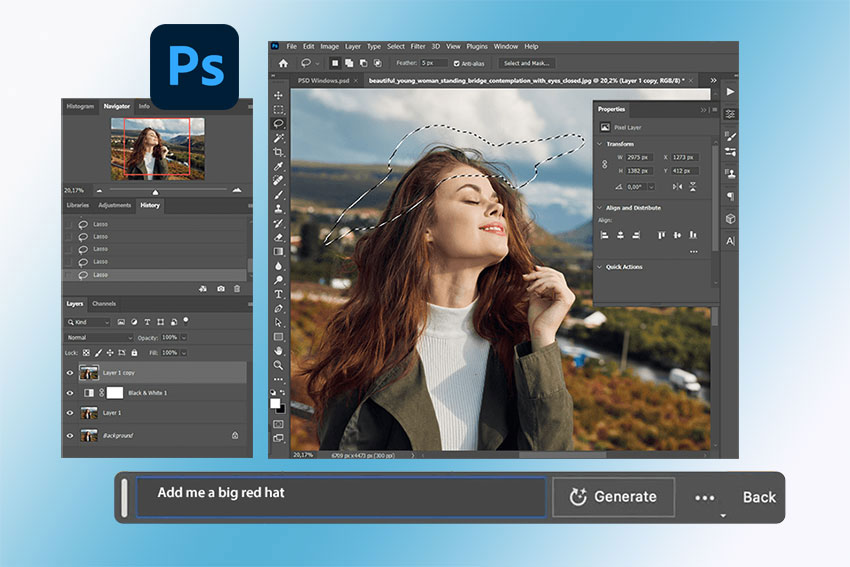
Photoshop is available as a desktop application for Windows and macOS, with additional versions for iPad and web, and it integrates deeply with other Adobe Creative Cloud apps like Lightroom, Illustrator, and After Effects.
Photoshop is best suited for:
- Professional photographers and retouchers
- Graphic designers and digital artists
- Marketing and creative agencies
- Anyone who needs advanced editing, compositing, and full creative control
In short, Photoshop prioritizes depth, flexibility, and precision, making it far more powerful than Adobe Express, but also more complex and time-consuming to master.
FWhether you're creating quick social media graphics in Adobe Express or working on detailed photo edits in Photoshop, achieving high-quality visuals is key. That's where Aiarty Image Enhancer comes in.
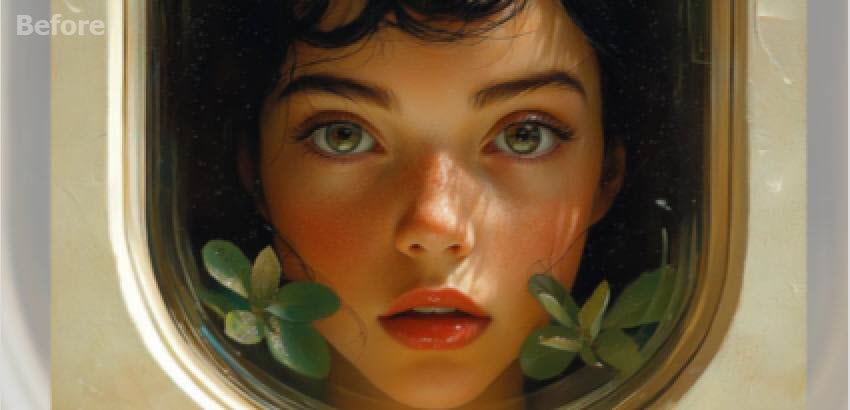
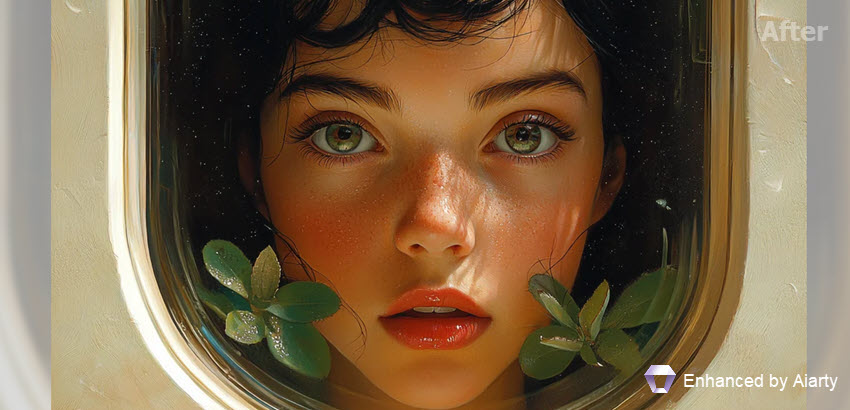
Aiarty leverages AI-powered technology to upscale images, restore details, and reduce noise, ensuring that your designs and photos always look crisp, clear, and professional. Whether you're working with small images, older photos, or batch processing large sets of visuals, Aiarty optimizes your content effortlessly, allowing you to focus more on creativity and less on time-consuming edits.

Perfect for:
- Social media marketers looking to improve image quality quickly in Adobe Express.
- Photographers and designers who need to enhance resolution and detail in Photoshop projects
With Aiarty, you can elevate your design quality without compromising on speed or ease. Try it today to see how it can transform your creative projects!
Adobe Express vs Photoshop: Feature Comparison
Although both tools come from Adobe, they serve very different purposes and user levels. Here’s a clear side-by-side look at how Adobe Express and Photoshop compare across key features:
1. Ease of Use & Learning Curve
- Adobe Express: Designed for beginners. The interface is simple, template-driven, and intuitive. You can create professional-looking designs within minutes without any prior design experience.
- Photoshop: Built for professionals. It has a steep learning curve with complex tools, panels, and workflows that require time and practice to master.
2. Editing Power & Flexibility
- Adobe Express: Offers basic photo editing such as cropping, resizing, filters, background removal, and simple adjustments. Ideal for quick edits, but limited for advanced retouching.
- Photoshop: Provides full control with layers, masks, blending modes, advanced selections, retouching, compositing, color grading, and high-end manipulation.
3. Templates & Design Assets
- Adobe Express: Comes with thousands of ready-made templates for social posts, ads, flyers, videos, and presentations. Perfect for fast content creation.
- Photoshop: Does not rely on templates. It focuses on custom, from-scratch design and professional layout control.
4. AI & Automation
- Adobe Express: Uses AI for quick actions like background removal, text effects, auto-resize, and generative design elements.
- Photoshop: Features advanced AI tools such as Generative Fill, Content-Aware Fill, Neural Filters, and AI-powered object selection for professional-grade editing.

5. Platform Availability
- Adobe Express: Web-based with mobile apps, accessible on almost any device.
- Photoshop: Primarily desktop software (Windows & macOS), with additional iPad and web versions offering partial functionality.
6. Typical Use Cases
- Adobe Express: Social media graphics, marketing visuals, thumbnails, posters, simple videos.
- Photoshop: Professional photo retouching, digital art, advertising design, compositing, print-ready artwork.
Overall, Adobe Express prioritizes speed and simplicity, while Photoshop focuses on depth, precision, and professional-level creative control.
Adobe Express vs Photoshop: Feature Comparison Table
Adobe Express vs Photoshop: Pros and Cons
Understanding the strengths and weaknesses of each tool makes it easier to choose the right one for your needs.
- Extremely easy to use, even for complete beginners.
- Large library of ready-made templates for social media, ads, and marketing.
- Fast workflow with drag-and-drop editing.
- Built-in AI features like background removal and generative design.
- Available on web and mobile, no powerful computer required.
- Free plan available.
- Limited advanced photo editing and retouching tools.
- Little control over layers, masks, and complex compositions.
- Not suitable for high-end professional design or print production.
- Less flexibility for custom workflows.
- Industry-standard software with powerful editing and design tools.
- Full control over layers, masks, colors, and resolutions.
- Advanced AI features such as Generative Fill and Neural Filters.
- Supports complex workflows: photo retouching, compositing, digital art, and more.
- Excellent integration with other Adobe Creative Cloud apps.
- Steep learning curve for beginners.
- Subscription-only pricing, no free version.
- Can be resource-intensive on older or low-end computers.
- Overkill for simple social media graphics or quick designs.
Who Should Use Adobe Express vs Photoshop
Choosing between Adobe Express and Photoshop depends mainly on your experience level, budget, and what you need to create.
Choose Adobe Express if you:
- Need to create social media posts, ads, banners, or simple videos quickly.
- Prefer working with ready-made templates and drag-and-drop tools.
- Are a beginner, student, marketer, or small business owner.
- Want a low-cost or free solution for everyday design tasks.
- Don’t need advanced photo retouching or complex compositions.
Choose Photoshop if you:
- Work with professional photography, graphic design, or digital art.
- Need precise control over layers, masks, colors, and resolutions.
- Regularly perform advanced tasks like compositing, retouching, or manipulation.
- Require industry-standard file formats and print-ready output.
- Are comfortable investing time to learn a powerful, complex tool.
In short, Adobe Express is ideal for fast, template-based content creation, while Photoshop is the better choice for users who need maximum creative control and professional-grade results.
Adobe Express vs Photoshop: Pricing and Plans
Pricing is one of the biggest differences between Adobe Express and Photoshop, and it often plays a key role in choosing the right tool.
Adobe Express Pricing:
Adobe Express offers a freemium model, making it very accessible for beginners and small teams.
- Free Plan: Includes basic templates, design assets, limited AI features, and standard export options.
- Premium Plan: Unlocks all templates, brand kits, advanced AI tools (powered by Adobe Firefly), and premium stock assets. Typically much cheaper than Photoshop and suitable for individuals, creators, and small businesses.
Because of its low cost and free tier, Adobe Express is ideal for users who need quick designs without committing to an expensive subscription.
Photoshop Pricing:
Photoshop is part of Adobe Creative Cloud and is available only via subscription.
- Single App Plan: Access to Photoshop for professional editing, plus cloud storage and regular updates.
- Creative Cloud Bundle: Includes Photoshop along with apps like Illustrator, Lightroom, Premiere Pro, and more, at a higher monthly cost.
There is no permanent free version of Photoshop (only a limited trial), which makes it more suitable for professionals who rely on it daily for commercial or high-end creative work.
 FAQs
FAQs
Yes, Adobe Express offers a free plan that gives you access to basic features, templates, and tools. However, some premium features, additional templates, and advanced design assets require a paid subscription.
The main difference lies in their intended use:
- Adobe Express is designed for beginners, marketers, and social media creators who need a fast, easy-to-use tool for creating graphics, posts, and simple designs.
- Adobe Photoshop is a professional-grade photo editing software with advanced tools for photo manipulation, digital art, and high-level design work. It requires a higher skill level and offers more creative control.
Adobe Express offers basic photo editing tools like cropping, resizing, and filters, as well as some AI-powered features like background removal. However, it lacks advanced editing features like layers, masks, and complex retouching found in Photoshop.
Adobe Express is ideal for quick, template-based design and is a great option for marketers, small businesses, and social media influencers. However, for high-end, professional graphic design, Adobe Photoshop is the more powerful choice, offering advanced features like precise control over layers, color correction, and photo retouching.
No, Adobe Express is available on both a free plan and a premium subscription, which is much more affordable than Adobe’s full Creative Cloud suite. Photoshop, however, requires a Creative Cloud subscription for access.
Adobe Express is better suited for creating social media content quickly. Its templates, AI-powered tools, and ease of use make it perfect for users who need to produce high-quality graphics without much effort or design experience.
You May Also Like


This post was written by Brenda Peng who is a seasoned editor at Digiarty Software who loves turning ordinary photos into extraordinary works of art. With AI assistance for brainstorming and drafting, the post is reviewed for accuracy by our expert Abby Poole for her expertise in this field.
