


Kling AI pricing looks straightforward until you try to budget an actual project. The subscription price is only the first number. Model choice, resolution, native audio, clip length, references, and failed creative attempts all affect how quickly the credits disappear.
Here is the short version. Kling AI has a free Basic tier and four paid membership plans: Standard, Pro, Premier, and Ultra. The current first-month offers start at $6.99, while the next monthly renewal starts at $8.80. Paid plans include monthly credits and commercial-use rights. The Basic plan does not include a fixed monthly credit allowance and is not licensed for commercial output under Kling's current plan table.
This guide uses prices shown for Kling's international web service in USD. They were checked on August 3, 2026 against Kling's official membership, model, credits, and paid-service documentation. App-store prices, taxes, promotions, and regional offers may differ.
Kling AI Pricing Plans at a Glance
Kling currently advertises a first-subscription discount on each paid plan. That introductory number is not the amount charged at the next monthly renewal, so both prices matter.
The prices and credit allocations above come from Kling's current Video 3.0 credit and membership guide. Kling labels the lower prices as first-subscription offers and shows the higher figures as the next monthly renewal. Do not base a long-term budget on the introductory month alone.
All four paid plans currently include fast-track generation, 1080p video generation, watermark removal, image upscaling, video extension, and commercial-use access. Pro, Premier, and Ultra also list priority access to new features. Ultra adds the largest monthly credit pool and possible beta access.
Is Kling AI Free?
Yes, Kling AI is free to access through its Basic plan, but “free” no longer means a guaranteed supply of 66 credits every day.

As of August 3, 2026, Kling's current membership guide lists Basic as free forever with no fixed monthly credits. It includes an Element creation allowance of 30, but content generated on Basic is not listed for commercial use. Free or login credits may still appear during promotions, but Kling's Credits Policy describes those credits as event-based and says the amount is determined by the offer shown in the product.
That distinction matters because many older Kling AI pricing articles still promise 66 daily credits as though the allowance were permanent. It is safer to treat any free credits visible in your account as a temporary benefit, not as dependable monthly production capacity.
The Basic plan makes sense if you want to inspect the workflow, test a prompt, or see whether Kling handles your kind of motion well. It is not a practical plan for client work, branded social content, or a schedule that depends on a predictable number of videos.
How Kling AI Credits Work
Kling credits are the usage currency behind generation. A membership gives you access to paid features plus a monthly credit allocation; it does not provide unlimited video generation.
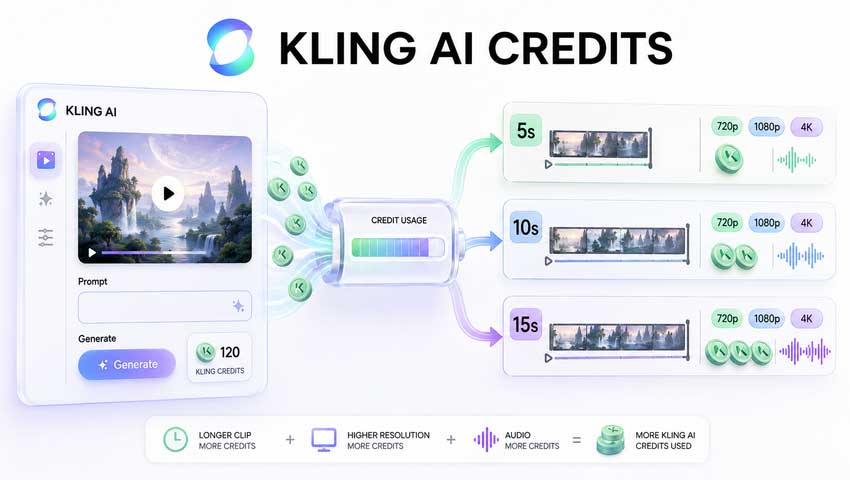
The important rules are easy to miss:
- Membership credits are valid for one month from distribution.
- Purchased credits are valid for two years.
- Promotional and login credits follow the expiry rules of the specific event.
- Credits with the shortest remaining validity are used first.
- A technically failed generation should be refunded automatically under Kling's current policy.
- A completed generation that simply looks bad is different from a failed job. There is no published promise to refund a clip because the motion, anatomy, framing, or prompt response was disappointing.
Kling currently sets the standard cash price for separately purchased credits at $1 for 66 credits, although temporary discounts can change the checkout price. Purchased credits also do not unlock member-only features by themselves. For example, owning credits does not automatically grant watermark removal, fast-track processing, 1080p access, or video extension if the account lacks the required membership.
This is why the real Kling AI cost is rarely “monthly price divided by number of advertised videos.” Generation settings and the number of attempts needed to get one usable shot matter just as much.
What Each Kling AI Pricing Plan Is Actually Good For
Basic: Useful for Testing, Not Production
Basic costs nothing and lets a new user become familiar with Kling, but it has no fixed monthly credit pool in the current plan table. Its output is also not covered by the paid commercial-use benefit. Use it to test the interface rather than plan a content calendar around it.
Standard: The Cheapest Paid Entry Point
Standard currently costs $6.99 for the first month and renews at $8.80 per month. It includes 660 credits.
This is enough for occasional work, but not much room for experimentation with Video 3.0. At the current 1080p no-audio rate, a five-second generation costs 40 credits, so 660 credits cover 16 complete attempts with 20 credits left. Switch on native audio and the same five-second clip costs 60 credits, reducing the allowance to 11 attempts.
Standard is best for someone who already knows what they want to generate and only needs a handful of finished clips. If you tend to try five versions of every shot, it will feel tight.
Pro: The Practical Plan for Regular Creators
Pro currently costs $25.99 for the first month and renews at $32.56. It includes 3,000 credits, bringing the renewal-rate cost down to about $1.09 per 100 credits.
For most solo creators, this is the most balanced of the Kling AI pricing plans. It gives enough room for prompt refinement, alternate takes, and several higher-cost outputs without immediately moving into an agency-sized subscription. At current Video 3.0 rates, 3,000 credits cover 75 five-second 1080p silent generations or 50 five-second 1080p generations with native audio.
Premier: Better for Campaigns and Small Teams
Premier currently costs $64.99 for the first month and renews at $80.96. It includes 8,000 credits.
The per-credit saving over Pro is modest, but the larger balance matters when a campaign needs many aspect ratios, product variants, hooks, or character takes. It is easier to keep an active production moving without buying top-up credits halfway through the month.
Ultra: Volume Is the Main Reason to Buy It
Ultra currently costs $127.99 for the first month and renews at $159.99. It includes 26,000 credits, equivalent to about $0.62 per 100 credits at the renewal rate.
Ultra has by far the lowest effective credit cost. It only makes financial sense, however, if you will use a large share of the allowance before those membership credits expire. A cheap unused credit is still wasted money.
How Many Credits Does a Kling AI Video Use?
Kling VIDEO 3.0 charges by the second. Resolution and native audio change the rate, while Voice Control adds another 2 credits per second.
The 720p and 1080p rates are taken from the official Kling VIDEO 3.0 Model Guide. Kling's July 2026 pricing update lists native 4K at 30 credits per second.
VIDEO 3.0 Omni uses the same 6- and 8-credit no-audio rates when there is no video input, and the same 9- and 12-credit native-audio rates. Supplying a video reference raises no-audio Omni generation to 12 credits per second at 720p or 16 credits per second at 1080p. Native audio with video input is not currently supported in the published Omni pricing table.
Motion Control has its own pricing: 9 credits per second in Standard mode and 12 credits per second in Professional mode. Always check the cost displayed beside the Generate button when changing tools; “Kling 3.0” does not describe one universal rate across every workflow.
How Much Does Kling AI Cost per Video?
The simplest calculation is:
Cost per generation = monthly renewal price ÷ monthly credits × credits used
Using the current renewal prices, here is the effective cost of several common five-second outputs. These are not extra charges on top of the subscription; they show how much of the monthly plan value each generation consumes.
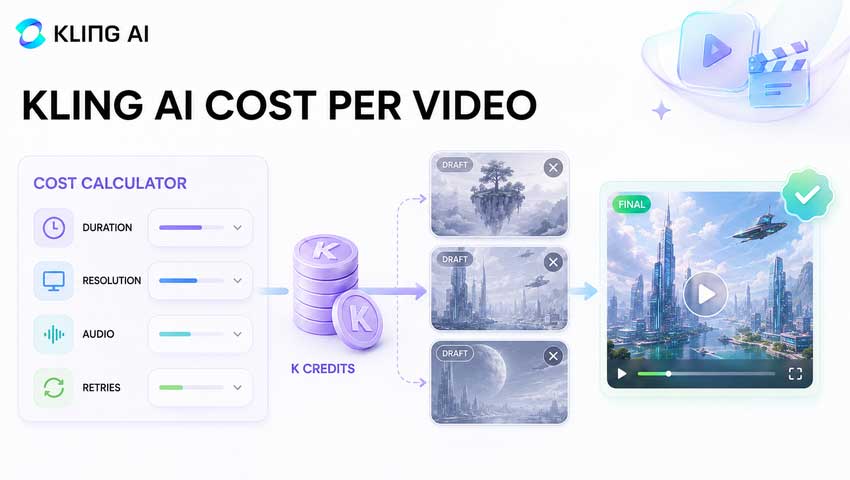
The table explains why two people can describe Kling AI as either cheap or expensive and both sound believable. If one prompt produces the right result immediately, a five-second 1080p clip may use less than a dollar of plan value. If it takes six attempts to fix a hand, product label, camera move, or character expression, the real cost of that usable shot is six times higher.
For example, a Standard subscriber generating ten-second 1080p video with native audio spends 120 credits per attempt, equivalent to $1.60 of the renewal-rate plan value. Five attempts use 600 of the plan's 660 monthly credits. The finished clip effectively consumed almost the entire month.
When estimating a project, budget for attempts rather than final clips. Three generations per usable shot is a more realistic starting assumption than one, and difficult scenes may require more.
Kling AI Standard vs Pro: Which Plan Is Better?
Standard is cheaper in absolute terms. Pro is cheaper per credit and gives much more breathing room.
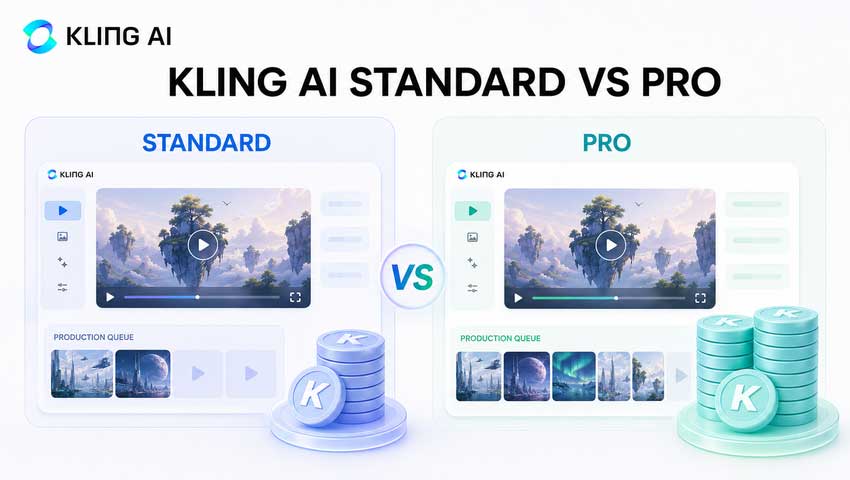
Choose Standard if you create a few clips per month, mostly work without native audio, and can tolerate running out of credits. Choose Pro if Kling is part of a weekly workflow or if you routinely generate several versions before selecting a final shot.
There is no need to upgrade purely for a lower theoretical cost per credit. The better plan is the smallest one that covers your likely generation volume plus a retry allowance.
Is Kling Cheaper on Another Platform?
Sometimes, but credit totals from different platforms cannot be compared directly.
Kling models appear on multi-model creative suites, developer APIs, and other hosted generators in addition to Kling's own site. One host may charge per second, another may charge a fixed number of internal tokens per generation, and another may bundle Kling with Veo, Seedance, Runway, or image models under one subscription.
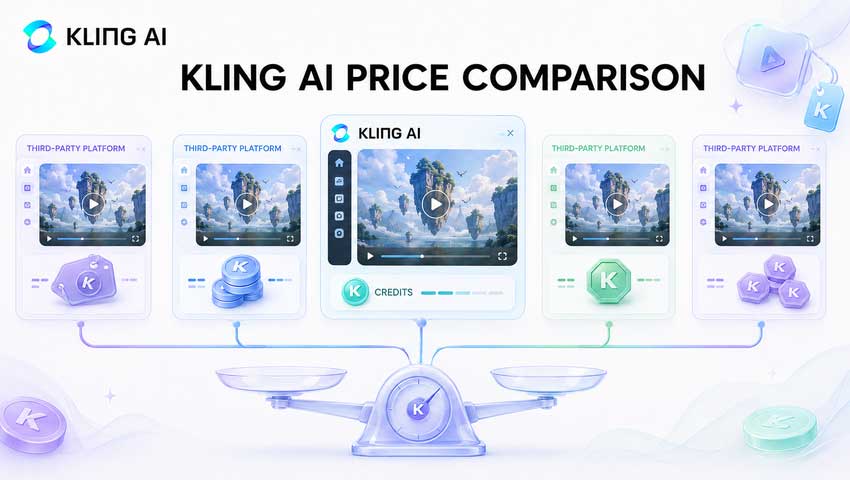
Before deciding that one platform is cheaper, compare the actual output rather than the credit label:
- Is it the same model version—VIDEO 3.0, 3.0 Turbo, 3.0 Omni, O1, or an older release?
- Is the output 720p, 1080p, or native 4K?
- Is native audio included?
- Is pricing per second or per generation?
- Do unused credits expire?
- Are failed jobs refunded?
- Does the plan include commercial use and watermark-free exports?
- Does the host expose Kling-specific controls such as Elements, Multi-Shot, Voice Control, or Motion Control?
A multi-model host can be better value for a creator who uses several generators but only needs Kling occasionally. Direct Kling membership usually makes more sense for someone who wants the newest Kling features and generates manually every week. API billing is the cleaner comparison for developers and automated workflows.
The useful metric is not “credits per month.” It is cost per second at the resolution and feature set you will actually use.
Kling AI API Pricing
Kling AI API pricing is separate from the consumer membership. A Standard, Pro, Premier, or Ultra subscription does not include API usage, and consumer credits do not transfer to the developer platform.
The official API rate card currently uses Units, with a list price of $0.14 per Unit. For one current example, Kling 3.0 Omni with no video input and no native audio is listed at:
Those figures come from Kling's live API pricing page and can change by model, input type, audio setting, resolution, and purchased resource package. Check the live rate card when deploying an integration rather than copying a rate from an old API tutorial.
For a creator making videos by hand, the web membership is simpler. For an app, automated ad pipeline, or variable production volume, per-second API billing is easier to forecast and does not force the team to work through a consumer interface.
The 4K Cost Problem — and a More Efficient Aiarty Workflow
Native 4K is where Kling AI pricing rises sharply. Kling currently charges 30 credits per second for 4K, compared with 8 credits per second for 1080p Video 3.0 without native audio.
A ten-second clip therefore costs:
- 80 credits at 1080p without native audio
- 300 credits at native 4K
That is 3.75 times the credit use. On Standard, one ten-second 4K attempt consumes 45% of the entire 660-credit monthly allowance. Two attempts cost 600 credits, leaving almost nothing for prompt testing.
For many social videos, AI shorts, concept films, and product variations, it is wasteful to render every candidate in 4K. Resolution does not rescue bad motion, a wrong camera move, or an inconsistent character. Those decisions should be settled before spending the extra credits.
💡 A More Efficient Kling-to-4K Workflow with Aiarty
- Generate short 720p or 1080p drafts to test the prompt, motion, framing, and subject consistency.
- Refine only the strongest take. If dialogue or lip sync matters, use native audio on the final generation rather than every early variation.
- Export the selected 1080p clips.
- Process those final clips in Aiarty Video Enhancer to upscale them to 4K, reduce generation noise, clean compression, and recover clearer frame-level detail.
- Review motion stability and faces before the final edit and delivery.
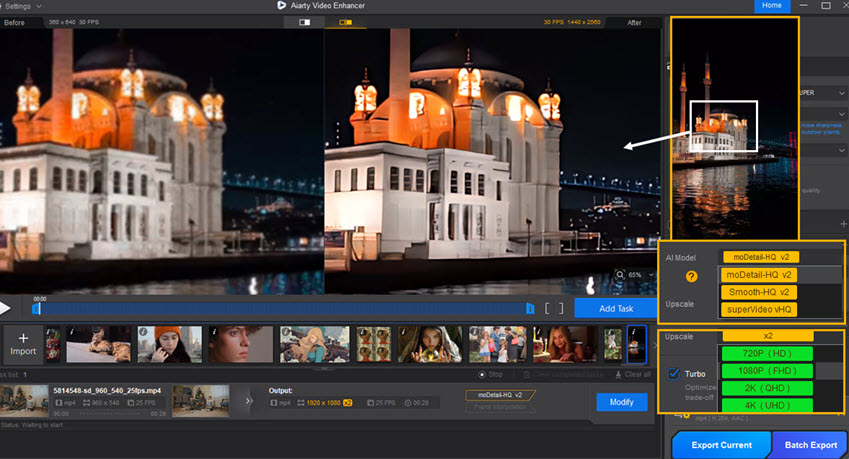
This approach shifts 4K finishing from a per-generation cloud charge to a local post-production step. It is especially useful when a project contains many short clips or needs several aspect-ratio versions: you spend Kling credits on creative decisions, then enhance only the shots that survive the edit.
There are cases where native 4K is still the right choice. Fine product typography, intricate fabric, large-screen exhibition, aggressive reframing, or a shot that must preserve very small source details may benefit from generating at the highest available resolution. AI upscaling can improve a strong 1080p source, but it cannot repair broken anatomy, replace missing objects, or turn the wrong generation into the right one.
The practical rule is simple: use Kling to solve the scene; use Aiarty Video Enhancer to finish the selected pixels.
Hidden Costs to Check Before Subscribing
The plan table does not show every factor that affects the monthly bill.
- The First-Month Price Is Temporary: Kling's current $6.99, $25.99, $64.99, and $127.99 offers apply to the first subscription period. The next monthly renewals are $8.80, $32.56, $80.96, and $159.99. Use the renewal figure when comparing long-term cost.
- Membership Credits Expire: Monthly membership credits are valid for one month. Buying a larger plan is not a saving if a large balance expires unused.
- Creative Retries Are Usually the Largest Cost: A generation can complete successfully and still be unusable. Complex interaction, hands, text, fast movement, reference consistency, and dialogue can all increase the number of attempts. Kling's failure refund policy covers technical failures, not normal creative dissatisfaction.
- Platform Prices Are Not Interchangeable: The web service, mobile app stores, API, and third-party hosts can show different prices and packages. Confirm the platform, currency, billing period, model version, and resolution before comparing.
- Commercial Rights Start with Paid Membership: Kling's current plan table marks Basic output as non-commercial. Its Terms of Paid Service allow members to use and modify outputs commercially, with an exception against using them to develop or offer competing Kling AI products or services. Brands and client-facing creators should use a paid plan and still check the current terms for their account and jurisdiction.
Is Kling AI Worth It?
Kling is competitively priced when you need realistic motion, reference-led generation, multi-shot control, or native audio and can get usable results without excessive retries. The paid plans also make more sense than Basic for commercial work because they add predictable credits, higher-resolution access, watermark removal, and explicit commercial-use benefits.
It becomes expensive when you render every variation with native audio or 4K enabled, or when a difficult prompt takes repeated attempts. That is not unique to Kling, but the credit burn is easy to underestimate because the monthly subscription price looks low.
For occasional use, Standard is enough. For weekly social or client production, Pro is the safer starting point. Premier and Ultra are volume purchases; choose them only after you know your real monthly credit use. Developers should compare the official API with multi-model hosts on a per-second basis rather than comparing the names of their credit bundles.
The best value does not come from buying the most credits. It comes from separating experimentation from finishing: draft economically, lock the creative decisions, and spend high-resolution resources only on approved shots.
 Frequently Asked Questions
Kling's current international web offers are $6.99 for Standard, $25.99 for Pro, $64.99 for Premier, and $127.99 for Ultra for the first subscription period. The next monthly renewals are $8.80, $32.56, $80.96, and $159.99 respectively. Basic is free.
Yes. Kling has a free Basic plan. As of August 3, 2026, the current plan table lists no fixed monthly credits for Basic. Promotional or login credits may be offered during events. Basic output is not currently listed for commercial use.
For VIDEO 3.0, five seconds costs 30 credits at 720p without native audio, 40 credits at 1080p without native audio, 45 credits at 720p with native audio, or 60 credits at 1080p with native audio. Native 4K costs 150 credits for five seconds.
A ten-second VIDEO 3.0 generation costs 60 credits at 720p without audio, 80 credits at 1080p without audio, 90 credits at 720p with native audio, or 120 credits at 1080p with native audio. Native 4K costs 300 credits for ten seconds.
Yes. Membership credits are valid for one month from distribution. Purchased credits are valid for two years. Promotional credits follow the rules of the specific offer.
Kling's Credits Policy says credits are refunded when a generation fails. A generation that completes but does not match your creative expectations is not the same as a technical failure, so retries should still be included in your budget.
Paid Kling members are permitted to use, reproduce, modify, and distribute outputs for commercial purposes under the current paid-service terms, except for developing or offering competing Kling AI products or services. The current Basic plan is marked as non-commercial.
No. The developer API uses a separate Unit-based billing system. Consumer membership credits do not cover API calls.
If the project does not require native 4K generation, create and approve the scene at 1080p, then upscale the selected output with Aiarty Video Enhancer. This avoids paying Kling's 30-credits-per-second 4K rate for every draft and rejected variation.
Standard is best for occasional use, while Pro offers the most practical balance for regular solo creators. Premier and Ultra are better suited to teams and high-volume production. The right choice depends on monthly attempts, not just the number of final videos.
Bottom Line
Kling AI starts cheaply, but the cost of a finished video depends on how you generate it. Use the next renewal price—not the first-month discount—when comparing Kling AI pricing plans. Calculate by seconds, resolution, audio, and expected retries. Most importantly, do not pay the native 4K rate on drafts that may never reach the edit.
For a cost-controlled production workflow, generate at 720p or 1080p until the scene works, keep native audio for shots that genuinely need it, and upscale approved clips with Aiarty Video Enhancer. That usually produces a better balance between creative freedom, final resolution, and monthly credit use.
Price verification date: August 3, 2026.
Primary official sources: Kling membership and 4K credit guide, Kling VIDEO 3.0 pricing, Kling Credits Policy, Kling Terms of Paid Service, and Kling API Pricing.

This post was written by Ashley Brown, a videographer turned AI explorer. As an associate writer at Digiarty Software, she dives into the latest AI-powered tools for video enhancement and content creation, offering practical insights and unbiased commentary. Accuracy confirmed by Abby Poole.
