 Resize, Crop & Enhance Shopify Images
Shopify Image Sizes 2026: Recommended Dimensions and How to Resize

Updated on
Quick Answer: For most Shopify product photos, 2048 × 2048 pixels is a good starting point for square images. Shopify supports product and collection images up to 5000 × 5000 pixels and under 20 MB, but the best dimensions for banners, collection thumbnails, and other storefront images depend on your theme and layout. Use consistent aspect ratios for product grids, and preview banner crops on both desktop and mobile before publishing.
Is your Shopify store experiencing slow loading times? Are your product images blurry or pixelated? These issues could be related to incorrect image sizes. Using oversized images can significantly impact your website's performance and user experience. Uploading images that are too large can slow down your Shopify store, frustrate customers, and even hurt your search engine rankings. Here’s all the information about the recommended Shopify image dimensions and practical solutions to optimize your images for speed and quality.
Shopify Image Size, Format & Dimensions Requirements
Choosing the right image dimensions, format, and file size helps your Shopify store display product photos clearly and load efficiently. Here are the key requirements and recommendations to keep in mind.
Supported Image Formats
Shopify supports several image formats, including JPEG, PNG, GIF, WebP, HEIC, and TIFF, along with other formats subject to the file type and upload context. For most storefront images, these formats are practical choices:
- JPEG: A good choice for product photos and other detailed images, offering a balance between image quality and file size.
- PNG: Suitable for graphics, logos, and images that need a transparent background.
- WebP: Can provide good visual quality at smaller file sizes, where supported by your workflow.
- GIF: Useful for simple animations with a limited color palette.
Image File Size
Shopify supports product and collection images up to 20 MB per file. For better storefront performance, compress images to reduce unnecessary file weight while preserving visible detail. There is no universal 1 MB limit for every image; the appropriate file size depends on the image dimensions, format, and level of detail.
Image Resolution and Dimensions
For square product photos, 2048 × 2048 pixels is a useful starting point. Shopify supports product and collection images up to 5000 × 5000 pixels and under 20 megapixels. Higher pixel dimensions can help preserve detail when customers zoom in, but the best size also depends on how the image is displayed in your theme.
DPI is generally not the deciding factor for web image display; pixel dimensions and aspect ratio matter more. For product grids, use consistent image proportions to keep listings visually aligned. For banners, slideshows, and other storefront sections, choose dimensions that suit the theme's image container and check how images crop on both desktop and mobile.
Shopify Image Size By Type: Product, Listing, Collection, and More
Different Shopify image types have different sizing needs depending on where they appear in your store. Use this quick reference table to choose suitable dimensions and avoid unwanted cropping across product pages, listings, banners, and more.
| Image Type | Recommended Size | Aspect Ratio | Guidelines | Notes |
|---|---|---|---|---|
| Product Image | 2048 × 2048 px | 1:1 | Clear details and zoom support. | Recommended, not required. |
| Product Listing Image | 2048 × 2048 px | 1:1 recommended | Keep product grid images consistent. | Usually the same product image. |
| Collection Image | Theme-dependent | Theme-dependent | Fit the collection card layout. | Check cropping in your theme. |
| Slideshow / Hero | Theme-dependent | Theme-dependent | Use wide images suited to the layout. | Preview desktop and mobile. |
| Image Banner | Theme-dependent | Theme-dependent | Keep key content away from edges. | Check responsive cropping. |
| Background Image | Section-dependent | Theme-dependent | Match the display area. | Compress for faster loading. |
| Blog Image | Theme-dependent | Theme-dependent | Keep image proportions consistent. | Check cards and post pages. |
| Logo / Favicon | Theme-dependent | Logo-dependent | Keep graphics clear at small sizes. | Follow theme requirements. |
| Product & Collection Limits | Up to 5000 × 5000 px | Up to 25 MP | File size must be under 20 MB. | Both limits apply. |
Shopify Product Image Size
For Shopify product images, 2048 × 2048 pixels is a recommended starting point for square photos. This size provides clear details and supports zooming. Shopify allows product images up to 5000 × 5000 pixels (25 MP), with a file size under 20 MB. For product listings, use consistent image proportions to keep collection grids neat, and preview how thumbnails are cropped in your theme. Images smaller than 800 × 800 pixels may not support zooming.

Shopify Image Size for Slideshow
Your Shopify slideshow images play a critical role in creating a strong first impression. As the focal point of your homepage, these images need to be visually appealing, properly sized, and optimized for both desktop and mobile devices. Selecting the right image dimensions ensures your slideshow looks professional, loads quickly, and doesn’t appear stretched or cropped.
Use images sized between 1200 x 600 pixels and 2000 x 800 pixels for an optimal aspect ratio. Choose dimensions that align with your store's theme specifications for consistent display. Keep image files under 20 MB, but aim for smaller file sizes (below 1 MB) for faster loading speeds.
Shopify Image Size for Collection
Collection images on Shopify are key elements in organizing and showcasing your products. Properly sized and optimized collection images help provide a clean, professional look that enhances the shopping experience. Following the recommended image size ensures that your collections are visually appealing and functional across different devices. For collection images, it's essential to focus on the dimensions, file size, and resolution. Well-chosen images will look sharp, load quickly, and fit seamlessly into your store’s layout.
- Recommended Dimensions: For best results, use images sized 2048 x 2048 pixels for square collection images. Larger images, like 4472 x 4472 pixels, are supported but may not be necessary for standard use.
- File Size Limit: Keep collection images under 20 MB to maintain fast page loading speeds.
- Aspect Ratio: Maintain a 1:1 aspect ratio (square) for consistency across collections.
- Resolution and Quality: Use high-resolution images at 72 DPI (dots per inch) for clear and crisp visuals across devices.
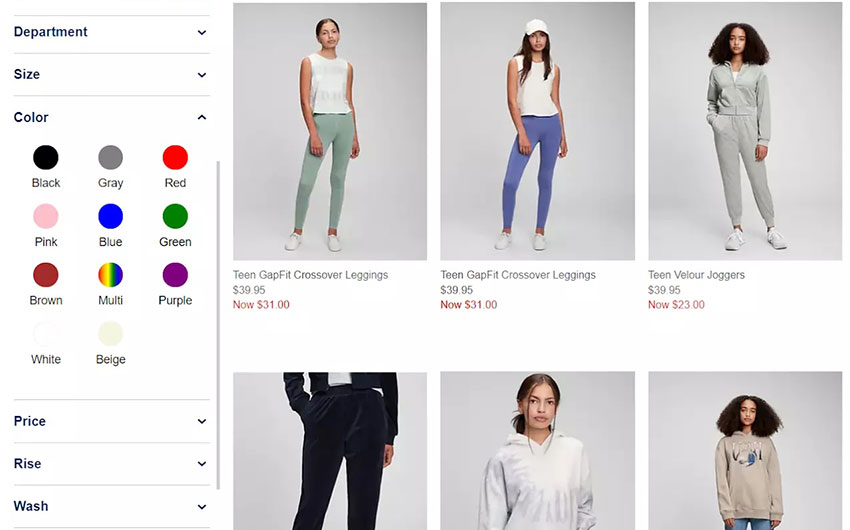
Shopify Listing Image Size
Following the recommended image sizes guarantees that your product images look sharp and load quickly across various devices. It's important to focus on the product listing images dimensions, file size, and resolution to maintain a clean, responsive, and visually appealing store.
- Recommended Dimensions: For optimal results, use 2048 x 2048 pixels for square product images, 4472 x 4472 pixels for larger product listings.
- File Size Limit: keep product listing images under 20 MB, aiming for files under 3 MB for better performance.
- Aspect Ratio: Maintain a 1:1 aspect ratio (square) for uniformity across product listings. Coose consistent aspect ratios (e.g., 4:3 or 3:2) for rectangular images and a cohesive look.
- Resolution and Quality: Use 72 DPI (dots per inch) resolution for clear, crisp images that load efficiently across devices.
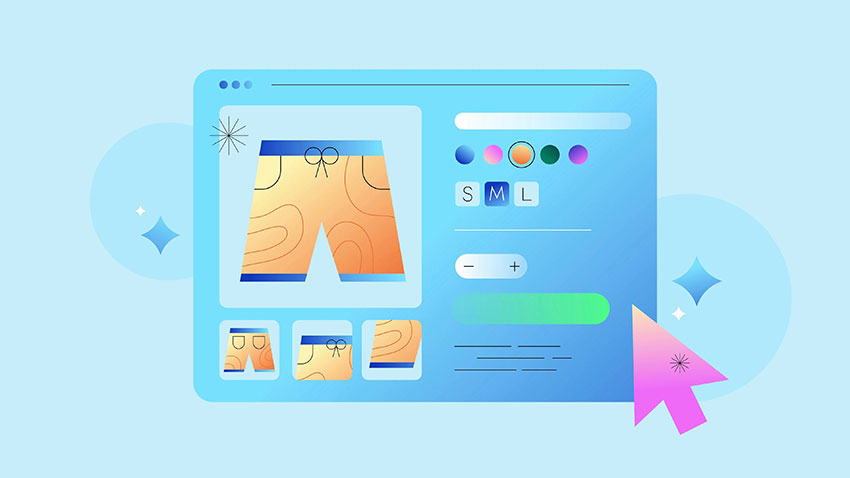
Shopify Hero Image Size
Hero images are the centerpiece of your Shopify homepage, making a powerful first impression on visitors. Following the recommended image sizes ensures that your hero images display beautifully and load quickly across all devices. It's essential to focus on the hero image dimensions, file size, and aspect ratio to create a responsive and visually striking storefront.
- Recommended Dimensions: For best results, use hero images sized between 1200 x 600 pixels and 2000 x 800 pixels, depending on your theme's requirements and layout.
- File Size Limit: Keep hero image files under 20 MB, but aim for files under 1 MB for faster loading and improved performance.
- Aspect Ratio: Maintain consistent aspect ratios such as 16:9 or 3:1 for a balanced and professional appearance.
- Resolution and Quality: Use a resolution of 72 DPI (dots per inch) for sharp visuals.
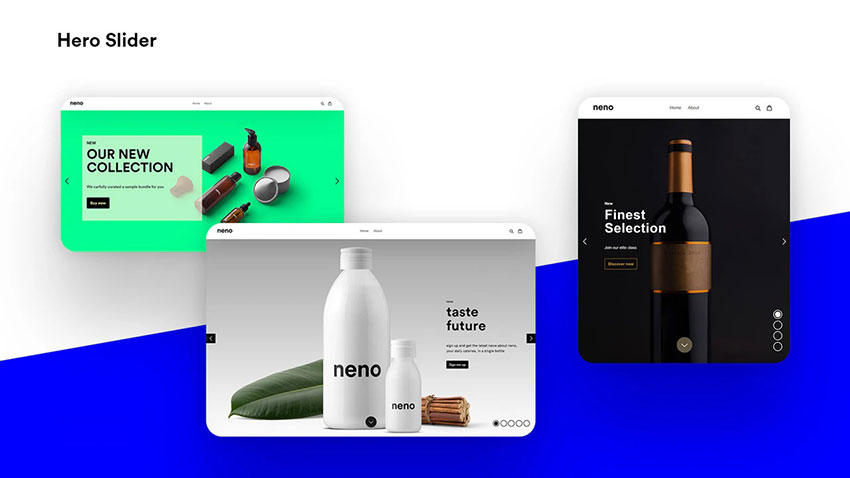
Shopify Background Image Size
Background images play a key role in setting the visual tone of your Shopify store. Ensuring the right image size and format helps maintain a seamless and professional design while keeping your website responsive and fast-loading across devices. Properly optimized background images enhance user experience and overall store aesthetics.
- Recommended Dimensions: Use background images sized between 1920 x 1080 pixels and 2400 x 1600 pixels for optimal clarity and compatibility with most Shopify themes.
- File Size Limit: Keep image files below 20 MB, but aim for under 1 MB to improve page speed and overall performance.
- Aspect Ratio: Choose aspect ratios like 16:9 or 4:3 to maintain a visually appealing and consistent layout.
- Resolution and Quality: Use a resolution of 72 DPI for sharp visuals without compromising performance.

Related Search: Etsy Listing Videos Guide 2026 - Length, Size, Format & Optimization Tips
Customize Shopify Product Image Backgrounds
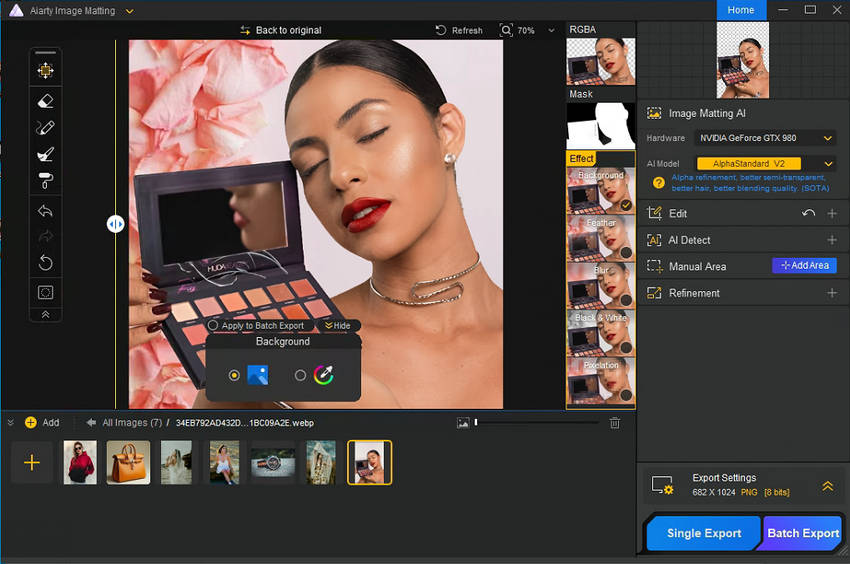
Beyond choosing the right image size, a suitable background can help product photos fit your store's visual style. Use Aiarty Image Matting to remove existing backgrounds and add clean or lifestyle-style backdrops. This can be useful for products such as furniture, wall art, and handmade jewelry.
Shopify Blog Image Size
Blog images on Shopify enhance your content’s appeal and help capture reader attention. Using the right image size ensures your blog posts look professional and load efficiently on all devices, creating a cohesive and engaging reading experience for visitors.
- Recommended Dimensions: Use images sized between 1200 x 600 pixels and 1800 x 900 pixels to fit most Shopify blog layouts seamlessly.
- File Size Limit: Keep files under 1 MB for faster loading times, improving both user experience and SEO performance.
- Aspect Ratio: Stick to a 2:1 or 3:2 aspect ratio for a balanced and aesthetically pleasing display.
- Resolution and Quality: Opt for 72 DPI resolution to maintain clarity while minimizing file size.

Shopify Logo Image Size
Using the correct logo image size ensures it displays clearly across different devices, maintaining professionalism and consistency throughout your store.
- Recommended Dimensions: For the best quality, use logo images sized between 250 x 250 pixels and 450 x 450 pixels, depending on your theme's requirements.
- File Size Limit: Keep logo files under 1 MB to ensure fast loading times and a smooth user experience.
- Aspect Ratio: Maintain a square aspect ratio (1:1) to avoid distortion and ensure proper display across all areas of your site.
- Resolution and Quality: Use a resolution of 72 DPI for optimal display on screens without sacrificing page load speed.
How to Resize Images in Shopify
You can resize images before uploading them to Shopify or edit existing images directly in your store admin. Choose the method that best fits your needs.
Method 1. Use Shopify's Free Image Resizer
Shopify's free Image Resizer lets you resize images online without installing software.
- Open Shopify's Image Resizer and upload your image.
- Select a suitable size for your intended use.
- Preview the resized image and download it.
- Upload the image to your Shopify store.
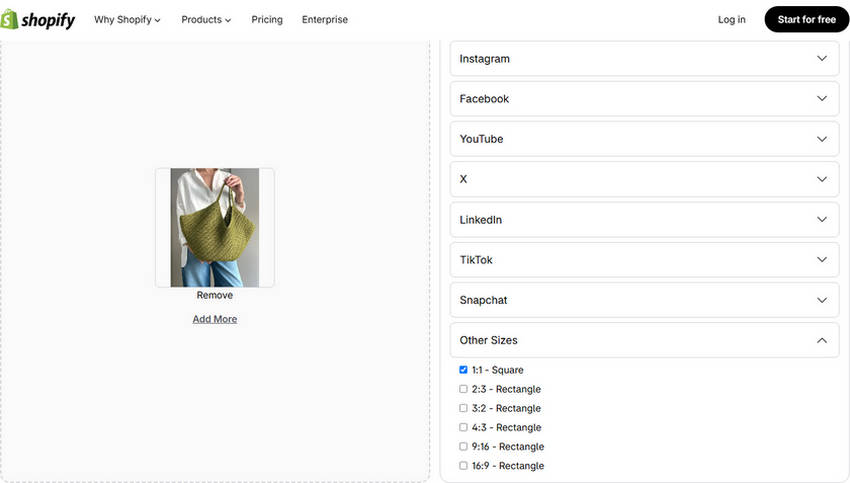
This method is useful for quickly preparing product photos and other images before uploading them.
Method 2. Resize Images in Shopify Admin
To resize an existing product image, use Shopify's built-in media editor:
- In your Shopify admin, open Products and select a product.
- Click the image thumbnail to open the media editor.
- Select Resize and enter the desired image width.
- Keep Lock aspect ratio enabled to preserve the image's proportions.
- Click Done, then Save.
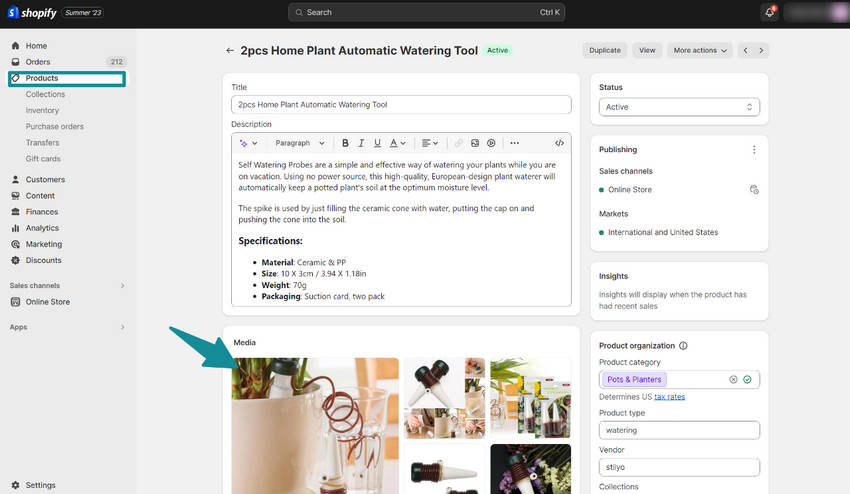
If you need to change the image's shape, use Crop instead of stretching it. This helps prevent distortion and keeps product images looking natural.
How to Resize and Enhance Shopify Product Images Without Losing Detail
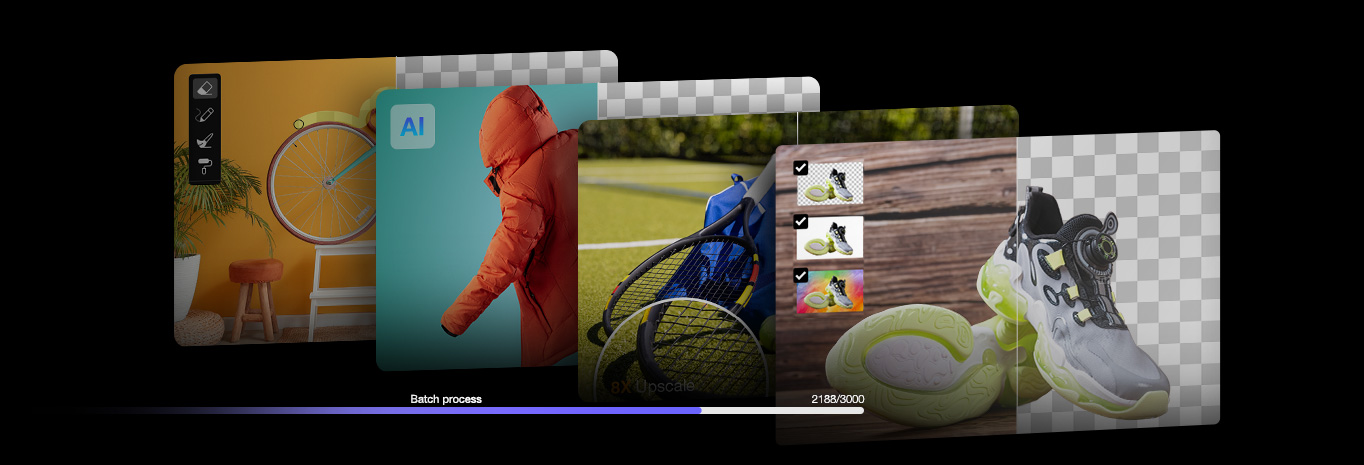
Shopify product images may need different adjustments depending on their condition. If an image is too large, use Shopify's built-in editor or an image resizer to reduce its dimensions. If the aspect ratio doesn't fit your product listing, crop it to match your desired layout. For small, blurry, or noisy photos, Aiarty Image Enhancer can help improve image quality while resizing.
Aiarty combines AI upscaling with a Crop feature that lets you adjust the aspect ratio and set custom image dimensions. This is useful when preparing low-resolution product photos for Shopify listings, provided you review the results for natural-looking textures, accurate colors, and clear product details.
Step 1. Import Your Product Images
Install and launch Aiarty Image Enhancer on your computer. Drag and drop your Shopify product photos into the software. You can add multiple images for batch processing.
Step 2. Crop and Set the Image Dimensions
Open the Crop tool to adjust the aspect ratio or enter custom dimensions for your target layout. For square product listings, use a 1:1 ratio. Keep the product fully visible and avoid cropping important details.
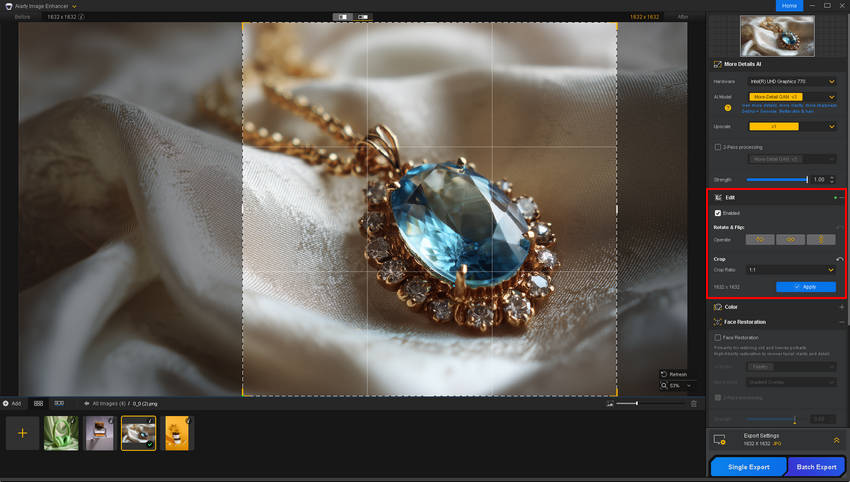
If the original image is too small or lacks clarity, choose an appropriate AI model and an upscaling factor, such as 2x or 4x. You can also use Custom Resolution to set the target pixel dimensions. AI upscaling can improve perceived detail, but inspect fine textures, labels, and edges to ensure the result remains faithful to the actual product.
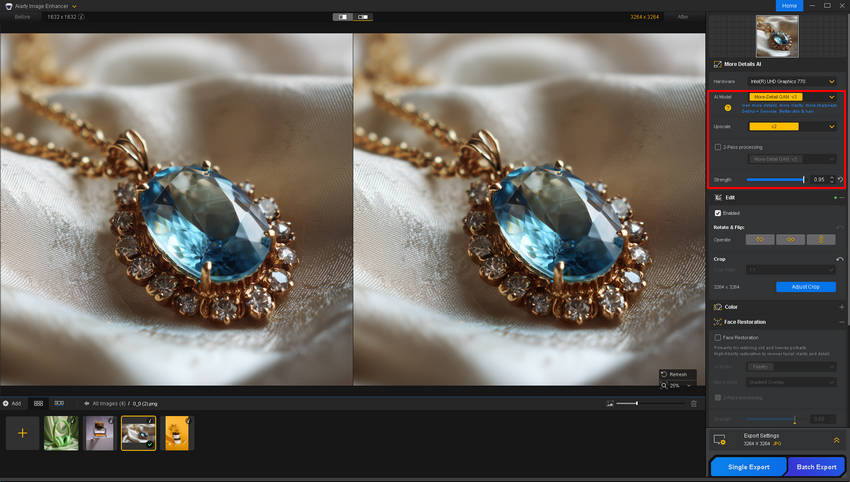
Step 3. Preview and Export
Preview the cropped and enhanced image at full size. Adjust the output format and quality as needed, then choose a save location and click "Single Export" or "Batch Export." After exporting, check the final pixel dimensions and file size to ensure they meet Shopify's requirements. Upscaling may increase file size, so compress the image separately if necessary.

 FAQ about Shopify Image Size and Dimensions
If your images are the wrong size, they may appear distorted, blurry, or improperly aligned on your Shopify store. Large images can slow down page loading times, while overly small images may not look sharp on all devices. To ensure a professional appearance and better performance, always use optimized image dimensions and resolutions recommended by Shopify. To ensure optimal display on Shopify, your main product photo should be at least 2000 pixels wide. The recommended Shopify photo size is 2048 x 2048 pixels, in either a landscape or square orientation.
Shopify recommends using images with 2048 x 2048 pixels for product photos to ensure high resolution and zoom functionality. This size keeps your images sharp on all devices while supporting Shopify’s zoom feature. Make sure the file size remains under 20 MB for faster page loading. Shopify recommends using landscape or square images for optimal display. While there's no strict limit on Shopify image dimensions, aiming for a minimum width of 1000 pixels is ideal. For the best results, consider using a 3000 x 2250 pixel image.
Yes, you can upload images of different sizes, but it’s best to maintain consistency for a cleaner store layout. Shopify will automatically resize images to fit certain display areas, but inconsistent dimensions can make your store look unprofessional. Stick to recommended dimensions for better visual balance.
Yes, Shopify automatically compresses images when you upload them to improve performance without compromising too much on quality. However, it’s still a good practice to compress images before uploading to ensure faster load times and better control over the quality of your visuals.
Yes, Shopify’s themes are responsive and automatically adjust images for different devices, including mobile. However, it’s still essential to upload optimized, high-quality images to ensure they look sharp and load quickly on smaller screens without appearing pixelated or distorted.Yes, Shopify automatically compresses images when you upload them to improve performance without compromising too much on quality. However, it’s still a good practice to compress images before uploading to ensure faster load times and better control over the quality of your visuals.
You May Also Like


Brenda Peng is a seasoned editor at Digiarty Software who loves turning ordinary photos into extraordinary works of art. With years of experience behind the lens and in front of the computer, Brenda shares her passion for photography, image enhancement, and editing through easy-to-follow tutorials.
