


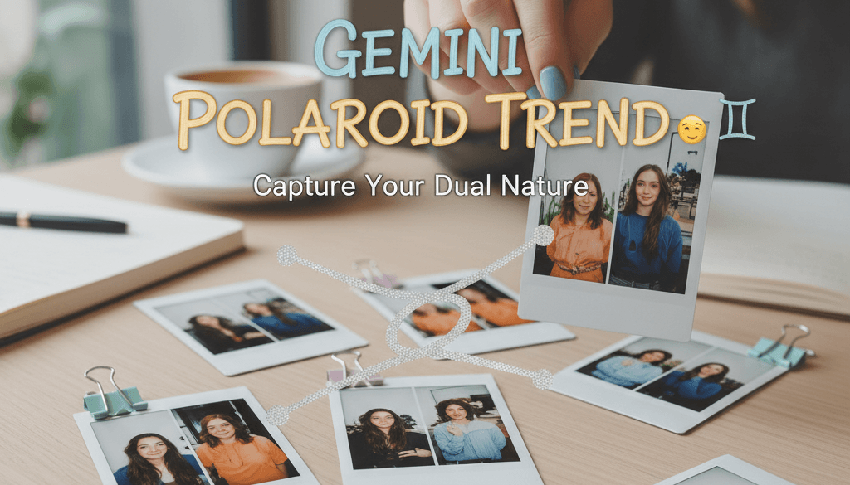
There's a beautiful irony in using some of the world's most advanced artificial intelligence to recreate one of the most delightfully imperfect forms of photography: the Polaroid. In a world saturated with ultra-HD, flawless smartphone snaps, the Gemini Polaroid Trend has taken social media by storm precisely because it's a deliberate step back. It offers not just a picture, but a nostalgic, tangible artifact that feels instantly personal and effortlessly cool.
The classic Polaroid camera offered something digital photography simply can't: instant gratification coupled with irreversible finality. There was no second shot, no editing, just the magic of watching the image bloom into existence. This created a profound sense of anticipation and unique value for every print. The aesthetic qualities of these instant film images are what the AI now seeks to mimic.
The Gemini Polaroid Trend isn't a simple filter applied to an existing photo; it's a powerful act of AI-driven generation. Users provide Gemini with two key ingredients—usually two subject photos and a detailed text prompt—and the AI creates an entirely new scene. The "twist" is that this allows creators to generate pictures that are otherwise impossible.
Part 1. The Magic Behind the Lens: Gemini AI and Image Generation
To consistently produce these high-quality, emotionally resonant images, Gemini uses sophisticated multimodal capabilities. It doesn't just see pixels; it understands context, style, and identity.
The success of this trend is often attributed to the powerful image models within Gemini (sometimes referred to as "Nano Banana" in online communities). These models perform two critical functions simultaneously, allowing them to fuse the digital and the nostalgic: Image Blending and Style Transfer.
Simply put, they can combine two separate subject images into one unified scene: The AI accurately extracts the subjects from your uploaded photos and seamlessly positions them together in a new, unified environment, ensuring proper scale and perspective.
And then they can apply a specific visual style (Polaroid/vintage) based purely on text description: The text prompt dictates the entire look—from the white frame and film stock characteristics to the overall mood and color palette.
Why Gemini Excels at Polaroid Style
Gemini's strengths lie in its ability to respect and control specific elements of the image, ensuring the result feels authentic and personal rather than fabricated.
First one, it is its ability to maintain facial consistency (a critical feature for this trend). This is arguably the most vital step. The AI is specifically trained to preserve the identity of the subjects you upload, preventing the "AI morphing" that often ruins personalized trends. If the faces didn't look like the original subjects, the emotional core of the image would be lost.
Then it is its high fidelity in rendering complex lighting effects (the harsh, intimate flash in a dark room look): The harsh, slightly overexposed flash that illuminates subjects while leaving the edges and background dim is a hallmark of instant photography. Gemini accurately simulates this specific light source, which adds to the candid, snapshot quality we associate with vintage Polaroids.
Part 2. How to Generate Your First AI Polaroid in Gemini
Ready to create your own vintage masterpiece? Follow these steps closely to ensure your AI-generated Polaroid retains the authenticity of your uploaded subjects while nailing the classic instant film aesthetic.
Step 1. Setting up your workspace.
Getting started is simple, as the Gemini image generation feature is integrated into the main chat experience. Navigate to the Gemini app or web interface and ensure you are in the chat mode where you can input text prompts and upload files.
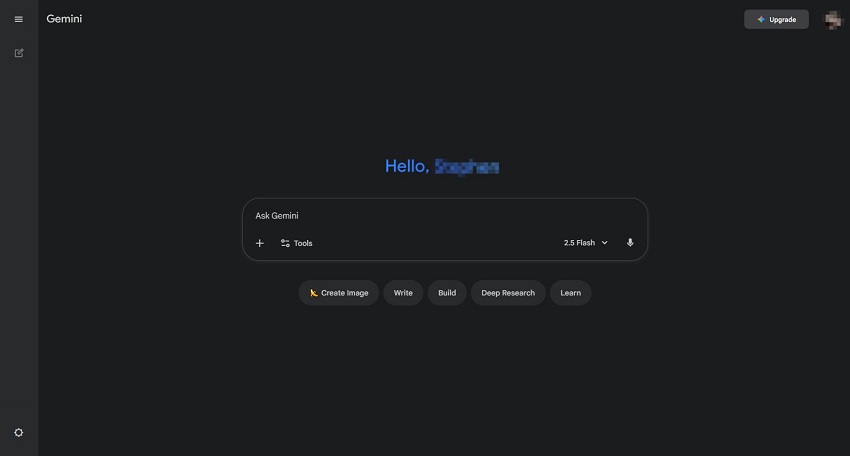
Please note that you must be signed in with a Google account to access and utilize the image generation capabilities.
Step 2. Preparing and uploading source images.
The quality of your input directly affects the quality of the output. Choose wisely! For the best results, select photos with clear faces, good overall lighting, and poses that will easily translate into the scene you want to create. Avoid blurry or heavily filtered images for your source material.
Step 3. Crafting the perfect Polaroid prompt.
The text prompt is your camera and darkroom all in one. The more specific you are, the better the AI can mimic the look of instant film. A great prompt requires five essential components:
- The Style Rule (Start Here): Explicitly request the aesthetic. Example component: "Polaroid-style photograph taken with a vintage instant camera."
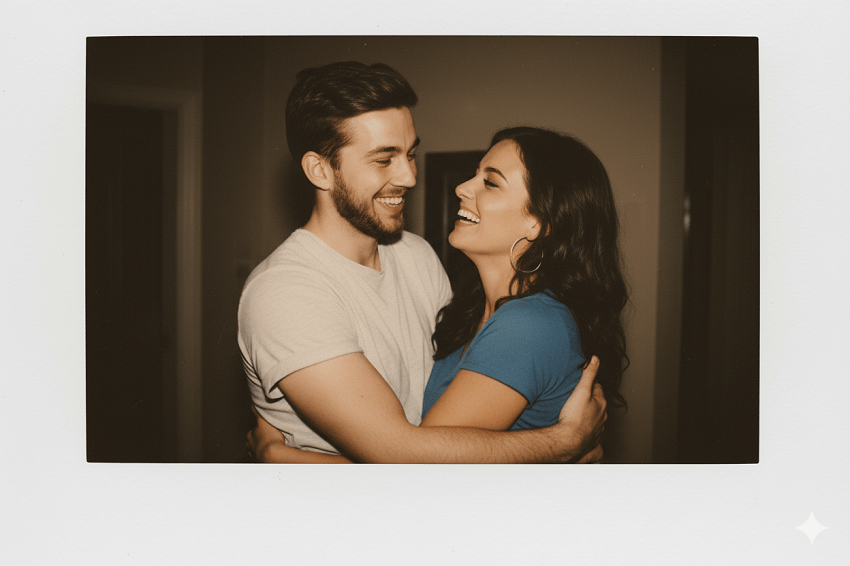
- The Subject Rule (Define the Action): Describe the pose and interaction clearly, referencing the uploaded images. Example component: "The two people are hugging and laughing candidly."
- The Imperfection Rule (Add Vintage Character): Specify the unique flaws that make Polaroids charming. Example component: "Add subtle film grain, a slight blur, and a warm color cast."
- The Lighting Rule (Crucial for Authenticity): Specify the signature flash. Example component: "Illuminated by a bright, on-camera flash in a dimly lit room."
- The Preservation Rule (Non-Negotiable): This is the key to maintaining your identity. Example component: "Do not alter the faces, eyes, or clothing of the subjects." (Always include this phrase!)

Step 4. Hitting the Submit button to start generating your first Polaroid photo.
Part 3. Advanced Prompting & Creative Scenarios
Once you've mastered the basic structure, you can push Gemini's generative capabilities to create truly unique and viral content. The key to advanced prompting is using highly specific descriptive language for the setting, the mood, and the style of film you want to emulate.
Prompts for Common Trending Scenes
Here are three popular creative scenarios, along with the precise prompt language needed to achieve them:
1. The Celebrity Meet-and-Greet
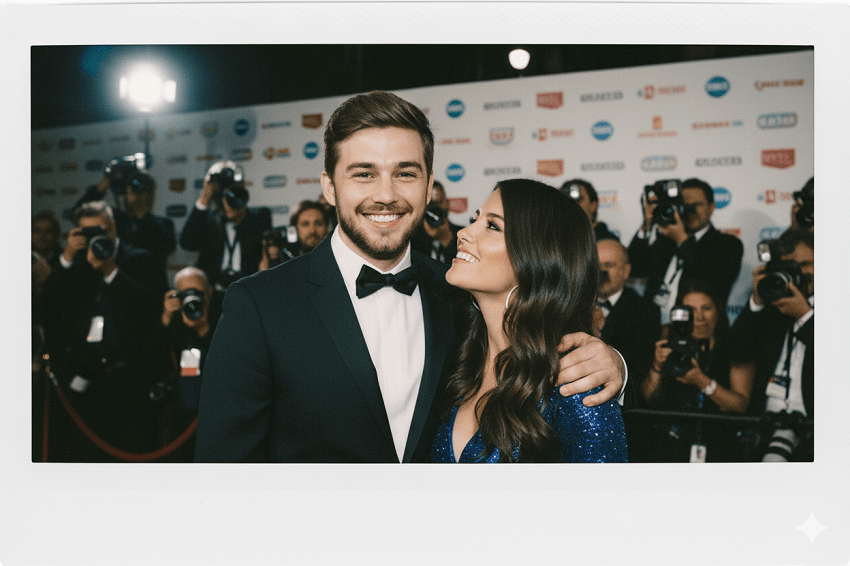
This trend is all about generating a high-energy, high-contrast flash photo that feels like a fleeting moment captured on a red carpet or backstage.
Prompt Example: Generate a realistic Instax Wide photo of the uploaded two people standing at a red carpet event, with the celebrity smiling and having an arm around the fan. Add heavy flash, high contrast, and the iconic white border. Make the colors slightly washed out.
2. The Family Portrait (Generational/Historical)
For a softer, more emotional image, focus on specific decades and environmental qualities like sunlight and fading.
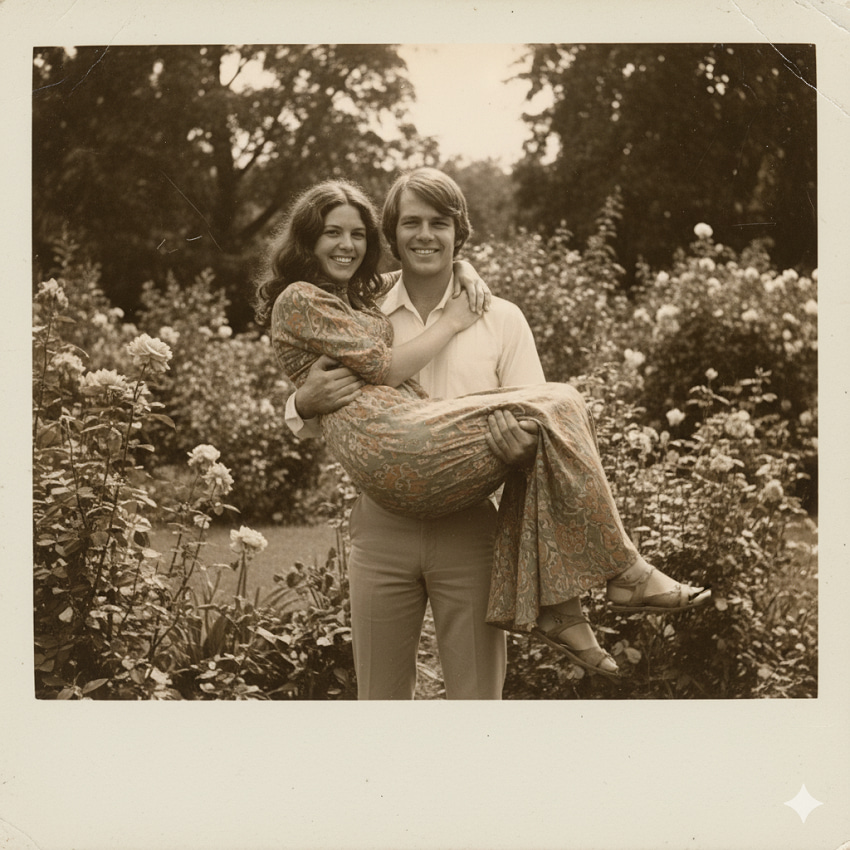
Prompt Example: Create a vintage Polaroid photo of a man holding a woman in a sunlit garden. The photo should have a faded sepia tone, soft edges, and look like a treasured family keepsake from the 1970s. Preserve faces perfectly.
3. The Fictional Character Scenario
This is challenging because you are asking the AI to blend a real photo with a defined art style (like anime). You must be clear about maintaining both the subject's identity and the character's style.
Prompt Example: Generate a candid Polaroid of me and [Specific Anime Character Name, e.g., Goku] enjoying coffee in a small Japanese cafe. Maintain their original animation style and clothing but apply the grainy, slightly over-exposed look of instant film with a slight magenta color cast.

Troubleshooting and Iteration
It's rare to get a perfect result on the first try. AI generation is an iterative process. Learn to use follow-up prompts to refine your images without starting from scratch.
If the AI compromises the identity of your uploaded subject, your initial prompt wasn't strong enough. In your follow-up prompt, re-upload the original photo and use even stronger language: "Regenerate the image using the original uploaded faces only. Focus solely on their expressions and do not alter facial features or the color of their eyes."
If the color cast, grain, or blurriness may be too much or too little, instead of regenerating the whole scene, ask the AI to fine-tune the effect: "Regenerate, making the shadows cooler and reducing the blur slightly. Keep the subject composition identical." This saves time and usually produces subtle improvements.
Part 4. Beyond the Snapshot: Sharing and Archiving Your Polaroid Photos
A beautiful still image is great, but to truly dominate social media, you need movement and context. The final step of the Gemini Polaroid trend is mastering the shareability of your creation.
1. Making it Move: Animating Your AI Polaroid
The Polaroid trend has evolved beyond the static image. Creators are using external tools to add subtle, lifelike animation, enhancing the illusion of a real, candid moment. This often involves 3D parallax effects, where the subject is separated from the background and moved slightly to give a sense of depth.
Other methods include subtly animating a gentle smile, a flicker in the lighting, or simply using a pre-made short video template designed to mimic a developing photo effect. Animation transforms a beautiful image into an engaging piece of content, significantly boosting its visibility and retention on short-form video platforms.
2. Refining the Print: AI Upscaling and Enhancement
While the Gemini model excels at creating the aesthetic of a Polaroid, the resulting image resolution may not always be ideal for high-quality printing or use outside of social media. For professional-grade clarity and size, external AI upscalers are the final step in the workflow.
Tools like Aiarty Image Enhancer are highly recommended for this purpose as they are specifically optimized for refining AI-generated artwork. These desktop applications perform crucial quality improvements:
- Resolution Boost: Effortlessly upscale your Polaroid from standard chat resolution to high-definition formats (4K, 8K, or even 32K) suitable for large prints, ensuring the vintage look is retained but the resolution is modern.
- Artifact Removal: AI-generated images, even excellent ones, can sometimes contain minor flaws like subtle noise or compression artifacts. Aiarty can selectively denoise and deblur these imperfections, creating a cleaner image without losing the intended film grain specified in your prompt.
- Detail Generation: These enhancers can intelligently generate realistic micro-details (like subtle hair strands or fabric texture) that may be missing in the original, softer Polaroid style, making the final image feel even more tactile and realistic for framing.
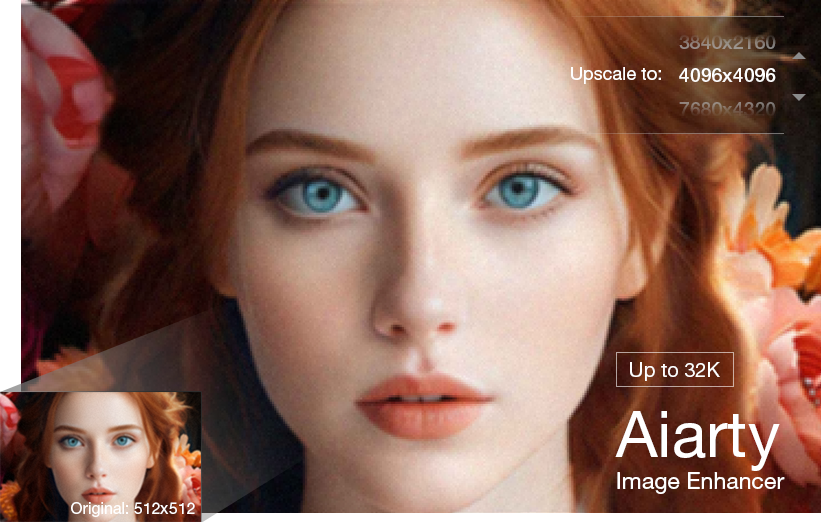
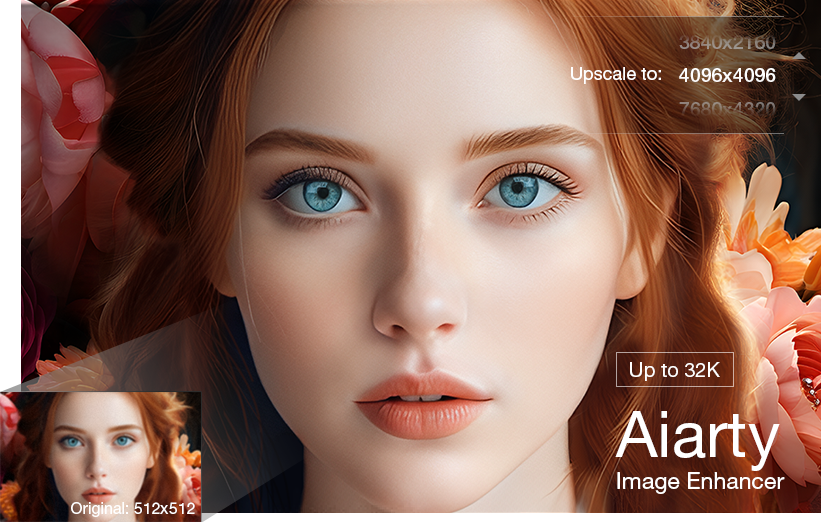

As you can see, even a simple AI-generated image from Grok can be elevated to professional standards with Aiarty Image Enhancer. This combination allows creators to maintain their creative workflow without sacrificing quality, whether for digital projects or physical prints.
3. Social Media Sharing
The right presentation is crucial for going viral.
To maximize reach, frame your AI image within trending content formats. The before-and-after reveal is highly effective: show the original source photos and the prompt, building anticipation before revealing the final, flawless AI Polaroid. Always pair this visual reveal with a nostalgic music overlay (like a popular song from the 70s, 80s, or 90s, depending on the image style) to hit that emotional, retro chord.
Finally, ensure you use the most effective hashtags for discoverability across both platforms: #GeminiPolaroidTrend, #AIPolaroid, and the community's affectionate term, #NanoBanana, alongside general tags like #AIGenerated and #VintageAesthetic.
Conclusion
The Gemini Polaroid Trend is far more than a fleeting social media challenge; it represents a fascinating intersection where personal memory meets sophisticated AI technology. It's a testament to the fact that we don't always seek digital perfection; sometimes, we crave stylized artifacts—flawed, nostalgic, and imbued with emotional resonance. This trend succeeds because it allows us to bridge generational gaps and rewrite our own personal histories with a click of a button.
We encourage you to move beyond simply recreating what you see online. Experiment with your own creative visions, use unique lighting and style rules, and see what impossible memories you can bring to life.
Ultimately, AI's evolving role in photography is not just about producing flawless pictures, but about creating emotionally resonant, shareable, and deeply personal artifacts that remind us of the magic of the past, created through the technology of the future.
You May Also Like


This post was written by Brenda Peng who is a seasoned editor at Digiarty Software who loves turning ordinary photos into extraordinary works of art. With AI assistance for brainstorming and drafting, the post is reviewed for accuracy by our expert Abby Poole for her expertise in this field.
