Aiarty Exclusive Savings: Secret Discount Offer Inside
Secured Purchase
Full Commercial Use
Lifetime Free Upgrade
Back Guarantee

Purchase now to receive full version license code instantly.
Your all-in-one desktop AI tool to denoise, sharpen, upscale, and restore images. Provide natural, texture-refining enhancements, batch upscaling (up to 32K), and color correction. Fix visual issues and bring low-quality photos back to life.
New: automatically configures as a Lightroom external editor for a smoother editing workflow, flexible Face Restoration controls, and file export improvements.
Windows
Mac


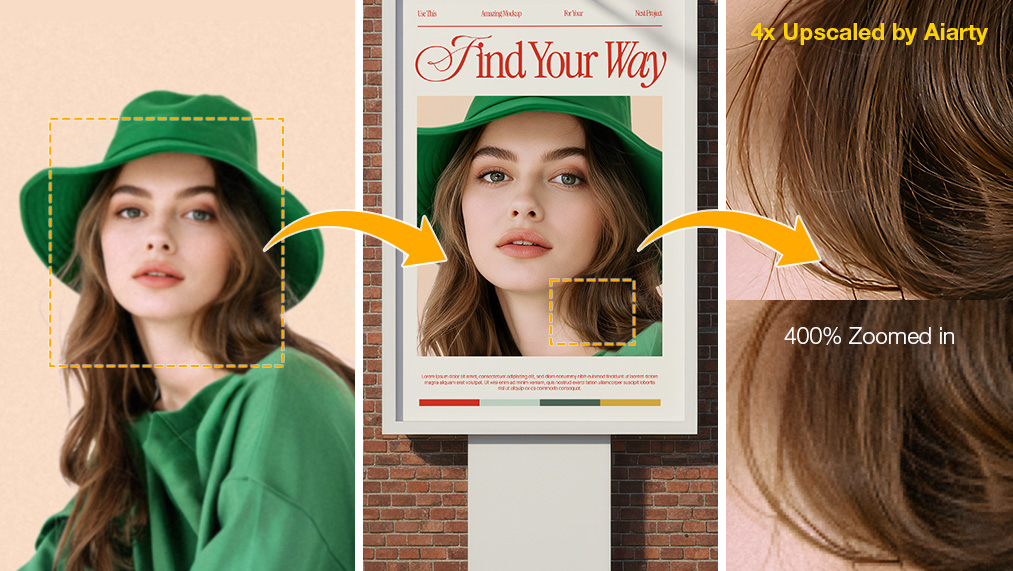
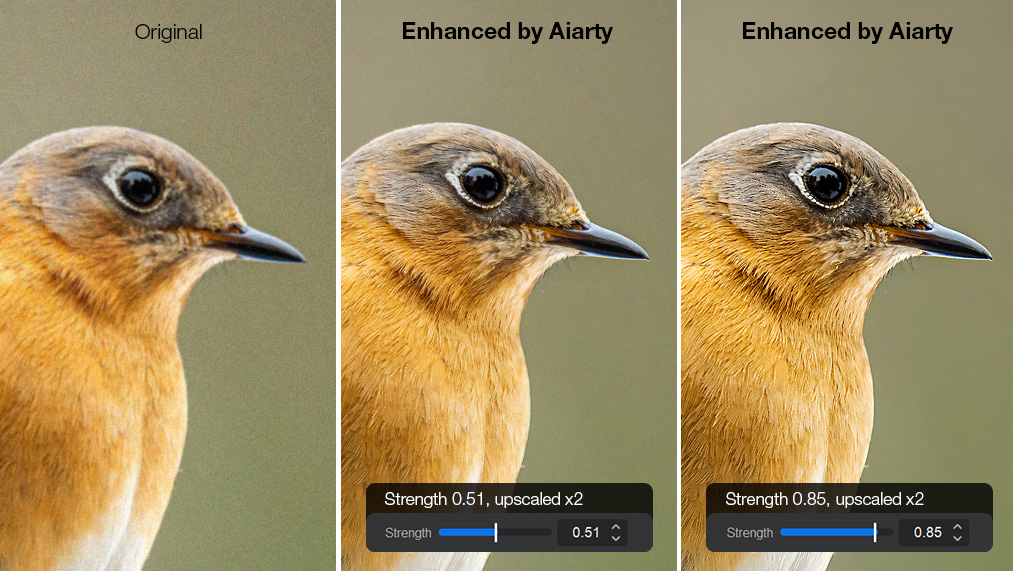
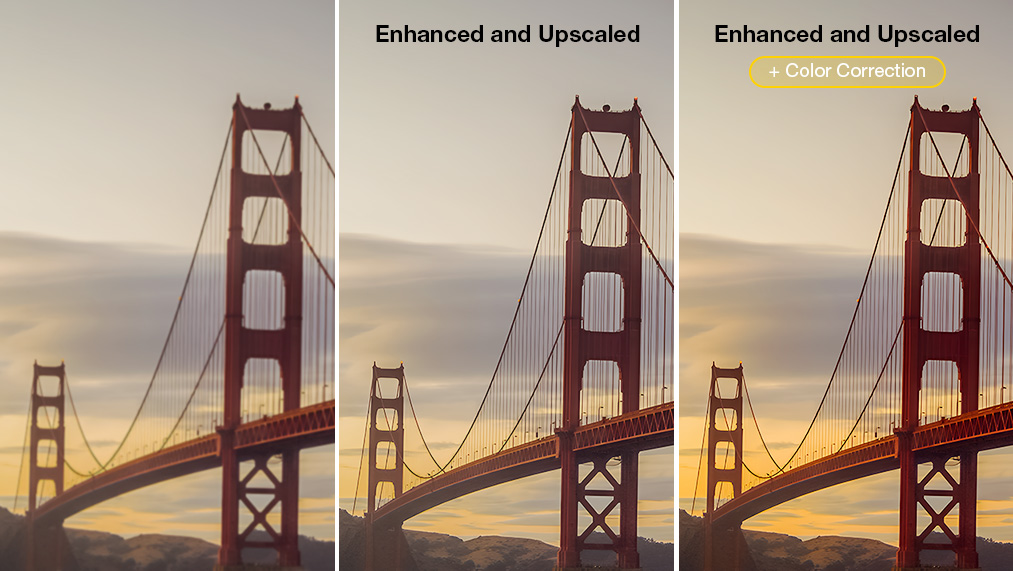
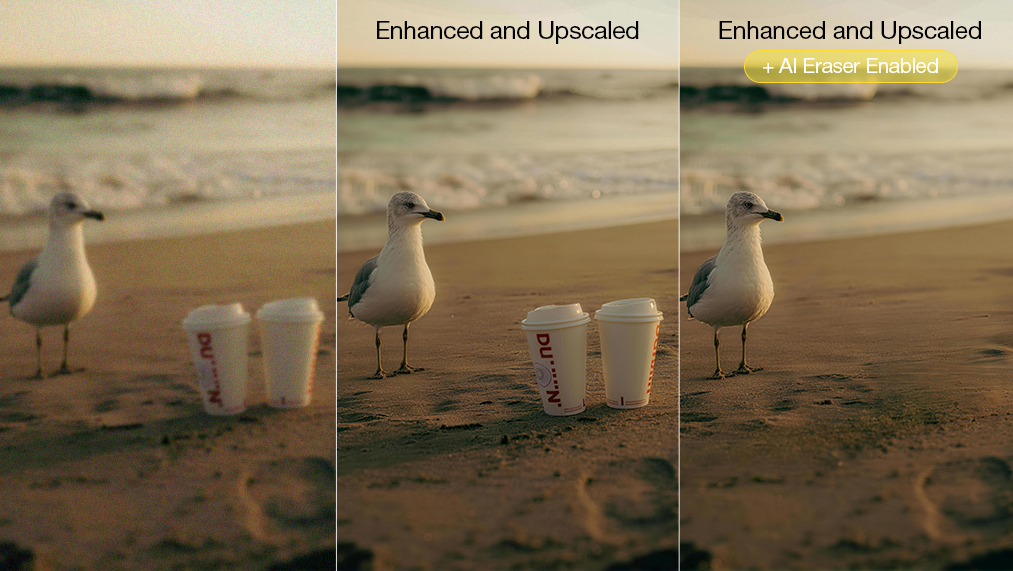
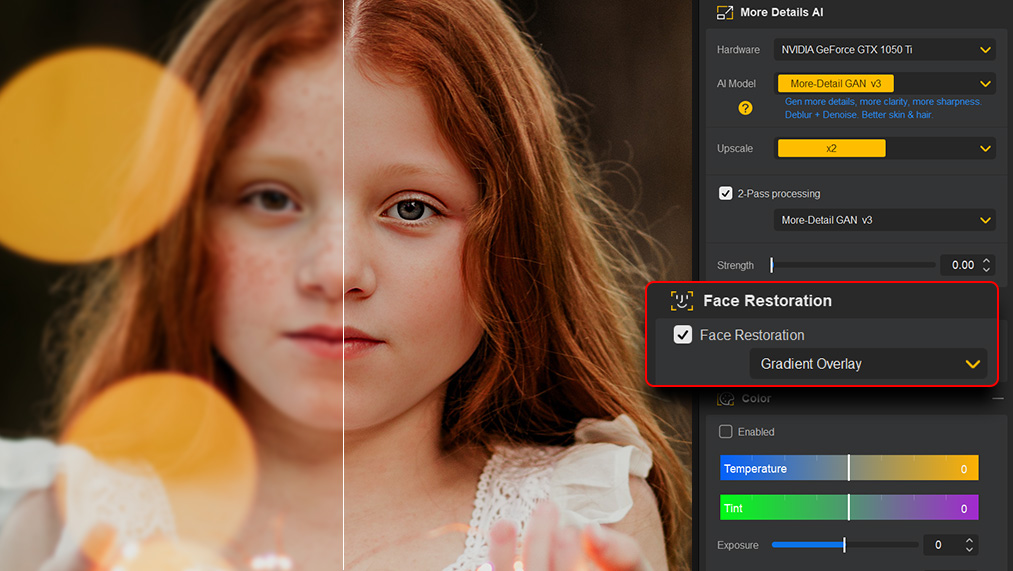
Learn from creative pros how Aiarty can restore and enhance your images with stunning results.
Upscale your images by 2×, 4× or 8x, enhancing and revealing details other tools can't uncover.
Control how strongly the AI processes your images, balancing enhancements for natural, precise results.
Upscale SDR to 10-bit HDR while maintaining color consistency, or fine-tune colors: adjust contrast, saturation and more.
Remove unwanted photobombers, signs, text, or small imperfections. Rebuild clean areas that blend seamlessly.
Repair old photos and restore faces, enhancing details in eyes, skin, and hair for a lifelike look.
Save More with a Custom Bundle
Tailored for Your Video & Image Projects
Windows
Mac


Media Enhancer Bundle
Revive your images and videos. Turn flawed into polished - and polished into breathtaking.
- Batch upscale/enhance; up to 32K; lifelike detail.
- Revive grainy/low-light shots; remove artifacts.
- Restore faces, refine colors. Print-ready output.
- Batch restore & upscale videos by 2×/4× or to 4K.
- Smoother slow-motion; higher FPS; cleaner audio.
- Color correction & HDR; Quick edits: cut, crop…
 One-time Payment
 Instant Delivery
 Money Back
 Guarantee


3-in-1 Bundle
Tailored for image/video quality boosts and precise background removal/replacement.
- Batch upscale/enhance; up to 32K; lifelike detail.
- Revive grainy/low-light shots; remove artifacts.
- Restore faces, refine colors. Print-ready output.
- Batch restore & upscale videos by 2×/4× or to 4K.
- Smoother slow-motion; higher FPS; cleaner audio.
- Color correction & HDR; Quick edits: cut, crop…
- Optimized for hair/edges/semi-transparent areas.
- SOTA-class matting. Seamless cutouts, blending.
- Batch replace; built-in upscaler and manual tools.
Trusted by Creative Enthusiasts
-
 "It gives photographers many time-saving benefits and replace time-consuming edits. So it will be a great combination in the post-processing workflow, with speeds that other software does not provide. Its AI models deliver significantly more detail and sharpness than traditional post-processing methods."by Fstoppers
 -
"Even with today’s hardware, it can be hard to get the perfect shot in camera, particularly outside of a studio setting. Aiarty can enhance the quality of images that may have been created in less than perfect conditions, without resorting to all out fabrication."by Creativebloq
-
"Thanks to its unique 4-in-1 enhancement capabilities, the app can easily remove noise from images, correct focus issues, upscale the image itself to a maximum of 8x with a stunning 32K resolution, all while adding natural details to make sure the final image looks authentic."by PCWorld
-
"Aiarty Image Enhancer offers different AI models optimised for various photo types, like portraits, landscapes, detailed textures. Without having to adjust further settings, photographers can restore the finest details in feathers, fur, skin, lines, leaves, and intricate textures."by Amateur Photographer
-
"Aiarty is a brand-new and powerful AI image enhancer in this growing field to help improve image quality by upscaling resolution, removing noise, eliminating blur, or de-pixelating. This image enhancer also boasts three distinct AI modes, each designed to tackle specific image issues."by PetaPixel
Why Choose Aiarty Image Enhancer

Optimized for NVIDIA/Intel/AMD GPUs & CoreML - fast, secure local processing.

With continuous updates, Aiarty keeps improving to meet your workflow needs.

One-time purchase Lifetime License: all updates included at no extra cost.
Images Training Dataset
Batch Processing Per Hour
Resolution for upscaling
Aiarty Discount Coupon FAQ
 100% valid discount coupon, 100% secure purchases & data protection
-
Is it safe to install and purchase Aiarty software?
Absolutely. Aiarty software is fully safe to download and use. Every installer is digitally signed, regularly scanned, and free from malware, adware, or unwanted third-party components. If you'd like extra assurance, you can check any download on VirusTotal. All purchases are secured with HTTPS/SSL encryption, and payments are processed through our reliable partner, 2Checkout (Verifone).
Aiarty also runs entirely offline - your photos and videos are processed on your own device and never uploaded, giving you full privacy and control over your data.
-
Why use the official Aiarty coupon?
The official coupon ensures you get a real discount, a secure checkout experience, free updates, round-the-clock support, and access to the newest features. Third-party codes may be expired, inaccurate, or even unsafe to use - especially when the discount looks unrealistically low or directs you to an untrusted shopping site.
-
How do I apply a coupon code?
Most coupons are automatically added at checkout. If you'd like to use another code, select "Buy Now", then find "I have a coupon code". Enter your code, hit the refresh icon, and the additional discount will be applied right away.
-
What is the 1-Year/Standard License of Aiarty Image Enhancer? Can I cancel my subscription?
The Standard License is a yearly plan that automatically renews each year. You'll get a renewal reminder 7 days in advance, and you're free to cancel whenever you like. The annual renewal price is $75.
-
Are purchases made with a coupon still eligible for free updates?
Yes. Every paid user gets free updates according to their license - either annual or lifetime. The software will alert you when an update is available, and you can also check anytime using "Check for updates".
-
Can Aiarty software be used for business?
Yes. Aiarty works well for both personal and commercial projects. It's great for enhancing product photos, marketing creatives, client deliverables, website visuals, and social media assets. Its AI-driven tools help streamline your workflow, improve quality, and maintain a polished, professional brand presence.
-
Will Aiarty use my media for AI training?
No. Your images and videos stay fully private. Everything is processed locally on your own machine using your GPU. Aiarty's AI models are trained exclusively on in-house datasets and licensed materials - not on user content.
-
Does the price include tax?
Prices shown on our website exclude taxes, as rates vary by country and location. The applicable tax will be calculated and displayed in your shopping cart based on local laws. Rest assured, taxes collected are handled by our payment processor and forwarded to the appropriate government authorities.
-
What's your refund policy?
We offer a 30-day money-back guarantee. If the software encounters issues beyond resolution or a temporary fix within this period, a refund will be granted. For any technical difficulties, we recommend contacting our support team first with a detailed problem description, ensuring prompt assistance and a satisfactory resolution.
Explore Diverse Savings Offers
Designed to empower educational administrators, content creators, video enthusiasts and more, we offer various discounts to cater to different individuals and organizations. Please be free to contact our sales team with your details for more information.
-

Education
Exclusive discounts for students to make Aiarty Video Enhancer more accessible and budget-friendly for aspiring creatives.
-
Non-profit Organization
We appreciate your hard work for charitable or non-profit organizations. Apply for a discount and receive powerful AI tool to enhance your videos at a reduced cost.
-
Users from Competitors
Moving from another tool? Enjoy exclusive discounts when you make the switch to Aiarty Video Enhancer, designed to give you more clearer and sharper results at turbo speed.
-

Volume Purchase
We offer exclusive volume discounts to make Aiarty Video Enhancer more affordable for businesses, schools, and creative teams managing multiple licenses.
Frequently Asked Questions
What is Aiarty Image Enhancer?
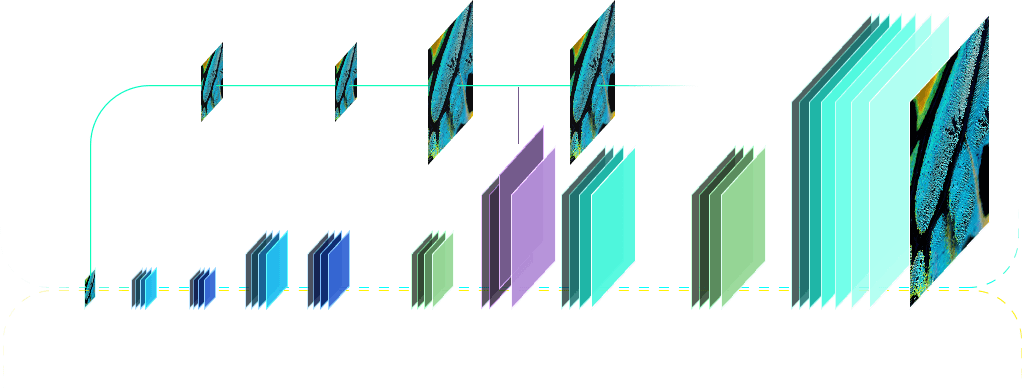
A next-gen AI tool that upscales, denoises, deblurs, and restores images with true-to-life details and clarity. It combines diffusion and GAN technology, optimized for GPU performance. You can refer to our official resources for detailed best practices and the complete user guide to get the most out of Aiarty Image Enhancer.
What kind of image quality improvements can I expect with Aiarty Image Enhancer?
Aiarty Image Enhancer is designed to greatly improve image quality across all types of photos - from everyday shots and older images to AI-generated artwork. It can upscale resolution, sharpen soft or blurry images, reduce noise and compression artifacts, and restore clarity in low-light or grainy pictures. The software can also refine colors, correct exposure, and bring out more natural tones.
Visually, you can expect cleaner, sharper, and more realistic results - whether it's finer textures in hair and fabrics, improved facial detail, or clearer definition in landscapes, wildlife, and other outdoor scenes.
What are the system requirements for Aiarty Image Enhancer?
Aiarty Image Enhancer leverages advanced AI models to enhance images and runs locally on your computer. On Windows, it requires Windows 10 or later. On Mac, it supports Intel CPUs with macOS Catalina 10.15 or higher, and Apple Silicon processors with macOS Big Sur 11 or later.
The software is optimized to take full advantage of modern hardware, reaching up to 95% GPU utilization on supported devices. This includes Apple’s Metal and Neural Engine on Mac, as well as DirectML and TensorRT on Windows, delivering fast, efficient AI processing and high-quality results.
For the complete information, please refer to the Tech Specs page.
Can I process multiple videos with Aiarty Image Enhancer in batch?
Yes! Aiarty Image Enhancer supports batch processing, letting you enhance hundreds of videos in a single session. Simply choose an AI model, configure your enhancement settings and output folder, then click “Batch Export” to process everything at once.