


A close-up makes us notice a character's smallest reaction. A low-angle shot can make the same character appear powerful or threatening. A sudden cut can shock us, while a slow tracking shot can quietly build suspense. None of these choices is accidental. They are part of the visual and auditory language of cinema.
Film techniques are the methods filmmakers use to control what audiences see, hear, understand, and feel. They include camera shots, angles, composition, movement, lighting, color, editing, sound, set design, and performance. This guide explains more than 50 essential film techniques, their typical effects, recognizable movie examples, and practical ways to use or analyze them.
What Are Film Techniques?
Film techniques are the creative and technical methods used to communicate a story through moving images and sound. Some determine what appears inside the frame, such as composition, costume, lighting, and production design. Others control how the audience experiences time and movement, including camera movement, shot duration, editing, music, and sound effects.
A technique does not have one fixed meaning. A close-up, for example, can express tenderness, fear, suspicion, embarrassment, or isolation depending on the performance, lighting, sound, and surrounding shots. The strongest scenes usually combine several techniques around one clear dramatic purpose.
Film Techniques Quick Reference
Visual Film Techniques: Composition, Shots, Angles, and Movement
1. Composition and Visual Storytelling Techniques
Composition determines how people, objects, lines, colors, and empty spaces are arranged within the frame. It guides the viewer's eye and establishes relationships before a character speaks.
The 180-Degree Rule
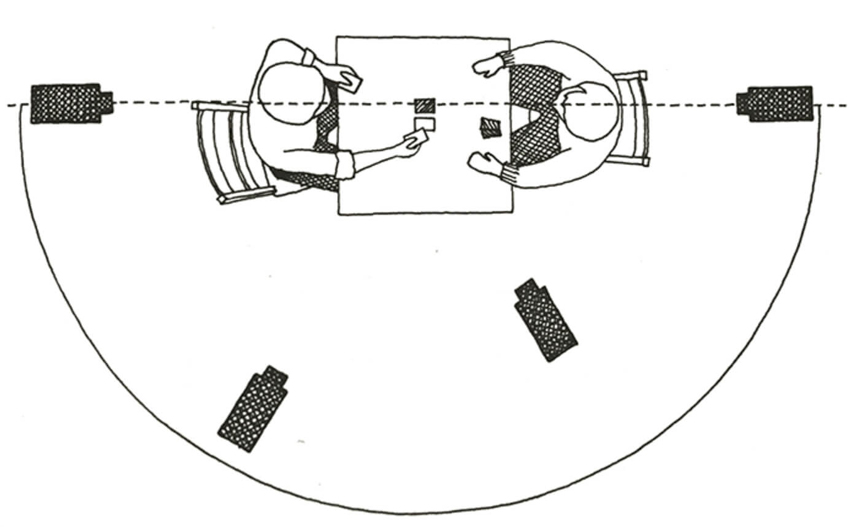
The 180-degree rule maintains consistent screen direction. Imagine an invisible line between two characters. The camera normally stays on one side of this line so that one character continues to appear on the left and the other remains on the right.
- Effect: It helps the audience understand where characters and objects are located. Crossing the line without a clear reason can make the space feel confusing or unstable.
- How to use it: Apply it during conversations, chases, sports scenes, and action sequences where spatial clarity matters.
- How to analyze it: Ask whether the scene maintains visual stability or deliberately breaks continuity to reflect conflict, panic, or confusion.
The Rule of Thirds
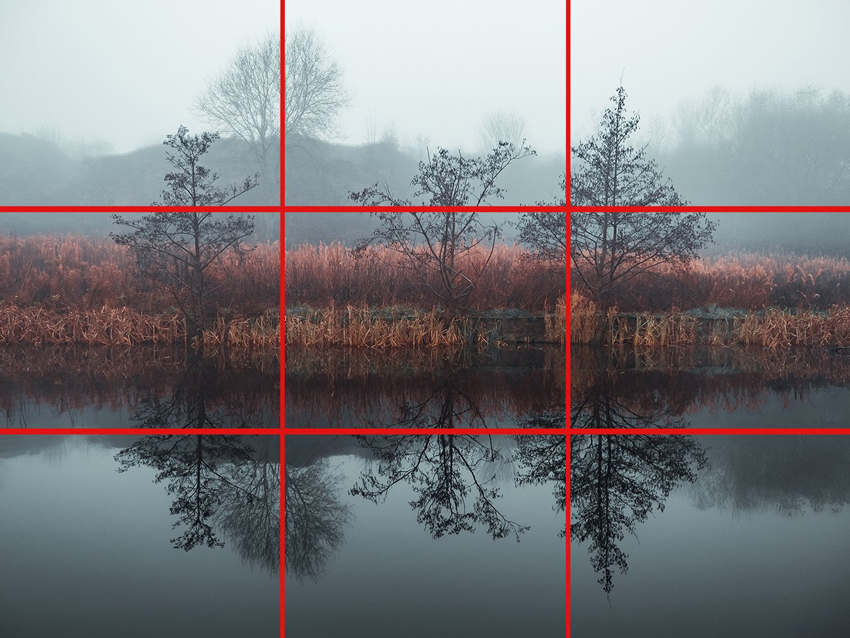
The rule of thirds divides the frame into nine sections using two horizontal and two vertical lines. Important subjects are placed near the lines or intersections rather than always being centered.
- Effect: It creates a balanced but visually active composition. Leaving space in front of a character can also suggest movement, attention, or anticipation.
- How to use it: Place a character's eyes near the upper horizontal line or position the subject on one side while using the other side to reveal context.
Symmetrical Composition
Symmetry places important visual elements evenly around the center of the frame.
- Effect: It can communicate order, control, beauty, artificiality, obsession, or discomfort. Perfect symmetry often feels deliberately constructed because it is less common in ordinary vision.
- Movie example: Stanley Kubrick often uses centered, symmetrical compositions to create a controlled yet unsettling atmosphere. Symmetry is also central to the carefully designed visual worlds of Wes Anderson.
Leading Lines
Leading lines are visible lines that guide the viewer's eye toward a subject or deeper into the frame. Roads, corridors, fences, shadows, architecture, and rows of objects can all function as leading lines.
- Effect: They direct attention, create depth, and make the frame feel more organized.
- How to use it: Position a character where several lines converge to make the figure appear important, isolated, trapped, or threatened.
Negative Space
Negative space is the empty or less detailed area surrounding a subject.
- Effect: It may create loneliness, anticipation, vulnerability, calmness, or tension. Empty space can also make the audience expect that something will enter the frame.
- How to analyze it: Consider why the filmmaker leaves an area empty and whether the space reflects the character's emotional or social condition.
Frame Within a Frame
This technique uses doors, windows, mirrors, arches, railings, or other objects to create a smaller frame inside the main image.
- Effect: It can focus attention, add depth, or suggest that a character is restricted, observed, separated, or psychologically trapped.
Shallow Depth of Field
With shallow depth of field, only a narrow area appears sharp while the foreground or background becomes blurred.
- Effect: It isolates a subject, directs attention, and may create intimacy or subjectivity.
- How to use it: Use shallow focus when the audience should concentrate on one face, object, or reaction while ignoring distracting background information.
Deep Focus
Deep focus keeps the foreground, middle ground, and background relatively sharp.
- Effect: It lets the audience choose where to look and allows several actions or relationships to be shown in one shot.
- Movie example: Deep-focus compositions are strongly associated with Citizen Kane, where action and visual information often appear across several layers of the frame.
Mise en Scène
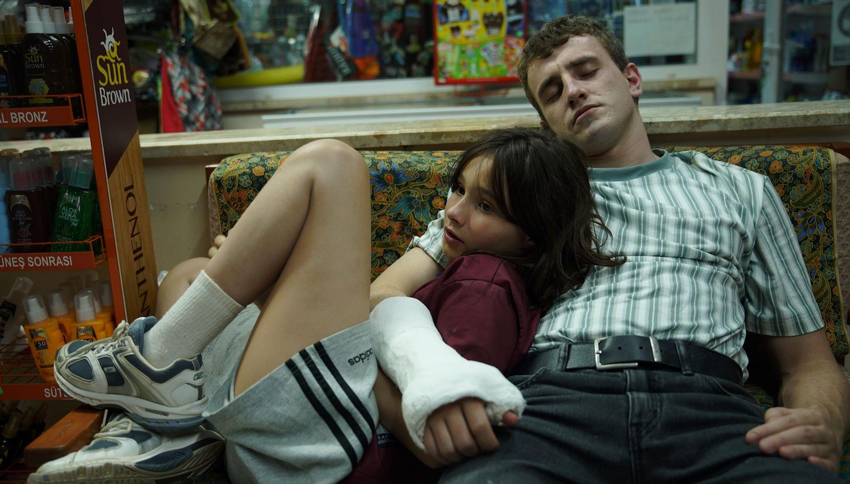
Mise en scène refers to everything deliberately placed in front of the camera, including location, set design, props, costumes, hair and makeup, lighting, color, actor positioning, body language, and movement within the scene.
- Effect: It establishes the film's world and communicates information about class, personality, culture, time period, relationships, and themes.
- Movie example: In The Grand Budapest Hotel, architecture, costumes, props, color, and symmetrical blocking combine to create a highly controlled fictional world.
- How to analyze it: Do not simply list objects. Explain what their arrangement reveals about the character, society, or theme.
Blocking
Blocking refers to where actors stand and how they move through a scene.
- Effect: It can reveal power, attraction, conflict, distance, or changing relationships. A character who dominates the center may appear authoritative, while two characters separated by a doorframe may feel emotionally divided.
2. Camera Shot Types and Their Effects
Shot size describes how much of the subject and environment appears in the frame. It is one of the most direct ways to control emotional distance.
Extreme Wide Shot
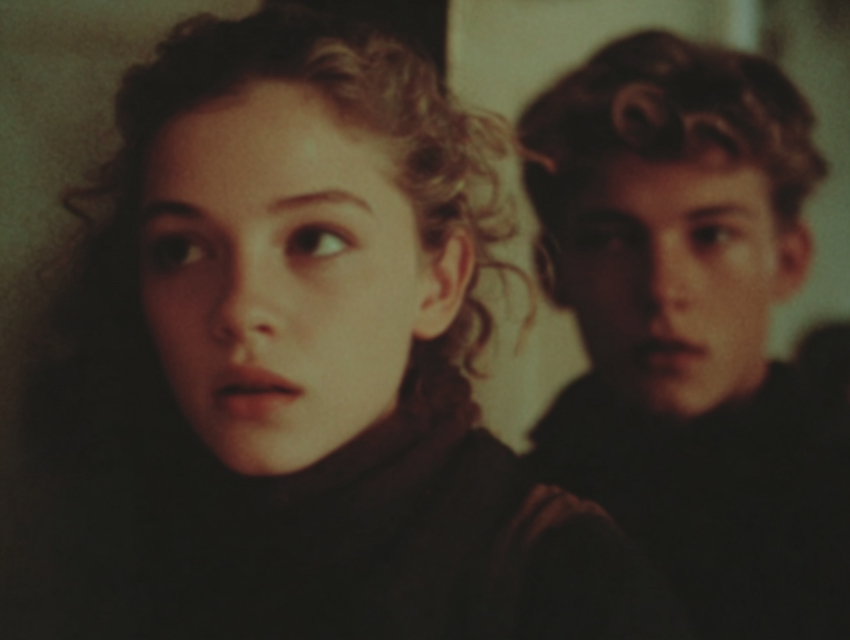
An extreme wide shot shows a very large environment, with the character appearing small or sometimes barely visible.
- Effect: It establishes location, communicates scale, or makes a character appear isolated and insignificant.
- Movie example: The desert landscapes in Lawrence of Arabia use extreme wide shots to emphasize the size and harshness of the environment.
Wide Shot
A wide shot usually shows a character's full body along with the surrounding environment.
- Effect: It balances character and setting and lets the audience observe posture, movement, and spatial relationships.
- Best used for: Action, dance, physical comedy, entrances, confrontations, and establishing character placement.
Medium Shot
A medium shot typically frames a character from around the waist up.
- Effect: It provides enough detail to read facial expressions while preserving gestures and body language. It is common in dialogue scenes, interviews, television, and conversational videos.
Medium Close-Up
A medium close-up usually frames the subject from the chest or shoulders upward.
- Effect: It creates more emotional connection than a medium shot without becoming as intense as a tight close-up.
Close-Up
A close-up fills most of the frame with a face, object, or significant detail.
- Effect: It reveals emotion, directs attention, and increases intimacy or tension.
- Movie example: In The Silence of the Lambs, close framing during conversations intensifies the psychological relationship between Clarice and Hannibal Lecter.
Extreme Close-Up
An extreme close-up isolates a small detail, such as an eye, mouth, key, hand, wound, or trigger.
- Effect: It makes the detail feel extremely important and can create suspense, discomfort, or sensory intensity.
Two Shot
A two shot places two characters inside the same frame.
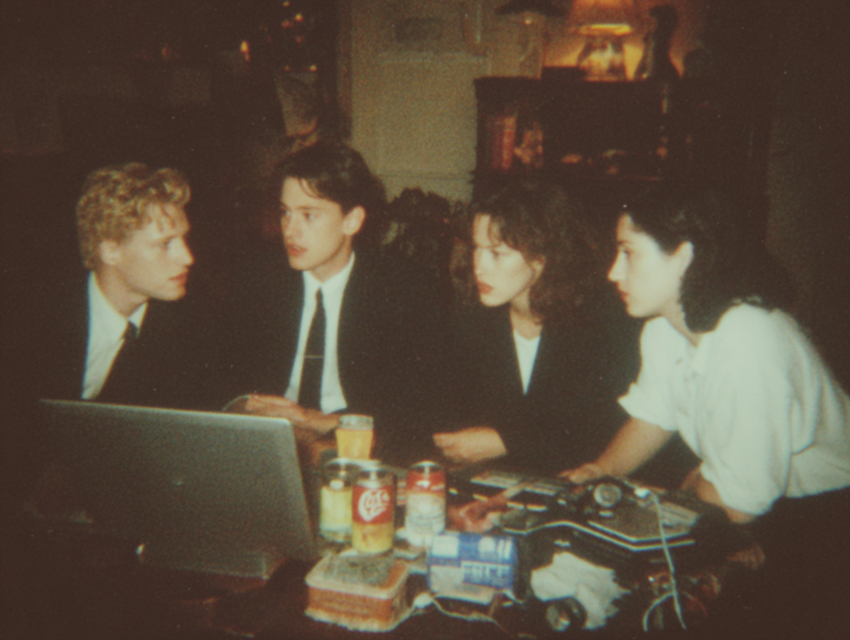
- Effect: It shows their physical and emotional relationship. Distance, height, posture, and position can communicate closeness, conflict, equality, or imbalance.
Over-the-Shoulder Shot
An over-the-shoulder shot frames one character from behind while showing another character facing the camera.
- Effect: It places the viewer inside a conversation and establishes the spatial relationship between speakers.
Point-of-View Shot
A point-of-view shot presents what a character appears to be seeing.
- Effect: It aligns the audience with the character's experience, knowledge, fear, or desire.
- How it works: A POV shot is often paired with a reaction shot: first we see the character looking, then what they see, and finally their response.
Insert Shot
An insert shot isolates an important object or detail within a larger scene.
- Effect: It provides information the audience should not miss, such as a message, photograph, weapon, clock, or hand movement.
3. Camera Angles and Their Effects
Camera angle changes the audience's position in relation to the subject. Angles frequently influence how we interpret power, emotion, and psychological stability.
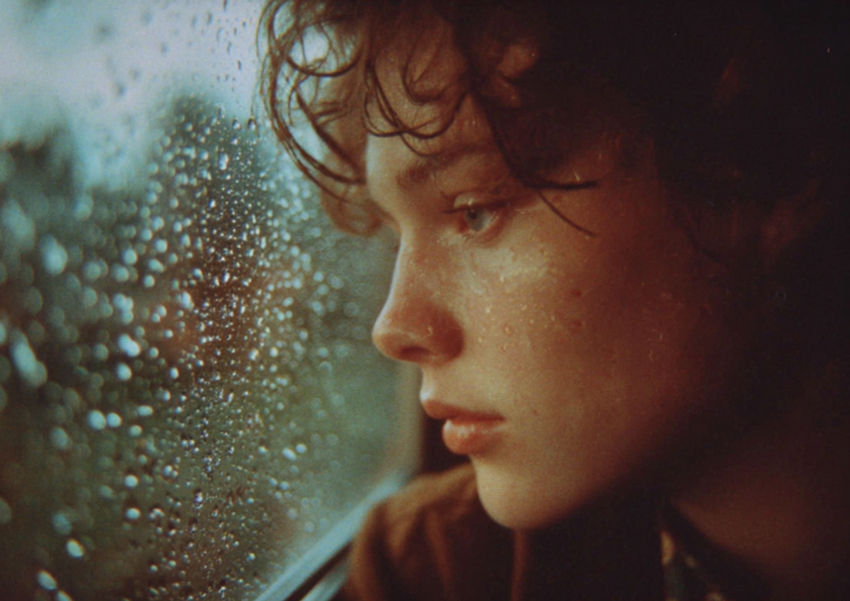
Eye-Level Shot
The camera is placed at approximately the subject's eye level.
- Effect: It often feels neutral, direct, realistic, and emotionally accessible.
Low-Angle Shot
The camera looks upward at the subject.
- Effect: It can make a person appear powerful, heroic, dominant, threatening, or monumental.
- How to analyze it: Do not assume every low angle means power. Consider performance, lighting, scale, and narrative context.
High-Angle Shot
The camera looks downward at the subject.
- Effect: It may make a character appear vulnerable, exposed, weak, trapped, or overwhelmed. It can also clarify movement or geography.
Overhead or Bird's-Eye Shot
The camera looks almost directly down at the action.
- Effect: It can establish patterns and spatial relationships or create emotional distance. Characters may appear like pieces moving through a larger system.
Dutch Angle
A Dutch angle tilts the camera so the horizon is no longer level.
- Effect: It creates visual instability, disorientation, tension, or psychological unease. It is often used when a character's world feels unsafe or out of control.
4. Camera Movement Techniques
Camera movement changes perspective during a shot. It can reveal information, create rhythm, follow action, or draw the viewer into a character's experience.
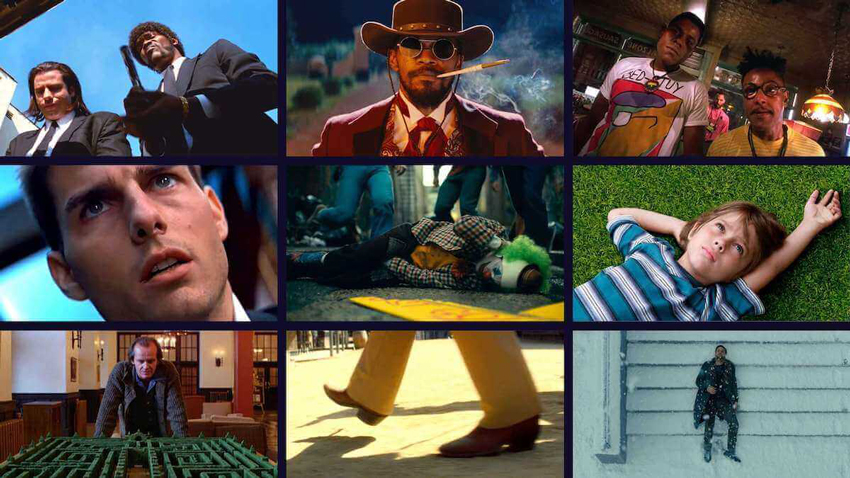
Pan
A pan rotates the camera horizontally from a fixed position.
- Effect: It follows action, reveals new visual information, compares subjects, or establishes a wider location.
Tilt
A tilt rotates the camera vertically while remaining in a fixed position.
- Effect: It can reveal height, introduce a character gradually, or direct attention from one detail to another.
Dolly Shot
A dolly shot physically moves the camera toward, away from, or alongside a subject. Unlike a zoom, the camera's position changes, so the spatial relationship between foreground and background also changes.
- Effect: A slow push-in can increase emotional intensity. A pull-back may reveal context, distance the audience, or expose new information.
Tracking Shot
A tracking shot follows a subject through a location.
- Effect: It creates immersion, maintains momentum, and helps the audience experience a journey in real time.
- Movie example: The Copacabana sequence in Goodfellas follows Henry and Karen through the back entrance of a nightclub, immersing the audience in Henry's access and status.
Handheld Shot
A handheld shot is filmed with the camera supported directly by the operator rather than fully stabilized.
- Effect: It creates immediacy, realism, unpredictability, physical energy, or anxiety. Handheld camerawork is a recognizable part of the visual language of films such as Breathless.
Steadicam or Gimbal Shot
A Steadicam or gimbal allows the camera to move smoothly through a space while retaining more flexibility than a traditional dolly track.
- Effect: It combines immersion with visual control and can follow characters through complex locations.
Crane or Jib Shot
A crane or jib moves the camera vertically and horizontally through the air.
- Effect: It can create a grand reveal, shift from an intimate view to a large-scale perspective, or conclude a scene by moving away from the characters.
Zoom Shot
A zoom changes the focal length of the lens without moving the camera.
- Effect: It enlarges or reduces the subject inside the frame. A fast zoom can feel aggressive or stylized, while a slow zoom can gradually direct attention.
Dolly Zoom
A dolly zoom combines physical camera movement with a zoom in the opposite direction. The subject remains at a similar size while the background appears to stretch or compress.
- Effect: It creates spatial distortion and often represents fear, shock, realization, or psychological instability.
- Movie example: The technique is often called the Vertigo effect because of its prominent use in Alfred Hitchcock's Vertigo. It was later used memorably in Jaws.
Long Take
A long take continues for an extended period without a visible cut.
- Effect: It preserves real-time movement, increases immersion, showcases performance and blocking, or builds tension because the audience is not released through editing.
Lighting, Editing, and Sound Techniques
1. Lighting and Color Techniques
Lighting determines much more than visibility. Direction, softness, contrast, color, and intensity all shape mood and meaning.
High-Key Lighting
High-key lighting uses bright, relatively even illumination with limited contrast and fewer deep shadows.
- Effect: It can create openness, optimism, glamour, cleanliness, comedy, or emotional safety.
Low-Key Lighting
Low-key lighting uses strong contrast and significant areas of shadow.
- Effect: It creates mystery, danger, secrecy, seriousness, or moral ambiguity.
- Movie example: The Godfather uses shadow-heavy lighting to obscure faces and reinforce the secrecy and moral darkness of the Corleone world.
Side Lighting
Side lighting illuminates one side of a face or subject more strongly than the other.
- Effect: It adds dimension and can suggest internal conflict, ambiguity, or a divided identity.
Backlighting
Backlighting places the main light source behind the subject.
- Effect: It separates the subject from the background, creates a halo or silhouette, and can suggest mystery, romance, danger, or transcendence.
Practical Lighting
Practical lights are visible light sources within the scene, such as lamps, candles, signs, screens, or streetlights.
- Effect: They make the lighting feel motivated by the environment and can become an important part of the composition.
Cucoloris or Cookie
A cucoloris is a stencil or cut-out placed in front of a light to create patterned shadows.
- Effect: It adds visual texture, imitates environmental shadows such as leaves or blinds, and can make a plain wall feel connected to a believable location.
Chiaroscuro
Chiaroscuro uses dramatic contrasts between light and darkness.
- Effect: It emphasizes shape, creates visual drama, and often reflects moral or psychological conflict. It is strongly associated with film noir, crime dramas, and psychological thrillers.
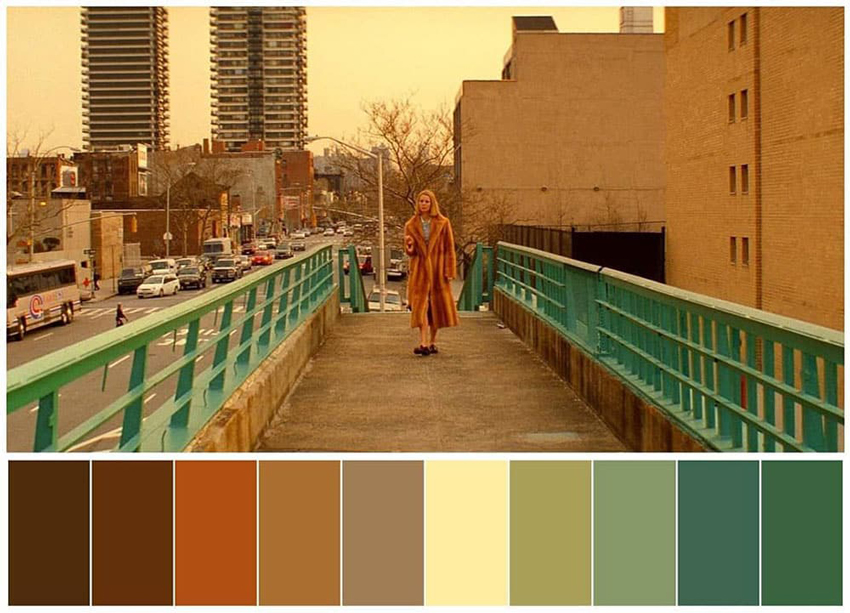
Color Palette
A color palette is the deliberately selected group of colors used across a film, location, character, or sequence.
- Effect: Color can unify a visual world, separate locations, communicate emotional changes, or establish symbolic associations.
- Examples: Warm colors may suggest passion, danger, nostalgia, or comfort; cool colors may suggest isolation, calmness, sadness, or emotional distance; desaturated colors may communicate bleakness or memory.
Color Contrast
Color contrast places noticeably different colors next to each other.
- Effect: It separates characters from backgrounds, directs attention, or visually represents opposition.
2. Editing Techniques and Their Effects
Editing determines how shots are selected, ordered, timed, and connected. It controls pace, continuity, emphasis, and the audience's understanding of time.
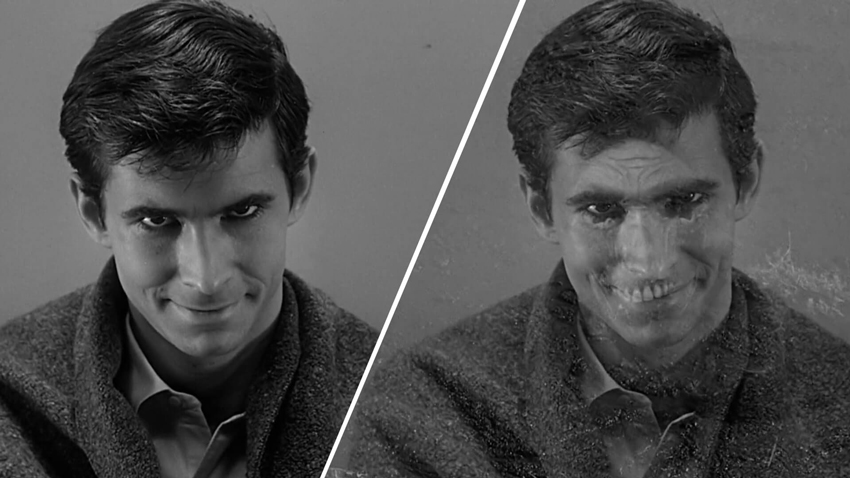
Continuity Editing
Continuity editing creates the impression that action flows smoothly across different shots. It often relies on consistent screen direction, the 180-degree rule, match on action, eyeline matches, establishing shots, and shot-reverse-shot patterns.
- Effect: The editing becomes less noticeable, allowing the audience to focus on the story.
Match on Action
A match on action cuts from one shot to another during the same movement, such as a character reaching toward a door followed by a closer shot of the hand completing the action.
- Effect: It hides the cut and preserves a sense of continuous movement.
Eyeline Match
An eyeline match connects a shot of a character looking with a shot of the object or person being observed.
- Effect: It clarifies attention and helps the audience understand spatial relationships.
Shot-Reverse-Shot
Shot-reverse-shot alternates between two characters, commonly during dialogue.
- Effect: It organizes conversation and allows the editor to emphasize reactions as well as spoken words.
Cut
A cut is an instantaneous change from one shot to another.
- Effect: It can advance the story, change viewpoint, control pace, reveal information, or create surprise depending on timing and context.
Dissolve
A dissolve gradually overlaps one image with the next.
- Effect: It can indicate passing time, memory, emotional connection, or a gentle transition between locations.
Fade
A fade moves between an image and a solid color, usually black.
- Effect: It often signals the beginning or end of a sequence, a significant passage of time, or an emotional pause.
Jump Cut
A jump cut removes part of a continuous action, making the subject appear to jump forward in time or position.
- Effect: It makes editing visible and can suggest urgency, repetition, fragmentation, impatience, or instability.
- Movie example: Jean-Luc Godard's Breathless helped popularize the expressive use of jump cuts rather than hiding every edit.
Cross-Cutting
Cross-cutting moves back and forth between actions occurring in different locations.
- Effect: It can suggest simultaneity, create suspense, compare characters, or connect separate storylines.
Parallel Editing
Parallel editing places different actions next to each other so the audience compares their meaning. The scenes do not always have to occur at exactly the same time.
- Movie example: The baptism sequence in The Godfather contrasts a religious ceremony with a series of murders, creating an ironic comparison between Michael's public promises and private actions.
Match Cut
A match cut connects two shots through a similar shape, movement, composition, sound, or idea.
- Effect: It creates a visual or thematic relationship between different scenes.
- Movie example: In 2001: A Space Odyssey, the cut from a rotating bone to an object in space links two distant periods of human technological development.
Montage
A montage combines a series of short shots to summarize events or compress a longer period of time.
- Effect: It efficiently shows training, travel, preparation, decline, growth, or changing relationships.
- Movie example: The training sequences in the Rocky films communicate physical progress and determination without presenting every stage in real time.
J-Cut
In a J-cut, audio from the next scene begins before the image changes.
- Effect: It creates a smoother transition, introduces a new location early, or directs the audience's attention before the visual reveal.
L-Cut
In an L-cut, audio from the current scene continues after the image has changed.
- Effect: It preserves emotional continuity, connects two locations, or lets dialogue continue over a reaction or related image.
Smash Cut
A smash cut creates an abrupt transition between strongly contrasting images, sounds, or moods.
- Effect: It can surprise the audience, create comedy, interrupt tension, or produce a sudden emotional shift.
3. Sound Techniques in Film
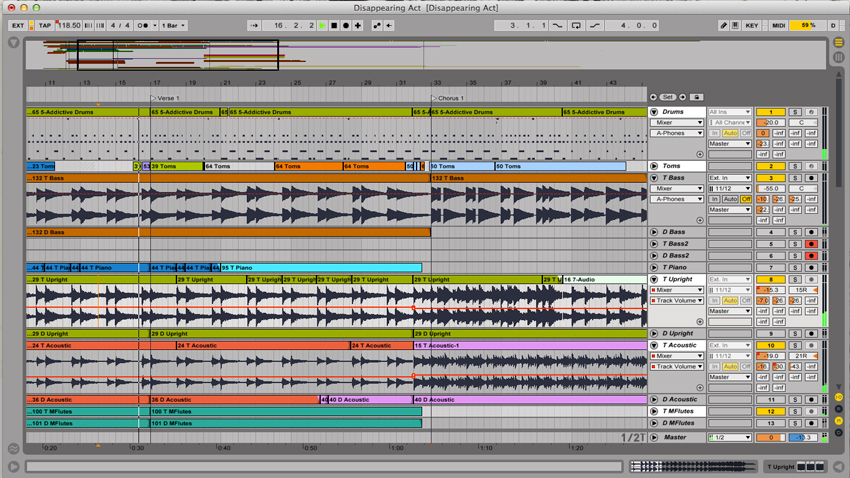
Sound directs attention even when its source is outside the frame. It creates space, atmosphere, rhythm, and emotional expectation.
Dialogue
Dialogue communicates information through spoken language, but its effect also depends on delivery, pauses, interruptions, volume, and what remains unsaid.
- How to analyze it: Consider whether the dialogue matches the character's body language and whether subtext contradicts the literal words.
Diegetic Sound
Diegetic sound belongs to the world of the film and could logically be heard by its characters, including footsteps, doors, traffic, voices, a radio, or a phone ringing inside the scene.
- Effect: It establishes location and makes the film world feel physically believable.
Non-Diegetic Sound
Non-diegetic sound is added for the audience and does not normally exist inside the characters' immediate environment. Examples include background score, certain forms of narration, and dramatic sound accents.
- Effect: It guides emotion, creates anticipation, and influences how the audience interprets an image.
Foley
Foley is the recreation or enhancement of everyday sounds during post-production, such as clothing movement, footsteps, object handling, and physical contact.
- Effect: It makes actions feel more detailed and physically convincing.
Sound Effects
Sound effects are recorded, designed, or enhanced sounds used to support actions, environments, and imagined events.
- Effect: They add realism, emphasize impact, establish atmosphere, and draw attention to important narrative details.
Sound Bridge
A sound bridge carries audio across a scene transition.
- Effect: It links different times or locations and can make the transition feel smoother or more meaningful.
Leitmotif
A leitmotif is a recurring musical phrase or sound associated with a person, place, idea, or threat.
- Effect: It builds recognition and creates emotional associations before the related subject appears.
- Movie example: The repeated musical theme associated with the shark in Jaws creates anticipation even before the shark is visible.
Silence
Silence is not simply the absence of sound. It is often a deliberate contrast with the surrounding soundtrack.
- Effect: It can concentrate attention, prolong tension, express shock, create realism, or make a small sound feel more significant.
How to Apply Film Techniques
1. How Film Techniques Work Together
Individual techniques rarely create meaning alone. A scene becomes cinematic when framing, movement, lighting, performance, editing, and sound support the same dramatic idea.
Consider a suspense scene in which a character enters an unfamiliar house:
- An extreme wide shot establishes the isolated location.
- Negative space makes the character appear exposed.
- A slow tracking shot follows the character through the hallway.
- Low-key practical lighting leaves parts of the room hidden.
- Shallow focus prevents the audience from clearly seeing the background.
- Quiet diegetic sounds make every footstep noticeable.
- An L-cut carries an unexplained noise into a closer shot.
- The sequence ends with an abrupt close-up or smash cut.
No single technique automatically creates suspense. Suspense comes from the relationship between information, timing, expectation, and point of view.
2. How to Analyze Film Techniques in an Essay
A strong film analysis should do more than identify a technique. Writing “the director uses a close-up” only describes what appears on screen. It does not explain why the choice matters.
Technique + Evidence + Effect + Meaning
Step 1: Identify the Technique
Name the specific choice. “The director uses camera techniques” is too broad. “The director uses a slow push-in and shallow depth of field” is more precise.
Step 2: Describe the Evidence
Explain what happens in the shot: “As the camera moves closer, the background gradually falls out of focus and the character becomes isolated in the frame.”
Step 3: Explain the Effect
Describe how the technique influences the viewer: “The movement directs attention toward the character's reaction and gradually increases emotional pressure.”
Step 4: Connect It to Meaning
Explain what the choice reveals: “By visually separating the character from the surrounding crowd, the shot reflects her growing emotional isolation.”
Example analysis sentence: The low-angle shot makes the character appear dominant, while the hard side lighting divides his face between light and shadow, suggesting that his authority is connected to moral ambiguity.
Useful analytical verbs: emphasizes, establishes, reinforces, contrasts, foreshadows, isolates, aligns, distorts, reveals, suggests, intensifies, undermines, mirrors, juxtaposes, and directs.
3. How Beginners Can Practice Film Techniques
You do not need a cinema camera or a large crew to learn visual storytelling. A phone, one location, and simple editing software are enough for basic practice.
- Tell a story with five shot sizes: Film the same action using an establishing shot, wide shot, medium shot, close-up, and insert shot.
- Change power through angle: Film the same subject at eye level, from a low angle, and from a high angle. Compare how authority changes.
- Create two moods with lighting: Film the same room once with bright, even light and once with a single side light and deeper shadows.
- Build suspense without dialogue: Use framing, movement, off-screen sound, editing rhythm, and silence to create a 20-second sequence.
- Re-edit the same footage: Make a slow version with longer shots and a fast version with shorter cuts to compare emotional rhythm.
4. Improving Footage in Post-Production
Strong cinematography begins during planning and production. Post-production cannot replace purposeful framing, lighting, performance, or camera movement. However, technical flaws can weaken otherwise effective creative choices. Noise may hide shadow detail, motion blur may soften an important expression, and low-resolution footage may not hold up on a modern display.
Aiarty Video Enhancer can help creators upscale low-resolution footage, reduce noise and blur, restore visible detail, interpolate frames, reduce audio noise, and improve color or HDR output. Processing runs locally on the desktop, so source footage does not have to be uploaded to an online server.
Use enhancement to support the intended visual style rather than making every frame look artificially sharp. The best result preserves natural texture, motion, lighting, and color while correcting problems that distract from the story.



Common Mistakes When Using Film Techniques
Using a Technique Without a Narrative Reason
A dramatic camera move may look impressive but feel distracting when it does not reflect the story. Before choosing a technique, ask what the audience should notice or feel at that moment.
Treating Effects as Fixed Rules
A high-angle shot does not always mean weakness, and blue does not always mean sadness. Meaning depends on context, contrast, character, genre, and how the technique changes across the film.
Overusing Shallow Focus
A heavily blurred background can look cinematic, but it may remove information the audience needs to understand the environment or the relationship between characters.
Moving the Camera Constantly
Not every shot requires movement. A static camera can make a scene feel controlled, tense, observational, or uncomfortable. Movement becomes more meaningful when it contrasts with stillness.
Ignoring Sound
Beautiful footage can still feel unfinished when dialogue, room tone, Foley, and environmental sound are weak. Sound should be planned as part of the scene rather than treated only as a final repair step.
Copying a Movie's Look Without Understanding Its Purpose
Recreating a famous color grade, camera move, or composition may produce a similar appearance but not the same meaning. Study why the original filmmaker used the technique and adapt that principle to your own story.
Conclusion
Film techniques form the language through which filmmakers organize images, time, movement, and sound. A wide shot can establish a character's place in the world. A close-up can reveal an emotion that dialogue hides. Lighting can transform an ordinary room into a safe space or a threatening one. Editing can compress years into seconds, while sound can make an unseen threat feel present.
The goal is not to use as many techniques as possible. It is to choose the techniques that best communicate the story. When watching a film, ask where the camera is placed, what has been included or excluded from the frame, how the light shapes the subject, when the editor cuts, and what can be heard inside and outside the scene.
Once you begin noticing these decisions, films stop looking like a simple sequence of recorded events. Every frame becomes a deliberate combination of perspective, rhythm, atmosphere, and meaning.
 FAQs
FAQs
Beginners should start with shot size, camera angle, composition, continuity, lighting, editing rhythm, and basic sound design. These techniques have an immediate effect on clarity and emotion and can be practiced with limited equipment.
Cinematography techniques mainly concern visual recording, including camera shots, lenses, movement, composition, focus, lighting, and exposure. Film techniques are broader and also include editing, sound, performance, production design, costume, narrative structure, and visual effects.
A close-up may create intimacy, a low-angle shot may suggest power, low-key lighting may create mystery, cross-cutting may build suspense, and a leitmotif may connect a recurring sound with a character or idea. The exact effect depends on how the technique is used within the scene.
Rules such as the 180-degree rule help maintain clarity, but directors may break them intentionally to create confusion, tension, surprise, or a change in perspective. Breaking a rule is most effective when the audience first understands the visual pattern being disrupted.
Start with clear visual intention rather than a filter. Plan shot sizes, control the background, shape the lighting, use camera movement selectively, record clean sound, and edit according to the emotional rhythm of the scene. Aspect ratio and color grading can support the result, but they cannot replace composition, lighting, and storytelling.
AI tools can help reduce noise, improve clarity, upscale low-resolution footage, smooth motion, or repair some technical defects. They cannot automatically create purposeful composition, performance, blocking, or visual storytelling. Use enhancement as part of post-production rather than as a substitute for decisions made during filming.

This post was written by Brenda Peng, a seasoned editor at Digiarty Software. With AI assistance for brainstorming and drafting, the article was reviewed for clarity and accuracy by Abby Poole.
