


Want to know how to become a VTuber but not sure where to start? VTubing can look complicated from the outside, with avatars, face tracking, streaming software, microphones, overlays, and video editing all involved. But for beginners, the process is much more manageable when you break it down into a clear setup: create a virtual character, choose the right VTuber software, prepare basic equipment, set up streaming, and start making content consistently.
VTubing, short for Virtual YouTubing, lets creators use animated digital avatars instead of showing their real face on camera. Many VTubers stream games, chat with viewers, sing, make short clips, post YouTube videos, or build communities around a fictional character. The biggest advantage is that you can create a memorable online personality while keeping your real-life identity private.
This beginner guide covers everything you need to start VTubing in 2026, including avatar options, 2D vs. 3D models, VTuber equipment, software, setup costs, streaming workflow, video editing, channel growth, and monetization. Whether you want to stream casually or build a long-term creator brand, this guide will help you plan your first VTuber setup step by step.
What Is a VTuber?
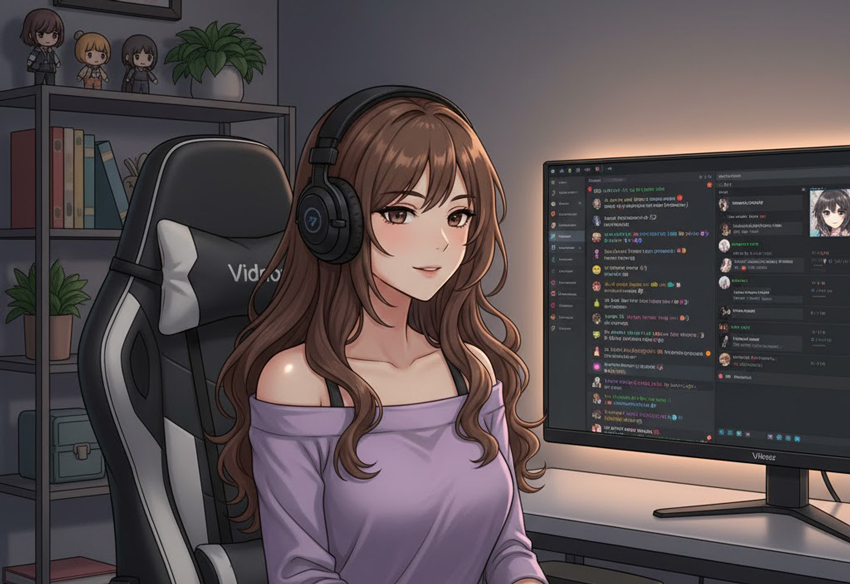
A VTuber is a content creator who uses a digital avatar to appear in videos or live streams. Instead of showing their real face, VTubers control a 2D or 3D character through facial tracking, motion tracking, or animation software. The avatar can blink, talk, move, react, and express emotions in real time.
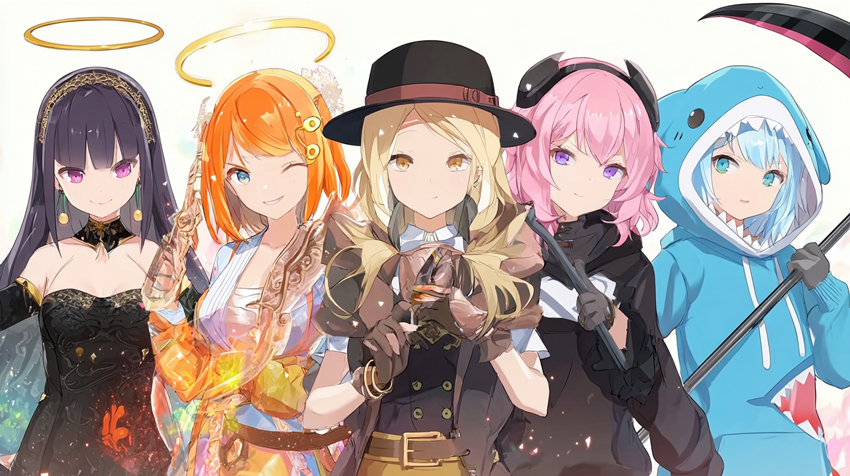
Most VTubers create content on platforms like YouTube, Twitch, TikTok, and X. Common content types include gaming streams, music covers, reaction videos, art streams, talk shows, short clips, tutorials, and community events. Some VTubers use anime-inspired characters, while others build mascots, fantasy characters, robots, animals, or original story-based personas.
The appeal of VTubing comes from the mix of performance, character design, technology, and community. You are not just starting a normal channel. You are building a virtual identity that viewers can recognize, follow, and connect with over time.
How to Become a VTuber: Step-by-Step Beginner Guide
To become a VTuber, you need five core things: a virtual avatar, basic recording or streaming equipment, VTuber tracking software, a content plan, and a platform to publish your streams or videos. You do not need a huge budget at the beginning. Many beginners start with free software, a simple webcam, a decent microphone, and a 3D avatar made in VRoid Studio.
Step 1: Create Your VTuber Avatar and Identity
Your avatar is the center of your VTuber brand. It represents your personality, visual style, and the type of experience viewers can expect from your channel. Before buying equipment or downloading software, spend time deciding what kind of character you want to become.
1. Choose Your VTuber Concept
Start with a simple idea. Are you a cozy gaming streamer, a chaotic anime-style character, a futuristic AI host, a fantasy mage, a music performer, or a casual talking avatar? Your concept does not have to be complicated, but it should be easy for viewers to understand and remember.
2. Decide Between a 2D and 3D Avatar
- 2D VTuber model: Usually made with layered artwork and rigged in Live2D. It can look very expressive and polished, but custom models can be expensive.
- 3D VTuber model: Usually easier for beginners to create with tools like VRoid Studio. It is good for full-body movement, casual streams, and low-budget setups.
3. Design Your Look
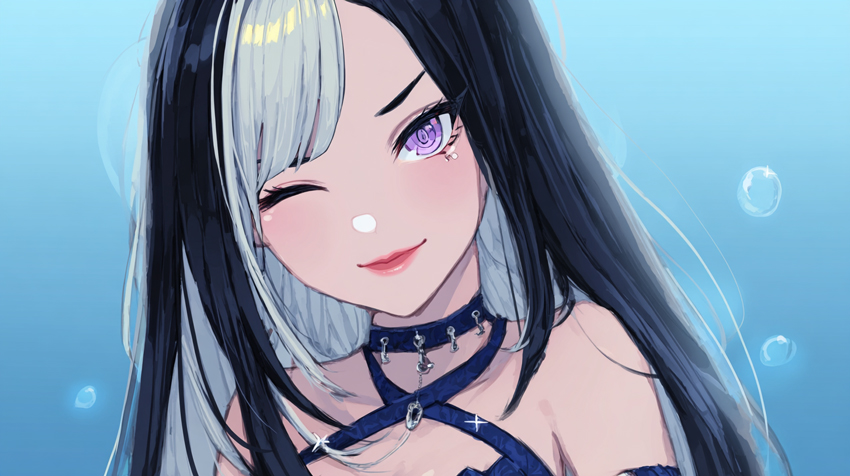
Think about hairstyle, colors, outfit, accessories, expressions, and silhouette. A strong VTuber design should still be recognizable even in a small profile picture or stream thumbnail. Avoid copying popular VTubers too closely. Inspiration is fine, but your character needs its own identity.
4. Give Your Character a Voice and Personality
Your avatar is only one part of VTubing. Your personality, humor, speaking style, reactions, and storytelling matter just as much. You can create a short backstory, but do not overthink it at the beginning. A simple, consistent persona is often easier for new viewers to connect with.
Step 2: Prepare Your VTuber Equipment
You do not need a professional studio to start VTubing. A beginner VTuber setup can be simple, especially if you are using a 3D avatar and webcam-based face tracking. The most important things are clear audio, stable performance, and reliable tracking.
Essential VTuber Equipment
- Computer: A modern PC or laptop that can run your avatar software, OBS, and the game or app you are streaming.
- Microphone: Audio quality matters more than visual quality for most streams. A decent USB microphone is enough for beginners.
- Webcam: Used for facial tracking in many VTuber apps. Good lighting can improve tracking accuracy.
- Headphones: Helps prevent audio feedback and makes it easier to monitor game sound, alerts, and voice chat.
Optional Equipment for a Better Setup
- Ring light or desk light: Improves face tracking and makes your setup more stable.
- Second monitor: Useful for checking chat, OBS, alerts, and stream status while playing or recording.
- Stream Deck: Helps trigger scenes, sounds, expressions, and overlays quickly.
- iPhone with face tracking: Some creators use iPhone tracking for smoother facial expressions, especially for Live2D models.
- Motion capture devices: Useful for advanced full-body tracking, but not necessary for beginners.
If your budget is limited, prioritize your microphone first, then webcam and lighting. Viewers can forgive a simple avatar, but poor audio can make a stream hard to watch.
Step 3: Choose the Best VTuber Software for Your Setup
VTuber software is what connects your real movements to your virtual avatar. The best tool depends on whether you use a 2D model or a 3D model, whether you want free software, and whether you plan to stream on YouTube, Twitch, or both.
For a simple beginner workflow, you can start with VRoid Studio for a free 3D model, VSeeFace for tracking, and OBS Studio for streaming. If you want a more polished anime-style 2D avatar, you can use a Live2D model with VTube Studio, but this usually requires more time or a higher budget.
Step 4: Set Up OBS, Tracking, and Your First Stream Scene
Once your avatar and software are ready, the next step is connecting everything inside OBS or another streaming tool. OBS Studio is one of the most common choices because it is free, flexible, and works with YouTube, Twitch, and many other platforms.
Basic VTuber OBS Setup
- Open your VTuber tracking software and load your avatar.
- Set the background to transparent or use a green screen/chroma key option if available.
- Open OBS and add your avatar window as a source.
- Add your game capture, browser source, chat box, alerts, and overlays.
- Test your microphone, desktop audio, and recording settings before going live.
Before your first public stream, record a short private test video. Check if your avatar moves naturally, your voice is clear, your game audio is balanced, and your computer can handle the full setup without lag. This small test can prevent a lot of problems during your debut stream.
Step 5: Edit and Improve VTuber Videos for YouTube, Shorts, and TikTok
Live streaming is only one part of VTubing. Many new viewers discover VTubers through short clips, YouTube Shorts, TikTok videos, stream highlights, funny moments, reaction clips, and edited compilations. That means your recorded videos matter just as much as your live streams.
After recording a stream, you can cut the best moments into shorter clips, add subtitles, create an intro, adjust audio, and export different versions for YouTube, TikTok, Instagram Reels, or X. If your footage looks soft, noisy, compressed, or low-resolution after recording or downloading from a stream platform, you can improve it before publishing.
Enhance Your VTuber Videos with Aiarty Video Enhancer
VTuber videos often contain colorful avatars, detailed backgrounds, game footage, overlays, and fast movement. Compression can make these elements look blurry or noisy, especially after uploading to social platforms. Aiarty Video Enhancer can help improve recorded VTuber clips by upscaling resolution, reducing noise, and recovering cleaner details for highlight videos, Shorts, and promotional clips.
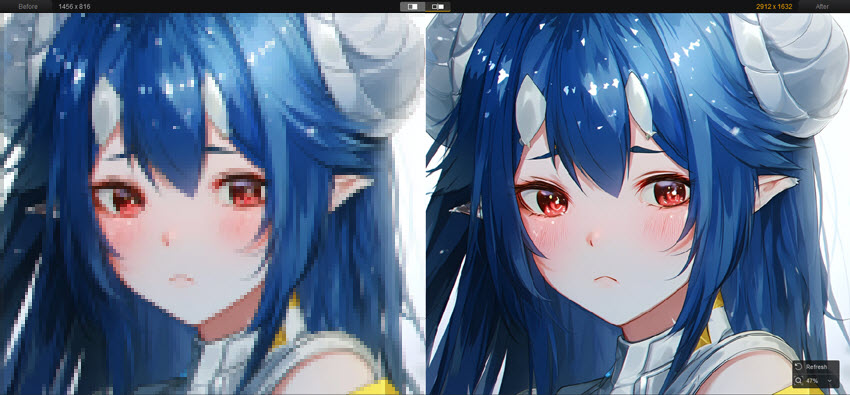
For VTubers, Aiarty can be useful in several common situations:
- Upscale stream highlights: Improve 720p or 1080p clips before uploading them as YouTube videos or Shorts.
- Reduce video noise: Clean up grainy clips, dark backgrounds, or compressed recordings.
- Improve avatar and background clarity: Make character lines, colors, and scene details look sharper.
- Prepare clips for reposting: Enhance videos before posting them across TikTok, YouTube Shorts, Instagram Reels, or X.
- Save editing time: Process multiple clips more efficiently without manually adjusting every frame.
A simple workflow is to record your stream, cut the best moments in your editor, enhance the exported clip with Aiarty if needed, and then publish platform-specific versions. This makes Aiarty fit naturally into the VTuber content workflow instead of being just another editing tool.
Step 6: Build Your VTuber Brand and Content Strategy
Becoming a VTuber is not only about the avatar. Viewers come back because they like your personality, content style, community, and consistency. A clear brand makes your channel easier to remember and easier to recommend.
1. Define Your Content Pillars
Choose two or three main types of content instead of trying to do everything at once. For example, you might focus on cozy gaming, weekly chat streams, and short funny clips. Or you might focus on singing, anime discussion, and community events.
2. Create Repeatable Formats
- Weekly gaming stream
- Monthly Q&A or chatting stream
- Reaction clips or highlight edits
- Behind-the-scenes avatar updates
- Collabs with other small VTubers
- Art creation, storytelling, or character lore videos
3. Make Your Channel Easy to Recognize
Use consistent colors, profile images, banners, overlays, stream titles, and thumbnails. Your viewers should be able to recognize your content even before they read your name.
4. Plan a Realistic Schedule
A consistent schedule helps viewers know when to return, but it should also be sustainable. If you are new, one or two streams per week plus a few short clips may be easier to maintain than streaming every day.
Step 7: Launch and Grow Your VTuber Channel
When your avatar, software, equipment, and first content ideas are ready, you can plan your debut. Your debut does not have to be perfect. The goal is to introduce your character, explain what viewers can expect, and start building momentum.
1. Plan Your Debut Stream
Use your first stream to introduce your VTuber name, character concept, favorite games or topics, content schedule, social links, and community rules. Promote the stream ahead of time on YouTube, Twitch, TikTok, X, Discord, or relevant VTuber communities.
2. Post Short Clips Consistently
Short clips are one of the easiest ways for new viewers to discover your channel. Cut funny reactions, strong opinions, exciting gameplay moments, singing clips, or character interactions into short videos. Post them on YouTube Shorts, TikTok, Instagram Reels, and X.
3. Collaborate with Other VTubers
Collabs can help you reach new viewers and make streaming feel less lonely. Start with creators around your size, join community events, and build real connections instead of asking bigger creators for promotion right away.
4. Build a Community Outside the Stream
Use Discord, X, YouTube Community posts, or other platforms to keep talking with your audience between streams. Respond to comments, thank viewers for fan art, ask for content ideas, and make people feel included.
5. Improve One Thing at a Time
Do not try to perfect everything at once. Improve your audio first, then thumbnails, then clips, then stream structure, then overlays, then collabs. Small improvements over time are more realistic than rebuilding your entire channel every week.
How Much Does It Cost to Be a VTuber?
The cost to become a VTuber depends on your avatar type, equipment, software, and production quality. You can start VTubing for free or with a small budget, but a custom 2D model, professional rigging, better tracking, and high-end audio can increase the total cost quickly.
If you are just testing VTubing, start small. A free 3D avatar, OBS, a webcam, and a decent microphone are enough to learn the basics. Once you know what kind of content you enjoy making, you can invest in a better model, custom overlays, improved audio, or video enhancement tools.
How Do VTubers Make Money?
VTubers make money in many of the same ways other online creators do. However, because VTubers often build strong character-based communities, they can also monetize through fan support, digital goods, memberships, and branded content.
- YouTube monetization: Ads, channel memberships, Super Chats, Super Thanks, and live stream donations.
- Twitch monetization: Subscriptions, Bits, ads, and viewer donations.
- Sponsorships: Brand deals for games, apps, tools, accessories, or creator products.
- Merchandise: Shirts, stickers, posters, acrylic stands, plushies, and other character-based products.
- Digital products: Wallpapers, voice packs, exclusive videos, emotes, badges, or downloadable assets.
- Fan support platforms: Patreon, Ko-fi, memberships, or other subscription-based communities.
For beginners, monetization should not be the first goal. Focus on making watchable content, improving your setup, learning what your audience enjoys, and posting consistently. Money becomes easier to pursue after people already care about your character and content.
Conclusion
Becoming a VTuber is a mix of character design, streaming setup, performance, video editing, and community building. You need an avatar, basic equipment, VTuber software, OBS or another streaming tool, and a content plan that you can maintain consistently.
If you are a beginner, the best approach is to start simple. Create a basic 3D avatar, test your tracking, record a few practice videos, improve your audio, and publish short clips before investing too much money. As your content improves, you can upgrade your model, overlays, stream assets, and editing workflow.
VTubing can feel overwhelming at first, but you do not need a perfect setup to begin. Start with the tools you have, learn from each stream, improve your videos over time, and build a virtual identity that viewers want to come back to.
 FAQs
FAQs
Yes. You can start VTubing for free with tools like VRoid Studio, OBS Studio, and basic webcam tracking software. A free setup may not look as polished as a custom model, but it is enough to learn streaming, avatar control, and content creation.
A beginner VTuber setup can cost $0-$500 depending on what you already own. If you commission a custom 2D model, professional rigging, overlays, and better equipment, the cost can reach $1,000 or more.
No. You can use free avatar creation software, buy a premade model, or commission an artist. Being artistic helps with character design, but it is not required to start VTubing.
3D is usually easier and cheaper for beginners because tools like VRoid Studio make model creation more accessible. 2D models can look more expressive and professional, but they often require custom artwork and Live2D rigging.
Many VTubers use VTube Studio for 2D models, VRoid Studio or VSeeFace for 3D models, and OBS Studio for streaming or recording. The best software depends on your avatar type, budget, and tracking needs.
Yes. VTubing is designed for creators who want to appear as a virtual character instead of showing their real face. Your webcam or phone may track your facial movement, but viewers only see your avatar.
No. An iPhone can provide smoother face tracking for some setups, but it is not required. Many beginner VTubers use a normal webcam, especially when starting with 3D avatars.
YouTube and Twitch are the most common platforms for VTuber streams. TikTok, YouTube Shorts, Instagram Reels, and X are useful for posting clips and reaching new viewers.
VTubers can make money through YouTube ads, Twitch subscriptions, donations, memberships, sponsorships, merchandise, digital goods, and fan support platforms. Most beginners should focus on building an audience before monetizing heavily.
You can set up a basic VTuber channel in a few days if you use free tools and a simple avatar. A custom 2D or 3D model, branding package, overlays, and polished debut stream can take several weeks or longer.

This post was written by Ashley Brown, a videographer turned AI explorer. As an associate writer at Digiarty Software, she dives into the latest AI-powered tools for video enhancement and content creation, offering practical insights and unbiased commentary. Accuracy confirmed by Abby Poole.
