


MagicLight AI Review: The AI Tool Built for Long-Form Video Stories



In the rapidly evolving world of AI video, most tools struggle with two things: duration and consistency. MagicLight AI has emerged as a game-changer, positioning itself as a "one-stop" platform that doesn't just generate clips, but produces full-scale cinematic stories. Whether you are an educator, a YouTuber, or a digital marketer, MagicLight AI streamlines the journey from a single prompt to a 50-minute masterpiece.
What is MagicLight AI?
MagicLight AI is an AI-powered video creation platform designed for "Story-to-Video" production. Unlike traditional generators that produce disconnected 5-second clips, MagicLight handles the entire workflow—scripting, character design, voiceovers, and animation—in one cohesive environment. Its standout feature is the ability to maintain character consistency across multiple scenes, making it ideal for long-form storytelling.
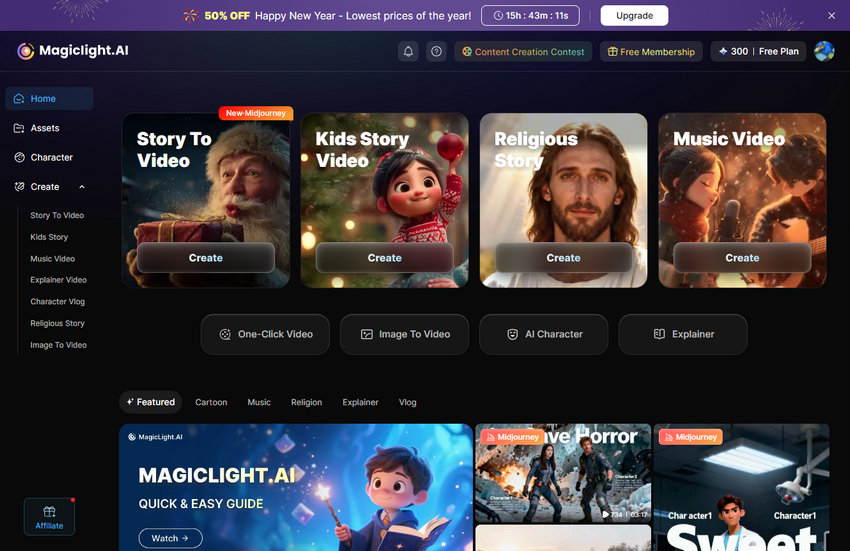
Is MagicLight AI Free or Paid?
MagicLight AI offers a comprehensive free trial that requires no credit card and carries no obligations. This trial is perfect for experiencing the content quality firsthand. It includes:
- Limited credits supporting 1-2 video generations.
- Access to the complete style library and all basic platform functionality.
- Full character consistency features, allowing you to see how your characters stay uniform across scenes before committing to a plan.
For users moving beyond the trial, here is the breakdown of the Yearly Plans:
To get the most value out of your chosen plan, it is important to understand how credits are utilized within the ecosystem.
- Consumption Dynamics: MagicLight AI doesn't charge a flat "per video" fee. Instead, credits are consumed based on the length, complexity, and resolution of your project. For instance, a simple 2D animation will cost significantly fewer credits than a high-resolution, hyper-realistic cinematic sequence.
- Transparent Processing: Credits are only deducted when the actual rendering process begins. To help you manage your budget, the platform provides detailed cost estimates before you commit to processing, ensuring there are no surprises.
- Refund Policy: Because generating high-fidelity AI video requires immediate and substantial server costs and computational resources, credits cannot be refunded once used. This policy ensures the platform can maintain its high-speed processing for all users.
Core Features of MagicLight AI: From Concept to Cinema
MagicLight AI isn’t just another video generator—it’s a full creative suite designed to simplify video production while giving creators professional-level control. Here’s what makes it stand out:
1. AI Story-to-Video: One Prompt, One Video
At the heart of MagicLight AI is its Story-to-Video feature. Instead of piecing together separate clips manually, you can feed in a prompt or full script, and the AI handles the rest. It can:
- Draft your screenplay using advanced language models like ChatGPT-5 or Gemini 3.
- Generate storyboards, giving you a visual roadmap of your story.
- Automate production, turning your script into a cohesive video in a single workflow.
2. Character Consistency Across Every Scene
Maintaining the same look and personality for characters across multiple scenes is a major challenge in AI video creation.
MagicLight AI solves this with its Character Consistency engine:
- Custom character casting: Upload a face or describe a character once, and the AI keeps their features, clothing, and personality consistent throughout long videos.
- Model-agnostic stability: Characters stay consistent no matter which video model you choose—Kling, Luma, or Sora.
3. Multi-Model Hub: All Your Tools in One Place
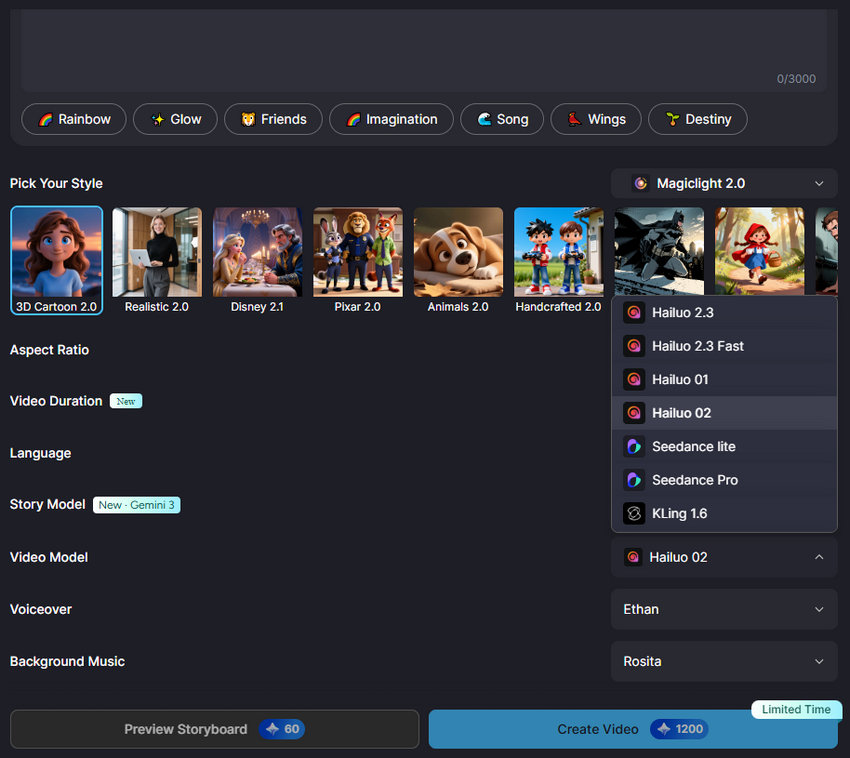
MagicLight AI serves as a central hub for powerful AI models, so you don’t need multiple subscriptions or platforms. Within the interface, you can switch seamlessly between:
- Video models like Kling 2.1, Hailuo 2.3 (MiniMax), Sora 2, and Luma Dream Machine.
- Language models such as ChatGPT-5, ChatGPT-4, and Gemini 3, useful for dialogue, world-building, and script refinement.
4. Long-Form Video Generation
Unlike most AI tools that focus on short clips, MagicLight AI is designed for long-form content:
- Extended duration: Supports continuous videos up to 50 minutes on all plans.
- Dynamic storytelling: Handles pacing, scene transitions, and narrative flow to create engaging episodes or short films.
5. Professional Creator Toolbox: Nano Suite
To help creators polish their videos, the platform includes the Nano Toolbox:
- Voice cloning & TTS: Give your characters distinct voices, or even clone your own for narration.
- AI image regeneration: If a frame doesn’t look right, you can regenerate it until it matches your vision.
- 1080P HD output: Videos render in high definition, watermark-free (for paid plans), ready for YouTube, TikTok, or commercial use.
6. Smart-Cut and Cinematic Controls
For those who want a more hands-on approach, MagicLight AI offers director-level editing tools:
- Camera movement: Add pans, tilts, and zooms for a cinematic feel.
- Advanced scene editing: Fine-tune individual scenes without regenerating the entire video, saving both time and credits.
Pros and Cons of MagicLight AI
When deciding whether MagicLight AI is the right tool for your video projects, it helps to weigh both the advantages and the limitations. Here’s a clear look at what works well and what might require extra consideration:
- One-Stop Video Creation: MagicLight AI lets you go from script to finished video in a single workflow. You don’t need to juggle multiple tools or stitch clips manually.
- Long-Form Video Support: Unlike most AI video tools limited to a few seconds, MagicLight AI can generate videos up to 50 minutes, making it suitable for short films, episodes, and extended content.
- Consistent Characters Across Scenes: Its Character Consistency engine ensures your characters look the same throughout the video, even when using different AI models. This solves a common problem in AI-generated content.
- Multi-Model Access in One Platform: Switch seamlessly between video models (Kling, Luma, Sora, Hailuo) and language models (ChatGPT-5, Gemini 3) without needing separate subscriptions.
- Professional Editing Tools: Features like voice cloning, TTS, AI frame regeneration, and camera movement give creators director-level control, so your videos feel polished and cinematic.
- Free Plan & Trial: MagicLight AI offers a free plan and a no-credit-card trial, making it easy to test the platform before committing to a paid plan.
- Costly Credits: The video generation process can be credit-intensive, leading to high costs.
- Resolution Limits: Videos are rendered up to 1080P HD. If you need higher resolutions (2K, 4K, or beyond), a third-party video upscaler is required.
- Inaccurate Generations: The AI can sometimes misinterpret prompts, resulting in inaccurate or frustrating video outputs.
- Quality Issues: Some users have reported that the animations do not work well and characters can change clothing or appearance within the same video.
- Learning Curve: While it is easy to get started, achieving desired results may require multiple attempts and detailed prompting.
MagicLight AI Alternatives
While MagicLight AI is a powerful all-in-one platform for Story-to-Video production, there are other tools on the market that may suit different needs, budgets, or creative styles. Here’s a look at some notable alternatives.
Runway
If MagicLight feels like an automated assembly line, Runway feels like a professional film studio.
Their "Motion Brush" is still the gold standard. If you want a specific cloud to move left while a cat jumps right, Runway gives you that surgical precision.
It doesn’t hold your hand through a 50-minute story like MagicLight does. You’ll be stitching clips together yourself, and it’s going to cost you both time and money. It’s for the perfectionists who want every frame to be a painting.

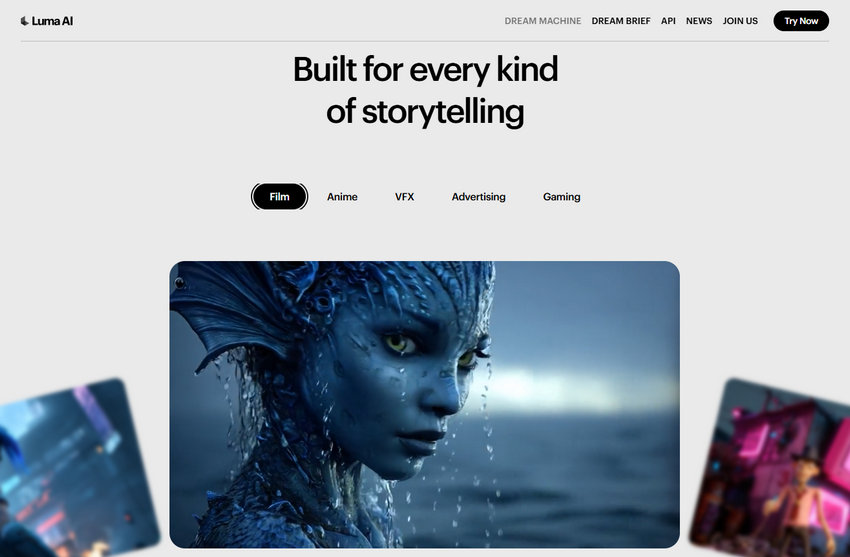
Luma Dream Machine
Luma is like that cool, artistic friend who’s a bit unpredictable but brilliant.
Its motion is incredibly fluid. While some AI video looks like a slideshow, Luma’s clips feel dreamy and cinematic.
It’s still mostly a "clip generator." Trying to keep a character consistent across a long story in Luma is like trying to herd cats. It’s a great "sidekick" tool to use alongside MagicLight, but it’s hard to use as your only storytelling platform.
LTX Studio
This is probably the closest direct competitor to MagicLight’s "Story-to-Video" approach.
LTX Studio gives you a full storyboard view. You can see the whole arc of your project at once and swap out camera angles or lighting for the entire scene with a single click.
It’s powerful, but it can feel a bit "technical." If you’re a visual thinker who loves storyboarding, you’ll love it. If you just want to write a prompt and see magic happen, it might feel like overkill.

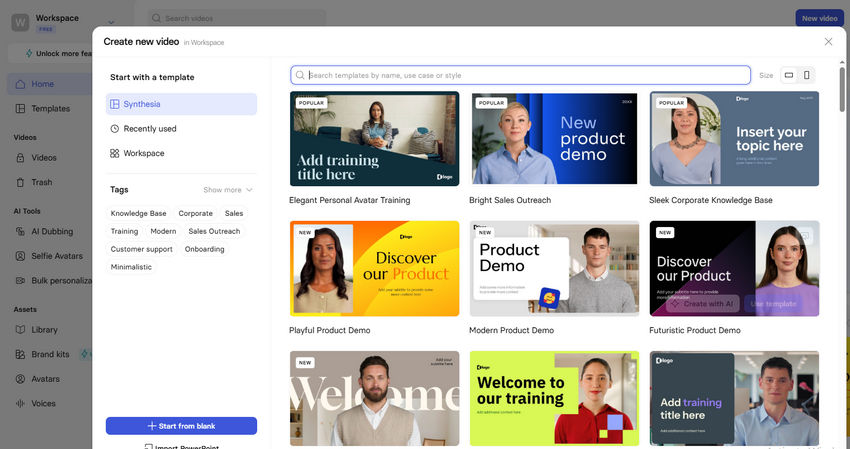
HeyGen or Synthesia
Let’s be real—sometimes your "long-form" video is just a guy in a suit explaining a tax code for 20 minutes.
If you don't need dragons or sci-fi landscapes and just need a realistic human avatar that speaks perfectly, don't bother with cinematic models.
They’re specialists. They do one thing (talking people) better than anyone else, but they can't build a cinematic world.
 FAQs
FAQs
MagicLight AI brings together a wide range of leading AI models, so you’re not locked into a single engine for every project. Depending on what you’re creating, you can switch between different models for story writing, video generation, and character consistency.
For story and script generation, MagicLight AI supports advanced language models including ChatGPT-4, ChatGPT-5, and Gemini 3, which are useful for everything from simple narratives to complex, multi-character plots.
On the video generation side, the platform integrates many of today’s most powerful models, such as Kling (1.6, 2.1, and 2.1 Master), Hailuo / MiniMax (01, 02, 2.3, and 2.3 Fast), Seedance Lite and Pro, Sora 2 and Sora 2 Pro, Veo (3.0, 3.0 Fast, 3.1, and 3.1 Fast), Wan 2.6, and MagicLight 1.0.
MagicLight AI includes an extensive and constantly growing style library, making it easy to match the visual tone of your story. Some of the most popular styles include:
- Realistic – Photographic-quality visuals for lifelike scenes
- 3D Cartoon – Colorful, dimensional designs with a playful feel
- Pixar-style – Warm, expressive animation inspired by modern animated films
- Disney-inspired – Classic animated storytelling aesthetics
- Anime – Japanese animation styles with strong visual identity
- Ghibli-inspired – Soft, magical visuals reminiscent of Studio Ghibli
- Kids Story – Optimized visuals for younger audiences
- Epic – Dramatic, cinematic presentations for grand stories
New artistic and cultural styles are added regularly, so creators always have fresh visual options to explore.
MagicLight AI is designed to be flexible, supporting a wide range of storytelling formats and genres. It works well for:
- Children’s stories with engaging characters
- Comedy and lighthearted content
- Educational and explainer videos
- Marketing and promotional videos
- Historical narratives
- Sci-fi and fantasy adventures
- Mystery and suspense stories
- Documentary-style content
Whether you’re working on a simple short story or a complex, multi-scene narrative with multiple characters, MagicLight AI adapts to different storytelling needs and creative goals.
You May Also Like


This post was written by Brenda Peng who is a seasoned editor at Digiarty Software who loves turning ordinary photos into extraordinary works of art. With AI assistance for brainstorming and drafting, the post is reviewed for accuracy by our expert Abby Poole for her expertise in this field.
