


Hi there! I'm Brenda Peng, and if you're anything like me, you've probably felt that dizzying sensation of falling behind the AI curve. Every few months, it seems like the best image generator gets totally replaced by something faster, smarter, and way more capable. The pace of AI evolution is truly staggering.
A couple of years ago, we were all thrilled just to get a decent, stylized fantasy scene. Now? We're way past that.
Moving Beyond the "Art"
I've been an editor in the digital art space for years, watching AI systems like Midjourney and DALL-E mature. For a long time, the focus was on turning text into artistic expressions—cool illustrations, neat cartoon styles, or vibrant digital paintings. That was fun, but the real revolution is happening now, and it's all about photorealism. We're talking about images that are truly indistinguishable from a picture taken with a high-end Canon or Nikon.
Why the shift? Because the demands of content creators and businesses have grown. They don't just need a pretty picture; they need a perfect product shot, a hyper-realistic architectural mockup, or a believable human portrait.
What Does "Realistic" Actually Mean in AI?
When we talk about realism in AI image generation, we're not just looking for a fuzzy, almost-right picture. We're setting a high bar. A truly realistic image needs to nail three critical components:
- Correct Anatomy: This is the famous "hands and teeth test." Early AI models failed miserably here, giving us six fingers or distorted faces. Modern photorealistic models, particularly those like Nano Banana/Imagen, have largely conquered this foundational challenge.
- Perfect Lighting and Texture: A realistic image must render volumetric lighting that interacts naturally with surfaces. Look for things like tiny pores on skin, the reflective quality of wet pavement, or the soft focus of bokeh (the beautiful blur in the background).
- Prompt Adherence: This is crucial. A great tool won't just produce a pretty picture; it produces the exact picture you described—down to the specific lens and film stock you requested.
The tools available today are producing imagery that is both amazing and, frankly, a little scary. They've moved from being fun toys to becoming essential, high-stakes creative tools.
Our Mission: Simplifying the AI Landscape
Ready to stop scrolling through endless Reddit threads and start creating your own stunning, hyperrealistic visuals? That's exactly what this article is for. The landscape can feel overwhelming, so we've done the heavy lifting for you.
We've simplified the current field of players and narrowed it down to our top 5 tools that consistently deliver true hyperrealism. We're going to walk you through exactly which generator excels at cinematic quality, which is best for human detail, and which offers the safest ethical sourcing.
Let's dive into the contenders and find the perfect AI partner for your next photorealistic project!
1. Midjourney: The King of Cinematic Quality
If you've spent any time at all browsing AI creations, you know the name Midjourney. While other tools might feel more like clinical processors, Midjourney has always maintained a signature aesthetic—a kind of moody, high-production, cinematic finish that just oozes quality. It's what initially made the platform feel more like a collaborator than a simple engine.
But with its latest version, Midjourney didn't just maintain its artistic edge; it fully conquered photorealism.
The major turning point came with Midjourney V6 (and subsequent V6.1 minor releases). Before this, you often had to use very long, convoluted prompts to get anything resembling a real photo. V6 fundamentally changed the game:
Subtle Lighting & Textures: The new model excels at rendering subtle, volumetric lighting. This means the light behaves exactly as it would in a real photography studio, casting soft shadows, creating beautiful specular highlights on polished surfaces, and handling the natural depth of field (bokeh) that photographers obsess over.
Case Study: Product Photography: This level of control makes Midjourney an absolute powerhouse for commercial work. Need a hyper-realistic shot of a luxury watch resting on marble, with diffused sunlight catching the bezel? Midjourney handles the glass refraction, the metallic texture, and the background blur flawlessly. It's often indistinguishable from a picture taken with a $10,000 professional setup.
Prompt Precision: V6 responds beautifully to precise, shorter prompts. You can now direct the AI with exact photographic terminology, like requesting a "85mm prime lens, F/1.4 aperture, shot on Kodak Portra 400 film stock."
Pros and Cons of Midjourney
- Unmatched Aesthetic Quality: Delivers a superior cinematic, high-production, and polished look.
- Advanced Composition: Excels at complex framing, volumetric lighting, and deep field effects (bokeh).
- Photographic Control: Highly responsive to professional photography terms (lens, aperture, film stock).
- Strong Artistic Vision: Ideal when the primary goal is a compelling, high-end artistic result.
- Steep Prompting Curve: Requires users to adapt to a new, minimalist, and precise prompting style for optimal results.
- Ethical/Privacy Concerns: Images are public by default on standard subscription tiers, posing an issue for proprietary commercial work.
- Limited Utility Focus: Historically less focused on functional details like text rendering or simple edits.
- Midjourney remains the top choice if your number one priority is achieving a polished, high-end look that feels ready for a magazine cover or a film still.
2. Nano Banana Pro / Google Imagen: Best for Free and Flawless Details
While Midjourney focuses on cinematic artistry, Google's latest image offering, Nano Banana Pro (powered by the Gemini 3 Pro model), is establishing itself as the undisputed champion of functional precision and detailed utility. It's the engine you turn to when your image needs to be technically flawless, factually accurate, or contain perfectly rendered text.
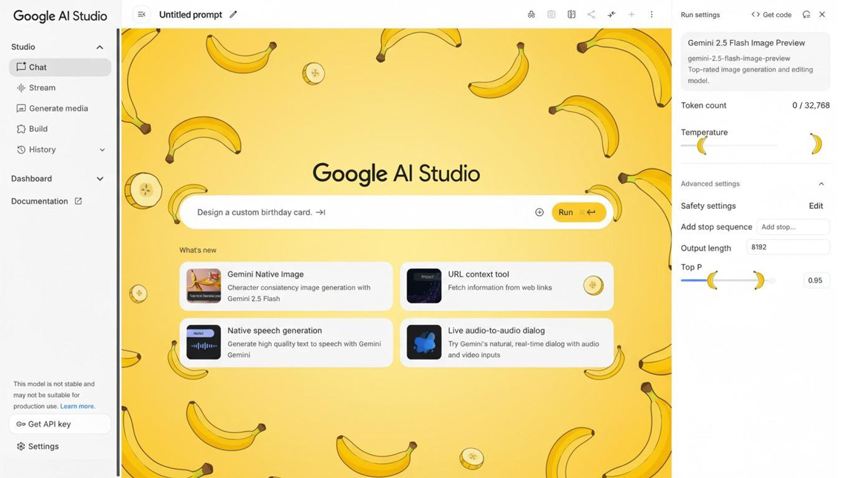
Nano Banana Pro marks a generational leap in several technical areas, moving the tool from simple creative fun to professional asset production:
- Text Rendering Revolution: For years, embedding legible text into AI-generated images was the ultimate hurdle. Nano Banana Pro has cracked this, generating clean, stylized, and accurate text for everything from infographics and signs to logos and social media posts.
- Character and Identity Consistency: The model excels at "identity locking" and maintaining the consistent likeness of a subject across multiple images or edits, a crucial feature for commercial storyboarding and character development. It is notably better at generating believable, consistent human faces.
- 4K Upscaling and Restoration: Nano Banana Pro includes a robust upscaling system that doesn't just sharpen edges but rebuilds textures, enhances lighting, and resurrects details in low-quality or severely damaged input images, making it a powerhouse for professional photo restoration.
Pros and Cons of Nano Banana Pro
- Perfect Text Rendering: Industry-leading accuracy and style control for embedded text, logos, and infographics.
- Functional Precision: Excels at technical outputs like diagrams, floorplans, and product mockups.
- Superior Consistency: Best-in-class for maintaining character identity and likeness across scenarios.
- Powerful Editing: Highly effective conversational editing, 4K upscaling, and photo restoration.
- Transparency: Images are automatically watermarked using SynthID.
- Access Limitations: While often accessible for free, the daily usage limits for free tiers can fluctuate frequently.
- Less Artistic Signature: While capable of photorealism, it sometimes lacks the distinct "cinematic signature" aesthetic often associated with Midjourney.
3. Flux AI (Flux 2 / Flux Kontext Max): The Rising Star for Human Portraits
Developed by Black Forest Labs, the Flux AI family—especially the high-end Flux 2 Pro and the editing-focused Flux Kontext Max—has rapidly established itself as a top-tier choice for professional work, challenging the established leaders in areas demanding control and consistency, particularly with human subjects.
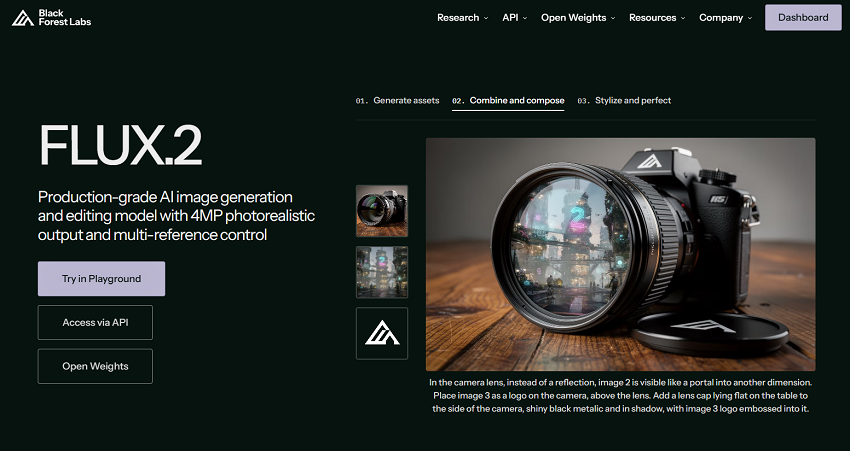
Flux AI differentiates itself through a highly optimized architecture (a 32-billion-parameter rectified-flow transformer paired with a Mistral VLM) that prioritizes control, speed, and photorealistic detail, making it a favorite for developers and agencies.
- Human and Portrait Realism: Flux is widely recognized for generating exceptionally realistic and consistent human portraits. It has advanced capabilities for identity locking across multiple shots and is superior at preserving geometry and context, even when performing significant edits like changing outfits, poses, or backgrounds.
- Multi-Reference Consistency: A powerful feature in Flux 2 is its ability to accept up to ten reference images simultaneously. This allows users to lock in a specific character's identity, a product's style, or a complex visual theme across a sequence of generations, offering a level of control unmatched by its competitors for commercial storytelling.
- Editing-First Design: Models like Flux Kontext Max are explicitly designed for high-fidelity, text-guided image editing, making it an excellent tool for complex touch-ups, inpainting, and outpainting on resolutions up to 4 megapixels (MP).
Pros and Cons of Flux AI
- Superior Human Consistency: Best-in-class for generating and maintaining a specific character's identity and likeness across multiple images.
- Editing Expertise: Highly capable at precise, text-based local editing and high-resolution image manipulation (up to 4MP).
- Multi-Reference Input: Unique ability to use up to 10 reference images to lock in style, character, or product details.
- Developer Focus: Offers open-weight models (Flux 2dev) and an API-first approach, perfect for custom workflows and integrations.
- High Cost/Complexity: The most powerful models (Max/Pro) are credit-intensive and the platform's focus on control means a potentially steeper learning curve than conversational tools.
- Aesthetic Variability: While highly realistic, the output sometimes lacks the inherent "cinematic magic" or stylistic opinion of Midjourney.
- VRAM Demanding: Open-source versions of the latest models require significant VRAM, putting them out of reach for most consumer-grade GPUs.
4. DALL-E 3 (via ChatGPT/GPT-4o): Best for Detailed Prompt Coherence
DALL-E 3, primarily accessed through the conversational interface of ChatGPT (especially with GPT-4o), doesn't just generate images—it interprets complex stories. Unlike models that require users to master specific technical terminology, DALL-E 3 leverages the deep natural language understanding of its underlying Large Language Model (LLM) to achieve near-perfect prompt coherence.
The core innovation of DALL-E 3 is its ability to translate long, multi-faceted prompts into accurate visual elements. If a user describes "A surrealist painting of an astronaut drinking coffee on a pink zebra, with a tiny medieval castle visible in the background reflection of the coffee cup," DALL-E 3 excels at placing all those disparate elements correctly, a task that often confuses other generative AIs.
- LLM Integration: When you type a prompt into ChatGPT, the LLM first refines and expands your description into a highly detailed, machine-optimized prompt, ensuring maximum fidelity to your original creative vision.
- This collaborative refinement process guarantees that even casual users get professional-grade results.
- Ideal for Conceptual Art and Logos: This interpretive power makes DALL-E 3 the top choice for complex conceptual art, visual jokes, storyboarding, and preliminary logo and design work where specific, multi-step instructions must be followed precisely.
Pros and Cons of DALL-E 3 (via ChatGPT/GPT-4o)
- Superior Prompt Coherence: Excels at translating long, complex, multi-clause prompts with high fidelity.
- Ease of Use: Conversational access via ChatGPT makes it highly accessible for casual users, requiring no technical prompting skill.
- Creative Refinement: The integrated LLM (GPT-4o) helps refine and expand initial ideas automatically.
- Good for Abstract & Conceptual Art: Handles generating images based on abstract ideas, symbols, and metaphors effectively.
- Variable Photorealism: While capable, it sometimes struggles to achieve the ultra-realistic, subtle lighting and texture of Midjourney.
- Lower Resolution Output: Base generations are often at lower resolutions compared to competitors, requiring upscaling for high-end use cases.
- Subscription Required: Access to DALL-E 3 typically requires a paid subscription to ChatGPT Plus or Pro.
5. Adobe Firefly: Best for Professional Workflows and Ethical Sourcing
Adobe Firefly is not merely an image generator; it is a full-fledged, commercially-focused generative AI service built directly into the creative supply chain. Its primary value proposition for professionals lies in its commitment to ethical data sourcing and its seamless integration with the Adobe Creative Cloud ecosystem. For businesses and agencies, Firefly offers the crucial peace of mind that comes from IP indemnification and transparent content provenance, making it the most trusted tool for turning AI concepts into production-ready assets.
Firefly's core design principles prioritize legal safety and efficient workflow management:
- Rights-Cleared Training Data: Firefly models are trained exclusively on licensed content from Adobe Stock, openly licensed works, and public domain images where copyright has expired. This prevents content creation that infringes on third-party rights and is a major differentiator in commercial contexts.
- Seamless Workflow Integration: The technology is integrated directly into Adobe's flagship products (like Generative Fill in Photoshop and Generative Recolor in Illustrator), eliminating the need to leave the professional creative environment.
- IP Indemnification: For enterprise and qualifying Creative Cloud users, Adobe offers IP indemnification for content generated using Firefly, providing strong legal protection against potential copyright claims.
- Content Provenance: Every image generated by Firefly is automatically tagged with Content Credentials (C2PA metadata), ensuring transparency by providing origin and editing history.
- Custom Brand Models: Businesses can train Firefly Custom Models on their proprietary assets, guaranteeing all AI outputs adhere to strict brand guidelines and visual consistency.
Pros and Cons of Adobe Firefly
- Commercial Safety & IP Indemnification: Highest level of legal and commercial safety due to rights-cleared training data.
- Native CC Integration: Deeply embedded tools (Generative Fill, Generative Expand) streamline workflows within professional Adobe applications.
- Content Provenance: Automatically applies C2PA Content Credentials for complete transparency.
- Automation & Scaling: APIs and services designed to automate bulk actions and scale asset variations for large campaigns.
- Aesthetic Variability: While highly capable of photorealism, the artistic output can sometimes feel more "stock photography" and less stylized than the cinematic results from Midjourney.
- Subscription Required: Full commercial and integration benefits are tied to paid Creative Cloud or Enterprise subscriptions.
- Learning Curve for Control: Harnessing its full power, especially with reference images and compositional controls, requires familiarity with the Adobe ecosystem.
How to Generate Hyper-Realistic AI Images (A Pro Tutorial)
The Anatomy of a Perfect Realistic Prompt
Generating truly hyper-realistic images that resemble high-end photography requires moving beyond simple descriptions. You must learn to "speak photographer" to the AI. A perfect prompt is less of a sentence and more of a structured formula composed of four essential elements.
1. The Subject & Action (The Core)
This is the central focus of your image. Be specific, detailing the material, state, or small actions of the subject.
Example Core: A lone hiker silhouetted against a mountain peak.
2. The Environment & Context (The Scene)
This provides the setting, atmosphere, and time of day, which fundamentally dictates the quality of the light.
Example Context: ...at sunset, light snow beginning to fall, deep blue and orange palette.
3. Photographic Specifications (The Realism Levers)
This is the most critical component for achieving realism, as it tells the AI exactly how the image should have been captured by a physical camera.
Example Specs: ...shot on a Fujifilm XT-4, 35mm lens, F/2.8, deep focus, cinematic lighting.
4. Style & Polish Modifiers (The Final Touch)
These keywords add the professional, editorial veneer that separates a generic render from a magazine-quality photograph.
Example Modifiers: ...ultra-detailed, environmental portrait, high-quality professional photography.
THE COMPLETED PROMPT TEMPLATE: Subject & Action, Environment & Context, Photographic Specifications, Style & Polish Modifiers
Final Combined Example: A lone hiker silhouetted against a mountain peak, at sunset, light snow beginning to fall, deep blue and orange palette. Shot on a Fujifilm XT-4, 35mm lens, F/2.8, deep focus, cinematic lighting. Ultra-detailed, environmental portrait, high-quality professional photography.
Iteration and Refinement Techniques
Even with a perfect initial prompt, a critical part of achieving mastery involves knowing how to coax the exact image you want out of the AI through iterative refinement. This process saves time and allows you to make precise, localized adjustments without re-rolling the entire concept.
Leveraging Control Tools for Consistency
These methods are essential for locking in a good composition while experimenting with minor changes:
- The Power of the Seed: Every image generation is based on an initial "seed" number. If your first generation gives you a composition (e.g., subject placement, camera angle) that you love, immediately capture that image's seed value (--seed [number]). By running the exact same prompt with the seed, you guarantee the composition remains locked, allowing you to tweak elements like the lighting, time of day, or stylistic keywords without losing the core structure.
- Regional Refinement (Vary Modes): Tools like Midjourney's Vary (Region) or DALL-E 3/Firefly's inpainting masks are crucial. If the hand or face of your subject is slightly off, use these tools to selectively re-prompt only that small area. This preserves the surrounding realism while giving you a chance to fix minor, high-detail flaws.
- Negative Prompting (--no): While modern models are less reliant on this, negative prompts are the fastest way to eliminate common flaws. If you notice unwanted artifacts, blurriness, or excessive stylization, append a negative instruction. Example Keywords: --no blur, grain, artifacts, noise, amateur, deep-fried
Extending the Canvas (Outpainting and Expanding)
Sometimes, the final image is perfectly realistic but simply too close or too narrow. Outpainting features allow you to expand the background or change the aspect ratio while maintaining the established photorealism.
- Generative Expand (Adobe Firefly/Nano Banana Pro): These features let you select an aspect ratio (e.g., from a square 1:1 to a cinematic 16:9) and fill in the newly created space with contextually appropriate and realistic background details.
- Conversationally Extending: For tools like DALL-E 3, you can use a conversational prompt: "Take this image and expand the scene to the left, showing a vintage 1950s car driving by." The LLM ensures the newly generated background matches the existing style and photorealism seamlessly.
Key Considerations Before Choosing a Generator
With so many powerful generative models on the market, the "best" tool often depends on your specific use case, technical skill, and ethical requirements. Before committing to a platform, evaluate your needs against the following key considerations:
Commercial Use and IP Safety
For any professional work intended for publication, advertising, or client delivery, legal security and intellectual property (IP) peace of mind are paramount.
- Priority: IP Indemnification: If you are a business or agency and need legal assurance that your generations are safe from copyright claims, Adobe Firefly is the clear industry leader due to its training data being restricted to rights-cleared content and public domain images, often paired with IP indemnification for enterprise users.
- Priority: Provenance and Transparency: If you need to prove the origin and editing history of the asset, Firefly's automatic Content Credentials (C2PA) tagging is essential for maintaining trust.
- High Risk: Be cautious with models that use public, opt-out datasets, as the legal liability for commercial use can fall entirely on the user.
Aesthetic Style vs. Technical Utility
Your primary objective—creating a beautiful picture versus creating a functional asset—should guide your choice.
- Choice for Cinematic Style: If your goal is high-end, artistic, moody, cinematic photorealism, Midjourney remains the top contender. Its focus on light, composition, and aesthetic polish is unmatched.
- Choice for Technical Utility: If your image requires perfect, accurate embedded text, technical diagrams, product mockups, or reliable photo restoration, Nano Banana Pro (Google Imagen) or Adobe Firefly are the preferred tools.
Consistency and Character Control
Generating a single realistic image is one thing, but creating a sequence of images featuring the same person, product, or setting requires specialized control.
- Best for Character Consistency: Flux AI (Flux 2 Pro) and Nano Banana Pro excel at "identity locking," ensuring a subject's likeness remains stable across various poses, lighting conditions, and scenes—a must for comic artists, animators, and commercial storyboarding.
- Best for Style Consistency: For locking in a specific non-human style or theme across multiple shots using reference images, Flux AI's multi-reference capability offers the highest degree of control.
Ease of Use and Speed
If you are a beginner, a casual user, or need quick, conversational results, technical prompting complexity can be a barrier.
- Easiest On-Ramp: DALL-E 3 (via ChatGPT) provides the best user experience for beginners, as the underlying LLM handles prompt optimization and expansion, turning simple ideas into complex visual concepts with high fidelity and zero technical jargon required from the user.
- Fastest Iteration: Models that offer inpainting (regional variation) and direct editing within the interface (like Adobe Firefly) can drastically reduce the time needed for final touch-ups compared to re-rolling the entire image repeatedly.
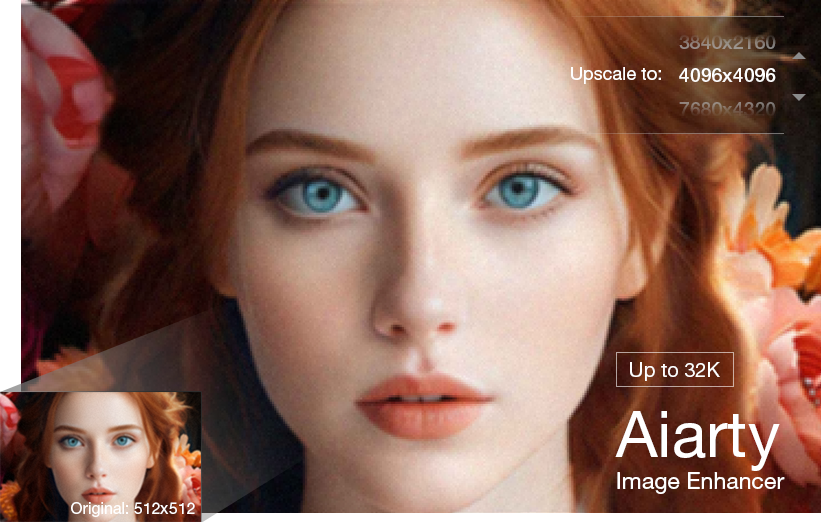
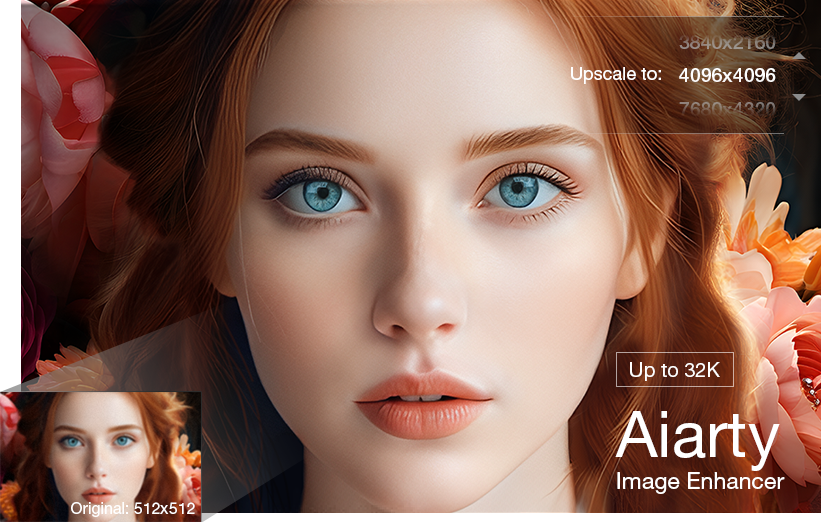
While the generative models listed above excel at creating the content and style of the image, they often deliver a final resolution that is insufficient for large-scale prints, high-DPI displays, or professional stock libraries. This is where dedicated image enhancement software like Aiarty Image Enhancer provides critical value as a final step.
Unlike the simple upscaling features built into generative platforms (which often just stretch pixels), Aiarty utilizes highly sophisticated, specialized AI models trained specifically for:
- True Detail Reconstruction: Aiarty doesn't just sharpen; it intelligently rebuilds complex textures, fine lines, and microscopic details (like fabric weaves or skin pores) that are often lost or blurred during the initial AI generation process. This is the difference between an image that looks "digital" and one that truly looks "photographic" at a high resolution.
- Artifact and Noise Removal: Dedicated enhancers are superior at eliminating common AI-related flaws, such as subtle compression artifacts, digital noise, and the slight geometric distortions that even the best generators occasionally produce.
- High-Ratio Upscaling: Aiarty can reliably scale images 4x, 8x, or even 16x larger than the original generation (e.g., turning a 1-megapixel image into a 16-megapixel asset) while actively enhancing quality, making the output ready for any professional use case.

Final Verdict & Your Next Step
Choosing the ultimate hyper-realistic image generator is not about finding one "best" tool, but finding the one that perfectly aligns with your workflow, budget, and creative ambitions. All five contenders reviewed here are industry leaders, but they specialize in different outcomes.
Here is your final decision guide:
- Choose Midjourney if... You prioritize cinematic quality, volumetric lighting, and a polished, artistic final aesthetic. You are comfortable with technical prompting.
- Choose Adobe Firefly if... Commercial safety, IP indemnification, integration with Photoshop, and content provenance (C2PA) are non-negotiable requirements for professional agency work.
- Choose Nano Banana Pro / Google Imagen if... You require flawless, embedded text in your images, or your focus is on technical accuracy, consistency, and powerful editing tools like 4K upscaling.
- Choose Flux AI if... You need the absolute best character consistency for human subjects across multiple images and require advanced multi-reference input for complex creative projects.
- Choose DALL-E 3 (via ChatGPT) if... You want the easiest, most conversational user experience, where the LLM does the heavy lifting to interpret highly complex or abstract prompts into high-fidelity visuals.
The true pro tip? Don't limit yourself to one. Many professional AI artists use a hybrid approach—generating the core composition in Midjourney or Nano Banana Pro, then taking the result into Adobe Firefly for precise Generative Fill edits and final commercial preparation, and then finally passing it through a dedicated upscaler like Aiarty Image Enhancer for ultimate, print-ready resolution and detail.
Your next step is to pick the tool that matches your highest priority and dive in! Experimentation is the fastest route to mastery.
You May Also Like


This post was written by Brenda Peng who is a seasoned editor at Digiarty Software who loves turning ordinary photos into extraordinary works of art. With AI assistance for brainstorming and drafting, the post is reviewed for accuracy by our expert Abby Poole for her expertise in this field.
