


The stunning clarity and detail of 4K Ultra HD video have become the new standard for home entertainment. However, simply having a 4K monitor or TV isn't enough; you need the right software to handle the intensive demands of high-resolution, high-bitrate video files, often encoded in complex codecs like HEVC (H.265), VP9, or AV1.
Generic, built-in media players often struggle with these demands, leading to frustrating stuttering, washed-out HDR colors, or outright file incompatibility. Choosing a specialized 4K video player that leverages your graphics card's hardware acceleration is essential for a smooth, true-to-life viewing experience.
This guide breaks down the 10 best options available today—from free, versatile open-source solutions like VLC and mpv to premium, feature-packed media centers like CyberLink PowerDVD and Plex. We'll cover the features, pros, and cons of each to help you find the perfect match for your Windows, macOS, or multi-platform setup.

1. VLC Media Player
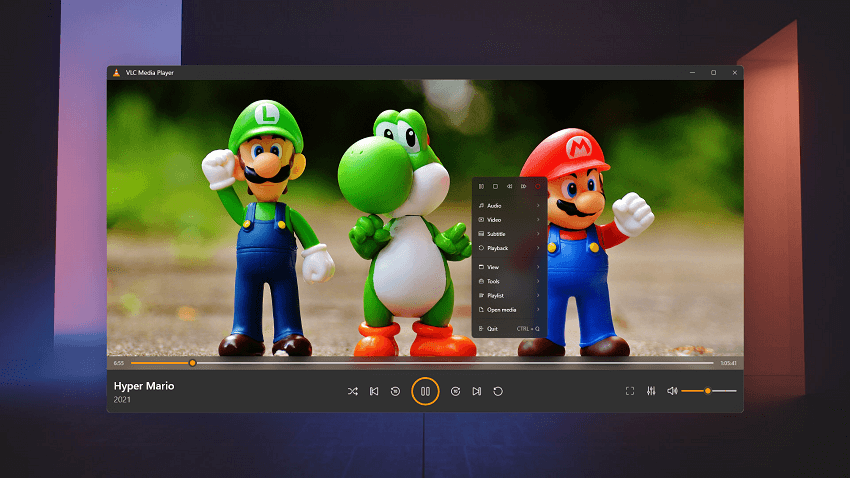
VLC Media Player, developed by the VideoLAN project, is one of the most widely used, free, and open-source cross-platform media players in the world. It has a long-standing reputation for being a "play-anything" solution that rarely encounters codec issues.
Key Features
- Universal Format Support: VLC is famous for playing almost any media file format, codec, or streaming protocol without requiring external codec packs.
- Hardware Decoding: It supports robust hardware acceleration across all major platforms, which is essential for smooth 4K playback. This feature usually needs to be enabled or verified in the preferences menu.
- Streaming Capabilities: It can play files directly from local networks, web URLs, and even convert or stream media files over a network.
- Customization: Offers a vast array of configuration options, including audio equalizers, subtitle syncing controls, video effects, and interface skins.
- Lightweight: Despite its power, the basic player remains relatively lightweight and low on system resources when idling.
- Free and Safe: No hidden costs, ads, or spyware.
- Exceptional Format Support: Truly plays almost everything you throw at it, including niche formats.
- Cross-Platform Availability: Works consistently across all major operating systems.
- Active Development: Constantly updated to support new codecs (like AV1) and fix bugs.
- Basic Interface: The default user interface is functional but looks dated compared to modern commercial software.
- HDR Tone Mapping: While it supports HDR, its tone mapping isn't always perfect and may sometimes appear washed out on some displays compared to dedicated HDR players.
- Configuration Required: For optimal 4K/HDR performance, users often need to manually adjust settings for hardware acceleration or video output modules.
- Potential Performance Issues on Older Hardware: While acceleration helps, VLC might struggle with extremely high-bitrate 4K videos on very old CPUs without capable GPUs.
2. PotPlayer
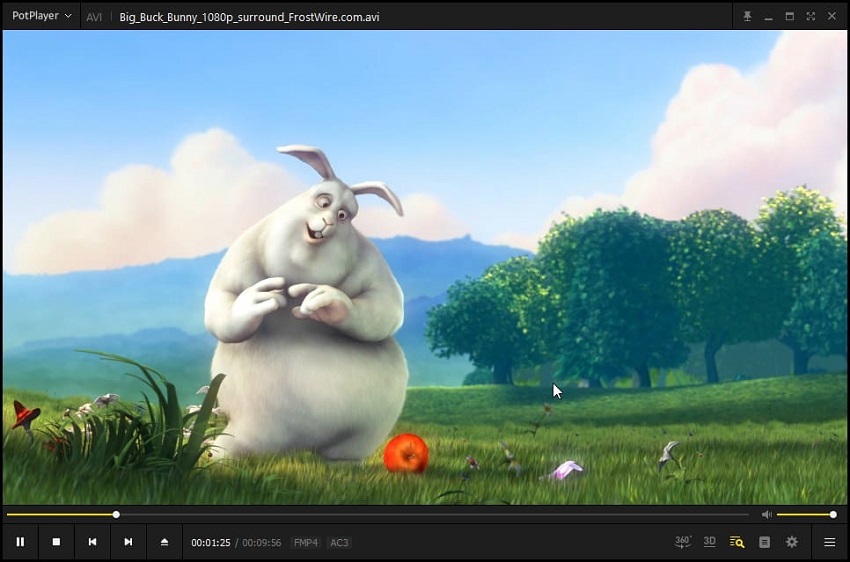
PotPlayer is a free, feature-packed multimedia player for Windows developed by a South Korean internet company, Kakao. It is highly regarded in the enthusiast community as arguably the best Windows-based 4K video player, known for its superior performance and immense customization options.
Key Features
- Superior Performance: PotPlayer is highly optimized for performance, handling high-bitrate 4K, 8K, and 60fps video files with less strain on system resources than many competitors.
- Extensive Customization: It offers a staggering level of control over video playback, audio settings (including a robust equalizer), subtitles, screen captures, and hotkeys.
- Hardware Acceleration Integration: Seamlessly utilizes NVIDIA CUDA, Intel Quick Sync Video (QSV), and DXVA for smooth hardware-accelerated decoding.
- 3D and 360-Degree Video Support: Includes built-in support for various 3D viewing modes and playback of immersive 360-degree video content.
- Built-in Codecs: Comes with a comprehensive set of built-in codecs, reducing the need for external installations.
- Best Performance on Windows: Often cited as the smoothest player for high-bitrate 4K files.
- Highly Configurable: Appeals to power users who want granular control over their viewing experience.
- Excellent HDR Handling: Offers superior color and HDR tone mapping capabilities when configured correctly.
- Lightweight Interface: The basic interface is clean and doesn't clutter the screen.
- Windows Only: Not available for macOS or Linux users.
- Overwhelming Settings: The sheer volume of options and settings can be intimidating for casual users.
- Minor Ad-ware in Installer: The free installer sometimes includes optional third-party software (which can be easily deselected during installation).
3. 5KPlayer
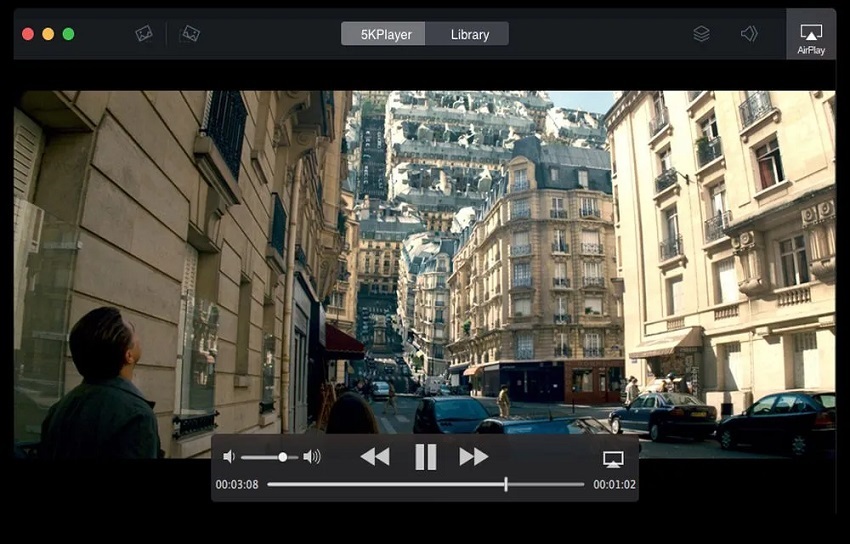
5KPlayer is a free multimedia player that positions itself as more than just a local video player; it acts as a hub for local 4K/8K playback, online streaming, and media sharing using built-in AirPlay and DLNA capabilities.
Key Features
- Integrated Streaming: Features built-in AirPlay and DLNA wireless stream technology, allowing you to easily stream 4K content from your mobile device to your PC/Mac or vice-versa.
- Online Video Downloader: Includes a useful feature to download videos from popular sites like YouTube, Vimeo, and more, in their original 4K resolution if available.
- Hardware Acceleration Focus: Puts a strong emphasis on utilizing hardware acceleration effectively to ensure smooth playback of very demanding video formats (4K, 8K, HDR).
- Radio Player: Includes a built-in internet radio player with preset stations.
- Clean Interface: Offers a modern, clean user interface that is easy to navigate.
- Multi-functional: Combines a powerful 4K player with streaming and downloading tools.
- Smooth 4K/8K Playback: Excellent at leveraging system hardware for smooth performance.
- Easy Media Sharing: AirPlay/DLNA functionality is a major convenience for modern smart homes.
- Modern Interface: Visually appealing and user-friendly interface.
- Software Bundle in Installer: Like many free programs, the installer may offer bundled software during installation (which can be opted out of).
- Less Advanced Settings than PotPlayer/VLC: While user-friendly, it lacks some of the deep, granular customization options that power users prefer.
- Prompts for Registration: Periodically asks users to register (for free) to continue using all features without interruption.
4. KMPlayer
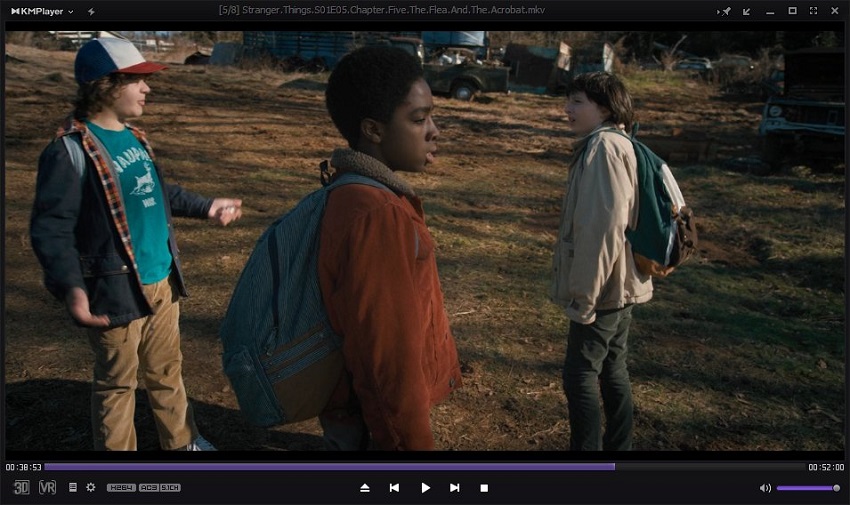
KMPlayer (KMP) is a long-established, highly versatile freeware media player for Windows, Mac, and mobile devices. It is known for its ability to play virtually any media format thanks to its own internal codecs, handling high-resolution content like 4K, 8K, and 60fps video efficiently.
Key Features
- Internal Codecs System: KMPlayer includes most of the necessary codecs internally, meaning you usually don't need to install external codec packs to play obscure files.
- High-Resolution Support: Explicitly optimized for 4K, 8K UHD resolutions, and even 60fps and 3D video playback.
- Video Capture/Screen Recording: Allows users to capture video frames or segments of the playing video.
- Advanced Subtitle Control: Offers fine-grained control over subtitles, including synchronization, coloring, and placement.
- Cloud Integration: The mobile versions offer KMP Connect, allowing users to stream media stored on their PC to their phone.
- Versatile Format Support: Extremely reliable for playing all kinds of files without errors.
- Optimized Performance: Handles demanding 4K content smoothly, especially with hardware acceleration enabled.
- Multi-Platform: Available on both desktop and mobile ecosystems.
- Customizable Look: Supports skins and visualizations to tailor the appearance.
- Contains Advertisements: The desktop application includes banner ads within the interface, which can be distracting.
- Windows Focus: While a Mac version exists, the Windows version receives the most frequent updates and advanced features.
- Installation Bundles: The installer may attempt to install third-party software, requiring user attention during setup.
- Less frequent updates: Updates have been less consistent in recent years compared to VLC or PotPlayer.
5. Plex
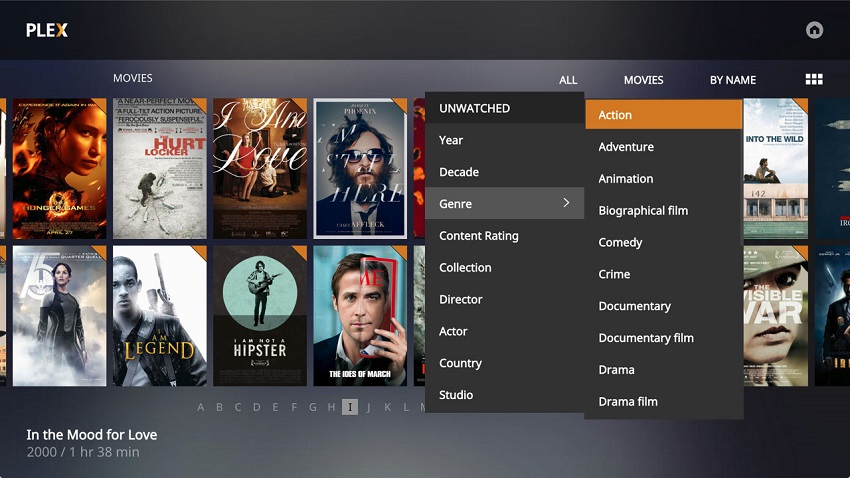
Plex operates differently from the standalone players mentioned previously. It is primarily a client-server media management system designed to organize vast media libraries (movies, TV shows, music, photos) and stream them to virtually any device. While it functions as a 4K player, it's best utilized as a comprehensive ecosystem.
Key Features
- Media Organization & Library Management: Plex automatically sorts your media files, adds cover art, descriptions, ratings, and other rich metadata, creating a Netflix-like interface for your own content.
- Client-Server Architecture: Your main computer acts as a Plex Media Server, which can then stream your 4K content to any compatible device in your home or remotely over the internet.
- Direct Play: If your client device supports the specific 4K codec and format (e.g., HEVC), Plex plays the file directly without modification, ensuring full quality.
- Hardware Transcoding (Plex Pass Feature): If a client device cannot play the 4K file directly (e.g., streaming 4K to a smartphone), the server uses hardware acceleration (GPU) to convert the video in real-time. This is vital for multi-device households.
- Live TV & DVR: With a compatible tuner and antenna, Plex Pass subscribers can watch and record live high-definition TV.
- Best Library Experience: Unmatched organization and beautiful, consistent interface across all devices.
- Versatility: Access your 4K content anywhere, anytime, on almost any screen.
- Remote Streaming: Excellent for managing and watching media away from home.
- Metadata and Extras: Provides a rich viewing experience with trailers, extras, and detailed information.
- Complexity vs. Standalone Players: Requires setting up a server application, which is more involved than just opening a file in VLC.
- Hardware Transcoding Costs: To fully leverage hardware acceleration for diverse device compatibility, the recurring cost of a Plex Pass subscription is necessary.
- Potential Transcoding Issues: If the server tries to transcode 4K HDR content incorrectly, it can sometimes wash out the colors or put immense strain on the CPU without a pass.
- Internet Dependency: Relies somewhat on internet connectivity for metadata fetching and account login, even for local playback.
6. CnX Player
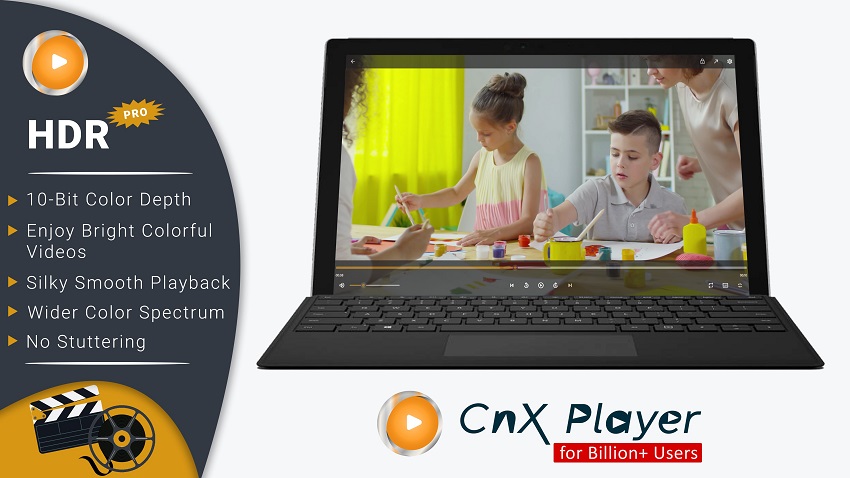
CnX Player is a modern media player designed specifically to deliver a high-quality, smooth 4K viewing experience, placing a strong emphasis on hardware efficiency and true 10-bit HDR color fidelity. It aims for simplicity and performance across various operating systems.
Key Features
- Optimized for True HDR: A standout feature is its focus on accurate and true color rendering for 10-bit HDR video playback, avoiding the washed-out look that generic players sometimes produce.
- Hardware Efficiency: Built around highly optimized hardware decoding engines that leverage Intel, NVIDIA, and AMD GPUs effectively, ensuring minimal CPU usage during 4K playback.
- Intuitive UI: Designed with a clean, easy-to-use interface that is consistent across desktop and mobile platforms.
- Casting Support: Easily casts videos to larger screens via Chromecast, Apple TV, Xbox, etc.
- Subtitle & Audio Track Management: Simple tools for adding and syncing external subtitles and switching between multiple audio tracks.
- Excellent HDR Color Accuracy: A reliable choice if correct HDR display is a top priority.
- Efficient Resource Usage: Very smooth playback even on mid-range hardware due to strong hardware acceleration integration.
- Cross-Platform Consistency: The experience is similar whether you are on Windows, Mac, or a mobile device.
- Simple and Clean: Focuses purely on playback without excessive bells and whistles.
- Fewer Customization Options: Lacks the deep configuration menus available in players like PotPlayer or VLC.
- Pro Version Upsell: Certain advanced features (like some casting options or ad removal) may require upgrading to the paid "Pro" version.
- Less Known than Competitors: A smaller user base means fewer community resources or troubleshooting guides compared to VLC.
7. CyberLink PowerDVD
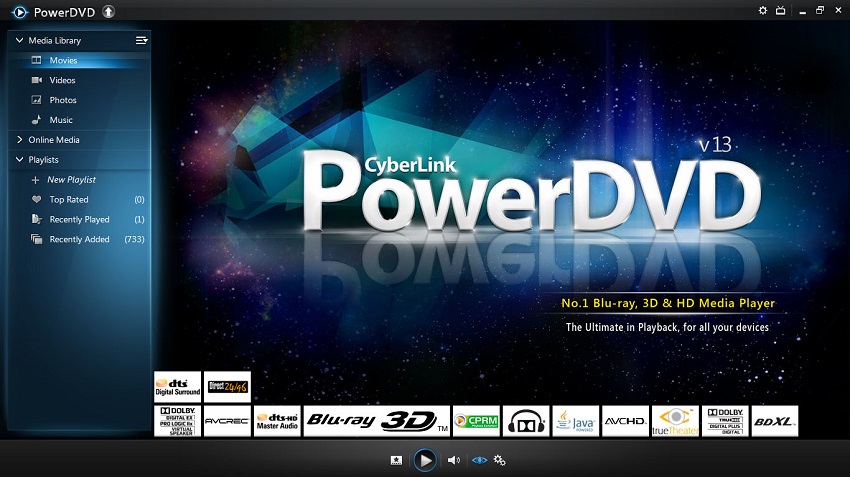
CyberLink PowerDVD is a premium, feature-rich media player for Windows, positioning itself as a complete home entertainment solution rather than a simple video player. It is well-regarded for its high-quality playback of Blu-ray, DVD, and digital video files, including high-resolution 4K and 8K content with HDR support.
Key Features
- Premium Playback: Delivers cinema-quality visuals with advanced playback technologies, including 4K/8K, HDR 10, and high-definition audio formats like DTS-X and Dolby Digital Surround.
- TrueTheater Enhancements: CyberLink's proprietary technology provides instant, one-click video and audio enhancement. Features include TrueTheater Color, Lighting, and HDR upscaling to improve the visual quality of standard dynamic range (SDR) content.
- Big-Screen TV Mode: Offers a user-friendly interface optimized for large-screen viewing from a distance, making it ideal for home theater setups.
- Casting and Wireless Streaming: Easily cast all media (video, photo, music) to devices like Roku, Apple TV, and Chromecast.
- Media Library Management: Functions as a robust media center for organizing and managing movies, TV shows, photos, and music.
- Superior Quality: Offers arguably the best out-of-the-box playback quality, with excellent HDR tone mapping and a suite of enhancement features.
- Home Theater Focused: Perfect for users who prioritize a high-end, immersive home cinema experience, especially with its TV Mode and audio support.
- Feature-Rich: Includes unique features like AI vocal removal for karaoke and VR playback.
- Reliable for Discs: Excellent support for playing physical media like DVDs and Blu-rays.
- Premium Cost: Unlike many alternatives, this is a paid software. The Ultra version, which includes all 4K/8K features, has a significant cost.
- Windows-Only: Not a cross-platform solution like VLC or mpv, which limits its flexibility.
- DRM Restrictions: Issues with playing Ultra HD Blu-ray discs have arisen due to the deprecation of Intel SGX support, which impacts newer CPU generations.
- Less Flexible than Open Source: While feature-rich, it lacks the deep, granular customization options preferred by some power users.
8. mpv
mpv is a free and open-source media player that is a fork of MPlayer and mplayer2. It is not for the average user; instead, it is highly favored by power users, developers, and enthusiasts who prioritize performance and video quality over a conventional user interface. Its strength comes from its core engine and extensive command-line customization.

Key Features
- High-Quality Video Output: mpv is highly regarded for its superior video playback quality, thanks to its powerful, integrated video output settings, including advanced upscaling algorithms and color management.
- Minimalist Interface: By default, mpv has a very minimal on-screen controller and no built-in "library" interface. This stripped-back approach allows for maximum focus on the video content itself, though it can be customized.
- Extensive Customization: The player is driven by a powerful configuration system using text-based configuration files and Lua scripting. This allows users to fine-tune virtually every aspect of playback and rendering.
- GPU Decoding: mpv provides excellent GPU-based hardware video decoding across all supported platforms, which is essential for smooth, low-power 4K and 8K playback.
- Seamless Integration with Front-ends: While the base player is a command-line tool, it can be used as a backend for more user-friendly graphical front-ends like IINA on macOS.
- Best-in-Class Quality: Considered by many to offer the highest-quality video rendering and output.
- Extremely Resource Efficient: Designed for minimal CPU usage and low power consumption, making it ideal for laptops and less powerful hardware.
- Cross-Platform Flexibility: Works seamlessly across major operating systems.
- No Bloatware: As an open-source project, it is free of ads, bundled software, and other unnecessary additions.
- Learning Curve: The default command-line interface and the vast array of configuration options can be intimidating for novice users.
- No "Out-of-the-Box" Library: Requires manual scripting or a separate front-end application for media library management.
- Minimal User Interface: The lack of a conventional GUI can be a turn-off for users who prefer a more traditional player experience.
9. DivX Player
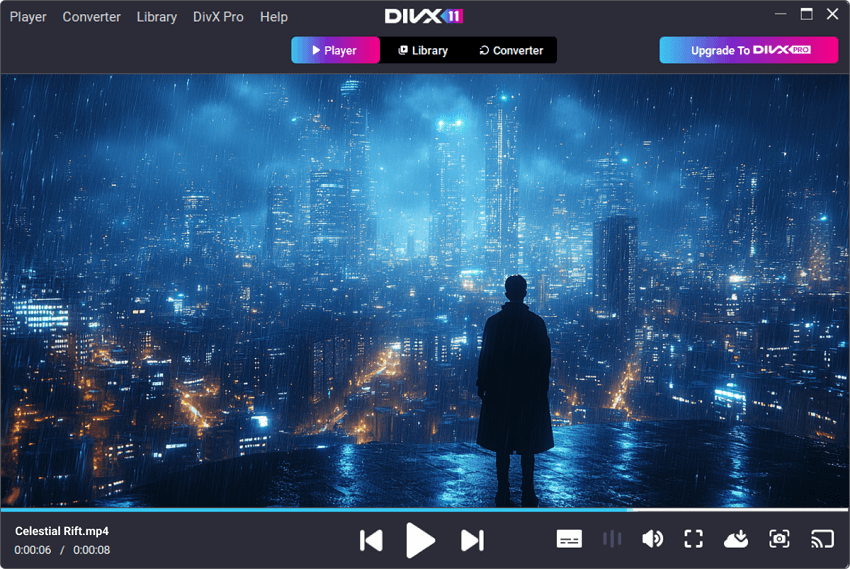
The DivX Player is part of a software suite developed by DivX, LLC, famous for the DivX video format that was popular in the early 2000s for compressing large videos into manageable sizes. Today, the player continues to focus on high-quality playback, casting capabilities, and specific support for HEVC/H.265.
Key Features
- DivX Optimized Playback: Designed to flawlessly play all DivX-certified video files.
- Video Casting (DivX Media Server): The suite includes a media server component that allows for easy casting of videos to DLNA-compatible devices like smart TVs, Chromecast, and game consoles.
- HEVC Playback: Supports High Efficiency Video Coding (HEVC), which is the standard for most 4K content today.
- Clean and Simple Interface: Offers a straightforward, easy-to-use interface that focuses on quick playback.
- Video Converter Included: The suite bundles a video converter utility for transcoding videos into various formats, including DivX, MKV, and HEVC files.
- Reliable Casting: The built-in media server functionality makes streaming 4K content to other devices simple and reliable.
- Official DivX/HEVC Support: Guaranteed compatibility with the codecs that DivX helped pioneer.
- Intuitive Interface: Very easy for beginners to navigate and use the basic playback functions.
- Bundled Converter: The included converter software adds value beyond a simple player.
- Fewer Formats than VLC/PotPlayer: While it covers the main 4K codecs, it has a narrower range of supported "obscure" formats compared to open-source alternatives.
- Pro Version Paywall: Advanced features like AC3 audio support, cloud connect, and removing ads require a purchase of the Pro version.
- Installer Bundles: The free version's installer often tries to install the entire DivX suite and potentially third-party ads.
- Windows-Focused Updates: The Windows version is generally more robust and frequently updated than the macOS client.
10. IINA
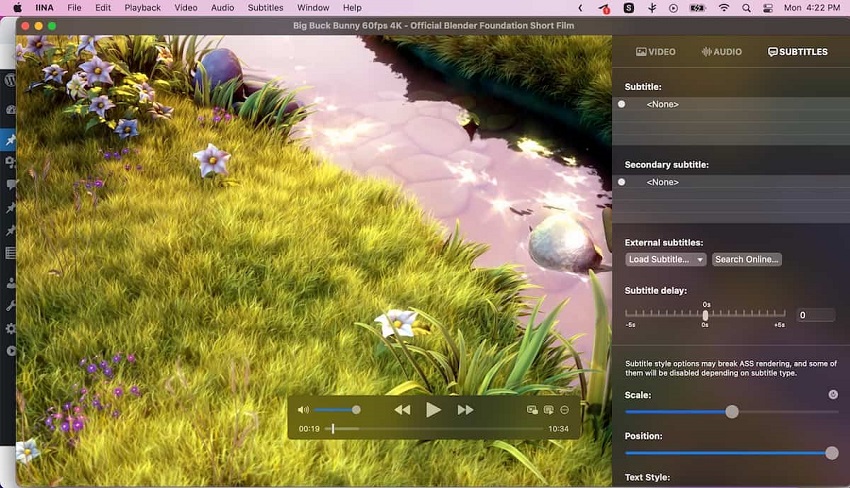
IINA is a modern, open-source video player built specifically for macOS. It is designed to follow the design philosophy of the latest macOS releases, integrating seamlessly with features like the Touch Bar, Force Touch, and Picture-in-Picture. The power behind IINA comes from using the mpv media player engine as its backbone, granting it exceptional performance and codec support.
Key Features
- Native macOS Experience: IINA feels like a standard Apple application, adopting the dark mode, smooth animations, and native system controls (like volume and playback gestures).
- Powered by mpv: It benefits from the highly optimized and high-quality rendering engine of mpv without the need for the user to interact with command lines or config files.
- Online Subtitle Search: Can automatically search for and download subtitles from OpenSubtitles.org directly within the application.
- Network Streaming: Easily play YouTube playlists or other online streams by simply pasting the URL.
- Customizable UI: While minimal by default, IINA offers themes, a mini-player mode, and customizable keyboard shortcuts/gestures.
- Best macOS Integration: The most polished and native experience for Mac users.
- High Performance: Leverages the robust performance and quality of the mpv engine effectively for smooth 4K/HDR playback.
- Free and Open Source: No ads, no cost, and no bundled software.
- Modern Features: Includes handy integrations like the Touch Bar support and system native Picture-in-Picture.
- macOS Exclusive: Only available for Mac users.
- No Windows/Linux Support: Users with mixed ecosystems will need a different player for their other devices.
- Fewer Deep Customizations than mpv: While it offers many settings, it doesn't expose every single granular mpv setting to the graphical user interface, which power users might miss.
While the players listed above are excellent for playing your existing 4K content, you might run into situations where your source material isn't native 4K. Maybe you want to watch a favorite older movie in higher quality or improve the look of standard definition home videos on your new 4K display.
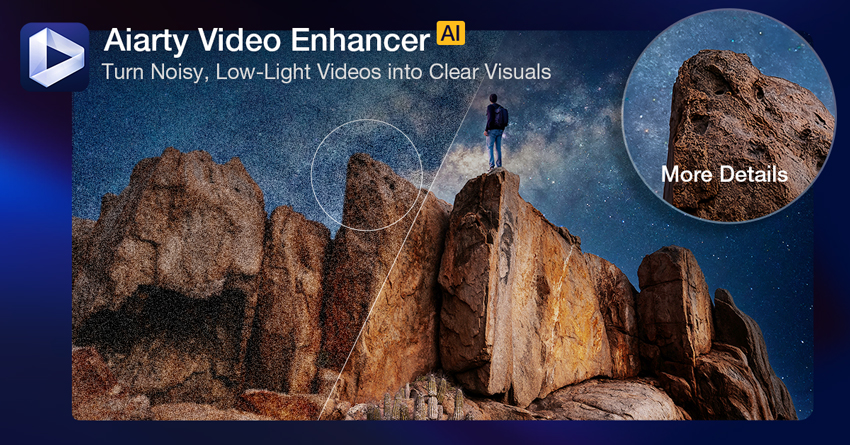
If you are looking to upscale standard definition (SD) or 1080p content to true 4K resolution using artificial intelligence, you might consider tools designed specifically for this purpose. And one of the best options is Aiarty Video Enhancer.
Aiarty Video Enhancer uses AI models to analyze and enhance detail, reduce noise, stabilize footage, and boost resolution. It works before you even open the file in your preferred 4K player, giving you higher-quality source material to begin with. This is a great complementary tool for users serious about maximizing their viewing quality, especially for non-4K content.
Conclusion
Choosing the "best" 4K video player ultimately depends on your specific hardware and viewing preferences.
For most users seeking a reliable, free, "play-everything" solution, VLC Media Player remains a top contender, provided you ensure hardware acceleration is enabled in the settings. PotPlayer is the undisputed champion for Windows power users who demand highly customized settings and optimal performance with high-bitrate files.
If you have a large media collection you want organized and accessible across multiple devices, Plex offers an unbeatable server-based ecosystem. For Mac users seeking a fluid, native experience, IINA provides the perfect blend of modern design and powerful mpv performance.
Regardless of which player you choose from this list, the key to smooth 4K playback lies in utilizing hardware acceleration. By selecting a player optimized for modern codecs and hardware decoding, you can unlock the full potential of your 4K content and enjoy a seamless, cinematic experience at home.

This post was written by Brenda Peng who is a seasoned editor at Digiarty Software who loves turning ordinary photos into extraordinary works of art. With AI assistance for brainstorming and drafting, the post is reviewed for accuracy by our expert Abby Poole for her expertise in this field.
